Pricing Generate Makeover before after · Free

AI Makeover Before and After

← Browse all creative effects

Last updated

Generate scroll-stopping makeover content for Instagram and TikTok — or proof your look before committing to the chair.
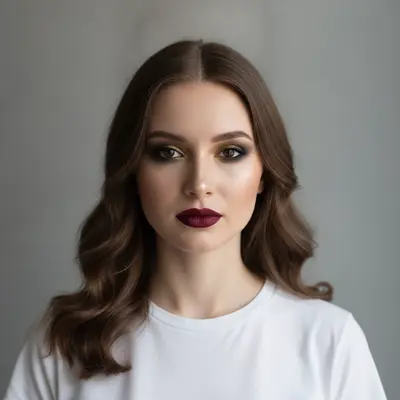
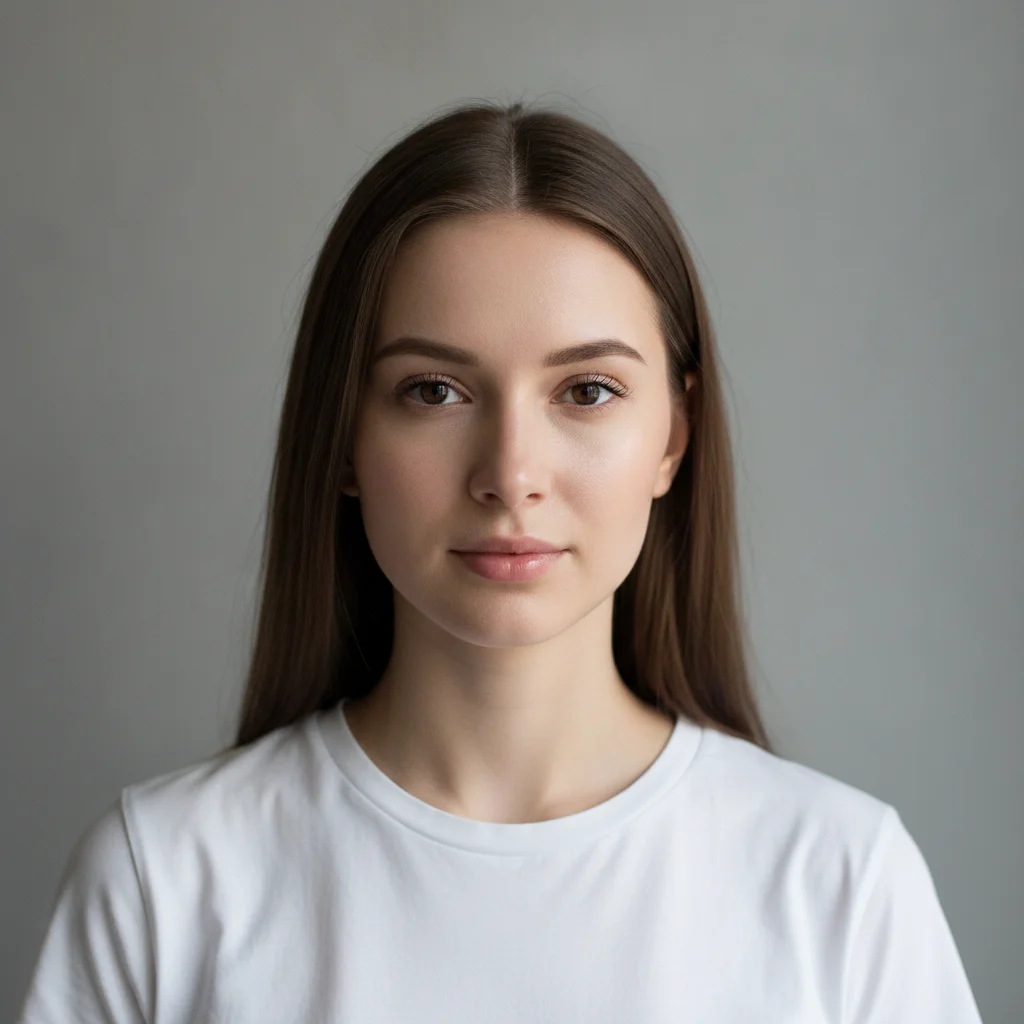
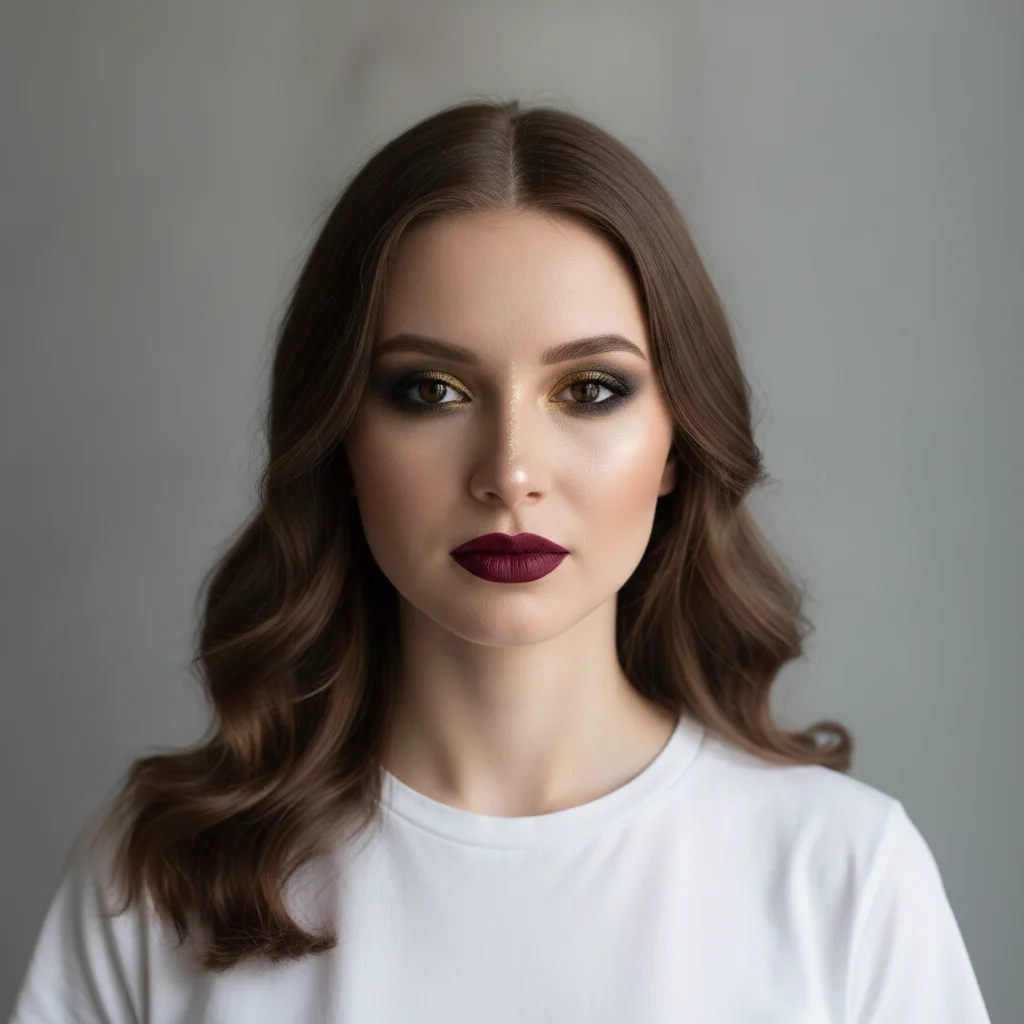
Young woman with minimal natural makeup and straight brown hair Same woman with full glam makeover: smoky eye, burgundy lip, contoured cheeks, romantic waves

Upload photo to generate makeover before after

"apply a natural glam makeover: glossy nude lip, soft champagne shimmer eye with defined lashes, light bronzed skin with subtle highlight, fluffy brushed-out brows, glossy blown-out hair"

Free to try · no sign-up · photos are never shared

Release to upload

<30stypical edit
1 freeedit weekly
Photo on your phone? Scan to open this editor there — free edit works on your phone too.

1 free edit every week·packs from $4.99

How it works

  1. Upload a clear portrait photo

    Use a well-lit front-facing or three-quarter portrait where the face is fully visible. Natural or soft studio lighting works best — harsh side shadows can make makeup renders less accurate. JPG, PNG, or WebP up to 7MB.

    Expect: Clear portraits with even facial lighting produce the most accurate and realistic makeup renders. Selfies with ring lights or window light work well. Very dark photos or extreme angles may produce less precise results.
  2. Describe the makeover look in detail

    Type the full transformation: 'apply a full glam makeover: bold burgundy matte lip, blended smoky eye in charcoal and gold, sculpted contour and highlight, and glossy romantic curls.' Break down each element — lips, eyes, cheeks, skin finish, and hair — for the most accurate result. Reference a celebrity look or a named makeup style for even stronger direction.

    Tip: Content creators: describe the aesthetic before the specific products. 'Instagram glam, golden hour editorial look' sets the vibe before listing details. For TikTok transformation posts, use 'dramatic glow up transformation: from casual everyday to full glam event ready.'

    Copy one of these to get started:

    Full glam — Instagram event look apply a full glam makeover: bold burgundy matte lip, blended smoky eye in charcoal and deep gold, sculpted contour on cheekbones and jawline, highlight on nose bridge and cupid's bow, flawless foundation finish, soft romantic waves in the hair
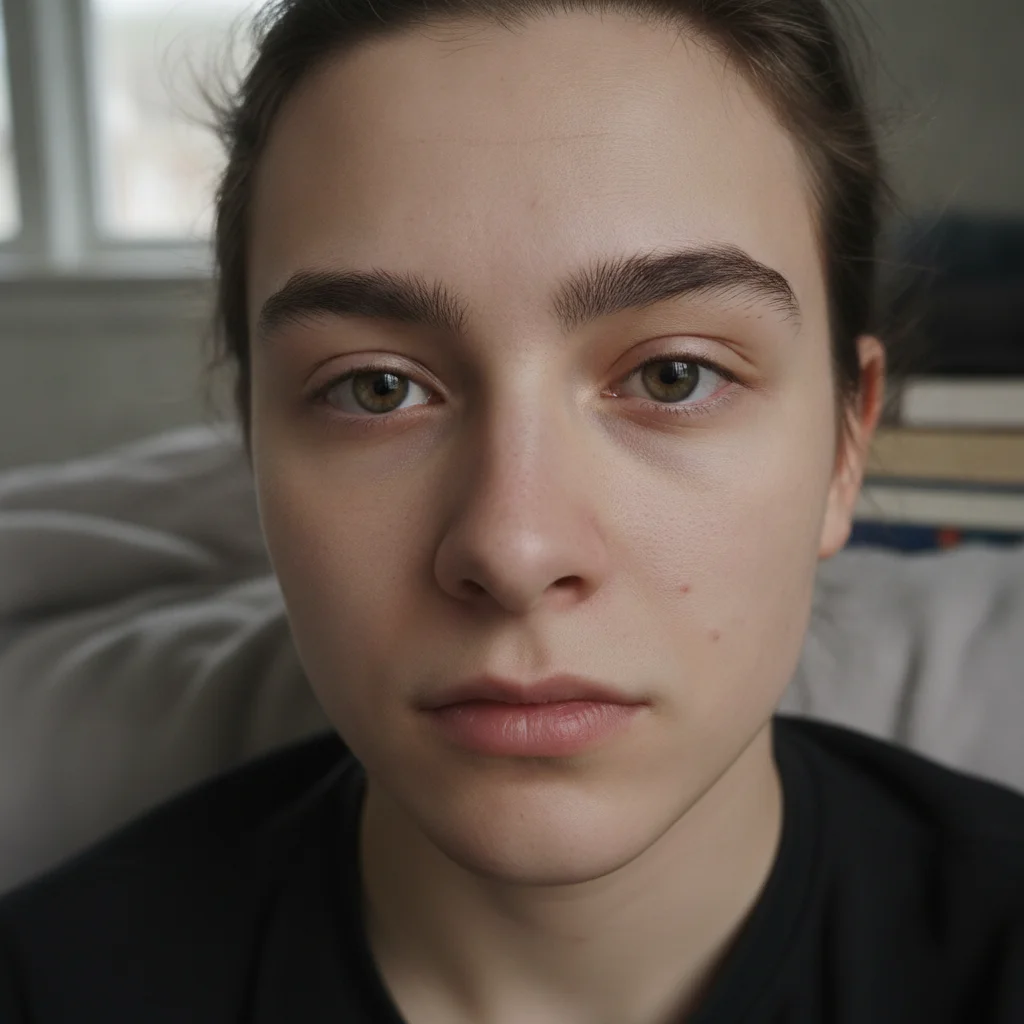
    Natural glam — barely there elevated look apply a natural glam makeover: glossy nude lip, soft champagne shimmer eye with defined lashes, light bronzed skin with subtle highlight, fluffy brushed-out brows, glossy blown-out hair
    No-makeup makeup — glow up skin focus apply a no-makeup makeup look: perfect glowing skin with subtle concealer, barely-there tinted moisturizer, feathery natural brows, clear mascara, peachy tinted lip balm — luminous healthy skin effect
    Dramatic editorial — TikTok transformation dramatic glow up transformation: from casual everyday to full glam editorial — graphic liner, deep jewel-toned eye shadow, glossy red lip, sculpted strobed cheekbones, sleek high ponytail, editorial fashion photography lighting
    3 more prompts
    Hair transformation only — before and after color apply a hair transformation only — change the hair color from natural brown to platinum blonde balayage with warm honey highlights, keep all makeup and facial features exactly unchanged
    Makeup artist client proof — bridal look apply a bridal makeup look: soft dewy skin, natural brow definition, champagne and rose gold eye, defined lash line, natural peachy-pink lip, flushed cheeks — classic elegant bridal aesthetic, photograph-ready finish
    Y2K / retro aesthetic apply a Y2K 2000s inspired makeup look: frosty iridescent lip gloss, thin overdrawn brows, shimmery pale blue eyeshadow, heavy dark lash liner on lower lash line, frosted highlighter on cheekbones, straight sleek hair with face-framing layers
  3. Review the skin tone, feature retention, and makeup placement

    Zoom to 100% and check that the person's natural eye shape and facial features are preserved. Verify that the makeup is applied to the correct areas — liner on the lash line, blush on the cheekbone apples, contour on the hollows. Check that the skin tone is natural and not overprocessed.

  4. Refine a specific feature with markers

    If the lip color is too dark or the eye shadow isn't blended enough, tap a marker directly on that feature and regenerate with a targeted correction. Markers are optional — most front-facing portraits work well on the first pass.

    Tip: For makeup artist client proofs, a two-pass approach often works best: first pass for overall look, second pass to refine the feature the client cares most about.

See it in action

Young woman with minimal natural makeup and straight brown hair
Before
->
Same woman with full glam makeover: smoky eye, burgundy lip, contoured cheeks, romantic waves
After

Casual to full glam — Instagram event content

Beauty creator needed a before/after transformation post for Instagram. One prompt produced the full glam look on the existing portrait without a photoshoot or makeup session.

Prompt: apply a full glam makeover: bold burgundy matte lip, blended smoky eye in charcoal and deep gold, sculpted contour on cheekbones and jawline, highlight on nose bridge and cupid's bow, flawless foundation finish, soft romantic waves in the hair
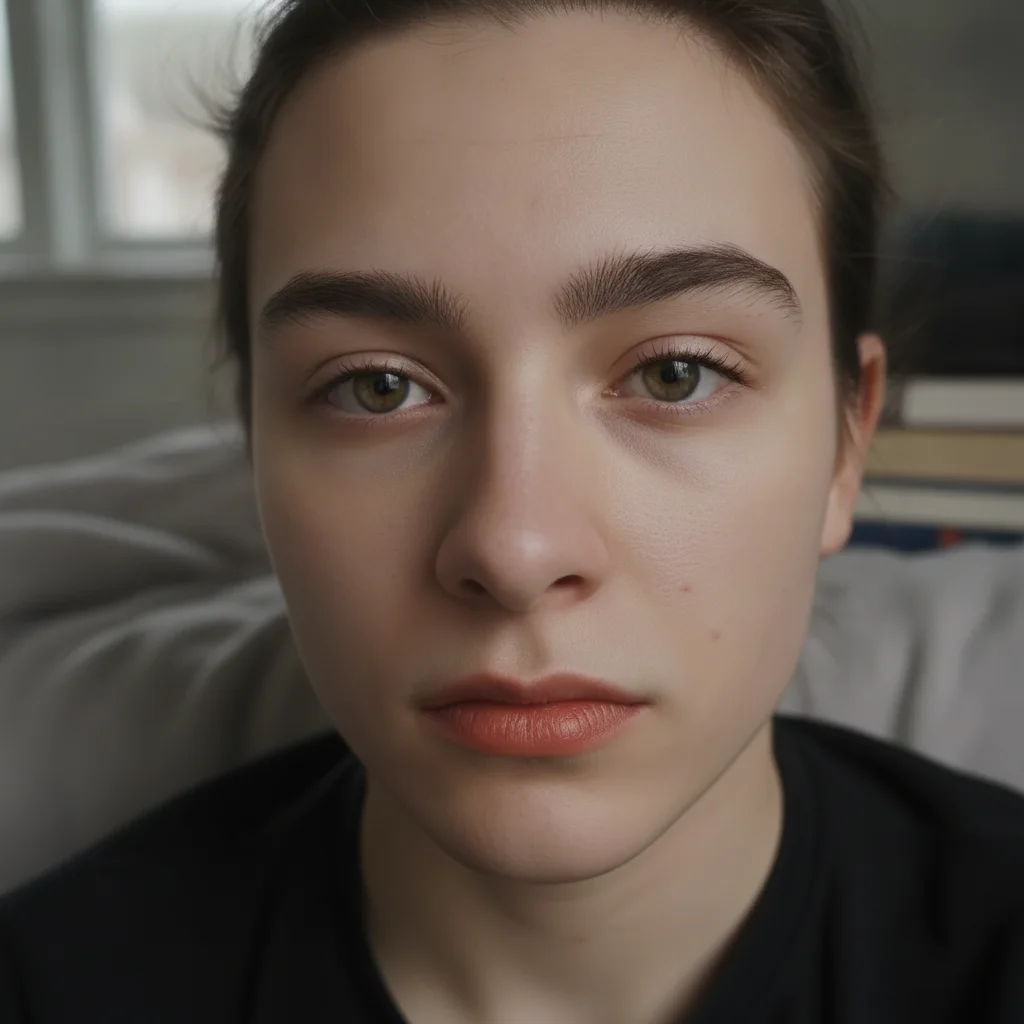
Person with no makeup, natural skin texture visible in flat daylight
Before
->
Same person with luminous glass-skin glow, feathery brows, peachy lip — natural but elevated
After

Natural glow up — no-makeup makeup transformation

A content creator wanted a realistic 'no-makeup makeup' transformation post showing a healthy glow rather than heavy coverage.

Prompt: apply a no-makeup makeup look: perfect glowing skin with subtle concealer, barely-there tinted moisturizer, feathery natural brows, clear mascara, peachy tinted lip balm — luminous healthy skin effect
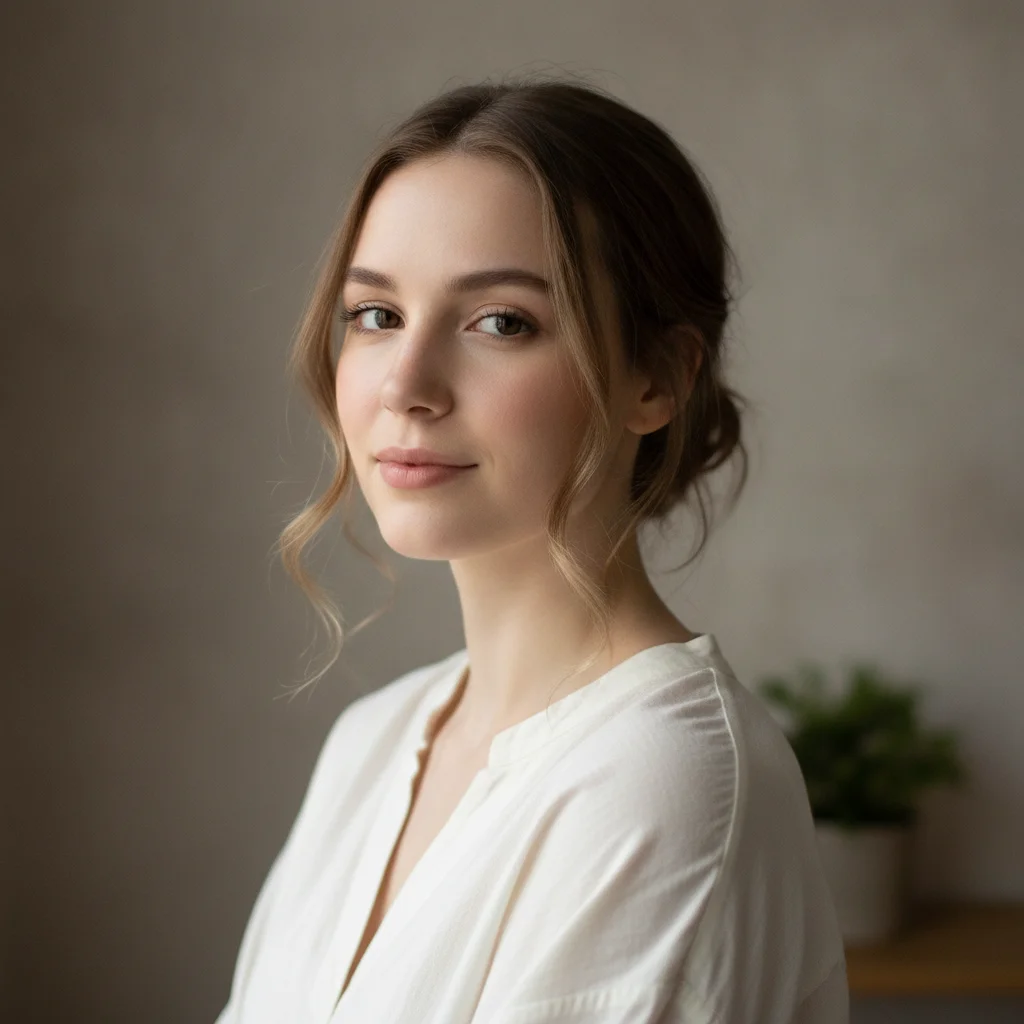
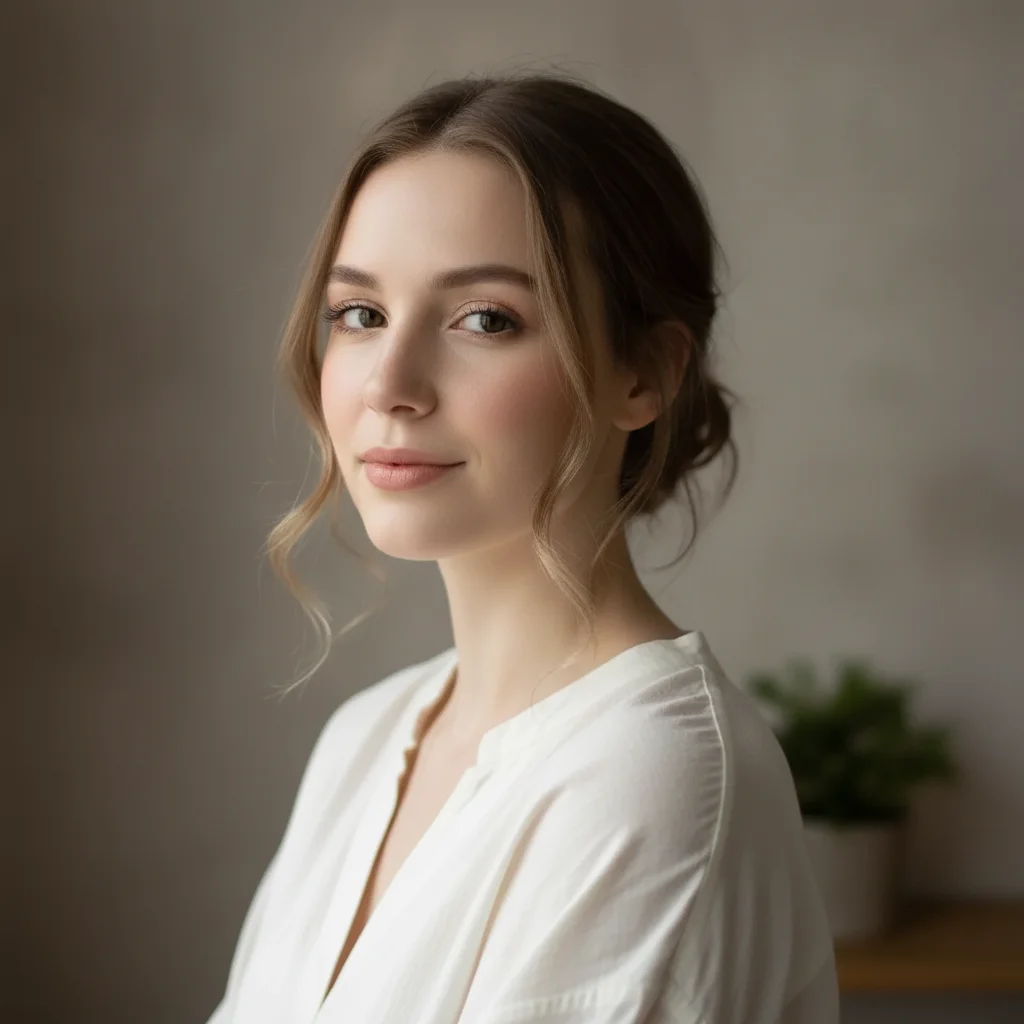
Woman in ivory blouse with minimal natural makeup, soft neutral lighting
Before
->
Same woman with bridal makeup: dewy skin, champagne eye, peachy lip, flushed cheeks
After

Makeup artist bridal proof — client preview

A makeup artist created a bridal look preview for a client who couldn't decide between looks. The AI proof helped the client confirm the aesthetic before the trial appointment.

Prompt: apply a bridal makeup look: soft dewy skin, natural brow definition, champagne and rose gold eye, defined lash line, natural peachy-pink lip, flushed cheeks — classic elegant bridal aesthetic, photograph-ready finish

Quick answers

Do I need to mark my face or specific features before applying a makeover?

No. Just describe the look: 'apply a full glam makeover with bold burgundy lip and smoky eye.' The AI identifies facial features automatically on portrait photos. Markers are only useful if the makeup appears in the wrong position — like blush on the nose instead of the cheekbones.

Is there a free AI makeover tool that doesn't require a signup?

Yes. EditThisPic generates makeover transformations for free with no account. Upload a portrait, describe the look, and download the result in about 30 seconds. Works in any browser on desktop or mobile — no app download needed. The free edit is a preview — purchased downloads are clean, full quality.

How do I create a makeover before and after for Instagram or TikTok?

Upload your portrait to EditThisPic. Type the 'before' description (your natural look) is already in the photo — just describe the 'after': 'dramatic glow up transformation: graphic liner, deep jewel-toned eye shadow, glossy red lip, sculpted cheekbones, sleek ponytail.' Download and use the original photo as 'before' and the generated image as 'after' for your content.

Can makeup artists use this for client proofs?

Yes. Upload a portrait of the client, describe the planned look in the same detail you'd brief a photographer: 'soft dewy bridal skin, champagne and rose gold eye, peachy lip, flushed cheeks, photograph-ready finish.' Show the client the AI proof before the trial appointment to confirm the aesthetic direction. This reduces trial revisions significantly.

How do I create a makeover before and after photo for free?

Go to EditThisPic, upload your portrait (JPG, PNG, or WebP up to 7MB), type 'apply [full makeup look description]' with specific details for lips, eyes, cheeks, skin finish, and hair, and click Generate. Download in about 30 seconds. No login required. The free edit is a preview — purchased downloads are clean, full quality.

Will the AI preserve my natural features and skin tone?

Yes, if you specify it. Add 'preserve natural skin tone exactly, do not alter facial features or face shape' to your prompt. This explicitly protects your face while allowing makeup application. Without this instruction, dramatic makeover prompts can occasionally modify underlying features.

Can I try a specific makeup trend — like old Hollywood or Y2K — on my photo?

Yes. Named era aesthetics and makeup trends produce reliably accurate results: 'Y2K frosty gloss and shimmer eyeshadow,' 'old Hollywood glamour with bold red lip and winged liner,' '1990s grunge with dark berry lip and smudged kohl liner.' The AI has strong reference data for named beauty trends.

How much does EditThisPic cost?

You get 1 free edit per week — no account needed. After that, one-time credit packs start at $4.99 for 10 edits, valid 12 months, no subscription. Power users who edit daily can pick Studio Membership, a monthly workspace at $49.99/mo for 300 edits. Purchased downloads are clean with no watermark.

Ready to create your makeover transformation?

Free to try. No signup required.

1 free edit included·Credit packs from $4.99