Pricing Age-regress Person in photo · Free

AI Photo Age Regression

← Browse all creative effects

Last updated

See a younger version of someone in a photo — an artistic interpretation, not a scientific reversal of aging.
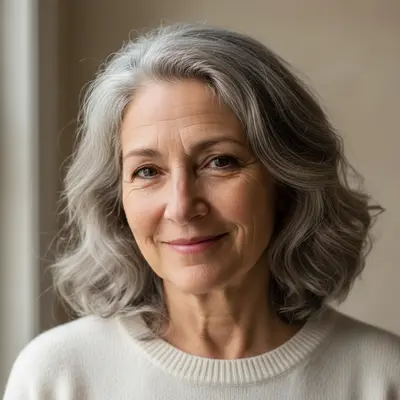
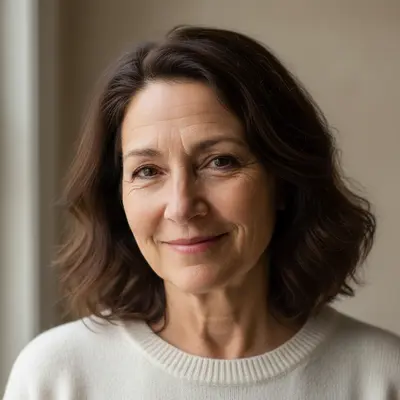
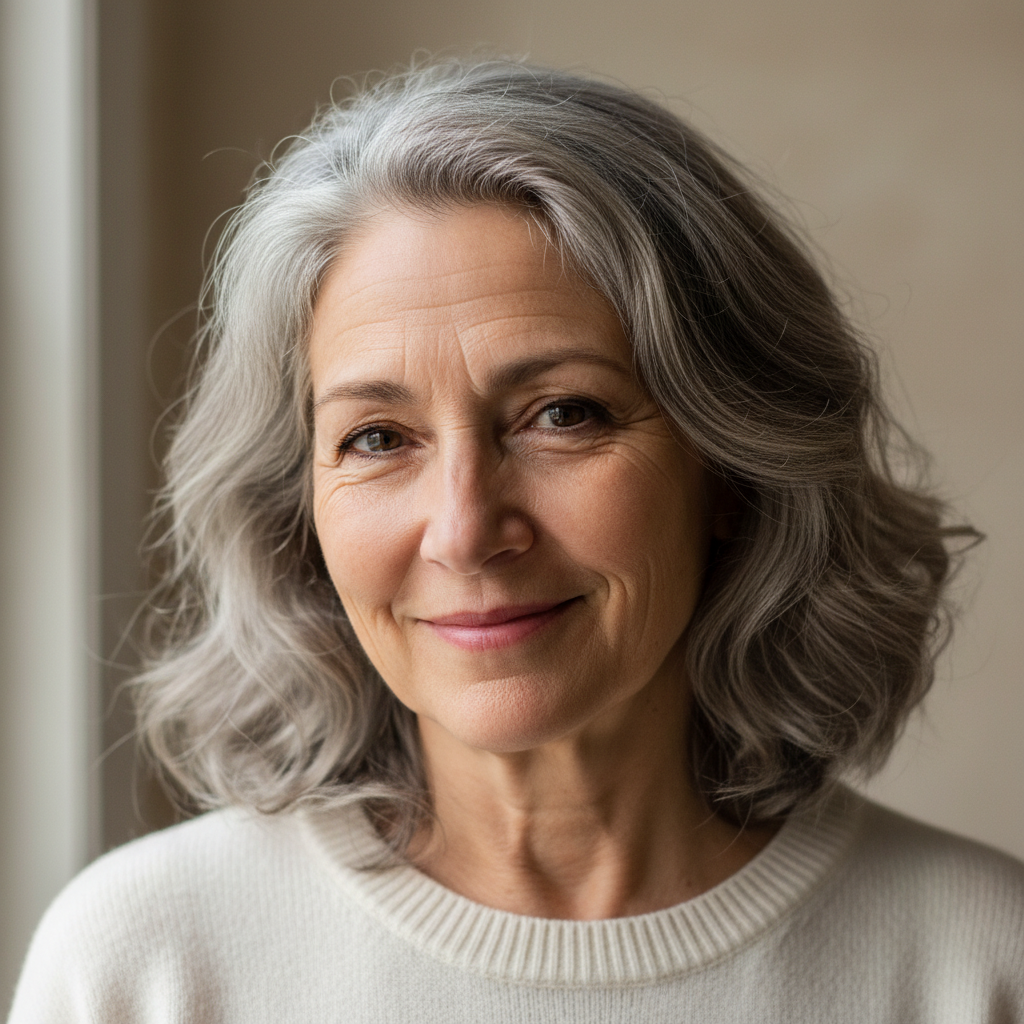
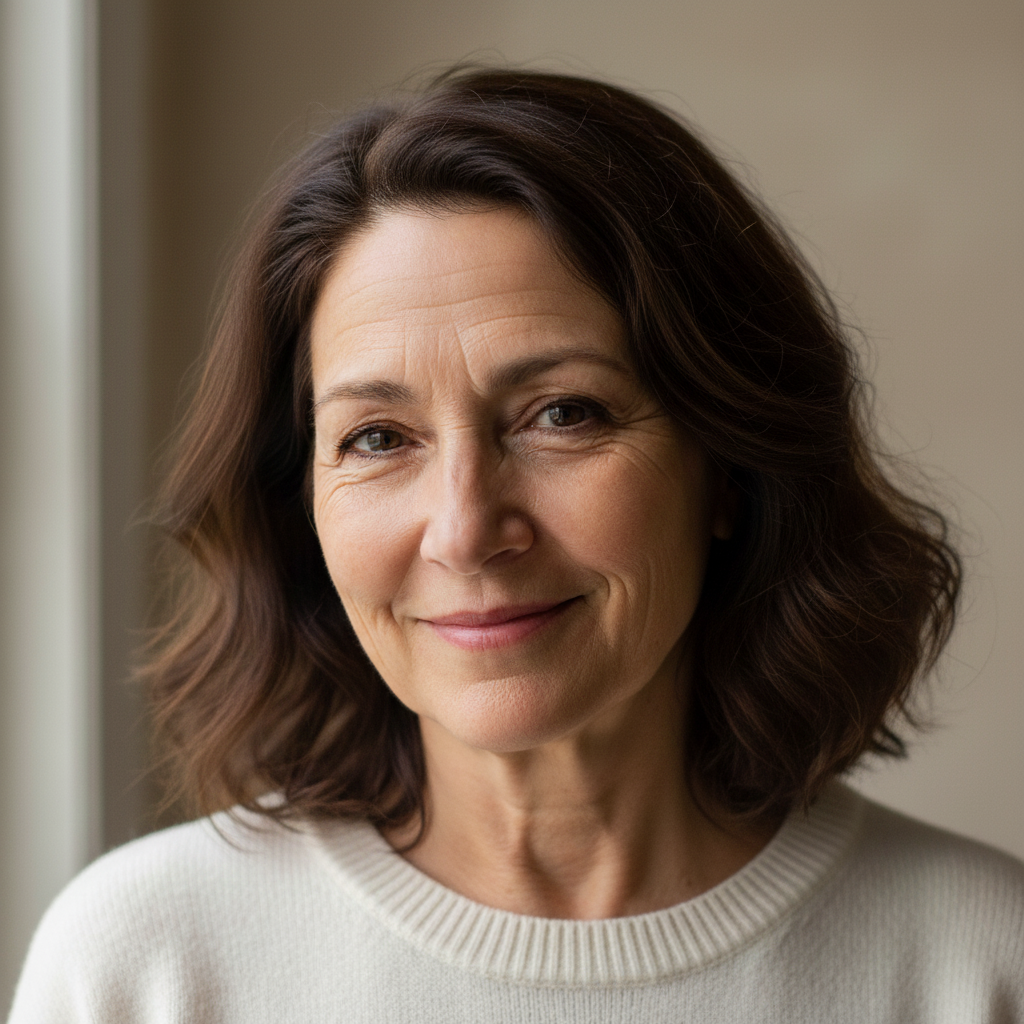
Portrait of a woman in her early 60s with grey hair and natural wrinkles Artistic interpretation of the same woman approximately 20 years younger, with darker hair and softened facial lines

Upload photo to age regress person

"make this person look about 10 years younger: soften the deepest lines slightly, add subtle freshness to the skin, reduce any grey in hair — keep the changes gentle and believable"

Free to try · no sign-up · photos are never shared

Release to upload

<30stypical edit
1 freeedit weekly
Photo on your phone? Scan to open this editor there — free edit works on your phone too.

1 free edit every week·packs from $4.99

How it works

  1. Upload a clear portrait with a visible face

    A well-lit portrait with the face clearly visible gives the AI the most to work with for age regression. The AI needs to see current aging features — wrinkles, hair color, skin texture — to apply a convincing reversal. Soft lighting tends to produce more natural-looking results than harsh flash photography. JPG, PNG, or WebP up to 7MB.

    Expect: Clear portraits: 30–45 seconds. Photos with partial face visibility or complex lighting may need 2 passes.
  2. Describe the target younger age and restoration approach

    Specify years to regress and what to change: 'make this person look 20 years younger — reduce wrinkles and fine lines, restore darker hair color, smoother skin, while keeping their overall appearance recognizable.' The more specific the description, the better the targeted result. No marking needed — describe what you want.

    Tip: 'Keep their overall appearance recognizable' is critical — without it, the AI may produce a younger face that no longer resembles the original person. Always include it.

    Copy one of these to get started:

    20 years younger — natural rejuvenation make this person look approximately 20 years younger: reduce facial lines and wrinkles, restore darker hair color, smoother skin with natural texture, keep their overall appearance and personality recognizable
    Subtle 10-year rejuvenation make this person look about 10 years younger: soften the deepest lines slightly, add subtle freshness to the skin, reduce any grey in hair — keep the changes gentle and believable
    Restore original hair color only make this person look younger only by restoring their original hair color — remove the grey and restore natural hair color for someone approximately [X] years younger, do not change the face or skin
    30 years younger — for creative projects create an artistic interpretation of this person approximately 30 years younger: smooth skin, original hair color, youthful facial structure, while maintaining family resemblance to the current photo
    3 more prompts
    Soften wrinkles around eyes only make this person look slightly younger by softening the lines around the eyes only — keep everything else the same, natural texture preserved
    Elderly person to middle-aged show this elderly person as they might have looked in middle age: reduce deep wrinkles to moderate expression lines, restore medium-toned hair, fuller facial skin, while keeping them clearly recognizable
    Refresh for a photo comparison make this person look approximately [X] years old to match an old photo for a before/after comparison — natural appearance, not overly retouched, realistic skin texture
  3. Review the rejuvenation effect and natural look

    Check that the result looks naturally younger rather than digitally smoothed. Skin should have natural texture, not be plastic or blurred. Hair color restoration should blend naturally. Verify the person's face is still recognizable. Remember: this is an artistic effect, not what the person would actually look like in real life at a younger age.

See it in action

Portrait of a woman in her early 60s with grey hair and natural wrinkles
Before
->
Artistic interpretation of the same woman approximately 20 years younger, with darker hair and softened facial lines
After

60s to 40s — natural rejuvenation

A woman in her 60s shown as an artistic interpretation of her appearance approximately 20 years earlier.

Prompt: make this woman look approximately 20 years younger: reduce facial lines, restore darker brown hair with natural grey removal, fresher skin with natural texture, keep her recognizable
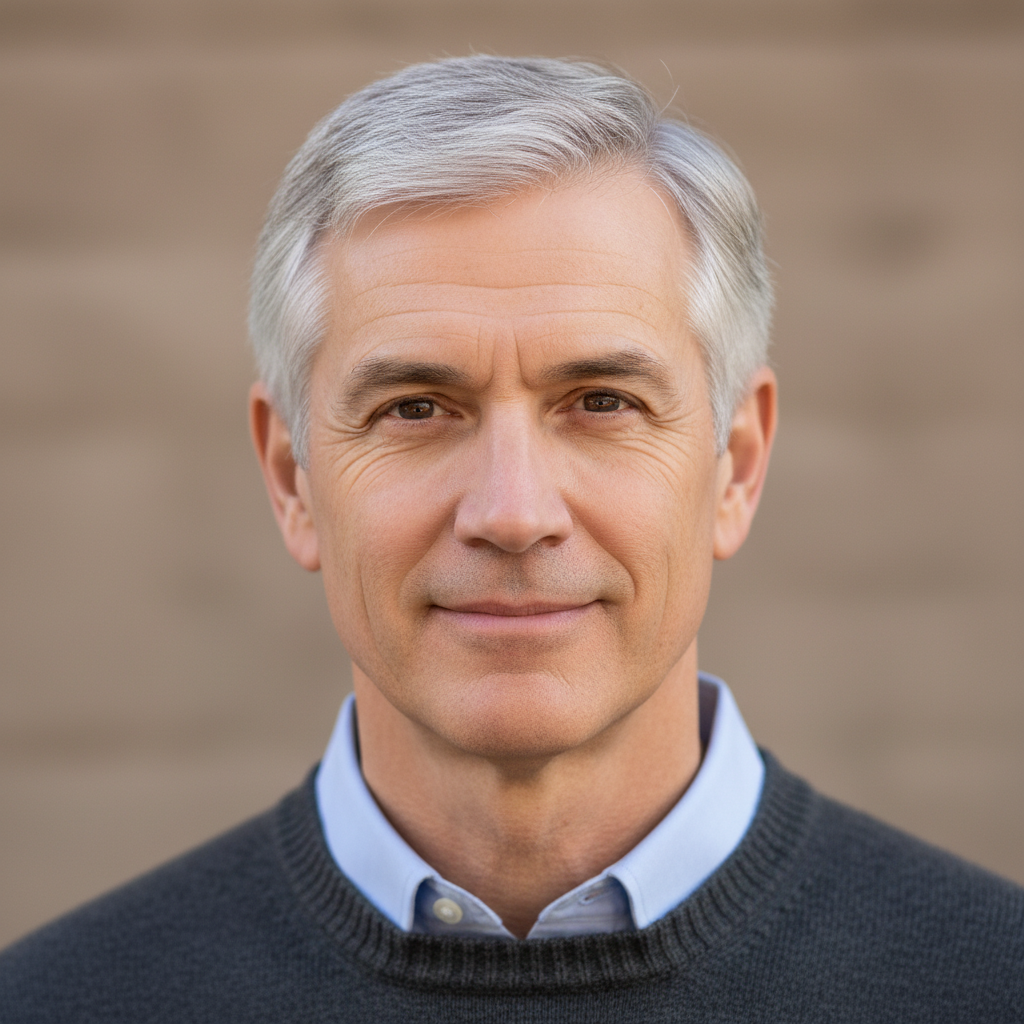
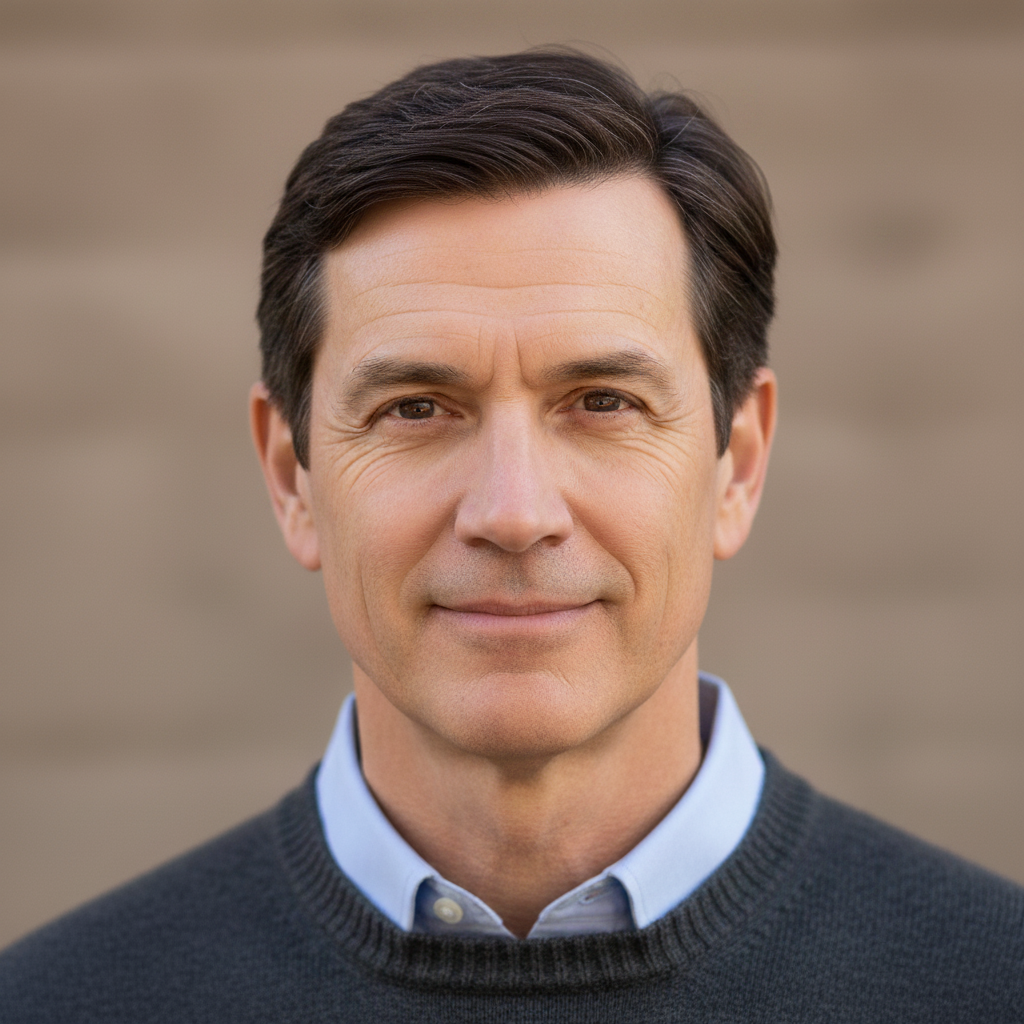
Portrait of a man in his mid-50s with completely grey hair
Before
->
Same man with natural dark brown hair restored, face and other features unchanged
After

Hair color restoration only

A man in his 50s with fully grey hair, with only the hair color restored while facial aging remains unchanged.

Prompt: restore this man's hair color to natural dark brown as it would have been in his 30s — only change the hair color, do not alter the face, skin, or any other features
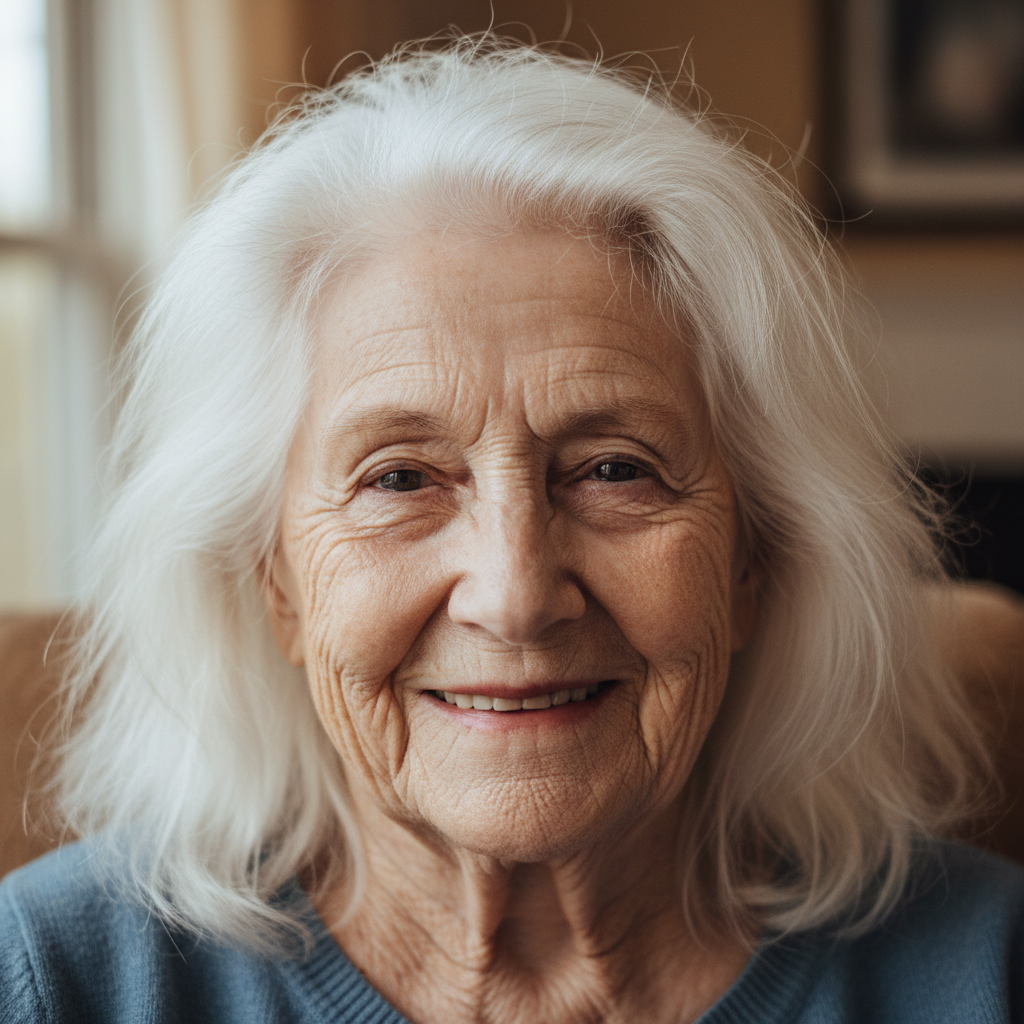
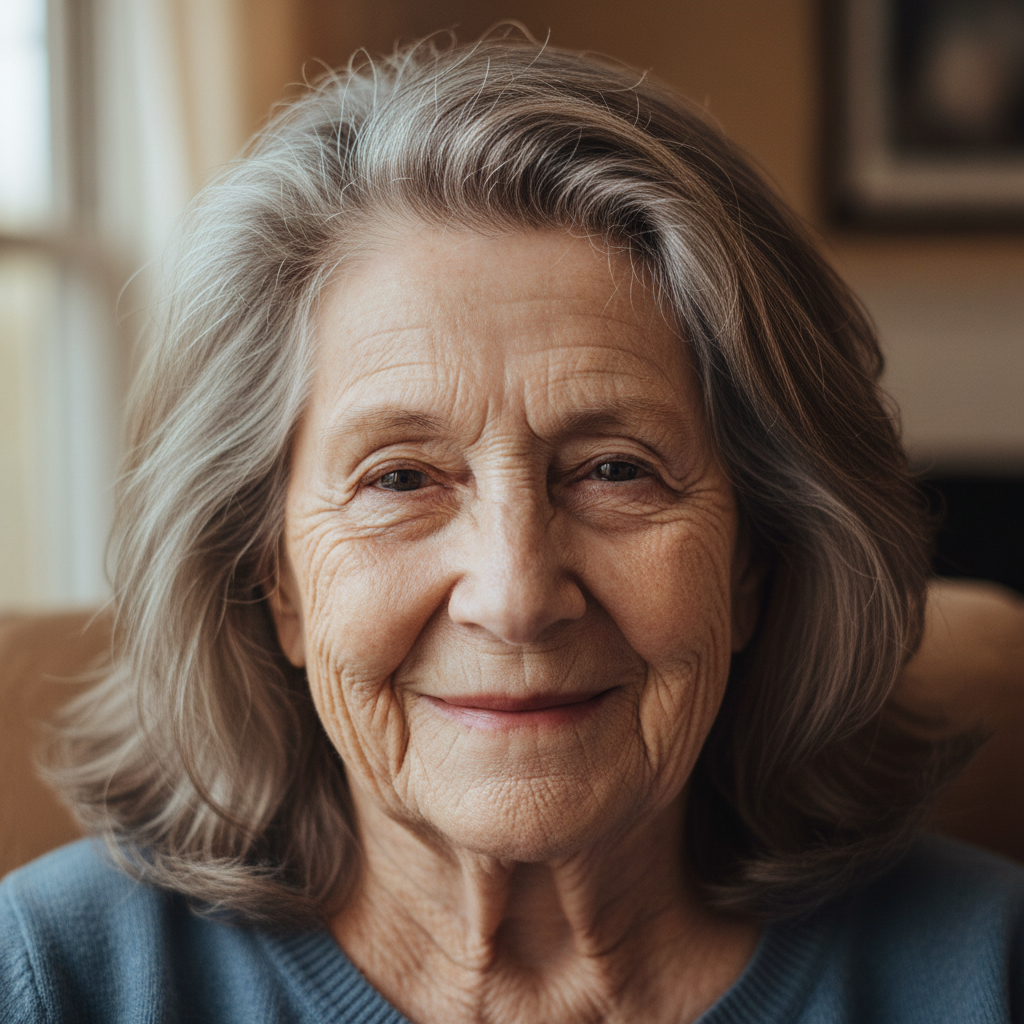
Portrait of an elderly person in their 80s with white hair and deep facial lines
Before
->
Artistic interpretation of the same person as they may have appeared in their 50s, with reduced lines and natural hair color
After

Elderly to middle-aged — dramatic regression

An elderly person in their 80s shown as an artistic interpretation of what they may have looked like in their 50s.

Prompt: show this person as they might have looked in their 50s: reduce deep wrinkles to moderate expression lines, restore grey hair to silver-mixed natural color, fuller facial skin, keep them clearly recognizable

Quick answers

Do I need to mark the face before applying age regression?

No — just describe the rejuvenation: 'make this person look 20 years younger, reduce lines, restore hair color, keep recognizable.' No marking needed.

Is AI age regression scientifically accurate?

No — and this matters to understand. AI age regression is an artistic effect that creates an imaginative interpretation of younger appearance. It is NOT a forensic reversal, medical assessment, or scientifically valid representation of what someone looked like at a younger age. Results are plausible and can look convincing, but they should not be used for identification, legal purposes, or any application requiring scientific accuracy.

Is there a free AI age regression tool with no login?

Yes. EditThisPic applies AI age regression for free with no account required. Upload your portrait, describe the rejuvenation, and preview it free — purchased downloads are clean, full quality.

Can I make just the hair look younger without changing the face?

Yes. Specify it explicitly: 'restore the hair color to dark brown as it would have been 20 years ago — do not change the face, skin, or any other features.' The AI will isolate the hair color change when you're explicit about the scope.

How do I make sure the rejuvenated person still looks like themselves?

Include 'keep recognizable' or 'maintain this person's distinctive features' in your prompt. This is the single most important instruction for identity-preserving age regression. Without it, the AI sometimes produces a younger face that no longer resembles the original person.

What's the difference between age regression and a beauty retouching filter?

Beauty retouching smooths and brightens the current appearance without a specific age target. Age regression specifically removes aging features (wrinkles, grey hair, skin laxity) to create the impression of a younger version of the same person. Use retouching for general freshening; use age regression when you want to suggest a specific younger age.

How much does EditThisPic cost?

You get 1 free edit per week — no account needed. After that, one-time credit packs start at $4.99 for 10 edits, valid 12 months, no subscription. Power users who edit daily can pick Studio Membership, a monthly workspace at $49.99/mo for 300 edits. Purchased downloads are clean with no watermark.

See a younger version of the photo?

Free to try. No signup required.

1 free edit included·Credit packs from $4.99