Pricing Age-progress Person in photo · Free

AI Photo Age Progression

← Browse all creative effects

Last updated

Visualize what someone might look like in 20, 30, or 40 years — an artistic, predictive take, not a scientific forecast.
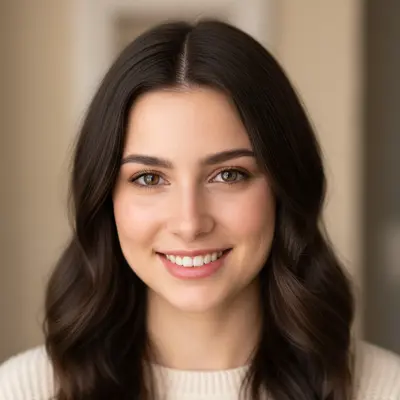
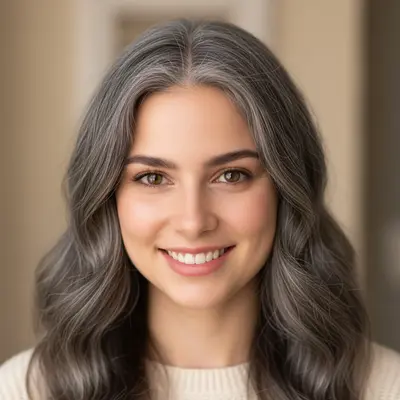
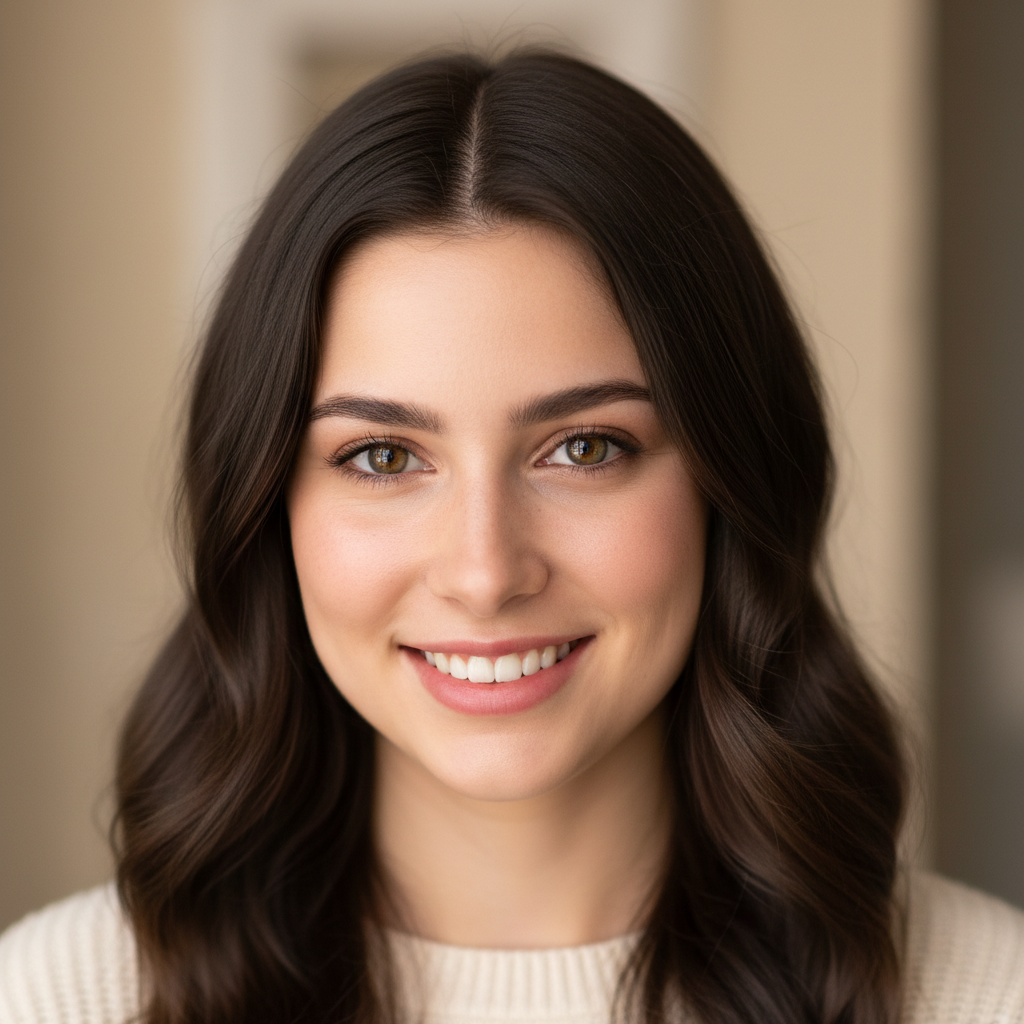
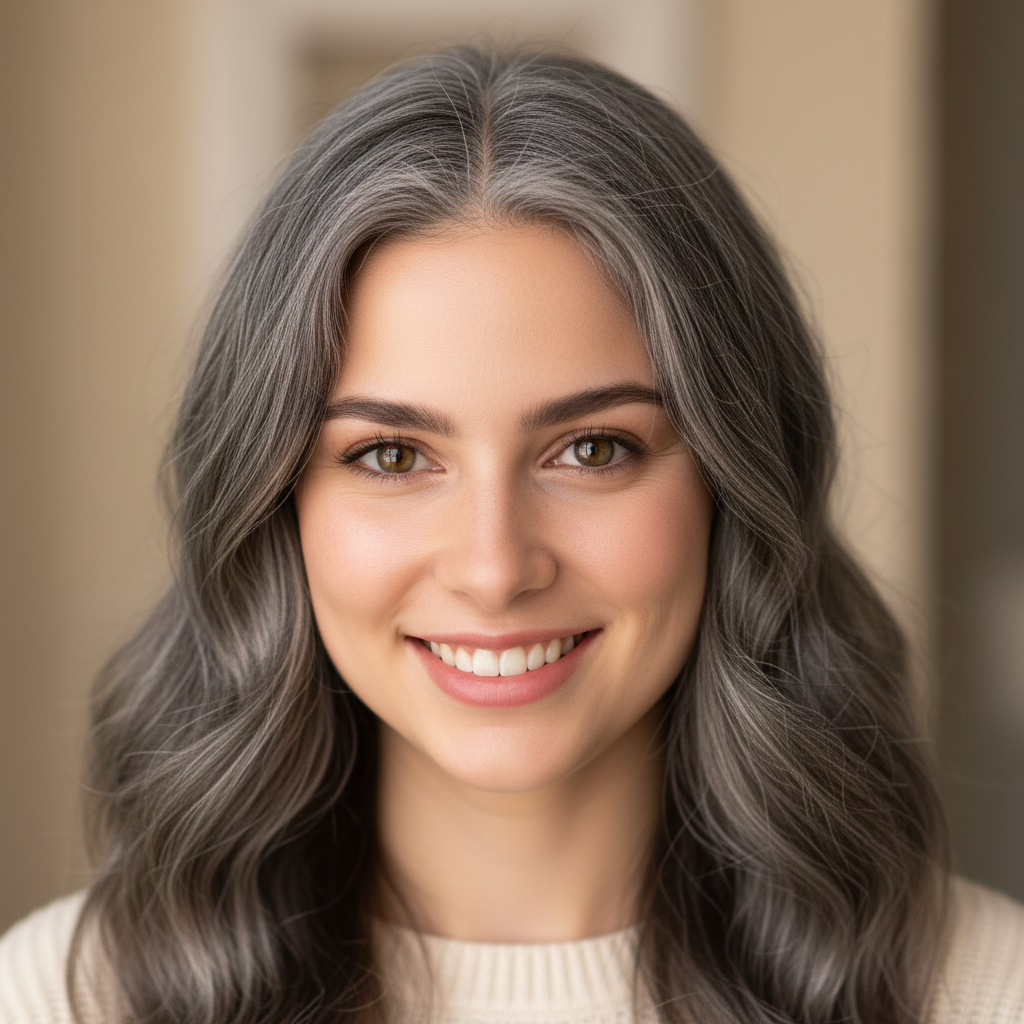
Portrait of a woman in her mid-20s with dark brown hair Artistic AI interpretation of the same woman aged approximately 25 years, with silver highlights and deeper facial lines

Upload photo to age progress person

"show this person aged to approximately their mid-60s: silver hair, distinguished facial lines and wrinkles, slight age spots, warm natural skin tone maintained"

Free to try · no sign-up · photos are never shared

Release to upload

<30stypical edit
1 freeedit weekly
Photo on your phone? Scan to open this editor there — free edit works on your phone too.

1 free edit every week·packs from $4.99

How it works

  1. Upload a clear portrait with a visible face

    A straight-on or three-quarter portrait with good lighting produces the clearest age progression. The AI needs to see the face clearly to apply aging effects convincingly. Low-resolution, very dark, or heavily obscured faces give less realistic results. JPG, PNG, or WebP up to 7MB.

    Expect: Clear portraits: 30–45 seconds. Partial faces or profiles may need 2 passes to achieve a convincing result.
  2. Review facial features and aging realism

    Check that the aging effects look proportional — wrinkles should deepen naturally, not appear painted on. Hair color changes should blend naturally. Verify that the person's core facial structure is still recognizable. Remember: this is an artistic interpretation, not a prediction of actual future appearance.

See it in action

Portrait of a woman in her mid-20s with dark brown hair
Before
->
Artistic AI interpretation of the same woman aged approximately 25 years, with silver highlights and deeper facial lines
After

20s to 50s — graceful aging

A woman in her mid-20s shown as an artistic interpretation of her appearance 25 years later.

Prompt: age this person approximately 25 years: natural silver highlights in dark hair, gentle deepening of laugh lines, slight skin changes, graceful aging, keep her recognizable
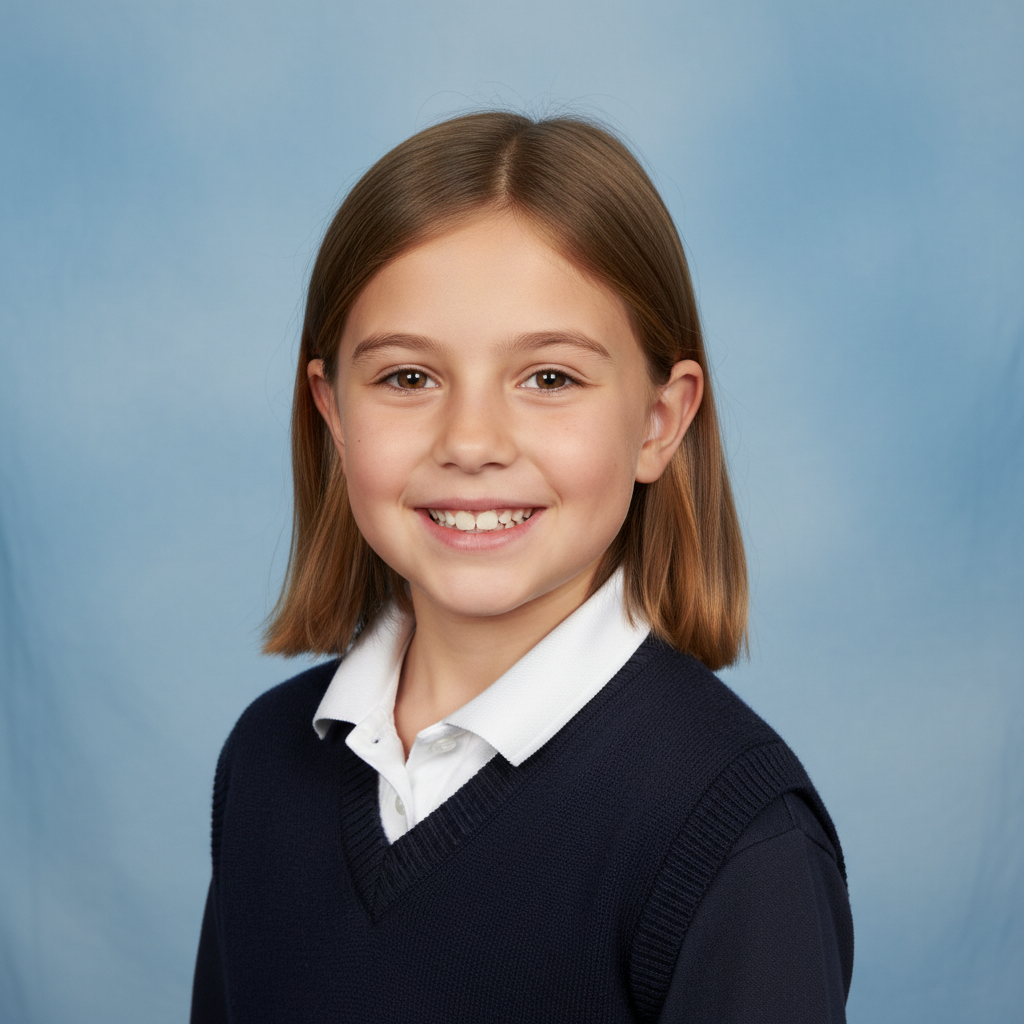
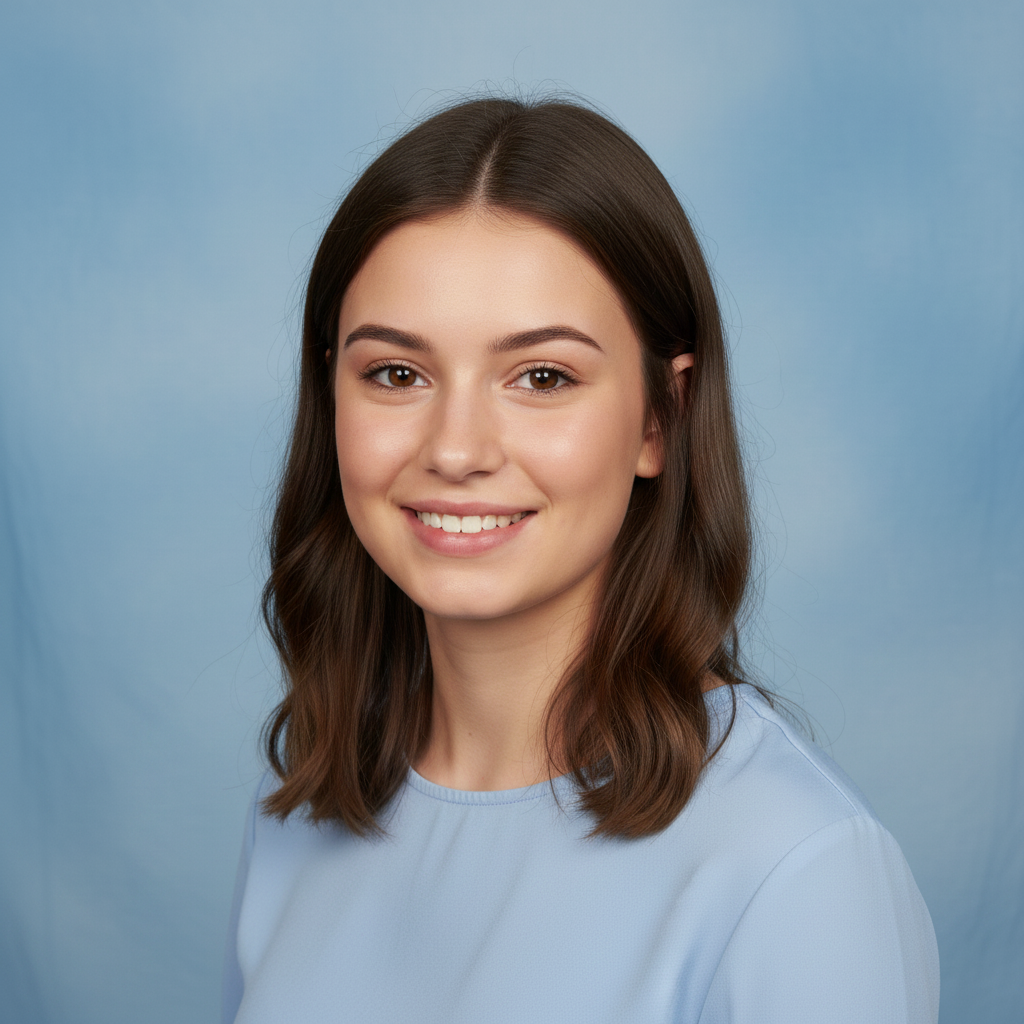
School portrait of a child against light blue background
Before
->
Artistic interpretation of the same person as a young adult in their early 20s
After

Child aged to young adult

A child photographed in a school setting shown as an artistic interpretation of what they might look like as a young adult.

Prompt: show what this child might look like as a young adult in their early 20s: mature adult features, natural adult proportions, while maintaining family resemblance to the child
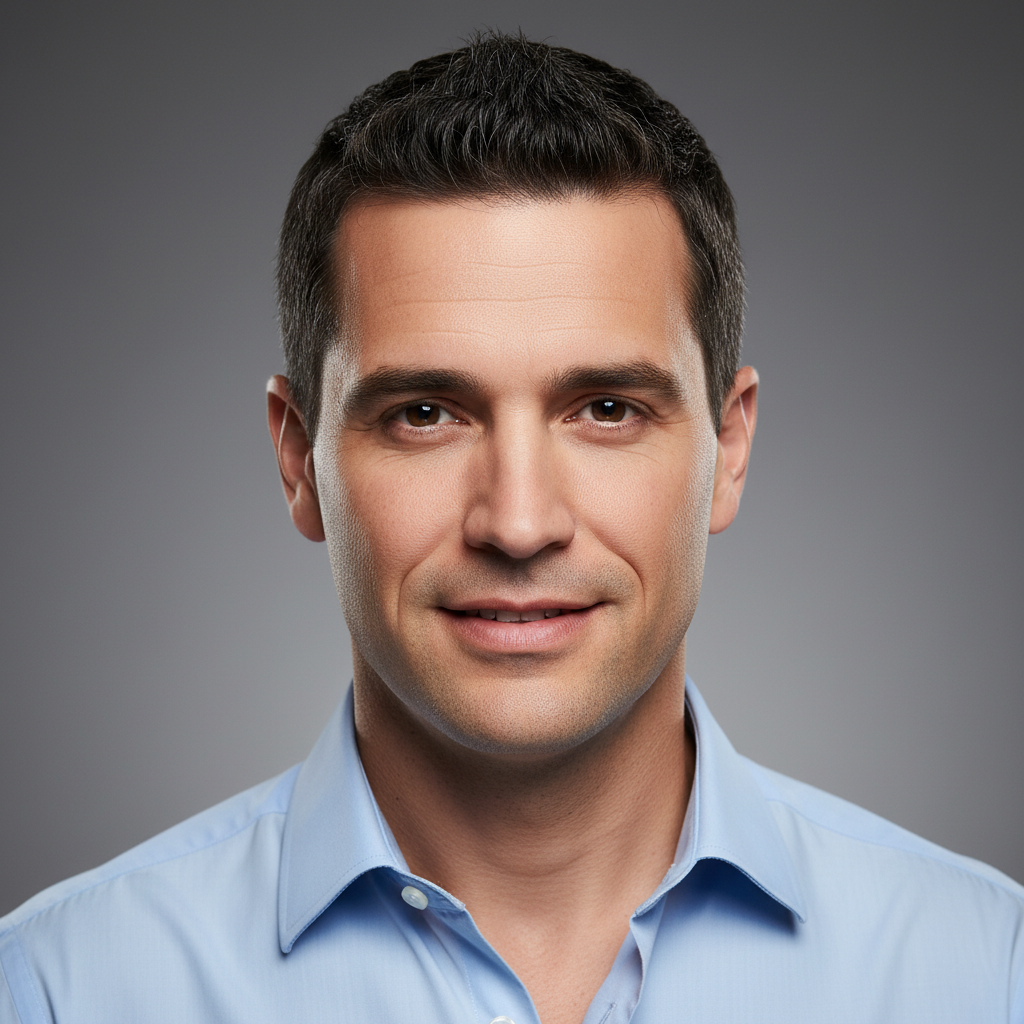
Portrait of a man in his early 30s with dark hair
Before
->
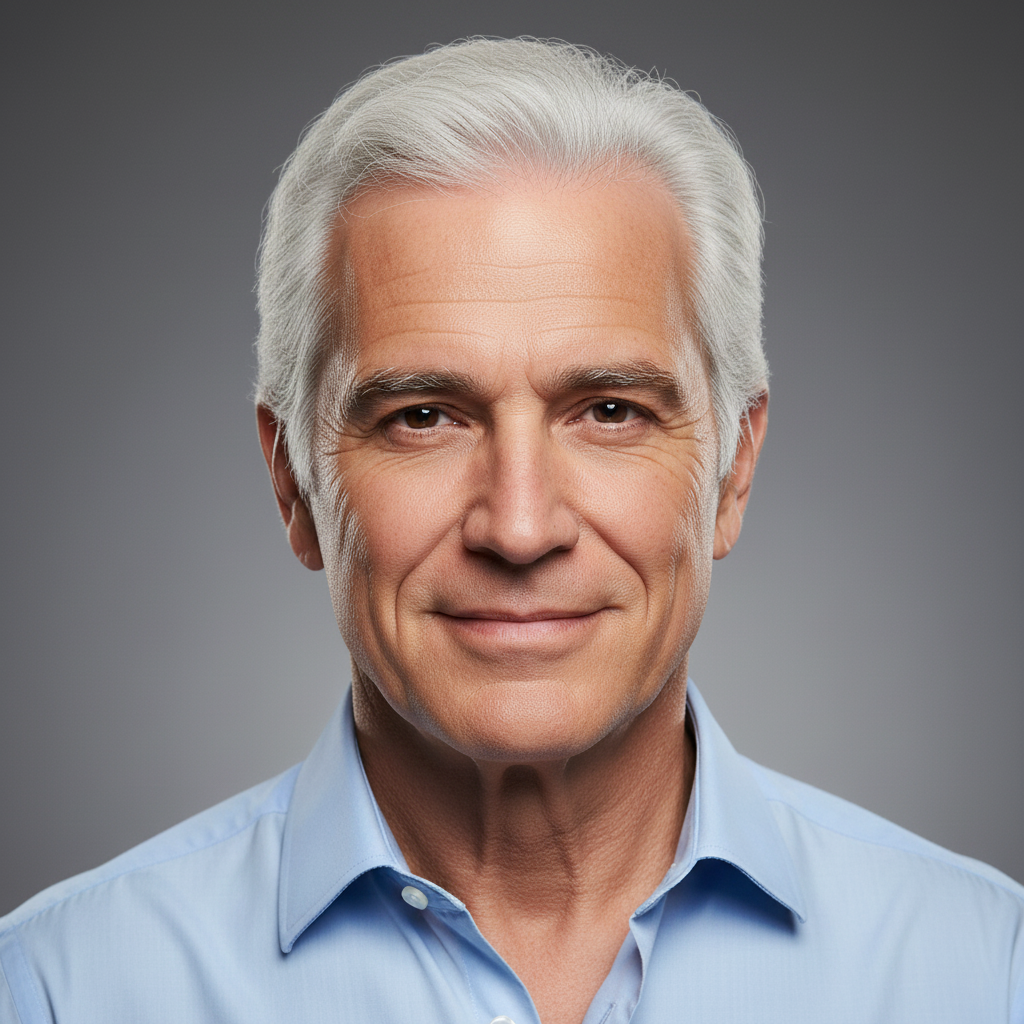
Artistic interpretation of the same man aged to his mid-70s with white hair and distinguished lines
After

30s to 70s — elderly progression

A man in his 30s shown as a speculative artistic interpretation of appearance in his 70s.

Prompt: show this man aged to approximately his mid-70s: white hair, deep distinguished facial lines, slightly softer jaw, warm skin tone maintained, dignified elderly appearance, keep him recognizable

Quick answers

Do I need to mark the face before applying age progression?

No — just upload the portrait and describe the aging: '20 years older, natural greying, deeper facial lines.' No marking needed.

Is the AI age progression scientifically accurate?

No — and it's important to be clear about this. AI age progression is an artistic, imaginative interpretation of how aging might affect a face. It is NOT a forensic prediction, a medical assessment, or a scientifically validated forecast. Results are plausible and can look convincing, but they do not represent how someone will actually look in the future. Do not use these results for identification, investigation, or any purpose requiring scientific accuracy.

Is there a free AI age progression tool with no login?

Yes. EditThisPic applies AI age progression for free with no account required. Upload your portrait, describe the aging, and preview the result free — purchased downloads are clean, full quality.

Can I age-progress a child's photo to see what they might look like as an adult?

You can — but approach this with appropriate expectations. Child-to-adult progression is highly speculative because adult facial features depend on genetics, growth, lifestyle, and many factors an AI cannot know. Results give a plausible artistic impression, not a reliable preview of the actual adult appearance.

How do I make the aged version still look like the original person?

Add 'keep the person recognizable' to your prompt. This instruction anchors the aging to the individual's actual facial structure rather than producing a generic older-looking face. It's the single most effective way to maintain identity through age progression.

What's the difference between age progression and age regression?

Age progression makes someone appear older. Age regression makes someone appear younger. Both are artistic interpretations — neither is scientifically accurate. EditThisPic supports both; see the AI Photo Age Regression tool for the reverse effect.

How much does EditThisPic cost?

You get 1 free edit per week — no account needed. After that, one-time credit packs start at $4.99 for 10 edits, valid 12 months, no subscription. Power users who edit daily can pick Studio Membership, a monthly workspace at $49.99/mo for 300 edits. Purchased downloads are clean with no watermark.

Curious what an older version looks like?

Free to try. No signup required.

1 free edit included·Credit packs from $4.99