Pricing Cartoonify Photo · Free

AI Photo Cartoonifier

← Browse all creative effects

Last updated

Transform any photo into a cartoon illustration — just describe the style and our AI handles the rest.
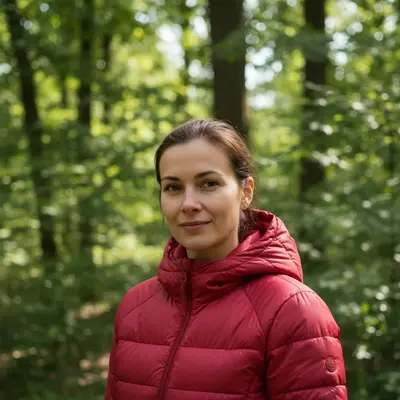
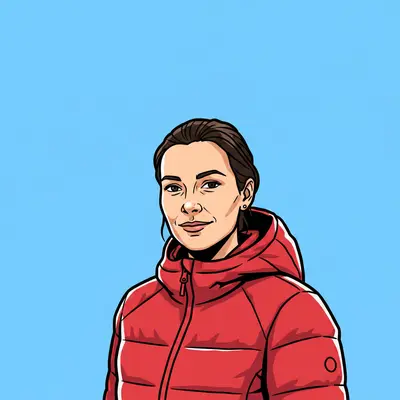
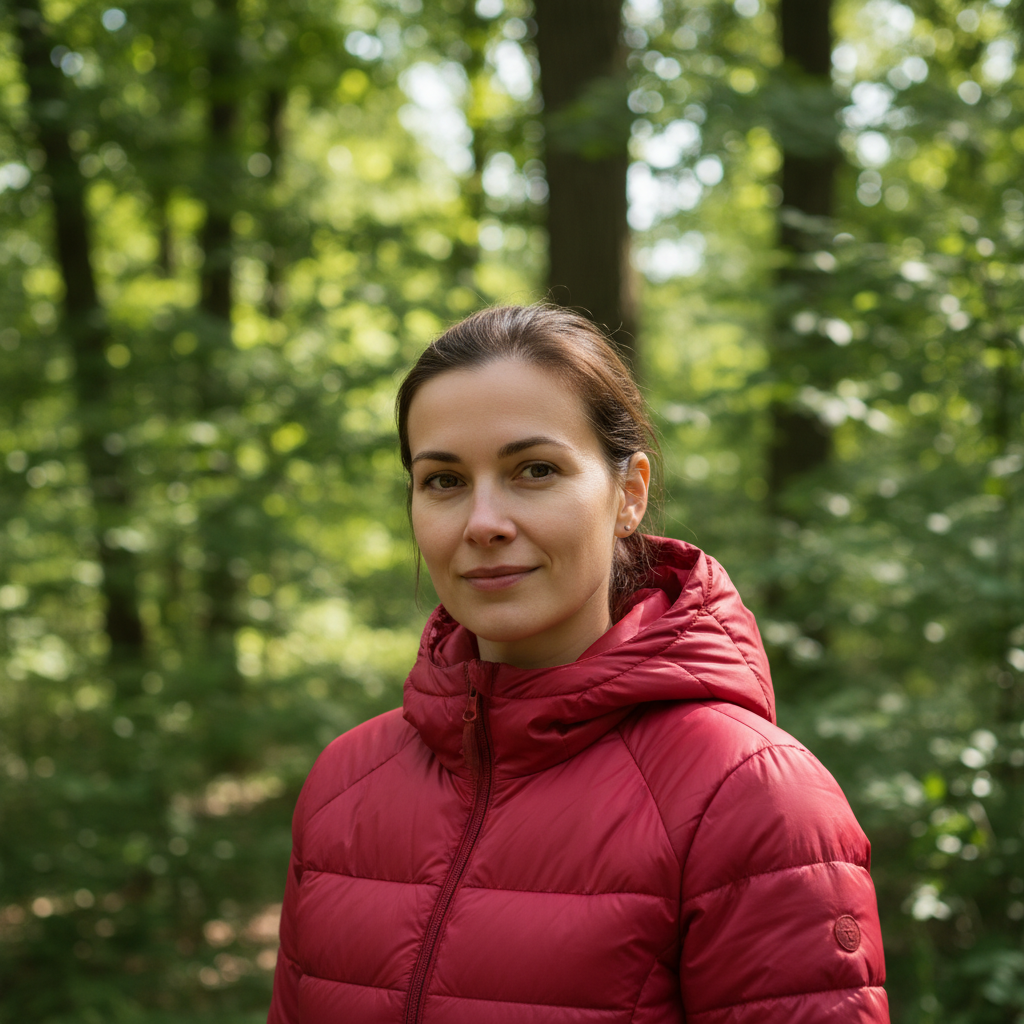
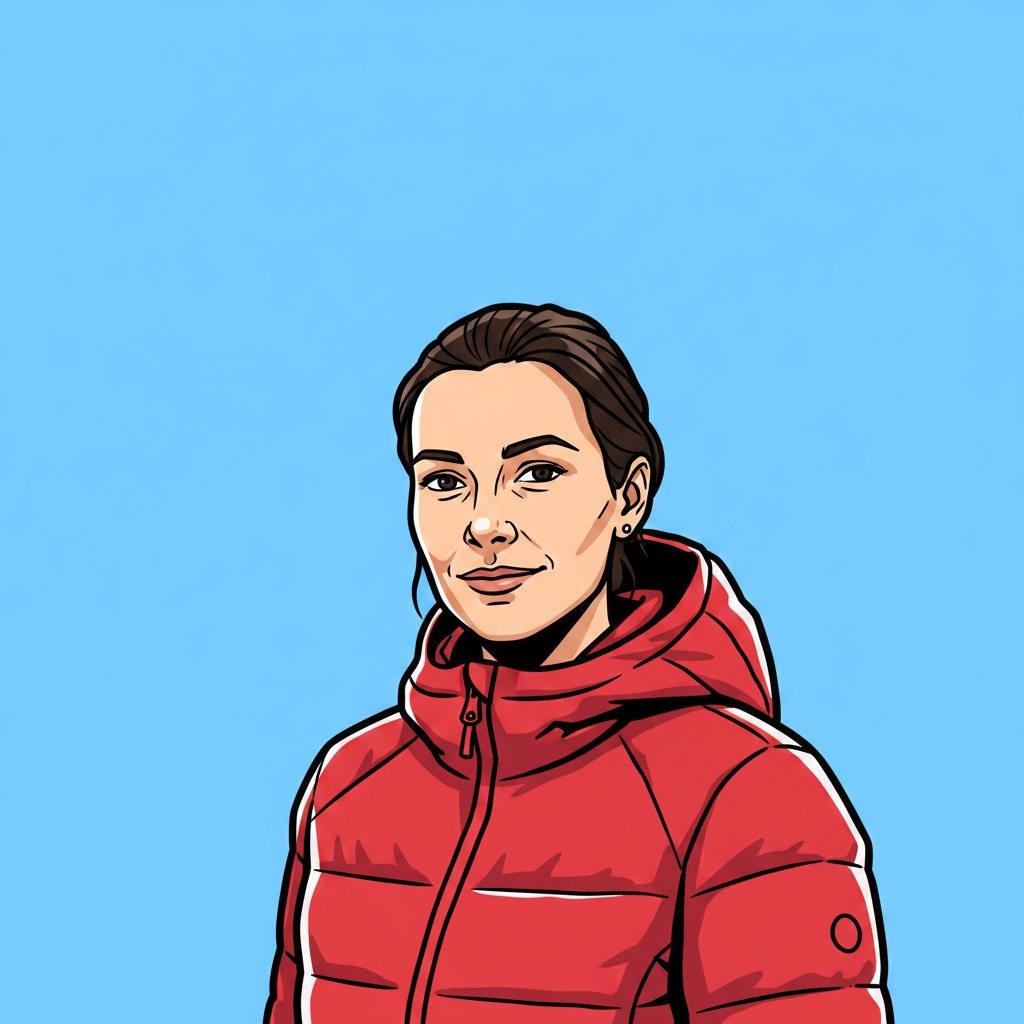
Natural portrait of woman in red jacket outdoors Same woman as bold comic-book cartoon with thick outlines and flat colors

Upload photo to cartoonify photo

"transform this photo into a soft storybook cartoon illustration with gentle watercolor-like colors, thin clean outlines, and a warm pastel background"

Free to try · no sign-up · photos are never shared

Release to upload

<30stypical edit
1 freeedit weekly
Photo on your phone? Scan to open this editor there — free edit works on your phone too.

1 free edit every week·packs from $4.99

How it works

  1. Upload a clear photo with a distinct subject

    Photos with clear, well-lit subjects and simple backgrounds cartoonify most cleanly. Group photos work, but the AI may blend fine details when many faces are present. Portraits and product shots with simple backgrounds give the sharpest cartoon results. JPG, PNG, or WebP up to 7MB.

    Expect: Single portrait: 20–30 seconds. Group photo or complex scene: 30–45 seconds.
  2. Describe the cartoon style you want

    Be specific about the illustration style: 'thick black outlines, flat bright colors, simple background' gives a comic-book look. 'Soft watercolor cartoon with pastel colors' gives a storybook style. 'Minimalist flat design with geometric shapes' gives a graphic novel look. The AI responds to style vocabulary — the more specific you are, the closer to your vision the result will be.

    Tip: Think about the style in three dimensions: line weight (thick/thin/none), color approach (flat/gradient/painterly), and level of detail (simple/detailed/realistic-cartoon). Combining these three gives the AI a complete picture.

    Copy one of these to get started:

    Bold comic-book style turn this photo into a bold cartoon illustration with thick black outlines, flat bright colors, high contrast, and a simple background — comic-book style
    Soft storybook cartoon transform this photo into a soft storybook cartoon illustration with gentle watercolor-like colors, thin clean outlines, and a warm pastel background
    Flat design / vector style convert this photo to a flat design cartoon illustration: minimal detail, clean geometric shapes, solid colors, no gradients, simple solid background
    Profile picture cartoon turn this portrait into a clean cartoon avatar: stylized face with clear features retained, vibrant colors, simple plain background, suitable for a profile picture
    3 more prompts
    Detailed graphic novel style transform this photo into a detailed graphic novel illustration: fine cross-hatching shading, moderate line weight, rich dark colors with selective bright highlights
    Group photo — cartoon style turn this group photo into a fun cartoon illustration: bold outlines, bright colors, each person clearly distinguishable, simple unified background
    Pet cartoon portrait cartoonify this pet photo into a fun illustrated portrait: expressive cartoon eyes, bold outlines, bright but natural animal colors, simple background
  3. Check outlines, proportions, and face likeness

    Zoom in on faces and key subjects. Cartoon transformations often exaggerate proportions slightly — this is normal for some styles. Check that outlines are clean and colors are consistent. If a specific face wasn't retained clearly, a targeted refinement will help.

See it in action

Natural portrait of woman in red jacket outdoors
Before
->
Same woman as bold comic-book cartoon with thick outlines and flat colors
After

Portrait — comic-book style

A woman's outdoor portrait transformed into a bold comic-book cartoon illustration.

Prompt: turn this photo into a bold cartoon illustration with thick black outlines, flat bright colors, high contrast, and a simple sky-blue background — comic-book style
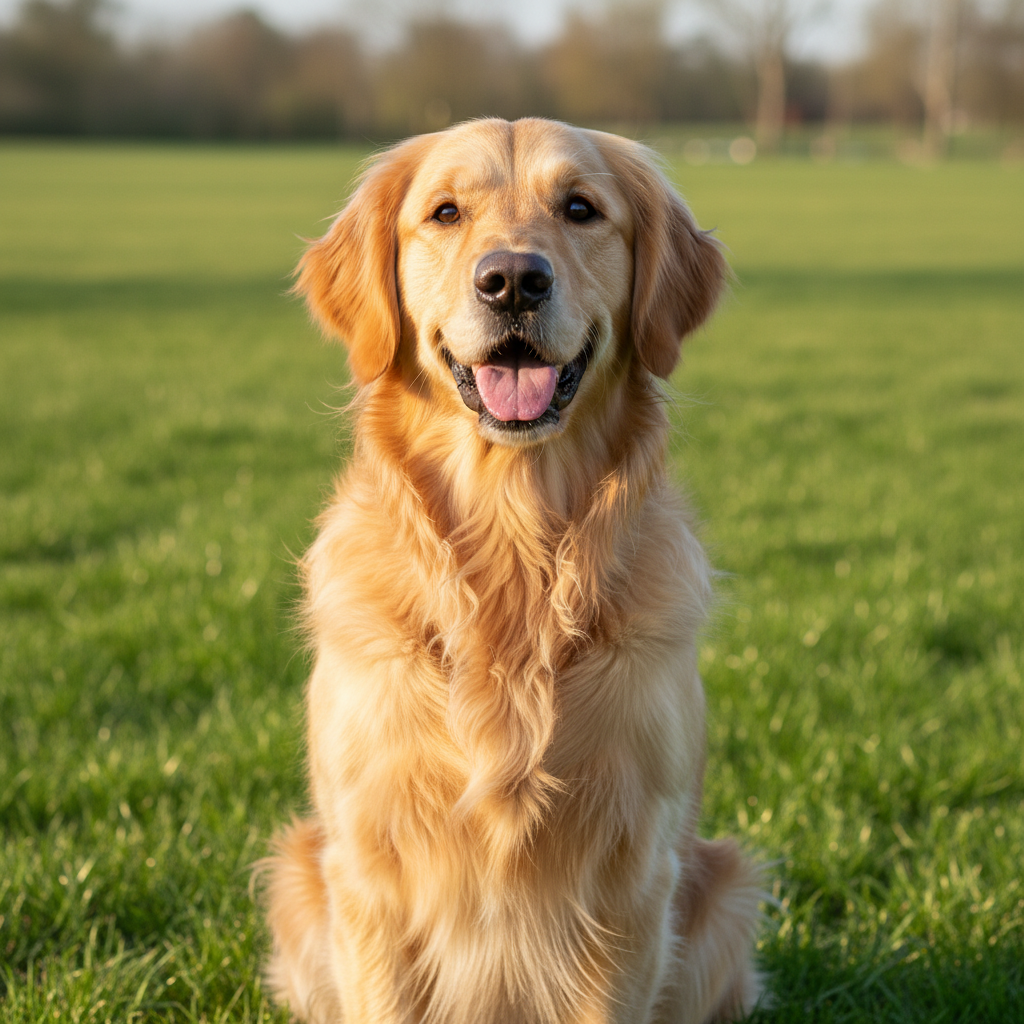
Golden retriever sitting on green grass in natural light
Before
->
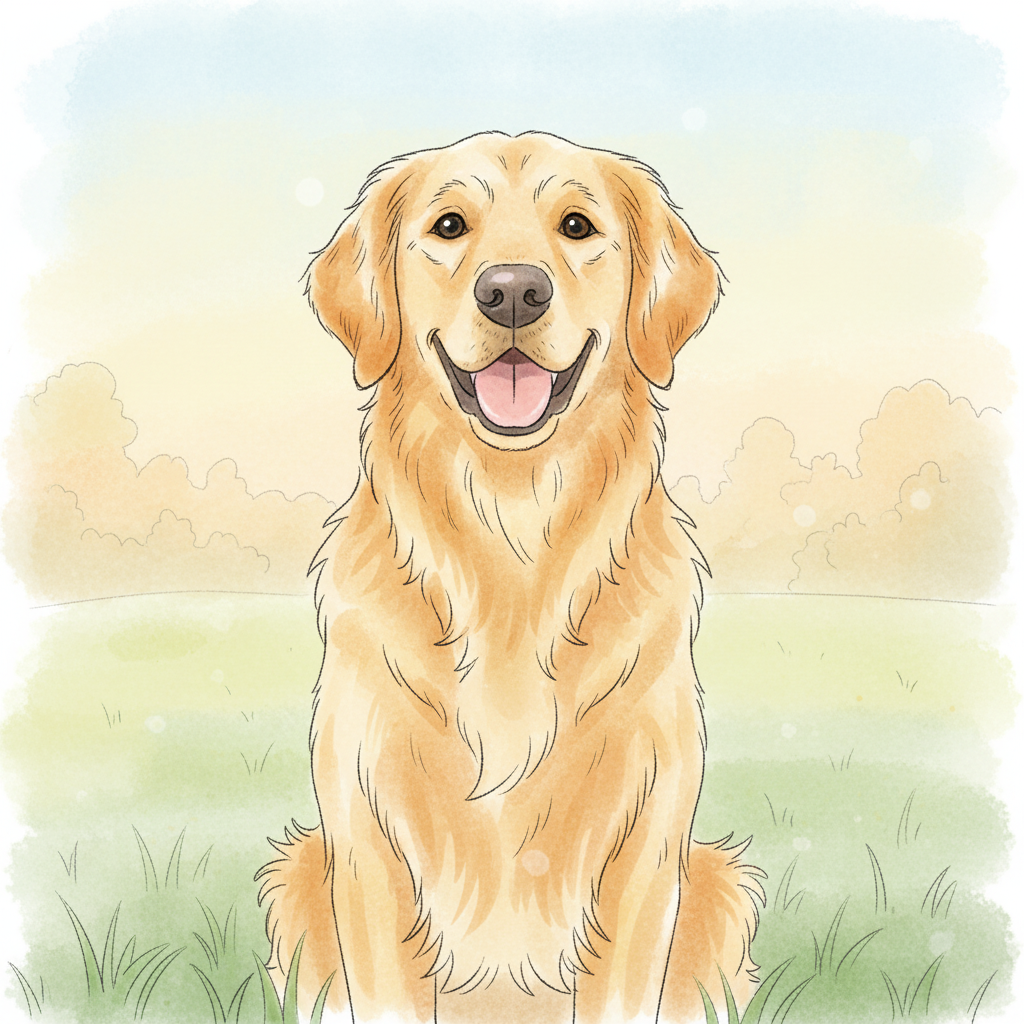
Same dog as a soft storybook cartoon with watercolor-style colors
After

Pet photo — storybook cartoon

A golden retriever's photo converted to a soft storybook cartoon style.

Prompt: transform this dog photo into a soft storybook cartoon illustration: gentle watercolor-style colors, thin clean outlines, warm pastel background
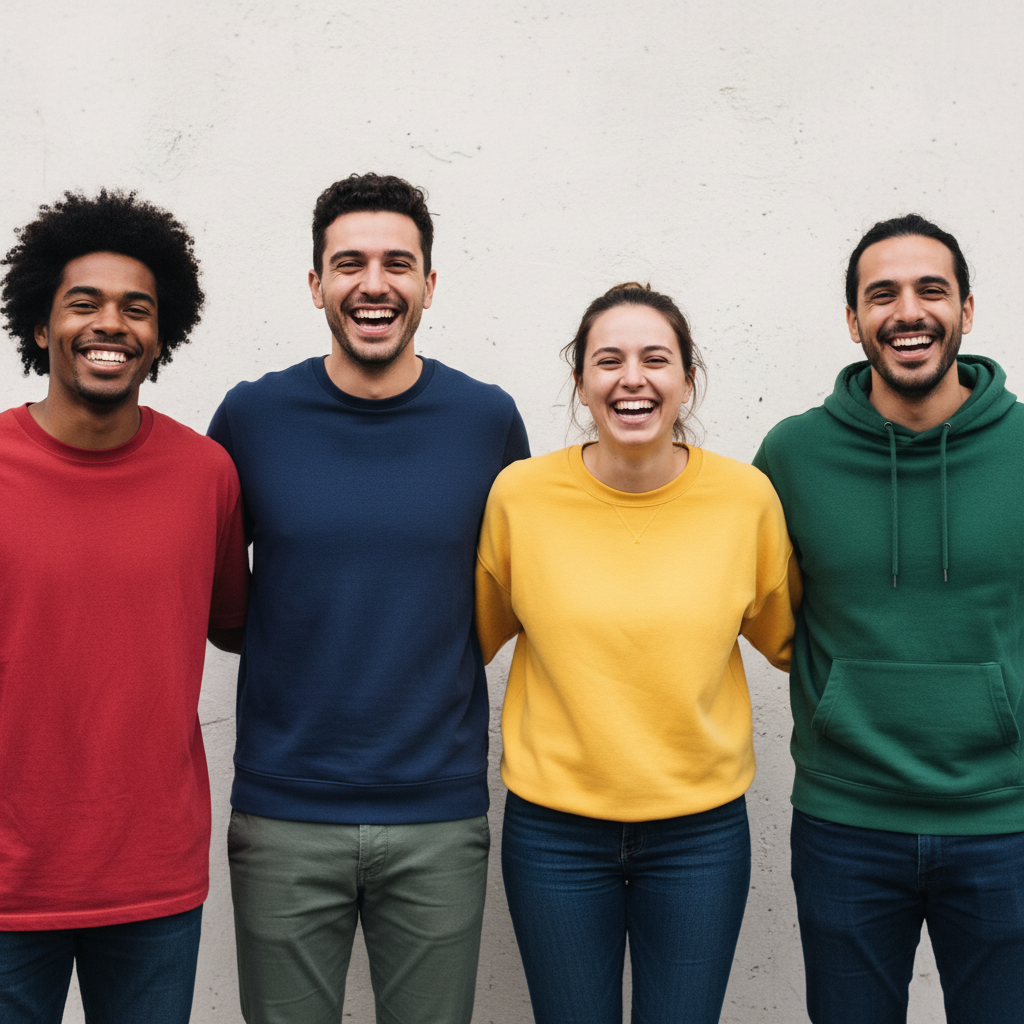
Four friends in colored tops in front of simple wall
Before
->
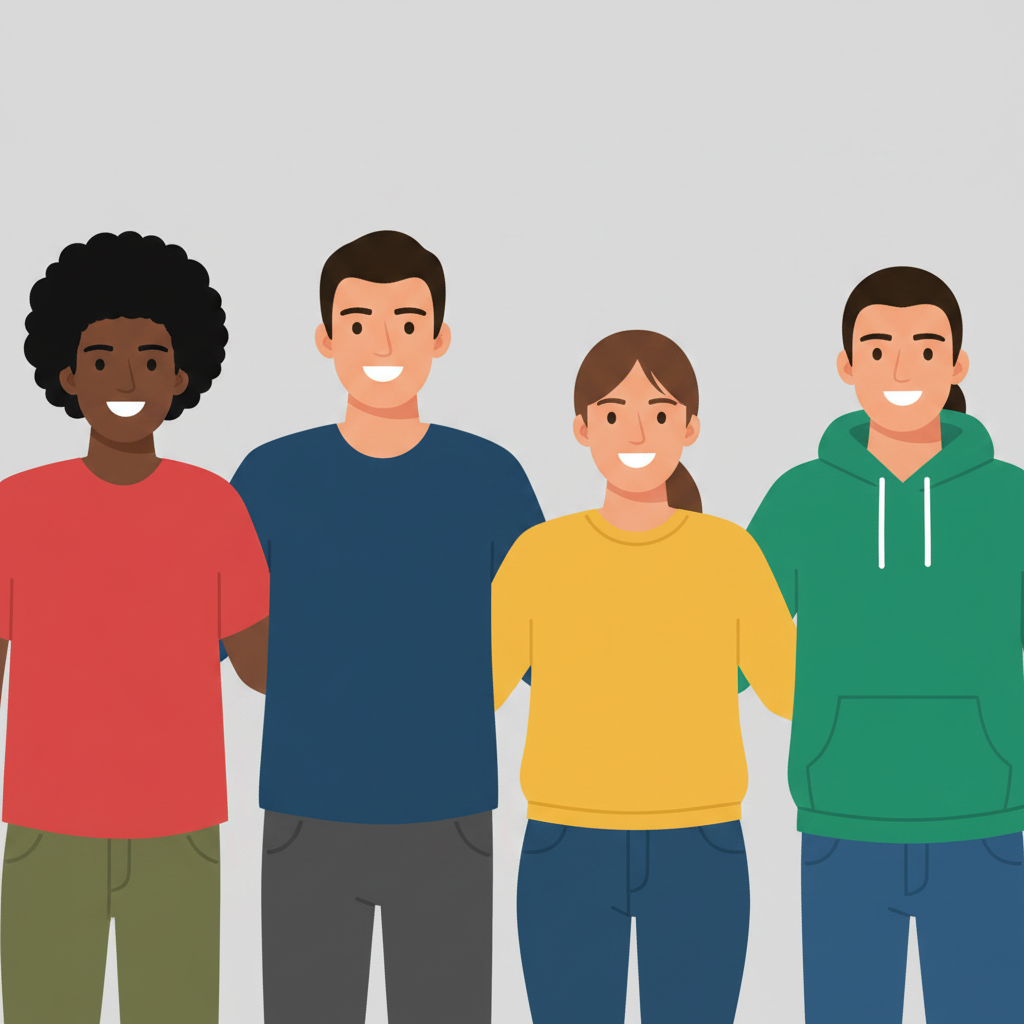
Group converted to flat vector cartoon with each person clearly distinct
After

Group of friends — fun cartoon

A casual group photo of four friends converted to a flat vector cartoon style.

Prompt: convert this group photo to a flat design cartoon: minimal detail, clean geometric shapes, solid bright colors, simple solid colored background, each person clearly distinguishable

Quick answers

Do I need to mark the subject before turning a photo into a cartoon?

No — just describe the cartoon style you want: 'thick outlines, flat bright colors, comic-book style.' The AI applies the style to the whole image.

Is there a free AI photo cartoonifier with no signup?

Yes. EditThisPic cartoonifies photos for free with no account required. Upload your photo, describe the style, and preview the cartoon result free — purchased downloads are clean, full quality.

What cartoon styles can I create?

You can specify comic-book (thick outlines, flat colors), storybook (soft watercolor, pastel), flat design / vector (geometric shapes, minimal detail), graphic novel (ink lines, cross-hatching), anime-adjacent (clean lines, expressive features), and many others. The AI responds to illustration style vocabulary — describe what you're trying to achieve.

Can I turn a group photo into a cartoon?

Yes. Group photos work well. Include 'each person clearly distinguishable' in your prompt to prevent the AI from blending figures together. Flat design styles work especially well for group shots because each person is clearly outlined.

Will the cartoon version still look like the original person?

It depends on the style. Realistic cartoon styles preserve more facial detail and likeness. Flat design and geometric styles prioritize the visual style over individual likeness. If preserving recognition is important, use 'semi-realistic cartoon' or include 'preserve recognizable facial features' in your prompt.

Can I cartoonify photos for commercial use?

EditThisPic's output is yours to use. Check the EditThisPic terms of service for full details on commercial usage rights.

How much does EditThisPic cost?

You get 1 free edit per week — no account needed. After that, one-time credit packs start at $4.99 for 10 edits, valid 12 months, no subscription. Power users who edit daily can pick Studio Membership, a monthly workspace at $49.99/mo for 300 edits. Purchased downloads are clean with no watermark.

Ready to cartoonify your photos?

Free to try. No signup required.

1 free edit included·Credit packs from $4.99