Free • No signup Edit Musician promo photos and album art · Free

AI Photo Editor for Musicians

← Browse all creative effects

Last updated

Edit album art photos, press shots, and promo images with AI — just describe the look you want.
Guitarist in rehearsal space with fluorescent lighting and cluttered background Same guitarist with moody dark background and dramatic professional lighting

Upload photo to edit musician promo photos and album art

"add dramatic stage lighting with a spotlight on the face and dark background, concert atmosphere"

Release to upload

50,000+photos edited
<30stypical edit
1 freeedit weekly

1 free edit·then from $4.99

How it works

  1. Upload your musician photo

    Drop in your promo photo, press shot, band photo, or album art source image. JPEG or PNG works. Live performance shots, rehearsal photos, or casual shots can all be transformed into professional-looking promo images.

    Expect: Background changes or lighting edits: 15-25 seconds. Complex compositional edits: 25-35 seconds.
  2. Describe the look you want

    Type the aesthetic you're going for — 'dark and moody with dramatic backlighting,' 'gritty urban background,' 'clean professional headshot with white background,' or 'festival stage lighting.' No tool selection or area marking needed. Just describe the result.

    Tip: Reference your genre or vibe: 'indie rock aesthetic,' 'soul and R&B warmth,' 'electronic/ambient cool tones.' Genre context helps the AI match the right mood.

    Copy one of these to get started:

    Make a rehearsal photo look like a press shot make this look like a professional music press photo — moody studio lighting, clean dark background, cinematic feel
    Add dramatic stage lighting add dramatic stage lighting with a spotlight on the face and dark background, concert atmosphere
    Remove background from promo photo remove the background completely for a transparent cutout
    Fix bad lighting on band photo fix the lighting — brighten the faces, reduce harsh shadows, make it look like professional studio photography
    3 more prompts
    Give photo a specific genre aesthetic transform the background to a gritty urban alleyway with brick walls, moody and dark, rock music aesthetic
    Clean up album art source photo remove the random person in the background on the right and clean up the background to match
    Enhance colors for vivid promo image make the colors more vivid and punchy — boost the contrast, deepen the shadows, make it look more dramatic
  3. Review the result

    Check that the edit matches your genre's aesthetic, that facial detail is preserved, and that the image would read well as a thumbnail or profile photo. Zoom in to check instrument and clothing details.

See it in action

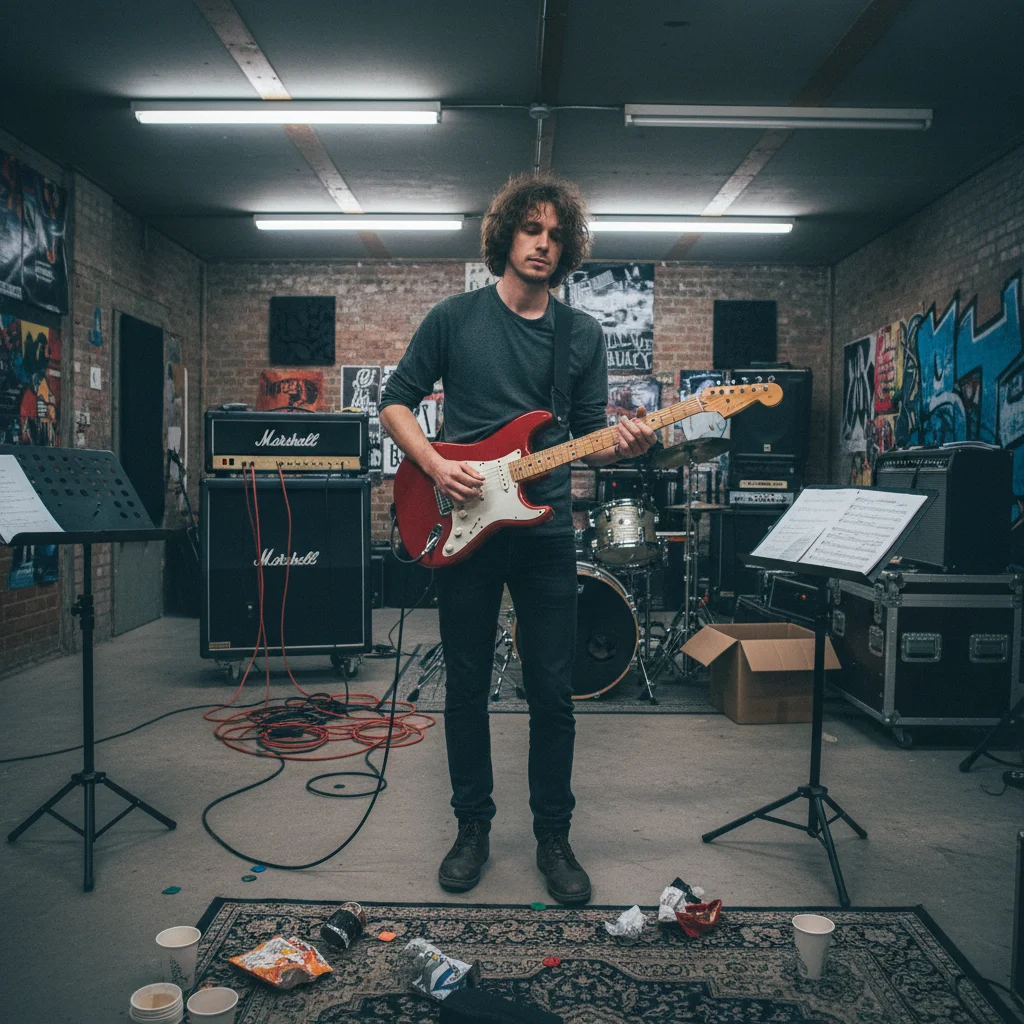
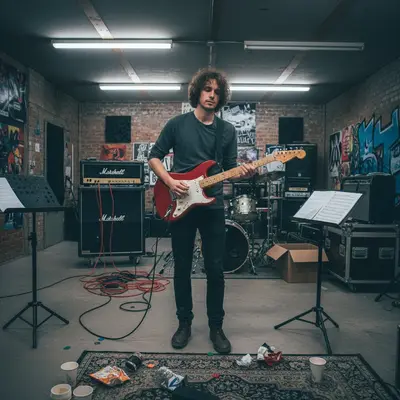
Guitarist in rehearsal space with fluorescent lighting and cluttered background
Before
->
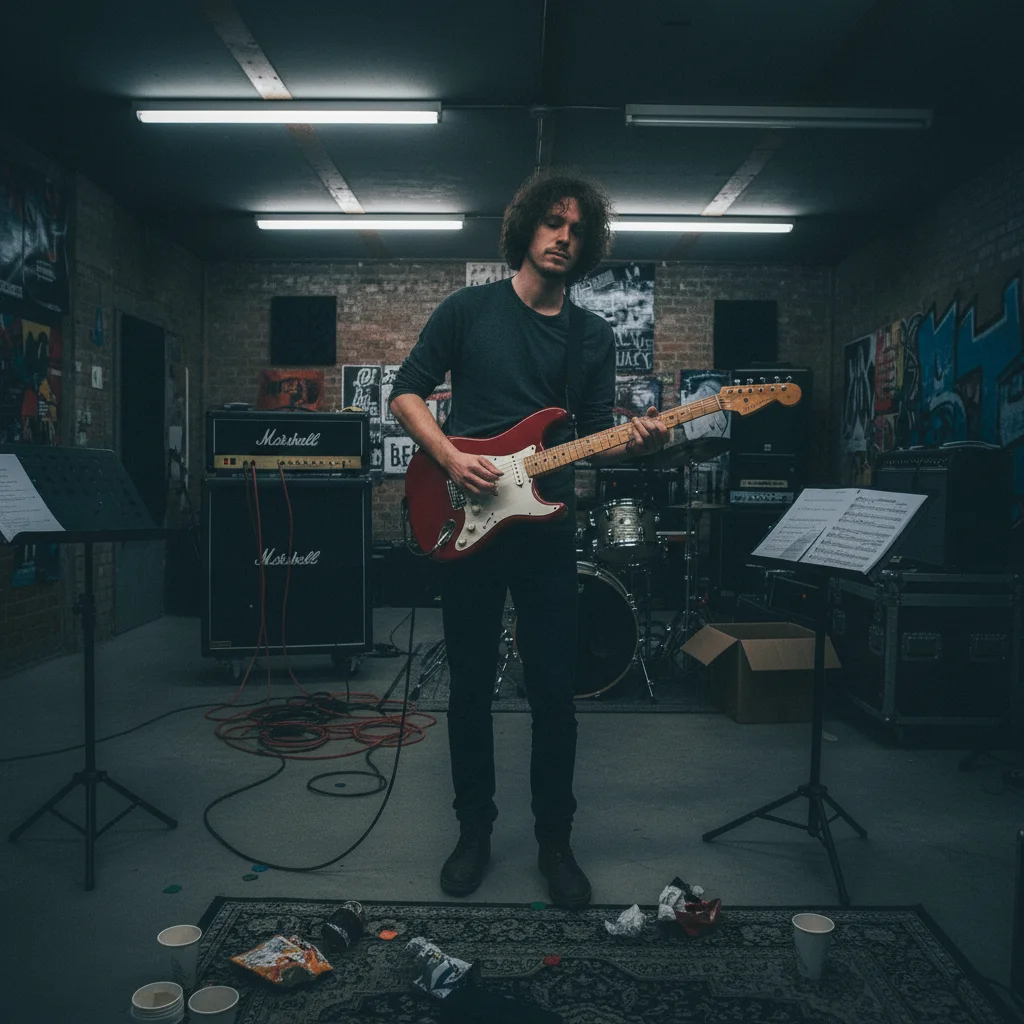
Same guitarist with moody dark background and dramatic professional lighting
After

Rehearsal photo → press-ready shot

A guitarist photo shot in a rehearsal space with fluorescent lighting and a cluttered background. Transformed for press kit use.

Prompt: make this look like a professional music press photo — moody dark background, dramatic side lighting, cinematic quality
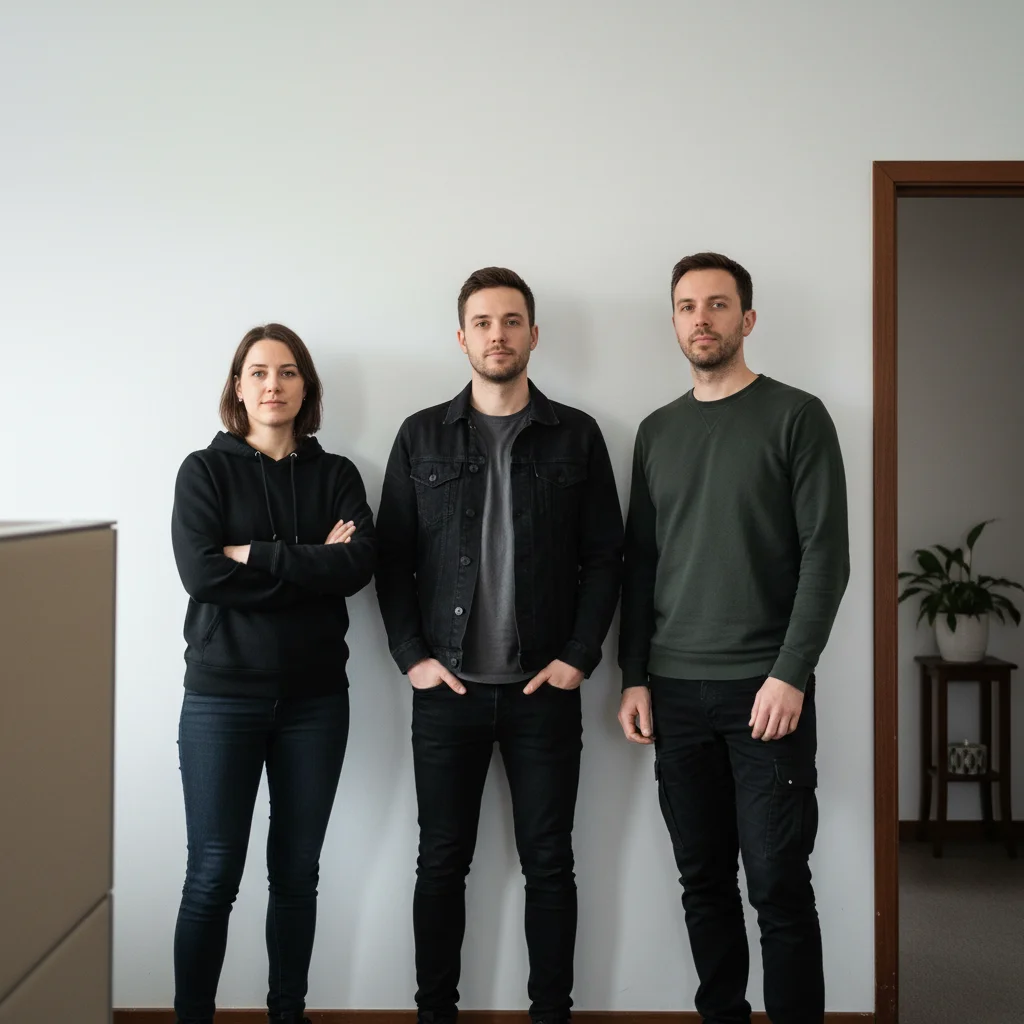
Band members in front of plain white wall
Before
->
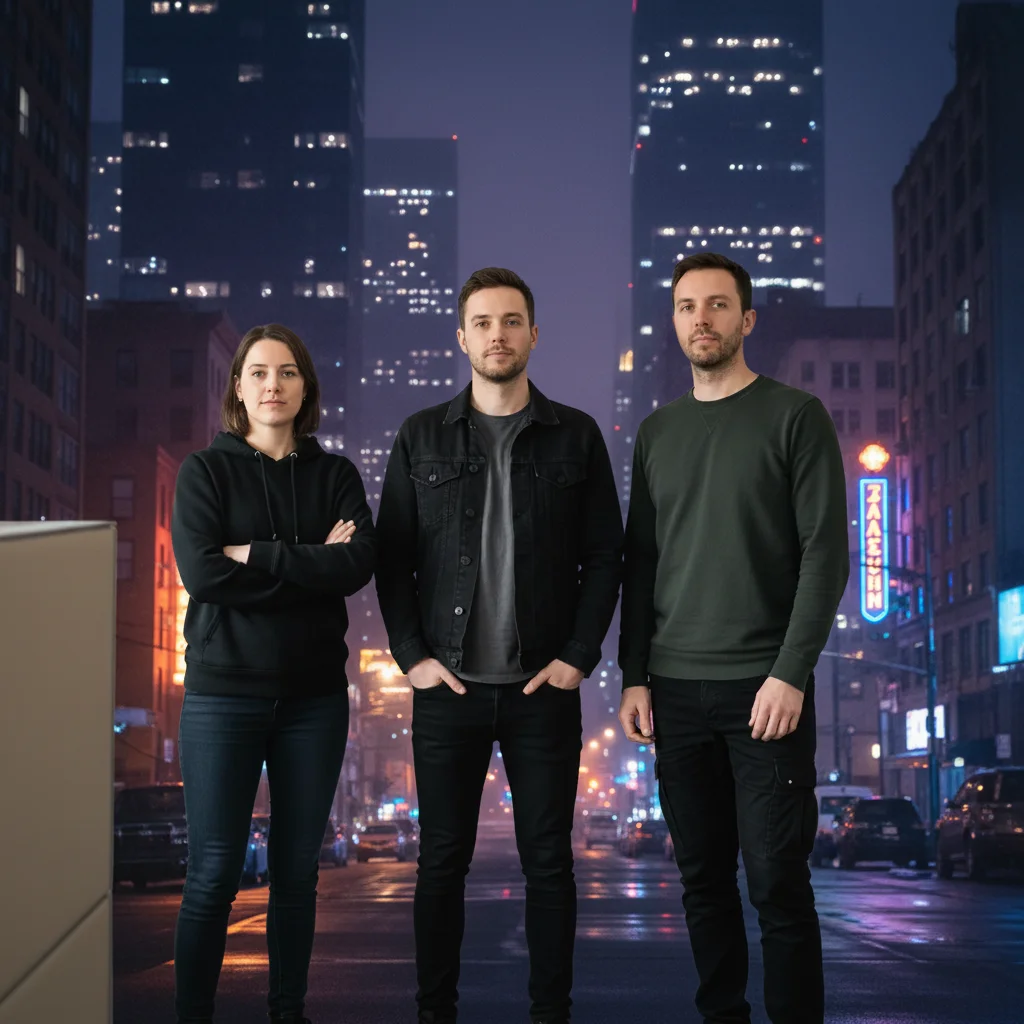
Same band with dramatic night cityscape background
After

Band photo background swap

A band photo taken in front of a generic white wall. Background replaced with something that matches their genre.

Prompt: replace the white wall background with a dramatic urban cityscape at night, moody and cinematic, indie rock aesthetic

Quick answers

Do I need to select areas before editing my musician promo photo?

No. Describe what you want — 'dark moody background,' 'dramatic stage lighting,' or 'remove the clutter behind the band.' The AI identifies the right areas from your description.

How do I edit musician promo photos for free?

Upload your photo to EditThisPic, describe the aesthetic — 'dark studio lighting for a rock press shot' or 'vivid colors for an R&B artist profile' — and download the result. Free with no account needed. No Photoshop skills required.

Is there a free photo editor for musicians that doesn't need login?

Yes — EditThisPic is free to try with no account or credit card needed. Describe your edit, get the result, download it. No registration required.

Can I use EditThisPic to create album art from a photo?

EditThisPic edits existing photos — it can transform a photo's background, lighting, colors, and composition to work as album art source material. For the final album art layout with text and design elements, you'd use a design tool. EditThisPic handles the photo editing part.

Can I edit band photos with multiple people?

Yes. Band photos work well — describe what to change ('replace the background,' 'improve the lighting for everyone in the shot').

How much does EditThisPic cost?

You get 1 free edit per week — no account needed. After that, credit packs start at $1.99 for 3 edits. Monthly plans start at $4.99/mo for 20 edits with unused credits rolling over. All edits are full resolution with no watermark.

Ready to edit your musician promo photo?

Free to try. No signup required.

1 free edit included·Credit packs from $4.99