Pricing Edit Creator promo photo · Free

AI Photo Editor for OnlyFans Creators

← Browse all creative effects

Last updated

Edit your SFW promotional and preview photos with AI — background swaps, lighting fixes, and brand styling for your creator page.
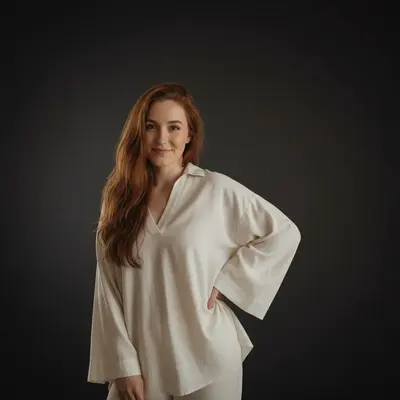
Creator promo photo with beige bedroom background Same photo with clean dark studio background and professional soft lighting

Upload photo to edit creator promo photo

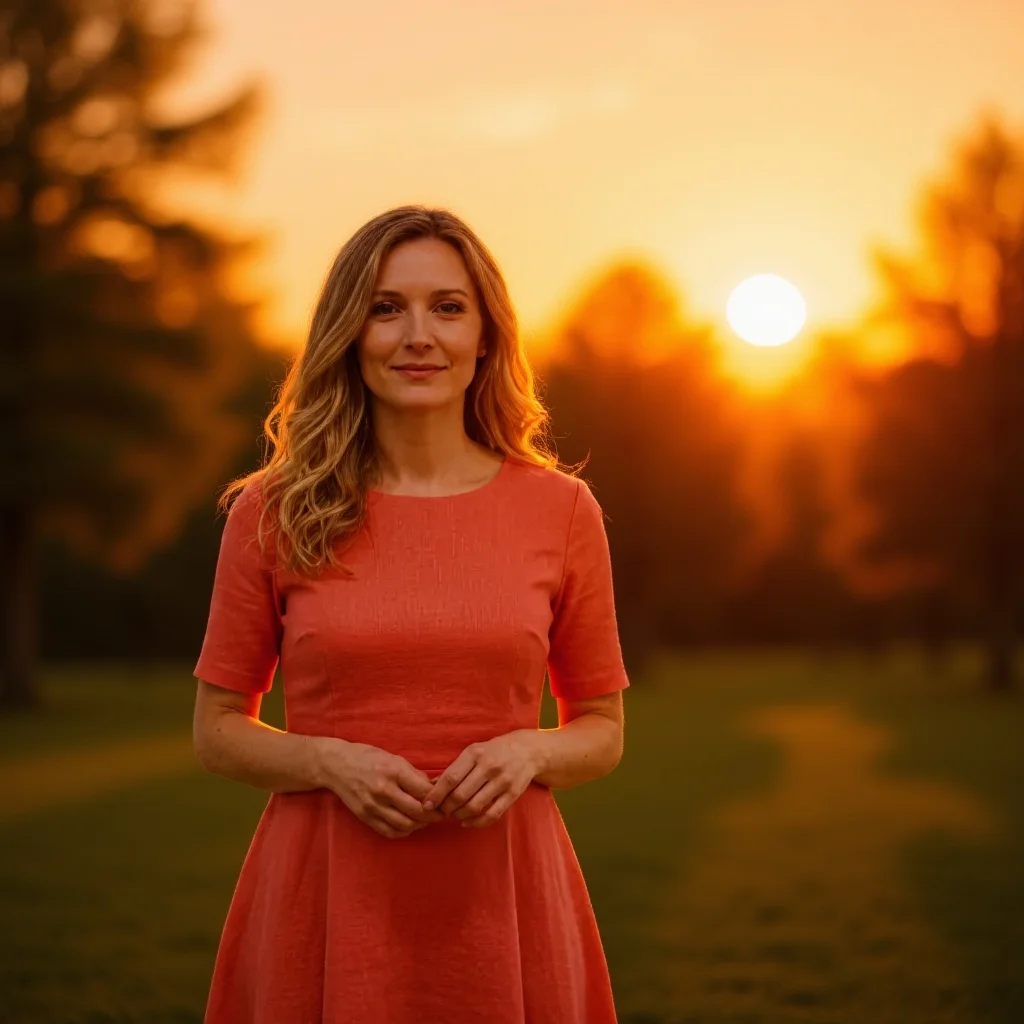
"transform this indoor photo to look like it was taken during golden hour outdoors — warm orange sunset glow, soft bokeh background of trees and sky"

Free to try · no sign-up · photos are never shared

Release to upload

<30stypical edit
1 freeedit weekly
Photo on your phone? Scan to open this editor there — free edit works on your phone too.

1 free edit every week·packs from $4.99

How it works

  1. Upload your SFW promotional photo

    Drop a promotional or preview photo into EditThisPic. JPG, PNG, or WebP up to 7MB. EditThisPic processes SFW promotional content only — glamour portraits, creative styling shots, and brand-focused promo photos. We do not process NSFW imagery.

    Expect: Background swaps and lighting edits: 20-30 seconds. Complex style or atmosphere edits: 30-45 seconds.
  2. Describe the edit you want

    Type your instruction in plain language: 'swap the background to a moody dark studio with soft rim lighting' or 'improve the lighting to look like a professional fashion photo shoot' or 'add a warm golden hour atmosphere to this outdoor photo.' No selection or marking needed for most edits — just describe the change.

    Tip: Match the edit to your creator brand aesthetic. Describing your brand palette — 'warm rose and gold tones' or 'cool blue and silver' — helps the AI produce consistent looks across your promo content.

    Copy one of these to get started:

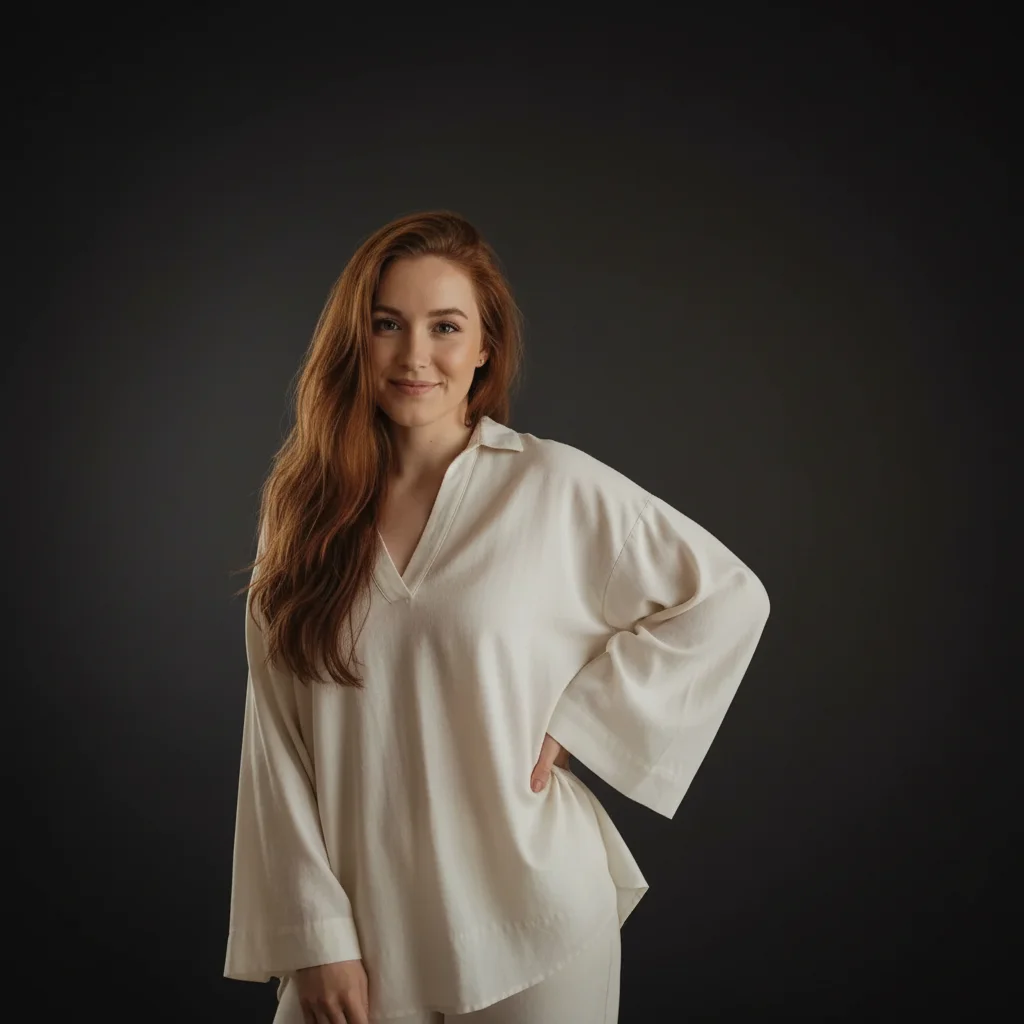
    Professional studio background swap the background to a clean dark studio with soft professional lighting and a subtle gradient
    Golden hour outdoor look transform this indoor photo to look like it was taken during golden hour outdoors — warm orange sunset glow, soft bokeh background of trees and sky
    Fashion editorial lighting enhance the lighting to look like a professional fashion editorial — high-key soft light, clean skin tones, sharp definition, white or light grey studio background
    Moody atmospheric portrait give this photo a moody atmospheric look with dark background, soft rim lighting, and a cinematic color grade in deep teal and warm amber tones
    3 more prompts
    Brand color consistency apply a warm rose gold color grade to this photo — soft pink highlights, golden midtones, consistent with a luxury brand aesthetic
    Luxury hotel or resort look replace the background with a luxury hotel suite interior — marble surfaces, large windows with city view, soft neutral upscale decor
    Skin smoothing for promo smooth the skin in this photo naturally — reduce blemishes and uneven texture while keeping the skin looking real, not plastic
  3. Review the result

    Check that the background looks clean and consistent, lighting is flattering and natural, and the edit aligns with your content branding. Look at edges if you swapped a background — clean separation makes the composite look professional.

See it in action

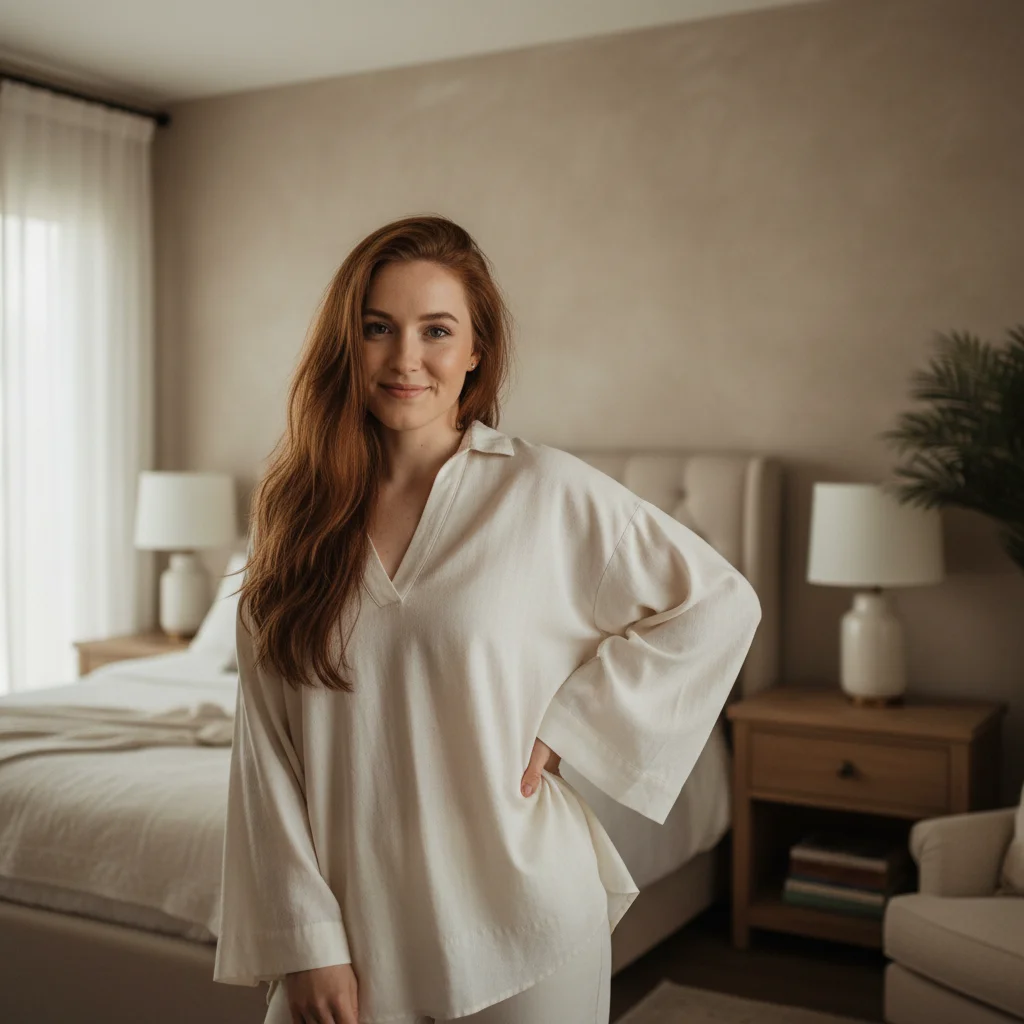
Creator promo photo with beige bedroom background
Before
->
Same photo with clean dark studio background and professional soft lighting
After

Home photo to professional studio look

A casual home promo photo transformed with a dark studio background and professional lighting.

Prompt: swap the background to a clean dark studio with soft professional lighting and a subtle gradient
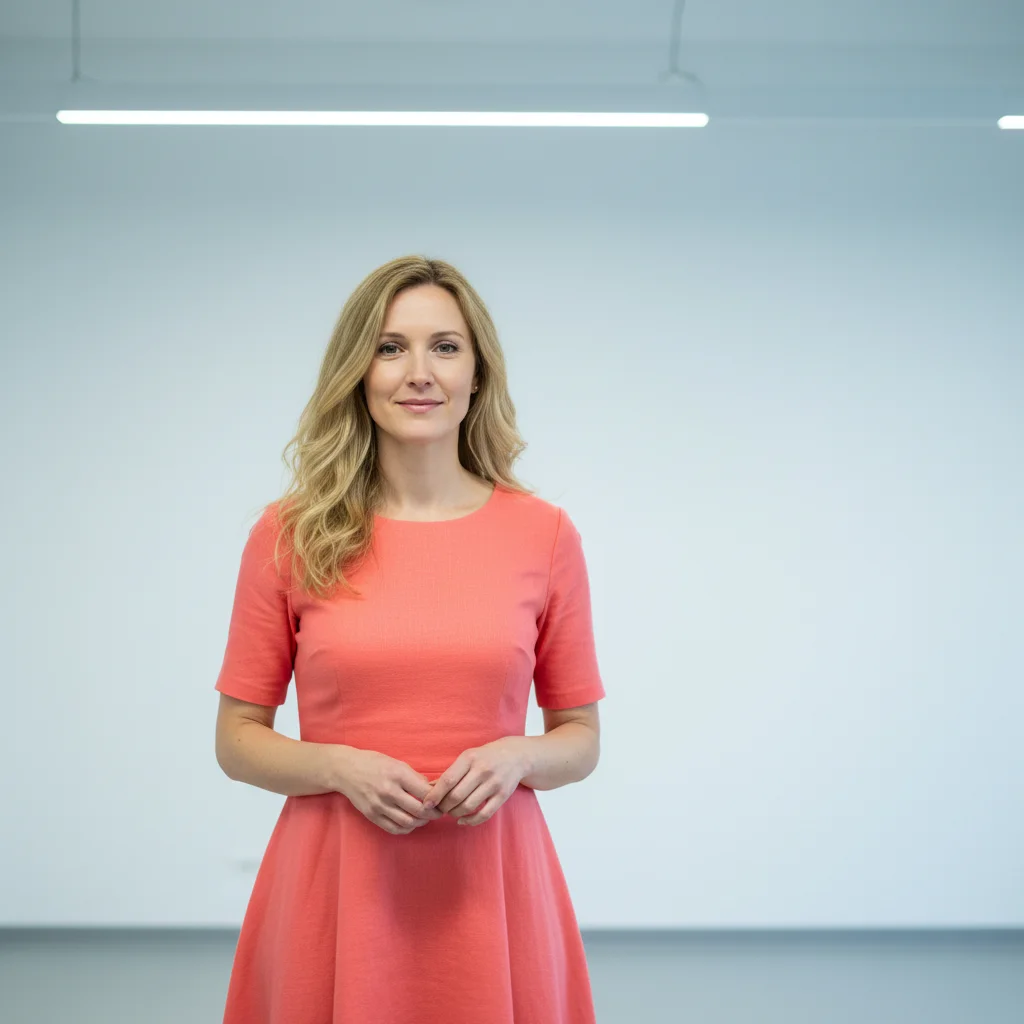
Indoor portrait under flat fluorescent light against white wall
Before
->
Same photo transformed with warm golden hour lighting and soft outdoor bokeh background
After

Indoor photo to golden hour look

A flat indoor portrait transformed to look like a warm golden hour outdoor shot.

Prompt: transform this indoor photo to look like it was taken during golden hour outdoors — warm orange sunset glow, soft bokeh background of trees and sky

Quick answers

Do I need to mark areas before editing my creator promo photos?

No — just describe the edit in plain language and the AI handles it. For background swaps, lighting improvements, and color grades, description alone usually works.

How do I edit OnlyFans promo photos for free?

EditThisPic edits SFW promotional photos for free with no account needed. Upload your photo, describe the background, lighting, or color grade you want, and download the result — no signup needed. The free edit is a preview; purchased downloads are clean.

Can EditThisPic process NSFW or explicit photos?

No — EditThisPic processes SFW content only. We do not process images with nudity, explicit content, or NSFW imagery. This tool is for editing promotional portraits, creative styling shots, and preview photos that are suitable for all audiences.

What types of promo photos work well?

Portrait photos, creative styling shots, full-body clothed photos, and any promotional content that would be safe-for-work produce the best results. Background swaps, lighting enhancements, color grading, and skin retouching all work well on these photo types.

Can I create a consistent look across multiple promo photos?

Yes — use the same color grade and background description across multiple photos to build a consistent visual brand. Describe your palette once ('warm rose gold with soft lighting') and use that same prompt language across all your promo content for cohesion.

How much does EditThisPic cost?

You get 1 free edit per week — no account needed. After that, one-time credit packs start at $4.99 for 10 edits, valid 12 months, no subscription. Power users who edit daily can pick Studio Membership, a monthly workspace at $49.99/mo for 300 edits. Purchased downloads are clean with no watermark.

Ready to elevate your creator promo photos?

Free to try. No signup required. SFW content only.

1 free edit included·Credit packs from $4.99