Pricing Generate A new photo from your photo · Free

AI Photo Generator From Your Photo

← Browse all creative effects

Last updated

Upload your photo, describe the new scene or style you want, and the AI builds it from your actual picture.
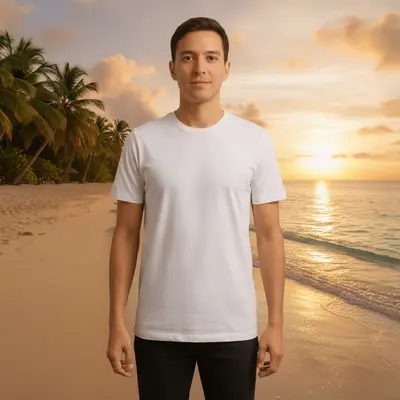
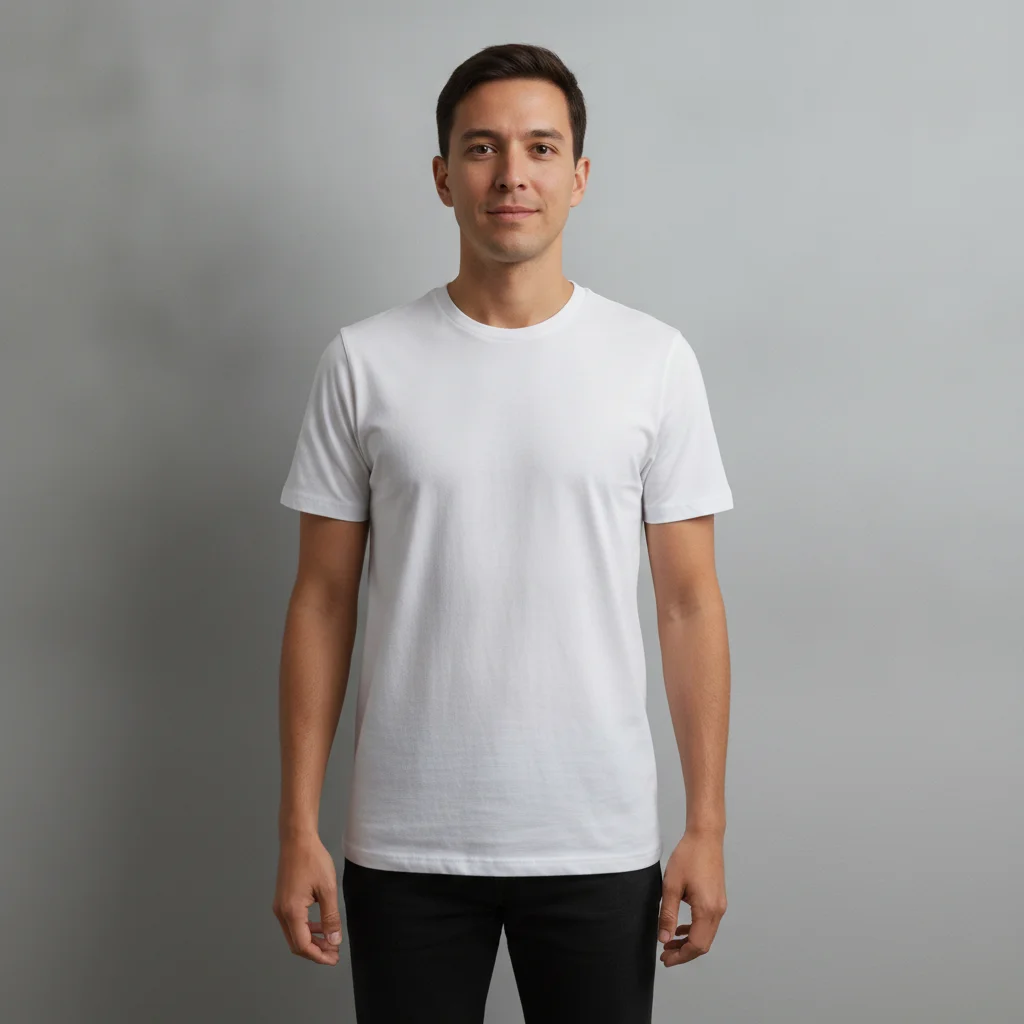
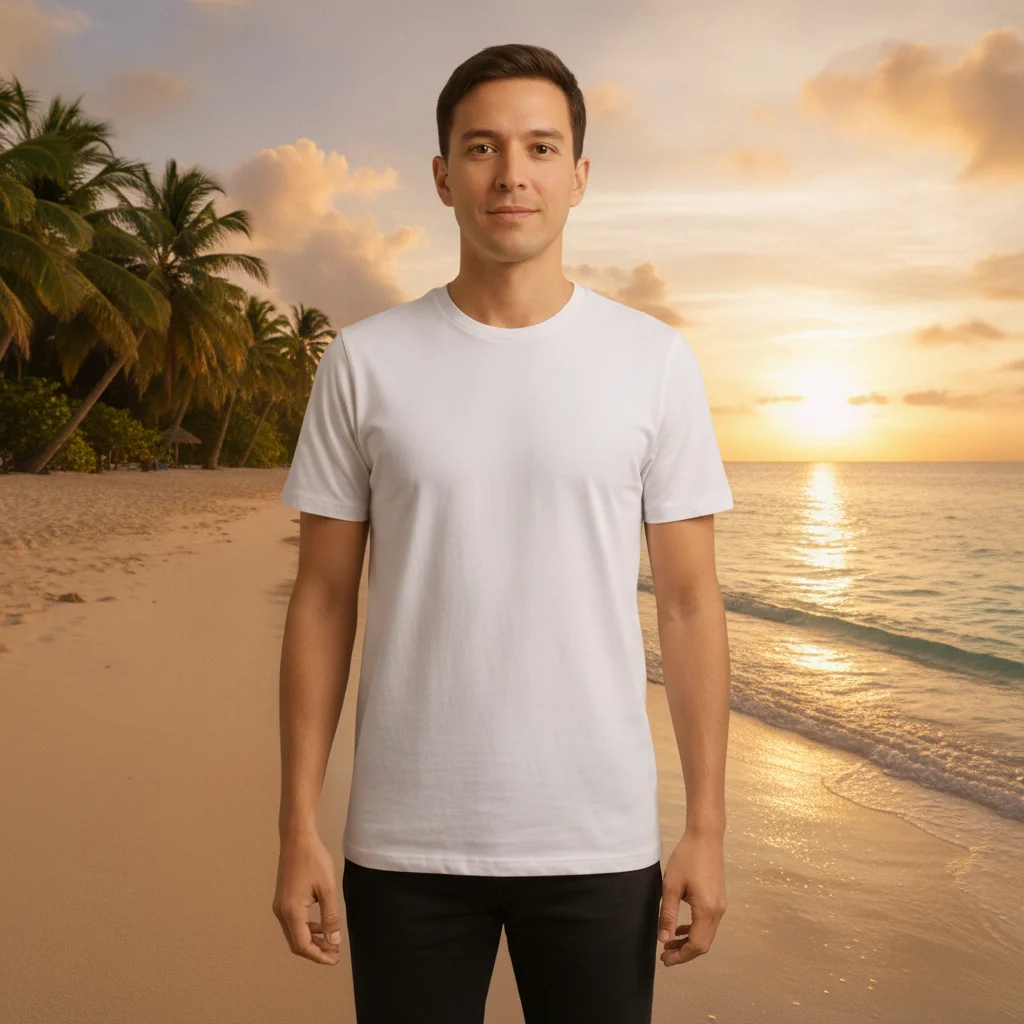
Casual indoor portrait of a person against a plain grey wall Same person generated into a tropical beach sunset scene with face and pose preserved

Upload photo to generate a new photo from your photo

"turn this photo into a warm oil painting portrait, keep my likeness recognizable"

Free to try · no sign-up · photos are never shared

Release to upload

<30stypical edit
1 freeedit weekly
Photo on your phone? Scan to open this editor there — free edit works on your phone too.

1 free edit every week·packs from $4.99

How it works

  1. Upload your photo

    Drop in the JPG, PNG, WebP, or HEIC file up to 7MB. This works from your existing photo — a selfie, a portrait, a room, a product shot — the AI generates a new version based on what's actually in it, not from a blank prompt.

    Expect: A simple new background or lighting change: 15-25 seconds. A full style restyle (painting, different era, different season): 25-35 seconds, may need a second pass to sharpen details.
  2. Describe the new photo you want

    Type the scene, style, or change you want to see: "put me on a beach at sunset, keep my face and pose the same" or "turn this into a warm oil painting portrait." Be specific about what should stay the same (your face, your pose, the subject) and what should change (the background, the style, the lighting).

    Tip: Explicitly say 'keep my face and pose the same' when you only want the scene or style to change — this stops the AI from also altering the subject itself.

    Copy one of these to get started:

    New background scene, same subject put me on a tropical beach at golden sunset, keep my face and pose exactly the same
    Restyle into a painting or art style turn this photo into a warm oil painting portrait, keep my likeness recognizable
    Change the season and lighting change the season in this photo to autumn with falling leaves and warm afternoon light, keep everything else the same
    Swap the setting while keeping the subject put me in a cozy coffee shop wearing a cream sweater, keep my face and expression the same
    3 more prompts
    Reimagine in a different era or style reimagine this photo as a 1920s sepia-toned portrait, keep my facial features recognizable
    Change time of day or weather change this daytime photo to a nighttime city scene with neon lights reflecting on wet pavement, keep the subject the same
    Generate a seasonal variation of a landscape or room photo generate a winter version of this room with snow visible through the window and warmer interior lighting
  3. Generate and review

    Click Generate. The AI creates a new version of your photo based on your description. Zoom in on the subject to confirm likeness and detail were preserved where you wanted them kept, and check the new background or style for consistency.

  4. Download your new photo

    Download as PNG for the highest quality or JPG for smaller file size and easy sharing. No EditThisPic watermark is added.

See it in action

Casual indoor portrait of a person against a plain grey wall
Before
->
Same person generated into a tropical beach sunset scene with face and pose preserved
After

Indoor portrait regenerated into a beach sunset scene

A plain indoor photo against a wall was regenerated into a tropical beach sunset setting, with the subject's face and pose preserved.

Prompt: put me on a tropical beach at golden sunset, keep my face and pose exactly the same
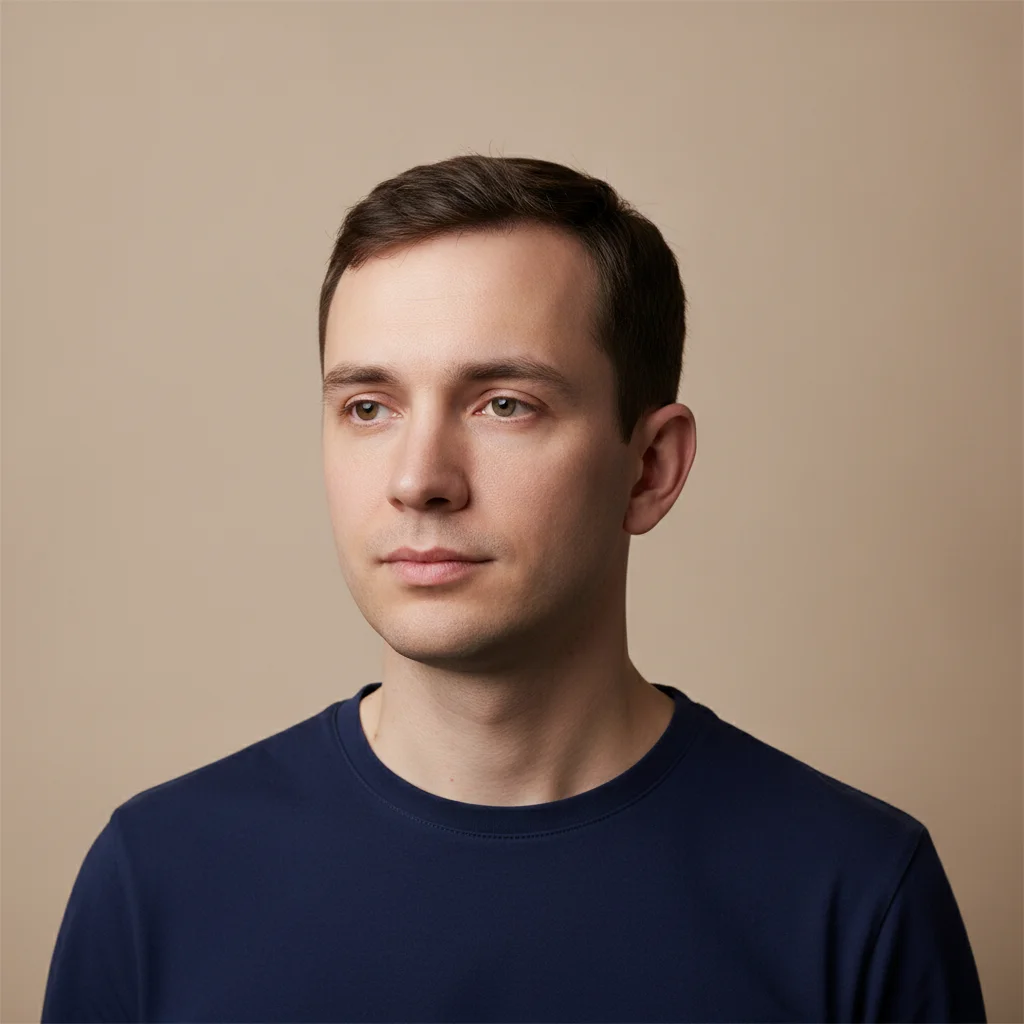
Simple headshot portrait of a person against a neutral beige studio background
Before
->
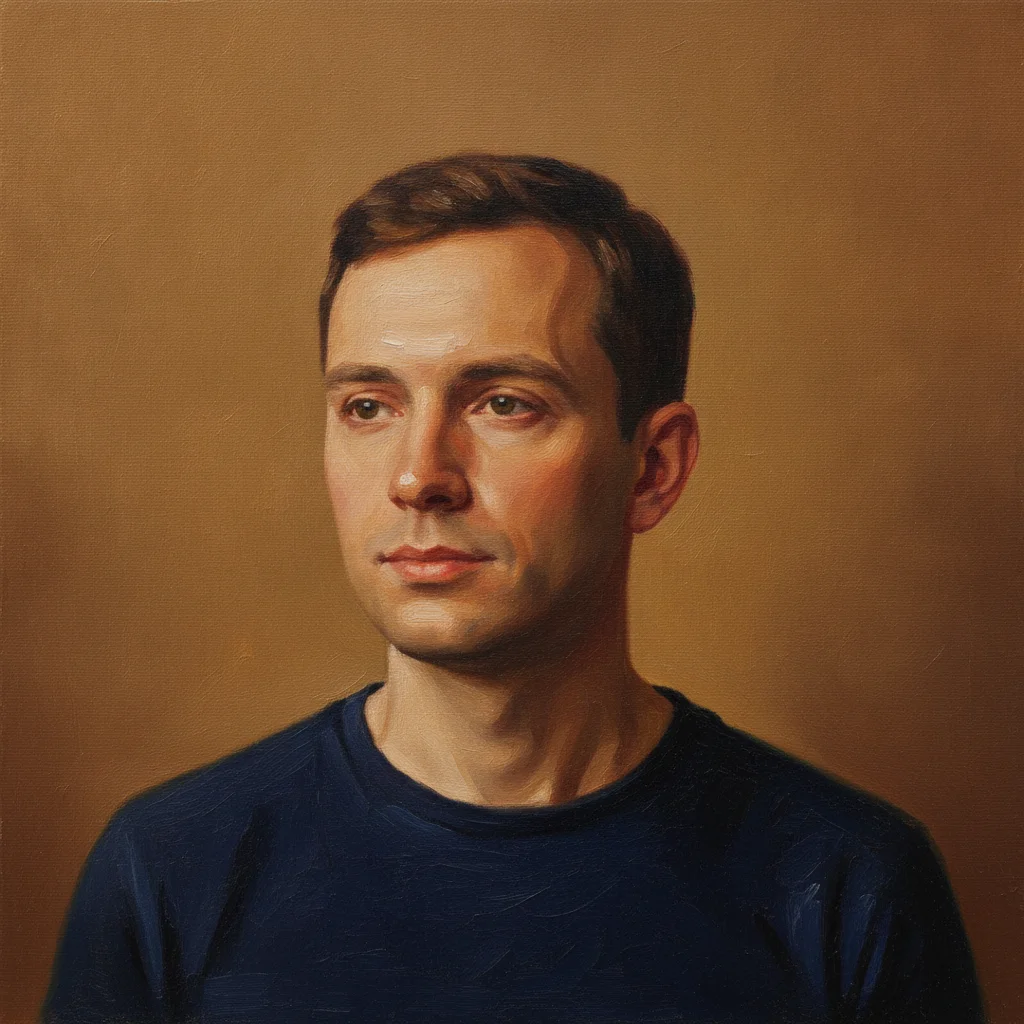
Same portrait regenerated as a warm oil painting while keeping the subject's likeness recognizable
After

Portrait restyled as an oil painting

A straightforward headshot was regenerated as a warm oil painting portrait while keeping the subject's likeness recognizable.
Prompt: turn this photo into a warm oil painting portrait, keep my likeness recognizable
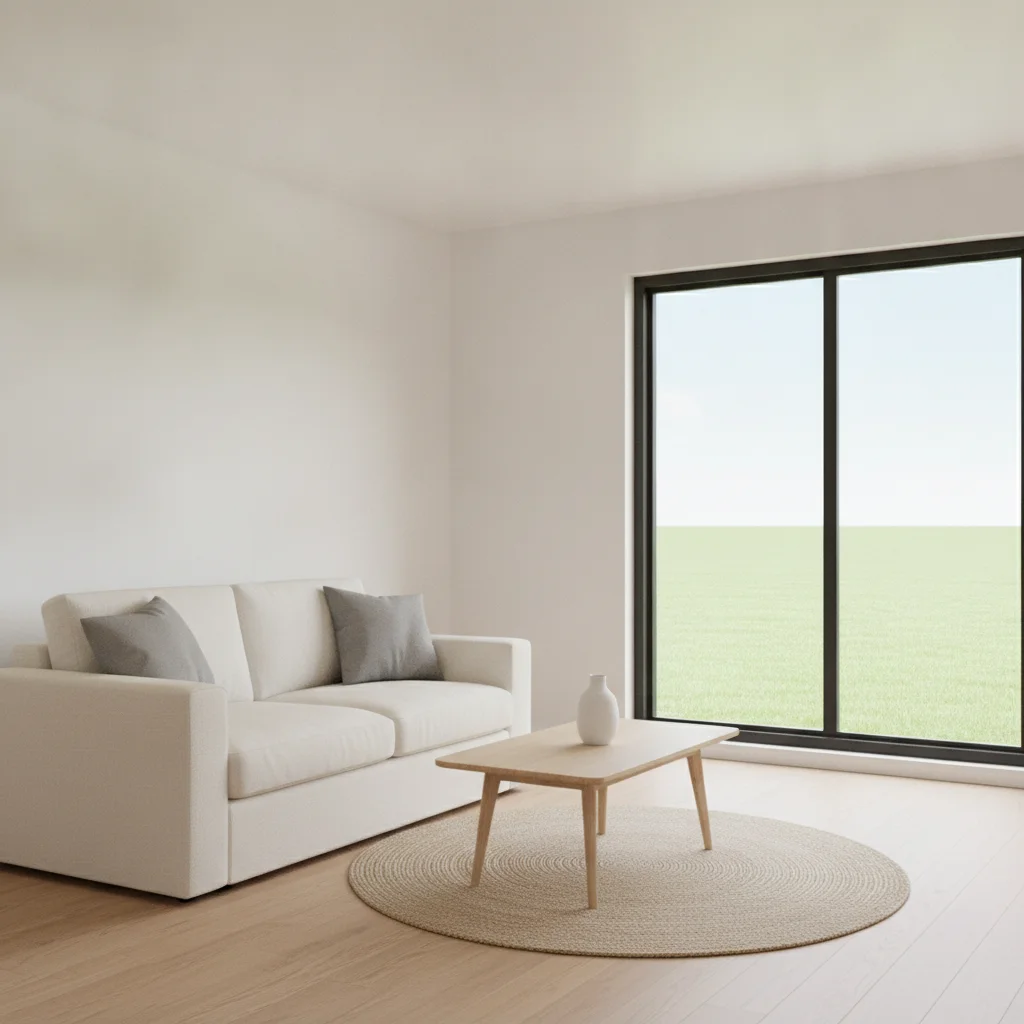
Bright daytime living room photo with a window showing a green lawn outside
Before
->
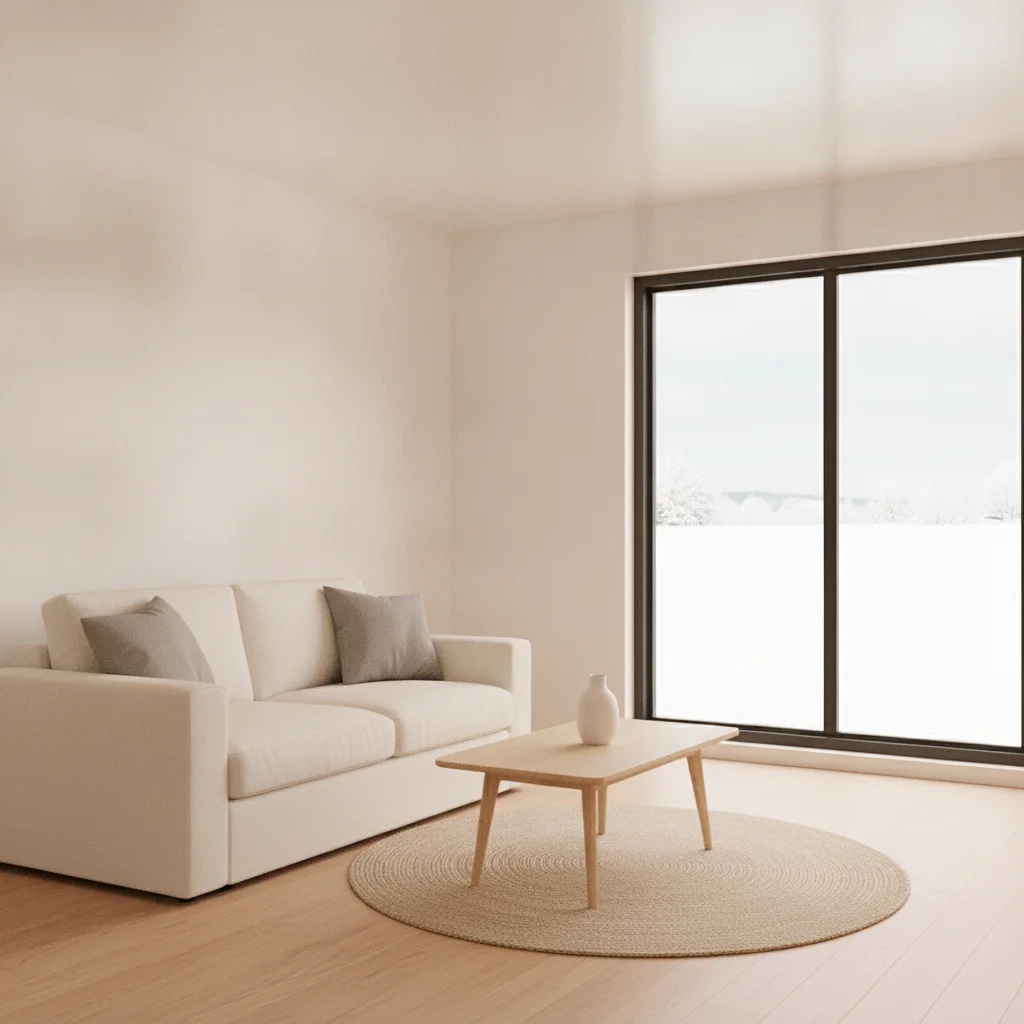
Same living room regenerated as a cozy winter scene with snow visible through the window and warmer lighting
After

Living room photo regenerated with a winter variation

A daytime living room photo was regenerated into a cozy winter scene with snow visible through the window and warmer interior lighting.

Prompt: generate a winter version of this room with snow visible through the window and warmer interior lighting

Quick answers

Do I need to mark or select anything before describing the new photo I want?

No. Just describe the new scene, style, or variation in plain language — 'put me on a beach at sunset' — and the AI generates it based on your uploaded photo. No selection tools, no masks, no marking required.

How do I generate a new photo from my own photo for free?

Upload your photo to EditThisPic, type the new scene, style, or variation you want — 'turn this into a warm oil painting portrait' — and click Generate. Result in 15-30 seconds. Free with no account required for one weekly edit; additional generations from $4.99 for a 10-pack.

Is there a free AI photo generator that uses my own photo, not just a text prompt?

Yes. EditThisPic generates from your uploaded photo rather than from a blank text-to-image prompt — the AI builds the new scene or style on top of your actual picture, preserving whatever you tell it to keep. No signup is required to try it.

How is this different from a text-to-image AI generator?

Text-to-image tools create an image entirely from a written description with no reference photo. This tool is photo-conditioned: it starts from your actual uploaded photo and generates a new version of it — a new background, style, or setting — rather than creating an unrelated image from scratch.

Will the AI keep my face the same in the new photo?

Only if you tell it to. Add 'keep my face and pose exactly the same' to your prompt when you only want the background or style to change. Without that instruction, stronger style changes (like a painting restyle) may reinterpret facial details more freely.

Can I change just the background and keep everything else the same?

Yes. Describe the new background and explicitly add 'keep my face, pose, and clothing exactly the same as the original photo' — this is the most reliable way to change only the setting.

Can AI turn my photo into a painting or a different art style?

Yes. Type 'turn this photo into a warm oil painting portrait, keep my likeness recognizable.' Style restyles work well, and adding a likeness constraint keeps the result recognizably based on your photo.

Can I generate a seasonal or time-of-day variation of a room or landscape photo?

Yes. This works on more than portraits — type 'generate a winter version of this room with snow visible through the window' for interiors, or 'change this daytime photo to a nighttime city scene' for landscapes and street shots.

How does this compare to the AI Avatar tool?

The AI Avatar tool is focused specifically on generating stylized avatar or profile-picture versions of your photo. This tool covers broader photo-conditioned generation — new backgrounds, scene changes, seasonal variations, and art styles — beyond just avatars.

Will EditThisPic add its own watermark to my generated photo?

No. EditThisPic never adds a watermark to your output. Your downloaded result is clean.

How much does EditThisPic cost?

You get 1 free edit per week — no account needed. After that, one-time credit packs start at $4.99 for 10 edits, valid 12 months, no subscription. Power users who edit daily can pick Studio Membership, a monthly workspace at $49.99/mo for 300 edits. Purchased downloads are clean with no watermark.

Ready to generate a new photo from your own?

Free to try. No signup required.

1 free edit included·Credit packs from $4.99