Pricing Generate Real estate before/after slider · Free

AI Real Estate Before & After Slider

← Browse all creative effects

Last updated

Turn any property photo into a before/after marketing slider — staged vs. empty, renovated vs. dated — in 60 seconds.
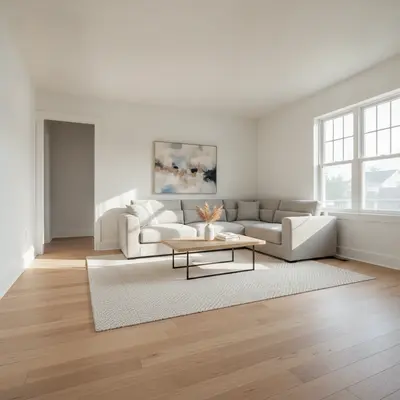
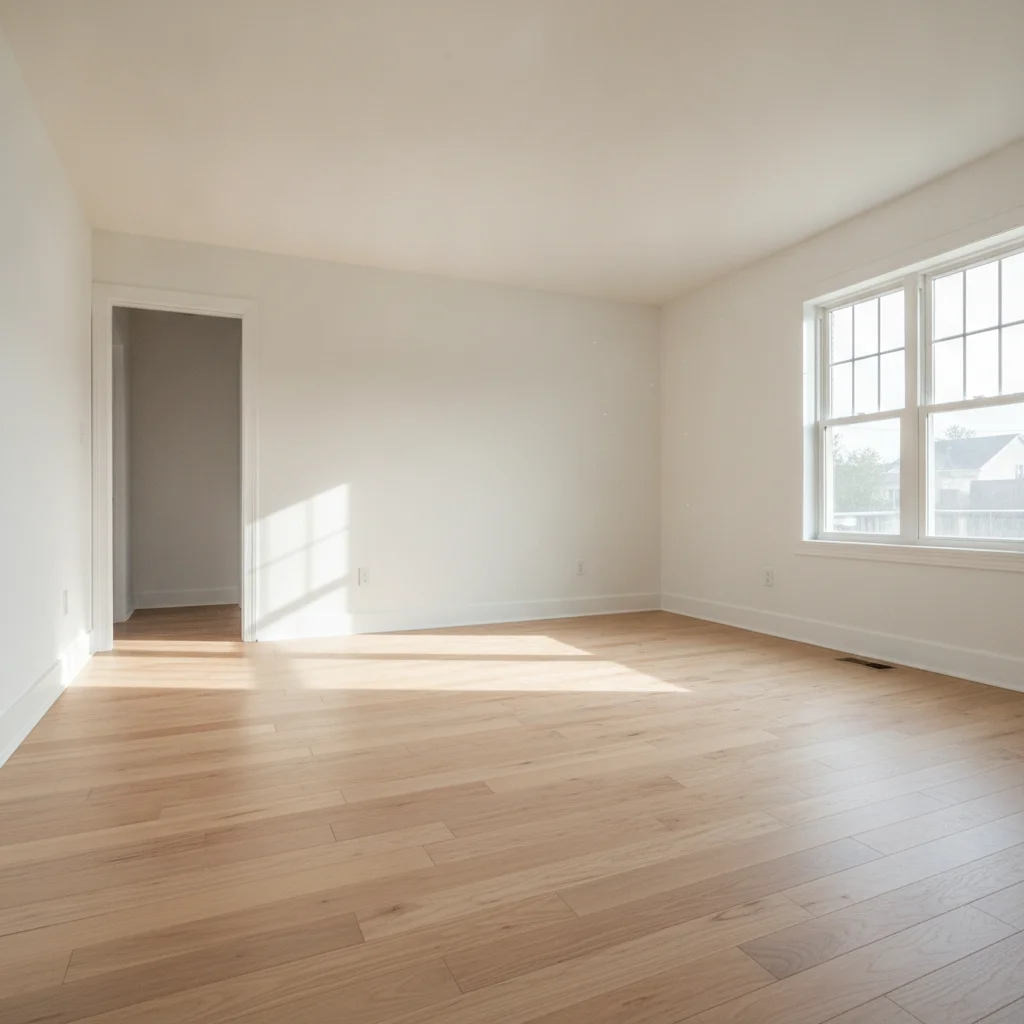
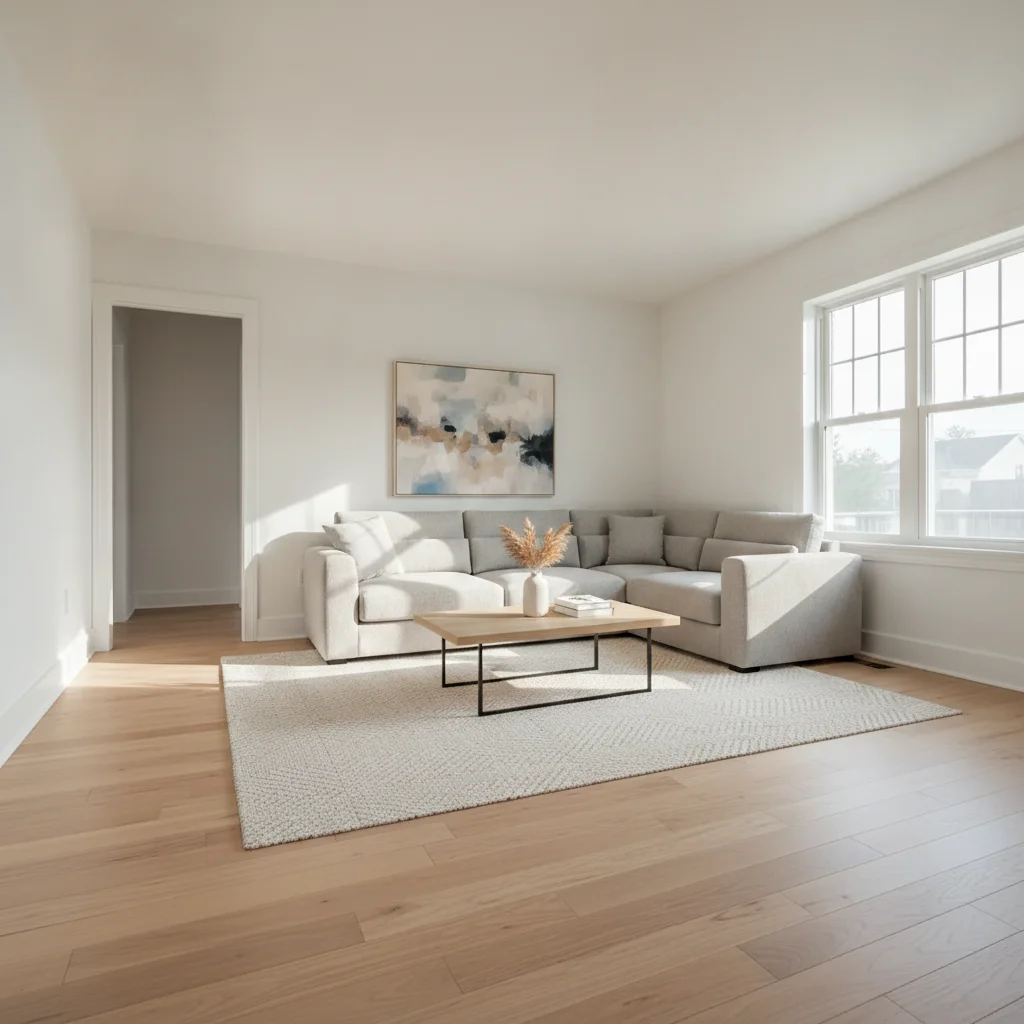
Empty living room with bare hardwood floors and white walls Same room virtually staged with modern sectional sofa, coffee table, and area rug

Upload photo to generate real estate before/after slider

"renovate this kitchen with white shaker cabinets, quartz countertops in light grey, stainless steel appliances, and under-cabinet lighting; preserve the layout and window positions exactly"

Free to try · no sign-up · photos are never shared

Release to upload

<30stypical edit
1 freeedit weekly
Photo on your phone? Scan to open this editor there — free edit works on your phone too.

1 free edit every week·packs from $4.99

How it works

  1. Upload your property photo

    Drop your listing photo into EditThisPic — wide-angle room shots, exterior facade photos, or dated kitchen/bathroom photos all work well. JPG, PNG, or WebP up to 7MB. The cleaner the original shot, the more compelling the transformation.

    Expect: Simple transformations (virtual staging an empty room): 30-45 seconds. Complex renovations (full kitchen remodel visualization): 45-90 seconds and may benefit from one refinement pass.
  2. Describe the transformation you want

    Type what you want the 'after' to show: 'virtually stage this empty living room with a neutral modern sofa, coffee table, and area rug' or 'renovate this dated kitchen with white shaker cabinets and quartz countertops.' Be specific about the style, materials, and color palette. No marking required — the AI understands room zones.

    Tip: Name the target buyer demographic in your prompt: 'stage for young professionals' or 'family-friendly staged living room.' This anchors the furniture selection and staging style to the intended audience.

    Copy one of these to get started:

    Virtual staging — empty living room virtually stage this empty living room with a neutral modern sectional sofa, a light oak coffee table, a woven area rug, and minimal accent decor; keep all windows, flooring, and walls unchanged
    Kitchen renovation visualization renovate this kitchen with white shaker cabinets, quartz countertops in light grey, stainless steel appliances, and under-cabinet lighting; preserve the layout and window positions exactly
    Exterior curb appeal — fresh paint and landscaping update this home exterior with fresh white paint on the facade, a charcoal grey front door, trimmed green hedges flanking the entry path, and clean mulched flower beds; keep the roof and driveway unchanged
    Vacant bedroom — staged for listing stage this empty bedroom with a queen platform bed with grey linen bedding, two matching bedside tables with lamps, and a light-toned area rug; warm neutral color palette suitable for a property listing
    4 more prompts
    Dated bathroom — modern renovation renovate this bathroom with a white subway tile surround, a modern matte black faucet and fixtures, a frameless glass shower door, and bright overhead lighting; keep the same footprint and door position
    Property flip — before/after renovation reveal show this room after a full renovation: refinished hardwood floors, freshly painted walls in warm white, updated recessed lighting, and modern trim work; preserve the room dimensions and window count
    Luxury staging — high-end buyer market stage this living room for a luxury buyer: a low-profile cream linen sofa, a marble-top coffee table, statement floor lamp, abstract wall art, and fresh flowers on the side table; upscale but understated aesthetic
    Outdoor space — deck or patio staging stage this empty deck with a teak outdoor dining set for four, string lights overhead, potted plants at the corners, and a clean outdoor rug under the table; maintain the existing railing and yard view
  3. Review the transformation at full resolution

    Zoom to 100% on key areas: furniture-to-floor transitions, wall-to-ceiling corners, and window light consistency. The staged elements should cast natural shadows matching the original photo's light source. Download and view at full size before sharing with clients or adding to a listing.

  4. Refine specific areas with markers if needed

    If a furniture item clips a wall edge or the floor transition looks off, tap a marker directly on that area and regenerate with a focused instruction like 'fix the sofa edge where it meets the baseboard.' This is optional — most room transformations work without markers.

    Tip: Markers work best for fixing one specific boundary. Don't place markers all over the room — the AI handles zone detection automatically for all unmarked areas.
  5. Download and use in your listing or pitch

    The result is a single high-resolution image showing the transformed state. Use it alongside the original photo in your MLS listing, slide deck, or social post to create the before/after narrative. Most agents pair both photos in a carousel post or embed a side-by-side in their property marketing PDF.

See it in action

Empty living room with bare hardwood floors and white walls
Before
->
Same room virtually staged with modern sectional sofa, coffee table, and area rug
After

Empty living room to professionally staged

A vacant listing with bare hardwood floors and white walls. One prompt produced a fully staged living room with neutral modern furniture — ready for MLS photos.

Prompt: virtually stage this empty living room with a neutral modern sectional sofa, a light oak coffee table, a woven area rug, and minimal accent decor; keep all windows, flooring, and walls unchanged
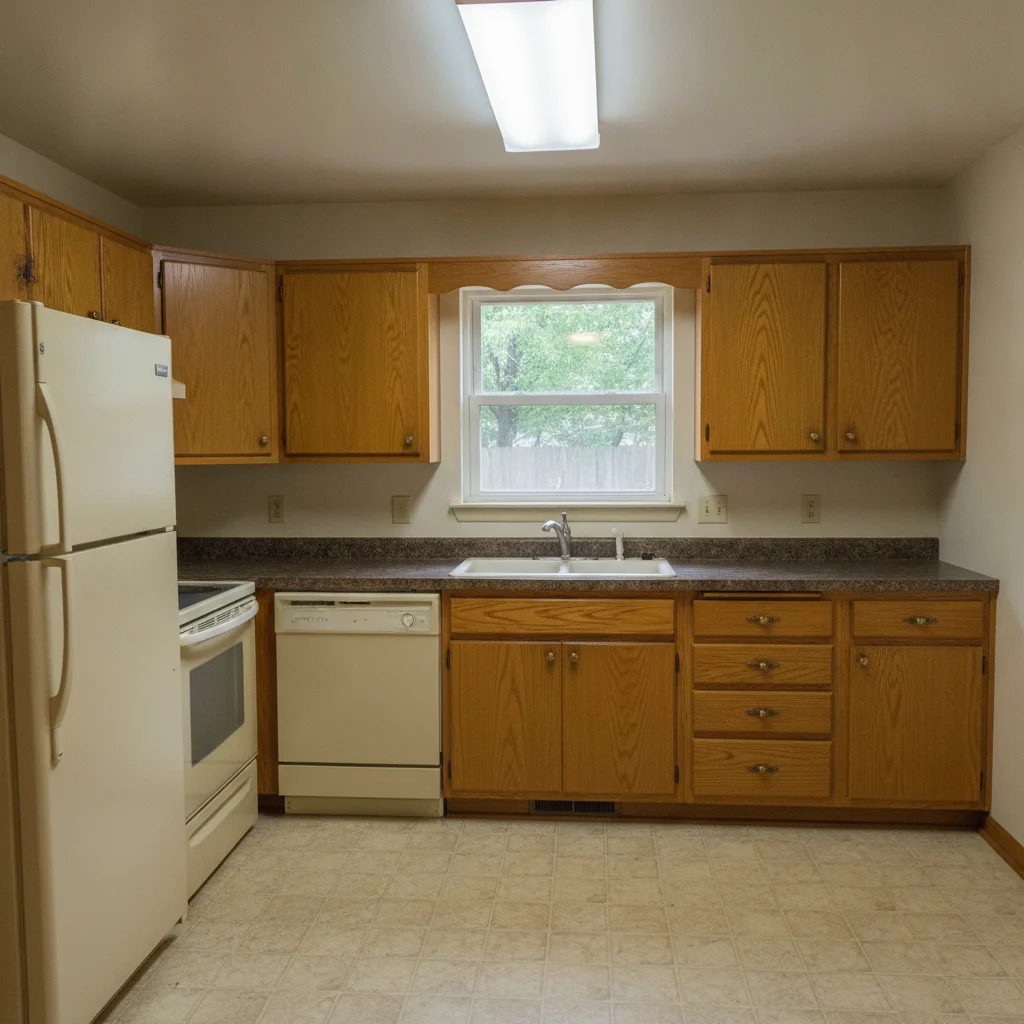
Dated kitchen with oak cabinets and dark laminate countertops
Before
->
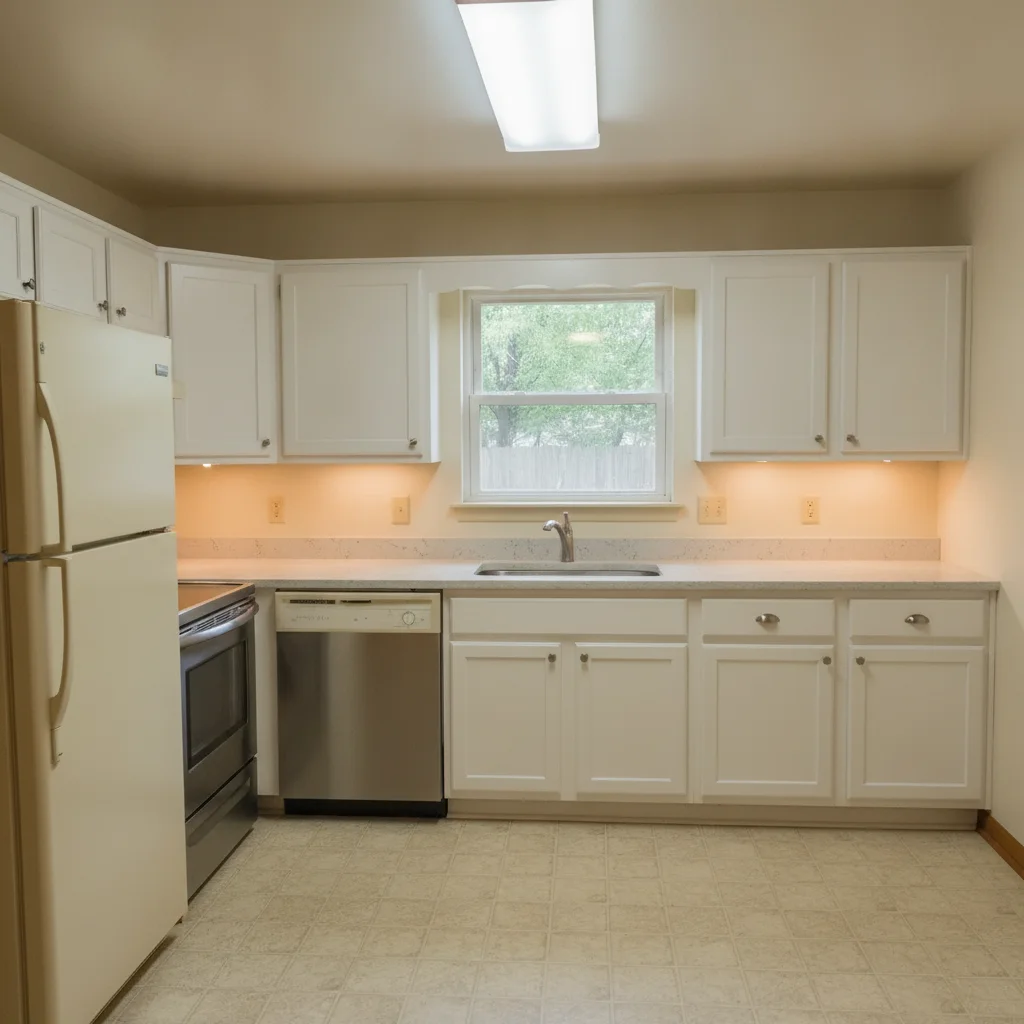
Same kitchen renovated with white shaker cabinets and quartz countertops
After

Dated kitchen to modern renovation

A listing with original 1990s oak cabinets and laminate countertops. The AI visualized a full modern renovation — perfect for a flip marketing deck.

Prompt: renovate this kitchen with white shaker cabinets, quartz countertops in light grey, stainless steel appliances, and under-cabinet lighting; preserve the layout and window positions exactly
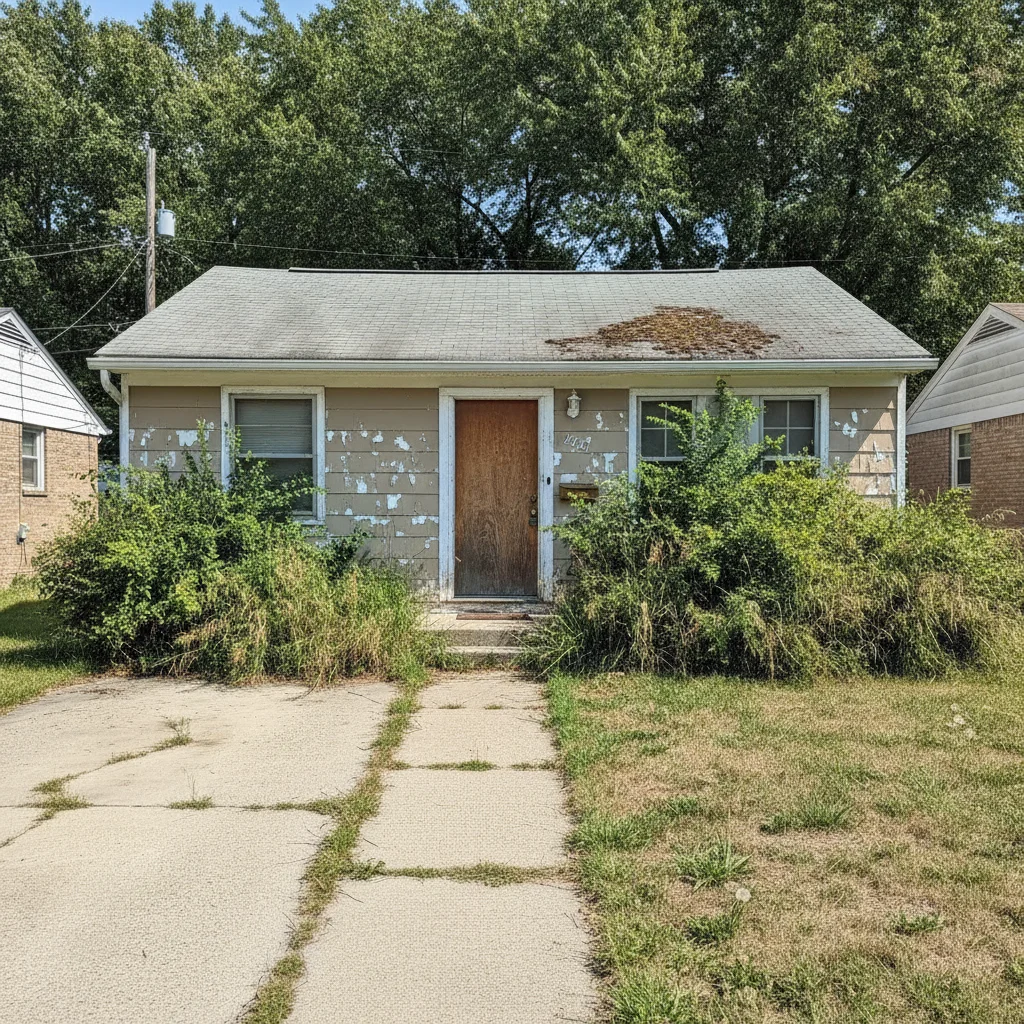
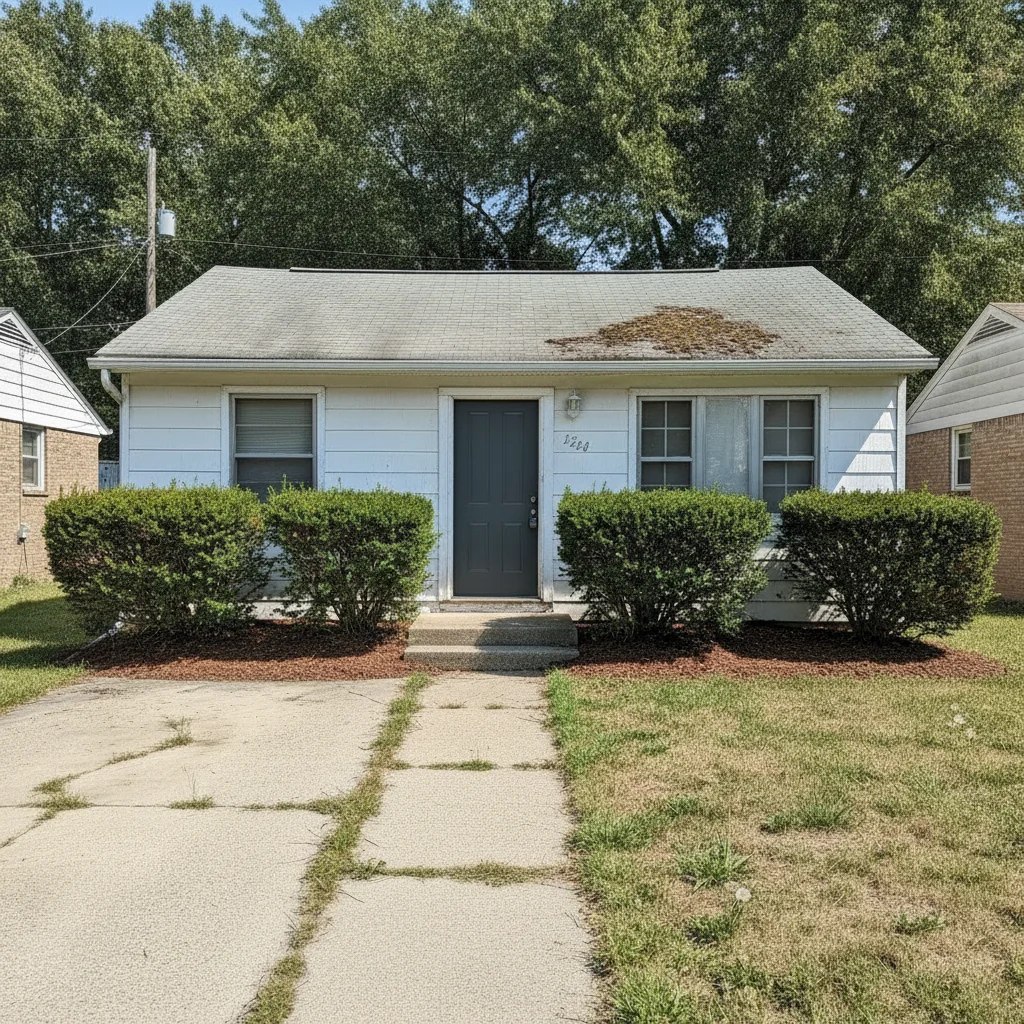
Ranch house with faded beige paint and overgrown landscaping
Before
->
Same house with fresh white paint, charcoal door, and clean landscaping
After

Dull exterior to strong curb appeal

A home with faded beige paint and overgrown landscaping. The AI generated fresh paint, a statement front door, and clean landscaping — the hero image for a flip's marketing deck.

Prompt: update this home exterior with fresh white paint on the facade, a charcoal grey front door, trimmed green hedges flanking the entry path, and clean mulched flower beds; keep the roof and driveway unchanged

Quick answers

Do I need to mark areas of the photo before describing the transformation?

No. For most real estate transformations — virtual staging, exterior paint changes, kitchen renovations — just describe what you want in plain language. The AI understands zones like 'cabinets,' 'flooring,' 'facade,' and 'living room' without any marking. Use markers only if the AI changes an area you wanted preserved, like an existing window or a specific flooring section.

How do I create a real estate before/after slider for free?

Upload your property photo to EditThisPic, describe the transformation you want (staged, renovated, repainted), and download the result in 60 seconds. The 'after' image and your original 'before' photo are the two slides you need for any before/after slider — in your MLS listing, a social carousel, or a client presentation. Free, no login required.

Can I use AI-generated staging images in an MLS listing?

Yes, but with a disclosure. Most MLS boards and real estate associations require virtually staged or AI-enhanced photos to be labeled as such in the listing. Best practice: label the AI-staged image 'Virtually Staged' in the listing gallery and keep the original vacant photo available. Check your specific MLS board's rules before publishing.

Is there a free virtual staging tool for real estate that doesn't need an account?

Yes. EditThisPic generates virtual staging images free with no account, no login. Upload your empty room photo, describe the furniture and style, and download the staged result in 60 seconds. No subscription required. The free edit is a preview — purchased downloads are clean, full quality.

What's the best AI tool for real estate before/after marketing content?

EditThisPic is purpose-built for transformation content — it generates a high-resolution 'after' image from any property photo in 60 seconds. Unlike dedicated virtual staging platforms (BoxBrownie, Virtual Staging AI) that require account creation and charge per image, EditThisPic is free with no signup. For agents and stagers generating one-off marketing content rather than large batches, the no-friction workflow is significantly faster.

How many before/after images can I generate for a listing?

As many as you need. The free tier gives you one transformation per week per device without any signup. For a full listing — living room, kitchen, master bedroom, exterior — you can generate all four in a single session. Each takes about 60 seconds.

How much does EditThisPic cost?

You get 1 free edit per week — no account needed. After that, one-time credit packs start at $4.99 for 10 edits, valid 12 months, no subscription. Power users who edit daily can pick Studio Membership, a monthly workspace at $49.99/mo for 300 edits. Purchased downloads are clean with no watermark.

Ready to create your property transformation?

Free to try. No signup required.

1 free edit included·Credit packs from $4.99