Free β€’ No signup Transform Haircut style Β· Free

Fake New Haircut Photo Prank

Upload a portrait and the AI will give them a shaved head, a neon pink dye job, a mohawk, or a bowl cut. Send it with a casual "I just did something impulsive" and wait for the panic.

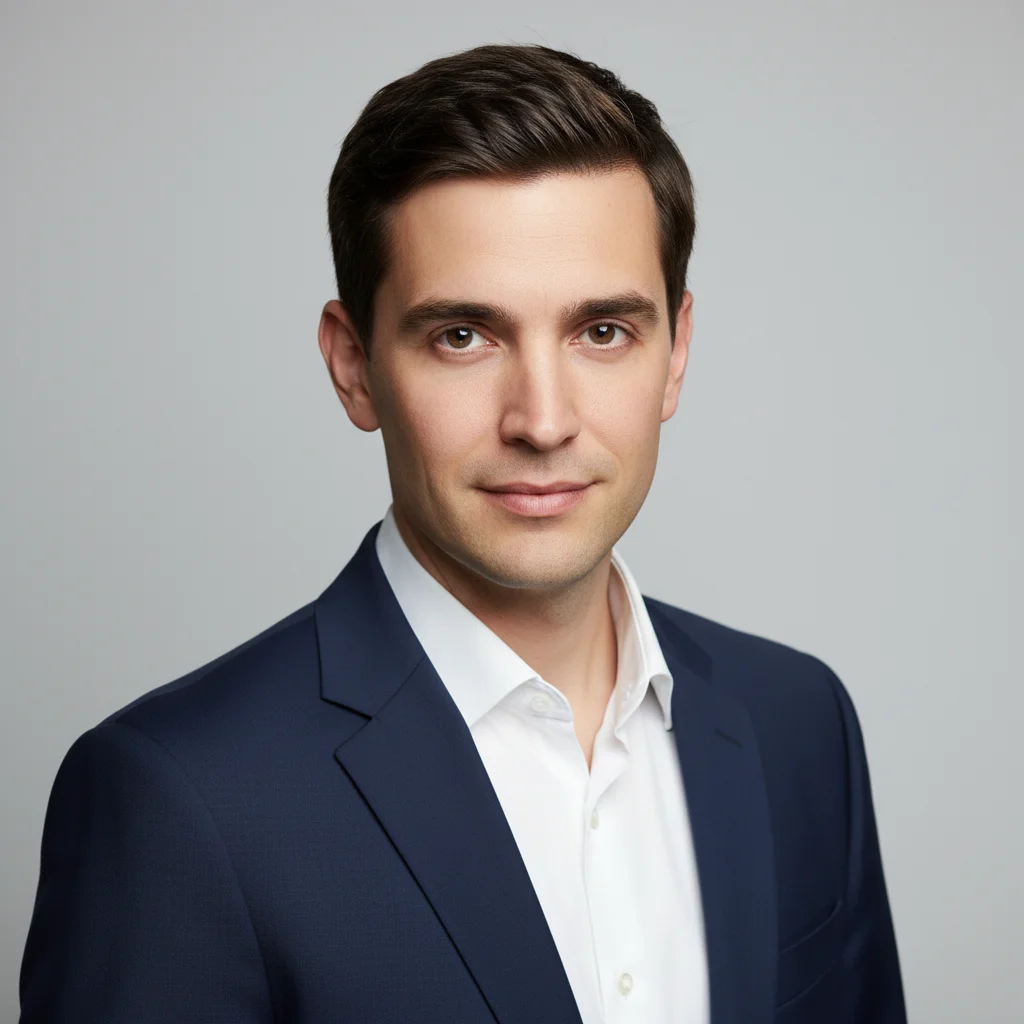
Man with short neat dark hair in a professional headshot
Before
β†’
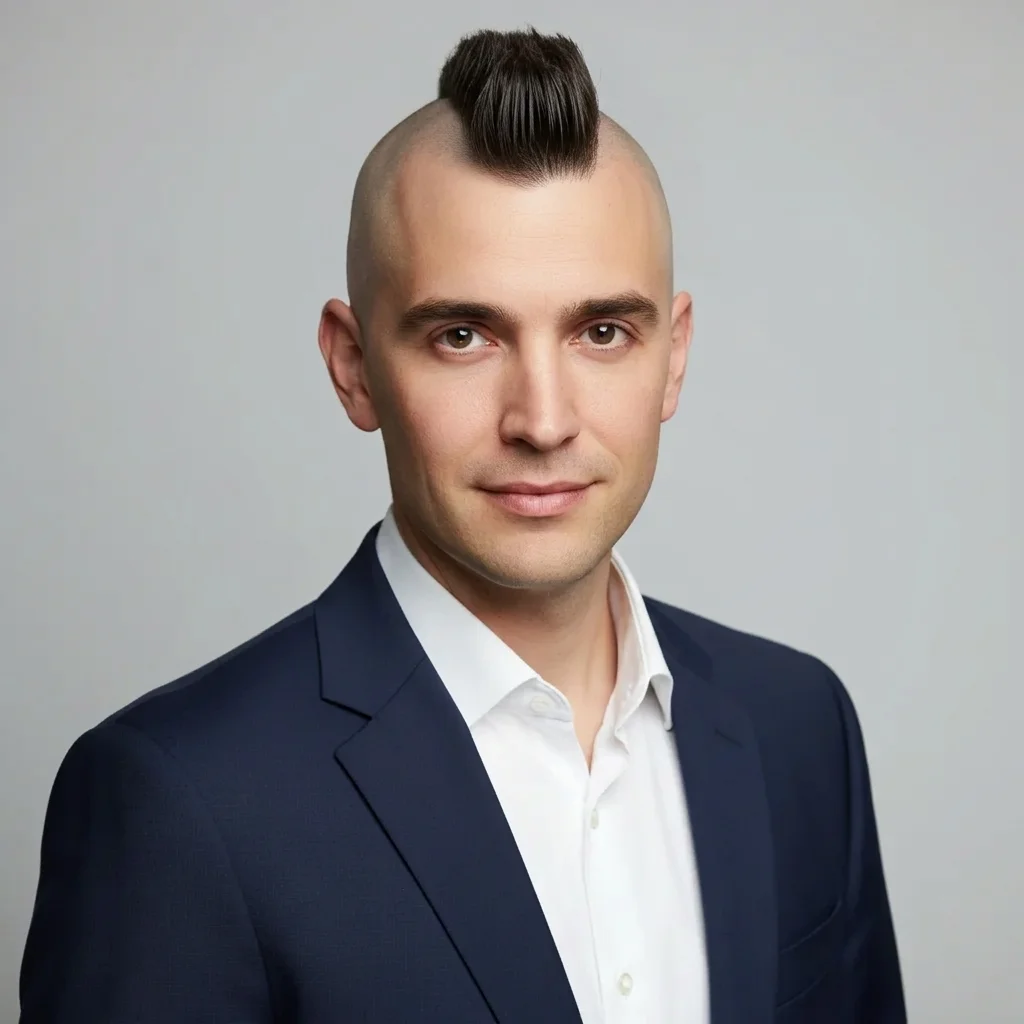
Same man now with shaved sides and a standing mohawk strip down the center
After

Fake New Haircut Photo Prank

Upload photo to transform haircut style

Free β€’ Results in 30 seconds β€’ No signup

Release to upload

FreeNo signupNo watermark

1 free edit·then from $1.99

Popular use cases:
  • fake haircut prank photo
  • AI haircut change photo
  • funny hair prank
  • shaved head prank
  • neon hair prank
  • mohawk photo prank
  • photo prank for group chat
  • bad haircut photo joke

Cost
Free No signup required
Time
Instant results in 15-30 seconds
Works on
Any device - browser, phone, tablet, desktop
Powered by
AI-powered photo editing
Scenario Prompt Time
Shaved head shave head completely smooth, match skin tone of face 15s
Mohawk shave sides smooth, 3-inch strip standing upright down center 30s
Neon pink dye same cut, dye every strand vibrant hot pink, natural lighting 15s
Bowl cut even length all around with straight blunt fringe across forehead 15s

How it works

  1. Upload your photo

    Pick a clear portrait or head-and-shoulders photo where the person's current hair is visible. A well-lit photo with the full head in frame gives the AI the most to work with β€” passport photos, LinkedIn headshots, and casual selfies all work well.

    Expect: Upload takes a second. JPEG, PNG, and HEIC all work fine.
  2. Describe the new haircut

    Type the haircut you want the AI to give them. Be specific β€” name the style, the length, and the color if you're changing it. The prompts below cover the best options: shaved head, mohawk, bowl cut, buzz cut, and neon dye jobs. Copy one or describe your own.

    Tip: Include the color explicitly if you're leaving it natural β€” "same color as their current hair" prevents the AI from guessing. For style changes, describe what happens to each section: top, sides, and back.

    Copy one of these to get started:

    Full Shaved Head Shave this person's head completely β€” remove all hair and give them a smooth close-shaved scalp, matching the skin tone of their face naturally
    Shaved Sides Mohawk Give this person a mohawk β€” shave the sides of the head completely smooth and leave a strip of hair about 3 inches wide down the center of the scalp, standing upright, same hair color as their existing hair
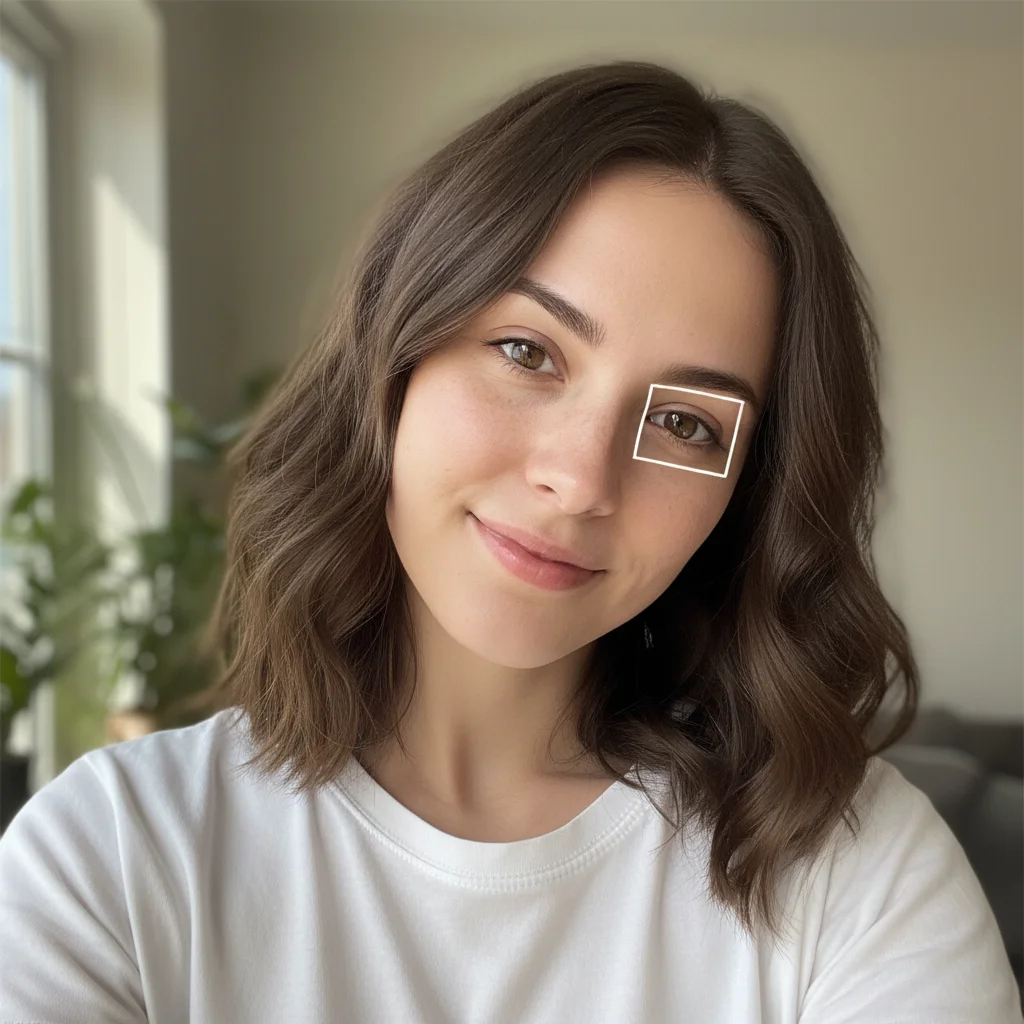
    Neon Pink Dye Job Dye this person's entire hair a vibrant neon pink β€” keep the same cut and style as their existing hair but change every strand to a bright hot pink color, natural-looking lighting
    Classic Bowl Cut Give this person a bowl cut β€” trim all the hair to one even length around the sides and back following the line of a bowl placed on the head, with a straight blunt fringe across the forehead
    4 more prompts
    Buzz Cut Give this person a buzz cut β€” shave all their hair down to a very short uniform length of about 3mm all over the head, like they used a number 1 clipper guard everywhere
    Bleach Blonde Transformation Bleach this person's hair platinum blonde β€” keep the exact same haircut and style but change the color from their natural shade to a very light almost-white blonde throughout
    Half-and-Half Color Block Color this person's hair in a bold two-tone split β€” the left half of their hair its natural color and the right half dyed a vivid electric blue, keeping the same cut throughout
    Extreme Side Part Slick-Back Give this person an extreme slicked-back hairstyle β€” all hair combed straight back tightly against the head with a very hard side part on the left, heavy with gel, shiny finish
  3. Send it

    Download the edited photo and send it to your target. Best openers: "I just did something impulsive," "don't panic but," or just send the photo cold and wait. Family group chats hit hardest.

Try it free ↓

Fake New Haircut Photo Prank

Upload photo to transform haircut style

Free β€’ Results in 30 seconds β€’ No signup

Release to upload

Free β€’ No signup

See it in action

Man with short neat dark hair in a professional headshot
Before
->
Same man now with shaved sides and a standing mohawk strip down the center
After

The "Don't Panic But" Send

A professional LinkedIn headshot gets a full mohawk treatment. Sent to the family group chat with no caption β€” just the image β€” followed two minutes later by "jk... maybe."

Prompt: Give this person a mohawk β€” shave the sides of the head completely smooth and leave a strip of hair about 3 inches wide down the center of the scalp, standing upright, same hair color as their existing hair
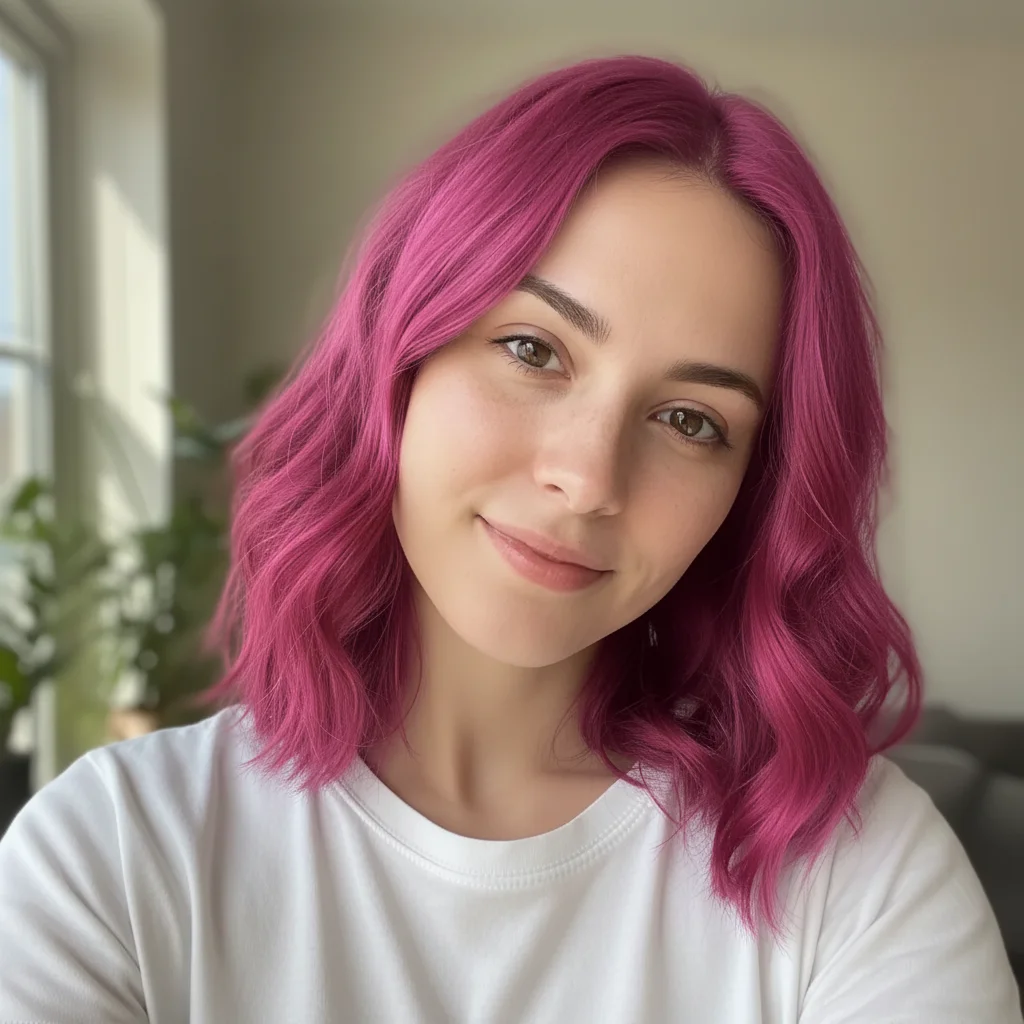
Woman with medium-length brown wavy hair in a casual selfie
Before
->
Same woman with the same cut but every strand now vibrant neon pink
After

The Neon Pink Reveal

A casual selfie gets a full neon pink dye job applied. Sent to a parent with the message "I needed a change" β€” reaction arrived in under 90 seconds.

Prompt: Dye this person's entire hair a vibrant neon pink β€” keep the same cut and style as their existing hair but change every strand to a bright hot pink color, natural-looking lighting
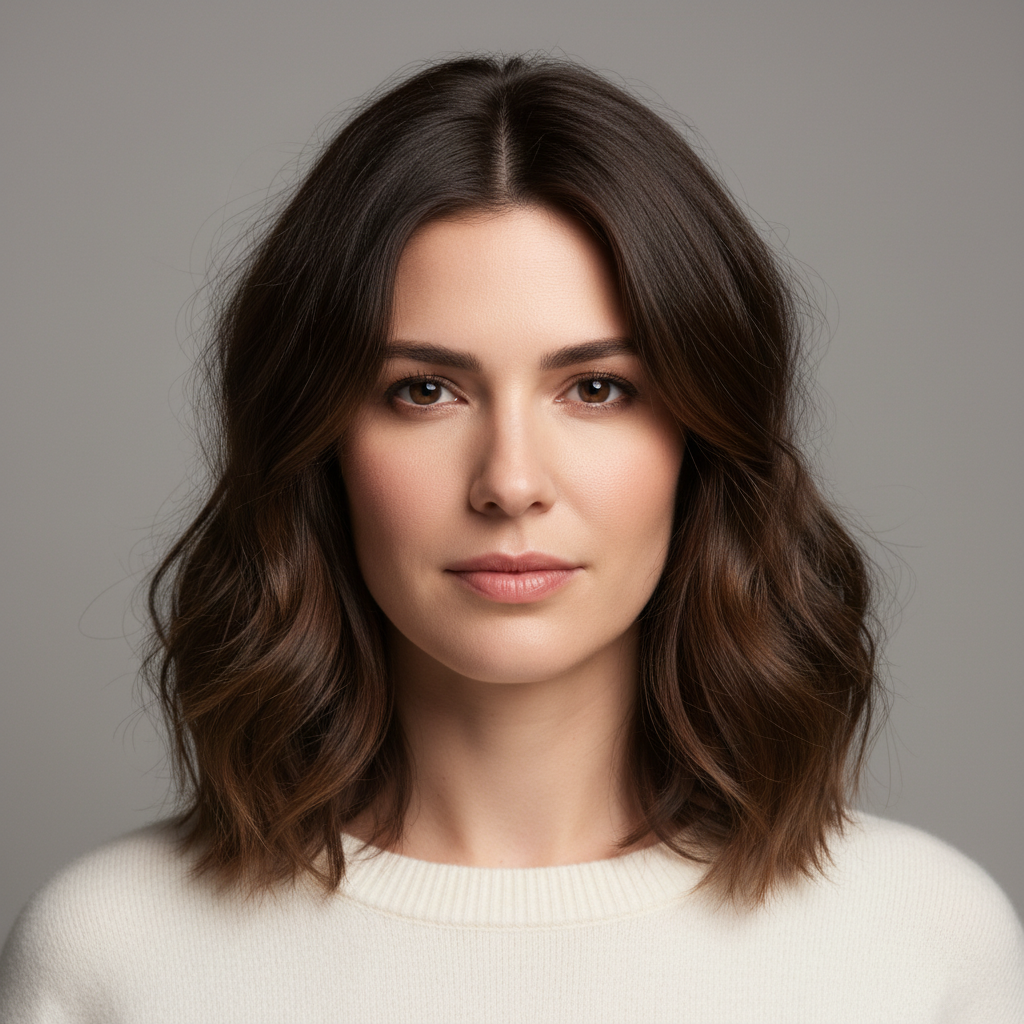
Man with medium wavy brown hair in a corporate headshot
Before
->
Same man with a severe bowl cut and blunt fringe across the forehead
After

The Office Bowl Cut

A coworker's team photo headshot gets a severe bowl cut added. Shared in the work Slack with "he came back from lunch different."

Prompt: Give this person a bowl cut β€” trim all the hair to one even length around the sides and back following the line of a bowl placed on the head, with a straight blunt fringe across the forehead

If something looks off

The new haircut looks pasted on rather than part of the photo

Why: The AI may have treated the new hair as a separate layer if the transition from old to new wasn't described clearly enough.

Try: Replace this person's hair with a [style] β€” the new hair should match the lighting and shadows of the original photo exactly, blending naturally with the forehead and skin

Tip: Adding "match the lighting of the original photo" anchors the edit to the actual image conditions instead of generating generic-looking hair.

The shaved head still shows stubble or hair texture rather than a smooth scalp

Why: Without explicit instruction, the AI may default to a close buzz rather than a fully smooth shave.

Try: Shave this person's head completely smooth β€” no stubble, no texture, just a clean bare scalp matching the skin tone of their face

Tip: "Clean bare scalp" is more explicit than "shaved head" and tends to produce a smoother result.

The hair color changed but doesn't look realistic β€” too saturated or too flat

Why: Hair color edits can look artificial when the AI doesn't account for natural variation, shine, and shadow in the hair.

Try: Dye this person's hair [color] β€” include natural variation in the strands, highlights where the light hits, and shadows in the deeper sections, not a flat solid color

Tip: Asking for "natural variation in the strands" pushes the AI toward a more photorealistic result rather than a flat painted look.

The face or skin around the hairline looks distorted after the edit

Why: Extreme haircut changes near the hairline can cause the AI to accidentally modify the surrounding skin.

Try: Change the hairstyle only β€” keep the face, skin, hairline shape, ears, and neck exactly as they are in the original photo

Tip: Explicitly listing what to leave unchanged gives the AI clear instructions on what not to touch.

The new haircut is too subtle β€” it doesn't look like a dramatic change

Why: The AI may default to a conservative interpretation if the prompt doesn't convey scale.

Try: Make this a dramatic, unmistakably obvious [style] β€” the change should be immediately visible and impossible to miss

Tip: Words like "dramatic," "extreme," and "unmistakable" help calibrate how far to push the transformation.

Quick answers

Do I need to mark any areas before describing what I want?

No. Just describe the haircut you want and the AI identifies where the hair is and applies the change. EditThisPic reads the portrait automatically β€” it finds the head, the hairline, and the existing hair without you needing to highlight anything. Markers are only useful if you want to restrict an edit to one specific section of a complex image, which isn't necessary for a standard haircut prank.

Is this free?

Yes. EditThisPic gives you 1 free edit per week with no account needed. If you want to test a few different haircuts on the same photo β€” mohawk, then bowl cut, then shaved head β€” paid packs start at $1.99 for 3 edits.

Will it look realistic enough to actually fool someone?

For a phone screen send β€” yes, especially with a clear well-lit photo. The AI adapts the new hair to the actual lighting and head shape in the portrait. It won't hold up to zoomed-in inspection, but for a "wait did they actually shave their head" moment in a group chat, it reads convincingly. Best results come from photos where the full head is visible and the lighting is even.

What kind of photo works best?

A clear head-and-shoulders portrait where the full head is visible. The top of the head needs to be in frame so the AI can see where the hair starts and ends. Passport photos, selfies, and LinkedIn headshots all work well. Avoid photos where the hair is obscured by a hat, hood, or heavy shadows.

Can I change both the cut and the color in one edit?

Yes. Describe both changes in a single prompt β€” for example, "give this person a mohawk with the strip dyed neon green." The AI handles multiple changes simultaneously. Stacking a dramatic cut change with a color change tends to produce the most reaction-worthy results.

Can I use a photo from someone's social media?

Technically yes β€” EditThisPic processes any image you upload and doesn't check the source. For a private prank among friends, this is generally fine. Publicly posting an edited photo of someone without their consent is a different matter and depends on your local laws and platform rules.

Does EditThisPic store my photos?

Photos are processed and discarded. EditThisPic doesn't permanently store your uploaded images on its servers. Download your result immediately after the edit completes if you want to keep it.

How is this different from apps like BaldBooth or FaceApp?

BaldBooth applies one fixed bald filter to every photo the same way regardless of lighting, angle, or hair type. FaceApp has preset styles with limited control. EditThisPic reads your text description and adapts to the actual photo β€” so you can specify a shaved head, a specific mohawk width, a particular color, or a bowl cut with a blunt fringe, and the AI adjusts to that person's actual head shape, hair color, and lighting rather than stamping on a generic template.

How much does EditThisPic cost?

You get 1 free edit per week β€” no account needed. After that, credit packs start at $1.99 for 3 edits. Monthly plans start at $4.99/mo for 15 edits with unused credits rolling over. All edits are full resolution with no watermark.

Ready to give someone the haircut of their nightmares?

Free to try. No signup required.

1 free edit included·Credit packs from $1.99