AI Photo Editor for Jewelry Photos
Last updated
Professional jewelry photos in seconds. Clean backgrounds, accurate metal colors, enhanced sparkle.
Drop your photo here
"replace background with pure white seamless gradient, preserve gold metal shine and gem sparkle, professional jewelry photography lighting"
Release to upload

Built for Jewelry Sellers
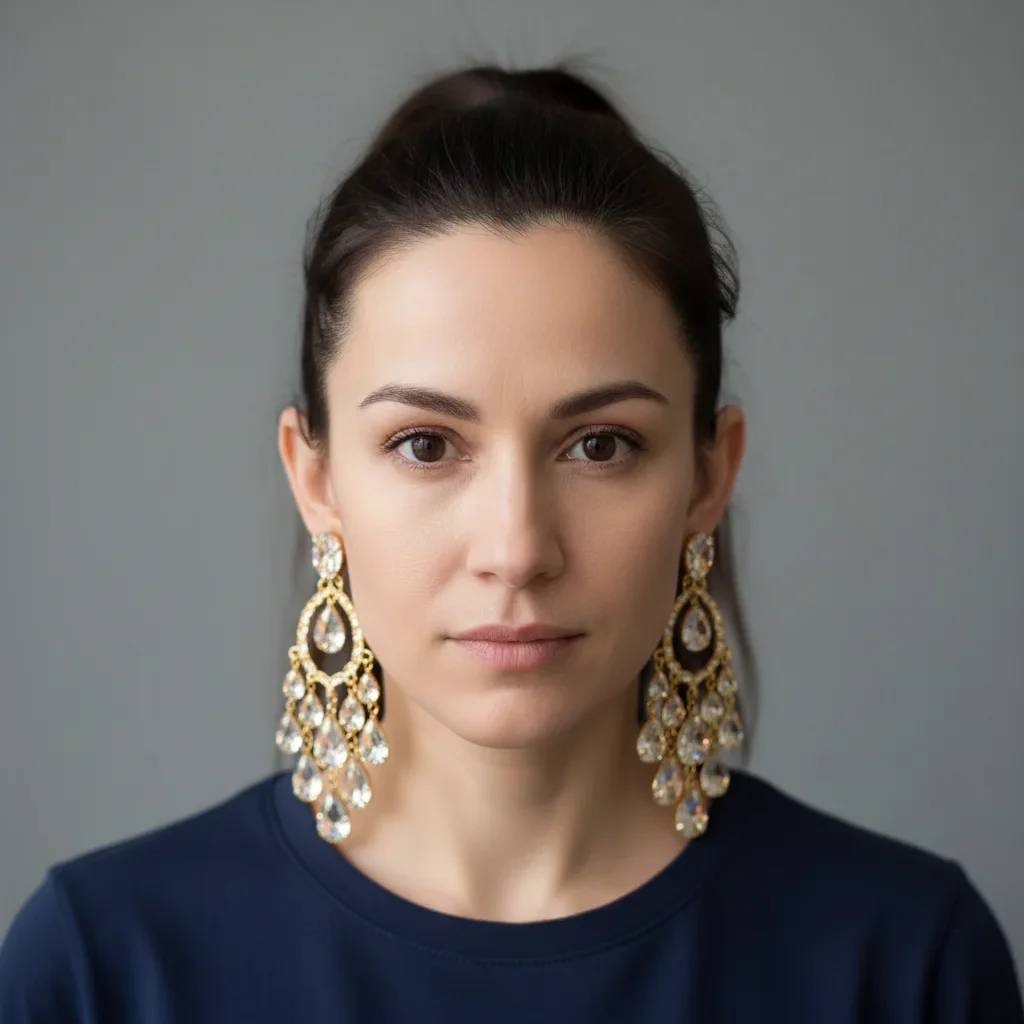
Jewelry photography is notoriously difficult because metal and gems reflect everything around them. EditThisPic's AI understands the difference between unwanted reflections and the natural shine that makes jewelry attractive. It preserves the sparkle while fixing colors and backgrounds.
Tools Jewelry Sellers Use Most
Remove Background
Create clean white or gradient backgrounds for e-commerce listings
Enhance Colors
Fix color casts that make gold look yellow or silver look blue
Remove Reflection
Remove unwanted reflections from rings, watches, and polished surfaces
Enhance Photo
Sharpen gem details and improve overall image quality
Create Professional Jewelry Photos
-
Upload your jewelry photo
Drop your jewelry image into EditThisPic. JPG, PNG, and WebP up to 7MB. Macro shots and close-ups work best for showing gem details. The AI handles reflective surfaces well, so don't worry about perfect lighting in your original.
Simple jewelry on solid backgrounds: 15-20 seconds. Complex pieces with multiple gems or intricate metalwork: may need 2-3 refinements. -
Describe your ideal jewelry photo
Type your instruction: 'replace background with clean white gradient, enhance gold color accuracy and diamond sparkle.' Be specific about metal type (gold, silver, rose gold, platinum) and gem characteristics. The AI understands jewelry terminology and will preserve what makes your piece beautiful.
Mention the metal type explicitly: 'preserve warm gold tones' or 'keep cool silver color.' This prevents the AI from shifting metal colors. -
Check metal colors and gem sparkle
Zoom in to verify metal color accuracy (gold should look gold, not yellow or orange), gem clarity and sparkle, and clean edges around fine details like prongs and chains. Download as high-quality PNG to preserve transparency if needed.
Compare against your physical piece in natural daylight. The edited photo should match what customers will receive.
Jewelry Photo Prompts That Work
replace background with pure white seamless gradient, preserve gold metal shine and gem sparkle, professional jewelry photography lighting
The gradient creates depth while keeping it e-commerce compliant. Explicitly mentioning metal type prevents color shifts.
correct metal color to warm 18k gold tone, remove yellow-green color cast, keep natural gold shine and reflections
Specifying '18k gold tone' gives the AI a reference point. 14k gold is slightly less warm, 24k gold is more yellow-orange.
replace background with white, correct metal to bright cool silver tone, remove blue color cast, maintain polished shine
Silver often picks up blue from screens and windows. 'Cool silver' keeps it neutral without looking gray.
replace background with clean white, preserve authentic rose gold pink-copper tone, no orange or brown color shift
Rose gold is tricky because it can shift toward orange or copper. Being explicit about 'pink-copper tone' keeps it accurate.
Show 4 more prompts
enhance diamond brilliance and fire, increase sparkle points while keeping natural appearance, clean white background
'Brilliance' is white light reflection, 'fire' is the rainbow colors. Both make diamonds look more valuable.
replace background with gradient gray to white, remove unwanted reflections from watch crystal, preserve dial details and hands visibility
Watch crystals show everything. 'Preserve dial details' ensures the face stays readable after reflection removal.
enhance gemstone clarity and color saturation, show internal brilliance, remove surface reflections that obscure the stone
Colored gems need to show their depth. 'Internal brilliance' brings out the light play inside the stone.
replace background with soft white, preserve pearl luster and orient (rainbow iridescence), maintain smooth organic shapes
'Orient' is the rainbow sheen on pearls. It's what makes pearls look expensive versus plastic.
| Edit Type | Prompt | Time | |
|---|---|---|---|
| White background (e-commerce) | replace background with pure white gradient, preserve metal shine and gem sparkle |
15s | Try This → |
| Gold color correction | correct to warm 18k gold tone, remove yellow cast |
15s | Try This → |
| Silver color correction | correct to bright cool silver, remove blue cast |
15s | Try This → |
| Diamond sparkle | enhance diamond brilliance and fire, increase sparkle |
20s | Try This → |
Jewelry Photo Examples
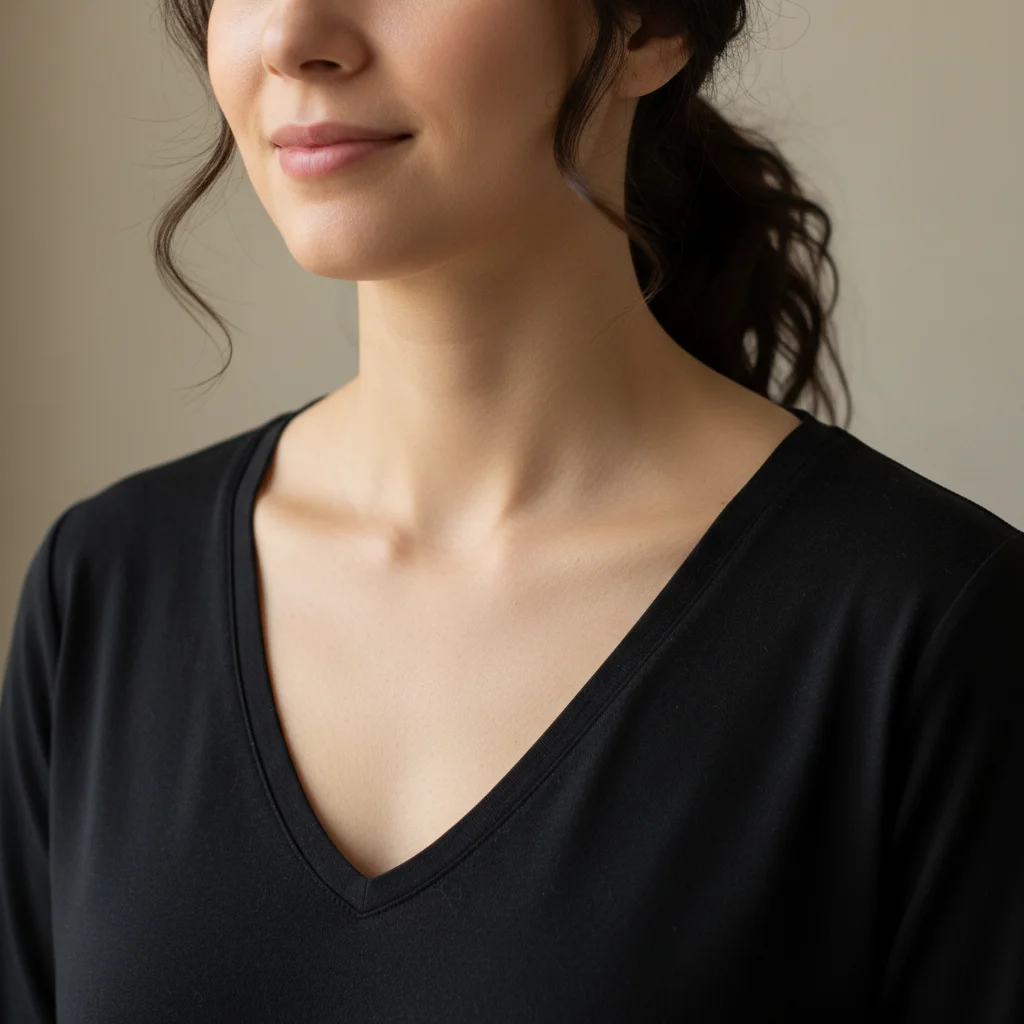
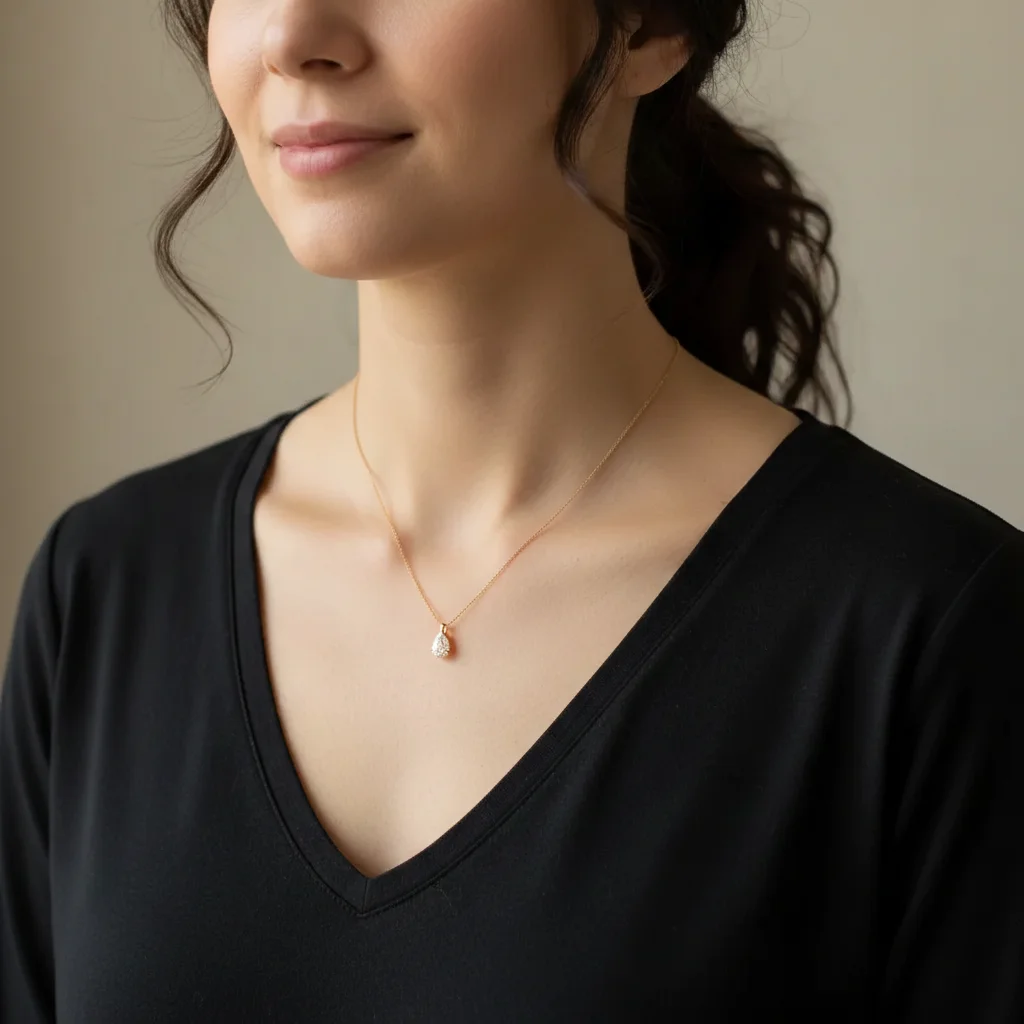
Engagement ring on white
Gold engagement ring with center diamond photographed on cluttered desk. One prompt created a listing-ready image with accurate gold color.
replace background with pure white seamless gradient, preserve warm gold tone and diamond sparkle, professional jewelry lighting
Silver necklace color corrected
Sterling silver pendant photographed near a window picked up blue color cast. The AI restored true silver tone while keeping the shine.
replace background with clean white, correct metal to bright cool silver tone, remove blue color cast, maintain polished shine
Common Jewelry Photo Issues
Gold looks too yellow or orange after editing
Why: The AI may have enhanced saturation across the whole image, pushing gold toward yellow. Or it interpreted 'enhance colors' too aggressively.
correct gold color to natural warm 18k gold tone, reduce yellow-orange saturation, keep subtle warmth
Specify the gold karat if you know it. 14k is cooler, 18k is warmer, 24k is very yellow. This gives the AI a target.
Silver looks gray or blue instead of bright
Why: The original photo's color cast was baked in, or the AI over-corrected. Silver should be bright and neutral, not tinted.
correct silver to bright neutral silver tone, remove all color cast, increase reflectivity and shine
If blue persists, try 'remove blue and gray tones completely, pure bright silver like freshly polished sterling.'
Watch face reflections hide the dial
Why: Watch crystals are highly reflective. The AI may not know which reflections to remove without guidance.
remove reflections from watch crystal surface, make dial numbers and hands clearly visible, preserve watch shine
Try processing the watch face and band separately if the full watch is problematic.
Jewelry Seller Questions
Do I need to select or trace around my jewelry before editing?
No. Just describe what you want: 'replace background with white' or 'enhance diamond sparkle.' The AI understands jewelry and handles rings, necklaces, watches, and gems without any selection tools.
How do I keep accurate metal colors (gold, silver, rose gold)?
Be explicit about the metal in your prompt: 'preserve warm 18k gold tone' or 'keep cool sterling silver color.' The AI understands these terms. If colors shift, use a follow-up prompt specifying exactly what went wrong: 'reduce yellow, more warm gold' or 'remove blue cast, brighter silver.'
Is there a free jewelry photo editor that doesn't require an account?
Yes. EditThisPic is free to try with no account required. You get one free edit per week. For more edits, one-time packs start at $4.99 for 10 edits. No subscription needed, and edits valid for 6 months.
Can EditThisPic handle highly reflective surfaces like watch faces?
Yes, but reflective surfaces like watch crystals may need refinement. Ask the AI to 'remove reflections from watch crystal while keeping dial visible.' Most reflective pieces work in 2-3 attempts.
How do I make diamonds and gems look more sparkly?
Use prompts like 'enhance diamond brilliance and fire' or 'increase gem sparkle points.' The AI adds highlight points that simulate light reflection. For best results, start with a photo that has some natural light on the gems - the AI enhances existing sparkle better than creating it from flat lighting.
What's the best background for jewelry listings?
Pure white or soft white gradient works for most marketplaces (Etsy, Amazon, eBay). Use 'clean white seamless gradient' for depth without distraction. For luxury positioning, try 'soft gray gradient background' which many high-end jewelers use. Avoid busy backgrounds that compete with your pieces.
Is EditThisPic's AI photo editor for jewelry photos really free?
Yes — you get 1 free edit per week, no account needed. Plans start at $4.99/month for 15 edits.
Can I jewelry photos on my phone?
Yes. EditThisPic works in any mobile browser — iPhone, Android, tablet. No app download needed.
Popular use cases
Ready to make your jewelry photos shine?
Free to try. No signup required. Professional results in seconds.
Start EditingTrusted by 15,000+ users