Pricing Remove Unwanted image object · Free

Object Remover from Image

Last updated

Clean up the listing photo, product shot, or holiday photo you already have — name the distraction and the surface that should continue behind it.
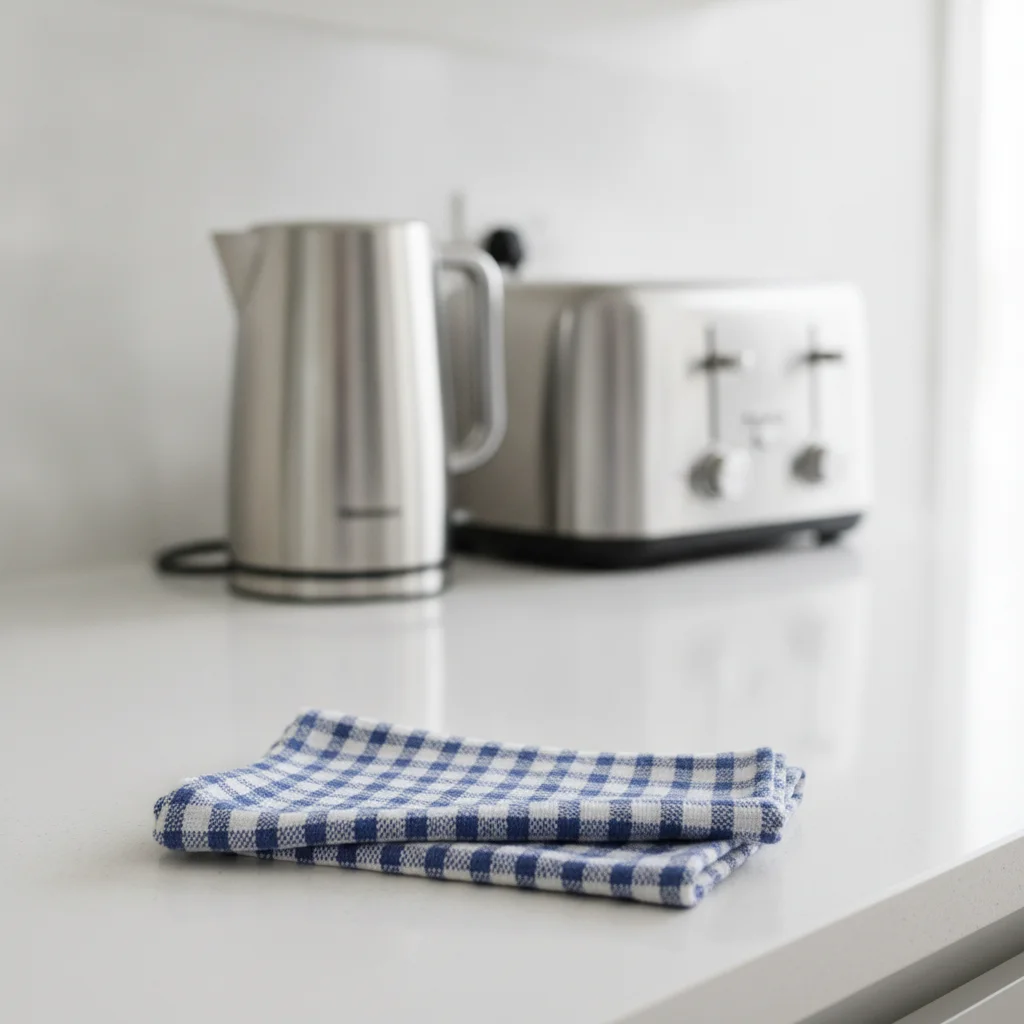
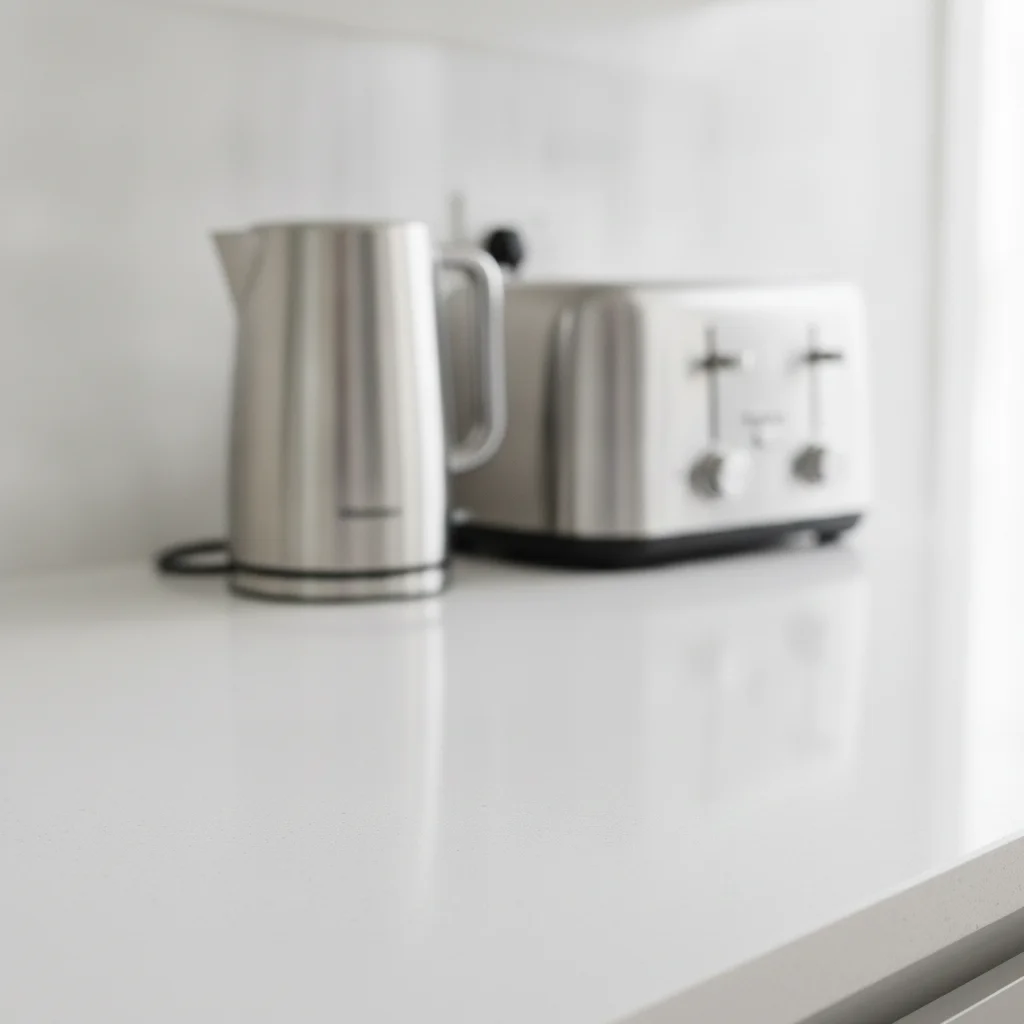
Kitchen counter with a folded blue-and-white cloth and appliances behind The same counter with the cloth gone and the stone surface continuous

Upload photo to remove unwanted image object

"Remove the measuring tape beside the shoes and fill with the same seamless light-gray backdrop, preserving both shoes exactly."

Free to try · no sign-up · photos are never shared

Release to upload

<30stypical edit
1 freeedit weekly
Photo on your phone? Scan to open this editor there — free edit works on your phone too.

1 free edit every week·packs from $4.99

How it works

  1. Upload your original photo

    Upload the highest-resolution product, property, or travel image available. Check whether the distraction crosses a product edge, doorway, horizon, or reflection; those boundaries should be named in the instruction.

    Expect: Isolated clutter against a counter, wall, or sky is simplest. Objects overlapping merchandise, furniture legs, reflections, or crowds require closer review and may benefit from one-at-a-time cleanup.
  2. Describe the exact removal

    Write the request like a cleanup brief: identify the unwanted item, say where it sits, specify what surface should replace it, and explicitly protect the product, room features, or travel subject.

    Tip: For commercial images, name protected geometry—packaging text, table edges, door frames—so the cleanup stays away from important details.

    Copy one of these to get started:

    Property kitchen Remove the folded cleaning cloth on the kitchen counter and continue the white stone surface without changing the sink or appliances.
    Marketplace product Remove the measuring tape beside the shoes and fill with the same seamless light-gray backdrop, preserving both shoes exactly.
    Hotel room listing Erase the small trash bin beside the bed and reconstruct the carpet, baseboard, and wall behind it with straight edges.
    Travel overlook Remove the metal information placard at the bottom center and extend the stone terrace and distant valley naturally.
    2 more prompts
    Car listing Remove the orange extension cord reflected near the rear wheel and restore the pavement and clean body reflection without changing the wheel.
    Food catalog Remove the stray paper receipt behind the plate and continue the dark wood table grain while keeping the plate rim and food untouched.
  3. Generate and inspect the fill

    Compare the edited image with the original at full size. Inspect product silhouettes, room lines, reflections, horizon edges, and the texture that replaced the removed item.

  4. Use a marker only for precision

    When a small prop touches an important edge, add one optional marker on the prop and ask for a tightly bounded removal. Do not mark the product or the surface you want preserved.

    Tip: Keep the marker inside the distraction and pair it with a preservation instruction for the nearby subject.

See it in action

Kitchen counter with a folded blue-and-white cloth and appliances behind
Before
->
The same counter with the cloth gone and the stone surface continuous
After

Cloth removed from counter

A folded cleaning cloth removed from a kitchen counter with the white stone surface continued and the appliances unchanged.

Prompt: Remove the folded cleaning cloth on the kitchen counter and continue the white stone surface without changing the appliances.

Quick answers

Do I need to select or mark an object before using the remover?

No. Describe the unwanted item, its location, and the protected subject first. Add a marker only for precision when the object touches merchandise or resembles another item.

Is this object remover from image tool free with no login?

Yes. You can try EditThisPic for free without logging in. Give it one concrete cleanup instruction, inspect the repaired edges, and download the image you approve.

Does object removal work for product listing images?

It can clean staging items and background clutter while preserving the product. Your prompt should name the product as protected and you should verify packaging text, logos, silhouettes, and true condition before publishing.

Can I clean clutter from a property photo?

Yes, especially when each item is removed separately and the wall, floor, counter, or carpet behind it is visible elsewhere. Do not use editing to misrepresent permanent defects or material property features.

What if the unwanted item overlaps an important edge?

Request a narrow removal, name the edge to preserve, and inspect it at full zoom. An optional marker inside the unwanted item can help; complex overlap may still require a human retoucher.

How much does EditThisPic cost?

You get 1 free edit per week — no account needed. After that, one-time credit packs start at $4.99 for 10 edits, valid 12 months, no subscription. Power users who edit daily can pick Studio Membership, a monthly workspace at $49.99/mo for 300 edits. Purchased downloads are clean with no watermark.

Object Remover from Image

Upload a photo to object remover from image by description. Free to try with no signup.

1 free edit included·Credit packs from $4.99