StudioNew Pricing Remove Object from image · Free

Remove an Object from an Image

← Browse all remove tools

Last updated

Name the object, its color, and its position; the AI clears it without a selection tool.

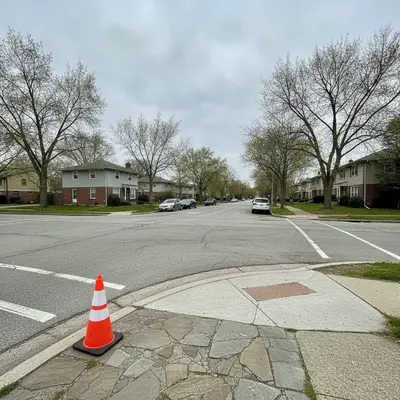
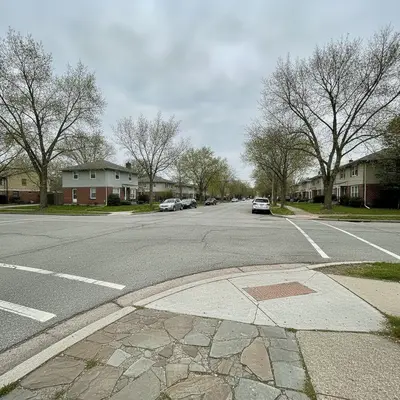
Street corner with an orange traffic cone near the lower-left The same corner with the cone gone and the pavement and curb rebuilt

Upload photo to remove object from image

"Remove the black floor fan beside the sofa and continue the cream wall and light oak floor naturally."

Free to try · no sign-up · photos are never shared

Release to upload

<30stypical edit
1 freeedit weekly
Photo on your phone? Scan to open this editor there — free edit works on your phone too.

1 free edit every week·packs from $4.99

How it works

  1. Upload your original photo

    Choose the original image rather than a screenshot when possible. A visible object with a recognizable surface behind it—wall, sky, pavement, grass, or water—gives the editor useful context for reconstruction.

    Expect: A small object on a plain surface is usually a straightforward edit; a large object covering people, detailed lettering, or patterned architecture may need a narrower second instruction.
  2. Describe the exact removal

    Type one direct removal instruction. Identify the object with observable details such as “orange cone,” “silver lamp,” or “blue suitcase,” then add its location in the frame and name the background that should continue behind it.

    Tip: Combine color and position when there are several similar objects: “the red cup at the back right” is less ambiguous than “the cup.”

    Copy one of these to get started:

    Street distraction Remove the orange traffic cone near the lower-left corner and rebuild the gray pavement and curb behind it.
    Living-room listing Remove the black floor fan beside the sofa and continue the cream wall and light oak floor naturally.
    Beach image Erase the blue cooler on the sand behind the family and replace it with matching clean sand, keeping every person unchanged.
    Garden photo Remove the green garden hose crossing the bottom of the lawn and fill the area with consistent grass texture and shadows.
    2 more prompts
    Product setup Remove the white price tag hanging from the handbag handle and reconstruct only the visible handle and background.
    Architecture image Remove the temporary red sign attached to the brick wall on the right and continue the existing brick pattern and mortar lines.
  3. Generate and inspect the fill

    Zoom in around the former object boundary. Check that straight edges continue naturally, repeated textures do not smear, and nearby subjects remain unchanged.

  4. Use a marker only for precision

    If the description could refer to more than one item, place an optional marker on the unwanted object and repeat the same instruction. Keep the requested area tight so the surrounding image stays intact.

    Tip: A marker resolves identity; the written prompt still explains what to remove and what background to rebuild.

See it in action

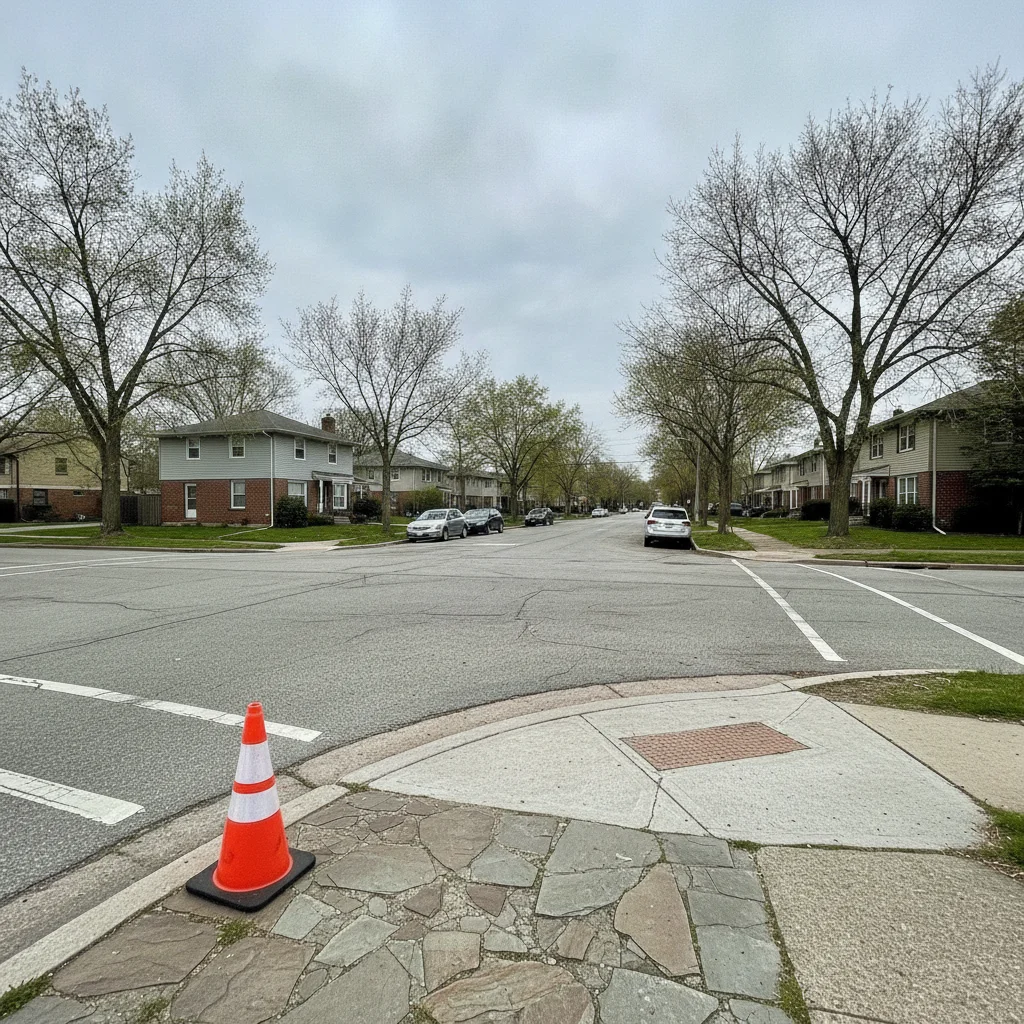
Street corner with an orange traffic cone near the lower-left
Before
->
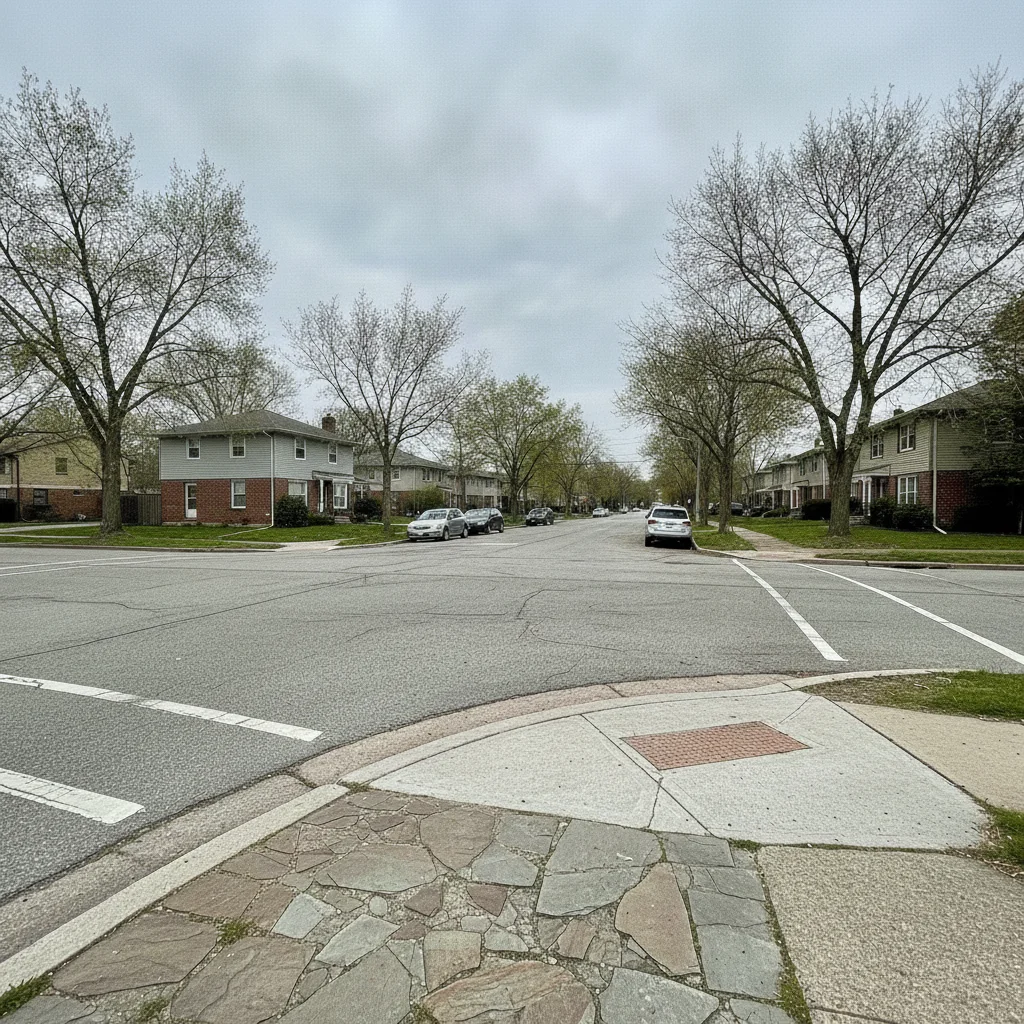
The same corner with the cone gone and the pavement and curb rebuilt
After

Traffic cone removed from street

An orange traffic cone near the lower-left corner removed and the pavement and curb rebuilt behind it.

Prompt: Remove the orange traffic cone near the lower-left corner and rebuild the gray pavement and curb behind it.

Quick answers

Do I need to mark the object before I remove it?

No. Start by describing the object with its color, position, and nearby background. A marker is optional and useful only when several similar objects make the written instruction ambiguous.

Can I remove an object from an image for free without signup?

Yes. EditThisPic is free to try without creating an account. Upload the image, type a complete removal instruction, review the reconstructed background, and download the result.

What details should I put in an object-removal prompt?

Include what the object is, one visible identifier such as color or shape, where it appears, and what surface should replace it. Also name anything nearby that must stay unchanged.

Can AI rebuild the background hidden behind an object?

It can infer a plausible continuation from surrounding pixels, especially for simple walls, sky, grass, pavement, and water. It cannot recover unseen factual detail, so inspect patterned or important backgrounds closely.

Why did the tool remove the wrong copy of an object?

A general noun may match several items. Rewrite the request with position and color, such as “remove the red chair at the far right,” and add one marker only if that distinction is still unclear.

How much does EditThisPic cost?

You get 1 free edit per week — no account needed. After that, one-time credit packs start at $4.99 for 10 edits, valid 12 months, no subscription. Power users who edit daily can pick Studio, a monthly workspace from $29.99/mo. Purchased downloads are clean with no watermark.

Remove an Object from an Image

Upload a photo to remove an object from an image by description. Free to try with no signup.

1 free edit included·Credit packs from $4.99