Free • No signup Fix Photos for press releases · Free

Fix photos for press releases

Journalists judge credibility by photo quality. Amateur photos kill press coverage. Fix them in 25 seconds.
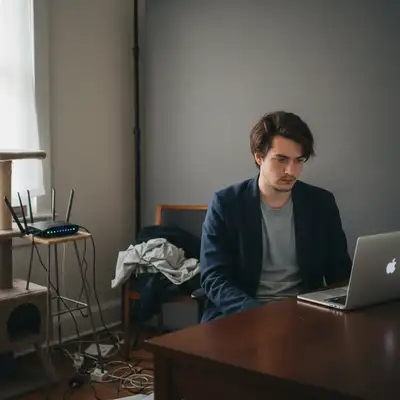
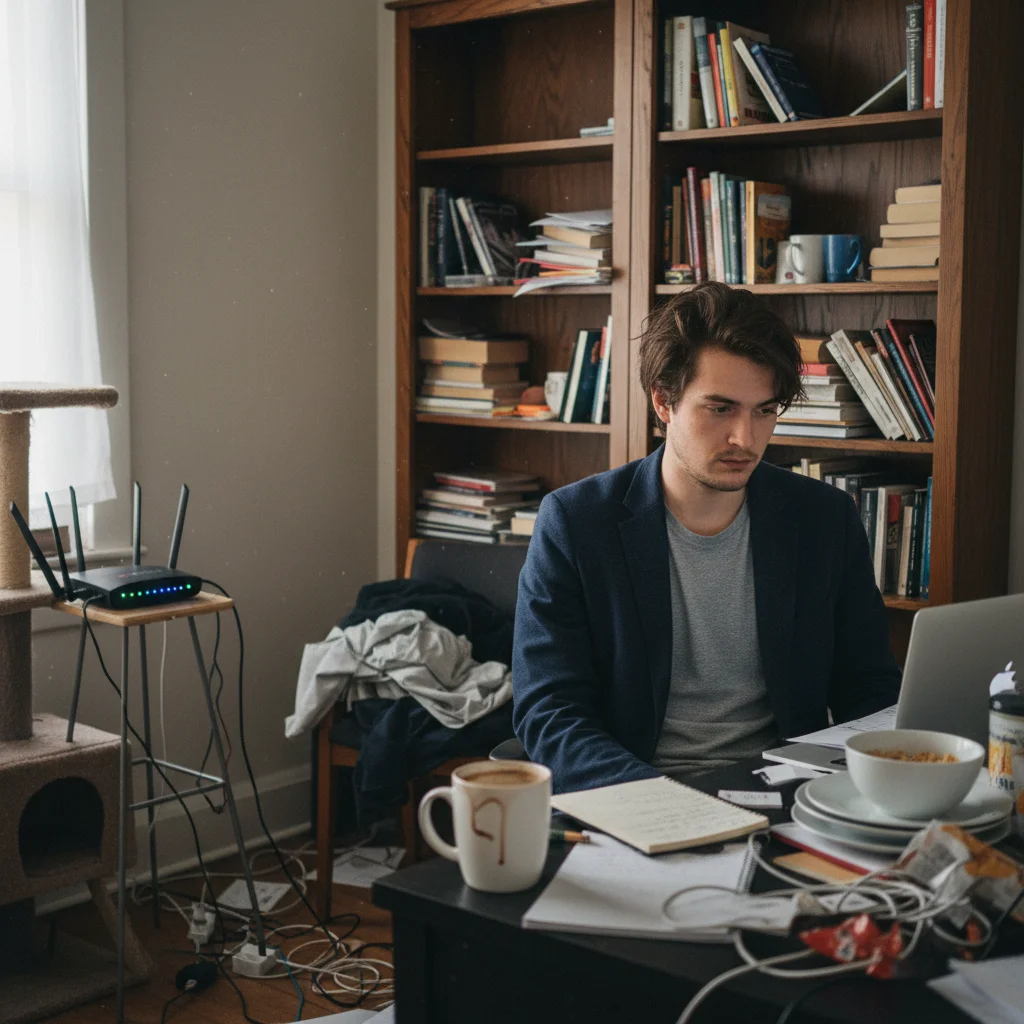
Founder in messy home office with bookshelf and clutter
Before
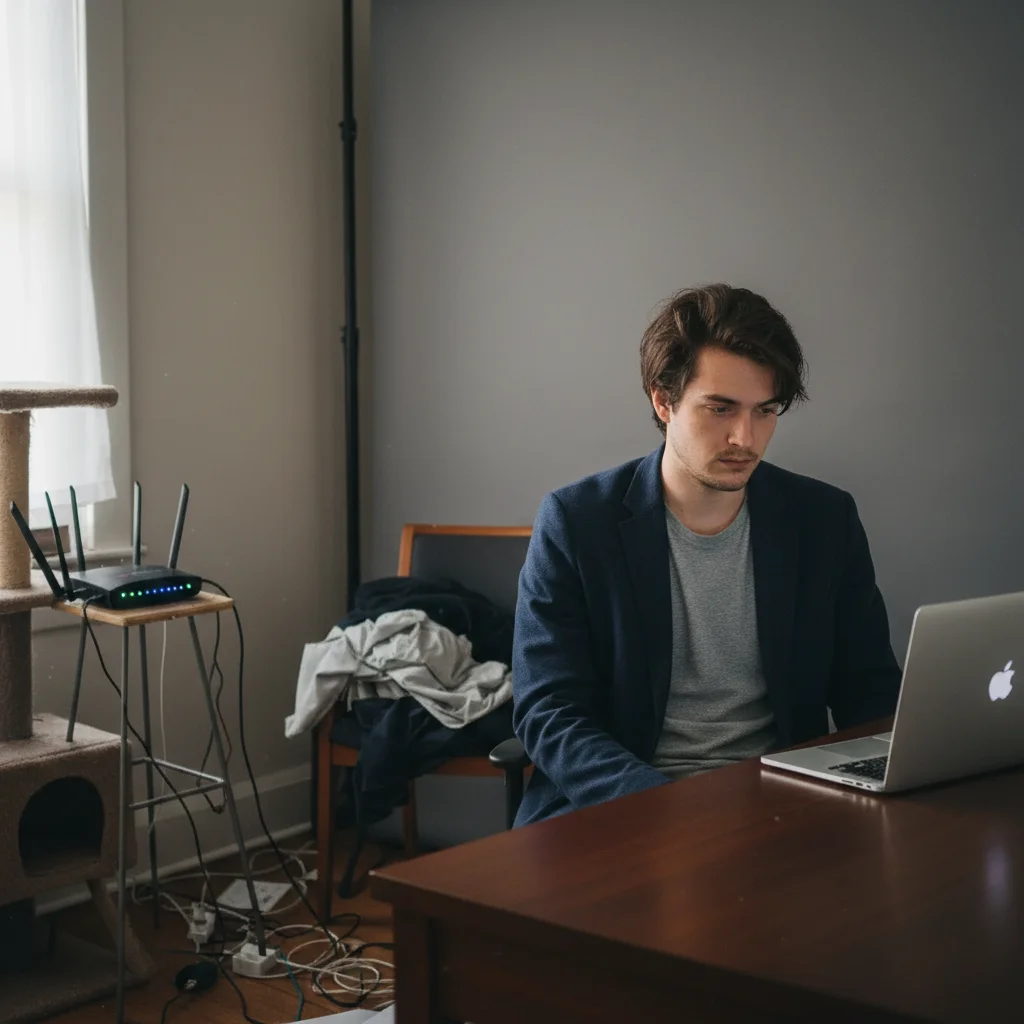
Professional founder headshot with clean neutral background
After

Fix Photos for Press Releases & Media Kits | EditThisPic

Drop your photo here

or click to browse

Release to upload

Free • No signup

Advertisement
Popular use cases:
  • Press release photos
  • Media kit photography
  • Publication-quality images
  • Journalist-ready photos
  • Press coverage photos
  • Media relations photography

Cost
Free No signup required
Time
Instant results in 15-30 seconds
Works on
Any device - browser, phone, tablet, desktop
Powered by
AI-powered photo editing
Scenario Prompt Time
Founder headshot create publication-quality headshot, remove messy background 25s
Product photo remove clutter, create clean professional product shot 20s
Event photo enhance quality for press coverage, make publication-worthy 30s
Remove branding remove promotional elements, create neutral press photo 25s

How it works

  1. Upload your press photo

    Drop the photo for your press release or media kit—founder headshot, product shot, team photo, or event image. Phone photos, casual shots, anything that needs publication quality.

    Expect: Simple enhancements: 20-30 seconds. Complex transformations: may need refinement.
  2. Describe publication quality needed

    Type 'create publication-quality professional photo for press release' or 'remove clutter and enhance for media use.' The AI understands media context—'make it look trustworthy for journalists' or 'professional enough for major publications.'

    Tip: Journalists prefer authentic photos over overly polished ones—aim for 'professional' not 'perfect.'

    Copy one of these to get started:

    Founder headshot for press release create publication-quality professional headshot, remove messy background, enhance for media use
    Product photo with amateur background remove cluttered background, create clean professional product shot suitable for publication
    Event photo with casual phone quality enhance quality and professionalism for press coverage, make it publication-worthy
    Team photo for company announcement create professional team photo suitable for business press, clean background and lighting
    2 more prompts
    Low-resolution web photo for print media enhance resolution and quality for print publication use, improve sharpness and detail
    Promotional photo with branding remove excessive branding and promotional elements, create neutral press-worthy photo
  3. Review for media credibility

    Check that background is professional and relevant. Verify lighting looks natural. Ensure nothing looks fake or heavily edited. Journalists spot over-processing and may reject photos.

  4. Download high-resolution for media

    Save at highest quality (300 DPI minimum for print publications). Include photo credit and caption in your media kit.

    Tip: Provide multiple versions: horizontal and vertical crops for different publication layouts.
Advertisement
Try it free

Fix Photos for Press Releases & Media Kits | EditThisPic

Drop your photo here

or click to browse

Release to upload

Free • No signup

"Sent a press release with iPhone photos—no one published. Fixed them to look professional, resent. Three publications used the story with our photos included." @StartupFounder

See it in action

Founder in messy home office with bookshelf and clutter
Before
->
Professional founder headshot with clean neutral background
After

Founder headshot from home office

Startup press release included founder photo with messy bookshelf and home office visible. No publications used it. Fixed to clean background—three outlets published the story with photo.

Prompt: create publication-quality professional headshot, remove messy background, enhance for media use
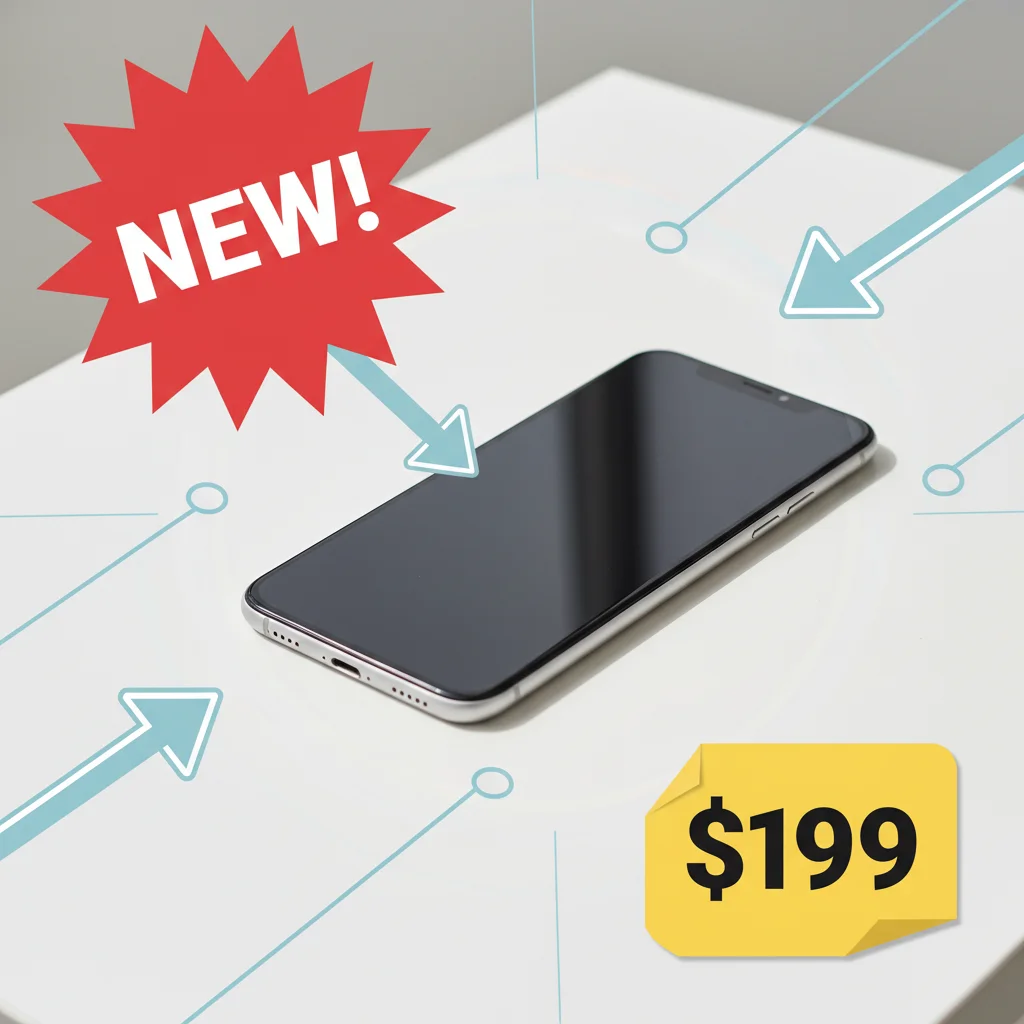
Product photo with NEW starburst and price overlays
Before
->
Clean neutral product photo suitable for press use
After

Product launch photo with promotional text

Product announcement photo had large 'NEW!' and pricing overlays. Publications require neutral photos. Removed all promotional elements—became publishable.

Prompt: remove excessive branding and promotional elements, create neutral press-worthy photo

If something looks off

Photo looks too polished or fake

Why: Heavy enhancement can make photos look artificial, which journalists distrust.

Try: enhance professionally but keep natural and authentic appearance, avoid over-processing

Tip: Media photos should look 'real professional' not 'perfect CGI'—authenticity builds trust.

Resolution still too low for print publication

Why: The original photo was very low resolution—AI can only enhance so much.

Try: Start with highest resolution source available, or use for online-only press coverage

Tip: For print media, always shoot new high-res photos if possible—AI enhancement has limits.

Background looks obviously edited

Why: Complex background replacement can create visible seams or unnatural blending.

Try: blend background naturally, or use subtle blur instead of full replacement for more realistic look

Tip: Journalists may reject obviously edited photos—subtle improvements work better.

Colors look different than original product/branding

Why: Color enhancement changed your actual brand colors or product appearance.

Try: preserve original product colors and branding exactly, enhance only background and lighting

Tip: For product photos, accuracy matters more than vibrant colors—represent reality.

AI changed something important

Why: Vague prompts like 'make professional' can cause unwanted changes.

Try: Be specific: 'remove only background clutter, keep product and person unchanged'

Tip: Use markers to protect specific areas: 'keep logo intact' or 'preserve product exactly.'

Quick answers

Do I need to mark areas before describing enhancements?

No! Just describe what you need: 'create publication-quality photo' or 'remove messy background.' The AI understands press/media context. Only use markers if you need to protect specific elements like logos or specify exact areas to clean up.

What makes a press photo acceptable to journalists?

Journalists look for: (1) Professional quality without looking fake, (2) Clean backgrounds without clutter, (3) High resolution (300 DPI for print), (4) Neutral presentation without promotional elements, (5) Authentic representation (not heavily manipulated). They prefer real photos that look professional over obviously synthetic perfect images.

Can I use AI-enhanced photos in press releases?

Yes, with transparency. Removing backgrounds, fixing lighting, and quality enhancement are standard practice (photographers do the same). Don't misrepresent reality—adding fake elements, manipulating context, or creating false representations breaks journalism ethics. Enhancement to present reality professionally is fine, fabrication is not.

What resolution do press photos need?

Print publications need 300 DPI minimum. Online-only outlets can use lower resolution (150-200 DPI). Provide the highest resolution you can—publications often crop or resize. Include file specs in your media kit so journalists know what they're getting.

Should I remove all branding from press photos?

Remove promotional elements (sale tags, NEW badges, price callouts). Keep subtle branding if it's part of the story—company logo on building, product packaging. Publications want neutral photos, not ads. When in doubt, provide two versions: neutral and with branding, let journalists choose.

Is EditThisPic's AI photos for press releases fixer really free?

Yes — you get 1 free edit per week, no account needed. For unlimited edits, plans start at $3.99/month.

What photo formats does the AI photos for press releases fixer support?

JPG, PNG, WebP, and HEIC. Upload any common photo format and EditThisPic handles the rest.

How long does it take to fix photos for press releases?

Usually 15-30 seconds. Upload your photo, describe what you want, and the AI delivers the result.

Ready to create press-quality photos?

Free to try. No signup required.

Try it free