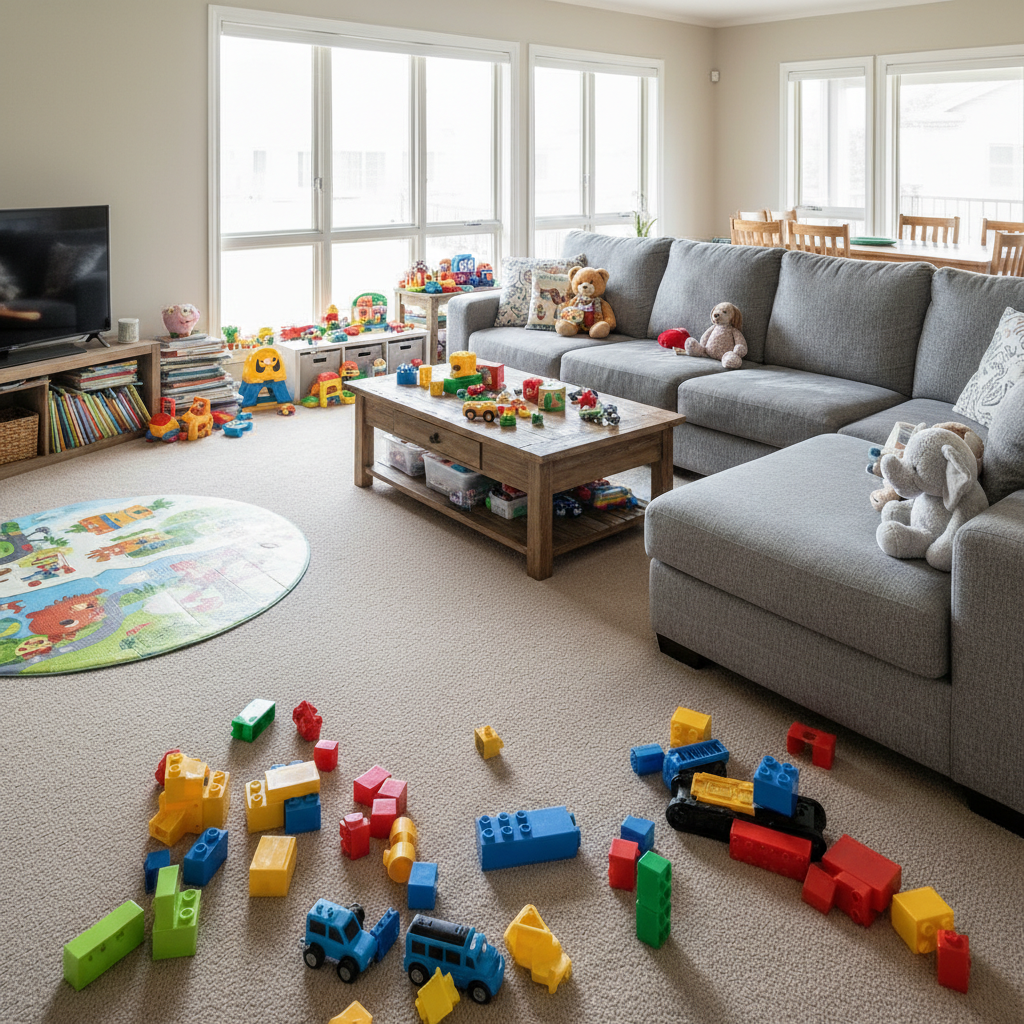
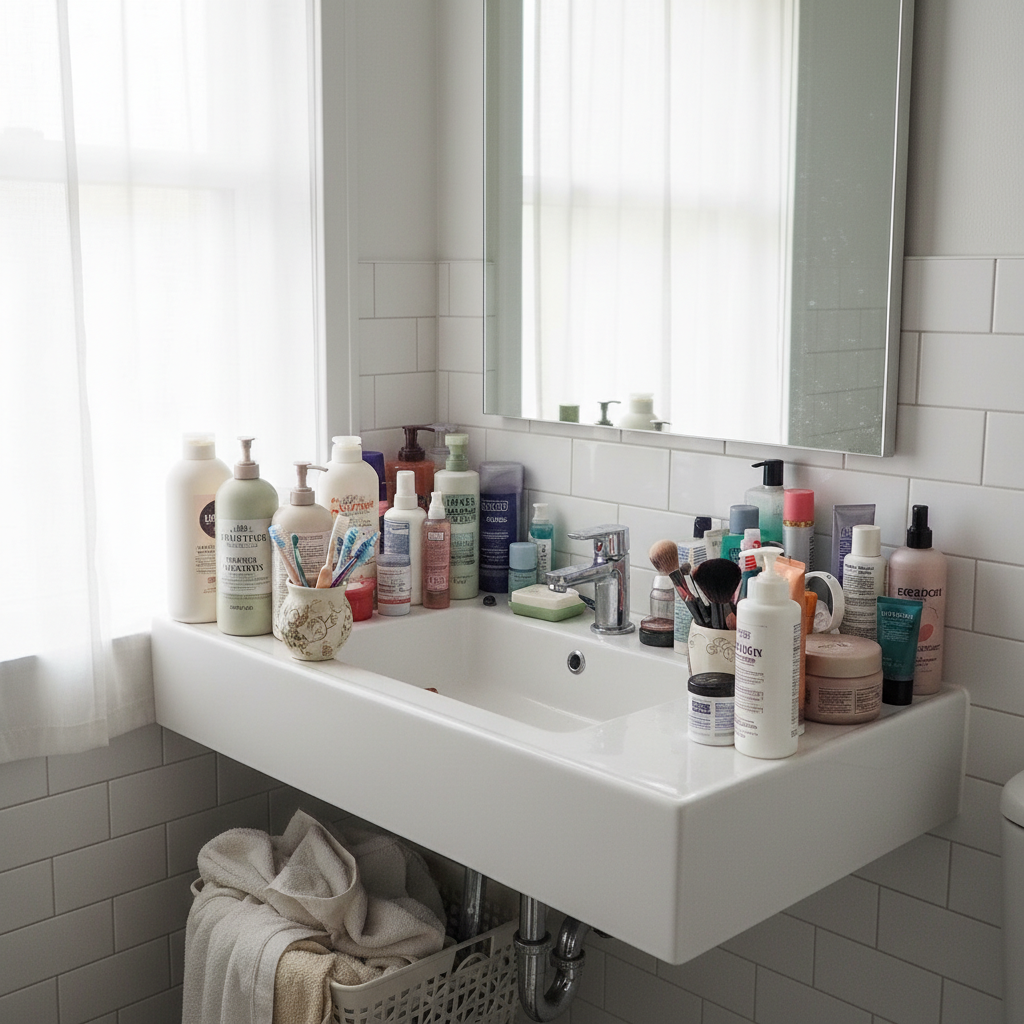
AI Declutter for Real Estate Photos
Make occupied homes look move-in ready without staging or moving a single item.
Drop your photo here
or click to browse
Release to upload
Free โข No signup
"Had a listing where the sellers wouldn't clean up for photos. Ran every room through this - counters cleared, toys gone, laundry invisible. Sold in 3 days. Buyers said the photos made them want to see it in person." @RealEstateRachel
Built for Real Estate Professionals
Buyers decide in seconds whether to click on a listing. Cluttered photos make rooms look smaller and lived-in rather than move-in ready. EditThisPic lets you digitally clear counters, remove personal items, and show the home's potential without expensive virtual staging or asking sellers to clean up.
Tools for Real Estate Photo Decluttering
Remove Object
Remove specific items like dishes, appliances, or decor
Remove Person
Remove sellers or family members from listing photos
Enhance Lighting
Brighten dark rooms to look more inviting
Replace Background
Replace cluttered views through windows with pleasant scenes
Enhance Photo
Overall quality improvement for listing photos
Step-by-Step Guide
-
Upload your listing photo
Drop your room photo into EditThisPic. Works with any real estate photo - kitchens, living rooms, bedrooms, bathrooms. JPG, PNG, WebP up to 7MB.
Simple declutter (clear counters): 20-30 seconds. Multiple areas or heavy clutter: may need 2-3 passes. -
Describe what you want removed
Type what needs to go: 'remove the clutter from the kitchen counters' or 'clear all the toys from the living room floor.' Be specific about areas - counters, tables, floors, shelves. No need to mark anything.
Describe what should remain: 'remove items from counter but keep the sink and faucet visible' -
Review the decluttered result
Check that surfaces look naturally empty, not artificially smoothed. Verify the counter texture, floor pattern, or shelf material looks realistic where items were removed. Toggle compare view to see before/after.
-
Refine specific areas if needed
If some clutter remains or the AI removed something you wanted to keep, tap markers on those specific spots and describe what to fix. This is optional - most rooms clear well in one pass.
For heavily cluttered rooms, declutter in stages: counters first, then floor, then shelves.
Copy-Paste Prompts for Real Estate Decluttering
remove all the items and clutter from the kitchen counters, show clean empty counter surfaces with natural granite texture
Specifying 'natural texture' prevents the surface from looking artificially smooth
remove all toys, kids items, and clutter from the living room floor and furniture, show clean carpet and tidy room
Listing multiple item types helps the AI identify everything that needs to go
clear all toiletries, bottles, and personal items from the bathroom counter, leave only the faucet and clean vanity surface
'Leave only the faucet' tells the AI what should stay
remove clothes, personal items, and clutter from the bedroom, clear the nightstands and dresser tops, make the bed look tidy
For bedrooms, mention specific furniture pieces to declutter
Show 3 more prompts
clear all dishes, centerpieces, and items from the dining table, show clean empty table surface ready for staging
An empty dining table photographs better than one set for dinner
remove tools, boxes, and clutter from the garage floor, show clean concrete floor and organized space
Garages often sell homes - buyers want to see usable space
declutter the entire room - remove personal photos, clear all surfaces, remove items from floor, make it look like a staged model home
'Staged model home' gives the AI a clear reference for the end result
| Edit Type | Prompt | Time | |
|---|---|---|---|
| Kitchen counters | remove clutter from counters, show clean surface |
25s | Try This โ |
| Living room floor | clear toys and items from floor |
30s | Try This โ |
| Bathroom vanity | remove toiletries, keep only faucet |
20s | Try This โ |
| Full room | declutter entire room like staged model home |
45s | Try This โ |
Real Examples
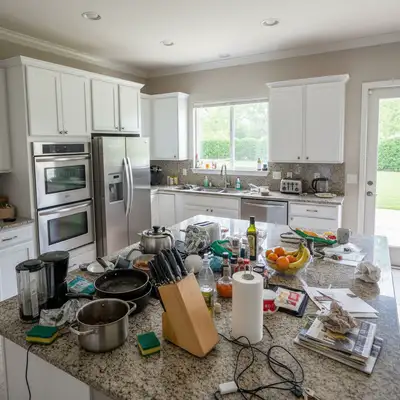
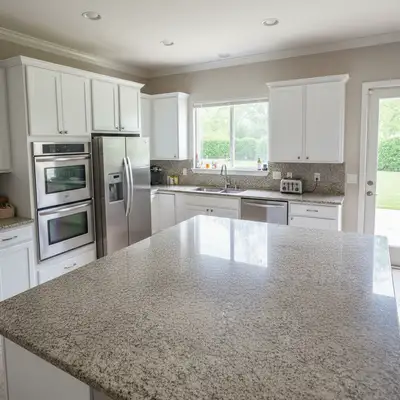
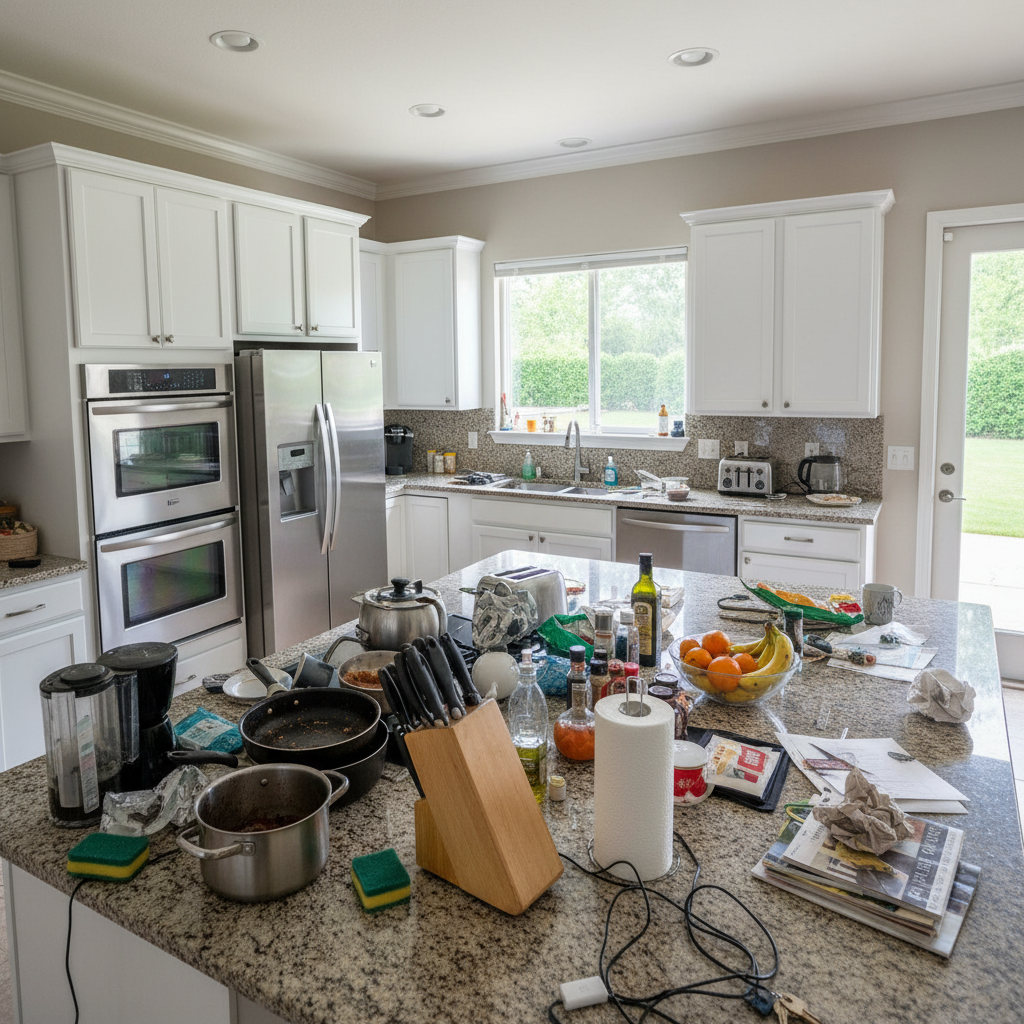
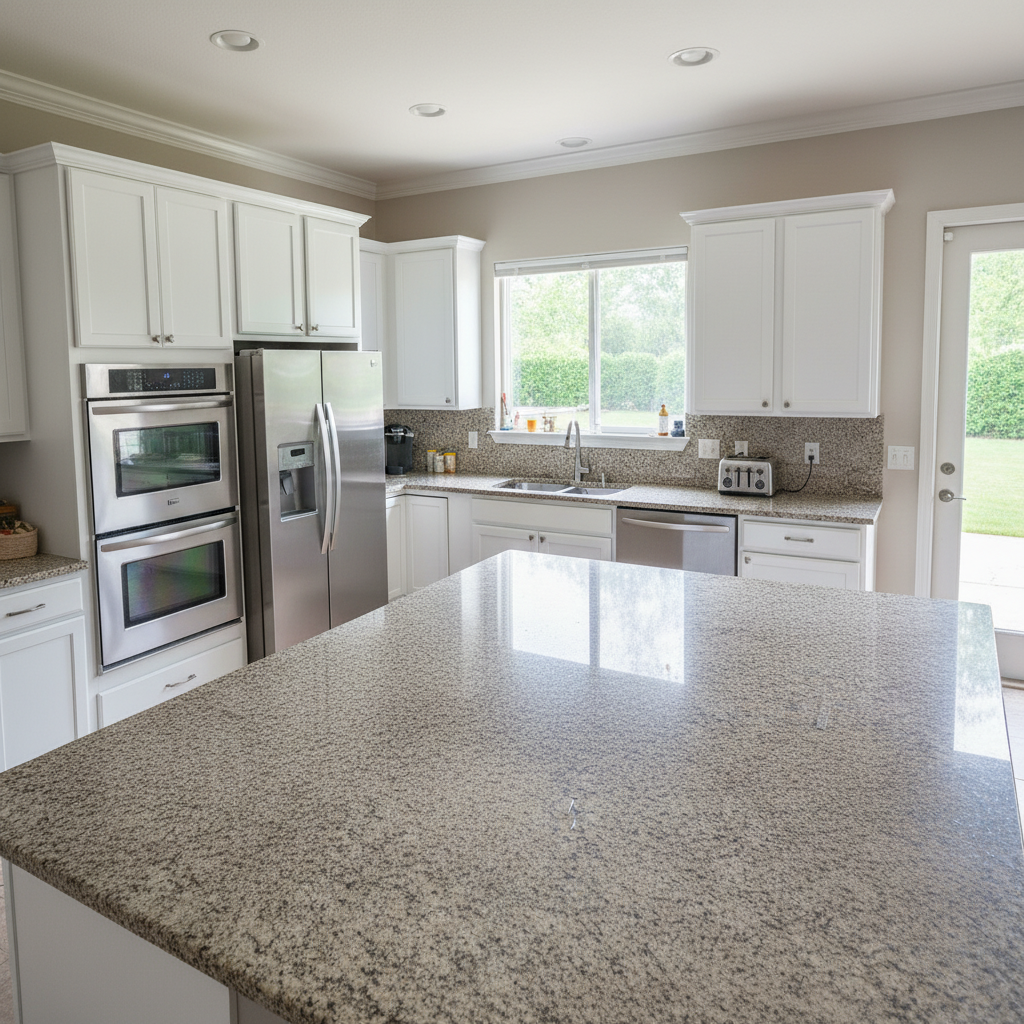
Kitchen counter chaos to clean
Sellers left dishes, appliances, and daily clutter everywhere. One prompt cleared the counters without losing the kitchen's character.
remove all items and clutter from the kitchen counters including dishes, appliances, and bottles, show clean granite counter surfaces
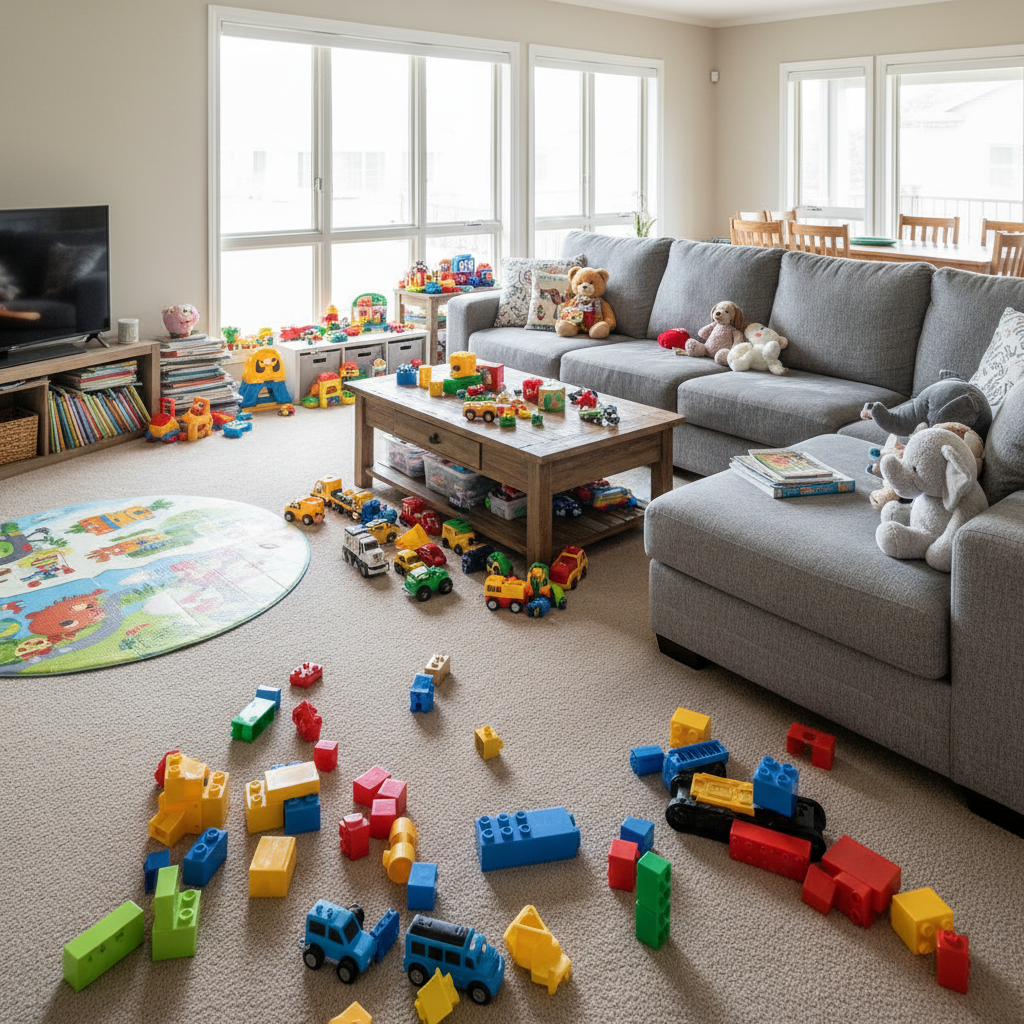
Living room with kids' toys everywhere
Family with young children couldn't stage the living room. Digitally cleared the toys to show buyers the actual living space.
remove all toys, children's items, and clutter from the living room floor and couch, show clean beige carpet and tidy furniture
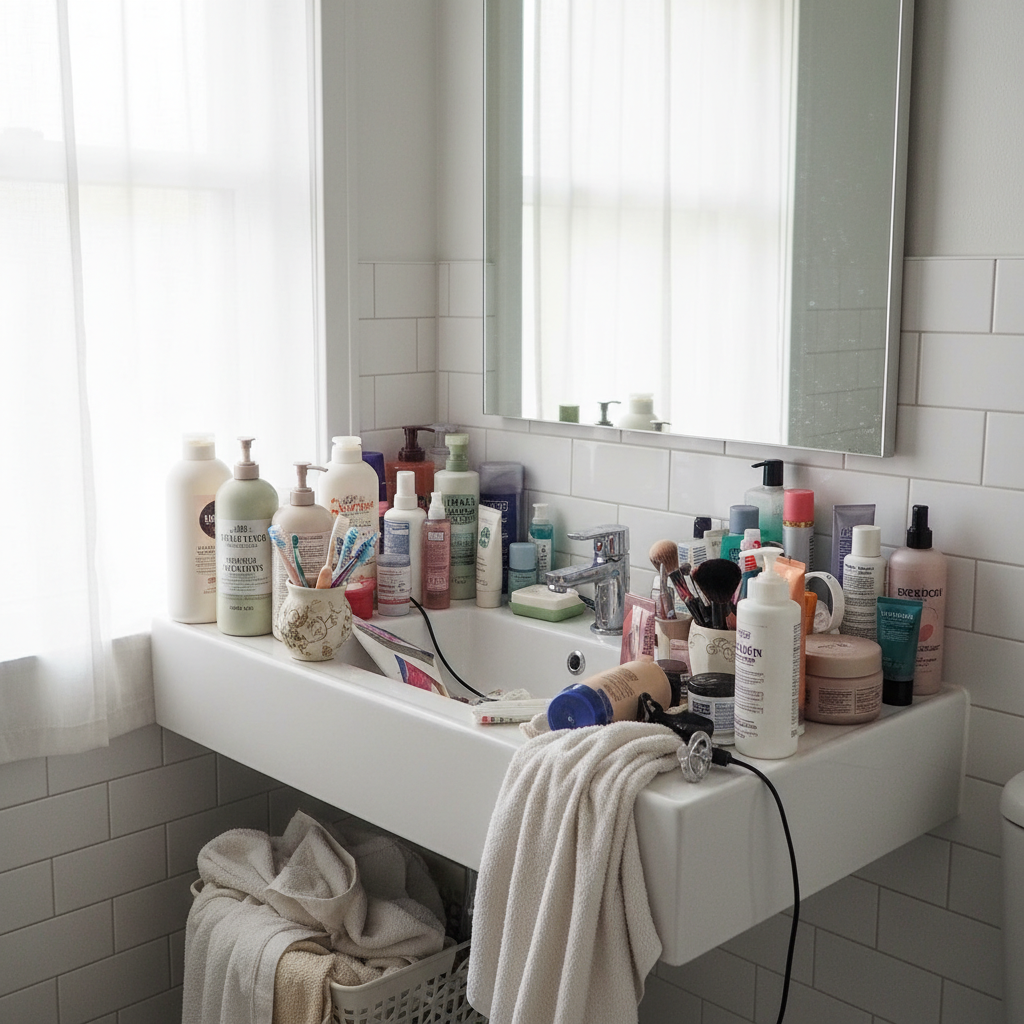
Bathroom vanity overflowing with toiletries
Small bathroom looked even smaller with toiletries covering every surface. Cleared it to show the actual vanity space.
clear all bottles, toiletries, and personal items from the bathroom counter, leave only the chrome faucet on clean white vanity surface
When Things Go Wrong
AI removed something I wanted to keep (like a nice vase or staging item)
Why: The AI interpreted your request broadly and removed all items, including intentional decor.
Tap markers on items to keep, then: keep these items, only remove the clutter around them
Be specific upfront: 'remove clutter but keep the decorative vase on the counter'
Counter surface looks fake or too smooth after decluttering
Why: The AI filled the area with a generic texture instead of matching the actual surface.
Tap markers on the smooth areas, then: restore natural granite texture to match the rest of the counter
Adding 'natural texture' or the specific material name in your original prompt helps
Some clutter remains after the first pass
Why: Heavy clutter or items similar to the background may need a second pass.
Tap markers on remaining items, then: remove these remaining items from the surface
For very cluttered rooms, work in stages - counters first, then floor, then shelves
The room looks empty and sterile, not inviting
Why: Removing everything can make spaces feel cold rather than move-in ready.
Leave or add 1-2 minimal staging items - empty looks unnatural
AI changed the wrong area or something I didn't want changed
Why: The AI couldn't determine exactly which area you meant from description alone.
Tap a marker on the specific area you want to change, then regenerate with the same prompt
Markers tell the AI 'I mean THIS one specifically.' Use them when description alone is ambiguous.
Frequently Asked Questions
Do I need to mark the clutter before describing what to remove?
No! Just describe what you want cleared: 'remove clutter from counters' or 'clear toys from the floor.' The AI understands these concepts. Only use markers when you need precision - like keeping specific items while removing others nearby, or when the first pass misses something.
Is this legal/ethical for real estate listings?
Decluttering photos is standard practice in real estate marketing - you're showing the home's potential, not misrepresenting the property. It's equivalent to asking sellers to clean up before photos. Don't remove structural issues, damage, or anything that would constitute material misrepresentation. When in doubt, check your local real estate board's guidelines.
How do I declutter a whole house of photos quickly?
Work room by room with similar prompts. Kitchen counters use one prompt, bathrooms use another. You'll develop a workflow after 2-3 rooms. Most agents process a full listing (15-25 photos) in under 30 minutes. Save your best prompts for reuse.
Is there a free real estate photo declutter tool that doesn't require a login?
Yes - EditThisPic is free to try with no account required. You can declutter listing photos immediately. For agents processing multiple listings, edit packs offer better value than per-image virtual staging services.
What's the difference between decluttering and virtual staging?
Decluttering removes items to show clean, empty spaces. Virtual staging adds furniture and decor to empty rooms. EditThisPic does both - you can declutter a messy occupied home, then virtually stage it with tasteful furniture if needed.
Will buyers be disappointed when they see the actual home?
Decluttered photos show the home as it could look when empty. Buyers understand occupied homes have belongings. The goal is helping buyers see past the clutter to evaluate the actual space. This gets more qualified buyers through the door, not disappointed ones.
Ready to declutter your listing photos?
Free to try. No signup required. No watermarks.
Start Decluttering