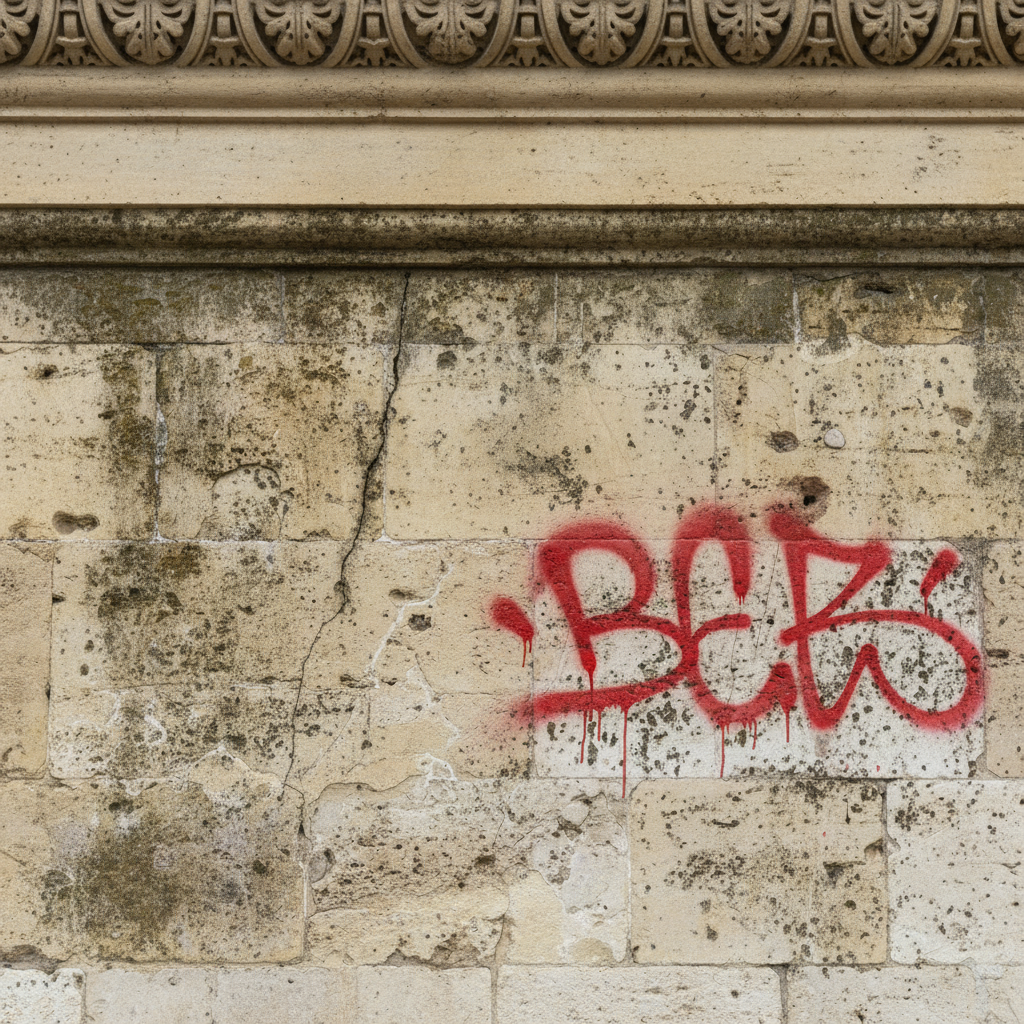
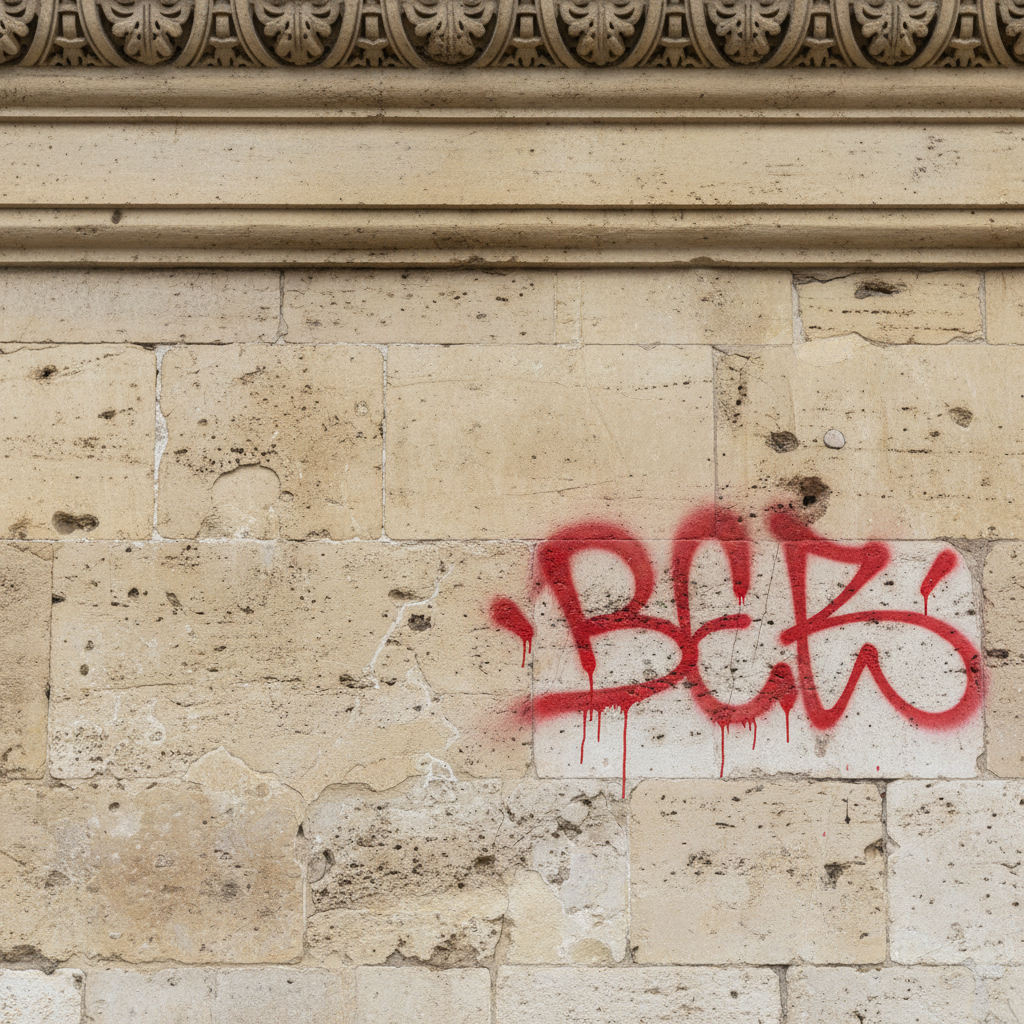
Remove Graffiti from Photo
Clean up vandalized walls and surfaces with one prompt.
Type 'remove the graffiti and restore clean wall' and EditThisPic's AI erases spray paint, tags, and vandalism in 15-30 seconds. No selection tools, no marking required. Just describe what you want the surface to look like. Works on brick, concrete, stucco, and painted walls. Free to try, no account needed.
How it works
Upload your photo
Drop your image into EditThisPic. JPG, PNG, and WebP files up to 7MB work. Photos of vandalized walls, buildings, fences, or any surface with unwanted graffiti are all supported.
Describe what you want
Type your instruction: 'remove the graffiti and restore clean brick wall' or 'erase the spray paint and show clean concrete.' Be specific about the surface texture and color you want revealed. No marking needed—the AI recognizes graffiti as the unwanted element.
Copy one of these to get started:
remove all graffiti and restore clean red brick wall with natural mortar lines
erase the graffiti and show smooth gray concrete surface
remove the spray paint tags and restore clean white stucco wall texture
remove the graffiti from the fence and restore natural wood grain finish
3 more prompts
erase all spray paint and restore clean gray metal garage door surface
carefully remove the graffiti tags while preserving the original stone texture and patina
remove all spray paint in every color and restore the original tan brick wall behind it
Generate and review
Click generate and wait for your cleaned image. Zoom in to check that the graffiti is fully removed and the wall texture looks natural. Look for any remaining color traces or unnatural patches.
Refine with markers if needed
If some tags remain or the wall texture needs work in specific spots, tap markers on those areas and regenerate. This is optional—most graffiti removal works without markers, especially on uniform surfaces.
"Had photos of a rental property with graffiti all over the fence. One prompt cleaned it up for the listing." @propertymanager_mike
See it in action
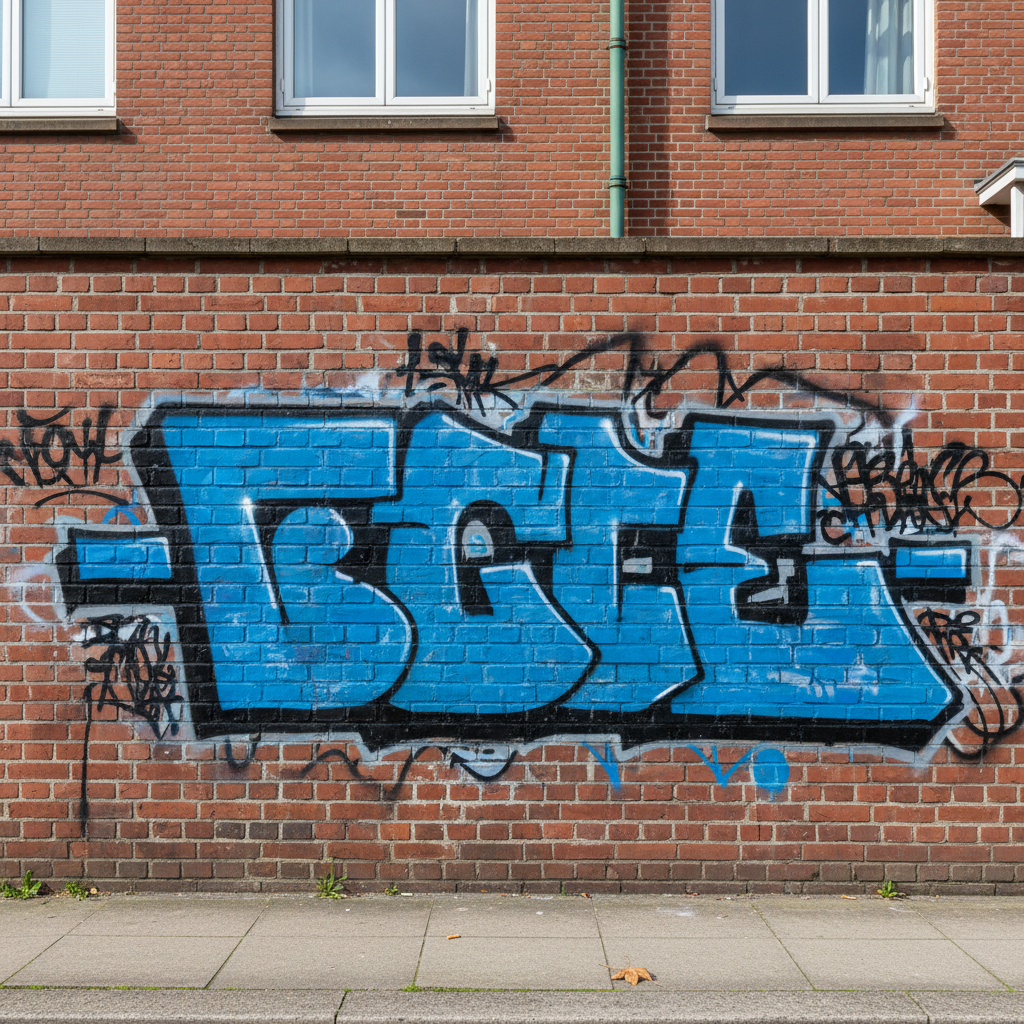
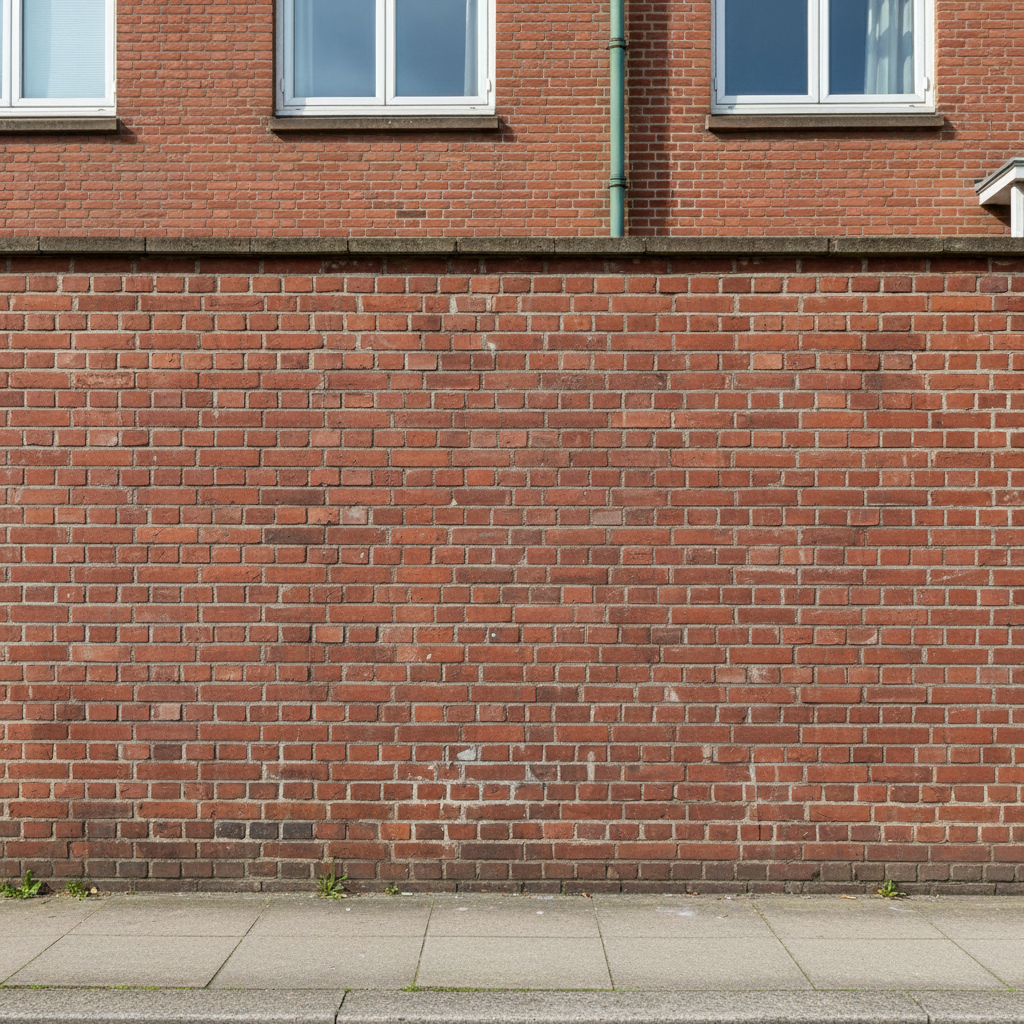
Brick wall cleanup for real estate
Rental property had graffiti tags on the exterior wall. One prompt restored the brick for listing photos.
remove all graffiti and restore clean red brick wall with natural mortar lines
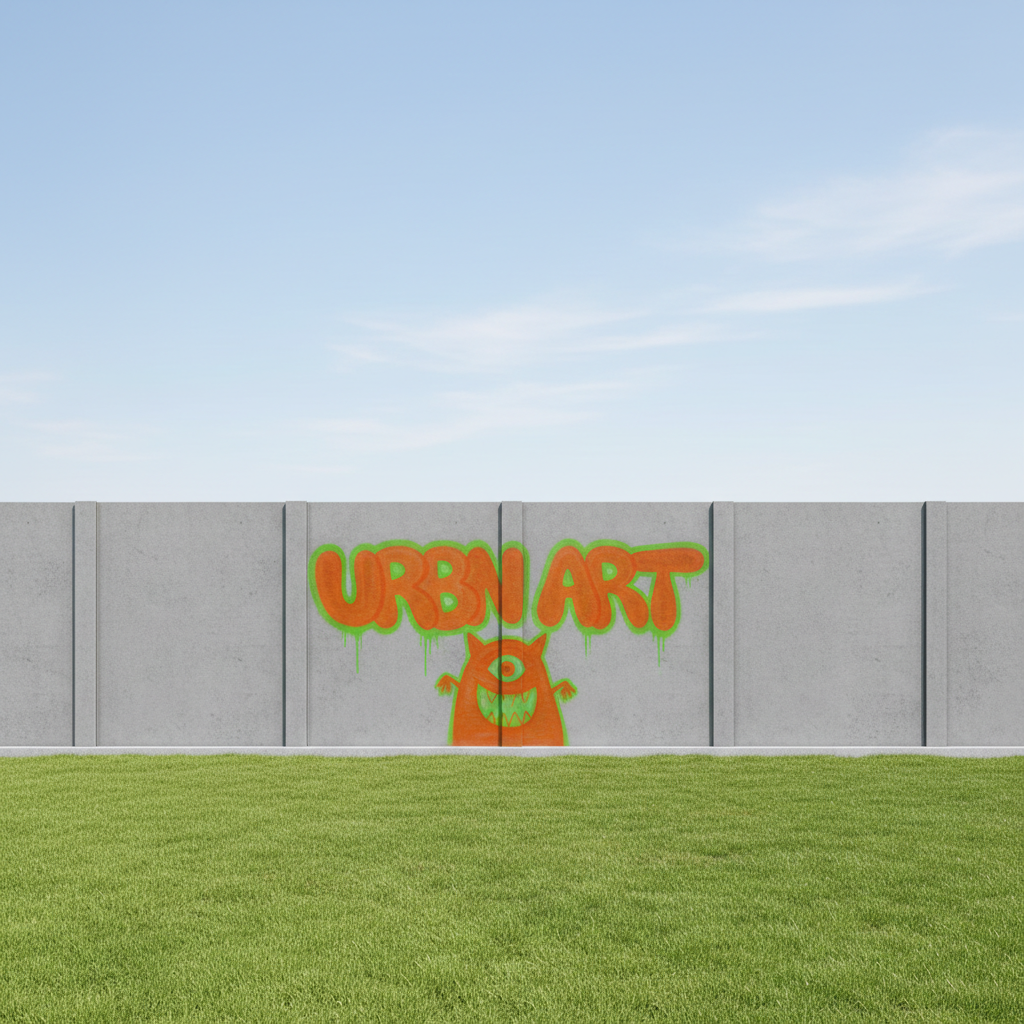
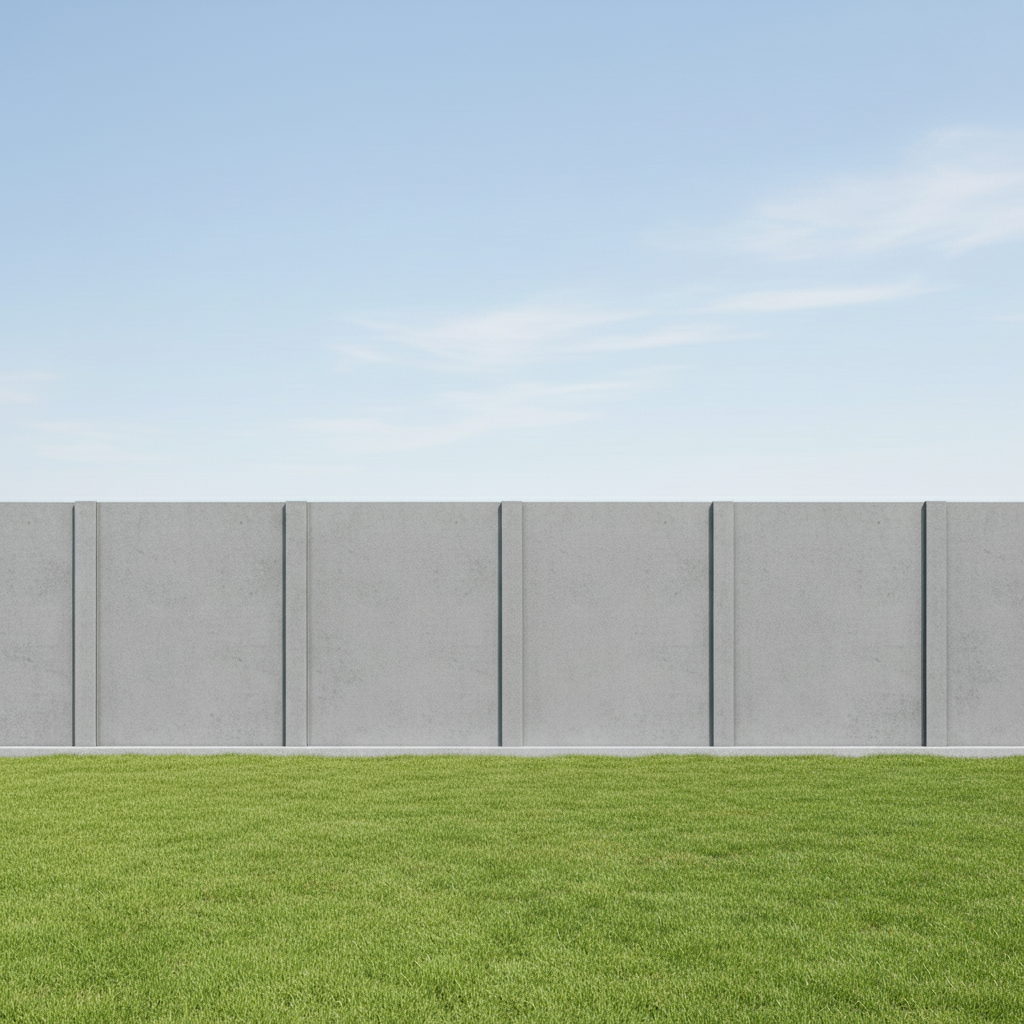
Concrete fence restored for property photo
Backyard concrete fence had been vandalized. Cleaned it up for the sale listing without repainting.
erase the graffiti and show smooth gray concrete surface
Historic building stone wall preserved
Vandals tagged a historic limestone building. Restored the aged stone texture while removing the modern spray paint.
carefully remove the graffiti tags while preserving the original stone texture and patina
If something looks off
Wall texture looks flat or unnatural after removal
Why: The AI didn't have enough context about the original surface material and created a smooth fill instead of matching texture.
remove graffiti and restore realistic [brick/concrete/stone] texture with natural variations and shadows
💡 Being specific about material type—brick, concrete, stucco, stone—gives the AI better texture reference.
Some graffiti color remains as a faint stain
Why: Layered or old graffiti can leave traces that the AI interprets as part of the original surface.
completely remove all spray paint traces and restore uniform wall color with no discoloration
💡 Use words like 'completely' and 'uniform' to signal you want total removal, not partial cleaning.
AI changed the wrong area or removed signage I wanted to keep
Why: The AI couldn't determine exactly which markings were graffiti versus intentional signage from description alone.
Tap a marker on the specific graffiti you want to remove, then regenerate with the same prompt
💡 Markers tell the AI 'I mean THIS one specifically.' Use them when legitimate signage is near the graffiti.
Wall color doesn't match the surrounding area
Why: The AI guessed the original wall color incorrectly, creating a visible patch.
remove graffiti and match the exact [color] of the surrounding wall with seamless blending
💡 Specify the exact color: 'tan', 'cream', 'terracotta', 'charcoal gray' rather than generic 'wall color'.
Architectural details behind graffiti are missing or distorted
Why: When graffiti covers windows, trim, or molding, the AI may not know what was originally there.
remove graffiti and reconstruct the [window frame/door trim/molding] that was covered
💡 Reference visible similar elements: 'match the window frame style on the left side of the photo'.
Quick answers
Do I need to mark the graffiti before describing?
No! For most graffiti removal, just describe what you want: 'remove the graffiti and restore clean brick.' The AI recognizes spray paint and tags as the unwanted element. Only use markers when you need precision—like removing specific tags while keeping others, or when the graffiti is near signage you want to preserve.
Can I remove graffiti without knowing the original wall color?
Yes, the AI analyzes the surrounding area to match the color. For best results, look at untagged sections of the wall and describe that color in your prompt. If you're unsure, try 'restore the wall to match the surrounding clean areas.'
Will this work on heavily layered or old graffiti?
Multiple layers of spray paint can be removed in one pass. Very old, weathered graffiti that has faded into the surface may need 2-3 refinements. The AI handles fresh spray paint most easily since the boundaries are clear.
Can I preserve a mural while removing vandalism tags?
Yes, but this requires markers. Tap markers only on the unwanted tags, not the mural, then prompt 'remove only the marked graffiti tags and preserve the artwork behind.' This tells the AI exactly what to remove versus keep.
Does this work for photos of graffiti on moving surfaces like trains?
Yes, it works on any surface—trains, trucks, buses, shipping containers. Just specify the surface: 'remove graffiti and restore clean metal train car surface.' Reflective or metallic surfaces work well because the AI can recreate uniform texture.
Ready to remove graffiti from your photo?
Free to try. No signup required.