Free • No signup Fix Trash litter on ground · Free

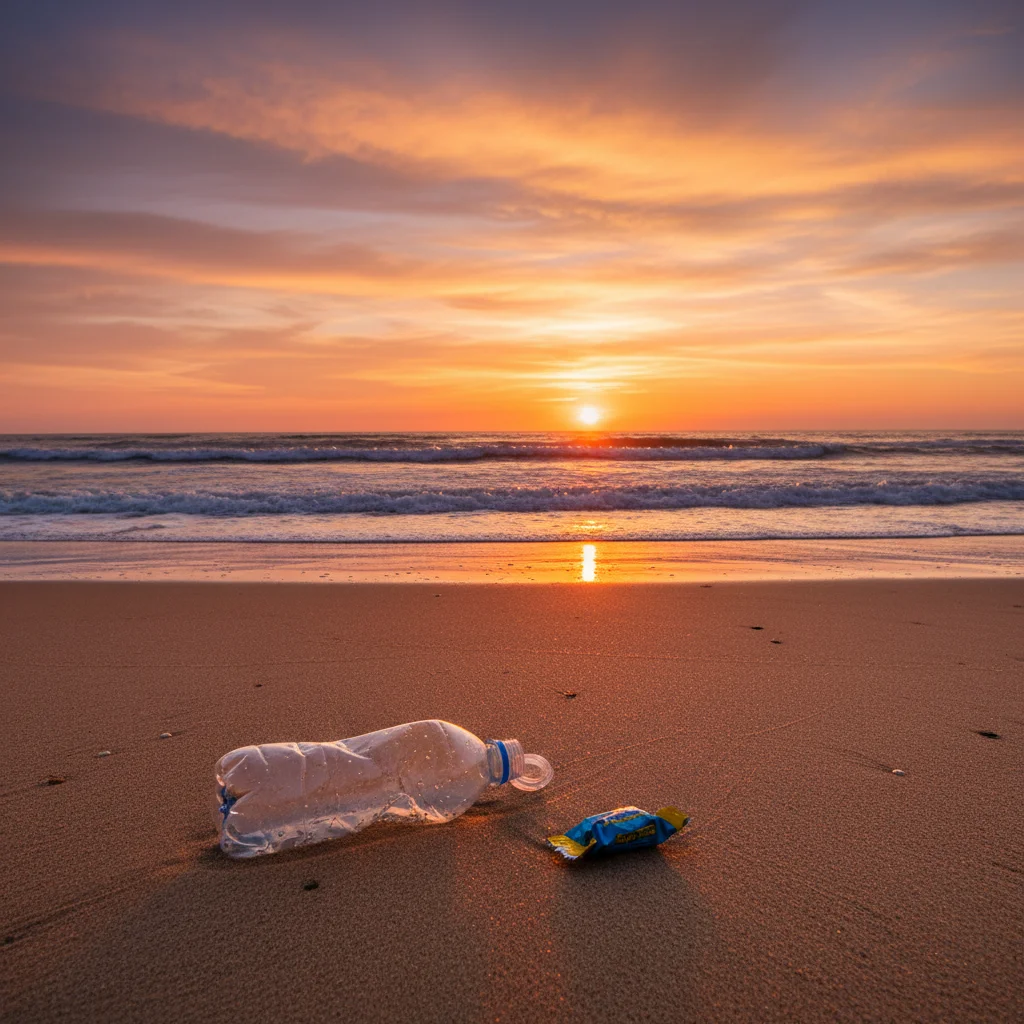
Great composition but trash on ground?

Perfect photo ruined by visible litter in the foreground? AI removes it instantly.
Beach sunset with plastic bottles and wrappers in sand
Before
Same beach photo with all litter removed, clean sand
After

Great Composition But Trash on Ground? | EditThisPic

Drop your photo here

or click to browse

Release to upload

Free • No signup

Advertisement
Popular use cases:
  • Remove trash from photo
  • Clean litter from image
  • Remove garbage from ground
  • Beach photo cleanup
  • Park photo litter removal
  • Street photography cleanup
  • Remove cigarette butts photo

Cost
Free No signup required
Time
Instant results in 15-30 seconds
Works on
Any device - browser, phone, tablet, desktop
Powered by
AI-powered photo editing
Scenario Prompt Time
Beach or nature litter clean up litter on sand/grass, remove all visible trash 20s
Urban street debris remove trash and debris from pavement in foreground 22s
Specific items visible remove the plastic bottle/can/wrapper from ground 18s
Multiple types of trash remove all bottles, cans, wrappers, cigarette butts 25s

How it works

  1. Upload your photo

    Drop your image into EditThisPic. JPG, PNG, WebP up to 7MB. Works on any photo with visible litter or trash—outdoor photos, travel shots, street photography, beach photos, park photos, urban scenes.

    Expect: Simple litter removal: 18-25 seconds. Multiple items or complex ground textures: 35-45 seconds.
  2. Describe what you want

    Type 'remove the trash from the ground' or 'clean up the litter in the foreground.' The AI identifies garbage (bottles, cans, wrappers, cigarette butts, etc.), removes them, and fills with natural ground texture. No marking needed—the AI understands 'trash' and 'litter.'

    Tip: Be specific about items if needed: 'remove the plastic bottle and cigarette butts from the pavement' works better in complex scenes.

    Copy one of these to get started:

    Outdoor photo with visible litter remove the trash from the ground and make it look clean
    Beach or nature photo with garbage clean up the litter on the sand/grass, remove all visible trash
    Urban street photo with debris remove trash and debris from the pavement in foreground
    Specific items visible remove the plastic bottle/can/wrapper from the ground
    3 more prompts
    Multiple types of litter remove all bottles, cans, wrappers, and cigarette butts from the ground
    Background trash ruining aesthetic remove visible trash in the background, make the scene look pristine
    Nature photo with human waste remove all human litter and trash, restore natural appearance
  3. Review the result

    Check that all visible litter is gone and the ground looks natural. Zoom in to verify trash is completely removed and the surface texture (grass, sand, pavement) fills in smoothly where garbage was.

  4. Refine if needed (optional)

    If some litter remains or ground fill looks unnatural, try 'remove all remaining trash and blend ground texture naturally' or tap markers on stubborn pieces and regenerate.

    Tip: For very small items like cigarette butts or bottle caps, markers help target exactly what to remove.
Try it free

Great Composition But Trash on Ground? | EditThisPic

Drop your photo here

or click to browse

Release to upload

Free • No signup

"Beautiful beach sunset shot but plastic bottles were visible in the sand in the foreground. This removed them perfectly—the beach looks pristine now like it should have been." @BeachPhotog

See it in action

Beach sunset with plastic bottles and wrappers in sand
Before
->
Same beach photo with all litter removed, clean sand
After

Beach sunset with plastic bottles in sand

Gorgeous golden hour beach photo but plastic bottles and wrappers were visible in the foreground sand. One prompt removed all litter and the beach looks pristine.

Prompt: clean up the litter on the sand, remove all visible trash
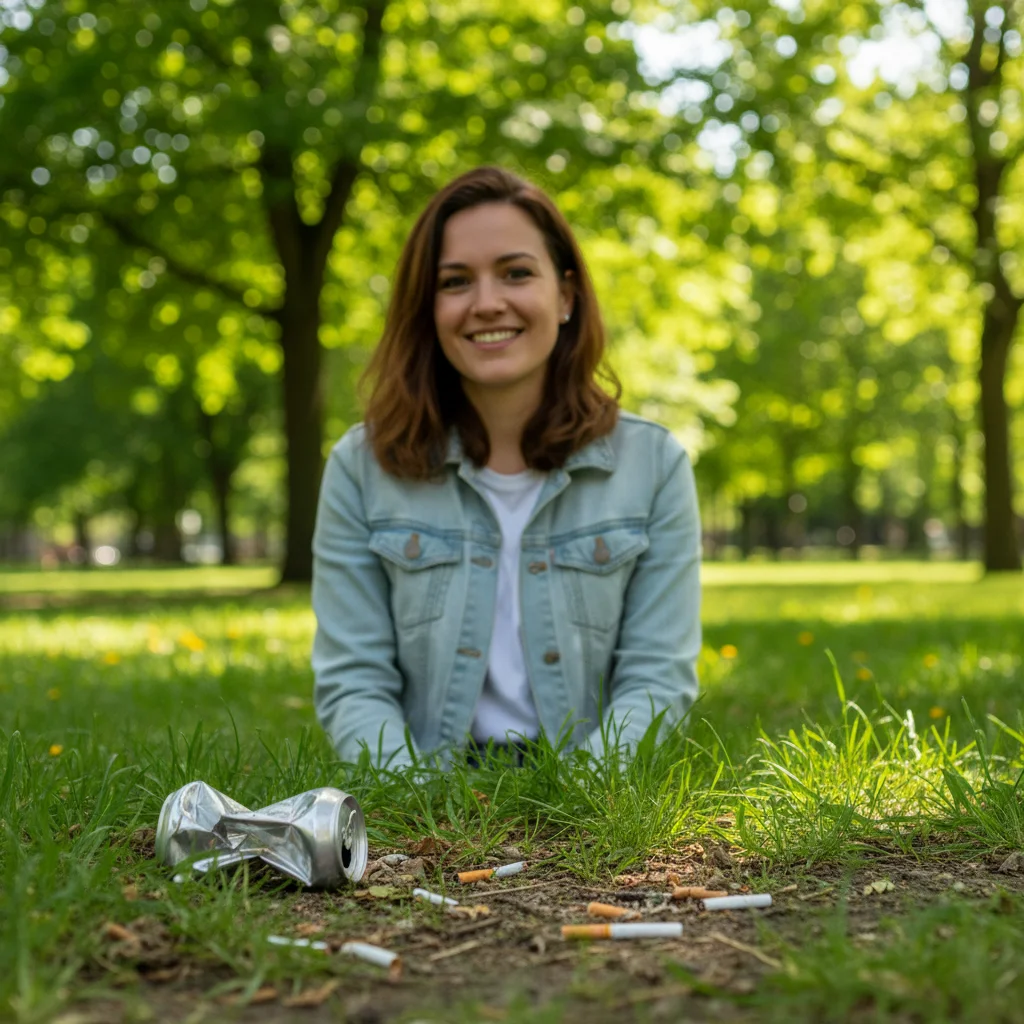
Park portrait with soda can and cigarette butts on grass
Before
->
Same portrait with all litter removed, clean grass
After

Park portrait with visible ground litter

Perfect outdoor portrait in a park but cigarette butts and a soda can were visible on the grass in the foreground. AI cleaned it up while preserving the grass texture.

Prompt: remove the trash from the ground and make it look clean
Advertisement

If something looks off

Ground texture looks fake or unnatural where trash was

Why: The AI struggled to recreate complex ground patterns like pebbles, textured pavement, or mixed grass/dirt surfaces.

Try: remove trash but match the exact ground texture and pattern naturally

Tip: Try Smart mode (4 credits) for complex ground textures. It uses better reconstruction for natural-looking fills.

Some small trash items still visible

Why: The AI missed small or low-contrast items like cigarette butts, bottle caps, or paper scraps against similar-colored ground.

Try: tap marker on each remaining piece of trash, then 'remove all of these items'

Tip: Markers are perfect for small stubborn items the AI missed on the first pass.

AI removed natural objects thinking they were trash

Why: The AI may have over-interpreted 'remove trash' and deleted rocks, leaves, or natural debris you wanted to keep.

Try: remove only human litter and garbage, keep natural objects like rocks and leaves

Tip: 'Human litter' or 'man-made trash' helps distinguish from natural ground items.

Colors or lighting changed where trash was removed

Why: Filling the area may have altered ground color, especially with shadows or lighting variations on the surface.

Try: remove trash but keep exact ground color and lighting, don't change the surface

Tip: 'Keep exact ground color' prevents unwanted brightening or darkening of the fill area.

AI didn't remove anything

Why: The trash may not have been clearly visible, or the AI didn't identify it as litter to remove.

Try: tap marker on each piece of visible trash, then 'remove these objects from the ground'

Tip: When description fails, markers show exactly what you consider 'trash' to be removed.

Quick answers

Do I need to mark the trash before describing it?

No. Just type 'remove the trash from the ground' or 'clean up the litter' and the AI identifies and removes visible garbage automatically. Markers are only needed for very small items like cigarette butts or bottle caps that the AI might miss, or when you want to be very specific.

What types of trash can this remove?

Any visible litter: plastic bottles, cans, wrappers, bags, cigarette butts, food containers, paper trash, cups, straws, and more. As long as it's clearly visible in the photo, the AI can identify and remove it.

Will the ground look natural after trash removal?

Yes, in most cases. The AI matches the surrounding ground texture—whether sand, grass, pavement, dirt, or gravel. Complex or unique ground patterns may need refinement, but simple textures fill very naturally on the first try.

Can I remove trash from the background, not just foreground?

Yes. Say 'remove visible trash in the background' to target distant litter. Background removal works the same way, though very small distant items may be harder for the AI to identify precisely.

Will this work for outdoor photos in any location?

Yes. Beach, park, street, urban, hiking trail, anywhere with ground-level trash. The AI adapts to different ground surfaces and lighting conditions to create natural-looking cleanup.

Ready to clean up your photo and remove the trash?

Free to try. No signup required.

Try it free