Free • No signup Clean User-generated content · Free

Clean Up Customer Photos for Marketing

Customer photos are gold for marketing but often look unprofessional. Clean them up fast.
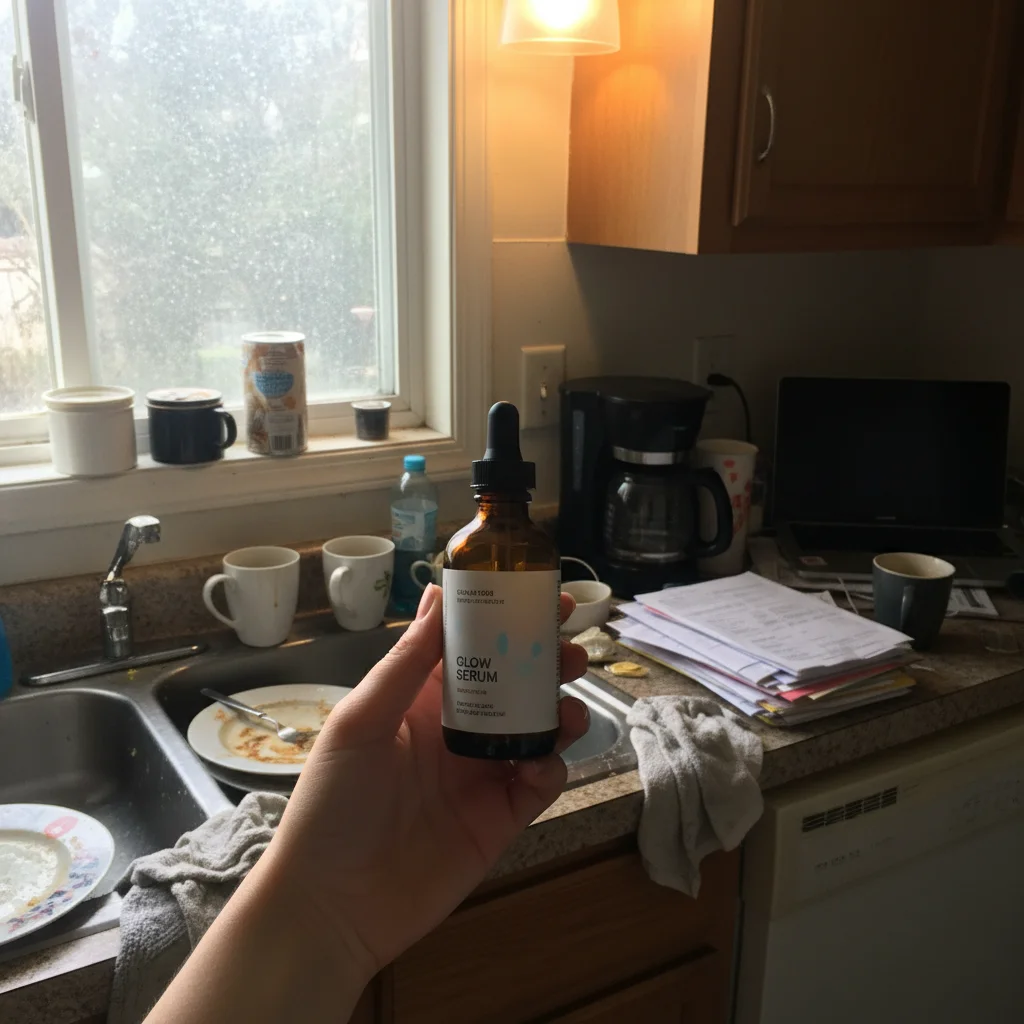
Customer product photo with messy kitchen background and clutter
Before
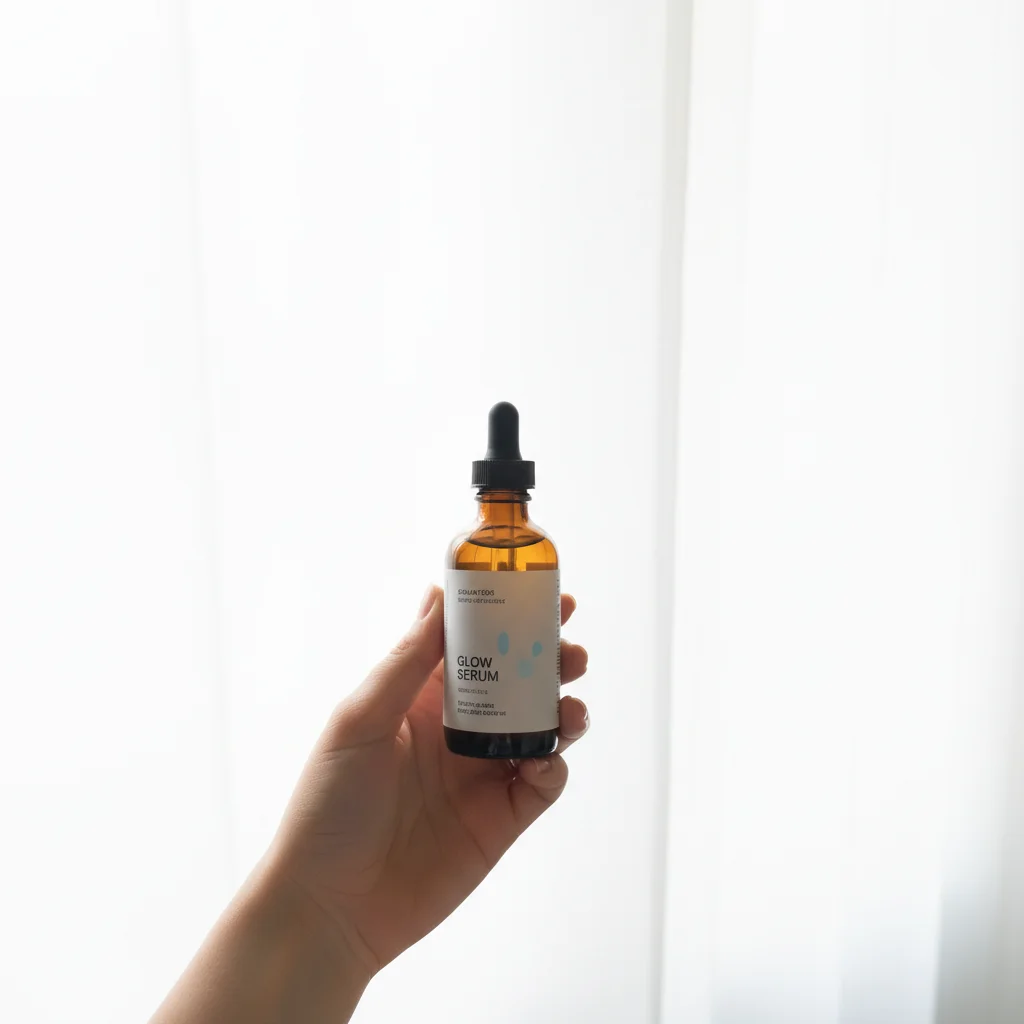
Clean professional background while maintaining authentic customer feel
After

Clean Up User-Generated Content Photos | EditThisPic

Drop your photo here

or click to browse

Release to upload

Free • No signup

Advertisement
Popular use cases:
  • User-generated content
  • Customer photos
  • Product review photos
  • Social proof photos
  • Customer testimonial images
  • Instagram customer tags
  • UGC marketing
  • Customer content cleanup

Cost
Free No signup required
Time
Instant results in 15-30 seconds
Works on
Any device - browser, phone, tablet, desktop
Powered by
AI-powered photo editing
Scenario Prompt Time
General UGC cleanup clean up for marketing use, keep authentic customer feel 20s
Remove messy background remove cluttered background, enhance lighting, keep authentic 25s
Consistent customer gallery enhance to professional quality, preserve customer variety 20s

How it works

  1. Upload customer photo

    Drop the customer-submitted photo into EditThisPic. JPG, PNG, WebP up to 7MB. Works with product review photos, customer testimonials, social media tags, unboxing photos—any user-generated content you want to use in marketing.

    Expect: Simple cleanup (background, lighting): 20-25 seconds. Heavy edits or multiple issues: may need refinement.
  2. Describe the cleanup needed

    Type 'clean up customer photo for marketing use' or 'enhance to professional quality while keeping authentic customer feel.' The AI removes messy backgrounds, improves lighting, fixes photo quality—but crucially maintains the genuine customer authenticity that makes UGC valuable for conversions.

    Tip: Include 'preserve authentic customer look' to prevent over-polishing that makes UGC look like staged marketing shots.

    Copy one of these to get started:

    General customer photo cleanup for marketing clean up customer photo for marketing use, improve quality while keeping authentic customer feel
    Product review photo with messy background remove cluttered background and enhance lighting, make customer product photo look professional but authentic
    Customer selfie with product needs improvement enhance customer selfie quality while preserving natural authentic look, clean up background without making it look staged
    Social media tag photo has poor lighting improve lighting and photo quality of customer Instagram photo, make it professional enough for brand repost
    3 more prompts
    Unboxing video screenshot needs cleanup enhance unboxing screenshot quality, clean up customer's environment while keeping the genuine unboxing moment
    Before-after customer transformation needs consistency match lighting and quality of customer before-after photos, make both look professional for testimonial use
    Multiple customer photos need uniform quality enhance to consistent professional quality for customer testimonial gallery, preserve authentic customer variety
  3. Verify authenticity is preserved

    Check that the photo still feels like real customer content, not a professional marketing shoot. The product, setting, and natural customer vibe should be intact—just presented more professionally. Over-polished UGC loses its credibility benefit.

  4. Add attribution if using publicly

    For social media or website use, include customer attribution: 'add customer name or handle as attribution' or prepare caption crediting the original poster. Proper attribution maintains trust and encourages more customers to share.

    Tip: Always get customer permission before using their photos in marketing, even after cleanup. Many are happy to share if you ask and credit them.
Try it free

Clean Up User-Generated Content Photos | EditThisPic

Drop your photo here

or click to browse

Release to upload

Free • No signup

"Our customers send amazing photos but they always looked too amateur for our marketing. Now we can actually use real customer content that looks professional." @EcommerceBrand

See it in action

Customer product photo with messy kitchen background and clutter
Before
->
Clean professional background while maintaining authentic customer feel
After

Product review photo with kitchen background cleaned

E-commerce customer sent excellent product photo but messy kitchen background made it unusable for marketing. Cleaned background while keeping authentic customer vibe.

Prompt: remove cluttered background and enhance lighting, make customer product photo look professional but authentic
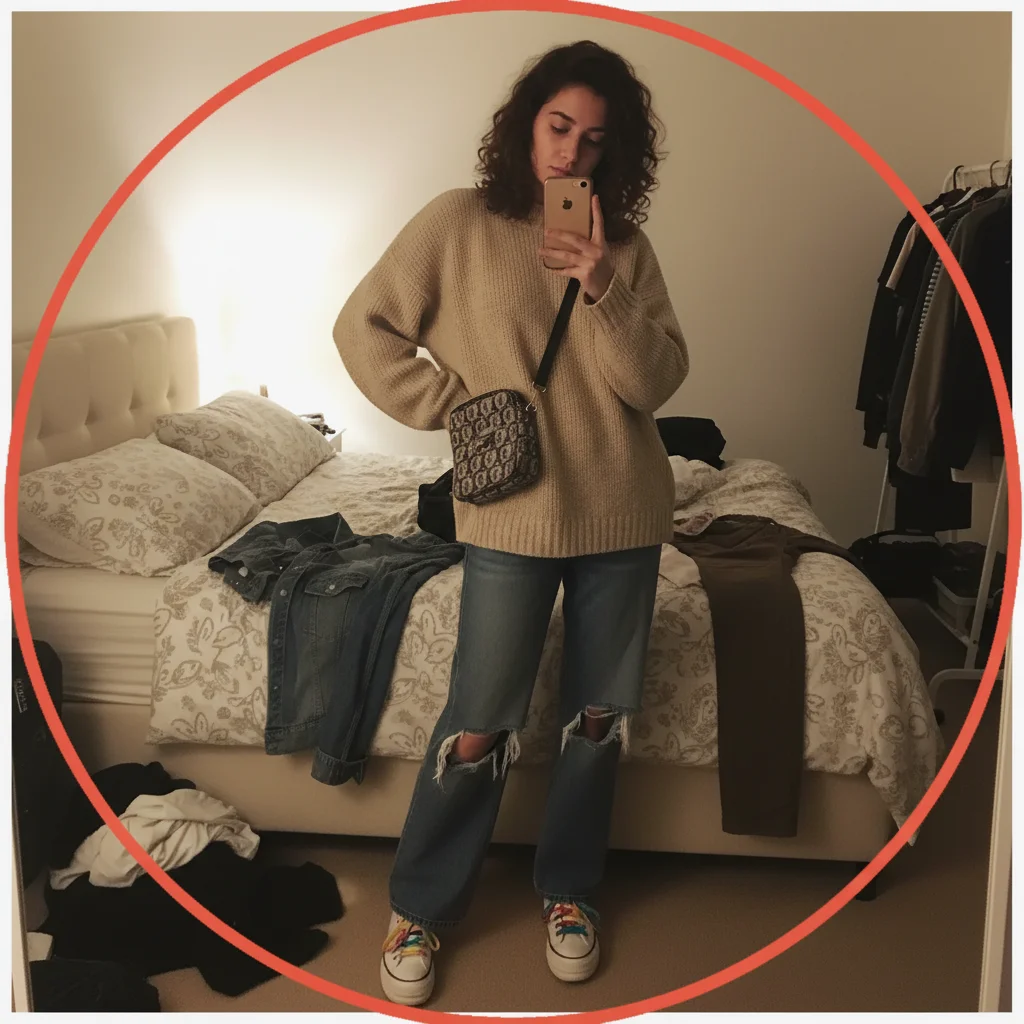
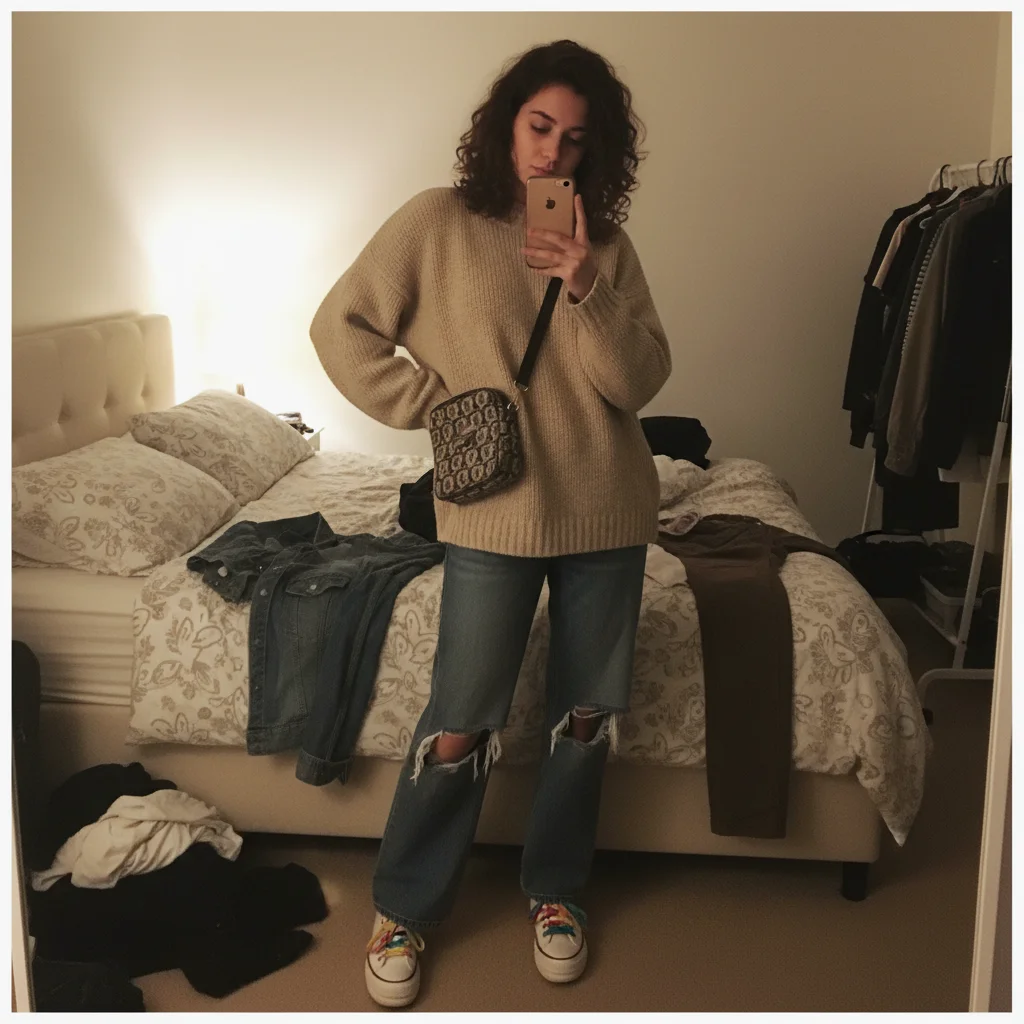
Customer outfit photo with messy bedroom background and poor lighting
Before
->
Enhanced professional quality suitable for brand Instagram repost
After

Instagram customer tag upgraded for brand repost

Fashion brand customer posted outfit photo with poor lighting and busy background. Enhanced to brand quality for official Instagram repost while keeping authentic customer styling.

Prompt: improve lighting and photo quality of customer Instagram photo, make it professional enough for brand repost

Customer testimonial selfie with webcam quality and cluttered desk
Before
->
Professional quality testimonial photo maintaining authentic customer feel
After

Customer testimonial selfie made website-ready

SaaS customer sent success testimonial selfie with webcam quality and home office clutter. Enhanced to professional website testimonial quality while preserving genuine customer authenticity.

Prompt: enhance customer selfie quality while preserving natural authentic look, clean up background without making it look staged
Advertisement

If something looks off

Cleanup made the photo look too staged or professional

Why: Over-polishing destroys the authentic UGC feel that makes customer content convert better than brand photography.

Try: clean up minimally while preserving authentic customer look, do not make it look like a professional photoshoot

Tip: UGC should still look like real customers, not models. If it looks too perfect, reduce the cleanup intensity.

Background removal made the setting feel fake or artificial

Why: Completely removing backgrounds can make UGC look like product renders instead of real customer environments.

Try: clean and simplify background but keep it looking like a real customer environment, not a studio

Tip: Natural customer settings build trust—just make them tidier, don't replace with artificial backdrops.

Customer's face or expression changed after enhancement

Why: Facial adjustments can make the customer unrecognizable or alter their genuine expression.

Try: enhance photo quality only, do not alter customer's face, expression, or appearance

Tip: Authenticity requires the customer to look like themselves. No beautification unless explicitly requested.

Product appearance changed during cleanup

Why: The entire point of UGC is showing real product in customer hands—any product alteration ruins credibility.

Try: clean up environment and lighting but preserve exact product appearance as customer photographed it

Tip: Product must look identical to customer's photo—any changes suggest you're hiding something.

Multiple customer photos now look too similar or uniform

Why: Over-standardizing UGC removes the natural variety that makes customer galleries feel authentic.

Try: enhance quality consistently but preserve natural variety in customer photos, lighting, and settings

Tip: Customer galleries should show diverse real people and situations—consistency in quality, not uniformity.

Lighting improvement made the photo feel less natural

Why: Perfect studio lighting makes UGC look like brand photography instead of genuine customer content.

Try: improve lighting naturally to enhance visibility, but keep the natural home or customer environment feel

Tip: Natural imperfect lighting signals authenticity—just make it good enough, not perfect.

Quick answers

Do I need to mark anything before cleaning up customer photos?

No! Just describe the cleanup: 'clean up for marketing use' or 'enhance quality while keeping authentic feel.' The AI handles background cleanup, lighting improvement, and quality enhancement automatically. Markers are only needed if you want to adjust specific areas differently—like cleaning background but leaving product area unchanged.

Will cleanup make customer photos look fake or staged?

No, if you specify correctly. Include 'preserve authentic customer feel' or 'keep natural look' in your prompt. The goal is making UGC professional enough for marketing while maintaining the genuine customer authenticity that makes it convert better than staged brand photography. Over-polished UGC loses its credibility benefit.

Can I use customer photos in marketing after editing them?

Only with permission. Always get customer consent before using their photos in marketing, even after cleanup. Most customers are happy to be featured if you ask and credit them properly. Enhancement doesn't change the permission requirement—their photo, their consent needed. Include attribution when you use it.

How do I clean up multiple customer photos consistently?

Use the same enhancement prompt for all UGC: 'enhance to professional quality while preserving authentic customer variety.' This creates consistent quality across your customer gallery without making everything look identical. Quality consistency with natural variety signals intentional curation, not random amateur content.

What if customer photos are too low quality to enhance?

Enhancement has limits based on source quality. Severely compressed, very low resolution, or extremely poor lighting may not fully recover. If enhancement isn't sufficient, politely ask the customer if they have a higher quality version, or consider not using that particular photo. Bad UGC is better than over-processed artificial-looking content.

Ready to clean up your customer photos for marketing?

Free to try. No signup required.

Try it free