Free β€’ No signup Transform Person into zombie Β· Free

Zombie Photo Editor Prank

Upload a selfie or a friend's photo. Describe how far gone they are. The AI handles the rotting skin, hollow eyes, and blood β€” and your group chat handles the rest.

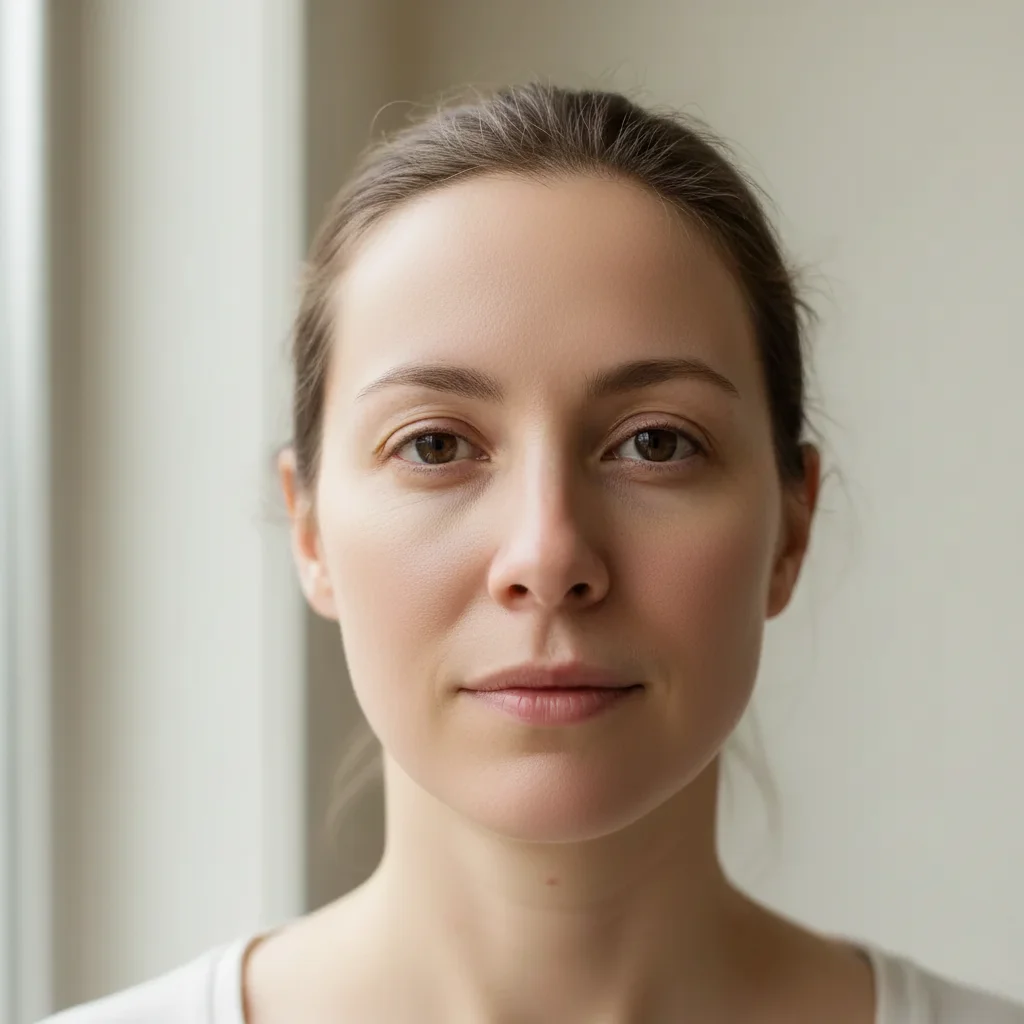
Normal portrait photo before zombie transformation
Before
β†’
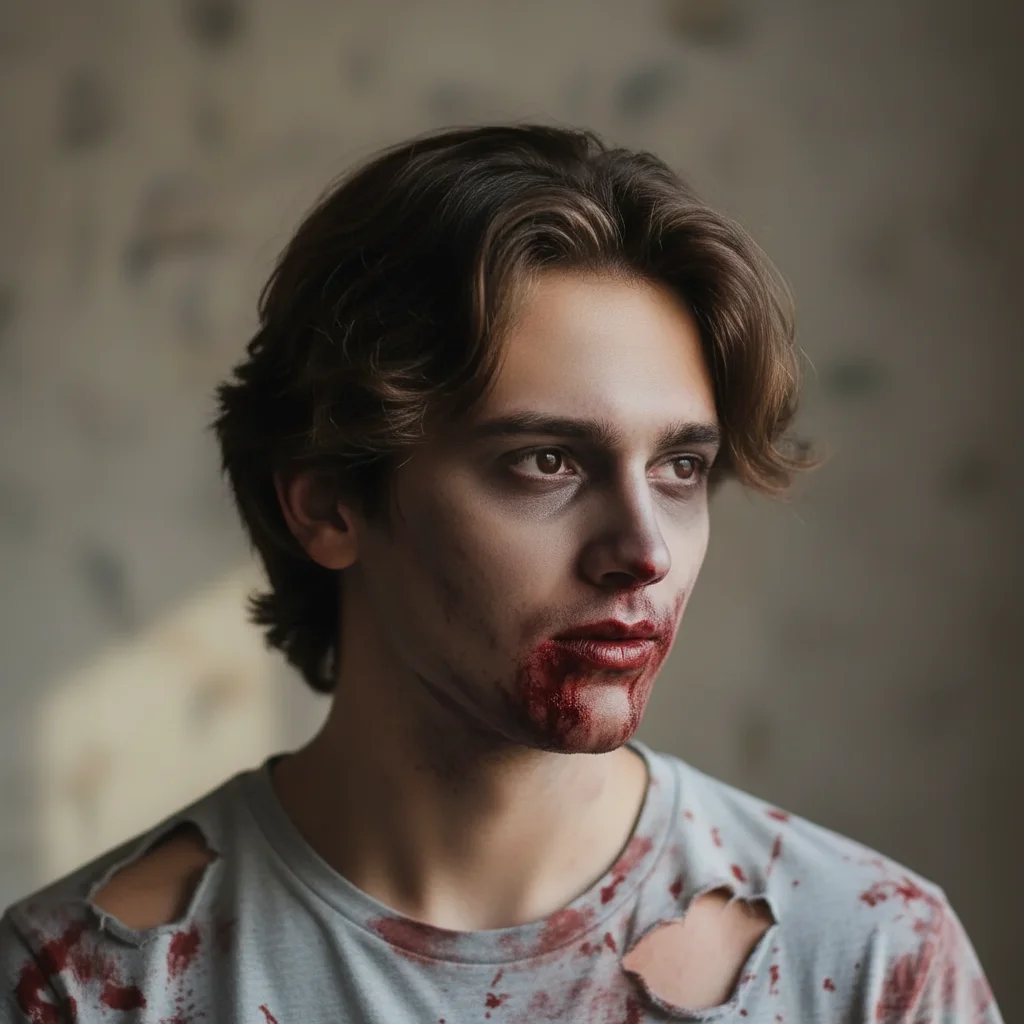
Same person transformed into a fresh zombie with pale skin and hollow eyes
After

Zombie Photo Editor Prank

Upload photo to transform person into zombie

Free β€’ Results in 30 seconds β€’ No signup

Release to upload

FreeNo signupNo watermark

1 free edit·then from $1.99

Popular use cases:
  • zombie photo editor prank
  • AI zombie face transformation
  • Halloween zombie selfie
  • turn photo into zombie free
  • zombie filter online no signup
  • scary photo prank for friends
  • walking dead photo effect
  • zombie group photo Halloween

Cost
Free No signup required
Time
Instant results in 15-30 seconds
Works on
Any device - browser, phone, tablet, desktop
Powered by
AI-powered photo editing
Scenario Prompt Time
Fresh zombie Pale skin, dark hollow eyes, blood around mouth, ripped shirt 20s
Full decay Rotting green-gray skin, exposed wounds, torn ragged clothing 30s
Office zombie Keep the suit, add zombie skin and bite marks on neck 30s
Mild Halloween Pale skin, dark circles, small wounds β€” costume look not horror 15s

How it works

  1. Upload your photo

    Drop any portrait or selfie into EditThisPic β€” a clear photo where the face is visible works best. JPG, PNG, or WebP up to 7MB. Close-up portraits give the most detail; group photos work too if you describe which person to transform.

    Expect: Most zombie transformations complete in 20-40 seconds. More detailed descriptions produce better results on the first try.
  2. Describe the zombie

    Type what you want: 'Transform this person into a zombie β€” rotting greenish-gray skin, sunken hollow eyes, torn blood-stained shirt, bite marks on the neck.' The more specific you are about decay level, wounds, and clothing damage, the more convincing the result.

    Tip: Specify the decay level β€” 'freshly turned' looks recently dead with pallid skin and dark eyes, while 'fully decayed' gives you exposed bone and deep tissue rot. Both work great for pranks but land very differently.

    Copy one of these to get started:

    Classic fresh zombie Transform this person into a freshly turned zombie β€” pale grayish skin with visible veins, dark hollow eyes, dried blood around the mouth, ripped collar and bloodstained shirt, menacing but still recognizable
    Full decay zombie Turn this person into a fully decayed zombie β€” rotting greenish-gray skin with visible decay patches, sunken hollow eye sockets, missing teeth, torn ragged clothing covered in dirt and blood, exposed wound on the cheek
    Office zombie prank Transform this person into a zombie while keeping their work outfit β€” pale dead skin with dark eyes and visible bite marks on the neck, ripped suit jacket, still wearing their tie but with bloodstains, undead but still office-ready
    Bite victim zombie Make this person look like they were just bitten and are turning β€” ashen pale skin going gray, dark circles spreading under the eyes, a fresh bite wound on the neck or shoulder, torn shirt at the bite site, still clearly human but clearly turning
    4 more prompts
    Halloween group photo Turn everyone in this photo into zombies β€” matching decay level across all people, torn and bloodied clothing, hollow eyes, pale rotting skin with visible veins, coordinated undead look
    Zombie selfie for social Transform me into a zombie for a Halloween selfie β€” dramatic decay with glowing pale eyes, torn clothing with blood spatters, visible rot on the skin, but still posed naturally like a selfie, eerie and shareable
    Walking dead style Turn this person into a slow-moving zombie in the style of classic horror films β€” gray-green rotting skin, milky white eyes, visible bone structure through decayed face, ragged clothing, dried blood and dirt, threatening and cinematic
    Mild zombie for kids Transform this person into a mildly scary zombie β€” pale skin with dark under-eye circles, slightly torn clothing with fake blood splatter, hollow-looking eyes, clearly a costume effect rather than full decay β€” spooky but not disturbing
  3. Send it

    Download the result and send it casually β€” drop it in the family group chat with a message like 'not feeling great today' and wait. Works best when the zombie version still looks recognizably like the person.

Try it free ↓

Zombie Photo Editor Prank

Upload photo to transform person into zombie

Free β€’ Results in 30 seconds β€’ No signup

Release to upload

Free β€’ No signup

See it in action

Normal portrait photo before zombie transformation
Before
->
Same person transformed into a fresh zombie with pale skin and hollow eyes
After

Fresh zombie transformation

A normal portrait turned into a freshly turned zombie β€” pale skin, dark hollow eyes, torn collar, still clearly recognizable.

Prompt: Transform this person into a freshly turned zombie β€” pale grayish skin, dark hollow eyes, dried blood around the mouth, ripped bloodstained shirt, still recognizable
Professional headshot before zombie transformation
Before
->
Same person in business attire transformed into a zombie with bite marks
After

Office zombie prank

A workplace headshot turned undead β€” the suit stays, but the person is clearly beyond saving.

Prompt: Transform this person into a zombie while keeping their work outfit β€” pale dead skin, dark eyes, bite marks on the neck, ripped suit with bloodstains, undead but still wearing the tie
Casual selfie before zombie photo prank
Before
->
Selfie transformed into full decay zombie with rotting skin
After

Full decay Halloween zombie

A selfie taken to full horror β€” deep decay, exposed tissue, and dramatic Hollywood-quality rot.

Prompt: Full decay zombie transformation β€” rotting greenish-gray skin, hollow eye sockets, missing teeth, torn ragged clothing with blood and dirt, exposed wound on cheek, cinematic horror quality

If something looks off

Zombie doesn't look realistic β€” more cartoonish than creepy

Why: The AI defaulted to an illustrated or stylized zombie aesthetic instead of photorealistic.

Try: Add 'photorealistic zombie transformation, matching the photo's lighting and grain, cinematic horror film quality, not illustrated or cartoonish'

Tip: The phrase 'photorealistic' is the single most important modifier β€” always include it when you need the result to look like a real photo.

The person is barely recognizable β€” looks like a completely different face

Why: The decay level overwhelmed the original facial structure.

Try: Try 'subtle zombie transformation β€” keep their facial features clearly recognizable, just add zombie skin tone, hollow eyes, and small wounds without restructuring the face'

Tip: For pranks, recognition is everything. The victim needs to see themselves. Dialing back the decay level keeps the face intact.

Skin looks gray but there's no visible rot or wounds

Why: The AI applied a basic color shift without the textural decay details.

Try: Be explicit about wounds: 'add visible bite marks on the neck, decay patches on the cheek, broken blood vessels on the skin, dried blood around the mouth, torn tissue at the hairline'

Tip: List specific wound locations β€” the AI responds much better to 'bite mark on the left shoulder' than a general 'add wounds'.

Clothing looks normal but the face is zombified

Why: The AI focused the transformation on the face and ignored the outfit.

Try: Add clothing details: 'tear and shred the clothing with dirt and blood stains, ripped edges on the shirt, fabric decay matching the skin rot'

Tip: Describe the clothing transformation separately from the skin transformation β€” treating them as two distinct instructions gives the AI clearer targets.

Eyes don't look hollow or undead β€” still look normal

Why: Eye transformation is often subtle unless specifically described.

Try: Be specific: 'sunken hollow eye sockets with dark shadows, clouded or milky white irises, dark veins visible around the eye area, no longer living eyes'

Tip: Eyes make or break a zombie transformation. If the eyes look too normal after the first result, regenerate with a marker placed directly on the eye area.

Quick answers

Do I need to mark areas before describing what I want?

No β€” just describe the zombie transformation and the AI applies it across the whole person automatically. Only place a marker if you want the zombie effect on a specific area, like the face only while keeping the background untouched.

Is this free?

Yes. EditThisPic gives you 1 free edit per week with no account needed. Credit packs start at $1.99 if you want to turn your whole contact list undead.

Will this look realistic enough to fool someone?

At high enough quality, yes β€” especially if you keep the decay subtle enough that the person is still recognizable. The 'freshly turned' zombie style with pale skin and hollow eyes tends to fool people the most because it reads as a disturbing selfie rather than obvious photo manipulation.

What kind of photo works best for zombie transformations?

Clear face visibility makes the biggest difference. Front-facing portraits and selfies give the AI the most to work with for skin, eyes, and facial features. Group photos work but the transformation quality per-person is lower. Avoid photos where the face is partially obscured or too far from the camera.

Can I control how zombified they look β€” like a mild vs. full horror version?

Yes, completely. Describe the decay level explicitly: 'pale skin and dark eyes' for mild, 'rotting patches and bite marks' for medium, 'full skeletal decay with exposed tissue' for maximum horror. The AI follows your description closely.

Does this work for Halloween social media posts?

Yes β€” zombie selfies and group zombie photos are among the most shared Halloween content. The AI generates clean results you can post directly to Instagram, send in a group chat, or use as a Halloween profile picture.

Is my photo stored or shared after I upload it?

EditThisPic does not store or share your photos. The image is processed and returned to you β€” nothing is saved to a public gallery or used for training.

Does this work on mobile without downloading an app?

Yes, editthispic.com works fully in any mobile browser. No app download needed.

How much does EditThisPic cost?

You get 1 free edit per week β€” no account needed. After that, credit packs start at $1.99 for 3 edits. Monthly plans start at $4.99/mo for 15 edits with unused credits rolling over. All edits are full resolution with no watermark.

Ready to turn your photos into the undead?

Free to try. No signup required.

1 free edit included·Credit packs from $1.99