Free • No signup Fix Perspective distortion · Free

AI Perspective Corrector

Describe the distortion and AI straightens perspective automatically.
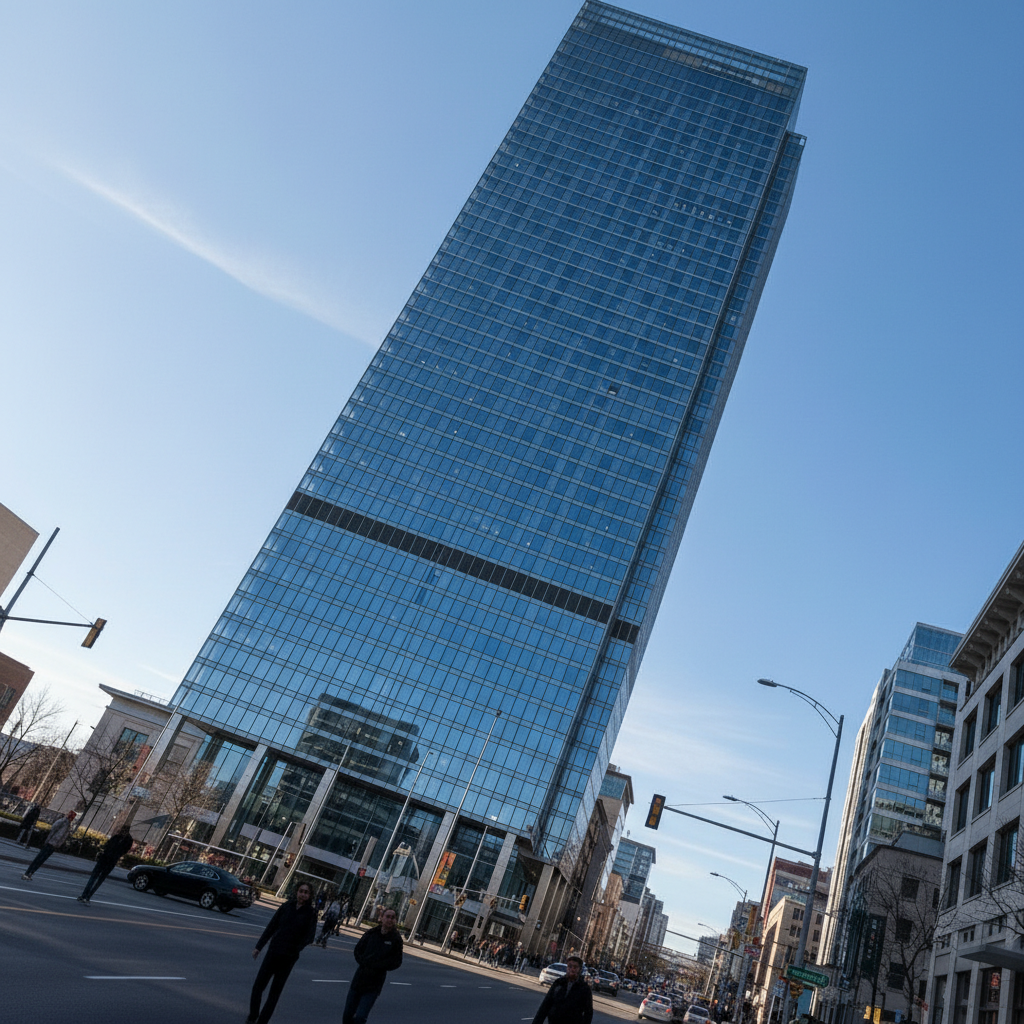
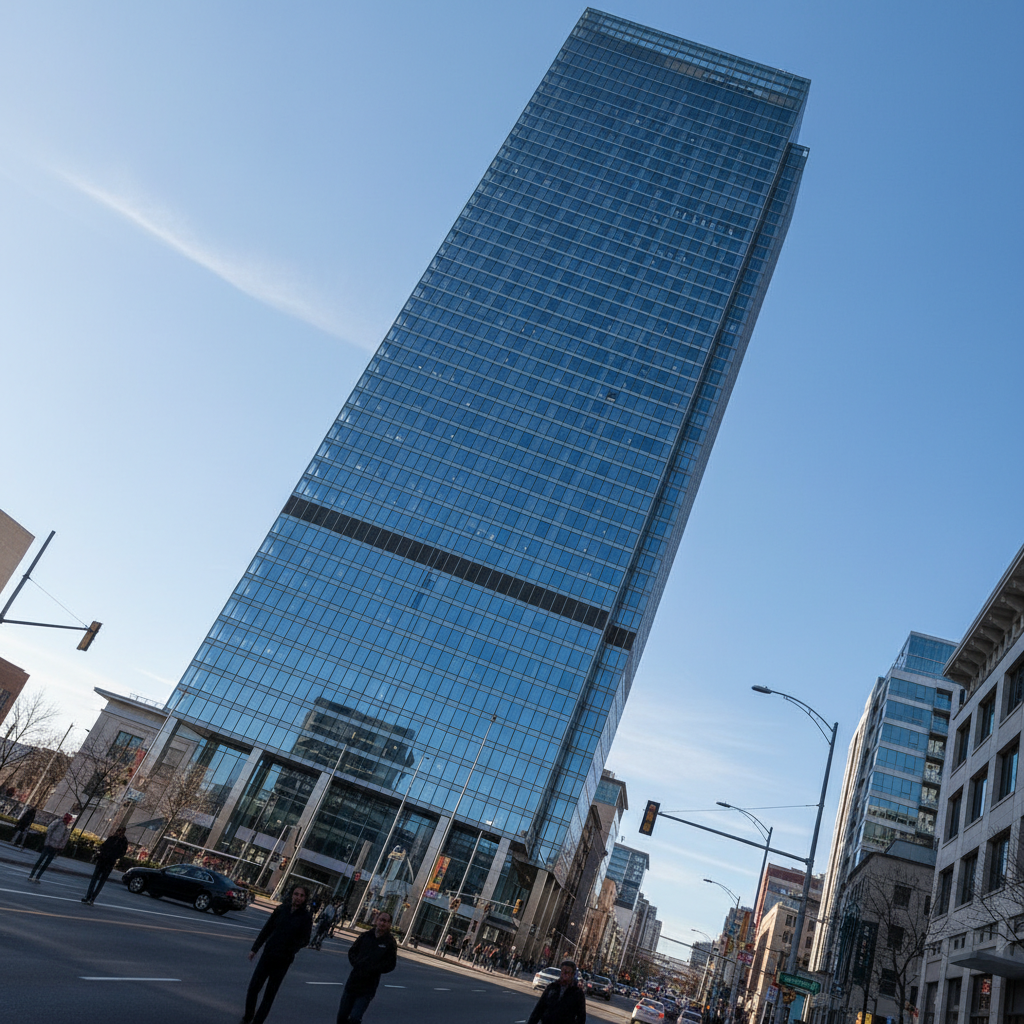
Building photo with tilted perspective distortion
Before
Building with corrected straight vertical lines
After

Fix Perspective Distortion in Photo

Drop your photo here

or click to browse

Release to upload

Free • No signup

Advertisement
Popular use cases:
  • real estate photography
  • architectural photography
  • interior photography
  • product photography
  • travel photography

Cost
Free No signup required
Time
Instant results in 15-30 seconds
Works on
Any device - browser, phone, tablet, desktop
Powered by
AI-powered photo editing
Scenario Prompt Time
Tilted buildings correct perspective and straighten vertical lines in the building 30s
Wide-angle distortion fix wide-angle lens distortion and correct curved vertical lines 35s
Keystone effect fix keystone distortion and make vertical lines parallel 30s

How it works

  1. Upload your photo

    Drop your image into EditThisPic. Works on architectural photos, real estate, interiors, or any photo with tilted or distorted perspective. JPG, PNG, WebP up to 7MB.

    Expect: Simple straightening: 25-30 seconds. Complex distortion may need one refinement.
  2. Describe what you want

    Type your instruction: 'correct perspective and straighten vertical lines' or 'fix wide-angle lens distortion.' Be specific about what's tilted or warped. No marking needed—the AI understands architectural geometry and lens distortion.

    Tip: Mention specific elements: 'straighten the building' or 'fix doorframe distortion'

    Copy one of these to get started:

    Straighten tilted buildings correct perspective and straighten vertical lines in the building
    Fix wide-angle distortion fix wide-angle lens distortion and correct curved vertical lines
    Correct keystone effect fix keystone distortion and make vertical lines parallel
    Straighten interior room correct perspective in the room to make walls vertical and parallel
    3 more prompts
    Fix tilted horizon straighten the horizon line and correct perspective
    Correct document/sign distortion fix perspective distortion and make the document rectangular
    Fix upward-looking distortion correct perspective from looking up at the building, straighten converging lines
  3. Generate and review

    Click Generate and watch AI straighten vertical lines and correct distortion. Check edges and important architectural elements at full zoom. Lines should be perfectly vertical and parallel.

  4. Refine with markers if needed

    If specific elements need adjustment or you want to preserve certain angles, tap markers on reference lines and regenerate. This is optional—most edits work without markers.

    Tip: Markers are for precision refinement, not required. Try without them first.
Try it free

Fix Perspective Distortion in Photo

Drop your photo here

or click to browse

Release to upload

Free • No signup

"Fixed all my tilted building photos instantly. The vertical lines are perfectly straight now." @mark_real_estate

See it in action

Building photo with tilted perspective distortion
Before
->
Building with corrected straight vertical lines
After

Tilted building straightened

Corrected perspective and made vertical lines perfectly straight in an architectural photo.
Prompt: correct perspective and straighten vertical lines in the building
Interior with wide-angle barrel distortion
Before
->
Interior with corrected straight lines
After

Wide-angle distortion fixed

Removed barrel distortion and curved lines from wide-angle lens photography.
Prompt: fix wide-angle lens distortion and correct curved vertical lines
Building with keystone distortion
Before
->
Building with parallel vertical lines
After

Keystone distortion corrected

Fixed keystone effect and made vertical building edges parallel.

Prompt: fix keystone distortion and make vertical lines parallel
Advertisement

If something looks off

AI changed the wrong area or corrected lines I wanted to keep tilted

Why: The AI couldn't determine exactly which elements you meant from description alone. This happens with ambiguous requests.

Try: Tap markers on the specific lines that should be vertical or straight, then regenerate

Tip: Markers tell the AI 'I mean THESE lines specifically.' Use them when description alone is ambiguous.

Correction looks unnatural or over-corrected

Why: AI applied too much correction, creating unrealistic geometry.

Try: Add 'subtle' or 'moderate': 'moderately correct perspective' instead of full correction
Image edges are cropped or distorted

Why: Perspective correction requires geometric transformation that affects edges.

Try: Add 'while minimizing cropping': 'correct perspective while keeping as much of the image as possible'

Tip: Some cropping is normal for perspective correction

Some lines are straight but others remain tilted

Why: Photo has multiple perspectives or conflicting geometry.

Try: Focus on primary element: 'straighten the main building only' or 'correct foreground perspective'
Subjects or people look stretched

Why: Perspective correction warped foreground elements.

Try: Add 'preserving foreground proportions': 'fix building perspective while keeping people natural'

Tip: You may need to correct architecture separately from subjects

Horizon is still tilted after correction

Why: AI focused on vertical lines instead of horizon.

Try: Be explicit: 'straighten the horizon and correct perspective' to address both

Quick answers

Do I need to mark lines before describing the perspective distortion?

No! Just describe what you want: 'correct perspective and straighten vertical lines' or 'fix wide-angle distortion.' The AI understands architectural geometry. Only use markers when you need precision—like specifying which lines should be vertical in complex scenes.

How do I fix perspective distortion in a photo for free?

Upload your photo to EditThisPic and type 'correct perspective and straighten vertical lines in the building.' The AI fixes tilted buildings and lens distortion in 25-35 seconds. Completely free, no signup required.

What types of perspective distortion can the AI fix?

The AI corrects keystone distortion (tilted buildings), barrel distortion (wide-angle lens), converging verticals (upward shots), tilted horizons, and document/sign perspective. Just describe what's tilted or warped.

Will it crop my image or lose parts of the photo?

Perspective correction typically requires some cropping at edges. Add 'while minimizing cropping' to preserve as much as possible, but some edge loss is normal for geometric correction.

Is there a free AI perspective correction tool for real estate photos?

Yes. EditThisPic straightens tilted buildings and corrects distortion with simple descriptions like 'fix keystone distortion' instead of manual perspective tools. Perfect for real estate and architectural photography. Completely free with no signup required.

Ready to fix perspective distortion?

Free to try. No signup required.

Try it free