Free • No signup Create Album cover · Free

AI Album Cover Maker

Describe the album aesthetic and AI transforms your photo into cover-worthy artwork in seconds.
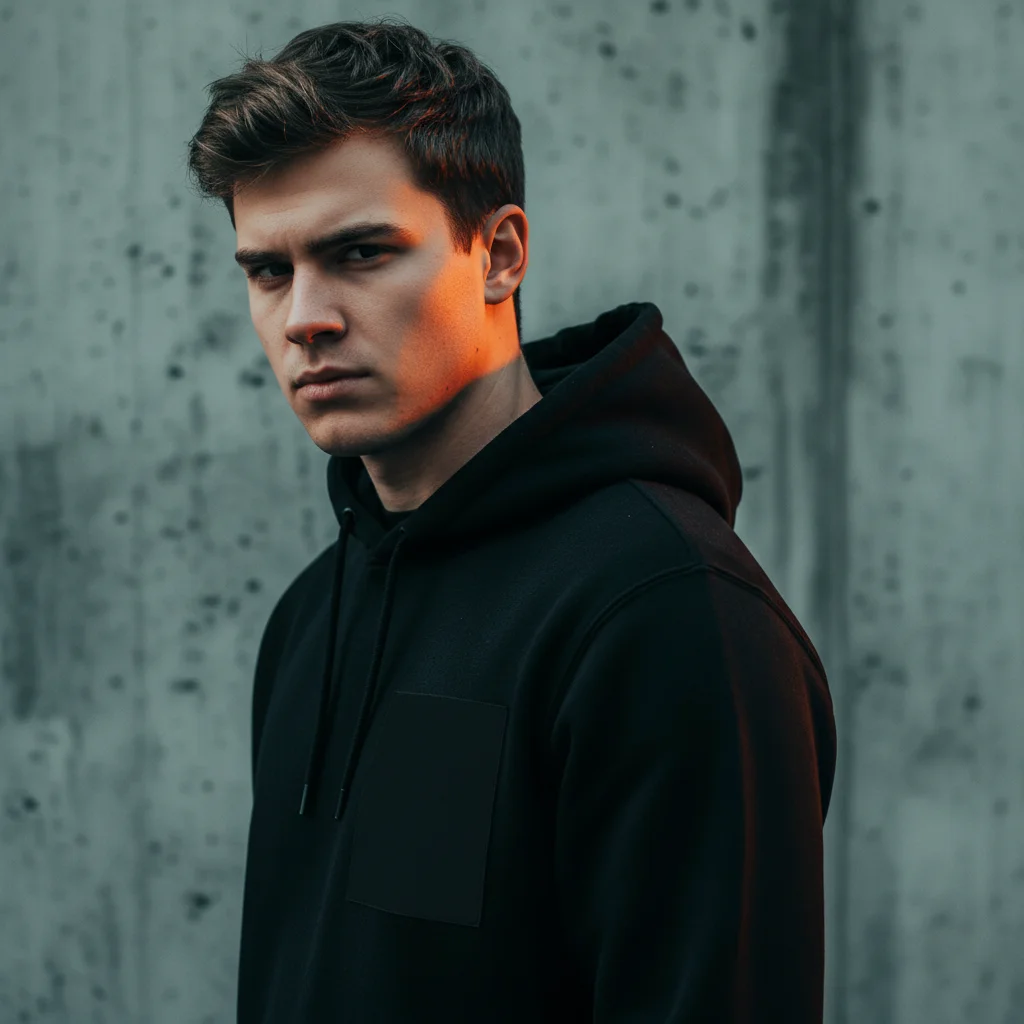
Young man in black hoodie against concrete wall
Before
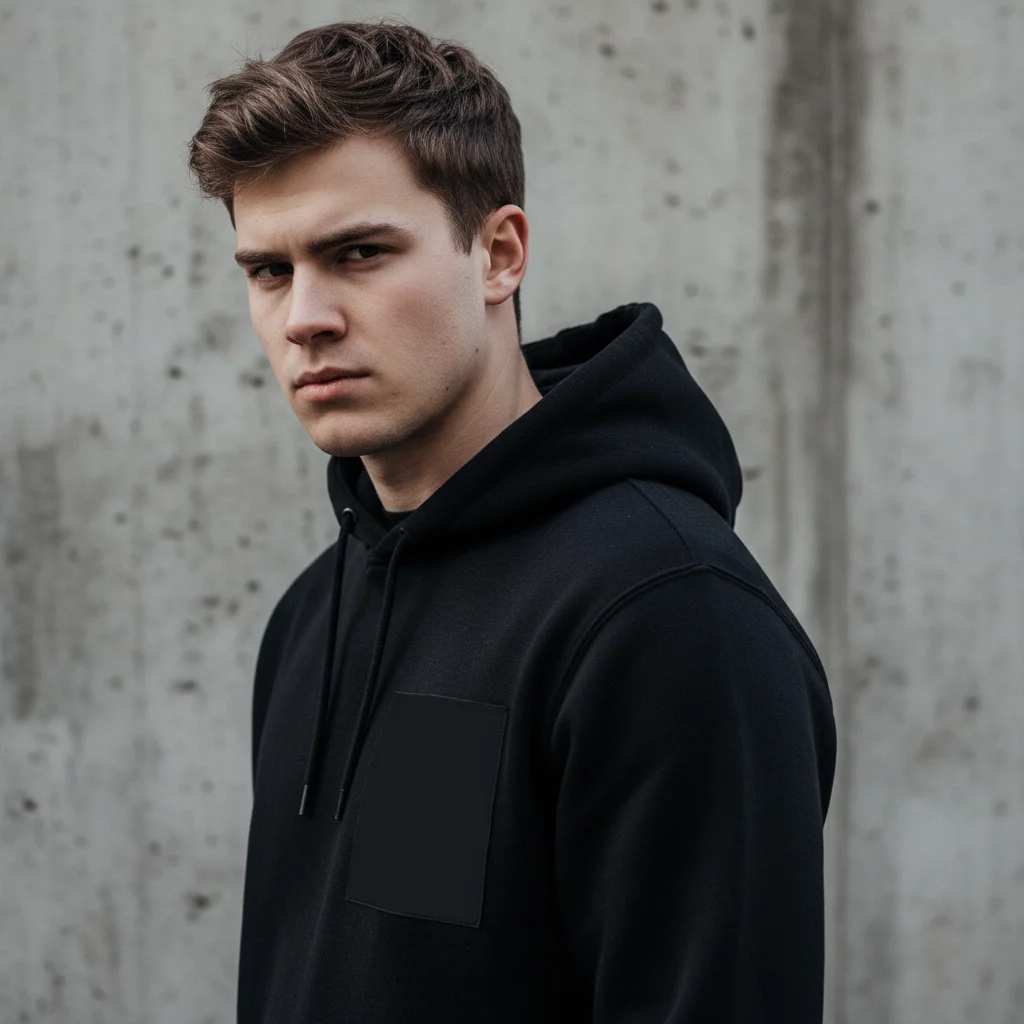
Same portrait as moody album cover with cinematic teal and orange grading
After

AI Album Cover Maker

Drop your photo here

or click to browse

Release to upload

Free • No signup

Advertisement
Popular use cases:
  • Spotify album art
  • single cover art
  • EP artwork
  • mixtape covers
  • SoundCloud artwork
  • music promotion
  • band photos
  • playlist cover art

Cost
Free No signup required
Time
Instant results in 15-30 seconds
Works on
Any device - browser, phone, tablet, desktop
Powered by
AI-powered photo editing
Scenario Prompt Time
Dark moody cover transform into album cover with dark atmosphere and cinematic grading 35s
Dreamy indie cover create dreamy lo-fi album cover with pastel colors and film grain 30s
Psychedelic rock cover create psychedelic album cover with swirling colors 45s

How it works

  1. Upload your photo

    Drop your image into EditThisPic. JPG, PNG, WebP up to 7MB. Square photos (1:1 ratio) work best for album covers. Portraits, moody landscapes, and abstract textures all make great starting points.

    Expect: Simple style transformation: 30-40 seconds. Complex artistic album covers: 45-60 seconds.
  2. Describe the album cover style

    Type your instruction: 'transform this into album cover art with dark moody atmosphere, cinematic color grading, and dramatic lighting' or 'create a dreamy lo-fi album cover with soft pastel colors and vintage film grain.' Specify the genre aesthetic, mood, and color palette. No marking needed—the AI transforms the entire image.

    Tip: Mention the music genre for targeted aesthetics: 'hip-hop album cover', 'indie folk aesthetic', or 'electronic music artwork' guides the AI effectively.

    Copy one of these to get started:

    Dark moody hip-hop cover transform this into album cover art with dark moody atmosphere, dramatic shadows, cinematic teal and orange color grading, and high contrast
    Dreamy indie/lo-fi cover create a dreamy lo-fi album cover from this photo with soft pastel colors, vintage film grain, hazy glow, and nostalgic atmosphere
    Bold graphic pop cover transform this into bold pop album artwork with high saturation, graphic poster style, sharp contrast, and vibrant pink and yellow color scheme
    Psychedelic rock cover create psychedelic album cover art with swirling colors, trippy distortion effects, kaleidoscopic patterns, and 60s rock aesthetic
    3 more prompts
    Minimalist electronic cover transform this into minimalist electronic music album art with clean geometric elements, monochrome palette, and stark negative space
    Grunge/alternative cover create a grunge album cover with distressed textures, desaturated colors, raw gritty aesthetic, and torn paper effects
    R&B/soul atmospheric cover transform this into R&B album cover art with warm golden lighting, soft bokeh, intimate atmosphere, and rich shadow depth
  3. Review the album artwork

    Check that the artwork matches your music's mood and genre. Look for strong visual impact at thumbnail size (how it'll appear on Spotify), balanced composition with space for text, and consistent style throughout.

  4. Refine with markers if needed

    If specific areas need different treatment—like clearing space for your artist name or adjusting the mood in certain areas—tap markers on those spots and regenerate.

    Tip: Markers are for precision refinement only. Try without them first—album cover conversions usually nail the overall aesthetic.
Try it free

AI Album Cover Maker

Drop your photo here

or click to browse

Release to upload

Free • No signup

"Released my EP on Spotify last month with an album cover I made here in 2 minutes. Friends kept asking which designer I hired. Nobody believes it was AI." @IndieBeatsAlex

See it in action

Young man in black hoodie against concrete wall
Before
->
Same portrait as moody album cover with cinematic teal and orange grading
After

Portrait to moody album cover

A standard portrait transformed into a dark, cinematic album cover with dramatic color grading and atmospheric mood.

Prompt: transform this into album cover art with dark moody atmosphere, dramatic shadows, cinematic teal and orange color grading, and high contrast
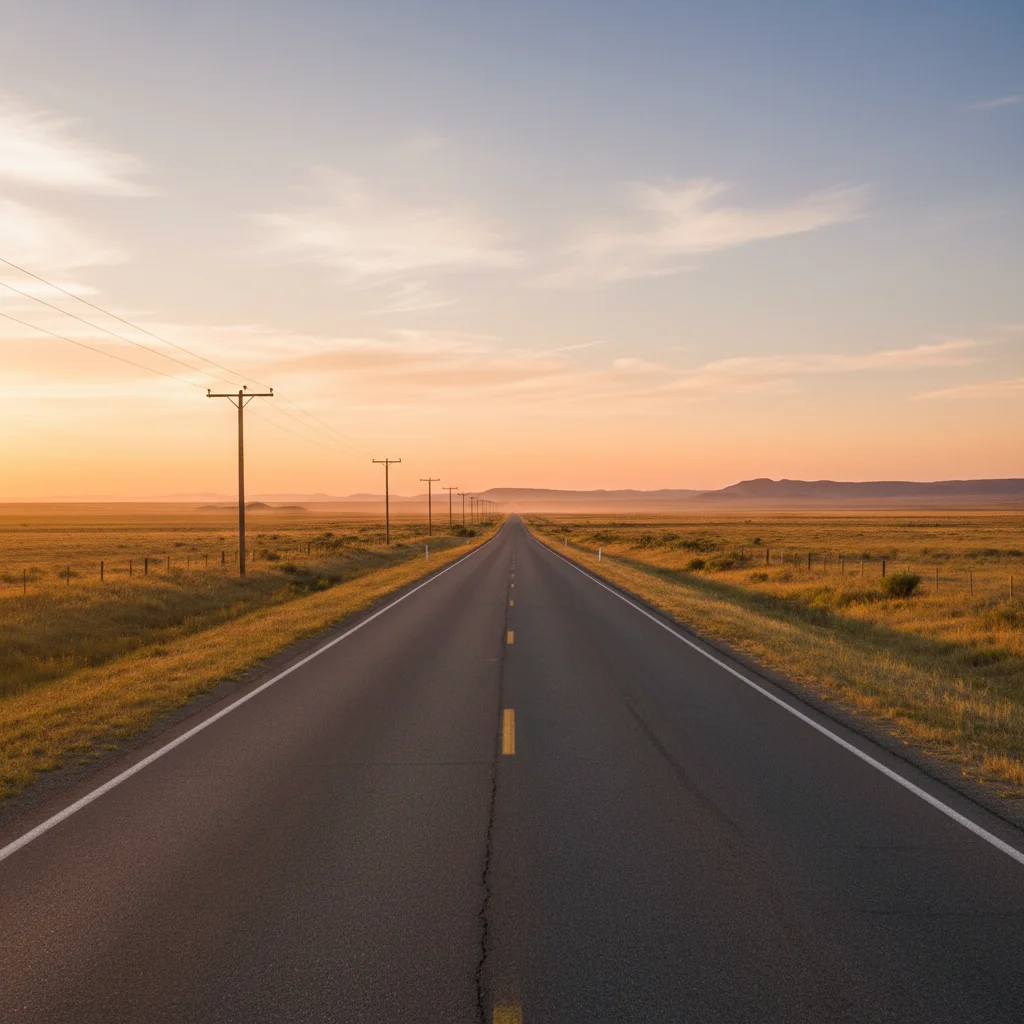
Empty road stretching to horizon at sunset with telephone poles
Before
->
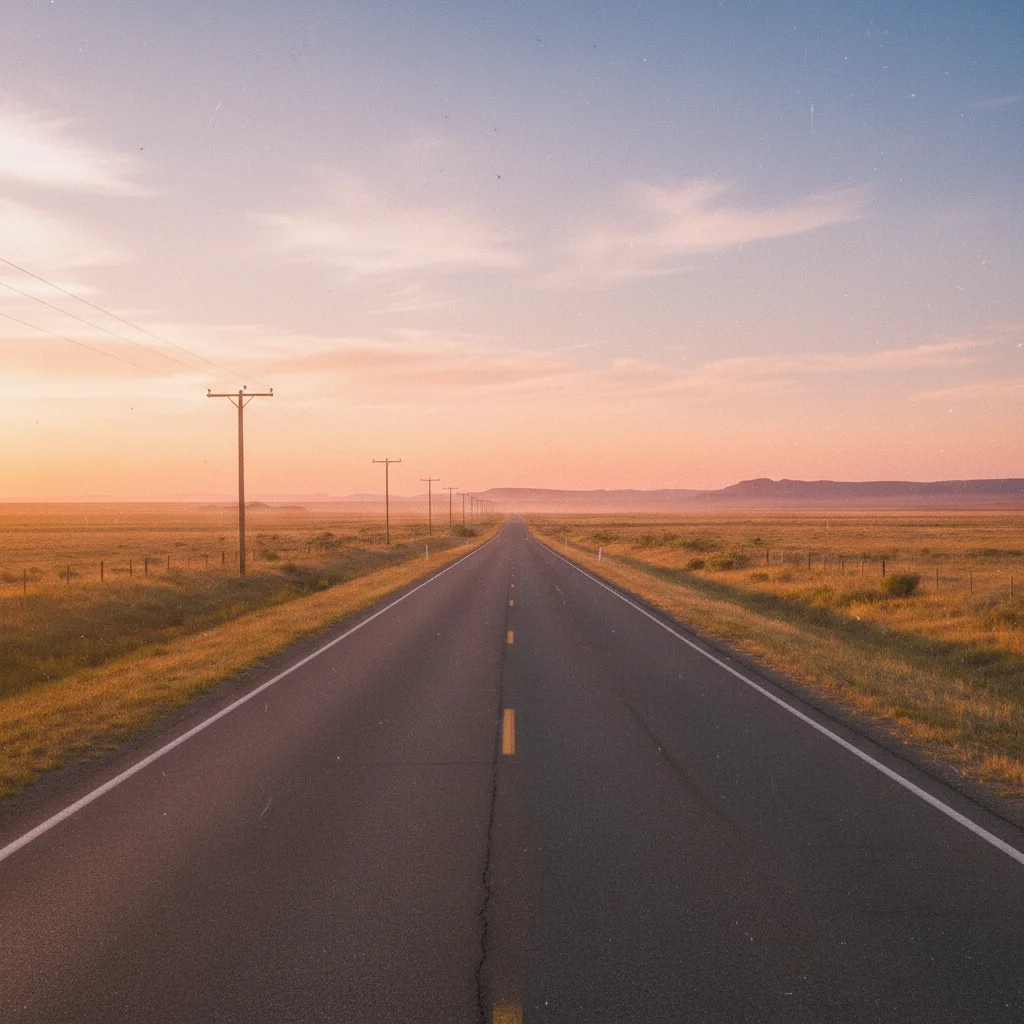
Same road scene as dreamy lo-fi album cover with pastel tones and film grain
After

Landscape to dreamy lo-fi album cover

A sunset landscape photo converted into nostalgic, dreamy album artwork with vintage film grain and soft pastels.

Prompt: create a dreamy lo-fi album cover from this photo with soft pastel colors, vintage film grain, hazy glow, and nostalgic atmosphere
Advertisement

If something looks off

AI changed the wrong area or something I didn't want changed

Why: The AI couldn't determine which part you wanted to transform from description alone.

Try: Tap a marker on the specific area you want the album cover effect applied to, then regenerate with the same prompt

Tip: Markers tell the AI 'I mean THIS area specifically.' Use them for targeted style application.

Result looks like a filtered photo, not professional album art

Why: The AI applied too subtle a transformation, preserving too much of the original photo's look.

Try: transform this into highly stylized album cover artwork with dramatic artistic treatment, not a photo filter—make it look like designed cover art

Tip: 'Highly stylized' and 'designed cover art, not a photo filter' pushes the AI toward bolder artistic choices.

No space for artist name and album title text

Why: The AI filled the entire composition with detail, leaving no room for typography.

Try: transform into album cover art with clear open space in the top third for text and a simpler, less busy composition overall

Tip: Always mention 'space for text' in your prompt. Album covers need breathing room for artist name and title.

Style doesn't match my music genre

Why: The AI defaulted to a generic artistic style instead of genre-specific aesthetics.

Try: transform into [specific genre] album cover art with [genre-specific elements like 'dark atmospheric' for metal or 'pastel dreamy' for indie]

Tip: Name your genre explicitly. 'Hip-hop cover art' produces very different results from 'country album cover.'

Image doesn't look good at small sizes (Spotify thumbnail)

Why: The composition has too much fine detail that gets lost at thumbnail size.

Try: transform into album cover with bold, high-contrast elements that read clearly at small sizes, strong central focal point

Tip: Album covers must work at 300x300px on streaming platforms. Ask for 'bold, high-contrast' for thumbnail legibility.

Quick answers

Do I need to mark any areas before creating album cover art?

No! Just upload your photo and describe the album cover style: 'transform this into moody album cover art.' The AI handles the entire transformation. Only use markers if you want to keep certain areas untouched while stylizing others.

How do I make an album cover from a photo for free?

Upload your photo to EditThisPic and type 'transform this into album cover art with dark moody atmosphere and cinematic color grading.' The AI generates professional-looking album artwork in about 30 seconds. Free to use, no account needed, no watermark.

Is there a free album cover maker that doesn't require login?

Yes. EditThisPic creates album cover art from photos with no signup required. Upload your image, describe the genre aesthetic, and download. No watermarks, no account walls. Add text in your favorite design app afterward.

What's the best free AI tool for making album covers from photos?

EditThisPic lets you describe the exact album aesthetic—hip-hop moody, indie dreamy, electronic minimal, or psychedelic. Unlike template-based tools, you control the artistic direction. Free, no login, results in 30 seconds.

Ready to create your album cover?

Free to try. No signup required.

Try it free