Free โ€ข No signup Create Collage ยท Free

AI Collage Maker

Describe your collage layout - AI arranges photos artistically.
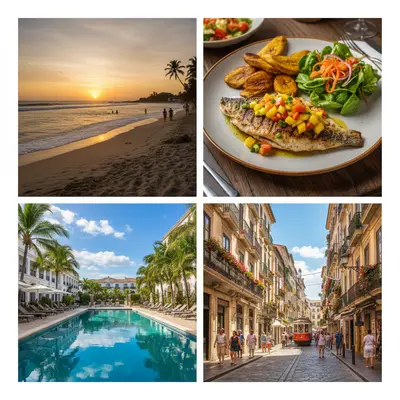
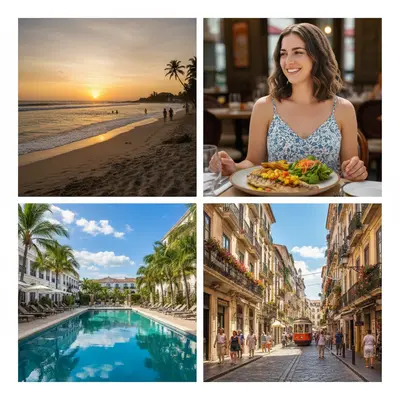
Four individual vacation photos
Before
โ†’
Four photos arranged in clean 2x2 grid collage with white borders
After

Create Photo Collages

Drop your photo here

or click to browse

Release to upload

Free โ€ข No signup

Advertisement
Popular use cases:
  • Instagram collages
  • vacation memories
  • family photo collages
  • product showcase
  • before and after
  • event highlights
  • social media posts
  • gift photo collages

Cost
Free No signup required
Time
Instant results in 15-30 seconds
Works on
Any device - browser, phone, tablet, desktop
Powered by
AI-powered photo editing
Scenario Prompt Time
Instagram grid collage create a 2x2 grid collage with white borders between photos 25s
Scrapbook vacation collage create a scrapbook collage with photos slightly overlapping, vintage style with cream background 30s
Hero product collage create a collage with the first photo large on the left, and 4 smaller photos in a 2x2 grid on the right 30s

How it works

  1. Upload your photos

    Drop 2-10 photos into EditThisPic. JPG, PNG, WebP up to 7MB each. Mix portrait and landscape orientations - the AI will arrange them beautifully.

    Expect: 2-4 photos: 20-30 seconds. 5-10 photos: 30-45 seconds. Complex artistic layouts may need one refinement.
  2. Describe your collage layout

    Type 'create a grid collage with white borders' or 'arrange these photos in a scrapbook style with overlapping edges.' Specify layout type (grid, freeform, scrapbook), spacing (tight, loose), borders (none, thin white, thick black), and overall style.

    Tip: Mention photo emphasis: 'make the first photo larger as the focal point' for hero-style layouts

    Copy one of these to get started:

    Simple grid collage for social media create a 2x2 grid collage with white borders between photos
    Scrapbook-style vacation collage create a scrapbook collage with photos slightly overlapping, vintage style with cream background
    Hero photo with smaller supporting images create a collage with the first photo large on the left, and 4 smaller photos in a 2x2 grid on the right
    Tight mosaic with no spacing create a mosaic collage with photos tightly fitted together, no borders or gaps
    3 more prompts
    Polaroid-style photo wall create a collage that looks like polaroid photos pinned to a wall, slightly rotated angles, white borders
    Timeline collage showing progression arrange photos in a horizontal timeline from left to right with arrows connecting them
    Circular arrangement around center arrange photos in a circle around a central image with equal spacing
  3. Review the layout

    Check that photo positions work well together, borders are even, and important parts of photos aren't cropped awkwardly. Zoom to 100% to verify quality.

  4. Download your collage

    Download the finished collage in high resolution. Perfect for printing, social media posts, or digital sharing.

Try it free โ†“

Create Photo Collages

Drop your photo here

or click to browse

Release to upload

Free โ€ข No signup

"Made a vacation collage in seconds. Just described what I wanted and it perfectly arranged all 6 photos with nice spacing." @memory_keeper

See it in action

Four individual vacation photos
Before
->
Four photos arranged in clean 2x2 grid collage with white borders
After

Vacation grid collage

Four vacation photos arranged in a clean grid with white borders for Instagram.

Prompt: create a 2x2 grid collage with white borders between photos
Six separate family photos
Before
->
Six family photos in artistic scrapbook collage with vintage styling
After

Scrapbook family collage

Six family photos arranged with overlapping edges and vintage styling.

Prompt: create a scrapbook collage with photos slightly overlapping, vintage style with cream background
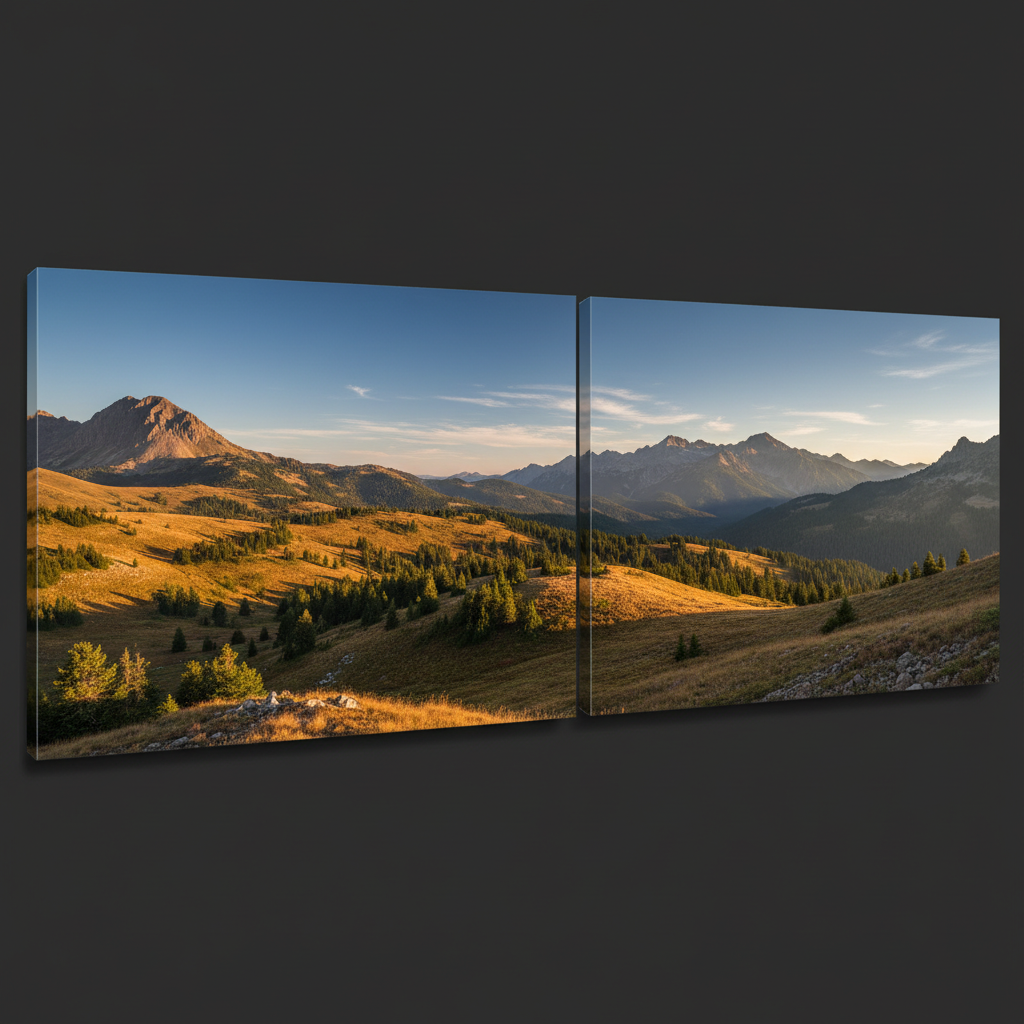
Five separate product photos
Before
->
Product collage with large hero image and four smaller detail shots
After

Hero product collage

One large product photo with four detail shots showing different angles.

Prompt: create a collage with the first photo large on the left, and 4 smaller photos in a 2x2 grid on the right
Advertisement

If something looks off

Photos are cropped awkwardly, cutting off faces or important details

Why: The AI tries to fit photos into the layout grid, which may crop edges to maintain aspect ratios.

Try: Add 'without cropping' to your prompt: 'create a grid collage with white borders, fit full photos without cropping'

Tip: Freeform layouts crop less than rigid grids. Try 'scrapbook style' if grid crops too much.

Layout looks unbalanced or crowded

Why: Too many photos in a small space or uneven distribution of visual weight.

Try: Request more spacing: 'create a collage with generous white space between photos' or reduce photo count

Tip: Less is more. 3-6 photos usually look better than trying to fit 10.

Border sizes are inconsistent

Why: Artistic layouts may vary border width for visual interest, which may not match your vision.

Try: Specify exact borders: 'create a grid with 20 pixel white borders, all equal thickness'

Tip: Add 'uniform' or 'equal' when you want consistent spacing everywhere.

Photo order doesn't match what I wanted

Why: AI arranges photos for visual balance, not necessarily in upload order.

Try: Specify order: 'arrange photos left to right in the order uploaded' or 'place the photo of [description] in the center'

Tip: Describe specific photos by their content to control placement.

AI changed the wrong area or something I didn't want changed

Why: The AI couldn't determine exactly which area you meant from description alone. This happens with ambiguous requests.

Try: Tap a marker on the specific area you want to change, then regenerate with the same prompt

Tip: Markers tell the AI 'I mean THIS one specifically.' Use them when description alone is ambiguous.

Quick answers

Do I need to manually position photos before creating a collage?

No! Just describe the layout you want: 'create a 2x2 grid collage with white borders' or 'arrange in a scrapbook style.' The AI automatically positions and sizes all photos. Only use markers if you want to fine-tune specific photo placements after seeing the first result.

Is there a free collage maker that works without signup?

Yes - EditThisPic's Collage Maker is completely free to try with no account needed. Upload 2-10 photos, describe your layout, and download your collage in seconds. No watermarks, no templates to choose from - just describe what you want.

How many photos can I include in one collage?

You can include 2-10 photos in a single collage. For best visual results, 3-6 photos work best - enough variety without feeling cramped. More than 6 photos may require smaller individual photo sizes.

Can I control which photo goes where in the layout?

Yes. Describe specific positions: 'place the sunset photo large in the center, with 4 smaller photos around the edges' or 'arrange photos left to right in upload order.' The AI understands positional and size instructions.

What collage styles work best for social media?

Grid layouts (2x2, 3x3) with white borders work perfectly for Instagram and Facebook. For stories, try vertical arrangements. For headers, use horizontal layouts. Mention the platform in your prompt: 'create an Instagram grid collage.'

Ready to create your photo collage?

Free to try. No signup required.

Try it free โ†’