Free • No signup Generate Baby face · Free

AI Baby Face Generator

Describe the baby face transformation and AI generates it instantly. No marking needed.
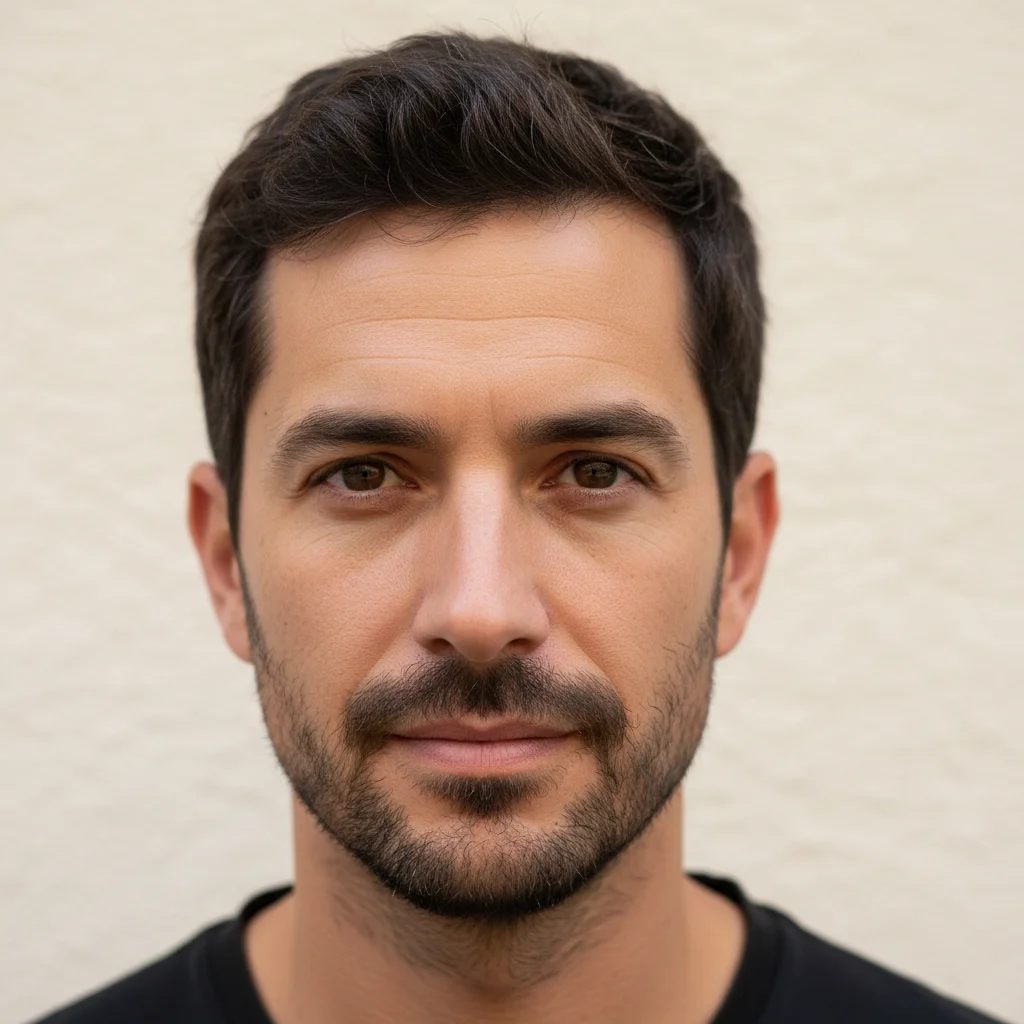
Man in his 30s with brown eyes and short dark hair
Before
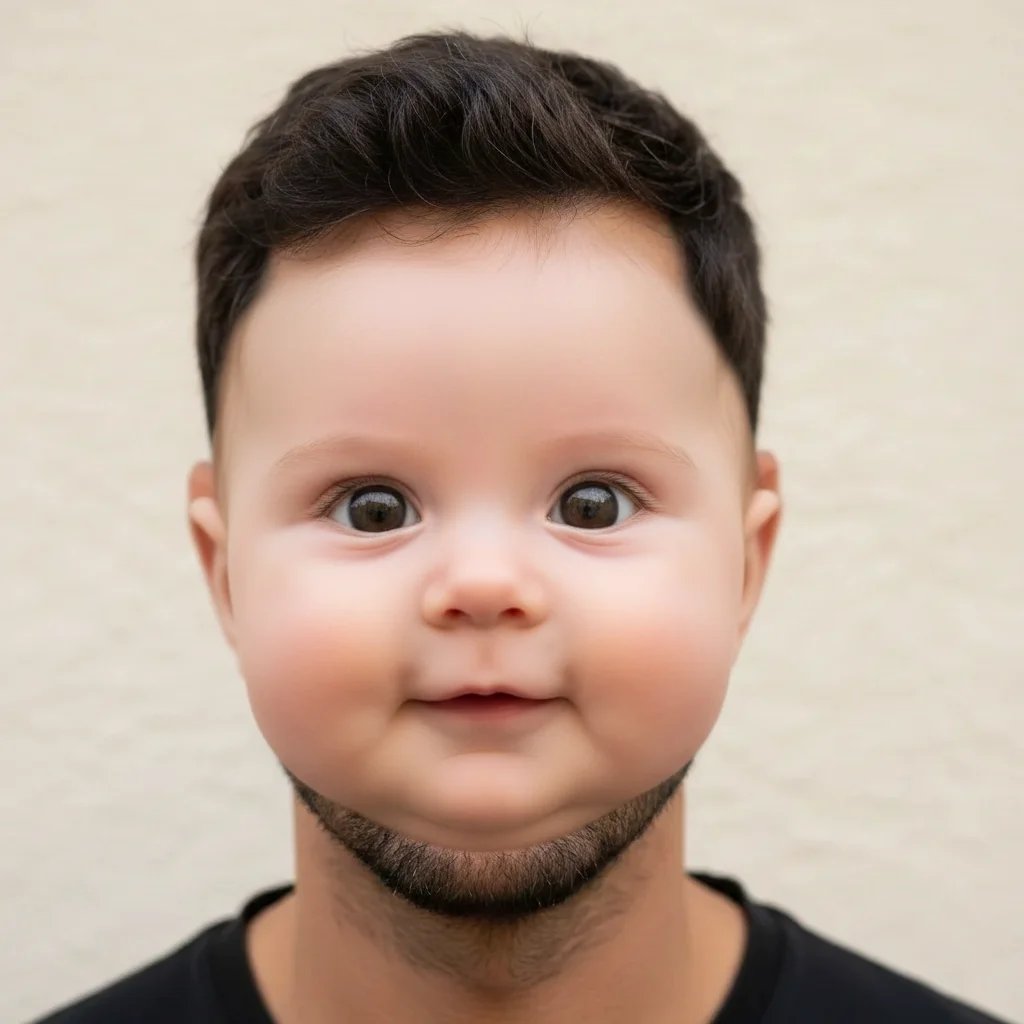
Adorable baby version with preserved brown eyes and similar features
After

AI Baby Face Generator

Drop your photo here

or click to browse

Release to upload

Free • No signup

Advertisement
Popular use cases:
  • baby face prediction
  • infant face generator
  • baby filter
  • baby face challenge
  • social media fun
  • family resemblance
  • viral photo trend
  • baby face app

Cost
Free No signup required
Time
Instant results in 15-30 seconds
Works on
Any device - browser, phone, tablet, desktop
Powered by
AI-powered photo editing
Scenario Prompt Time
Classic baby face transform this face into a baby version 30s
Specific age baby make this person look like a 6-month-old infant 35s
Expressive baby make this into a laughing baby with rosy cheeks 40s

How it works

  1. Upload your photo

    Drop your image into EditThisPic. JPG, PNG, WebP up to 7MB. Clear face photos with good lighting work best. Front-facing portraits give the most recognizable baby face results.

    Expect: Standard baby face: 30-40 seconds. Highly detailed transformations: 45-60 seconds and may need refinements.
  2. Describe the baby transformation

    Type what you want: 'transform this face into an adorable baby version' or 'make this person look like a 1-year-old infant with chubby cheeks.' Be specific about baby features you want to see. No marking needed—the AI understands faces and applies baby-like features automatically.

    Tip: Mention specific baby features like 'chubby cheeks', 'big round eyes', or 'button nose' for more accurate and adorable results.

    Copy one of these to get started:

    Classic baby face transform this person's face into an adorable baby version with chubby cheeks, big round eyes, and a tiny button nose
    Infant version make this person look like a 6-month-old infant, keep their eye color and facial resemblance
    Toddler look transform this face into a cute 2-year-old toddler with wispy hair and round cheeks, keeping the same eye shape
    Laughing baby make this person into a laughing baby with a big gummy smile, sparkling eyes, and rosy cheeks
    3 more prompts
    Newborn style transform this face into a sleeping newborn baby wrapped in a soft blanket, peaceful expression
    Baby with accessories make this person into an adorable baby wearing a tiny knit hat and onesie, sitting up and smiling
    Preserve family resemblance generate a baby version of this face that clearly shows family resemblance, same nose and eye shape but as an infant
  3. Review the baby face

    Check that the baby face preserves recognizable features from the original. Look for familial resemblance in the eyes, nose shape, or face structure. The result should look like a plausible baby version of the person.

  4. Refine with markers if needed

    If specific features like the eyes, nose, or cheeks need adjustment, tap markers on those spots and regenerate. Most baby face transformations look charming on the first try.

    Tip: Markers are for precision refinement only. Try without them first—you usually won't need them.
Try it free

AI Baby Face Generator

Drop your photo here

or click to browse

Release to upload

Free • No signup

"My wife and I used this to see what our baby faces would look like and then compared to our actual baby photos. The resemblance was uncanny. Our friends couldn't tell which was real!" @NewDad_Marcus

See it in action

Man in his 30s with brown eyes and short dark hair
Before
->
Adorable baby version with preserved brown eyes and similar features
After

Adult man to baby face

A 30-year-old man's portrait transformed into an adorable baby version preserving his distinctive features.

Prompt: transform this person's face into an adorable baby version with chubby cheeks, big round eyes, and a tiny button nose
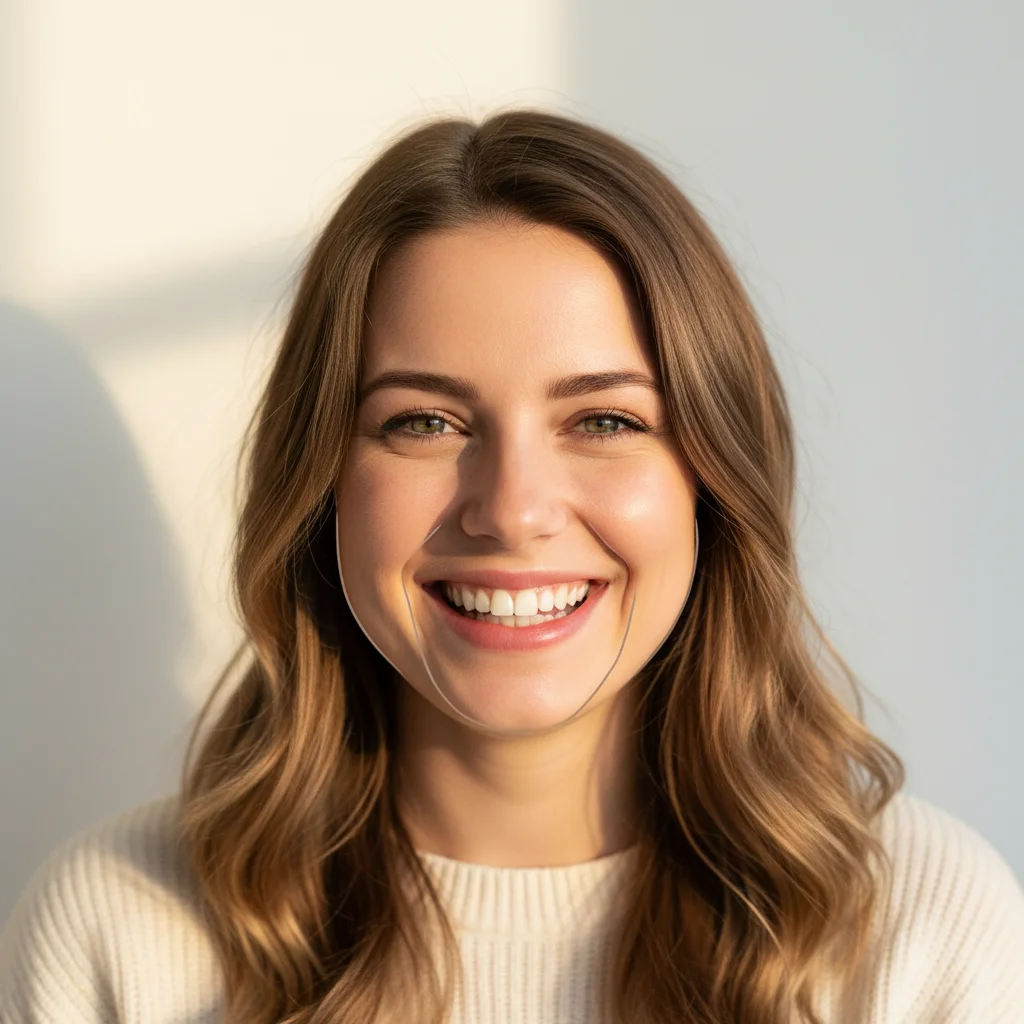
Smiling woman with green eyes and light brown hair
Before
->
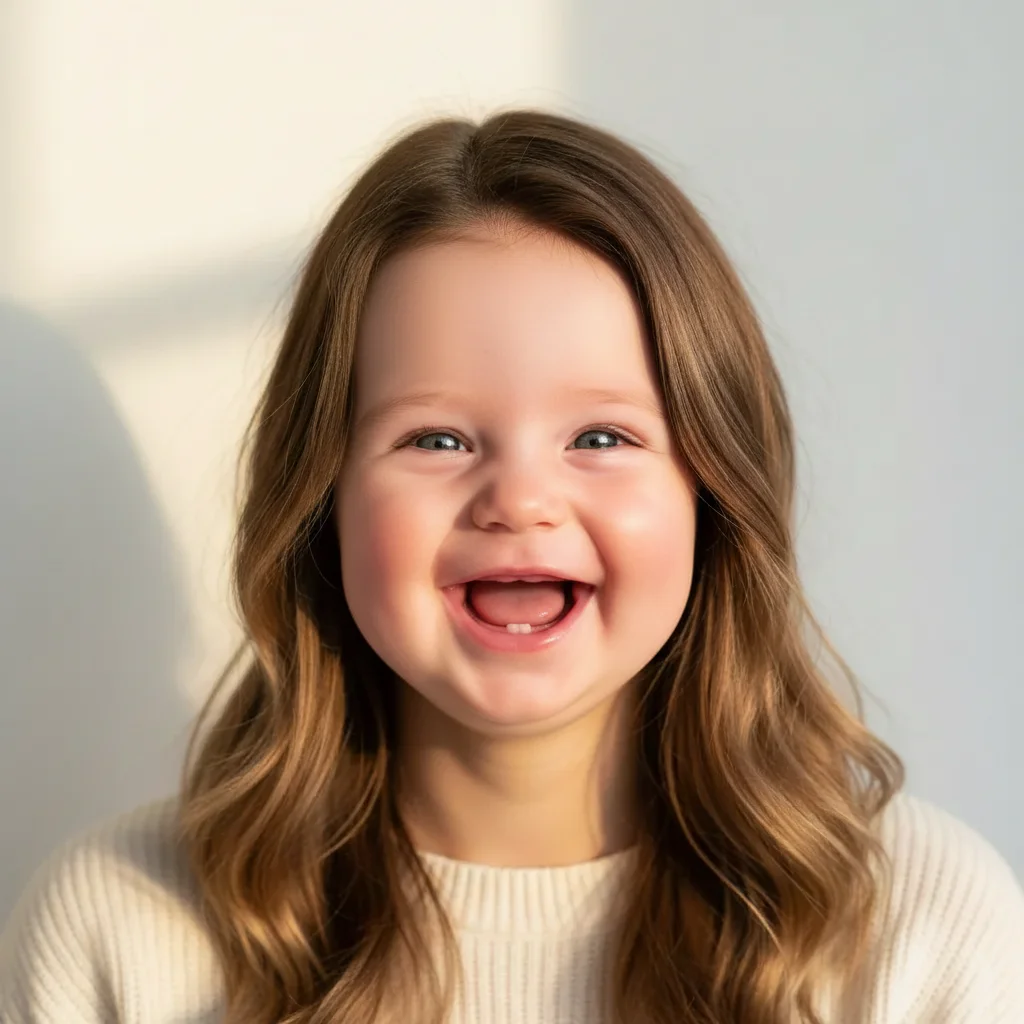
Laughing baby with similar green eyes and rosy cheeks
After

Woman to laughing baby

A woman's smiling portrait transformed into a joyful laughing baby with recognizable familial features.

Prompt: make this person into a laughing baby with a big gummy smile, sparkling eyes, and rosy cheeks
Advertisement

If something looks off

AI changed the wrong area or something I didn't want changed

Why: The AI couldn't determine exactly which face you meant from description alone. This happens with group photos or ambiguous instructions.

Try: Tap a marker on the specific face you want to transform into a baby, then regenerate with the same prompt

Tip: Markers tell the AI 'I mean THIS face specifically.' Use them when there are multiple people in the photo.

Baby doesn't resemble the original person at all

Why: The AI generated a generic baby face instead of preserving the distinctive features from the original photo.

Try: transform this face into a baby version while preserving the original eye shape, nose structure, and facial proportions

Tip: Explicitly naming features to preserve ('same eye shape', 'same nose') forces the AI to maintain resemblance.

Result looks like a shrunk adult face, not a real baby

Why: The AI only scaled down features without applying baby-specific proportions like larger head-to-body ratio and softer features.

Try: make this face into a realistic baby with proper infant proportions - bigger forehead, bigger eyes relative to face, smaller chin

Tip: Baby proportions are different from adults: bigger forehead, eyes lower on face, smaller chin. Mentioning these helps.

Skin texture looks unnatural on the baby face

Why: The AI kept adult skin texture details instead of generating soft, smooth baby skin.

Try: generate a baby version with soft, smooth infant skin - no pores, no lines, just natural baby skin texture

Tip: 'Soft smooth infant skin' tells the AI to use appropriate skin texture rather than downscaling adult skin.

Background or body looks distorted after transformation

Why: The AI tried to transform the entire image instead of focusing on facial features for the baby conversion.

Try: only transform the face into a baby version, keep the background and surroundings unchanged

Tip: Adding 'only transform the face' limits the AI's scope and prevents unwanted background changes.

Quick answers

Do I need to mark my face before generating a baby version?

No! Just describe what you want: 'make this person into a baby' or 'transform this face into an infant.' The AI automatically detects the face and applies baby features. Only use markers if there are multiple faces and you want to transform just one.

How do I generate a baby face from my photo for free?

Upload a clear selfie or portrait to EditThisPic and type 'transform this face into an adorable baby version.' The AI generates a baby face preserving your distinctive features in about 30 seconds. Specify features like 'chubby cheeks' and 'big eyes' for the best results.

Is there a free AI baby face generator that doesn't need an account?

Yes, EditThisPic is free to try with no account or signup needed. Upload your photo, describe the baby transformation, and download the result. No watermarks. Perfect for fun predictions and social sharing.

Can the AI predict what my actual baby would look like?

The AI creates a fun baby version based on your facial features, but it cannot predict genetics or how a real baby would look. It preserves recognizable features like eye shape and facial structure, making it great for entertainment and social sharing, though not a scientific prediction.

Ready to generate your baby face?

Free to try. No signup required.

Try it free