Free • No signup Apply Gender swap filter · Free

AI Gender Swap Filter

Describe the gender transformation and AI changes your appearance instantly. No marking needed.

Man with full dark beard and strong jawline
Before
Same person transformed to look female with long hair and softer features
After

AI Gender Swap Filter

Drop your photo here

or click to browse

Release to upload

Free • No signup

Advertisement
Popular use cases:
  • gender swap filter
  • gender change photo
  • male to female filter
  • female to male filter
  • gender transformation
  • opposite gender photo
  • social media viral
  • party entertainment

Cost
Free No signup required
Time
Instant results in 15-30 seconds
Works on
Any device - browser, phone, tablet, desktop
Powered by
AI-powered photo editing
Scenario Prompt Time
Male to female transform this man to look like a woman 30s
Female to male make this woman look like a man 30s
Full styling transformation transform gender with makeup, hair, and styling 45s

How it works

  1. Upload your photo

    Drop your image into EditThisPic. JPG, PNG, WebP up to 7MB. Clear, well-lit face photos with the face visible from the front work best. Good lighting helps the AI generate more realistic gender-swapped features.

    Expect: Standard gender swap: 30-40 seconds. Detailed transformations with hair and makeup: 45-60 seconds and may need refinements.
  2. Describe the gender transformation

    Type what you want: 'transform this man to look like a woman with long hair and softer features' or 'make this woman look masculine with a strong jawline and short hair.' Be specific about which features to change. No marking needed—the AI understands facial gender characteristics.

    Tip: Mention specific features like 'softer jawline', 'fuller lips', 'stronger brow' to guide the AI toward a more convincing transformation.

    Copy one of these to get started:

    Male to female transformation transform this man to look like a woman with long flowing hair, softer jawline, fuller lips, and feminine features
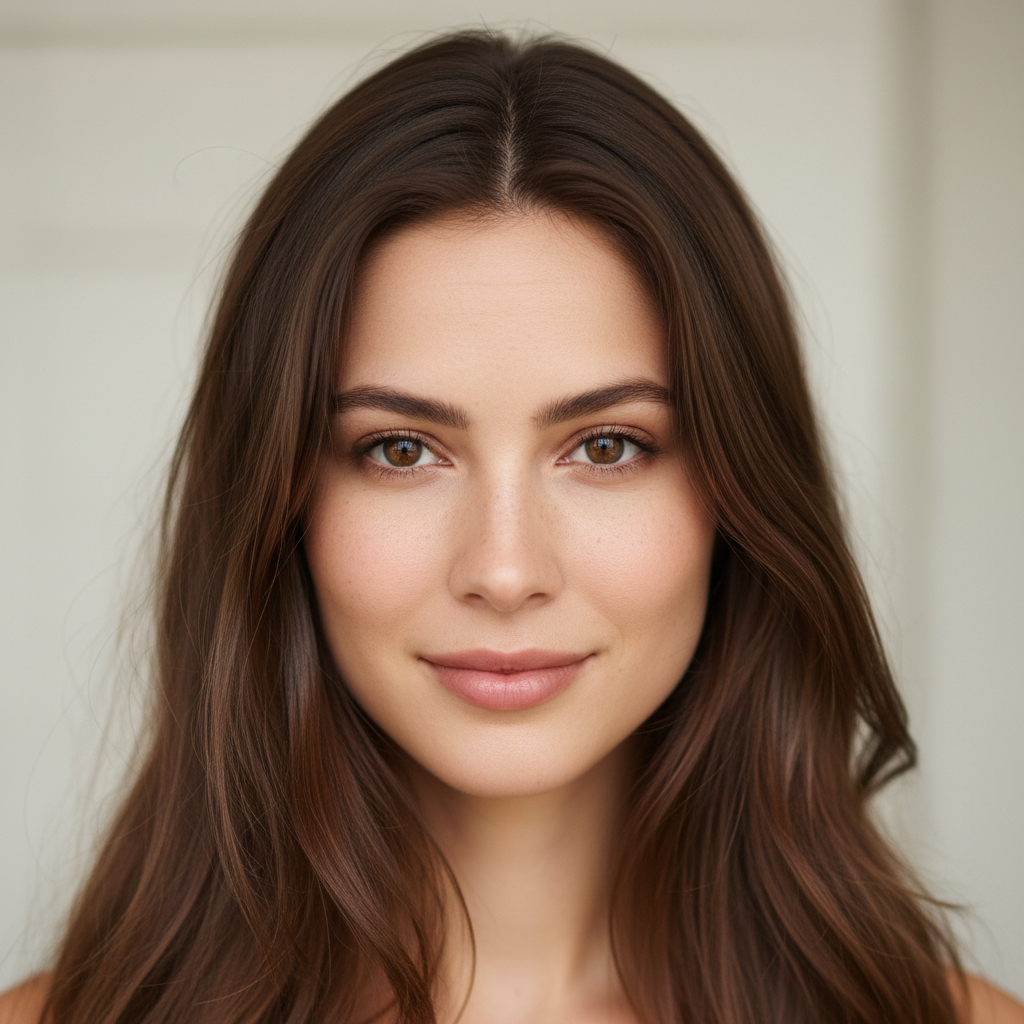
    Female to male transformation make this woman look like a man with short hair, stronger jawline, thicker eyebrows, and masculine features
    Subtle gender shift slightly feminize this face with softer features and longer eyelashes, keep the overall appearance similar
    Full makeover with styling transform this man into a glamorous woman with makeup, styled long hair, and a feminine outfit visible at the neckline
    3 more prompts
    Rugged masculine look make this person look ruggedly masculine with facial stubble, a strong square jaw, and thick defined eyebrows
    Androgynous look make this person look androgynous - softened features but not clearly masculine or feminine, medium-length hair
    Opposite gender twin create an opposite gender twin of this person - same facial identity but as the other gender, like a sibling
  3. Review the transformation

    Check that the gender-swapped face looks natural and realistic. Verify that the skin texture, facial proportions, and hair all work together cohesively. The person should still be recognizable as themselves.

  4. Refine with markers if needed

    If specific areas like the jawline, hairline, or eyebrows need more adjustment, tap markers on those spots and regenerate. Most gender swaps produce impressive results on the first try.

    Tip: Markers are for precision refinement only. Try without them first—you usually won't need them.
Try it free

AI Gender Swap Filter

Drop your photo here

or click to browse

Release to upload

Free • No signup

"My friends and I used this at a party and the results were so realistic that everyone wanted a turn. Some of the transformations were genuinely indistinguishable from real photos. Absolutely wild." @PartyVibes_Sam

See it in action

Man with full dark beard and strong jawline
Before
->
Same person transformed to look female with long hair and softer features
After

Man to woman transformation

A bearded man's portrait transformed into a convincing feminine version with long hair and softened features.

Prompt: transform this man to look like a woman with long flowing hair, softer jawline, fuller lips, and feminine features
Woman with long auburn hair and delicate features
Before
->
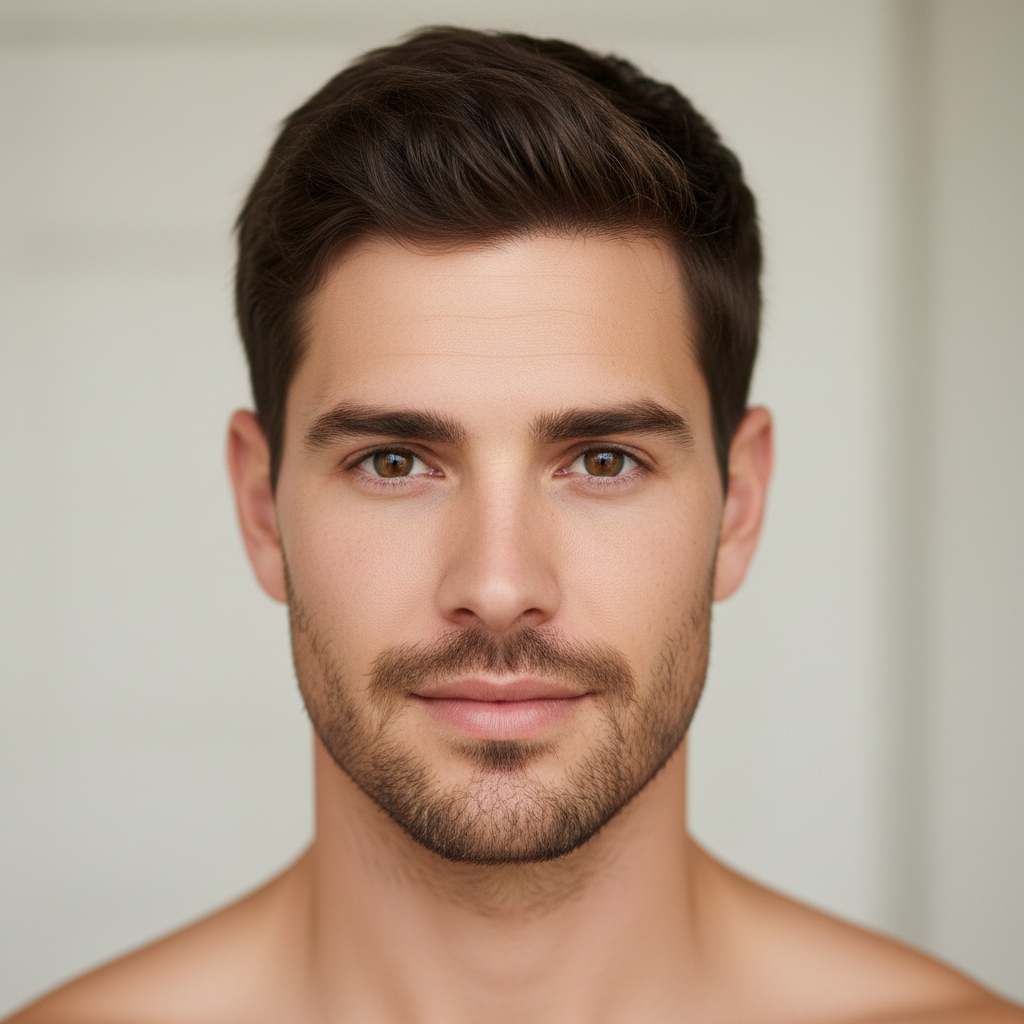
Same person transformed to look male with short hair and stronger jawline
After

Woman to man transformation

A woman's portrait transformed into a convincing masculine version with shorter hair and stronger features.

Prompt: make this woman look like a man with short hair, stronger jawline, thicker eyebrows, and masculine features
Advertisement

If something looks off

AI changed the wrong area or something I didn't want changed

Why: The AI couldn't determine exactly what to transform from description alone. This happens with group photos or ambiguous instructions about which features to change.

Try: Tap a marker on the specific face you want to gender-swap, then regenerate with the same prompt

Tip: Markers tell the AI 'I mean THIS face specifically.' Use them when there are multiple people in the photo.

Result looks like a different person entirely

Why: The AI applied too many changes at once, altering identity-defining features along with gender-specific ones.

Try: transform the gender presentation while preserving the original facial identity - same eyes, same nose shape, same smile

Tip: 'Preserve facial identity' and naming specific features to keep ensures the person remains recognizable.

Hair looks pasted on or unnatural

Why: The AI generated the new hairstyle as a separate layer instead of integrating it naturally with the head shape.

Try: change the hairstyle to [description] that flows naturally from the head, matching the lighting and photo style

Tip: 'Flows naturally from the head' tells the AI to blend the hairline instead of layering hair on top.

Skin texture doesn't match between face and neck

Why: The AI transformed the face but left the neck with its original skin texture, creating a visible mismatch.

Try: apply the gender transformation to the entire visible face and neck area, matching skin texture throughout

Tip: Mentioning 'face and neck area' extends the transformation below the jawline for consistency.

Transformation is too subtle or barely noticeable

Why: The AI applied conservative changes, possibly because the instruction was too vague about what to change.

Try: dramatically transform this person's gender presentation - change jawline, hair, eyebrows, lips, and skin texture to look distinctly [male/female]

Tip: Listing specific features to change gives the AI permission to make bolder, more noticeable transformations.

Quick answers

Do I need to mark my face before applying a gender swap?

No! Just describe the transformation: 'make this man look like a woman' or 'transform to masculine features.' The AI detects the face and applies gender changes automatically. Only use markers if there are multiple people and you want to transform just one person.

How do I apply a gender swap filter to my photo for free?

Upload a clear selfie to EditThisPic and type the transformation you want. For male to female: 'make this person look female with longer hair and softer features.' For female to male: 'make this person look male with short hair and stronger jawline.' Results appear in 30 seconds.

Is there a free gender swap filter that doesn't require login?

Yes, EditThisPic is free to try with no account needed. Upload your photo, describe the gender transformation, and download the result. No watermarks. Works for both male-to-female and female-to-male transformations.

Can the AI gender swap filter preserve my identity while changing gender?

Yes, the AI adjusts gender-specific features like jawline, hair, and facial softness while keeping your core identity intact. You should still be recognizable after the transformation. For best results, mention 'preserve facial identity' in your prompt.

Ready to try the gender swap filter?

Free to try. No signup required.

Try it free