Free • No signup Generate Profile picture · Free

AI Profile Picture Generator

Make every photo profile-worthy. Better lighting, cleaner backgrounds, polished look.
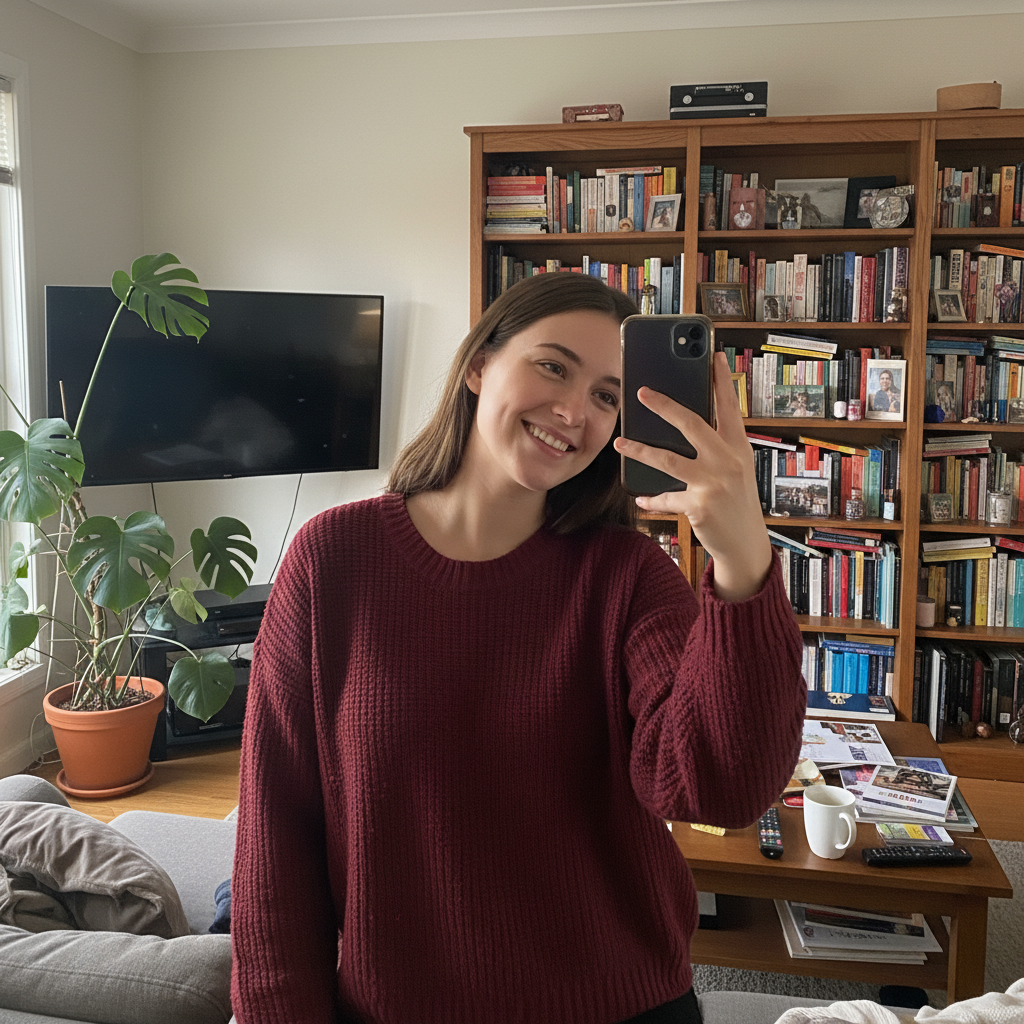
Living room selfie with bookshelf and clutter visible
Before
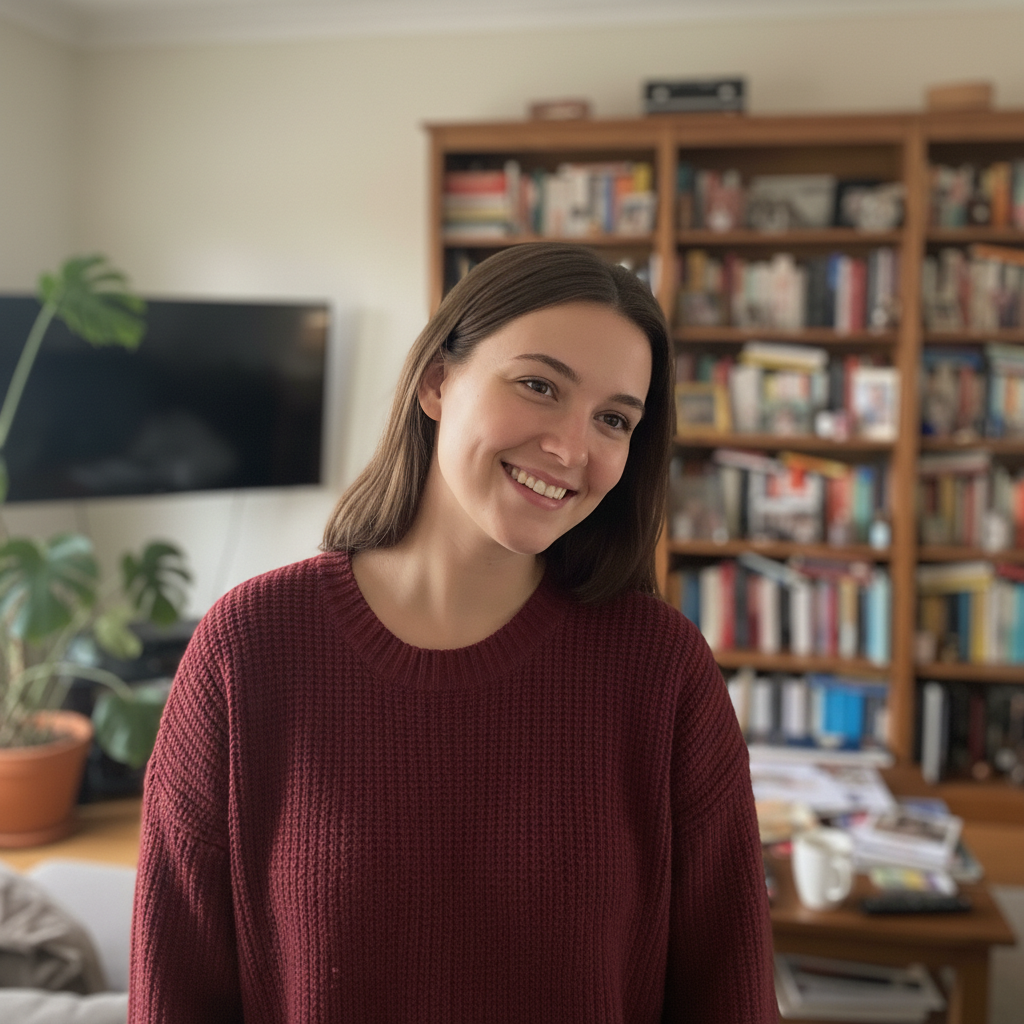
Polished profile picture with soft background blur
After

AI Profile Picture Generator

Drop your photo here

or click to browse

Release to upload

Free • No signup

Advertisement
Popular use cases:
  • AI profile picture generator
  • profile pic maker
  • pfp generator
  • Instagram profile picture
  • Twitter profile picture
  • dating app photos
  • social media profile photo
  • enhance profile picture

Cost
Free No signup required
Time
Instant results in 15-30 seconds
Works on
Any device - browser, phone, tablet, desktop
Powered by
AI-powered photo editing
Scenario Prompt Time
Instagram-ready generate polished profile picture with soft lighting, subtle blur 25s
Dating app create attractive profile picture with warm lighting, genuine look 25s
Twitter/X generate profile pic with high contrast, simple background 20s
Light fix only improve lighting for profile picture, keep natural 20s

How it works

  1. Upload your photo

    Drop any photo into EditThisPic. JPG, PNG, or WebP up to 7MB. Choose a photo where you like your expression—the AI will handle the rest. Even photos with messy backgrounds or poor lighting can be transformed.

    Expect: Simple enhancement: 20-30 seconds. Full background replacement: may need refinement for perfect edges.
  2. Describe the profile picture you want

    Type your instruction: 'generate a polished profile picture with soft lighting and blurred background' or 'create an Instagram-ready profile pic with vibrant colors.' Be specific about the look you're going for. No marking needed—the AI knows what makes a great profile photo.

    Tip: Mention the platform (Instagram, dating app, Twitter) and the AI will optimize for that context.

    Copy one of these to get started:

    Instagram or general social media generate a polished profile picture with soft flattering lighting, subtle background blur, natural skin enhancement
    Dating app profile create an attractive profile picture with warm lighting, genuine expression preserved, clean background
    Twitter/X profile generate a profile pic that looks good at small sizes, high contrast, clean simple background
    Professional but approachable create a profile picture that's polished but not corporate, soft background, friendly confident expression
    3 more prompts
    Vibrant and eye-catching generate an eye-catching profile picture with vibrant colors, enhanced lighting, personality showing through
    Natural outdoor look enhance this photo for profile use, keep natural outdoor lighting, blur background distractions, subtle polish
    Fix bad lighting only improve the lighting on my face for better profile picture quality, keep background as is
  3. Review your profile picture

    Check that you look natural and authentic—not over-processed. Your expression and personality should come through. Verify the background looks clean and the lighting flatters your face. Zoom in to check details.

  4. Refine with markers if needed

    If specific areas need adjustment—like hair edges or a specific blemish you want removed—tap markers on those spots and regenerate with more detailed instructions. Most profile pictures look great on the first try.

    Tip: Less is more. Subtle enhancement looks better than obvious editing.
Try it free

AI Profile Picture Generator

Drop your photo here

or click to browse

Release to upload

Free • No signup

"Updated my dating profile with photos I ran through here. My match rate went way up. The photos still look like me, just... better." @SwipeRightSuccess

See it in action

Living room selfie with bookshelf and clutter visible
Before
->
Polished profile picture with soft background blur
After

Living room selfie to Instagram-ready

Casual selfie with cluttered living room behind transformed into a polished profile picture with professional-looking background blur.

Prompt: generate a polished profile picture with soft flattering lighting, subtle background blur, natural skin enhancement
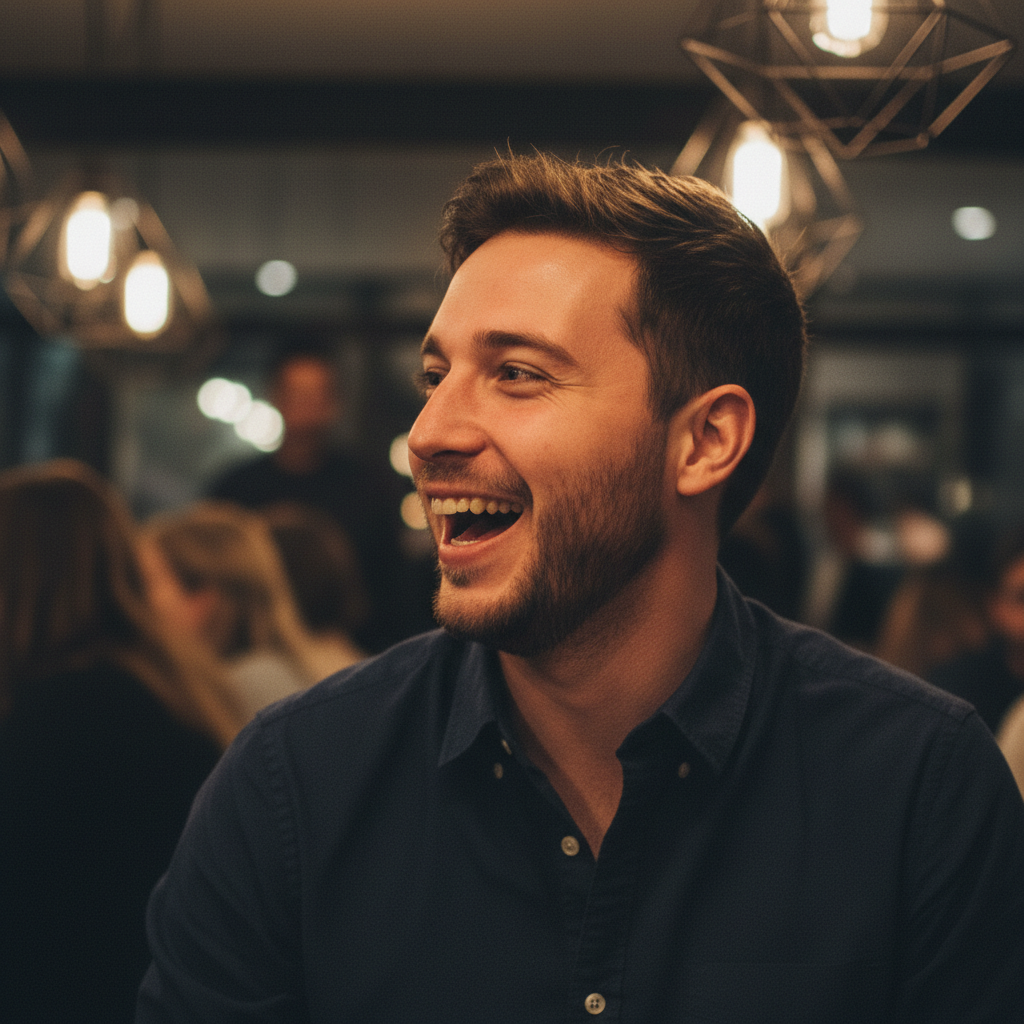
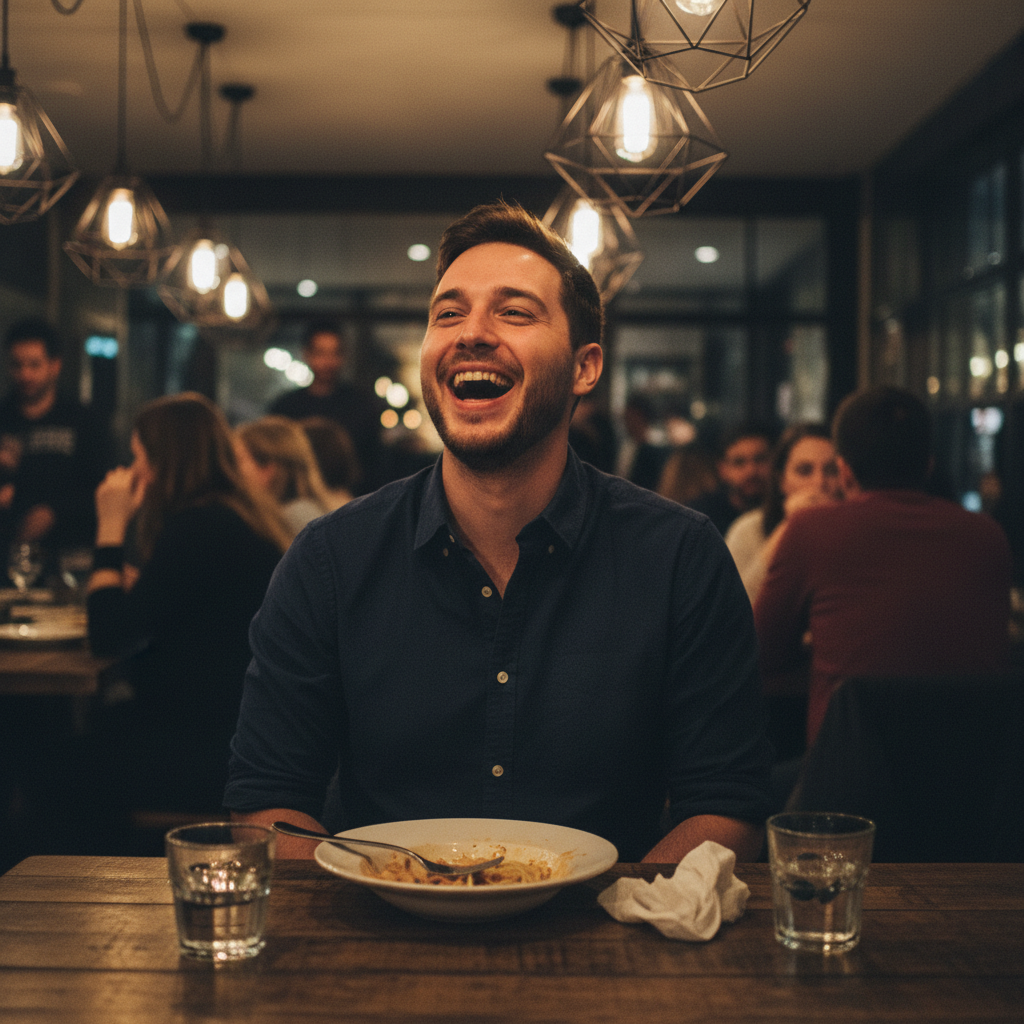
Restaurant photo with other diners in background
Before
->
Dating app ready profile with clean background
After

Restaurant photo to dating app ready

Photo taken at a restaurant with other diners visible. Enhanced for dating app use while keeping the authentic, candid feel.

Prompt: create an attractive profile picture with warm lighting, genuine expression preserved, clean background
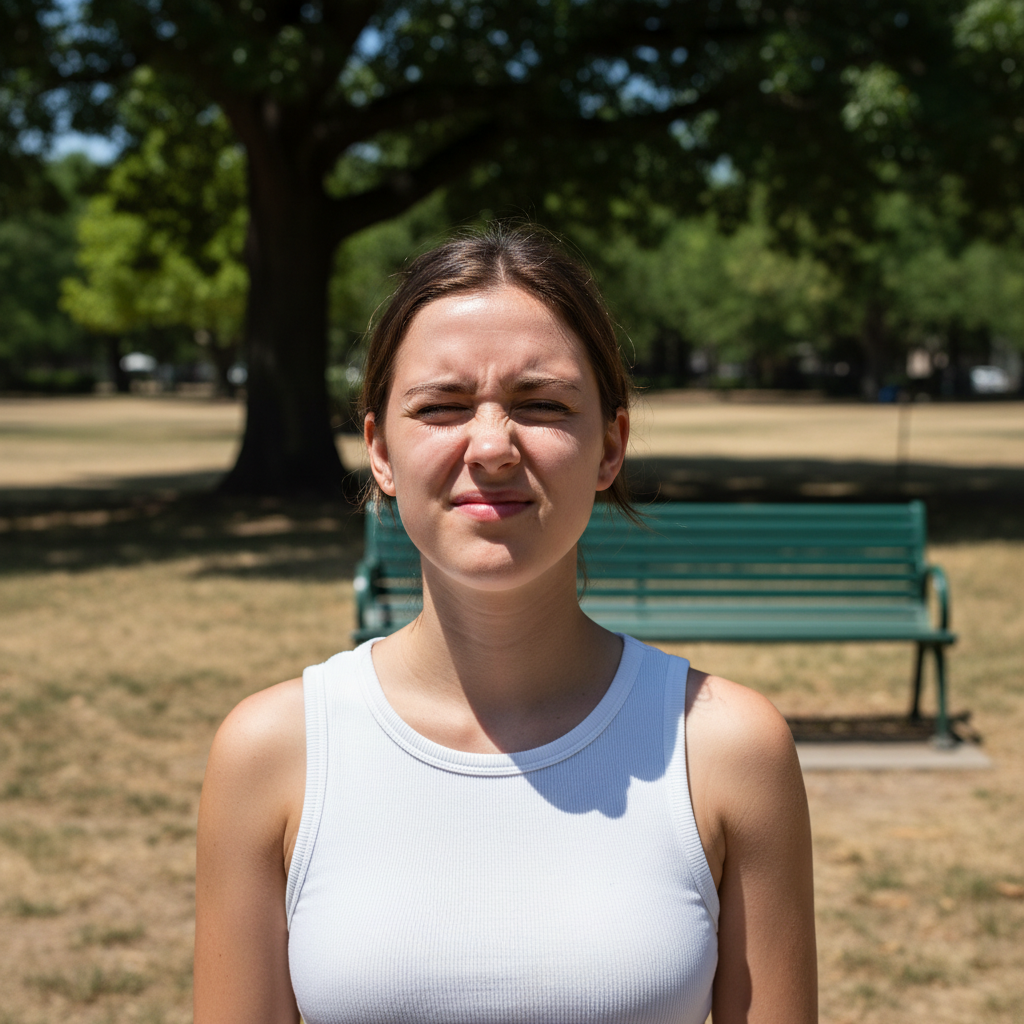
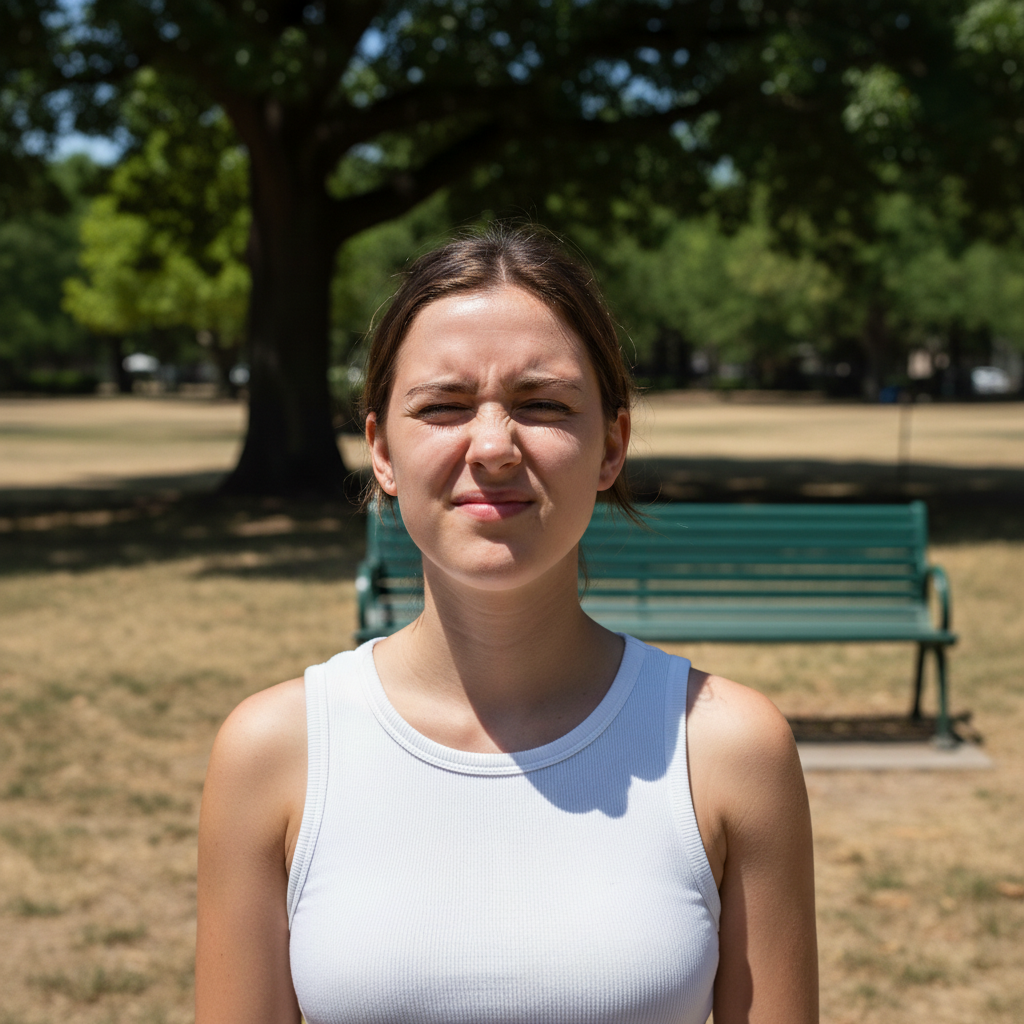
Outdoor photo with harsh midday shadows
Before
->
Soft, flattering profile picture with corrected lighting
After

Harsh sunlight to soft portrait

Outdoor photo with harsh midday shadows corrected to soft, flattering lighting while keeping the natural outdoor feel.

Prompt: enhance this photo for profile use, keep natural outdoor lighting, blur background distractions, subtle polish
Advertisement

If something looks off

AI changed the wrong area or something I didn't want changed

Why: The AI couldn't determine exactly which area you meant from description alone. This happens with ambiguous requests.

Try: Tap a marker on the specific area you want to change, then regenerate with the same prompt

Tip: Markers tell the AI 'I mean THIS one specifically.' Use them when description alone is ambiguous.

Photo looks obviously edited or fake

Why: Over-smoothing or excessive enhancement makes photos look artificial. Multiple enhancement requests can compound.

Try: generate profile picture with subtle natural enhancement only, keep skin texture and authentic look

Tip: Adding 'subtle' and 'natural' prevents the AI from over-processing. Less editing often looks better.

Lost my genuine expression

Why: Some enhancement processes can soften or change facial expressions slightly.

Try: enhance photo quality but preserve my exact expression and personality, no face changes

Tip: 'Preserve my exact expression' tells the AI to focus on lighting and background, not your face.

Background blur looks fake

Why: Artificial blur can have visible edges or look inconsistent, especially around hair.

Try: Tap markers on the edge areas, then: blend background blur naturally around hair and edges

Tip: Natural blur has gradual transitions. 'Subtle blur' usually looks better than 'heavy blur.'

Colors look wrong or unnatural

Why: Color enhancement may have shifted your skin tone or the overall palette.

Try: keep my natural skin tone and colors, just improve lighting and clarity

Tip: If you want vibrant colors but natural skin, try: 'enhance colors in background, keep natural skin tone.'

Quick answers

Do I need to mark anything before generating my profile picture?

No. Just describe what you want: 'generate a polished profile picture with soft lighting.' The AI knows what makes photos profile-worthy. Markers are only needed if you want to fix specific areas after the first result—like removing a particular blemish or fixing a specific edge.

How do I generate an AI profile picture for free?

Upload your photo to EditThisPic and type 'generate a polished profile picture with enhanced lighting and clean background.' The AI transforms your ordinary photo into a profile-worthy image in about 30 seconds. Free to try, no account needed, no watermarks.

Is there a free AI profile picture maker that doesn't require signup?

Yes. EditThisPic creates polished profile pictures from any photo without requiring an account or login. Just upload, describe the style you want, and download. No watermarks, no email required.

Will my profile picture still look like me?

Yes. EditThisPic enhances your actual photo—it doesn't generate a new face. Your features, expression, and personality stay the same. Only the lighting, background, and overall polish improve. If results look too edited, add 'subtle' and 'natural' to your prompt.

What's the best photo to use for AI profile picture generation?

Choose a photo where you like your expression—that's the hardest thing to change. The AI can fix lighting, background, and clarity, but your genuine smile or confident look should already be in the original. Avoid very blurry photos or extreme angles.

Ready to upgrade your profile picture?

Free to try. No signup required.

Try it free