Free β€’ No signup Style Hijab Β· Free

AI Hijab Styler

Describe the hijab style you want and see how it looks on your photo instantly.

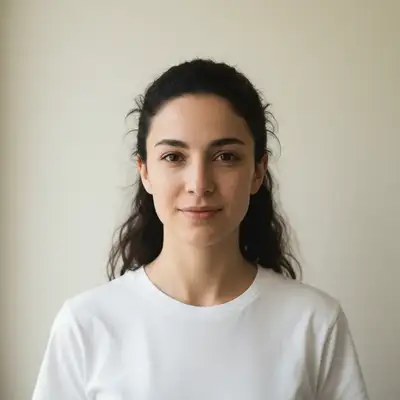
Woman with bare head wearing a simple white top
Before
β†’
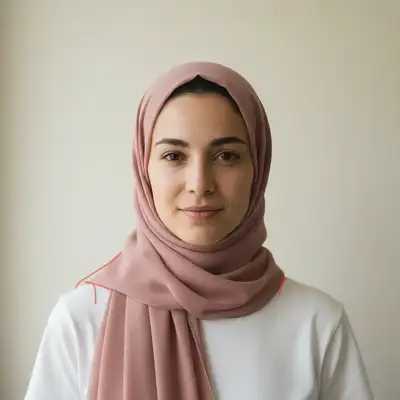
Same woman wearing a dusty rose chiffon hijab in a classic wrap
After

AI Hijab Styler

Upload photo to style hijab

Free β€’ Results in 30 seconds β€’ No signup

Release to upload

FreeNo signupNo watermark
Popular use cases:
  • hijab color preview
  • hijab style comparison
  • modest fashion
  • hijab shopping preview
  • Eid outfit planning
  • bridal hijab preview
  • hijab tutorial visualization
  • headscarf styling

Cost
Free No signup required
Time
Instant results in 15-30 seconds
Works on
Any device - browser, phone, tablet, desktop
Powered by
AI-powered photo editing
Scenario Prompt Time
Simple color preview style a sage green hijab in a classic wrap 30s
Specific style style a navy jersey hijab as a modern turban 40s
Formal bridal look style a white bridal hijab with lace and crystal pins 50s

How it works

  1. Upload your photo

    Upload a clear, front-facing portrait. Good lighting on the face and visible facial features give the AI the best foundation for hijab editing. JPG, PNG, WebP up to 7MB.

    Expect: Simple hijab styling: 30-40 seconds. Detailed styles with accessories or intricate wraps: 45-60 seconds and may need refinements.
  2. Describe the hijab style you want

    Type what you want: 'style a dusty pink chiffon hijab in a loose draped wrap' or 'put a patterned cotton hijab with a neat rectangular fold on this person.' Specify color, fabric, and wrapping style. No marking neededβ€”the AI understands hijab and headscarf terminology.

    Tip: Mention the wrapping style (classic wrap, turban, draped, layered, pinned) for the most accurate look.

    Copy one of these to get started:

    Classic chiffon wrap style a dusty rose chiffon hijab in a classic wrap with one end draped over the shoulder
    Modern turban style put a navy blue jersey hijab styled as a modern turban wrap with a neat front knot on this person
    Formal occasion hijab style an ivory silk hijab with pearl pins, elegantly draped in a formal layered style with soft pleats
    Everyday casual cotton style a sage green cotton hijab in a simple one-pin style, loosely draped and relaxed
    3 more prompts
    Patterned print hijab style a floral printed hijab in warm earth tones with a neat rectangular wrap and under-cap visible at the forehead
    Sporty athletic hijab put a lightweight black sport hijab that fits snugly around the head and neck, streamlined and no-fuss
    Bridal hijab style style a white bridal hijab with lace edges, draped elegantly with crystal pins and a matching veil overlay
  3. Review the result

    Check that the hijab sits naturally on the head and shoulders. Look for realistic fabric draping, proper coverage, and natural fold patterns. Verify the color and fabric texture match your description.

  4. Refine with markers if needed

    If the draping, coverage, or pin placement needs adjustment, tap markers on those specific areas and regenerate. Most hijab styles look natural on the first try.

    Tip: Markers are for precision refinement only. Try without them firstβ€”you usually won't need them.
Try it free ↓

AI Hijab Styler

Upload photo to style hijab

Free β€’ Results in 30 seconds β€’ No signup

Release to upload

Free β€’ No signup

"I was torn between 5 hijab colors for Eid. Uploaded my selfie, tried each shade in under a minute, and ordered the sage green because I could actually see how it complemented my skin tone. Saved me from another impulse buy." @HijabStyle_Amira

See it in action

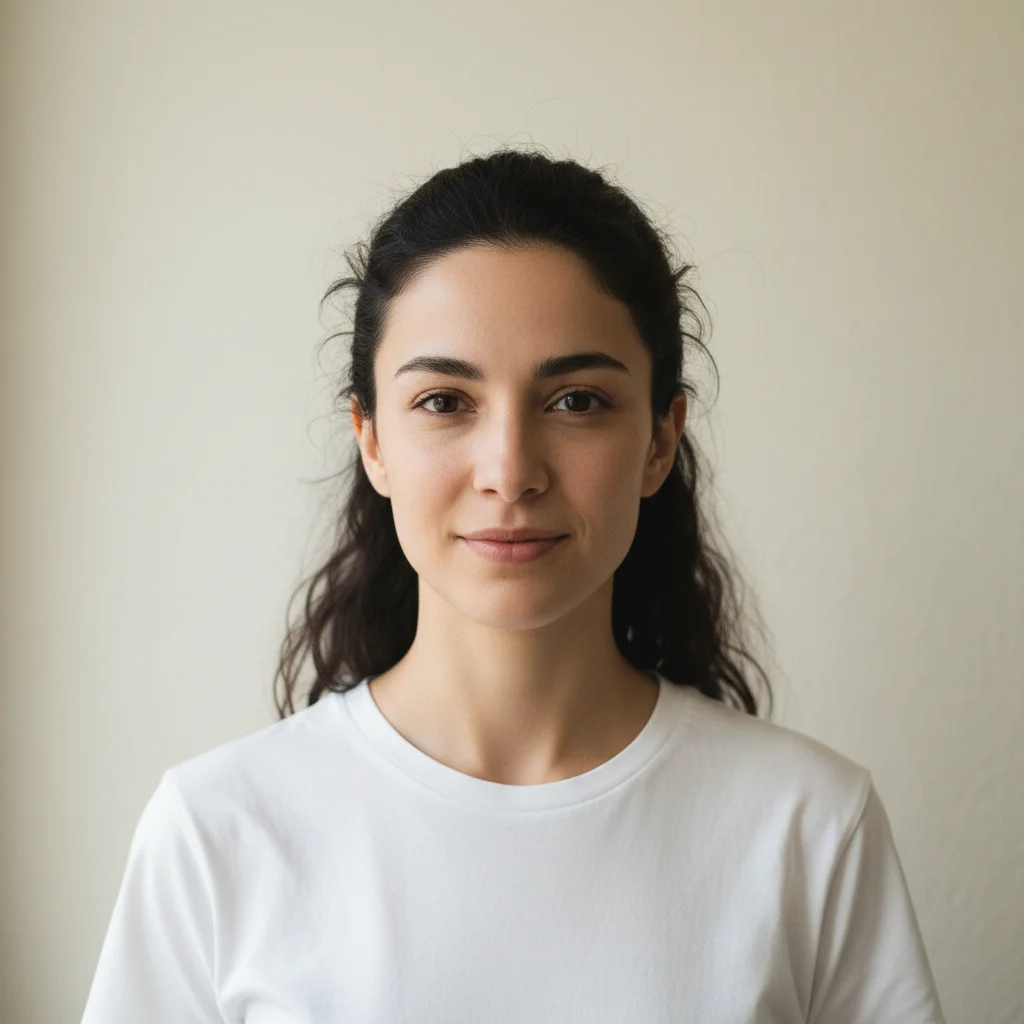
Woman with bare head wearing a simple white top
Before
->
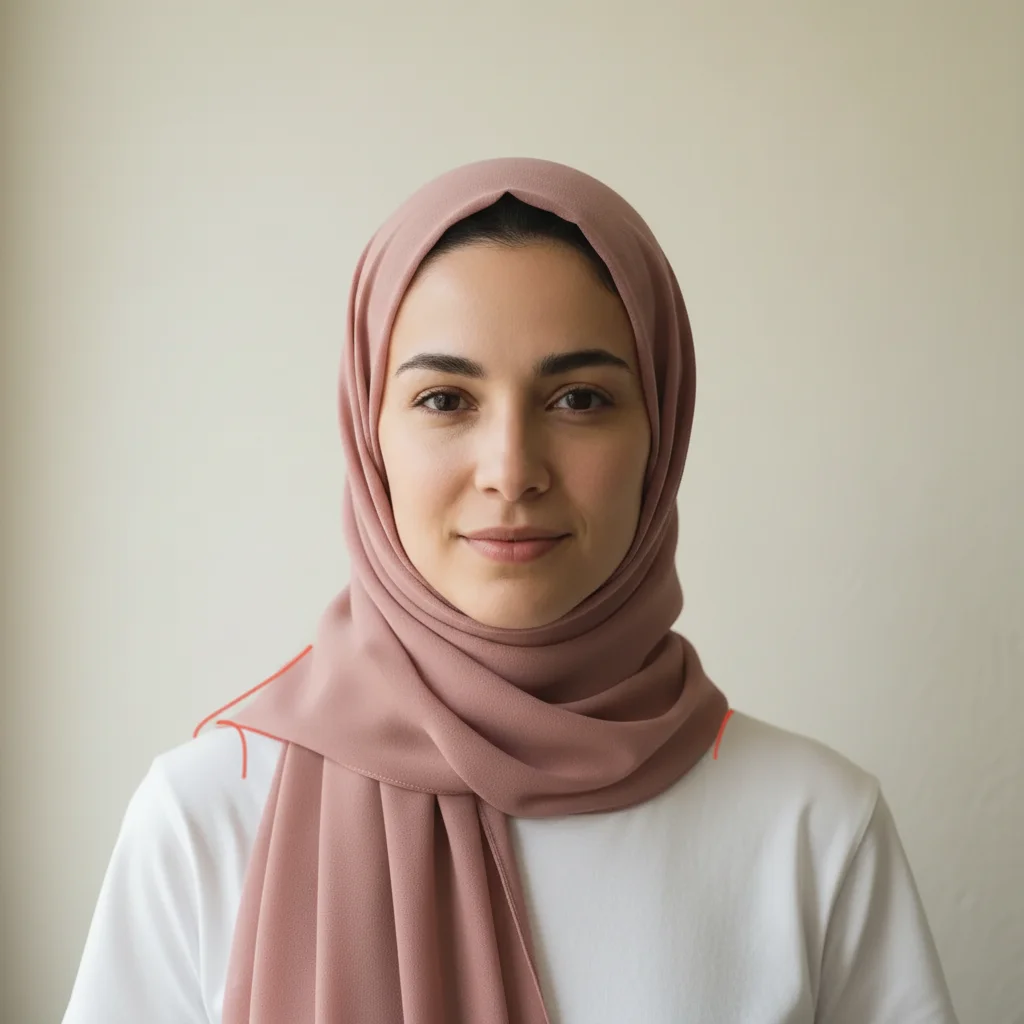
Same woman wearing a dusty rose chiffon hijab in a classic wrap
After

Adding a classic chiffon hijab to a bare-head portrait

A portrait transformed with a beautifully draped chiffon hijab to preview the color and style.

Prompt: style a dusty rose chiffon hijab in a classic wrap with one end draped over the left shoulder
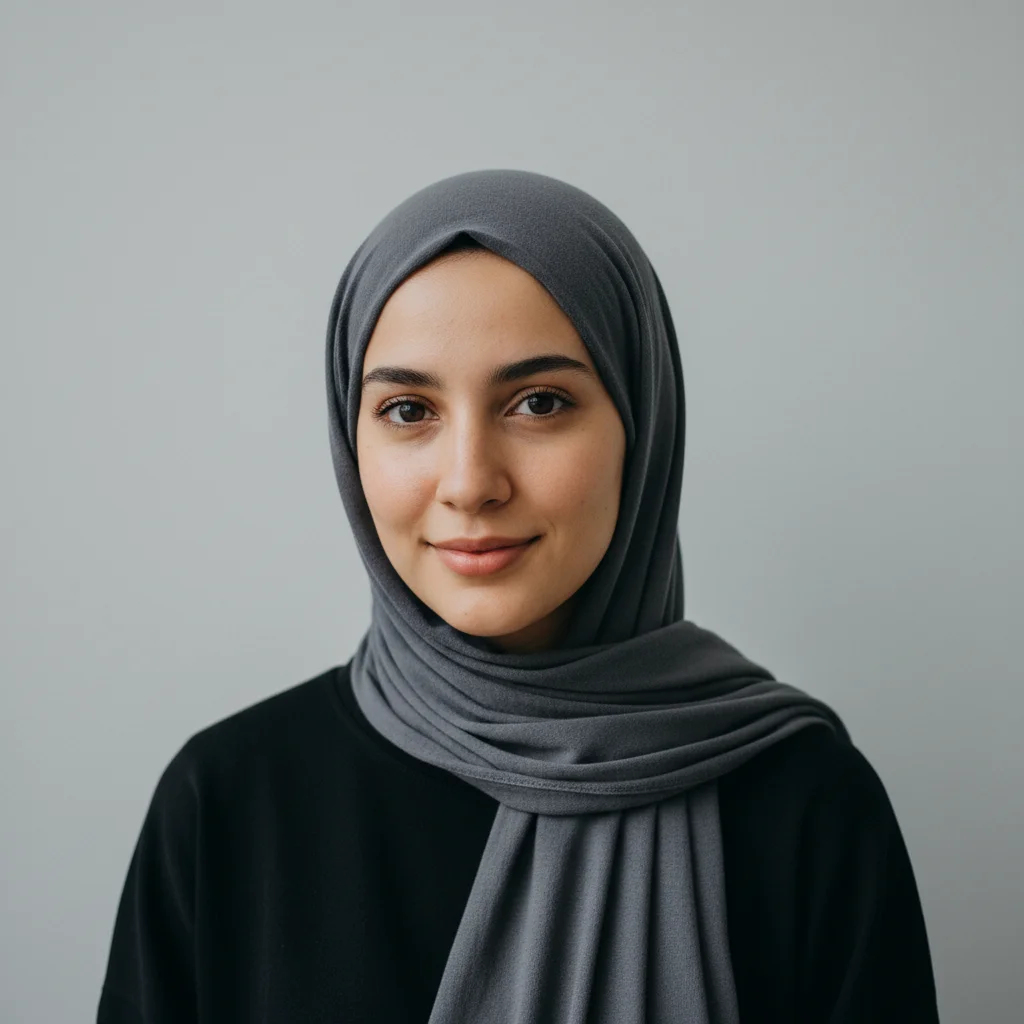
Woman wearing a plain dark grey cotton hijab
Before
->
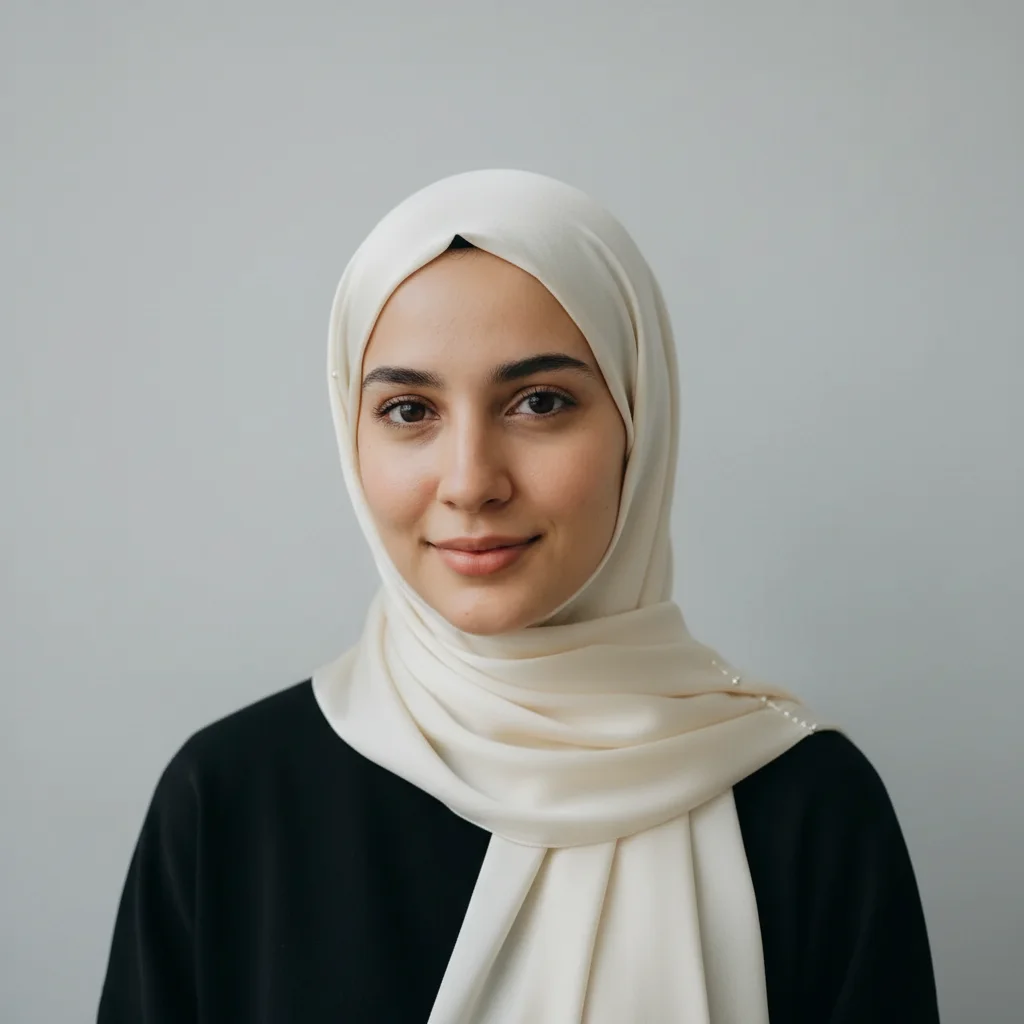
Same woman wearing an elegant ivory silk hijab with pearl pins
After

Changing hijab style from casual to formal

A simple everyday hijab transformed into an elegant formal style for previewing event looks.

Prompt: style an ivory silk hijab with pearl pins, elegantly draped in a formal layered style with soft pleats

Detailed Guides by Scenario

πŸ“·

Professional Use

Apply 'AI Hijab Styler' to images for professional projects β€” websites, marketing materials, client deliverables, and presentations.

Common Scenarios

  • Using 'AI Hijab Styler' for client work or commercial photography
  • Applying 'AI Hijab Styler' to product or marketing images for a business
  • Batch-processing multiple images with 'AI Hijab Styler' for a project deadline

Best Practices

  • Use the highest resolution source image available for professional-quality results
  • Be specific in your prompt about the exact 'AI Hijab Styler' effect you need
  • For consistency across multiple images, reuse the same prompt template
πŸ“·

Creative & Social Media

Use 'AI Hijab Styler' creatively for social media content, personal projects, and artistic expression.

Common Scenarios

  • Applying 'AI Hijab Styler' to a photo for a unique social media post
  • Using 'AI Hijab Styler' to create artistic variations of a favorite image
  • Experimenting with 'AI Hijab Styler' for a creative project or portfolio piece

Best Practices

  • Experiment freely β€” AI editing lets you try bold ideas with no risk to the original
  • For social content, pair the visual effect with a caption that references the transformation
  • Try the effect on different types of photos to find what looks most striking
πŸ“·

Personal Photos & Memories

Apply 'AI Hijab Styler' to personal photos to fix issues, enhance quality, or create something special from everyday images.

Common Scenarios

  • Using 'AI Hijab Styler' on family photos to improve or personalize them
  • Applying 'AI Hijab Styler' to vacation or event photos before printing or sharing
  • Trying 'AI Hijab Styler' on a selfie or portrait for profile or personal use

Best Practices

  • Always work on a copy β€” keep the original safe in case you want to try a different approach
  • Natural-looking results are almost always better than dramatic over-processing
  • If it doesn't look right the first time, rephrase your prompt with more specific details

If something looks off

AI changed the wrong area or something I didn't want changed

Why: The AI may have altered hair, face, or clothing along with adding the hijab, especially if the instruction was too broad.

Try: Tap a marker on the head and shoulder area, then regenerate: style the hijab only, do not change face or clothing

Tip: Markers tell the AI 'I mean THIS area specifically.' Adding 'do not change face or clothing' preserves everything else.

Hijab doesn't cover enough or covers too much

Why: Without explicit coverage guidance, the AI picks a default coverage level that may not match your preference.

Try: style the hijab to cover [hair/neck/forehead/ears] completely, with the fabric draped to [shoulder/chest level]

Tip: Be explicit about coverage: 'covering the forehead to above the eyebrows' or 'with loose draping around the neck.'

Fabric looks stiff or unnatural

Why: The AI may render fabric without enough draping detail, resulting in a flat or rigid appearance instead of natural folds.

Try: style the hijab in [fabric type] with soft natural draping, visible fabric folds, and realistic weight

Tip: Specify the fabric: 'chiffon' for airy drapes, 'jersey' for stretchy cling, 'silk' for smooth flow, 'cotton' for structured folds.

Color doesn't match what I described

Why: Generic color names are interpreted broadly. 'Pink' could mean hot pink, blush, dusty rose, or salmon.

Try: style the hijab in [specific shade name], like dusty mauve or sage green, not generic [color]

Tip: Use specific shades: 'dusty rose' not 'pink', 'sage' not 'green', 'champagne' not 'beige' for accurate colors.

Wrapping style doesn't match the style name I used

Why: Some hijab style names are regional or have multiple interpretations. The AI may render a different wrapping method.

Try: style the hijab with [describe the exact wrapping: e.g., 'fabric draped over head, pinned under chin, one tail over left shoulder']

Tip: If a style name doesn't work, describe the wrapping step by step: where the pin goes, how the fabric drapes, which shoulder the tail falls on.

Quick answers

Do I need to mark the head area before styling a hijab?

No! Just describe the hijab: 'style a dusty rose chiffon hijab in a classic wrap.' The AI knows where a hijab goes on the head and shoulders. Only use markers if the AI changes the wrong area on the first try.

How do I preview a specific hijab I saw in a store or online?

Click '+ Add reference image' and upload a photo of the hijab. Then type 'style the hijab from the reference image on this person.' The AI matches the color, fabric, and pattern. Great for previewing before purchasing.

What's the best free AI tool for styling hijabs on photos?

EditThisPic offers free AI hijab styling with no signup required. Unlike generic headscarf overlays, the AI renders realistic fabric draping, natural folds, and proper coverage that matches your specific style description.

Is EditThisPic's AI hijab styler really free?

Yes β€” you get 1 free edit per week, no account needed. For unlimited edits, plans start at $3.99/month.

Can I style hijab on my phone?

Yes. EditThisPic works in any mobile browser β€” iPhone, Android, tablet. No app download needed.

Is my photo kept private when I style hijab?

Yes. Your photo is processed in real-time by the AI and is not stored on our servers after editing. No account is required to use the tool, and we don't collect or share your images. Your original file stays on your device.

How does EditThisPic compare to Photoshop for styling hijab?

EditThisPic uses AI that understands natural language, so you describe the edit you want instead of using complex tools. It works instantly in your browser with no software to install or learn. For styling hijab, you simply type what you want and the AI handles the rest in 20-45 seconds.

What's the most common use case for styling hijab?

Most users style hijab for social media content, professional work, or personal projects. The AI handles both simple and creative edits, so whether you need a quick fix or an artistic transformation, you can describe exactly what you want in plain English.

Can I style hijab for multiple photos at once?

Currently, EditThisPic processes one photo at a time for the best AI results. Upload each photo individually and use the same prompt β€” the process takes about 20-45 seconds per image. For large batches, a paid plan gives you unlimited edits without waiting.

What makes a good photo for styling hijab?

Well-lit photos with clear subjects produce the best results. Avoid heavily compressed or very small images. Front-facing angles typically work better than extreme side angles. The AI can work with most photos, but higher quality input means higher quality output.

What types of photos work best with this tool?

JPG, PNG, and WebP photos up to 7MB work best. The AI handles photos from any camera or phone. High-resolution images with good lighting produce the best results. Extremely dark, heavily compressed, or very small images may produce less precise edits.

Can I also adjust the lighting and colors in the same edit?

Yes! You can combine multiple edits in one prompt. For example, ask to style hijab and adjust the lighting and colors at the same time. The AI understands complex multi-step instructions. For very different changes, separate prompts may give better control over each edit.

Ready to style a hijab on your photo?

Free to try. No signup required.