Free • No signup Convert Painting · Free

Convert Photo to Painting

Transform any photo into stunning oil, watercolor, or impressionist artwork in seconds.
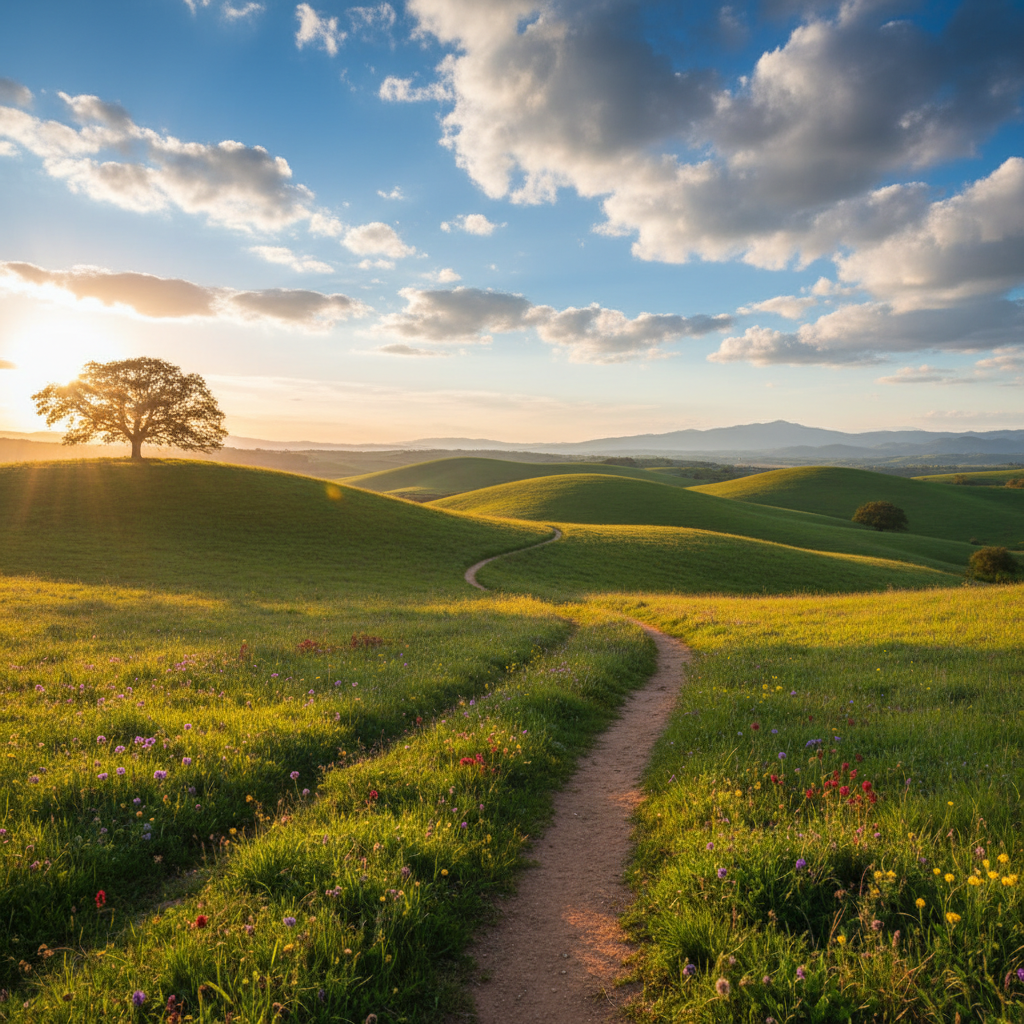
Scenic landscape photograph with rolling hills and golden lighting
Before
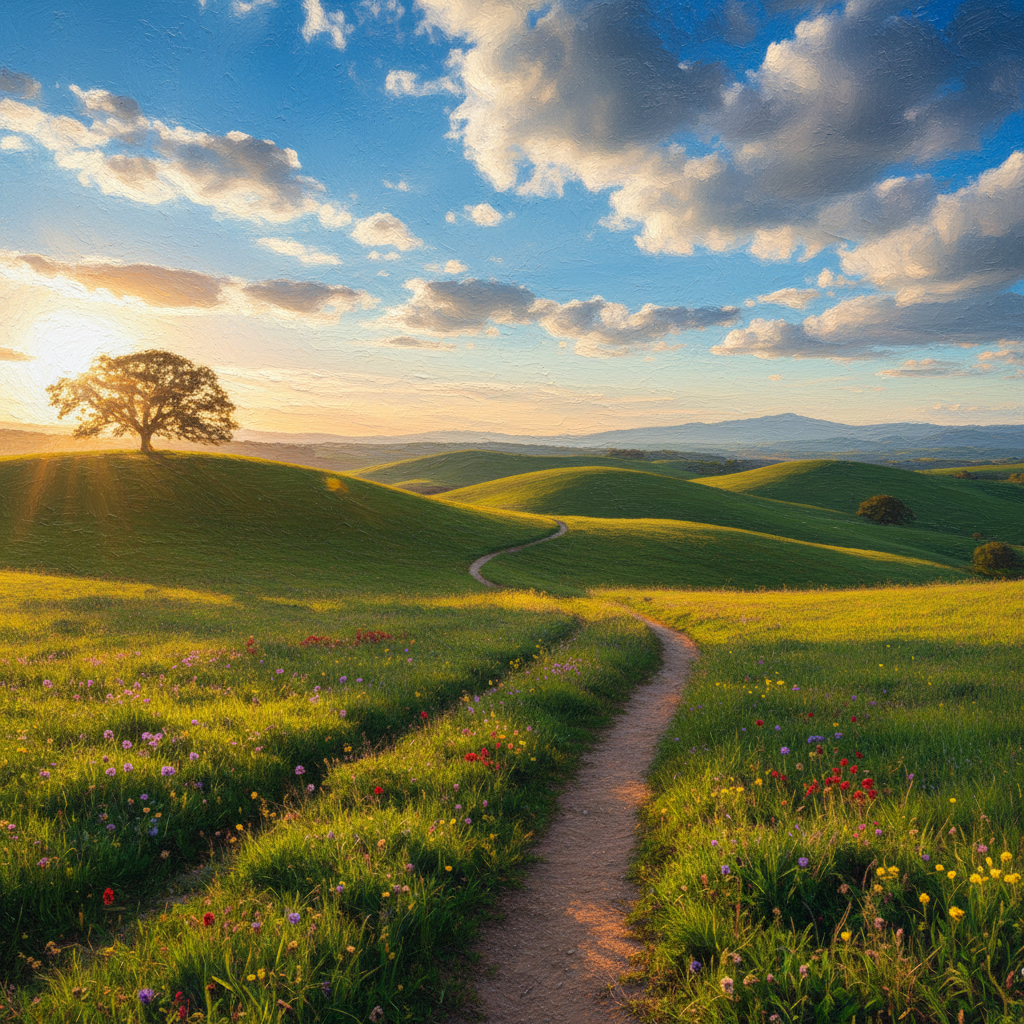
Same landscape as a rich oil painting with visible brush strokes
After

Turn Photo Into Painting Free

Drop your photo here

or click to browse

Release to upload

Free • No signup

Advertisement
Popular use cases:
  • photo to oil painting
  • photo to watercolor
  • impressionist photo effect
  • Van Gogh filter
  • pop art portrait
  • canvas print art
  • personalized artwork gift
  • home decor art
  • memorial portrait painting

Cost
Free No signup required
Time
Instant results in 15-30 seconds
Works on
Any device - browser, phone, tablet, desktop
Powered by
AI-powered photo editing
Scenario Prompt Time
Oil painting convert to oil painting with visible brush strokes 20s
Watercolor transform into watercolor with soft washes 20s
Impressionist convert to Monet-style impressionist painting 25s

How it works

  1. Upload your photo

    Drop your image into EditThisPic. JPG, PNG, WebP up to 7MB. Photos with clear subjects, good lighting, and interesting compositions make the best paintings. Landscapes, portraits, and still life subjects work particularly well.

    Expect: Simple styles: 20-30 seconds. Detailed artistic styles with specific techniques: may need 2-3 refinements for perfect effect.
  2. Describe the painting style you want

    Type your instruction: 'convert to a watercolor painting with soft washes and bleeding edges' or 'transform into Van Gogh style with swirling brush strokes.' Be specific about the artistic style, brush technique, or artist influence you want. No marking needed.

    Tip: Reference famous artists or movements for specific looks: 'Monet-style impressionist', 'Warhol pop art', 'Renaissance oil portrait'.

    Copy one of these to get started:

    Classic oil painting look convert this photo to a realistic oil painting with visible brush strokes, rich colors, and dramatic lighting
    Soft watercolor style transform into a watercolor painting with soft washes, bleeding edges, and translucent colors on white paper
    Impressionist landscape convert to a Monet-style impressionist painting with loose brush strokes, dappled light, and a dreamy atmospheric quality
    Pop art portrait transform into Andy Warhol style pop art with bold flat colors, high contrast, and screen print aesthetic
    4 more prompts
    Van Gogh swirling style convert to Van Gogh style painting with swirling brush strokes, vivid colors, and expressive impasto texture
    Abstract expressionist transform into abstract expressionist artwork with bold gestural brush strokes, splattered paint, and emotional intensity
    Renaissance portrait style convert to a Renaissance oil portrait with soft sfumato technique, classical composition, and warm earth tones
    Japanese woodblock print transform into Japanese ukiyo-e woodblock print style with flat areas of color, bold outlines, and wave patterns
  3. Review the artistic transformation

    Check that the painting style matches your vision. Verify brush strokes, color palette, and artistic techniques look authentic. Compare to the original to ensure key details were preserved while adding artistic interpretation.

  4. Adjust style intensity if needed

    If the effect is too subtle or too strong, regenerate with adjusted instructions. Add 'more dramatic brush strokes' or 'subtler watercolor effect.' For specific areas, tap markers on those spots to refine. Most conversions work perfectly on the first try.

    Tip: Words like 'subtle', 'dramatic', 'heavy impasto', or 'delicate washes' control the intensity of the artistic effect.
Try it free

Turn Photo Into Painting Free

Drop your photo here

or click to browse

Release to upload

Free • No signup

"Wanted to give my mom a painting of her garden for her birthday. Uploaded a photo and turned it into a gorgeous impressionist piece. She thought I commissioned an artist." @GiftGiver_Sarah

See it in action

Scenic landscape photograph with rolling hills and golden lighting
Before
->
Same landscape as a rich oil painting with visible brush strokes
After

Landscape transformed into oil painting

A vacation photo of rolling hills turned into a gallery-worthy oil painting with rich textures and dramatic lighting.

Prompt: convert this photo to a realistic oil painting with visible brush strokes, rich colors, and dramatic lighting
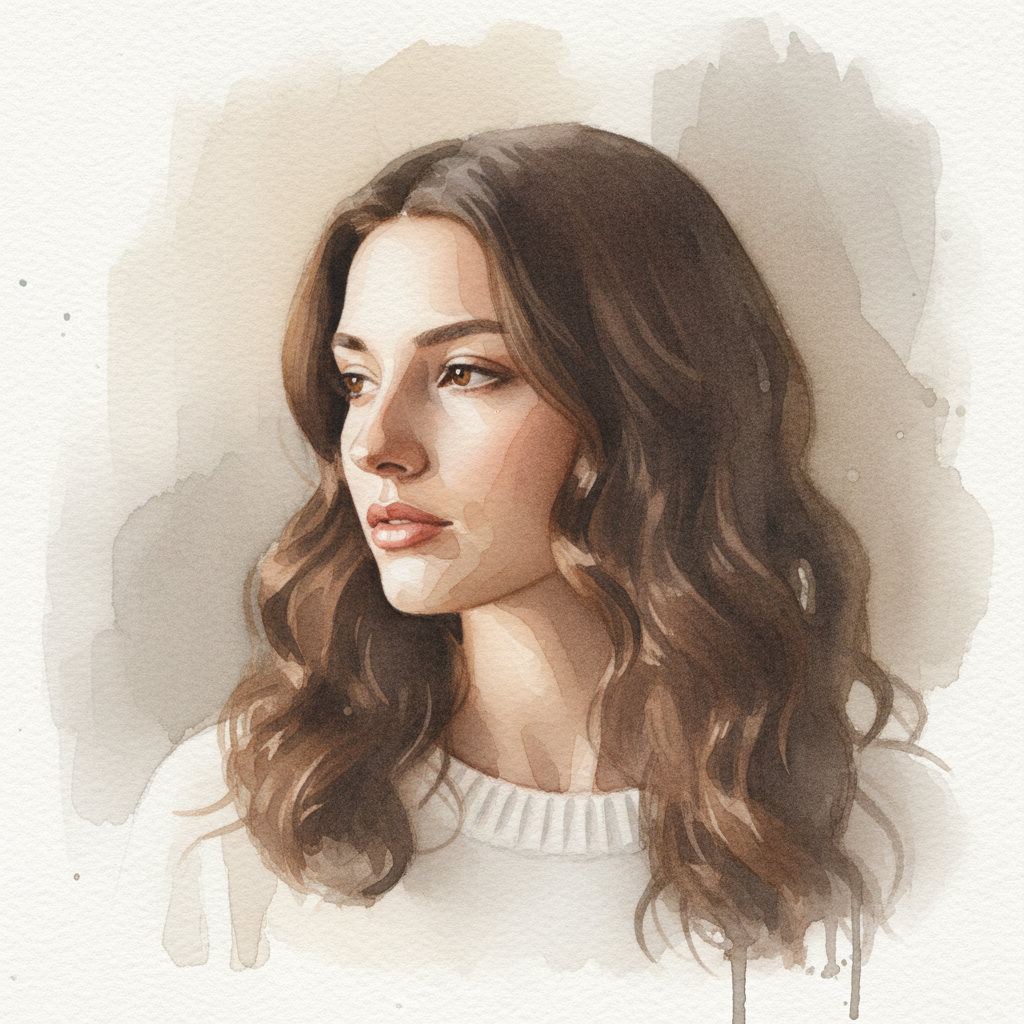
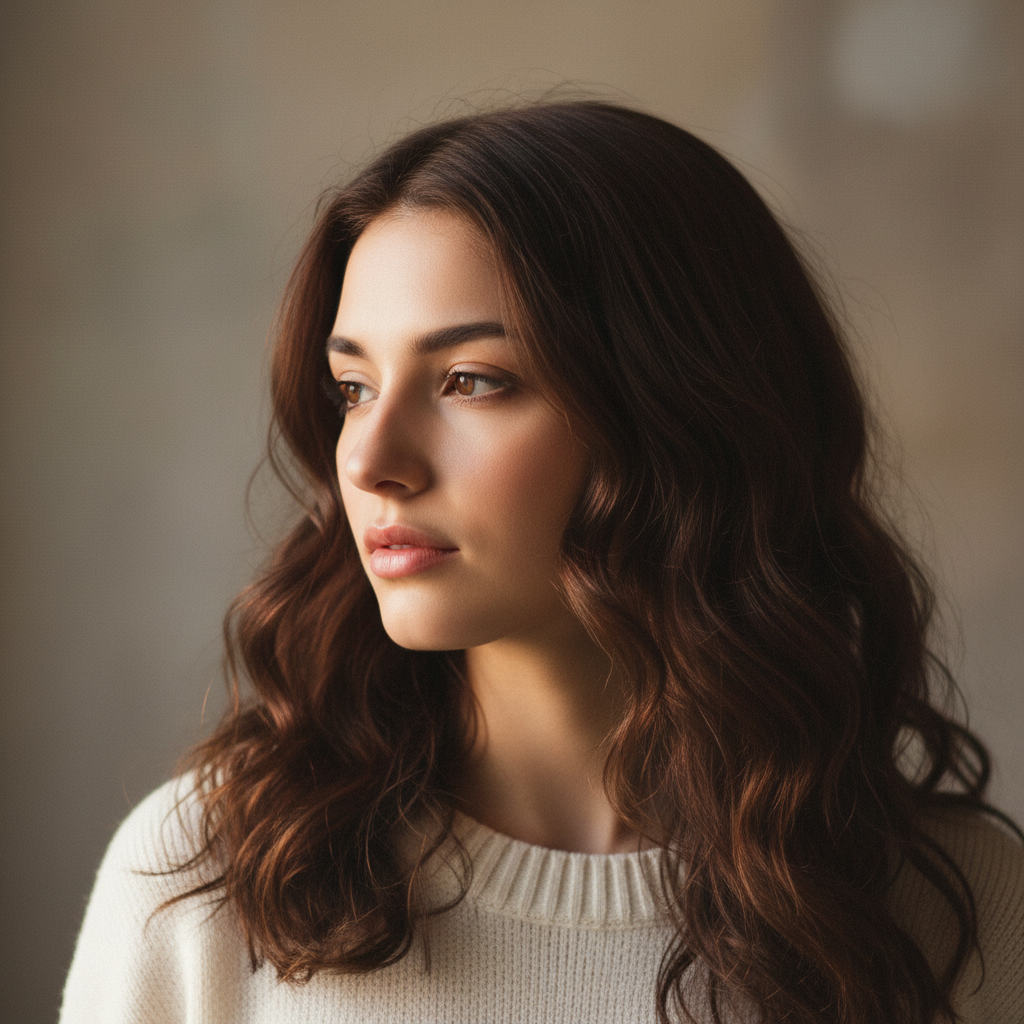
Portrait photo of woman with soft natural lighting
Before
->
Same portrait as delicate watercolor with soft bleeding edges
After

Portrait in watercolor style

A casual portrait photo transformed into a delicate watercolor painting with soft edges and translucent washes.

Prompt: transform into a watercolor portrait with soft washes, bleeding edges, and translucent skin tones on white paper
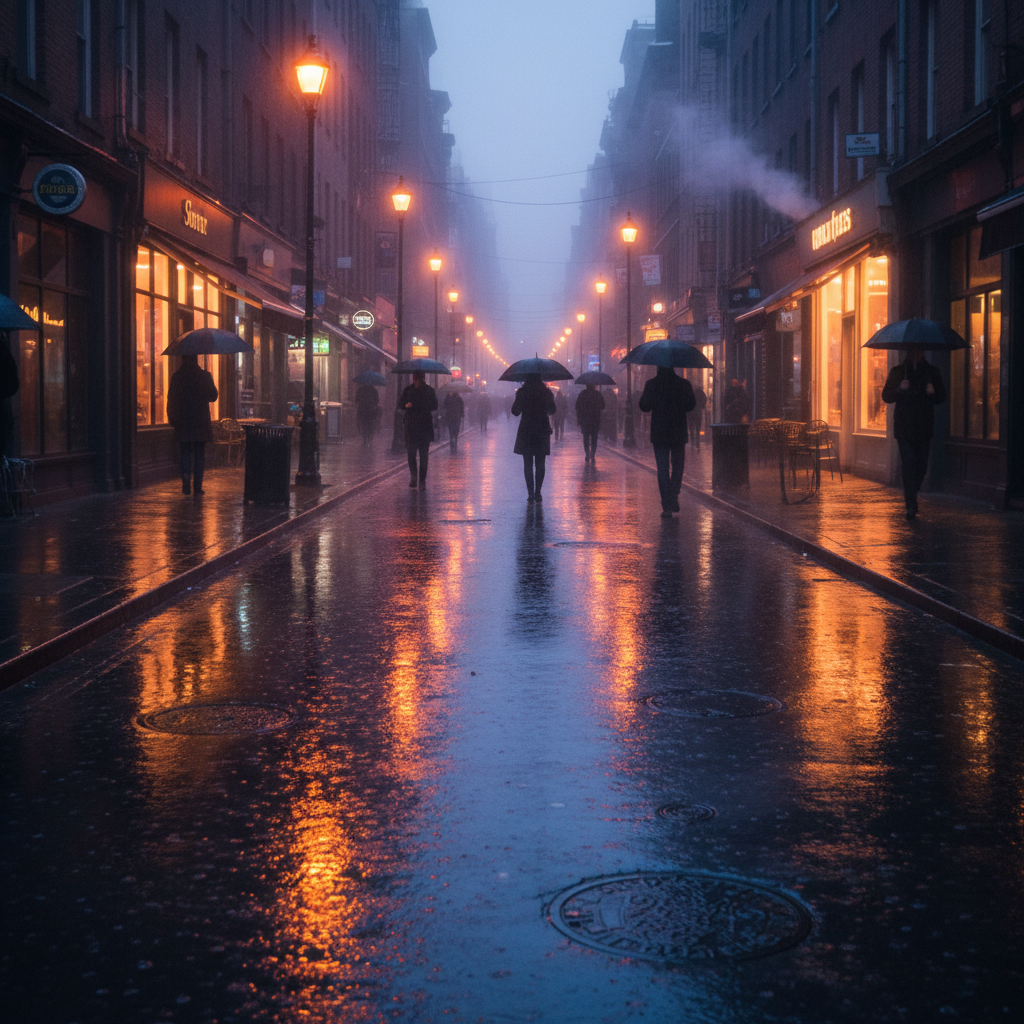
Rainy city street at dusk with reflective wet pavement
Before
->
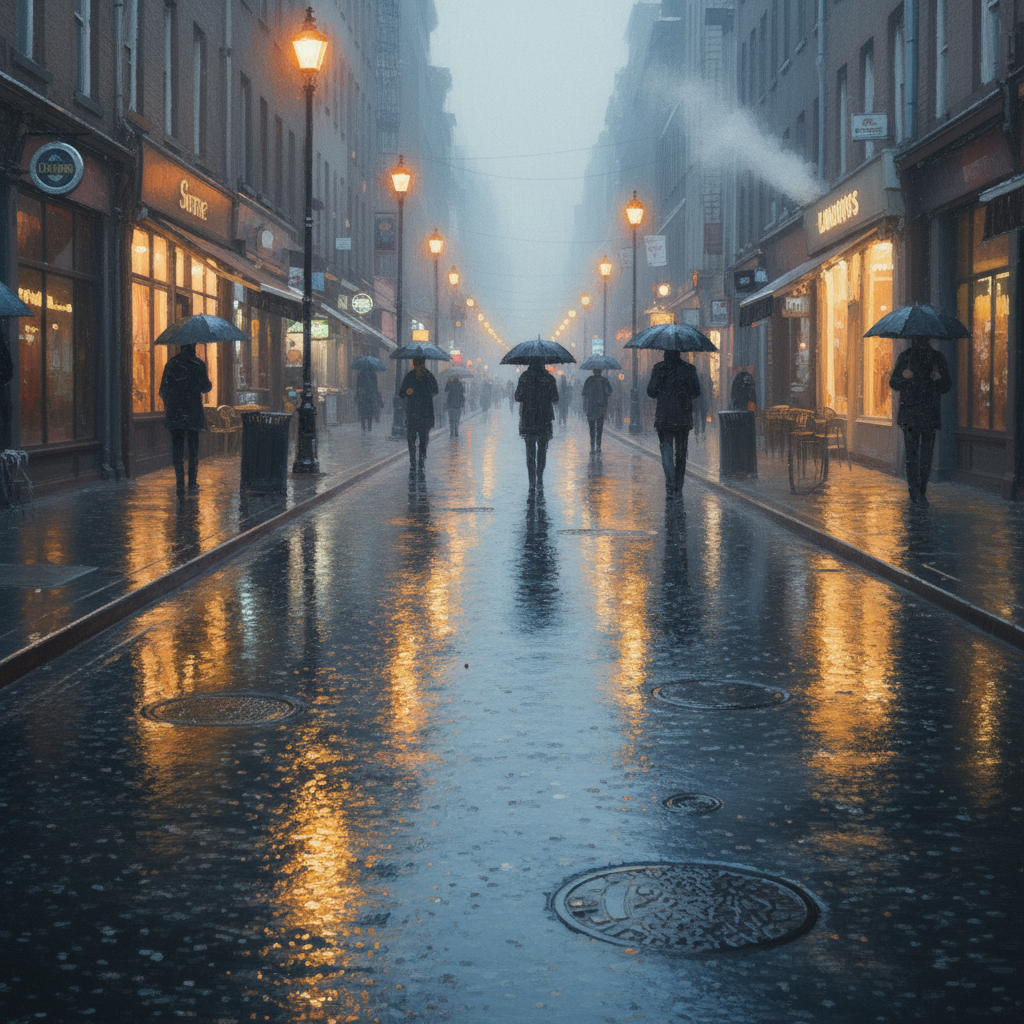
Same scene as impressionist painting with loose brush strokes and dappled light
After

City scene in impressionist style

A rainy city street photo converted to a Monet-style impressionist painting capturing the mood and atmosphere.

Prompt: convert to a Monet-style impressionist painting with loose brush strokes, dappled light reflections, and dreamy atmospheric quality
Advertisement

If something looks off

Result looks too photorealistic, not painterly enough

Why: The AI preserved too much photo detail instead of adding artistic interpretation.

Try: convert to [style] painting with heavy visible brush strokes, painterly texture, and artistic interpretation

Tip: Adding 'heavy brush strokes' and 'painterly texture' pushes the AI toward a more artistic look.

Colors look muddy or dull in the painting

Why: Some styles can desaturate colors. The AI may have over-blended.

Try: convert to [style] painting with vibrant saturated colors and strong color contrast

Tip: Explicitly request 'vibrant' or 'saturated' colors to maintain color intensity.

AI changed the wrong area or something I didn't want changed

Why: The AI couldn't determine exactly which area you meant from description alone. This happens with ambiguous requests.

Try: Tap a marker on the specific area you want to style differently, then regenerate with the same prompt

Tip: Markers tell the AI 'I mean THIS area specifically.' Use them when description alone is ambiguous.

Important details got lost in the conversion

Why: Artistic styles intentionally simplify details. Some styles are more abstract than others.

Try: convert to [style] painting while preserving facial features and key details clearly

Tip: For portraits, add 'preserve facial features' to keep recognizable likeness.

Style doesn't match the artist reference I mentioned

Why: The AI may interpret artist names differently or have limited knowledge of specific techniques.

Try: Describe the specific techniques: 'with [describe brush strokes], [describe colors], [describe composition]'

Tip: Describing the techniques you want works better than just naming an artist.

Painting looks inconsistent - different styles in different areas

Why: Complex images with varied elements can confuse the style application.

Try: convert entire image uniformly to [style] painting with consistent brush strokes throughout

Tip: Adding 'uniformly' and 'consistent throughout' helps ensure even style application.

Quick answers

Do I need to mark the photo before converting to a painting?

No! Just describe the painting style you want: 'convert to oil painting with brush strokes' or 'transform into watercolor.' The AI applies the style to your entire image automatically. Only use markers if you want different styles in specific areas, which is rare for painting conversions.

What painting styles work best with this tool?

Oil painting, watercolor, impressionist, pop art, and Van Gogh style work excellently. Abstract expressionist, Renaissance, and Japanese woodblock also produce great results. You can even describe your own style: 'thick impasto with palette knife texture' or 'loose sketchy brush strokes.' The AI understands artistic terminology.

Will the painting look like it was made by a real artist?

Yes! The AI creates authentic brush strokes, color mixing, and artistic techniques that look hand-painted. For best results, be specific about the style: 'visible brush texture', 'impasto technique', or 'soft washes.' The more detail you provide, the more realistic the painted effect.

Can I print the painting result as wall art?

Absolutely! The output resolution matches your input image. For best print quality, upload a high-resolution photo. The painting effect adds artistic value, and many users print their converted photos as canvas prints, posters, or framed artwork for their homes.

Is there a free photo to painting converter that doesn't require login?

Yes, EditThisPic lets you convert photos to paintings free without creating an account. Just upload your photo, describe the style, and download your painting. No watermarks, no signup, no credit card required for your first edit.

Ready to turn your photos into paintings?

Free to try. No signup required.

Try it free