Free โ€ข No signup Change Floor ยท Free

Replace Floor in Photo

Just describe the new floor you want. The AI replaces it with proper perspective and lighting.
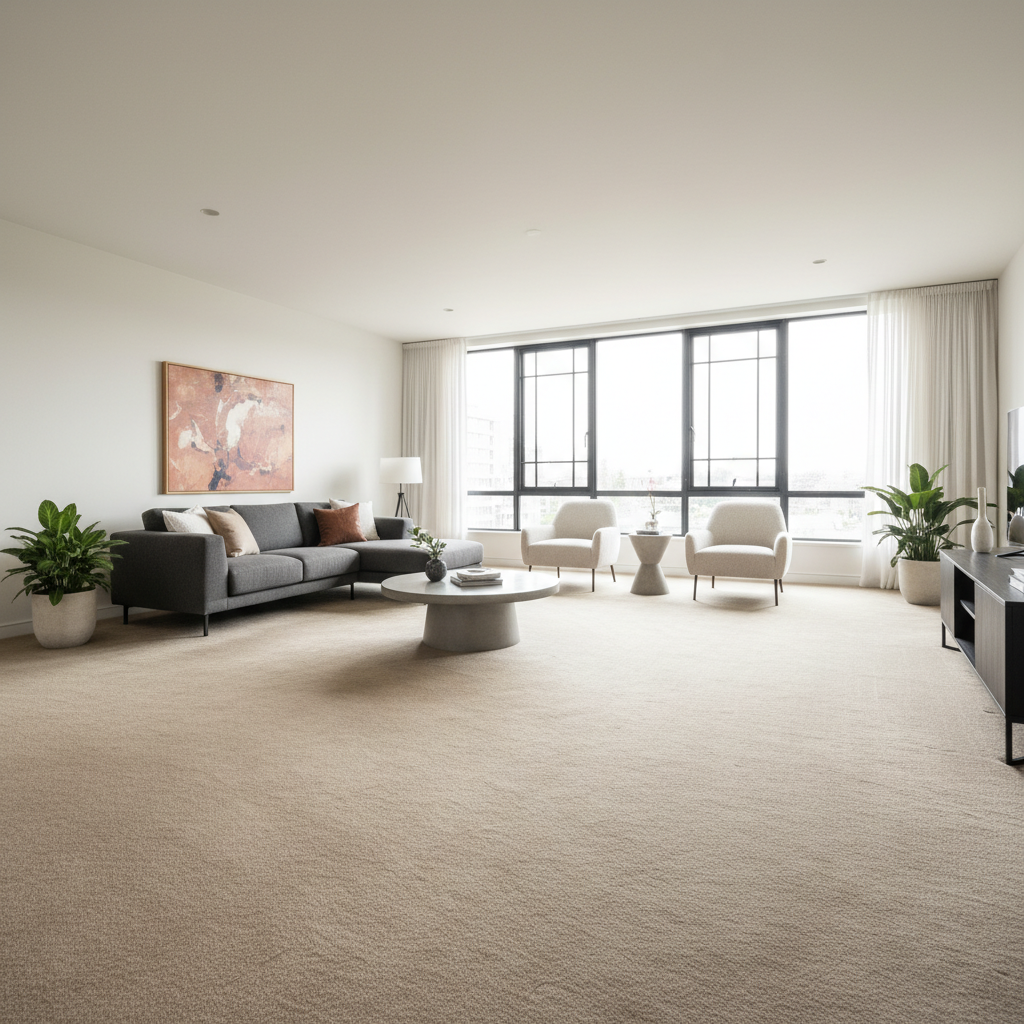
Living room with beige carpet flooring
Before
โ†’
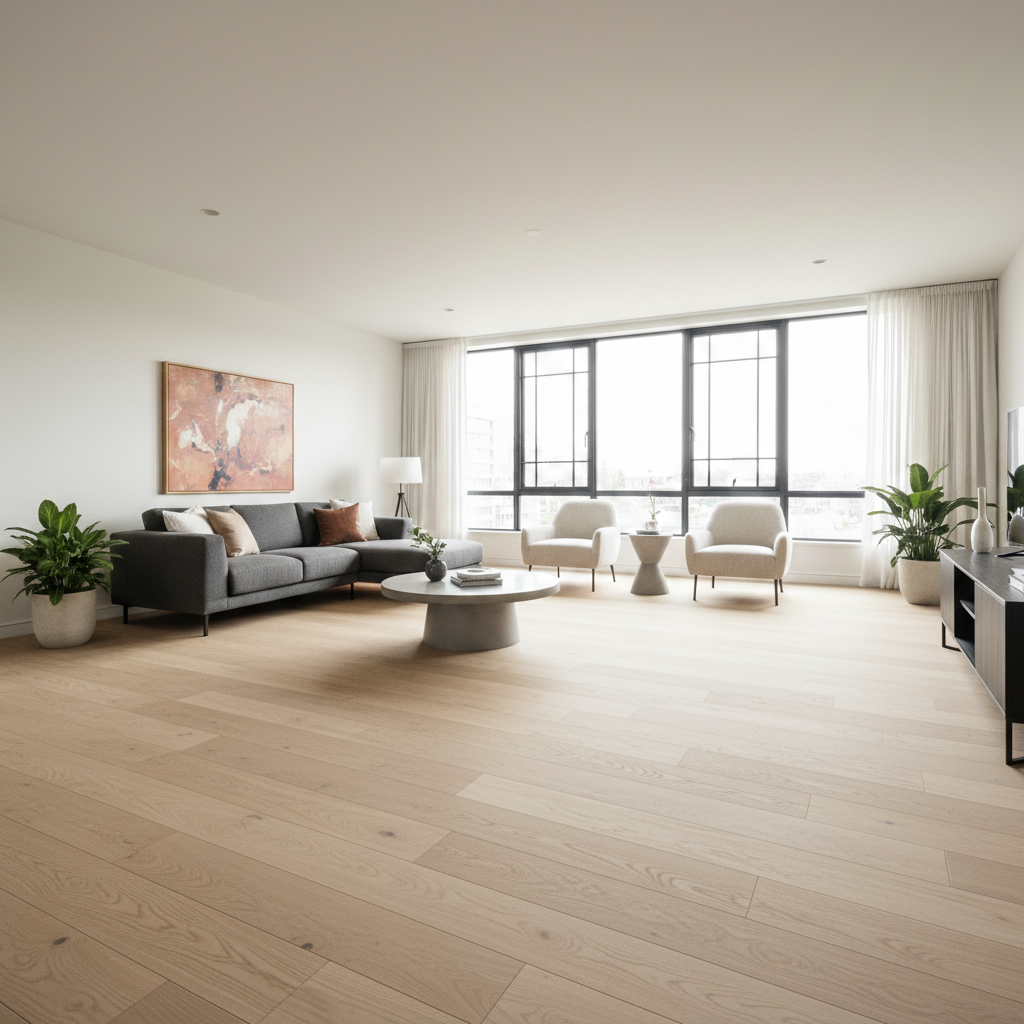
Same living room with light oak hardwood floors
After

Replace Floor in Photo

Drop your photo here

or click to browse

Release to upload

Free โ€ข No signup

Advertisement
Popular use cases:
  • Renovation visualization
  • Real estate staging
  • Interior design mockups
  • Floor comparison
  • Home improvement preview
  • Virtual staging

Cost
Free No signup required
Time
Instant results in 15-30 seconds
Works on
Any device - browser, phone, tablet, desktop
Powered by
AI-powered photo editing
Scenario Prompt Time
Carpet to hardwood replace carpet with light oak hardwood floors 30s
Tile to marble replace tiles with white marble with gray veining 35s
Concrete look replace with polished concrete in light gray 25s

How it works

  1. Upload your interior photo

    Drop your image into EditThisPic. JPG, PNG, WebP up to 7MB. Photos showing the floor clearly with some perspective work best. Wide-angle room shots give the most realistic results.

    Expect: Simple floor swaps: 25-35 seconds. Rooms with furniture legs and complex shadows: may need refinement.
  2. Describe the new flooring

    Type your instruction: 'replace the carpet with light oak hardwood floors' or 'change the tile to white marble with gray veining.' Be specific about the flooring type, color, and material. The AI understands common flooring terms.

    Tip: Include specific details: 'herringbone pattern oak' or 'large format gray porcelain tiles' gives more predictable results than just 'nice floor.'

    Copy one of these to get started:

    Carpet to hardwood replace the carpet with light oak hardwood floors in a natural matte finish, preserve the room lighting
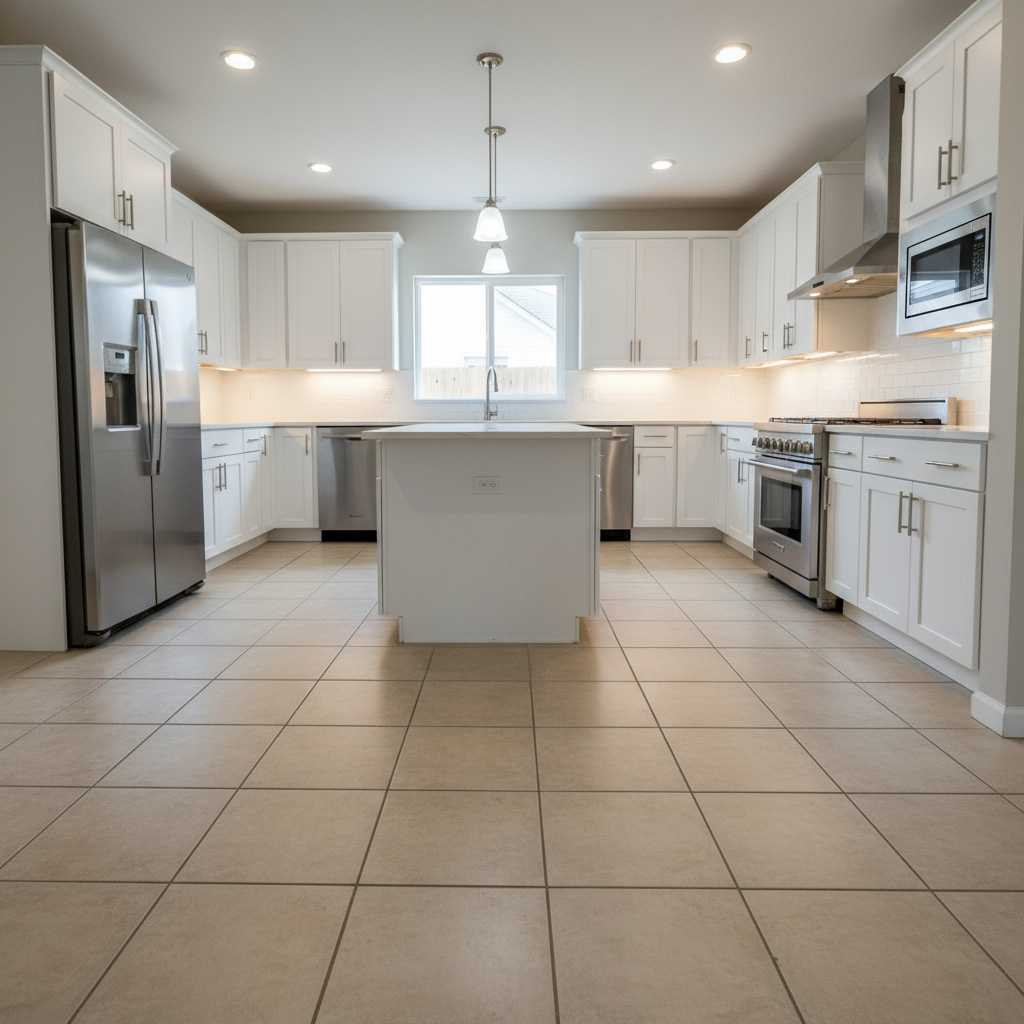
    Update tile to marble replace the floor tiles with white marble flooring with subtle gray veining, keep natural reflections
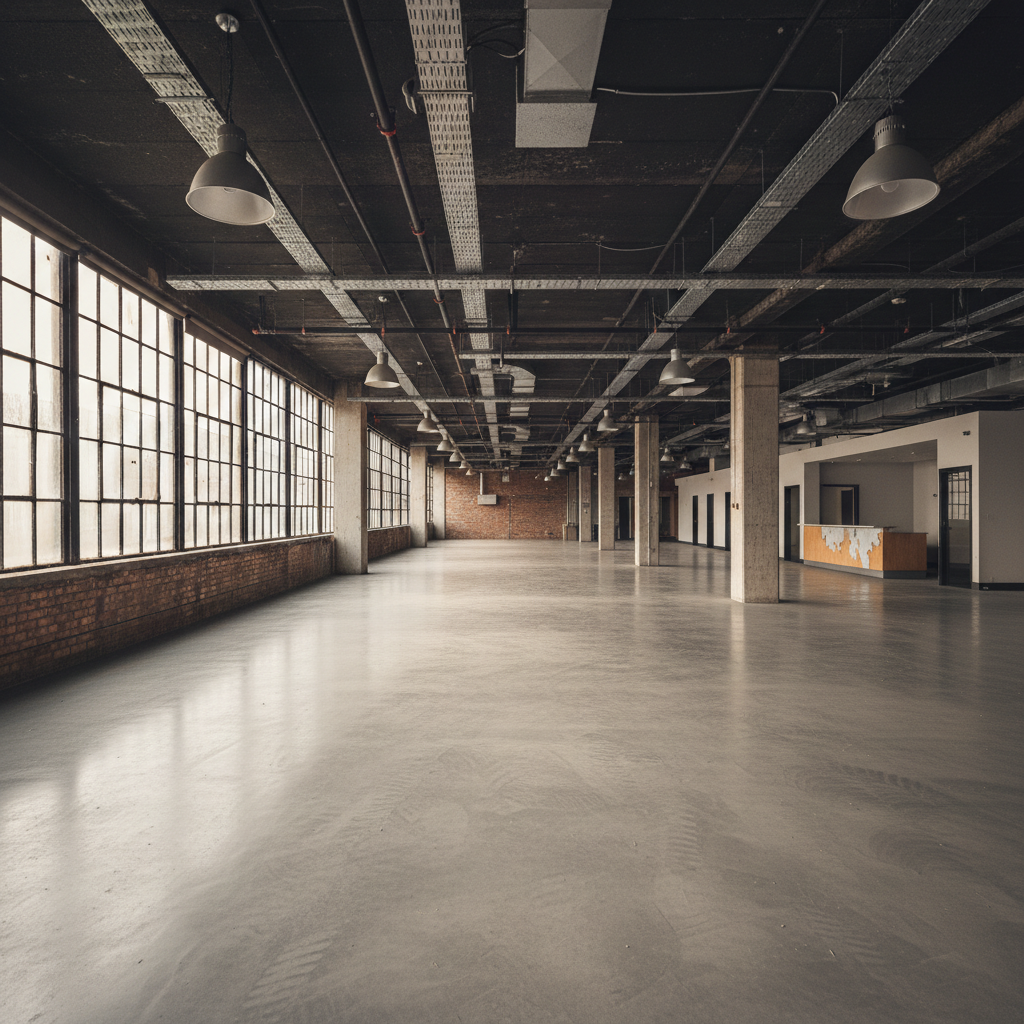
    Change to modern concrete replace the flooring with polished concrete in a light gray finish, maintain the industrial look
    Herringbone wood pattern replace the floor with dark walnut hardwood in a herringbone pattern, match the room's warm lighting
    3 more prompts
    Large format tiles replace the floor with large format gray porcelain tiles with minimal grout lines
    Luxury vinyl plank replace the carpet with luxury vinyl plank flooring in a weathered gray wood look
    Bathroom tile update replace the bathroom floor with white hexagon mosaic tiles with dark grout
  3. Generate and review

    Check that the new flooring has proper perspective matching the room. Verify the floor pattern aligns with the room angles. Look for natural transitions where floor meets walls and furniture.

  4. Refine with markers if needed

    If areas around furniture legs or room corners look off, tap markers on those spots and regenerate. Ask to 'blend the floor naturally around the furniture' for cleaner results.

    Tip: Furniture shadows usually need the most attention - mention 'preserve natural shadows' in your prompt.
Try it free โ†“

Replace Floor in Photo

Drop your photo here

or click to browse

Release to upload

Free โ€ข No signup

"Showed clients how their living room would look with hardwood instead of carpet. They approved the renovation on the spot." @InteriorPro_Mike

See it in action

Living room with beige carpet flooring
Before
->
Same living room with light oak hardwood floors
After

Living room carpet to hardwood

Homeowner wanted to visualize hardwood before renovation. Dated carpet replaced with modern oak flooring.

Prompt: replace the carpet with light oak hardwood floors in a natural matte finish, preserve the room lighting
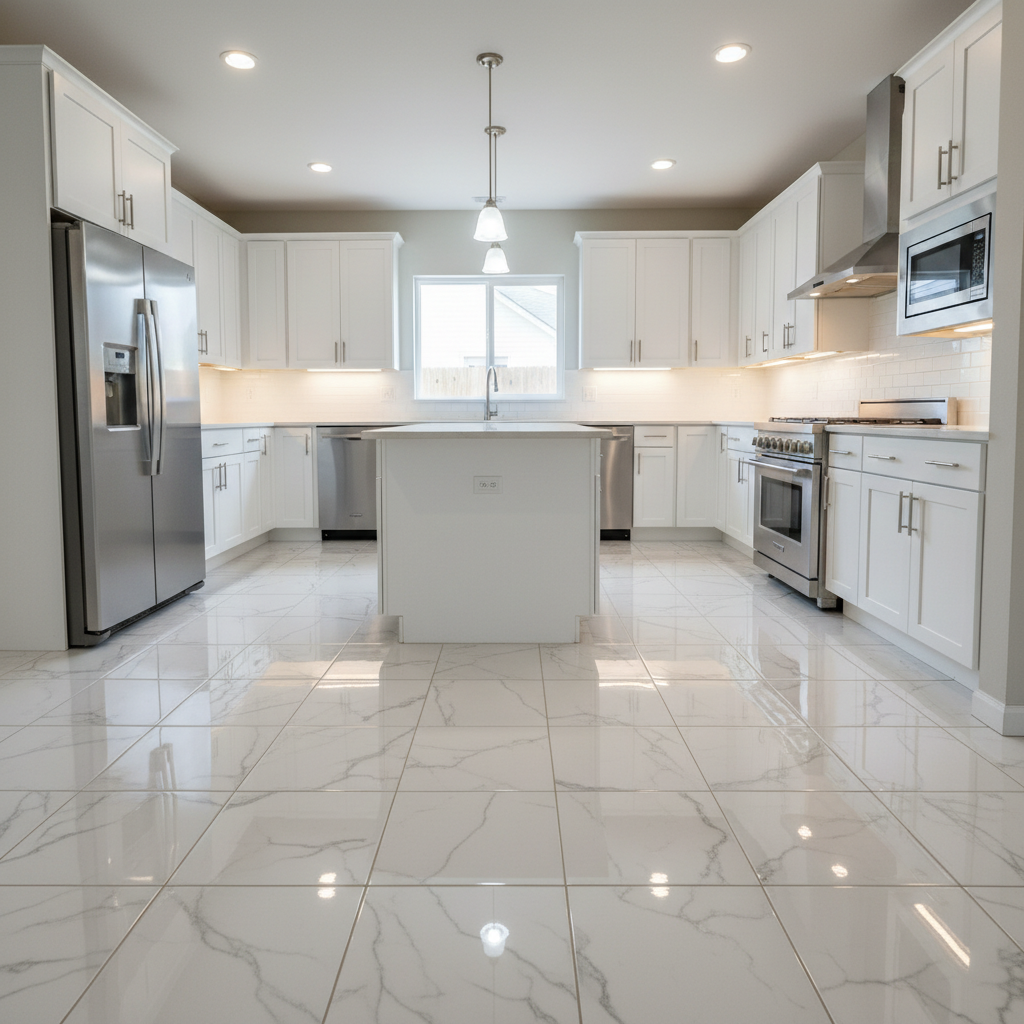
Kitchen with basic beige tile floor
Before
->
Same kitchen with white marble flooring
After

Kitchen tile upgrade

Real estate listing needed upgraded flooring look. Basic tile replaced with marble effect.

Prompt: replace the floor tiles with white marble flooring with subtle gray veining, keep natural reflections
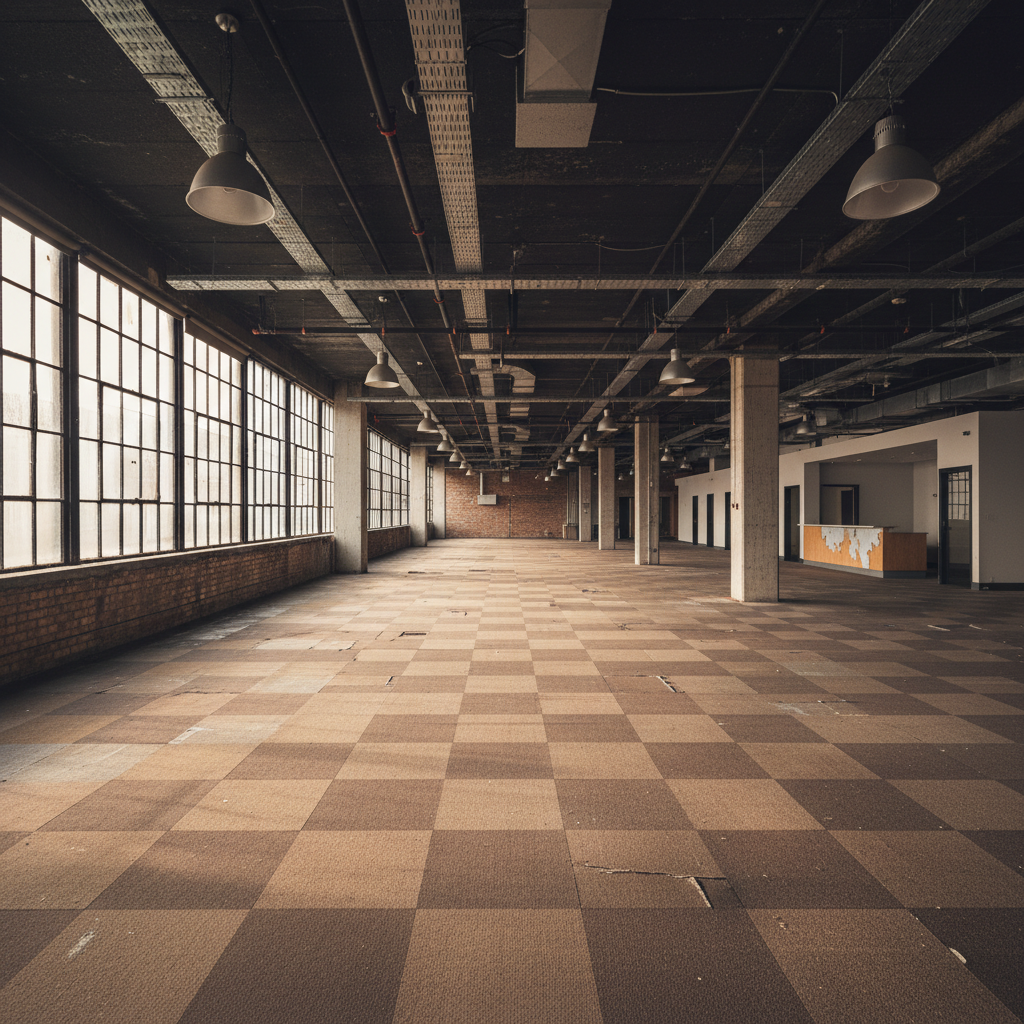
Office with old brown carpet tiles
Before
->
Same office with polished concrete floor
After

Office concrete floor

Commercial space visualization showing industrial concrete look for a modern office conversion.

Prompt: replace the flooring with polished concrete in a light gray finish, maintain the industrial look
Advertisement

If something looks off

AI changed the wrong area or something I didn't want changed

Why: The AI may have interpreted other flat surfaces as floor, like low furniture or rugs.

Try: Tap a marker on the specific floor area you want to change, then regenerate with the same prompt

Tip: Markers help distinguish the floor from rugs, furniture, or other horizontal surfaces.

Floor pattern doesn't match room perspective

Why: The AI generated a flat pattern without proper 3D perspective for the room angle.

Try: replace the floor with [type] in correct perspective matching the room angle and depth

Tip: 'Correct perspective' and 'matching the room angle' prompt proper 3D rendering.

Floor looks fake around furniture legs

Why: Complex areas where floor meets furniture require careful masking.

Try: replace the floor but blend naturally around all furniture legs and shadows

Tip: Tap markers on problem areas around furniture for targeted refinement.

Reflections don't look right

Why: New flooring has different reflective properties than the original.

Try: replace with [floor type] and add appropriate reflections matching the room lighting

Tip: Specify finish: 'matte hardwood' vs 'high-gloss marble' controls reflectivity.

Transition at walls looks unnatural

Why: Edge detection where floor meets walls needs refinement.

Try: replace the floor and blend edges naturally where floor meets the walls and baseboards

Tip: Mentioning 'baseboards' helps the AI understand the floor-wall boundary.

Quick answers

Do I need to select the floor before replacing it?

No. Just describe the new flooring you want: 'replace the carpet with hardwood floors.' The AI identifies the floor automatically. Use markers only if rugs or other surfaces cause confusion.

How do I replace flooring in a photo for free?

Upload your interior photo to EditThisPic and type 'replace the floor with [flooring type].' Be specific about material and color. The AI swaps it in 25-40 seconds. Free, no login, no watermarks.

Is there a free floor replacement tool that doesn't need an account?

Yes. EditThisPic replaces flooring without signup. Upload, describe the new floor, download. No watermarks. Works in your browser for renovation visualization.

Can I use a reference image of the flooring I want?

Yes. Click '+ Add reference image' to upload a photo of your desired flooring, then describe 'replace the floor with the flooring from the reference image.' Great for matching specific products.

Will the new floor have proper perspective for my room?

The AI analyzes the room angle and applies flooring with matching perspective. For best results, use photos with clear floor visibility and typical room angles. Extreme angles may need refinement.

Ready to visualize new flooring?

Free to try. No signup required.

Try it free โ†’