AI Photo Editor for Facebook Marketplace Photos
Make your stuff look worth buying, without a fancy camera or studio setup.
Drop your photo here
or click to browse
Release to upload
Free • No signup
"Was about to post my couch with laundry visible in the background. Quick edit to blur out the mess and suddenly it looked like a furniture store photo. Sold same day for asking price." @CleanListingWins
Built for Facebook Marketplace Sellers
Facebook Marketplace buyers scroll through hundreds of listings. Clean, well-lit photos with neutral backgrounds build instant trust. You're competing against retail stores and professional resellers. EditThisPic lets you match that quality with just your phone camera and 30 seconds of editing.
Tools for Marketplace Photos
Blur Background
Hide messy rooms while keeping focus on your item
Replace Background
Swap cluttered room for clean, neutral backdrop
Enhance Lighting
Fix yellow indoor lighting and dark shadows
Remove Object
Remove price tags, cords, or distracting items
Remove Shadow
Eliminate phone or hand shadows from photos
Step-by-Step Guide
-
Take your listing photo
Snap a photo of your item with your phone. Get as close as practical, use natural light if possible, and try to keep the item centered. Don't worry about the background - we'll fix that.
Background cleanup: 15-25 seconds. Full background replacement: 25-35 seconds.Morning or afternoon light from a window beats overhead room lighting every time. -
Describe what needs fixing
Upload to EditThisPic and type what you want: 'blur the messy background and brighten the lighting' or 'replace background with clean white, fix the yellow tint.' Be specific about what's wrong.
Combine multiple fixes in one prompt: 'blur background, remove the shadow, brighten colors' -
Review for buyer trust
Check that your item looks accurate - buyers will see it in person. Make sure the photo looks honest but clean. Verify colors are true to life and any flaws you disclosed are still visible.
-
Download and list
Download your cleaned-up photo. Consider taking 2-3 angles and editing each - more photos build buyer confidence. Upload directly to your Facebook Marketplace listing.
Edit your best overall shot plus one detail photo showing condition.
Copy-Paste Prompts for Marketplace Photos
blur the background to hide the clutter, keep the furniture sharp and in focus, make it look like a catalog photo
Blurring is faster and looks more natural than full replacement for most furniture
fix the yellow color cast from indoor lighting, make colors accurate and natural, brighten overall
Accurate colors build trust - buyers want to know what they're actually getting
remove the reflection on the screen showing the room, make the screen look clean and dark
Clean screens on TVs, monitors, and phones look higher quality
replace background with pure white like a product photo, keep the item exactly as-is, add a subtle shadow underneath
White backgrounds work great for electronics, collectibles, and smaller items
Show 4 more prompts
remove the dark shadow from my phone falling across the item, keep the natural lighting
Phone shadows are the most common issue - easy fix that makes photos look intentional
blur the house and driveway background, keep the car sharp, make it look like a dealership photo
Blurred backgrounds work better than replacement for vehicles - looks more authentic
remove the price tag and any visible stickers from the item, fill in naturally
Removing retail tags makes items look better cared for
clean up the background behind all the items, improve lighting, make it look like a curated bundle
For bundles, keep the arrangement visible but clean up everything around it
| Edit Type | Prompt | Time | |
|---|---|---|---|
| Blur messy room | blur background to hide clutter |
15s | Try This → |
| White background | replace background with pure white |
25s | Try This → |
| Fix yellow lighting | fix yellow color cast, brighten |
20s | Try This → |
| Remove reflection | remove reflection on screen |
20s | Try This → |
Real Examples
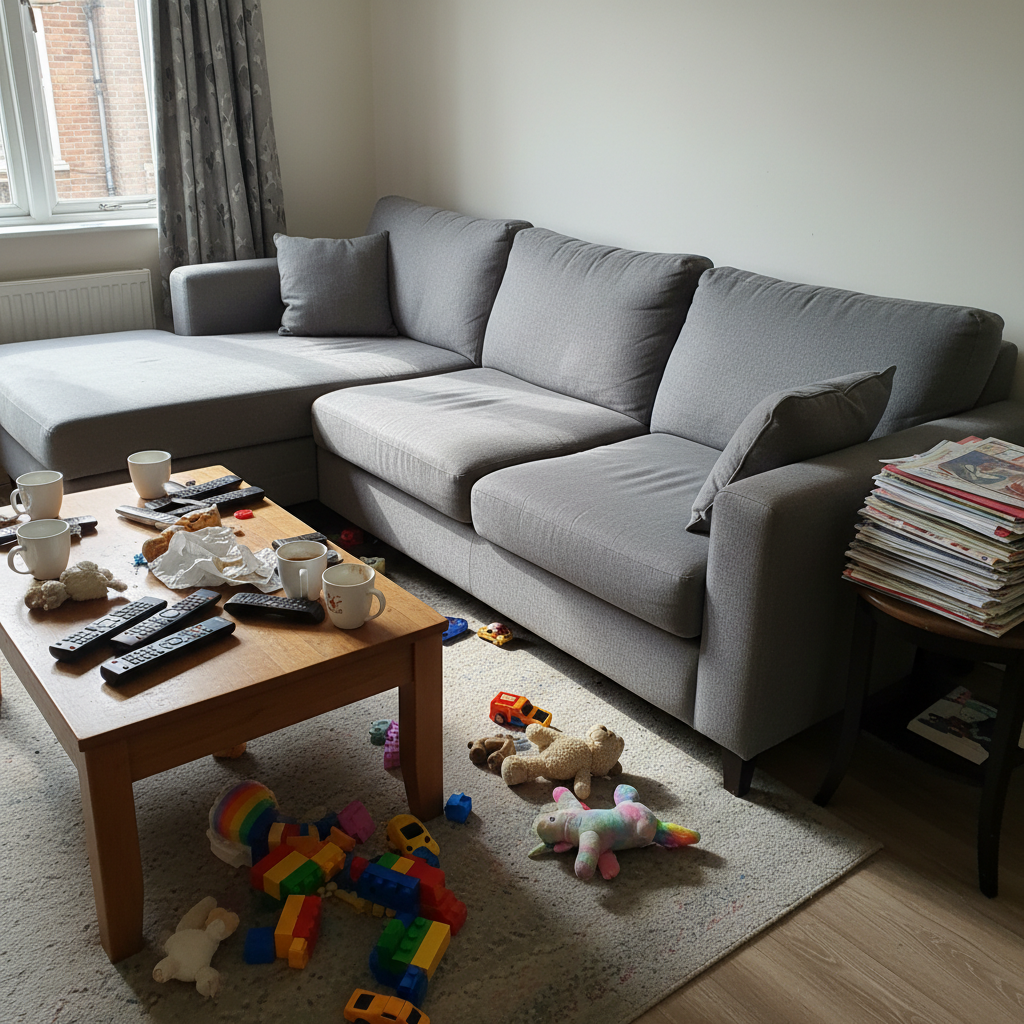
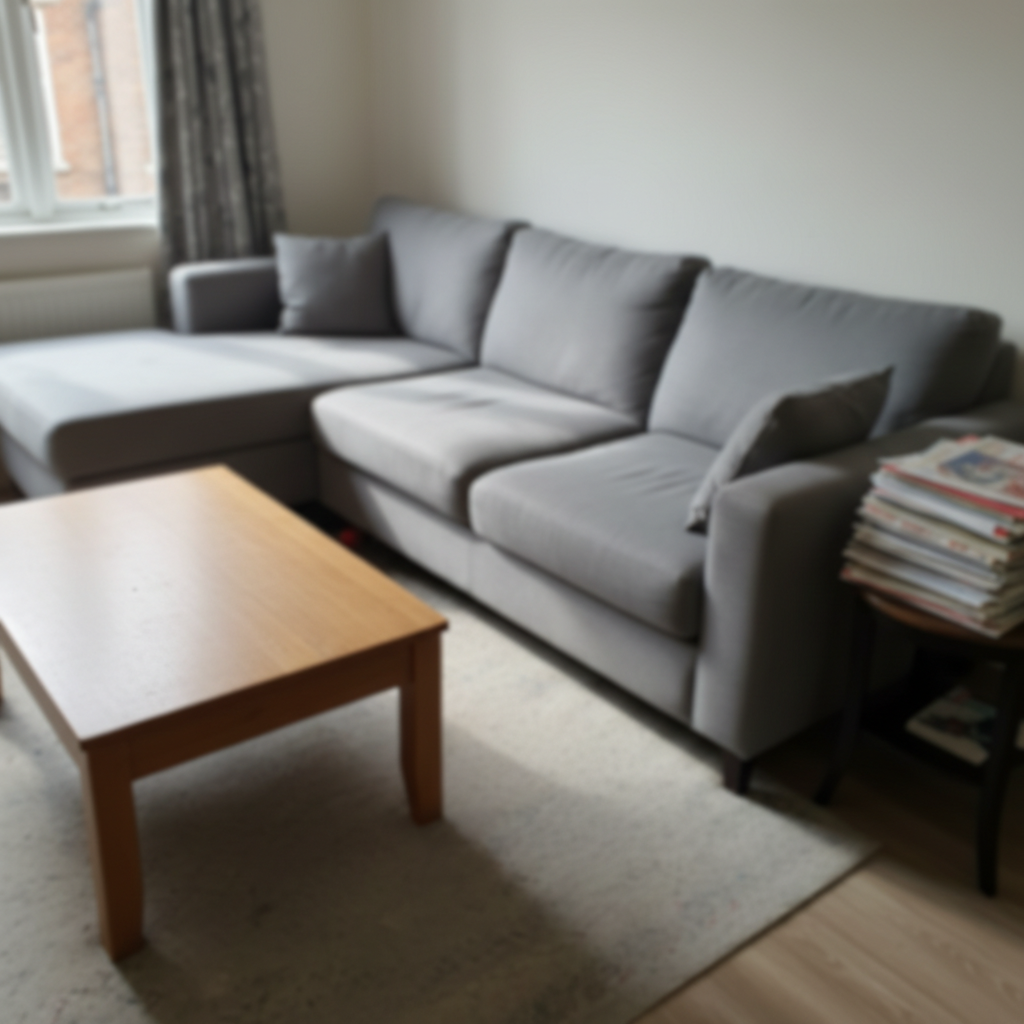
Living room couch rescue
You're selling your couch but the only angle that shows it well also shows the messy coffee table and kids' toys scattered around.
blur the background to hide all the clutter, keep the couch perfectly sharp, make it look like a furniture store photo
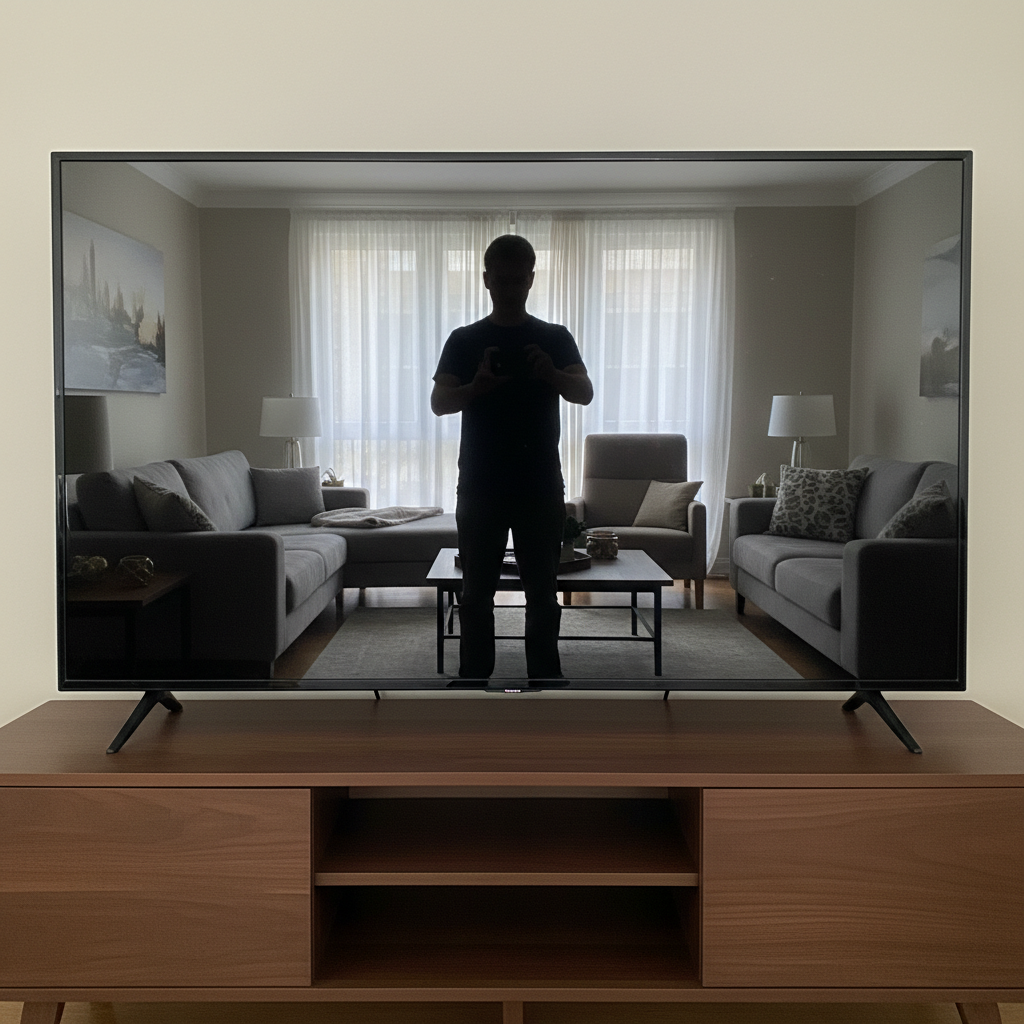
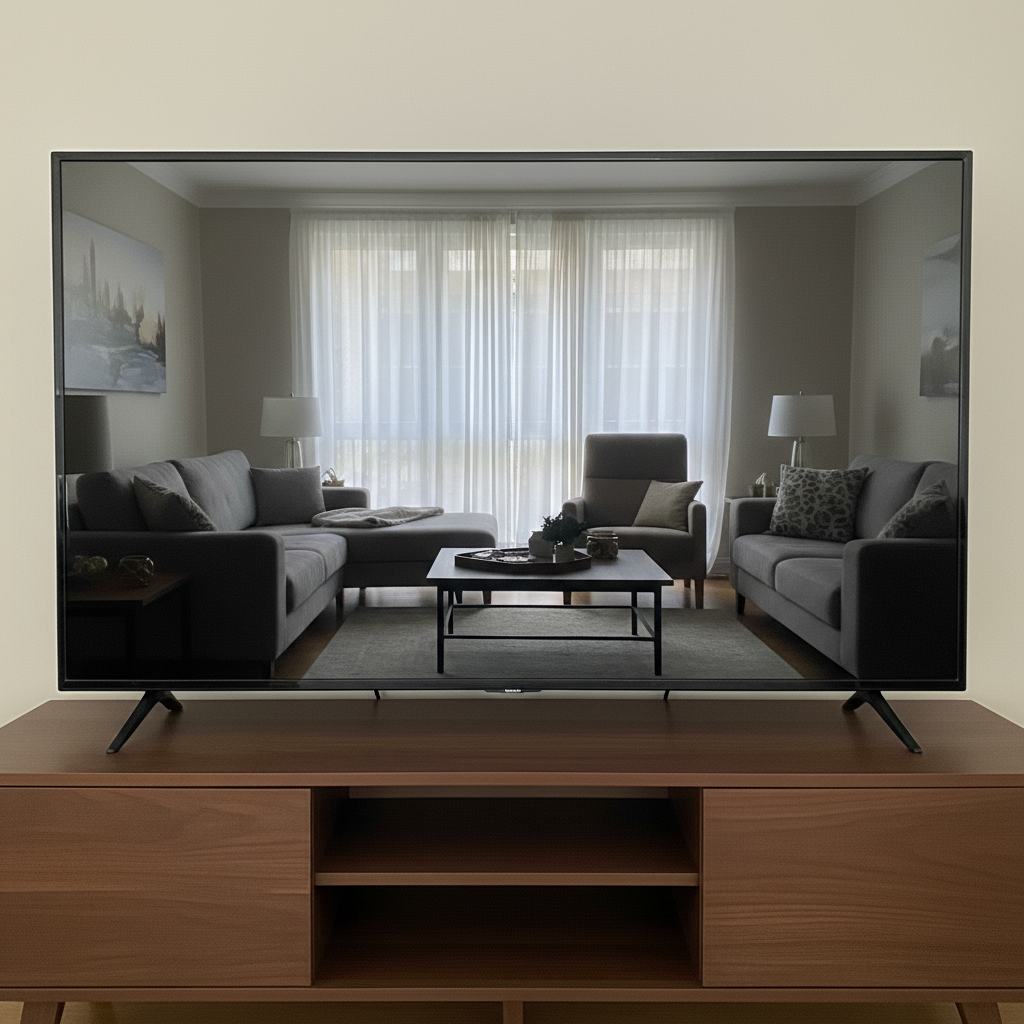
TV with room reflection
Selling a TV but the black screen shows a reflection of your whole living room including the photographer.
remove the reflection on the TV screen showing the room and person, make the screen look clean and dark


Used bike in garage
Great mountain bike but photographed in a messy garage with tools and junk everywhere.
replace the garage background with a clean neutral gray backdrop, keep the bike exactly as-is, add subtle ground shadow
When Things Go Wrong
Item colors look different after editing
Why: Lighting correction can shift colors, especially if the original had a strong color cast.
fix the lighting but keep the original colors of the item accurate, don't change the item's actual color
Always check edited photos against the real item before posting.
Background blur shows halos around edges
Why: Complex edges like fabric, plants, or irregular shapes are harder to separate cleanly.
Items with clean edges (electronics, furniture with straight lines) blur best.
AI changed the wrong area or something I didn't want changed
Why: The AI couldn't determine exactly which area you meant from description alone. This happens with ambiguous requests.
Tap a marker on the specific area you want to change, then regenerate with the same prompt
Markers tell the AI 'I mean THIS one specifically.' Use them when description alone is ambiguous.
White background makes item look fake
Why: Pure white without shadows can look like a cutout rather than a real product photo.
Small shadows add dimension and make items look like real photos, not Photoshop jobs.
Reflection removal left a weird spot
Why: The AI reconstructed what might be behind the reflection but guessed wrong.
For tricky reflections, try 'make the screen look completely black' instead.
Frequently Asked Questions
Do I need to mark the background before describing the edit?
No. Just describe what you want: 'blur the background' or 'replace background with white.' The AI understands what 'background' means. Only use markers if you need to point out a specific spot that's being missed or changed incorrectly.
Is it okay to edit Marketplace photos? Will buyers be upset?
Yes, editing for clean backgrounds and good lighting is expected and appreciated. Buyers want to see what they're buying clearly. Just don't hide defects or make items look better than they are - that leads to disputes. Focus edits on the environment, not the item's condition.
How do I take better photos before editing?
Get close to the item, use natural light from a window if possible, and take photos at the item's level rather than looking down. Multiple angles help. The editing handles background and lighting - you just need a clear, in-focus shot of the item itself.
Is there a free Marketplace photo editor that doesn't need an account?
Yes, EditThisPic is free to try with no signup required. Upload your photo, describe what you want fixed, and download the result. No watermarks on your edited photos.
Should I blur or replace the background?
Blur is faster and looks more natural for most items, especially furniture and vehicles. Replace with white works great for smaller items like electronics, collectibles, and accessories. When in doubt, try blur first - it preserves some context while hiding mess.
Can I edit multiple photos for one listing?
Yes, and you should. Listings with multiple photos sell faster. Edit your main photo for best impact, then edit 1-2 detail shots. Different angles build buyer confidence that you're not hiding anything.
Ready to make your listing photos sell?
Free to try. No signup required. No watermarks.
Edit Your Photos