AI Sky Replacement for Real Estate Photos
Never reshoot a property because of bad weather again.
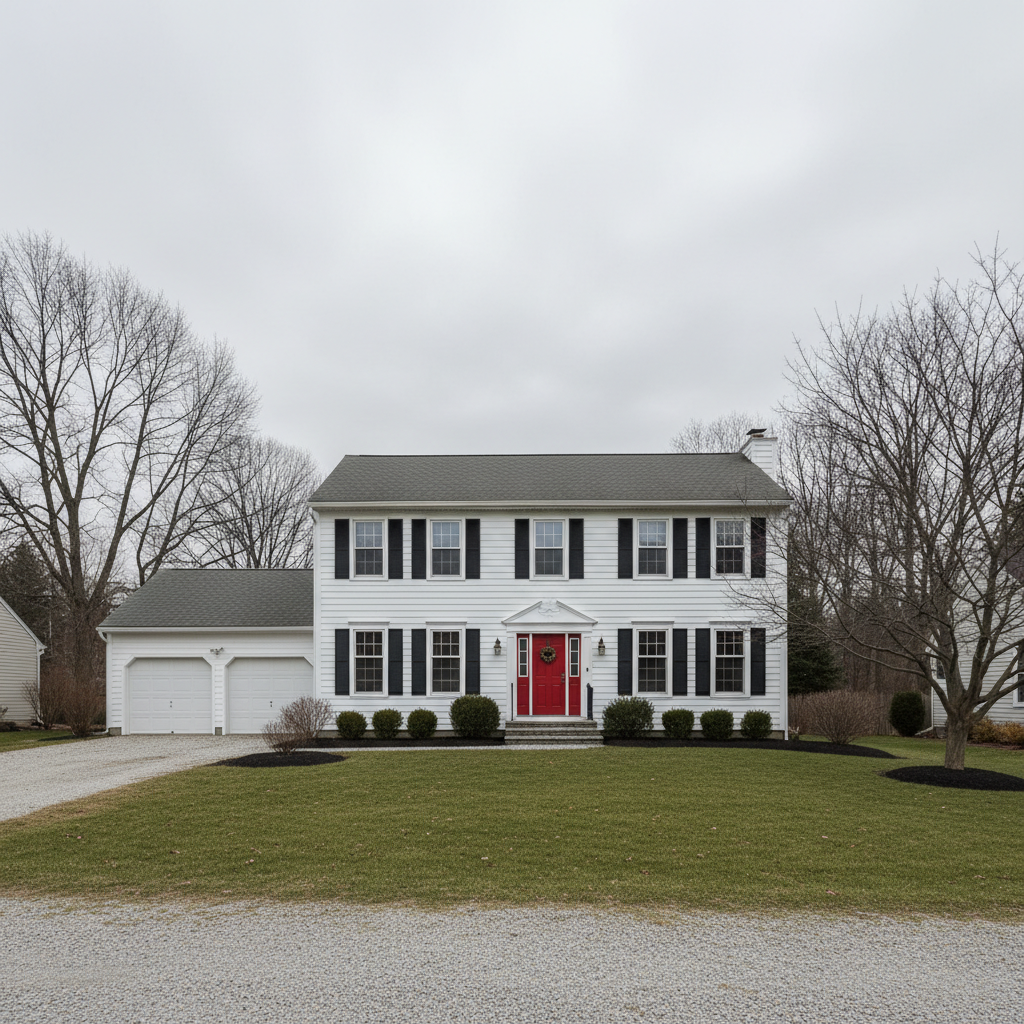
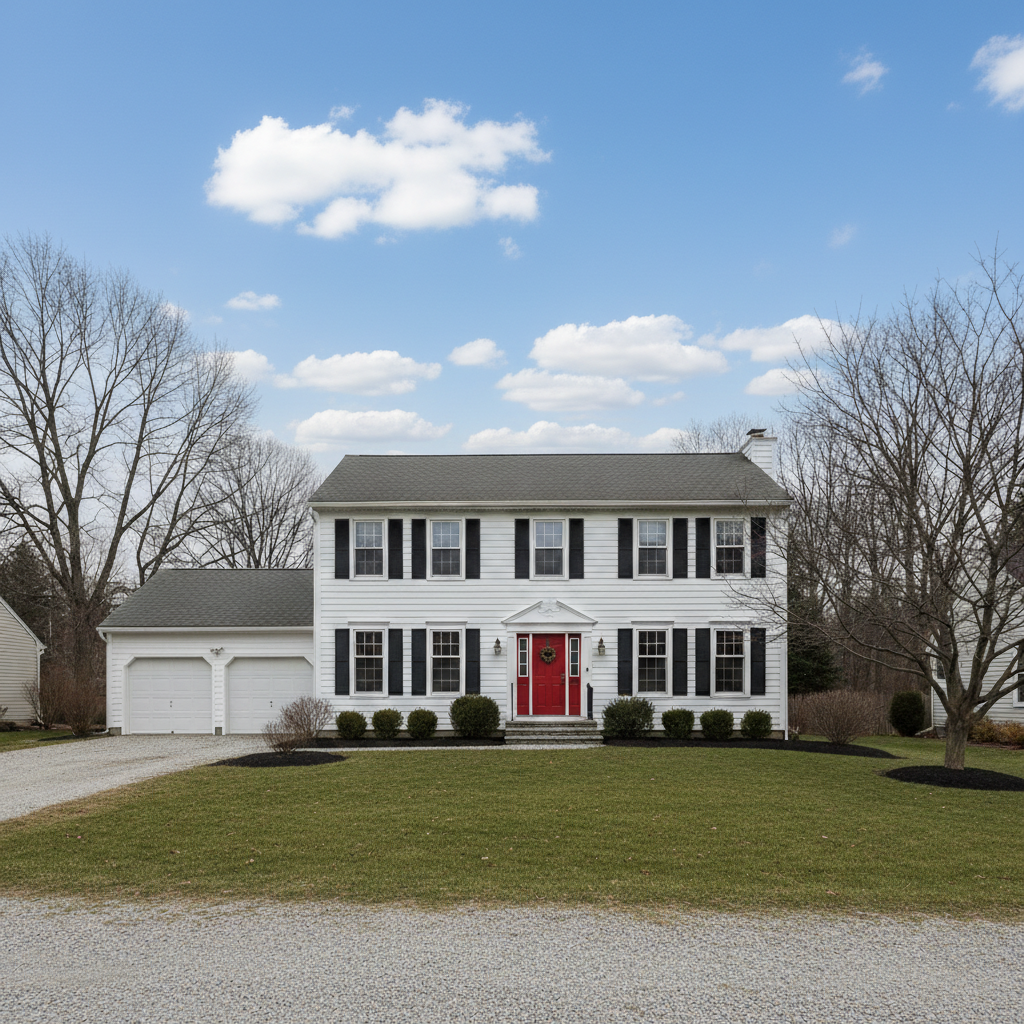
Drop your photo here
or click to browse
Release to upload
Free • No signup
"Shot a $2M listing on an overcast day. Client wasn't happy with the gray sky photos. Swapped in blue skies and they're now the hero images on MLS. Saved me a reshoot trip." @RealtorPhotoPro
Built for Real Estate Professionals
Real estate photography is at the mercy of weather. One cloudy day can delay a listing or require an expensive reshoot. EditThisPic lets you transform any exterior shot into a sunny, inviting image that sells. Professional results without Photoshop masking or expensive editing services.
Tools for Real Estate Photos
Replace Sky
Swap overcast skies for blue, sunset, or dramatic clouds
Enhance Photo
Boost colors and contrast for listing-ready images
Fix Color
Correct color casts from overcast lighting
Enhance Lighting
Brighten exteriors to match a sunny sky
Remove Object
Remove trash cans, cars, or distractions from shots
Step-by-Step Guide
-
Upload your property exterior
Drop your listing photo into EditThisPic. Works with JPG, PNG, WebP up to 7MB. Best results come from photos where the sky is clearly visible, even if it's gray or overcast.
Simple sky swap: 25-30 seconds. Complex scenes with trees: may need 1-2 refinements. -
Describe the sky you want
Type your instruction: 'replace the overcast sky with bright blue sky and white clouds' or 'change the sky to golden hour sunset.' Be specific about the mood you want. No selection or masking needed - the AI knows what sky means.
Match the lighting direction: if the sun was on the left in your photo, mention 'with sun from the left side' for realistic results. -
Review the result
Check that the new sky looks natural with the property. Verify tree branches, rooflines, and architectural details blend smoothly with the new sky. Zoom in on edges to ensure clean transitions.
-
Refine edges if needed
If tree branches or rooflines have visible halos or awkward edges, tap markers on those specific areas and regenerate. Most sky replacements work without this step.
For properties with lots of trees, try 'blend tree edges naturally with the new sky' in your prompt.
Copy-Paste Prompts for Real Estate Skies
replace the gray overcast sky with bright blue sky and scattered white fluffy clouds, keep the property lighting natural
Scattered clouds look more realistic than pure blue - perfectly clear skies can look fake
change the sky to warm golden hour sunset with orange and pink tones, add warm light on the house facade
Adding 'warm light on the house' makes the new sky lighting match the property
replace the flat sky with dramatic blue sky with large white cumulus clouds, keep shadows consistent
Dramatic clouds add visual interest while still looking professional for listings
change the sky to deep blue twilight with warm interior lights glowing from windows
Twilight shots are premium for luxury listings - the AI adds window glow automatically
Show 4 more prompts
replace the overcast sky with clear light blue morning sky, soft and bright, enhance overall brightness to match
Morning skies are lighter blue than midday - specify 'light blue' for accurate results
change the dull gray sky to perfect summer day blue with white wispy clouds, make the lawn look greener too
Combining sky swap with lawn enhancement creates a cohesive summer look
replace the bland sky with dramatic stormy clouds clearing to reveal blue, moody but inviting
Dramatic skies work well for luxury or unique architectural properties
replace the gray sky with blue sky and clouds, match the existing shadow direction and lighting on the house exactly
Specifying 'match existing shadows' prevents unrealistic lighting mismatches
| Edit Type | Prompt | Time | |
|---|---|---|---|
| Classic blue sky | replace sky with bright blue and white clouds |
25s | Try This → |
| Golden hour | change sky to warm sunset, add golden light on house |
30s | Try This → |
| Dramatic clouds | dramatic blue sky with large cumulus clouds |
30s | Try This → |
| Twilight | deep blue twilight sky with window lights glowing |
35s | Try This → |
Real Examples
Overcast listing to sunny sale
Shot a colonial home on a gray December day. The property looked flat and uninviting. Blue sky transformed the entire feel.
replace the gray overcast sky with bright blue sky and white fluffy clouds, keep the house lighting natural
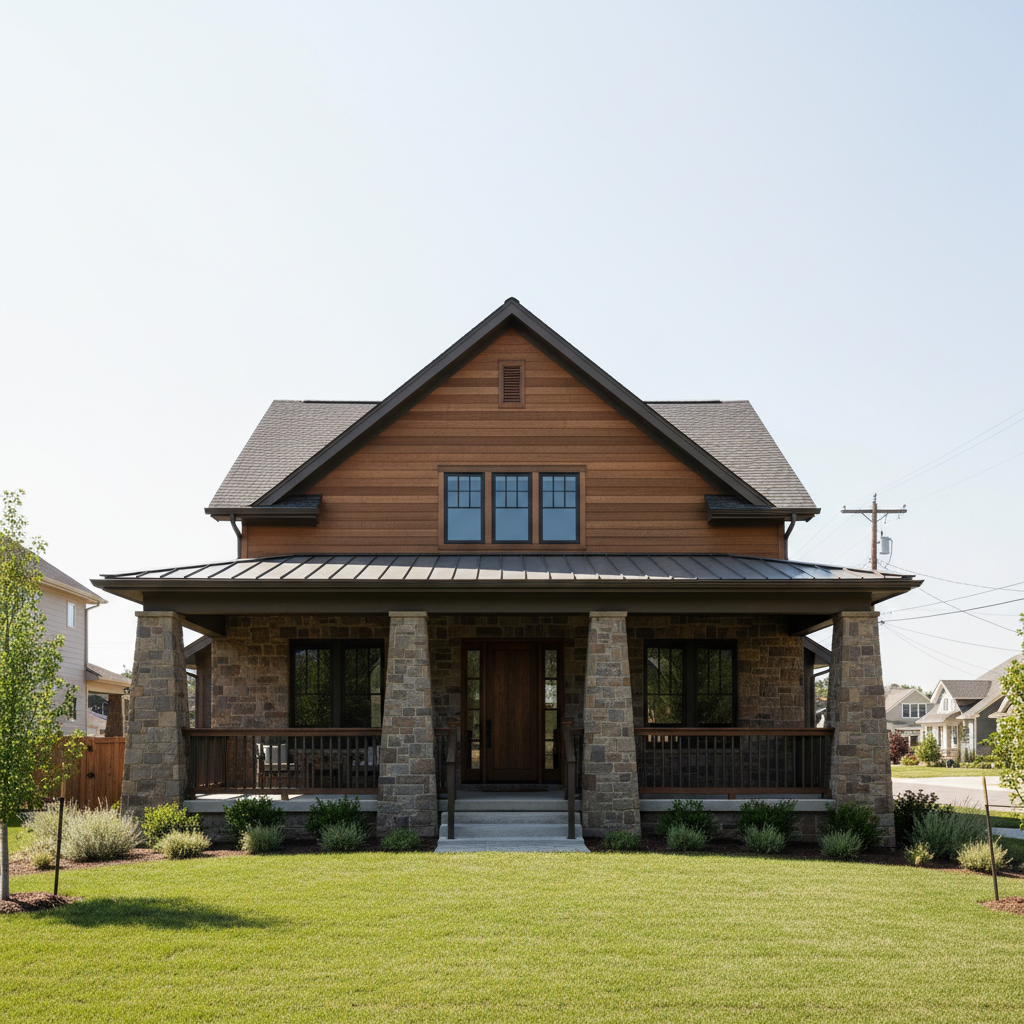
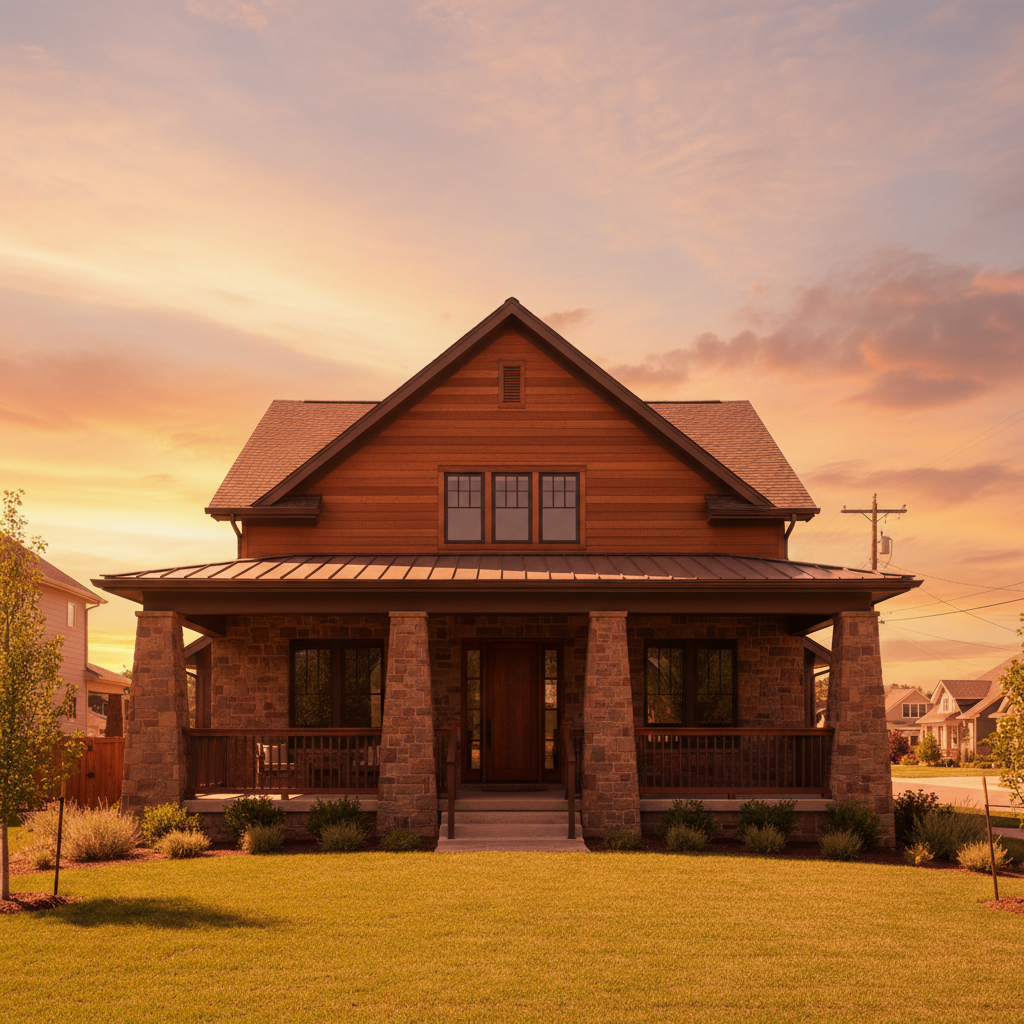
Golden hour without the wait
Client wanted golden hour photos but scheduling didn't work out. Shot at noon, transformed to sunset warmth.
change the sky to warm golden hour sunset with orange and pink tones, add warm golden light reflecting on the house facade
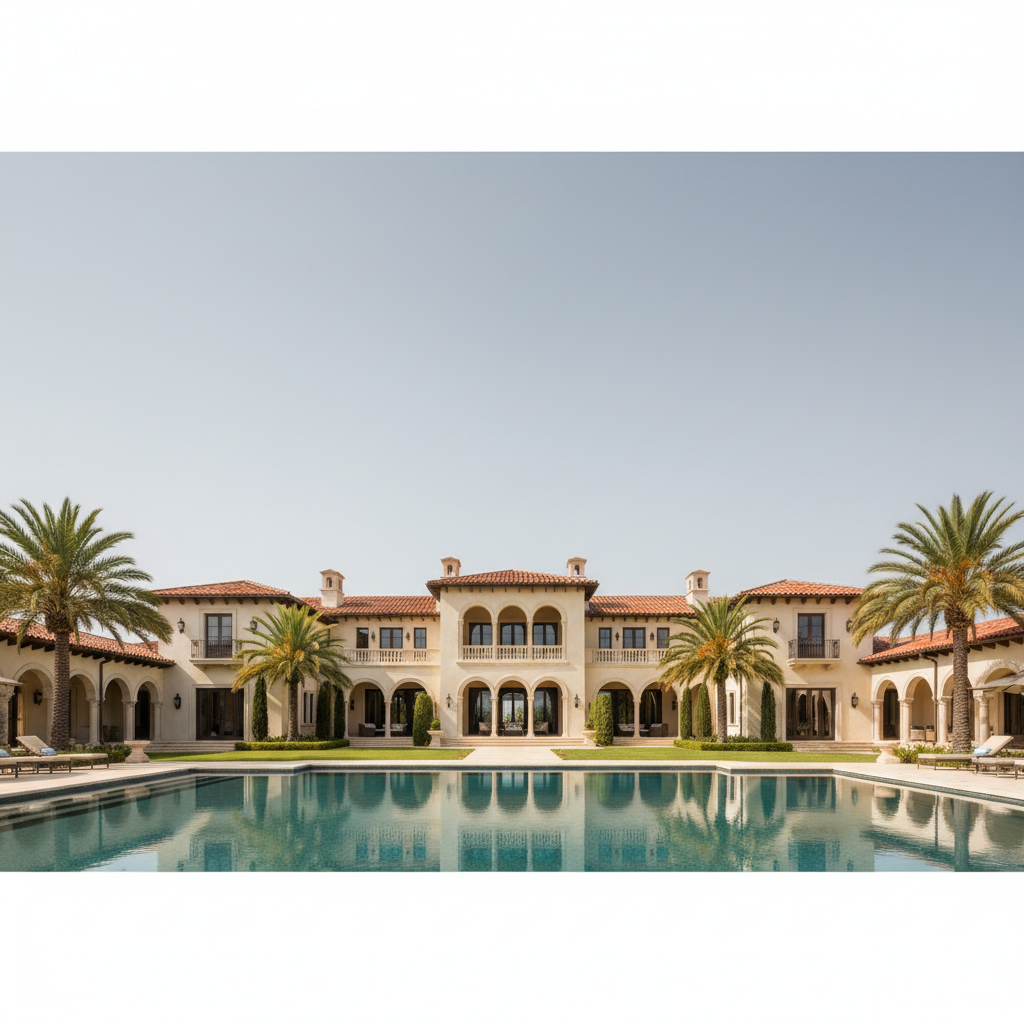
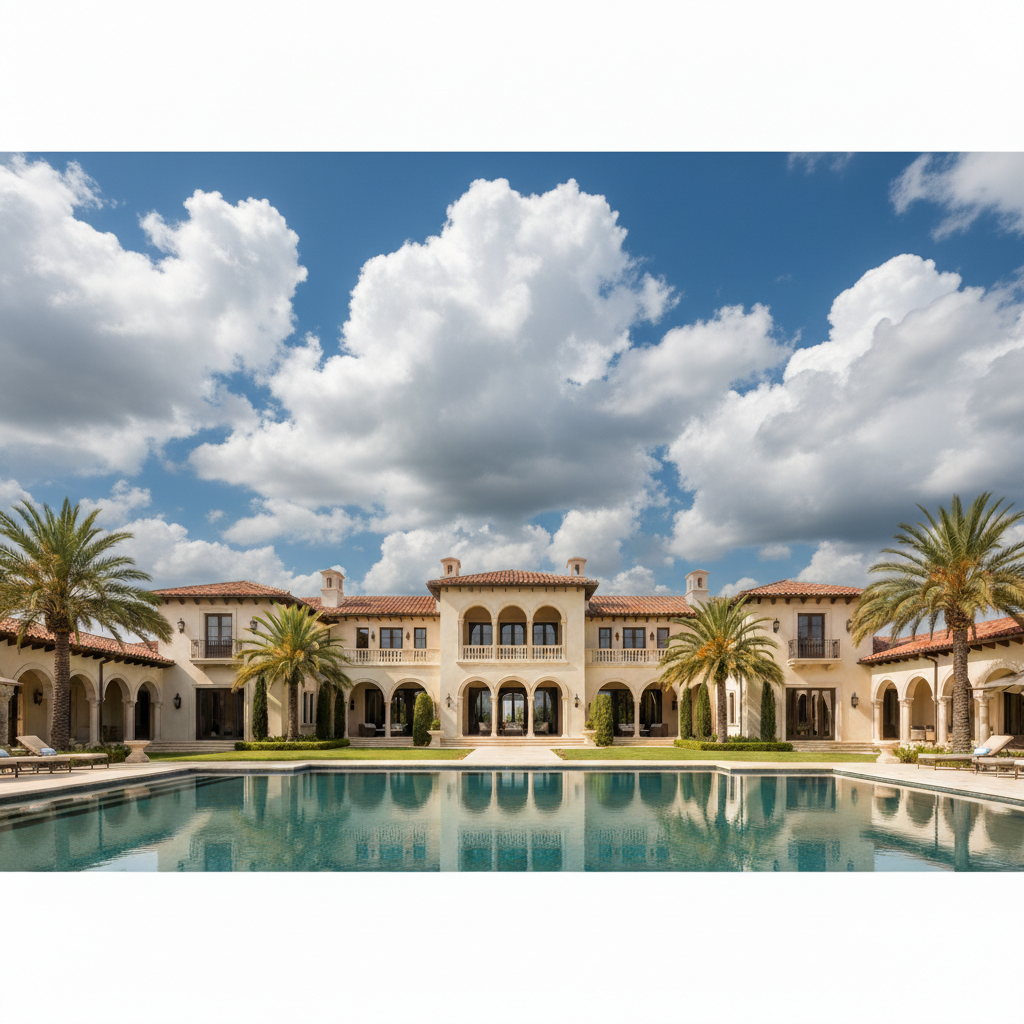
Luxury listing with dramatic clouds
High-end property deserved a striking hero image. Replaced a boring sky with dramatic clouds for visual impact.
replace the flat sky with dramatic deep blue sky with large white cumulus clouds, keep shadows consistent with the house
When Things Go Wrong
Tree branches have visible halos or look cut out
Why: Fine branches against sky are difficult to separate cleanly. The AI may leave artifacts around complex edges.
Tap markers on the tree edges, then: blend tree branches naturally with the new sky, no halos
Photos with fewer trees or well-defined rooflines give cleaner results on the first try.
New sky lighting doesn't match the house shadows
Why: The sky replacement changed the apparent light direction without adjusting shadows on the property.
replace the sky with blue sky and clouds, keep the existing shadow direction on the house exactly as is
Look at where shadows fall on the property and mention that direction in your prompt.
Sky looks obviously fake or pasted in
Why: The sky brightness or color temperature doesn't match the rest of the scene.
replace the sky with natural-looking blue sky that matches the scene lighting, blend horizon smoothly
Add 'natural-looking' and 'match the scene lighting' to your prompt for better integration.
Horizon line has a visible seam
Why: The transition between old and new sky wasn't blended smoothly.
Tap markers on the horizon line, then: blend the horizon seamlessly with no visible transition
Rooflines and architectural edges usually blend better than natural horizons like hills or trees.
AI changed the wrong area or something I didn't want changed
Why: The AI couldn't determine exactly which area you meant from description alone. This happens with ambiguous requests.
Tap a marker on the specific area you want to change, then regenerate with the same prompt
Markers tell the AI 'I mean THIS one specifically.' Use them when description alone is ambiguous.
Window reflections still show the old gray sky
Why: Windows reflect the actual sky, and the AI may not have updated reflections to match.
replace the sky with blue sky and also update the sky reflections in all windows to match
Explicitly mentioning window reflections helps the AI remember to update them too.
Frequently Asked Questions
Do I need to select or mask the sky before replacing it?
No! Just describe what you want: 'replace the gray sky with blue sky and clouds.' The AI understands what sky means and handles the selection automatically. Only use markers if you need to refine specific edges after the first attempt.
How do I make the new sky look realistic with my property?
Match the lighting direction. If shadows on your house fall to the right, the sun was on the left - mention 'with sun from the left' in your prompt. Also specify 'natural-looking' and 'match the scene lighting' to help the AI blend the sky naturally.
Is there a free real estate sky replacement tool that doesn't require login?
Yes. EditThisPic lets you replace skies in property photos free with no account required. Upload your listing photo, describe the sky you want, and download the result. No watermarks on the free tier.
What's the best sky type for real estate listings?
Classic blue sky with white fluffy clouds works for most properties - it's inviting without being distracting. For luxury listings, consider golden hour or dramatic clouds. Avoid pure cloudless blue as it can look artificial.
Can I use these edited photos on MLS and listing sites?
Generally yes, sky replacement is widely accepted in real estate marketing. The property itself remains unaltered. However, check your local MLS rules and real estate board guidelines, as some have specific policies about photo editing.
How do I handle properties with lots of trees?
Trees with fine branches can be tricky. Try 'blend tree edges naturally with the new sky' in your prompt. If branches still have halos, tap markers on the problem areas and regenerate. Photos where trees don't overlap the main sky area work best.
Ready to transform your listing photos?
Free to try. No signup required. No watermarks.
Fix Your Sky Now