Free • No signup Apply Anime filter · Free

AI Anime Filter

Describe the anime style you want and AI transforms your photo instantly. No drawing required.
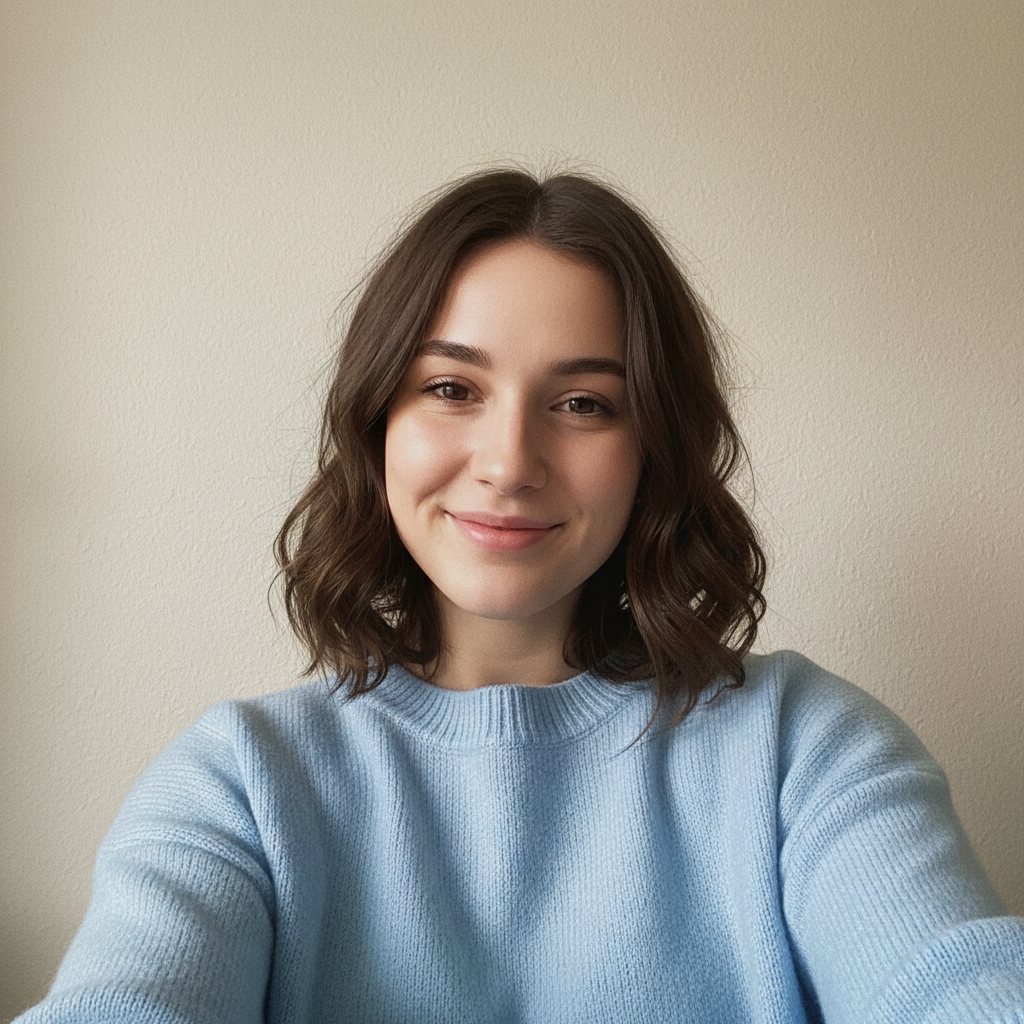
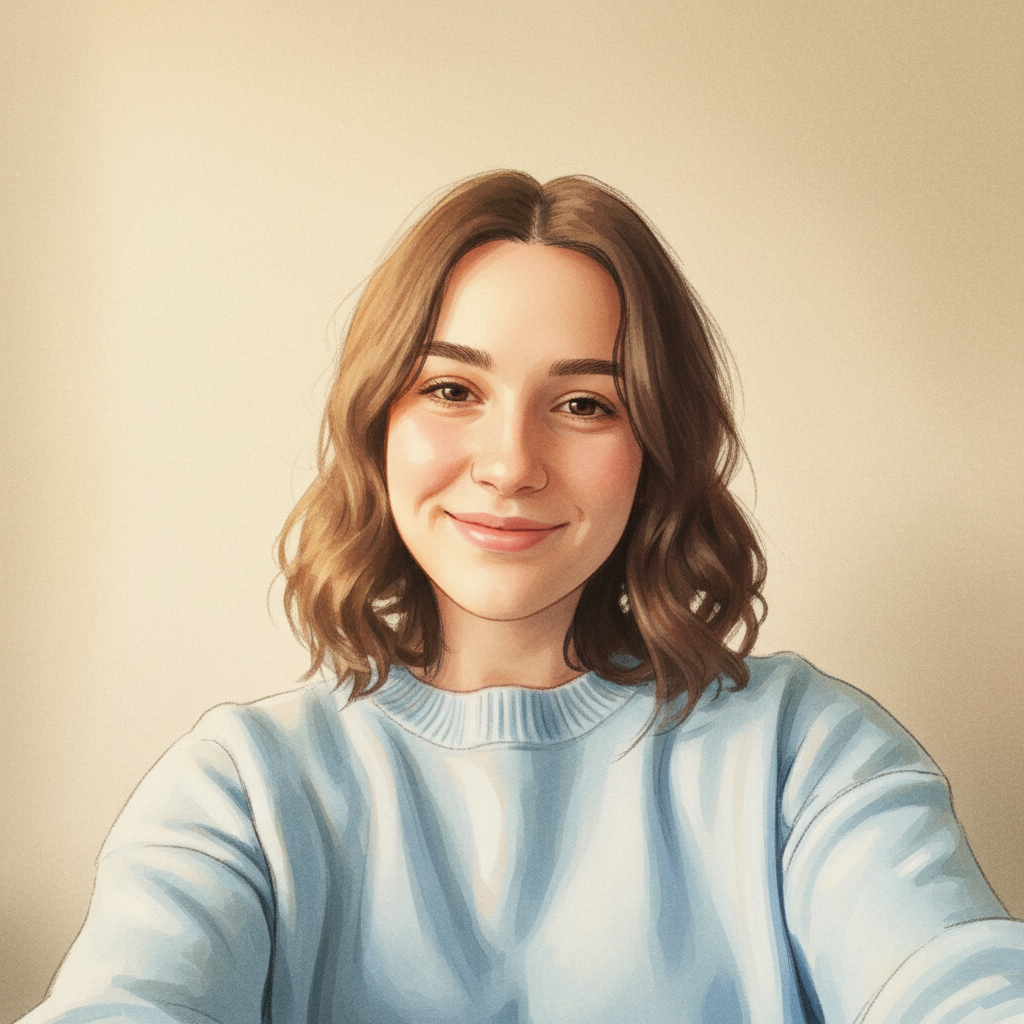
Young woman with dark hair taking a selfie
Before
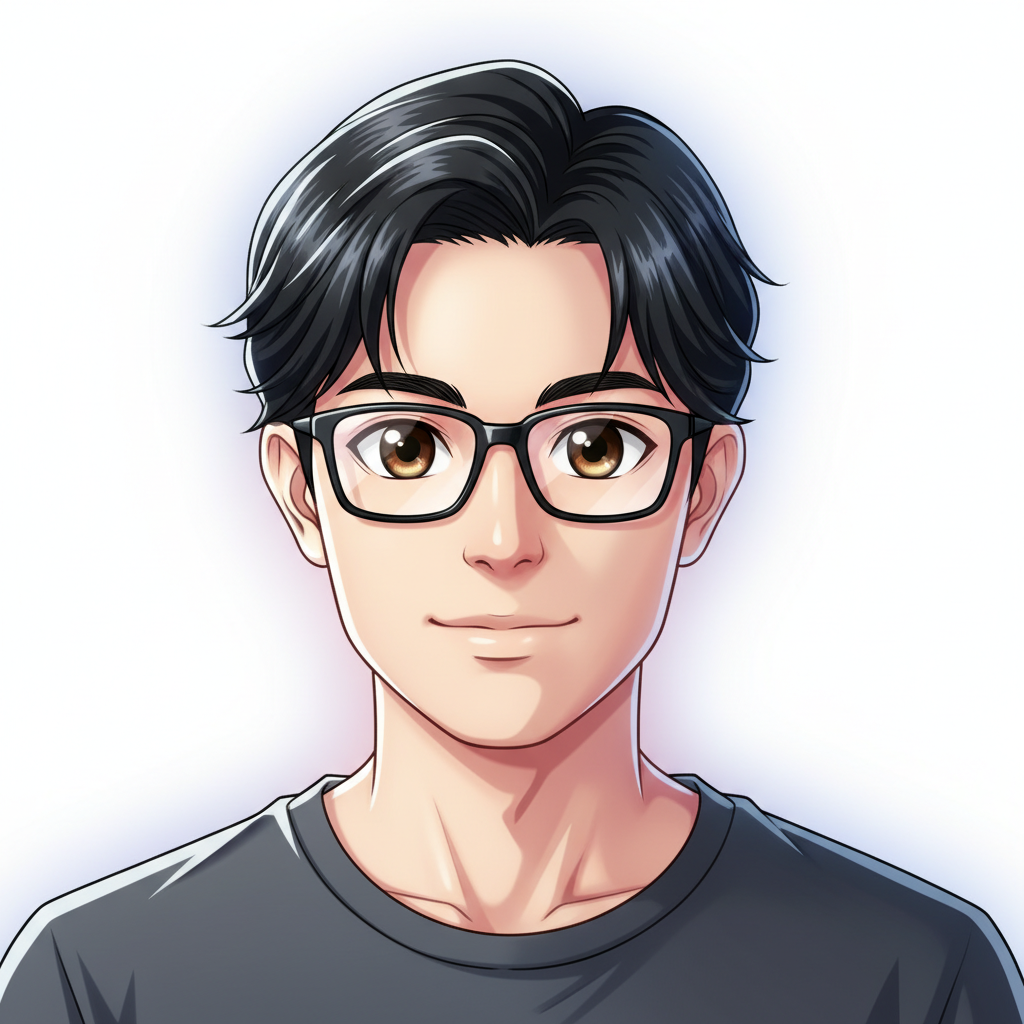
Same woman transformed into anime style with large expressive eyes
After

AI Anime Filter

Drop your photo here

or click to browse

Release to upload

Free • No signup

Advertisement
Popular use cases:
  • anime profile picture
  • Discord avatar
  • manga-style portrait
  • anime selfie filter
  • cosplay reference
  • social media anime avatar
  • anime character design
  • fan art creation

Cost
Free No signup required
Time
Instant results in 15-30 seconds
Works on
Any device - browser, phone, tablet, desktop
Powered by
AI-powered photo editing
Scenario Prompt Time
Classic anime portrait transform this photo into anime style with large expressive eyes 30s
Specific style (Ghibli, shonen) convert to Studio Ghibli anime style with warm tones 40s
Chibi character turn this into a chibi anime character 45s

How it works

  1. Upload your photo

    Drop your image into EditThisPic. JPG, PNG, WebP up to 7MB. Clear face shots with good lighting produce the most stunning anime results. Front-facing portraits work best.

    Expect: Simple anime conversion: 30-40 seconds. Complex scenes with multiple characters: 45-60 seconds.
  2. Describe the anime style you want

    Type your instruction: 'transform this photo into anime style with large expressive eyes and soft shading' or 'convert to Studio Ghibli anime style with warm watercolor tones.' Be specific about eye size, color palette, and shading style. No marking needed—the AI transforms the entire image.

    Tip: Reference specific anime styles like 'Studio Ghibli', 'shonen manga', or 'shoujo' for more targeted results.

    Copy one of these to get started:

    Classic anime portrait transform this photo into anime style with large expressive eyes, smooth skin, and vibrant hair colors

    Studio Ghibli style convert this photo to Studio Ghibli anime style with warm watercolor tones and soft dreamy lighting
    Shonen action anime transform this photo into shonen anime style with sharp features, dramatic shading, and intense expression
    Soft shoujo anime convert this photo to shoujo anime style with sparkling eyes, flower accents, and pastel pink tones
    3 more prompts
    Chibi anime style turn this photo into a chibi anime character with an oversized head, tiny body, and cute exaggerated expressions
    Dark anime aesthetic transform this photo into dark anime style with moody shadows, muted colors, and sharp angular features
    Pet anime character convert this pet photo into an anime companion character with large sparkling eyes and a cute anime expression
  3. Review the anime transformation

    Check that the anime version captures your likeness while applying the characteristic style. Look for expressive eyes, clean line art, and consistent coloring. Zoom in on hair and eye details.

  4. Refine with markers if needed

    If specific features like eyes, hair highlights, or clothing details need adjustment, tap markers on those areas and regenerate. Most anime conversions look great on the first try.

    Tip: Markers are for precision refinement only. Try without them first—anime style usually works perfectly in one pass.
Try it free

AI Anime Filter

Drop your photo here

or click to browse

Release to upload

Free • No signup

"I turned my entire friend group's photos into anime characters for our Discord server. Everyone immediately changed their profile pics. Took 5 minutes total." @AnimeArtKai

See it in action

Young woman with dark hair taking a selfie
Before
->
Same woman transformed into anime style with large expressive eyes
After

Selfie to anime character

A casual selfie transformed into a vibrant anime-style portrait with expressive eyes and clean line art.

Prompt: transform this photo into anime style with large expressive eyes, smooth skin, and vibrant hair colors
Man in green jacket outdoors in golden hour lighting
Before
->
Same man rendered in Studio Ghibli watercolor anime style
After

Portrait to Ghibli-style anime

A portrait photo converted to the warm, hand-painted look of a Studio Ghibli film character.

Prompt: convert this photo to Studio Ghibli anime style with warm watercolor tones and soft dreamy lighting
Advertisement

If something looks off

AI changed the wrong area or something I didn't want changed

Why: The AI couldn't determine exactly which part you meant from description alone. This happens when you want selective anime effects on specific areas.

Try: Tap a marker on the specific area you want in anime style, then regenerate with the same prompt

Tip: Markers tell the AI 'I mean THIS area specifically.' Use them when you want partial anime conversion.

Result doesn't look like anime—more like a painting or cartoon

Why: The AI interpreted 'anime' too broadly and applied a generic illustration style instead of anime-specific traits.

Try: transform this photo into Japanese anime style with large manga-style eyes, pointed chin, and clean cel-shading

Tip: Be specific about anime traits: 'manga-style eyes', 'cel-shading', 'pointed chin' to lock in the anime look.

Eyes don't have the signature anime look

Why: The AI preserved too much photorealism in the eye area instead of applying the characteristic large, detailed anime eyes.

Try: transform this photo into anime with very large, detailed, expressive eyes with visible highlights and reflections

Tip: Anime eyes are the most important feature—emphasize 'large', 'detailed', 'highlight reflections' explicitly.

Hair looks flat or lacks anime-style detail

Why: The AI simplified the hair instead of adding the characteristic anime hair sheen and strand detail.

Try: convert to anime style with detailed hair strands, visible highlights, and dynamic flow in the hair

Tip: Anime hair has distinct 'chunks' with highlights. Mention 'hair strands' and 'highlights' for better results.

Face doesn't look like the original person

Why: Strong anime stylization changed facial proportions too much, losing the likeness.

Try: transform this photo into anime style while keeping the person's facial structure and features recognizable

Tip: Add 'keep recognizable' or 'preserve likeness' to maintain identity while applying anime style.

Quick answers

Do I need to mark my face before applying the anime filter?

No! Just upload your photo and describe the anime style: 'transform this into anime with large expressive eyes.' The AI handles the entire conversion automatically. Only use markers if you want to keep part of the photo realistic while converting the rest to anime.

How do I turn my photo into anime for free?

Upload your photo to EditThisPic and type 'transform this photo into anime style with large expressive eyes and vibrant colors.' The AI generates your anime version in about 30 seconds. Completely free, no account needed, and no watermark on the download.

Is there a free anime filter that doesn't require an account?

Yes. EditThisPic applies anime-style transformations with no signup required. Upload your photo, describe the anime look you want, and download the result. No watermarks, no registration walls.

What's the best free AI anime filter for selfies?

EditThisPic gives you full control over the anime style—from Studio Ghibli to shonen to chibi. Unlike one-click filters that produce the same generic result, you describe the exact style you want. Free, no login, results in 30 seconds.

Ready to turn your photo into anime?

Free to try. No signup required.

Try it free