AI Photo Editor for Vinted Listings
Turn wardrobe clearout photos into professional Vinted listings in seconds. No photography skills needed.
Drop your photo here
or click to browse
Release to upload
Free • No signup
"I was taking photos on my bedroom floor with terrible lighting. This tool made everything look boutique-quality. My items started selling within hours instead of sitting for weeks." @VintedSeller_FR
Built for Vinted Sellers
Vinted is Europe's fastest-growing secondhand marketplace with 75M+ users. Clean, professional photos are essential to stand out. Your first photo has less than a second to stop the scroll. EditThisPic lets you create professional listing photos from phone camera shots in seconds. No lightbox, no ironing, no retakes needed.
Tools Vinted Sellers Use Most
Remove Background
Replace messy bedroom backgrounds with clean white for professional listings
Change Background to White
Create the clean white background Vinted buyers expect
Enhance Colors
Make clothing colors accurate and vibrant so buyers see true colors
Remove Wrinkles
Smooth out fabric wrinkles from storage without ironing
Create Professional Vinted Photos
-
Upload your clothing photo
Drop your flat lay, hanger, or modeled photo into EditThisPic. JPG, PNG, and WebP up to 7MB. Phone camera photos work perfectly. Vinted shows square thumbnails, so center your item for best results.
Simple items on plain surfaces: 15-20 seconds. Detailed patterns or busy backgrounds: may need 2-3 refinements. -
Describe what you want
Type 'change background to clean white' or 'remove the messy room and show item on white background.' Be specific about what you want: white background, smooth wrinkles, enhance colors. The AI understands these instructions without any marking.
For multiple improvements, combine them: 'change background to white, smooth wrinkles, enhance colors' -
Review and download
Check that fabric texture looks natural, colors are accurate, and the background is clean. Zoom in to verify patterns and details match the actual item. Download your Vinted-ready photo.
Vinted buyers appreciate honest photos. Make sure colors match the real item to avoid returns. -
Refine with markers if needed
If fabric edges need work or wrinkles remain in specific areas, tap markers on those problem spots and regenerate. Most Vinted photos work perfectly on the first try without markers.
For delicate fabrics like lace or sheer materials, markers help refine edges if the first result needs cleanup.
Vinted Photo Prompts That Work
change background to clean white, remove all clutter and wrinkles from surroundings, professional product photography
The most essential Vinted upgrade. Works for almost any clothing or accessory photo.
change background to clean white, preserve natural fabric drape and flow, boutique photography style
'Natural drape' keeps the AI from flattening flowing fabrics like dresses and skirts.
change background to clean white, preserve denim texture and stitching details, crisp detailed look
Denim texture, stitching, and wash are important details. This keeps them sharp and visible.
change background to clean white, keep all items arranged together, maintain spacing between pieces
Perfect for selling multiple pieces together or showing complete outfit sets.
Show 3 more prompts
smooth out wrinkles and creases in the fabric, keep natural texture and drape, look freshly steamed
Skip the iron. AI smoothing looks natural and saves time when listing many items.
enhance the colors to be vibrant and accurate, improve lighting, professional fashion photography look
Indoor lighting often makes colors look dull. This brings them back to their true appearance.
change background to clean white, enhance fabric details and texture, luxury boutique photography style
High-value items deserve premium presentation. This makes vintage and designer pieces stand out.
| Edit Type | Prompt | Time | |
|---|---|---|---|
| White background | change background to clean white, remove all clutter |
15s | Try This → |
| Remove wrinkles | smooth out wrinkles in fabric, keep natural texture |
15s | Try This → |
| Enhance colors | enhance colors to be vibrant and accurate, professional look |
15s | Try This → |
| Multiple items | change background to white, keep items arranged together |
20s | Try This → |
Vinted Photo Examples
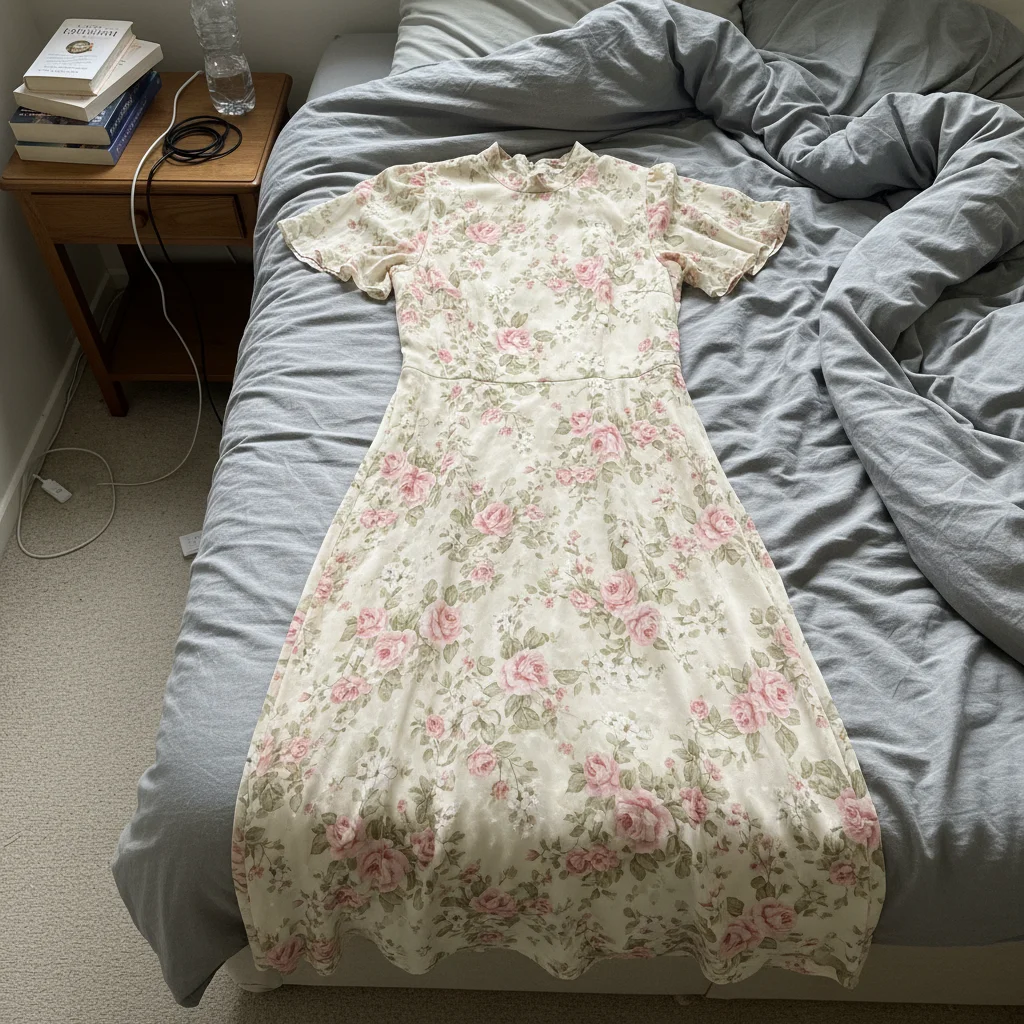
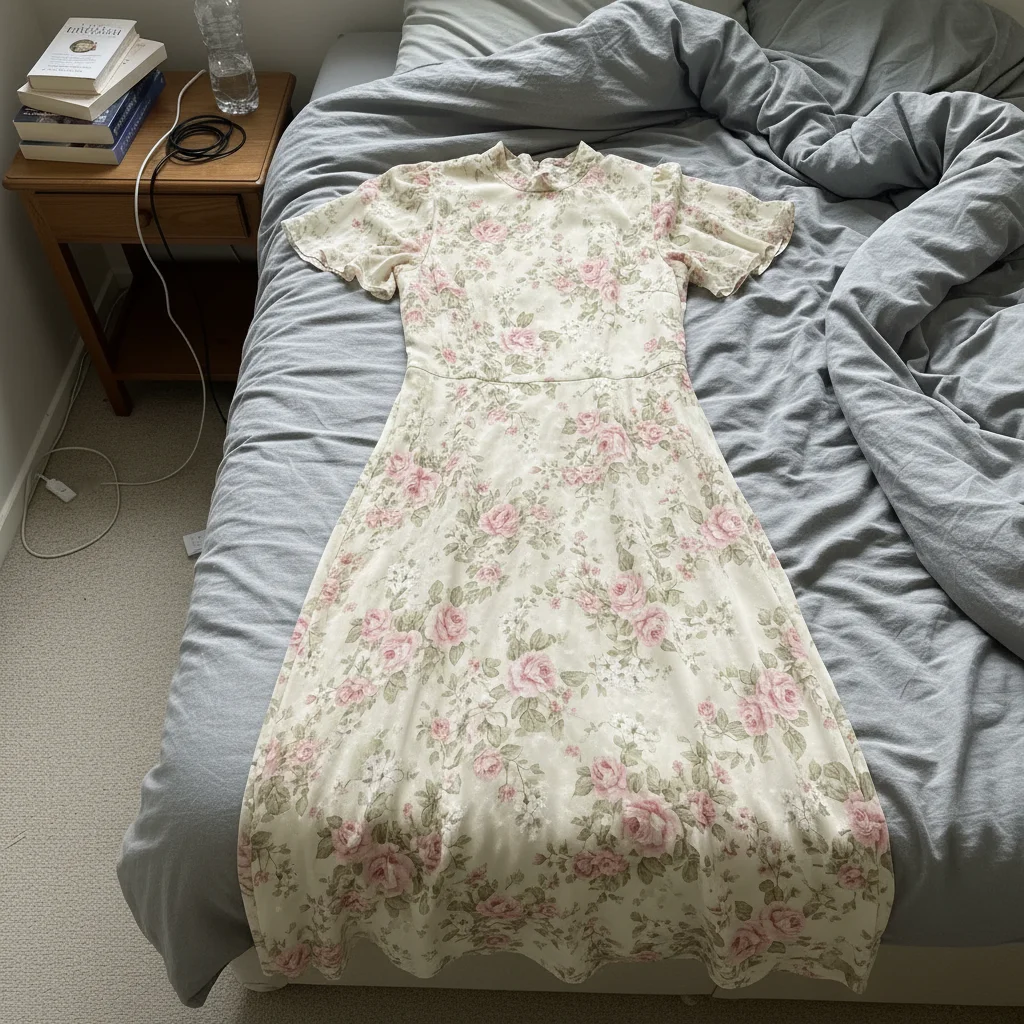
Vintage dress from bedroom to boutique
Floral midi dress photographed on unmade bed with visible bedroom clutter. One prompt created a professional listing photo.
change background to clean white, remove all clutter and wrinkles from surroundings, professional product photography


Denim jacket professional upgrade
Classic denim jacket photographed on carpeted floor with visible dust and poor lighting. Transformed to clean, professional quality.
change background to clean white, preserve denim texture and stitching details, remove dust and lint


Sneakers ready for quick sale
White sneakers photographed on wooden floor with shadows and scuff marks. Cleaned up to highlight condition.
change background to clean white, remove shadows, enhance the sneaker details and condition
Common Vinted Photo Issues
Fabric texture looks too smooth or artificial
Why: The AI may have over-smoothed the fabric while removing wrinkles, losing the natural texture buyers need to see.
change background to clean white, preserve natural fabric texture and weave, only remove deep creases
'Natural texture' tells the AI to keep the fabric's character. Essential for knitwear and textured materials.
Colors look different from the actual item
Why: Background changes can affect how colors appear without the original surrounding context or lighting.
change background to clean white, preserve exact original colors, accurate color representation
Always compare results to the physical item. Accurate colors reduce returns and build trust.
Delicate fabrics like lace have rough edges
Why: See-through or delicate fabrics are harder for AI to separate cleanly from backgrounds on the first try.
change background to clean white, careful attention to delicate fabric edges, preserve transparency
Tap markers on problem areas of lace, mesh, or sheer fabric and regenerate for cleaner edges.
AI changed the wrong area or affected the clothing
Why: The AI couldn't distinguish clothing from background, especially with similar colors or patterns.
Tap markers on the clothing areas you want to keep unchanged, then regenerate with the same prompt
Markers tell the AI 'protect THIS area.' Essential when clothing and background have similar colors.
Pattern or print looks distorted or blurry
Why: Complex patterns can be challenging during background separation, causing subtle distortions or loss of sharpness.
change background to clean white, preserve pattern alignment and print details exactly, keep sharpness
For geometric patterns and logos, add 'preserve pattern exactly' to maintain design integrity.
Item looks flat or loses dimension
Why: Aggressive background removal can sometimes reduce natural shadows that give items depth and form.
change background to clean white, preserve natural form and dimension, keep subtle shadows for depth
A small amount of shadow helps buyers visualize the item's shape, especially for shoes and bags.
Vinted Seller Questions
Do I need to mark the background before describing what I want?
No! Just type 'change background to clean white' and the AI handles it automatically. EditThisPic understands what 'background' means without any selection or marking. Only use markers if you need to refine specific edges afterward, but most clothing photos work perfectly on the first try without them.
Is there a free photo editor for Vinted that doesn't require signup?
Yes. EditThisPic is completely free to try with no account required. Just upload your photo, describe what you want, and download the result. No watermarks, no login walls, no credit card needed. Perfect for Vinted sellers who need professional photos quickly.
Should I use white backgrounds or lifestyle shots for Vinted?
Both work, but clean white backgrounds typically perform better on Vinted. White backgrounds let buyers focus entirely on the item, show details clearly, and look more professional. Use lifestyle shots as additional photos to show fit and styling, but lead with a clean white background for your cover photo.
Can I fix wrinkled clothing without ironing first?
Yes. Use 'smooth out the wrinkles in the fabric' to digitally remove wrinkles. This works well for light to moderate wrinkles from storage. For heavily creased items, a quick iron or steam will give better results, but storage wrinkles? The AI handles those easily and saves you time.
How do I show flaws honestly while still having professional photos?
Clean backgrounds actually help show flaws more clearly and honestly. Take your main photo with clean background to show overall condition, then add close-up photos of any wear, stains, or damage. Buyers appreciate professional photos that also show honest condition details. This builds trust and reduces returns.
Does this work for shoes, bags, and accessories on Vinted?
Absolutely. The same approach works for all Vinted items - shoes, bags, accessories, even homeware. Just describe what you want: 'change background to white, enhance details' or 'remove floor background, show clean product shot.' The AI understands different product types and adjusts accordingly.
Ready to make your Vinted items sell faster?
Free to try. No signup required. Professional photos in seconds.
Start Editing