Free • No signup Open Editor

Change Background to White

Pure white backgrounds in seconds. Perfect for products and headshots.

Type 'replace background with pure white' and EditThisPic transforms your photo in 15-30 seconds. No selection tools, no manual masking. The AI automatically detects your subject—whether it's a product, portrait, or complex item with fine details—and replaces everything else with clean, seamless white. Free, no signup needed.

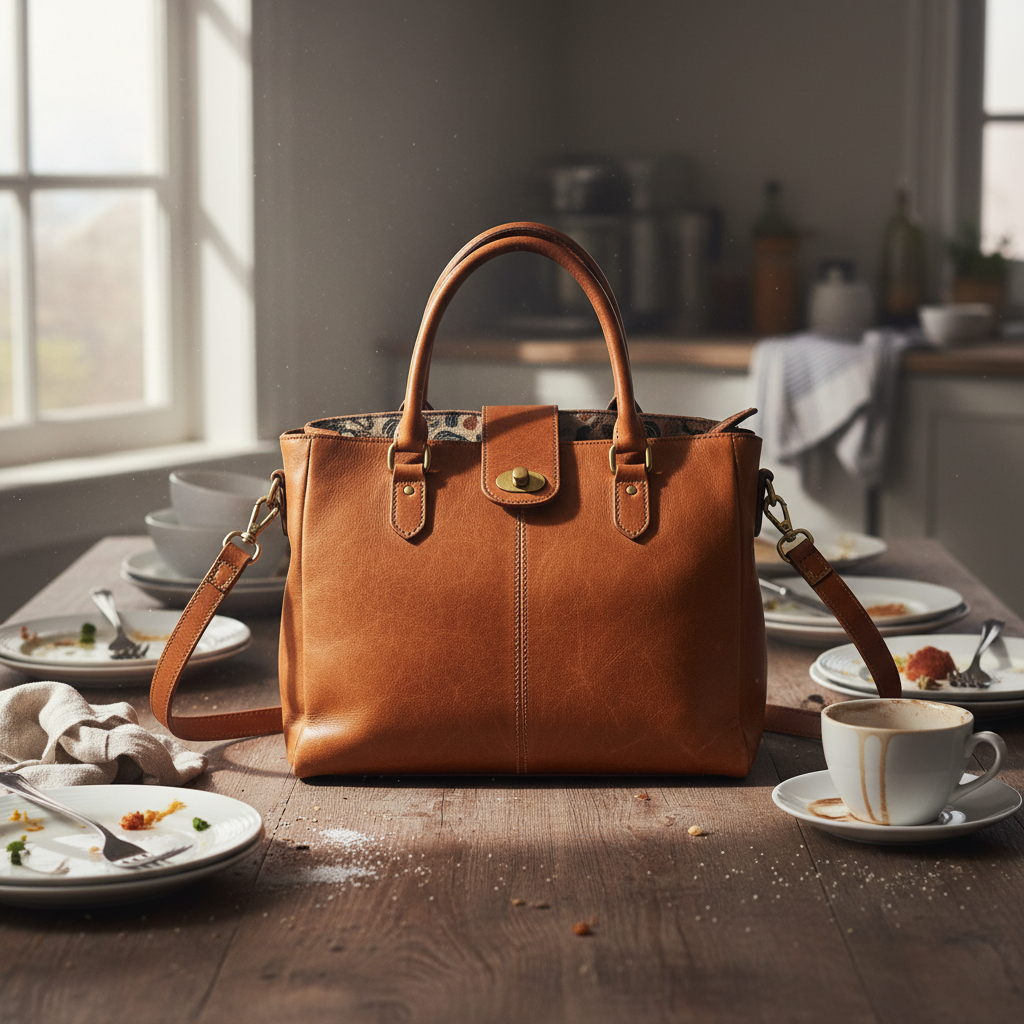
Brown leather handbag on cluttered kitchen table with dishes
Before
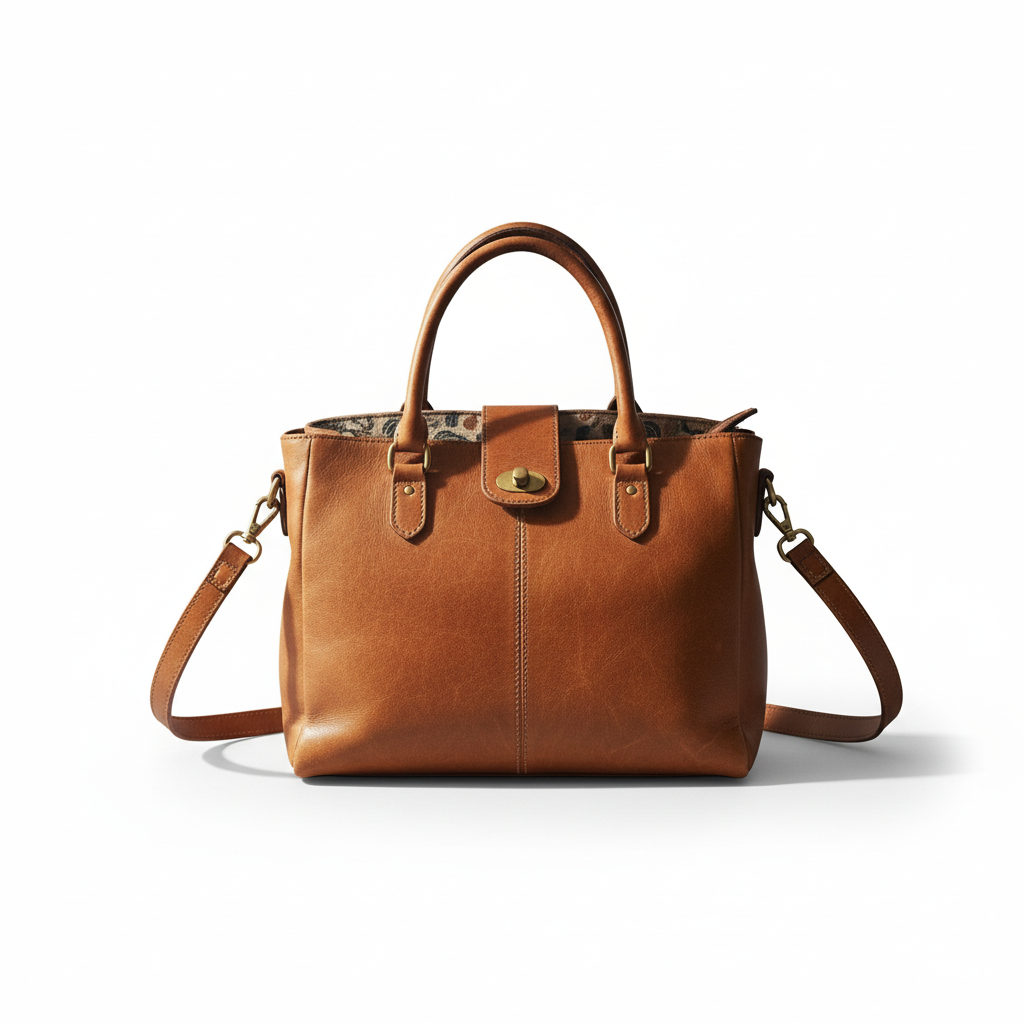
Same handbag on clean white studio background with soft shadow
After

How it works

1

Upload your photo

Drop your product photo or portrait into EditThisPic. JPG, PNG, and WebP up to 7MB. The AI handles complex subjects like jewelry, hair, and transparent objects—you don't need to prepare anything special.

⏱ Simple products on solid backgrounds: 15-20 seconds. Complex subjects with fine details: may need 2-3 refinements.
2

Describe the white background you want

Type your instruction: 'replace background with pure white' or 'change the background to clean white studio backdrop.' For e-commerce, add 'seamless and shadow-free.' For headshots, try 'with soft gradient shadow for depth.' No marking needed—the AI knows what 'background' means.

💡 Add 'with subtle shadow underneath' for products that need grounding, or 'pure white no shadows' for Amazon's strict requirements.

Copy one of these to get started:

Amazon product listing replace background with pure white #FFFFFF, seamless studio backdrop with no shadows or gradients
Professional LinkedIn headshot change the background to clean white with a subtle soft shadow for depth, professional headshot style
Etsy product with natural shadow replace background with white studio backdrop, keep a soft natural drop shadow underneath the product for grounding
Jewelry or small items change background to pure seamless white, preserve all fine details and reflective surfaces, studio product photography
3 more prompts
Passport or ID photo replace background with plain white as required for passport photos, even lighting on face, no shadows on background
Fashion catalog item change the background to bright white infinity curve studio backdrop, fashion e-commerce style with crisp edges
Group product shot replace entire background with pure white, preserve all products and their arrangement, clean studio look
3

Generate and review

Tap generate and zoom in to check the result. Verify the white is truly pure (no gray tones), edges are clean without halos, and your subject's colors haven't shifted. Check corners—sometimes AI misses small areas.

💡 Open in a new tab and check the white against a true white page. Any gray will be obvious.
4

Refine with markers if needed

If you see gray patches, color fringing on edges, or the AI missed a corner, tap markers on those problem spots and regenerate. This is optional—most white background swaps work cleanly on the first try.

💡 Markers are for precision refinement. If the overall white level is off, adjust your prompt to say 'pure white #FFFFFF' first.
Try it free
"I photograph jewelry for my Etsy shop. Used to spend 20 minutes per photo in Photoshop. Now I just type 'white background' and I'm done." @CraftedByMira

See it in action

Brown leather handbag on cluttered kitchen table with dishes
Before
Same handbag on clean white studio background with soft shadow
After

Handbag on kitchen table to product shot

Etsy seller needed to photograph a leather handbag but didn't have a proper studio. Kitchen table became e-commerce ready in one prompt.

Prompt: replace background with pure white seamless studio backdrop, keep subtle shadow under the bag for depth
Professional portrait with home office clutter and posters visible
Before
Same portrait with clean white studio background
After

Professional headshot from home office

Remote worker needed a LinkedIn photo but their home office had distracting posters and shelves. White background gave it a studio-quality look.

Prompt: change the background to clean white with subtle gradient shadow, professional headshot style lighting
Silver earrings on dark blue velvet fabric
Before
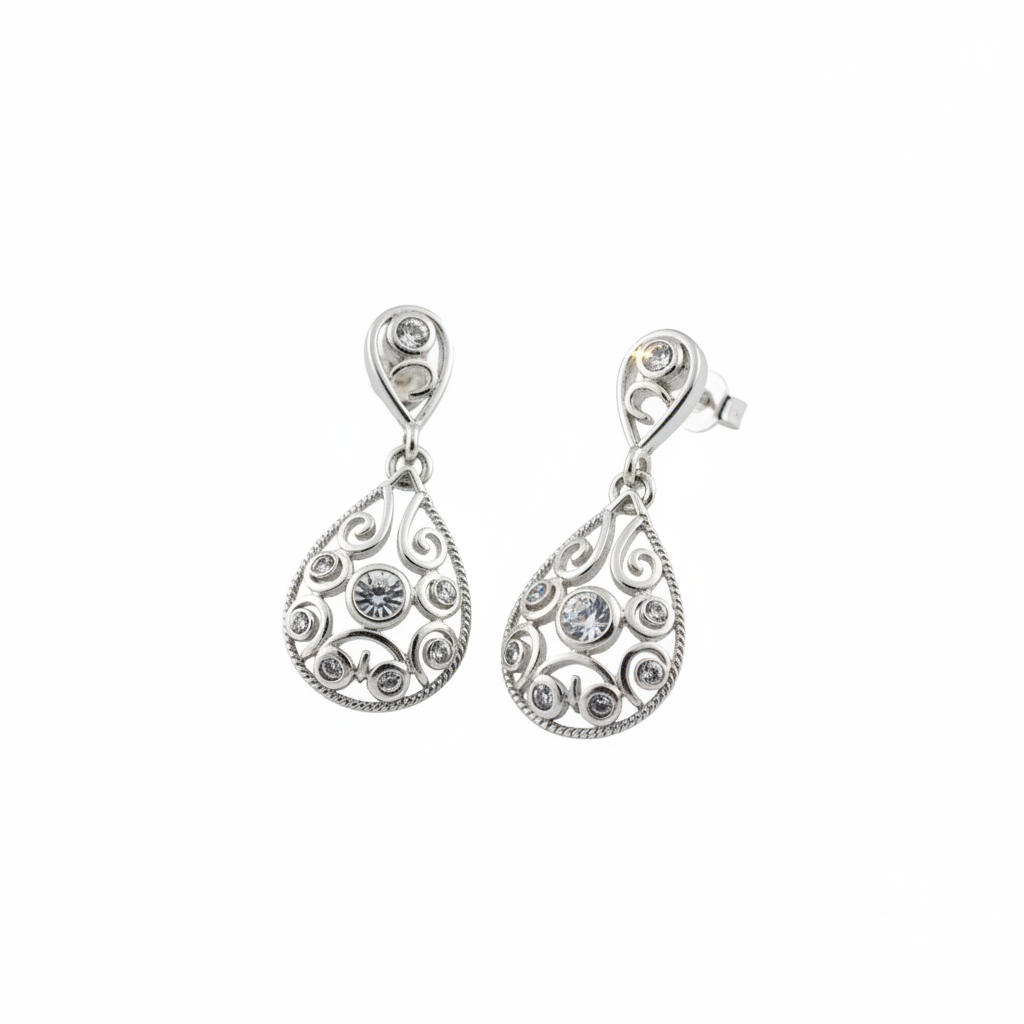
Same earrings on pure white background with reflections preserved
After

Silver jewelry with reflections preserved

Jewelry maker photographed earrings on fabric but needed Amazon-compliant white. The AI preserved the metallic reflections and fine details.

Prompt: replace background with pure white #FFFFFF, preserve all reflective metallic surfaces and fine details, professional jewelry photography

If something looks off

AI changed the wrong area or something I didn't want changed

Why: The AI couldn't determine exactly which area you meant from description alone. This happens with complex scenes or when 'background' is ambiguous.

Try: Tap a marker on the specific area you want to keep unchanged, then regenerate with the same prompt

💡 Markers tell the AI 'I mean THIS area specifically.' Use them when description alone is ambiguous.

White background looks gray or off-white

Why: The AI generated a realistic studio white which includes slight gray tones for depth. True pure white wasn't specified explicitly.

Try: replace background with pure white #FFFFFF, absolute white with no gray tones or gradients

💡 The hex code #FFFFFF signals maximum white. For Amazon listings that check pixel values, always include this.

Edges have white halos or color fringing

Why: The original photo had colored light from the old background bleeding onto the subject. The AI preserved those edge colors.

Try: replace background with pure white, remove any color cast on edges, clean separation with no fringing

💡 If fringing persists, tap markers on the problem edges and regenerate those specific areas.

Product looks like a flat cut-out

Why: You removed all shadows for a pure white look, but this eliminated the depth cues that make products look three-dimensional.

Try: replace background with white studio backdrop, add a soft natural drop shadow underneath for grounding

💡 Most marketplaces except Amazon actually prefer a subtle shadow—it makes products more appealing.

Fine details like hair or fur are missing

Why: Complex edges like hair strands or fuzzy textures are hard to separate cleanly. The AI simplified them to get a clean white edge.

Try: replace background with pure white, preserve all hair strand detail with clean separation, no loss of fine edges

💡 For very fine details, try 'professional studio photography masking quality' in your prompt.

Transparent or glass areas look wrong

Why: Transparent objects like glass, water, or sheer fabric need special handling because they should show the white through them.

Try: replace background with pure white showing through all transparent areas, preserve glass and sheer material properties

💡 Transparent products on white are challenging—expect 2-3 attempts to get the transparency rendering right.

Quick answers

Do I need to mark the background before describing?

No! Just describe what you want: 'replace background with pure white' or 'change background to white.' The AI understands what 'background' means without selection. Only use markers when you need to refine specific problem areas after your first attempt.

Will this meet Amazon's white background requirements?

Yes, when you specify 'pure white #FFFFFF' in your prompt. Amazon requires the main image background to be pure white (RGB 255,255,255). The prompt 'replace background with pure white #FFFFFF, no shadows' produces compliant results. Always verify by checking the corner pixels in an image editor.

Can I keep a shadow under my product?

Yes, add 'with soft drop shadow underneath' to your prompt. This creates a grounded, three-dimensional look that works great for Etsy, eBay, and most marketplaces. Only Amazon's main product images require shadow-free pure white—even Amazon allows shadows in secondary images.

What about products with transparent parts like glasses or bottles?

Describe the transparency explicitly: 'replace background with pure white visible through the glass.' The AI will attempt to render the white showing through transparent areas. This is more complex than solid products, so expect to refine the result once or twice.

Why do some edges look rough or have color halos?

The original background's color was reflecting onto your subject's edges. Fix this by adding 'clean edges with no color fringing' to your prompt. If specific areas still have issues, tap markers on those spots and regenerate.

Ready to create a white background?

Free to try. No signup required.

Try it free