Free • No signup Apply Bald filter · Free

AI Bald Filter

Describe the bald look you want and AI removes the hair instantly. No marking needed.
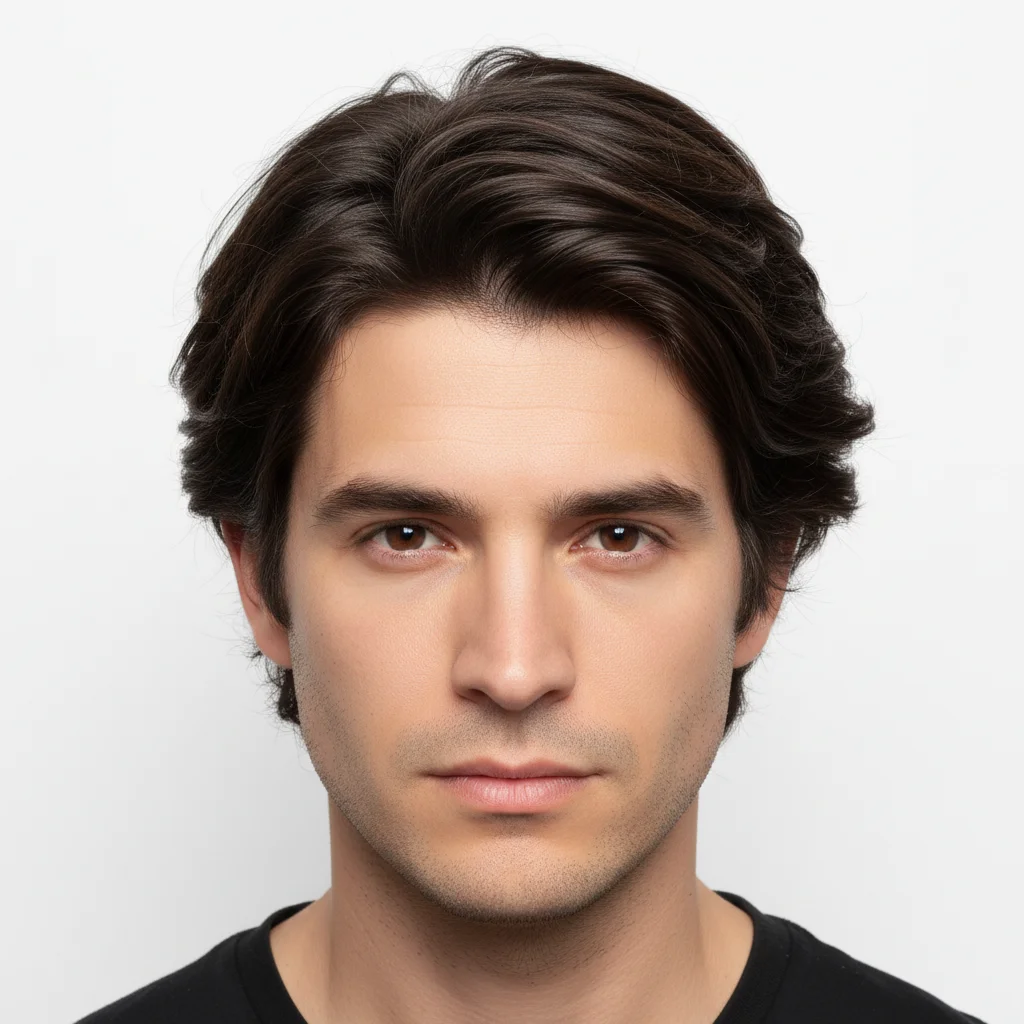
Man with full head of thick dark hair
Before
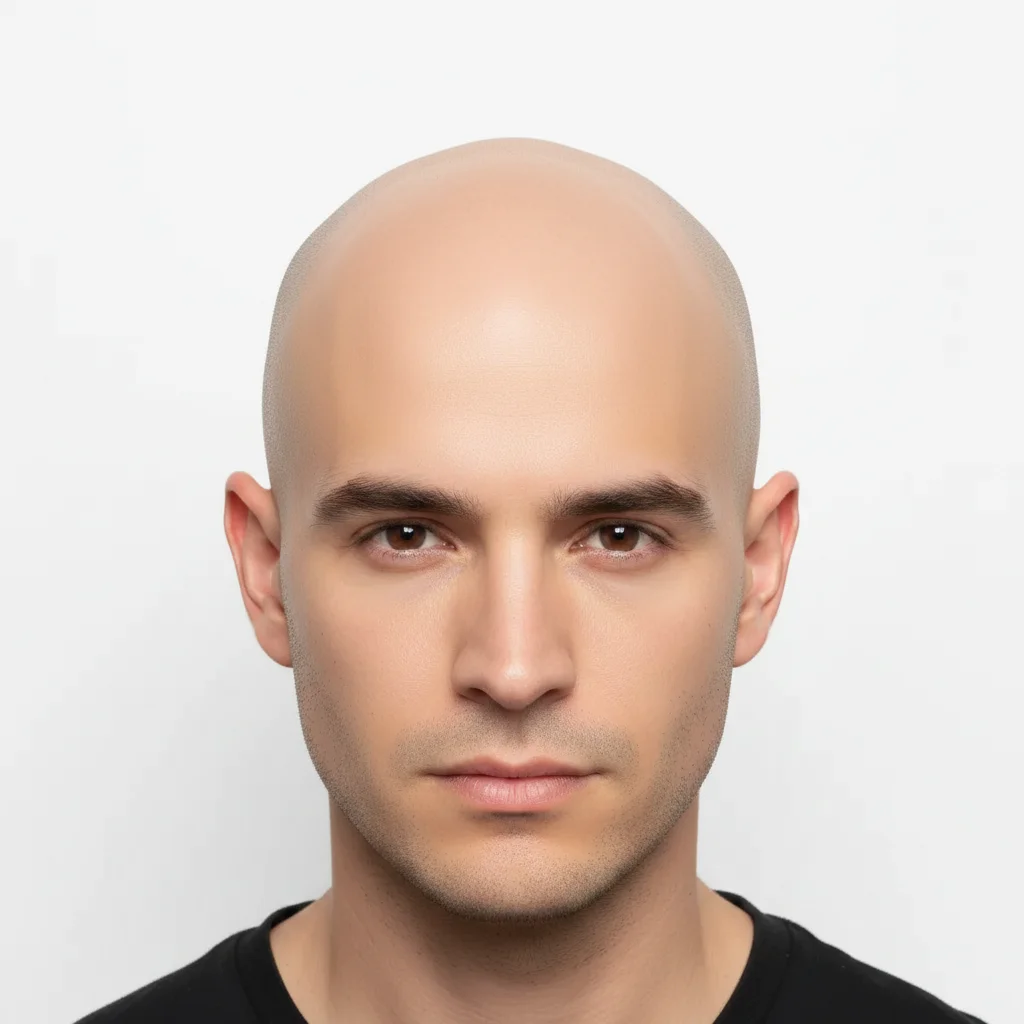
Same man with clean bald head matching skin tone
After

AI Bald Filter

Drop your photo here

or click to browse

Release to upload

Free • No signup

Advertisement
Popular use cases:
  • bald preview
  • shaving head visualization
  • hair loss simulation
  • bald head filter
  • funny photo edits
  • head shave preview
  • what would I look like bald
  • baldness filter

Cost
Free No signup required
Time
Instant results in 15-30 seconds
Works on
Any device - browser, phone, tablet, desktop
Powered by
AI-powered photo editing
Scenario Prompt Time
Completely bald make this person completely bald 30s
Buzz cut stubble change to a very short buzz cut with barely visible stubble 30s
Pattern baldness bald on top, keep hair on sides and back 40s

How it works

  1. Upload your photo

    Drop your image into EditThisPic. JPG, PNG, WebP up to 7MB. Front-facing or slight angle photos with visible hairline work best. Good lighting on the head area gives more realistic results.

    Expect: Clean bald look: 30-40 seconds. Complex hairstyles or unusual angles: 40-50 seconds and may need refinements.
  2. Describe the bald look

    Type what you want: 'make this person completely bald' or 'remove all hair and show a clean shaved head.' No marking needed—the AI knows what 'bald' means and handles the entire transformation automatically.

    Tip: Specify the type of bald you want: 'clean shaved', 'buzzed', or 'completely smooth' for different degrees of baldness.

    Copy one of these to get started:

    Completely bald make this person completely bald with a clean smooth scalp, matching the face skin tone
    Close buzz cut change the hairstyle to a very short buzz cut, barely visible stubble across the entire head
    Bald with facial hair kept make the head completely bald but keep the beard and eyebrows exactly as they are
    Shiny bald head remove all hair and show a clean shaved bald head with a slight natural shine
    3 more prompts
    Receding hairline simulation make the hairline recede significantly, showing much more forehead and thinning on top
    Bald on top only remove the hair on top of the head but keep hair on the sides and back, male pattern bald look
    Fun bald filter for friends make this person bald, clean smooth head, keep everything else exactly the same
  3. Review the result

    Check that the bald head looks natural with proper skin tone matching. Look for realistic scalp texture, correct lighting on the head surface, and smooth transitions at the forehead and temples.

  4. Refine with markers if needed

    If the hairline edges or temple areas need adjustment, tap markers on those spots and regenerate. Most bald transformations work well on the first try.

    Tip: Markers are for precision refinement only. Try without them first—you usually won't need them.
Try it free

AI Bald Filter

Drop your photo here

or click to browse

Release to upload

Free • No signup

"I was thinking about going fully bald and wanted to see how I'd look first. Uploaded a selfie, typed one sentence, and saw exactly what to expect. Booked the appointment the next day." @BaldAndBold_Mike

See it in action

Man with full head of thick dark hair
Before
->
Same man with clean bald head matching skin tone
After

Full head of hair to completely bald

A man with thick hair transformed to a clean bald look to preview shaving his head.

Prompt: make this person completely bald with a clean smooth scalp, matching the face skin tone
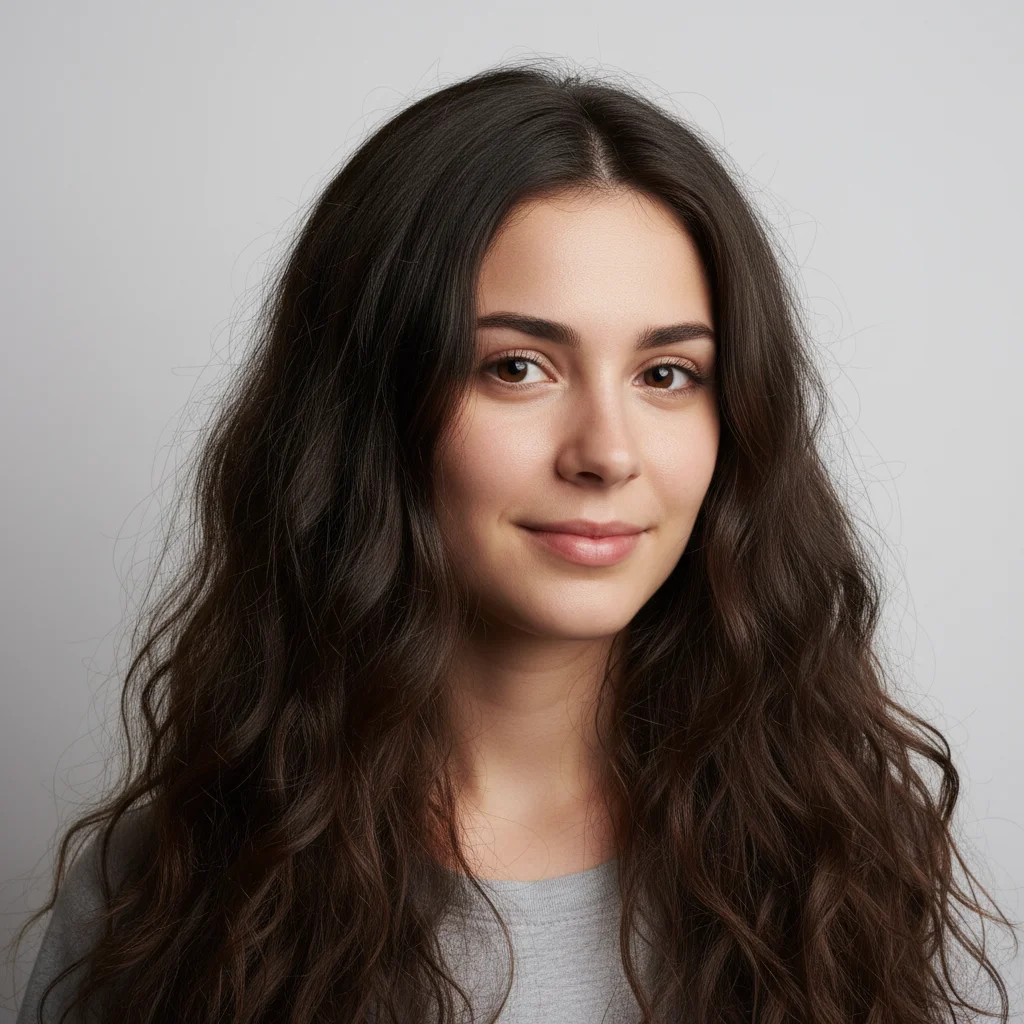
Woman with long dark wavy hair
Before
->
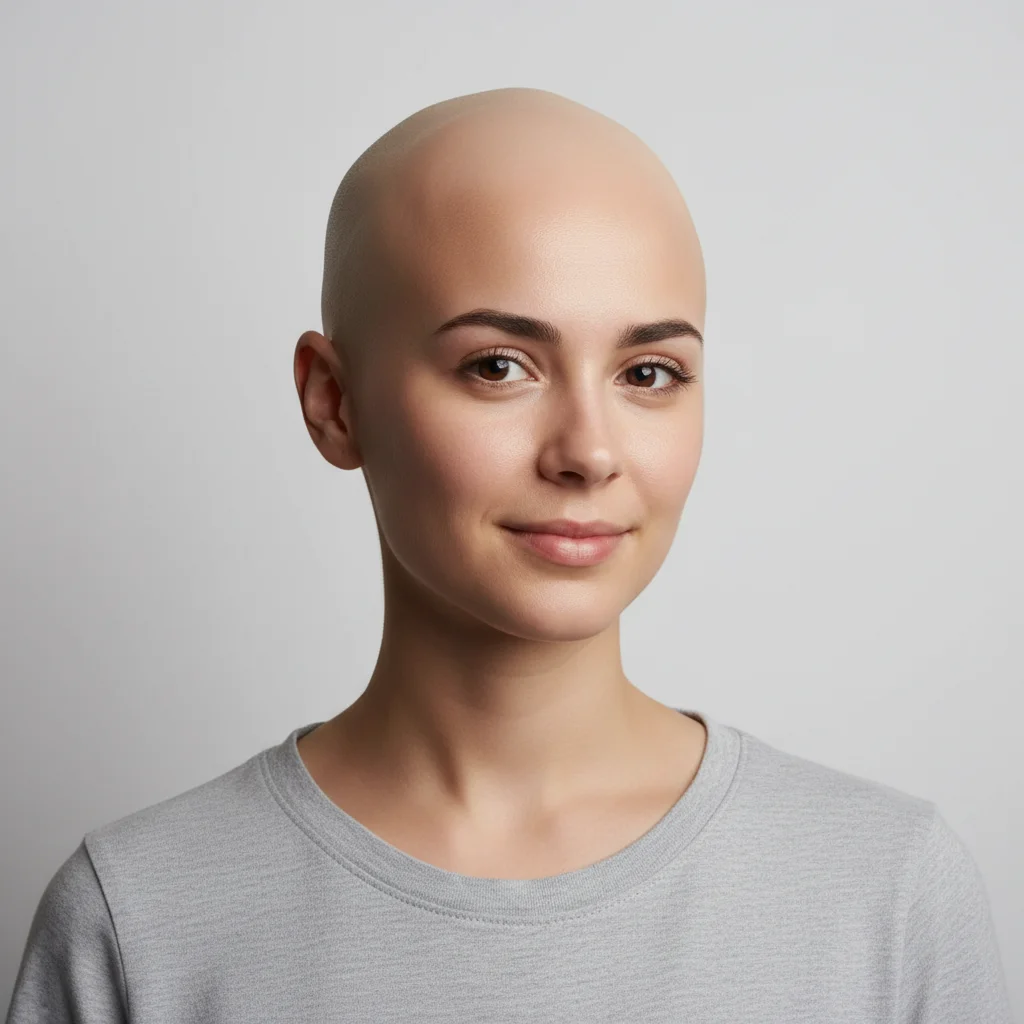
Same woman with clean bald head with natural shine
After

Woman with long hair to bald preview

A woman considering a dramatic change previews the bald look before committing.

Prompt: remove all hair and show a clean shaved bald head with a slight natural shine
Advertisement

If something looks off

AI changed the wrong area or something I didn't want changed

Why: The AI couldn't determine exactly which area you meant from description alone. It may have also removed eyebrows or changed facial features.

Try: Tap a marker on the head hair only, then regenerate: make bald but keep eyebrows, beard, and face exactly the same

Tip: Markers tell the AI 'I mean THIS area specifically.' Use them when the AI also changes eyebrows or facial hair.

Scalp color doesn't match the face skin tone

Why: The AI generated a scalp tone that differs from the face, often too light or too dark, because the original hair covered any reference.

Try: make bald with scalp skin tone matching exactly the forehead and face color

Tip: The forehead is the best reference point since it's the closest visible skin to where hair was.

Head shape looks distorted or unnatural

Why: The AI had to infer the skull shape beneath thick or voluminous hair, and the estimation wasn't accurate.

Try: make bald with a natural realistic head shape, smooth and rounded

Tip: Adding 'natural realistic head shape' tells the AI to prioritize anatomical accuracy.

Eyebrows were also removed

Why: The AI interpreted 'bald' as removing all hair including eyebrows, not just scalp hair.

Try: make the head bald but keep the eyebrows and all facial hair exactly as they are

Tip: Always specify 'keep eyebrows' when requesting a bald look to prevent unintentional removal.

Hairline transition looks harsh or artificial

Why: The border between the remaining skin and where hair used to be has a hard edge rather than a natural scalp transition.

Try: Tap markers on the hairline edges and regenerate: smooth the transition between forehead and bald scalp naturally

Tip: The hairline and temple areas are the most critical—marker refinement there makes the biggest visual difference.

Quick answers

Do I need to mark my hair before applying the bald filter?

No! Just type 'make this person bald' and the AI handles the entire transformation. It understands what 'bald' means and removes the hair automatically. Only use markers if the AI also changes eyebrows or facial hair that you want to keep.

How do I see what I'd look like bald for free?

Upload your photo to EditThisPic and type 'make this person completely bald.' The AI removes hair and renders a realistic scalp in 30-40 seconds. Free to use, no account required, no watermarks on the result.

Is there a free bald filter that doesn't require signup?

Yes, EditThisPic applies a realistic bald filter for free with no account needed. Upload your photo, type a simple instruction, and download the result. No watermarks. Works on any photo with visible hair.

Can the AI show different levels of baldness, not just fully bald?

Yes! You can request specific levels: 'buzz cut with barely visible stubble', 'receding hairline', 'bald on top with hair on sides', or 'completely smooth.' The AI understands different baldness patterns and degrees.

Ready to see your bald look?

Free to try. No signup required.

Try it free