Free • No signup Generate Headshot · Free

AI Headshot Generator

Turn any casual photo into a polished professional headshot. No photographer, no studio, no waiting.
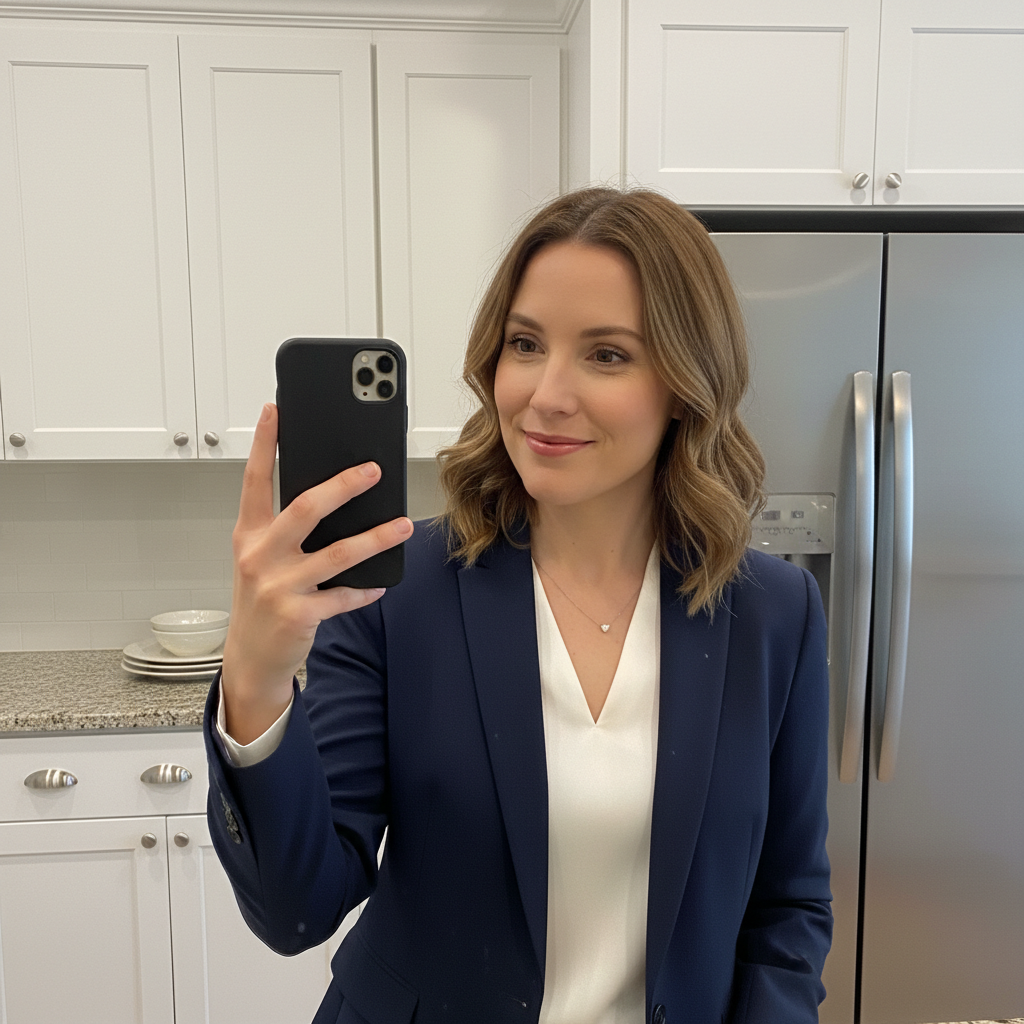
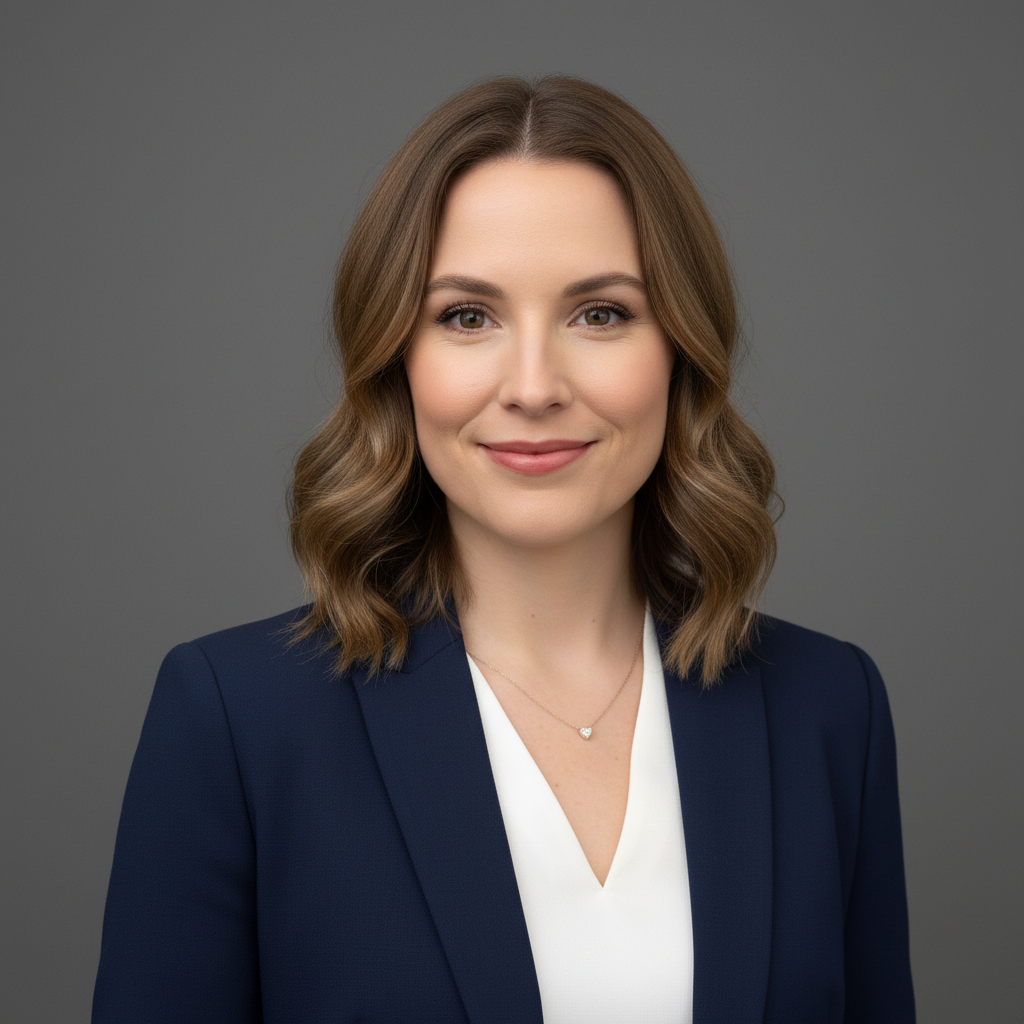
Casual kitchen selfie with cabinets and refrigerator visible
Before
Professional AI headshot with clean gray studio backdrop
After

AI Headshot Generator

Drop your photo here

or click to browse

Release to upload

Free • No signup

Advertisement
Popular use cases:
  • AI headshot generator
  • professional headshot AI
  • LinkedIn headshot generator
  • corporate headshot AI
  • business portrait generator
  • resume photo AI
  • company website headshot
  • professional photo generator

Cost
Free No signup required
Time
Instant results in 15-30 seconds
Works on
Any device - browser, phone, tablet, desktop
Powered by
AI-powered photo editing
Scenario Prompt Time
Classic professional generate professional headshot with studio lighting, gray background 25s
LinkedIn-ready create LinkedIn headshot with professional lighting, soft blur 25s
Executive style generate executive headshot with dramatic lighting, dark background 30s
Modern tech create modern headshot with white background, natural lighting 25s

How it works

  1. Upload your photo

    Drop any photo of yourself into EditThisPic. JPG, PNG, or WebP up to 7MB. Front-facing photos with clear faces work best. Even bathroom selfies or casual phone photos can become professional headshots.

    Expect: Simple portraits: 20-30 seconds. Complex backgrounds or lighting: may need 2-3 refinements.
  2. Describe the headshot style you want

    Type your instruction: 'generate a professional headshot with studio lighting and gray background' or 'create a corporate headshot for LinkedIn.' Be specific about the look you want. No marking needed—the AI understands what makes a headshot professional.

    Tip: Mention the intended use (LinkedIn, company website, resume) and the AI will optimize the style accordingly.

    Copy one of these to get started:

    Classic professional headshot generate a professional headshot with studio lighting, clean gray background, and polished but natural appearance
    LinkedIn profile photo create a LinkedIn-ready headshot with professional lighting, soft background blur, friendly but professional expression
    Corporate executive style generate corporate executive headshot with dark charcoal background, dramatic professional lighting, confident appearance
    Tech company modern style create modern professional headshot with clean white background, natural lighting, approachable and authentic
    3 more prompts
    Resume or job application generate resume headshot with neutral background, even lighting, professional and trustworthy appearance
    Creative industry headshot create artistic professional headshot with subtle gradient background, creative lighting, personality showing through
    Outdoor professional look generate professional headshot with softly blurred outdoor background, natural lighting, warm and approachable
  3. Review your AI headshot

    Check that you still look like yourself—same features, same face shape, just presented professionally. Verify the lighting looks natural and the background blends seamlessly. Look for clean edges around your hair and shoulders.

  4. Refine with markers if needed

    If specific areas need adjustment—like hair edges or lighting on one side—tap markers on those spots and regenerate. Most headshots look great on the first try, but markers help fine-tune problem areas.

    Tip: Markers are for precision refinement, not a required step. Try without them first.
Try it free

AI Headshot Generator

Drop your photo here

or click to browse

Release to upload

Free • No signup

"Needed a headshot for my new job's website. Took a selfie by the window, uploaded it here, and got something that looked like I paid for a studio session." @NewJobReady

See it in action

Casual kitchen selfie with cabinets and refrigerator visible
Before
->
Professional AI headshot with clean gray studio backdrop
After

Kitchen selfie to corporate headshot

Quick selfie taken at home with kitchen cabinets visible. Transformed into a polished professional portrait suitable for any business context.

Prompt: generate a professional headshot with studio lighting, clean gray background, and polished but natural appearance
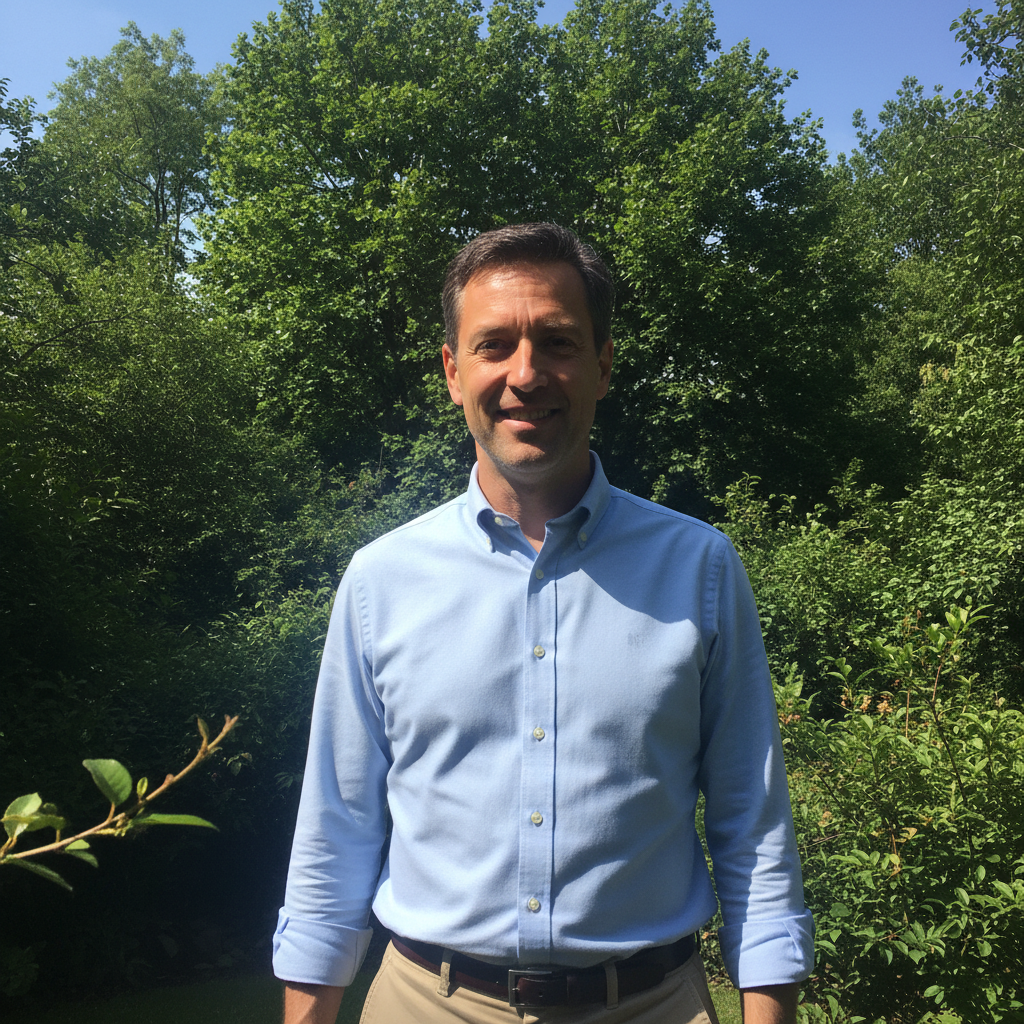
Outdoor photo with trees and sky in background
Before
->
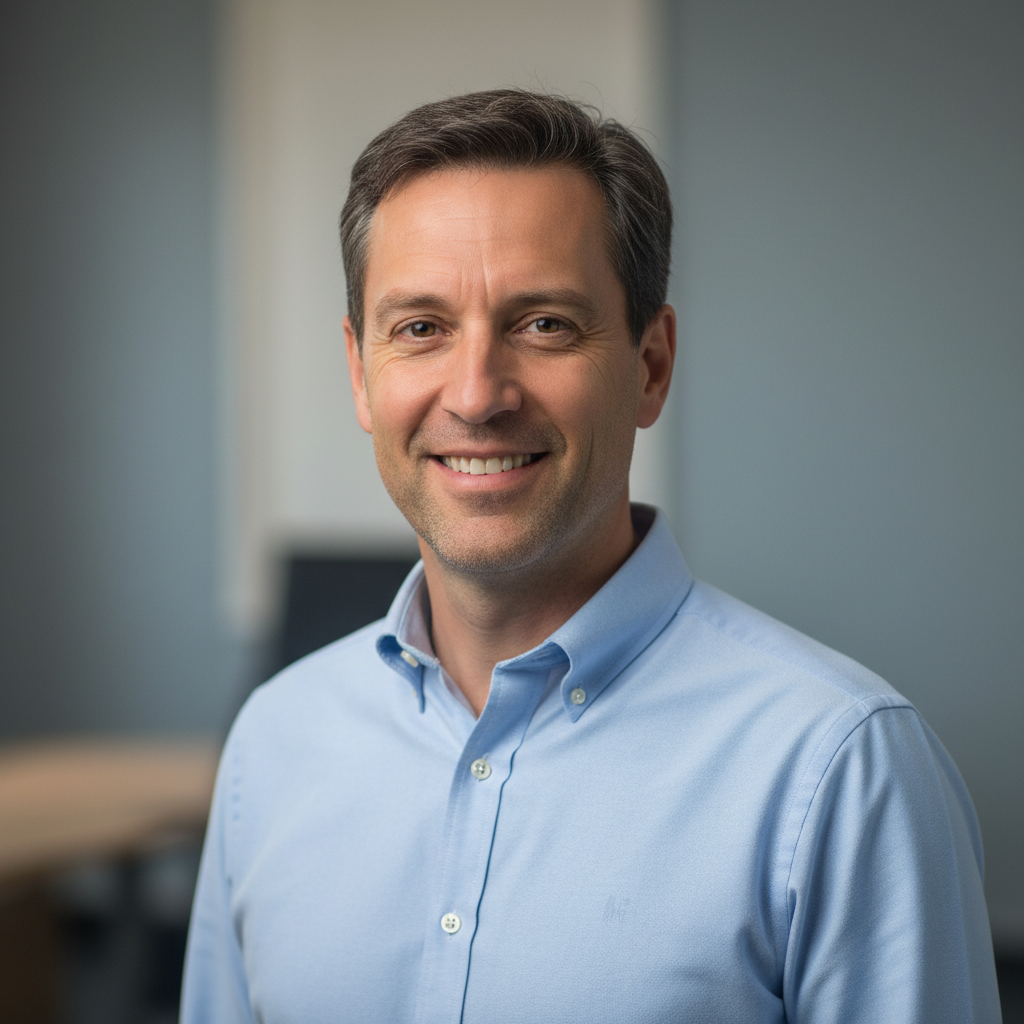
LinkedIn-ready headshot with soft professional background
After

Outdoor photo to LinkedIn-ready

Photo taken outside on a sunny day with trees and sky behind. Converted to a professional LinkedIn headshot with office context.

Prompt: create a LinkedIn-ready headshot with professional lighting, soft background blur, friendly but professional expression
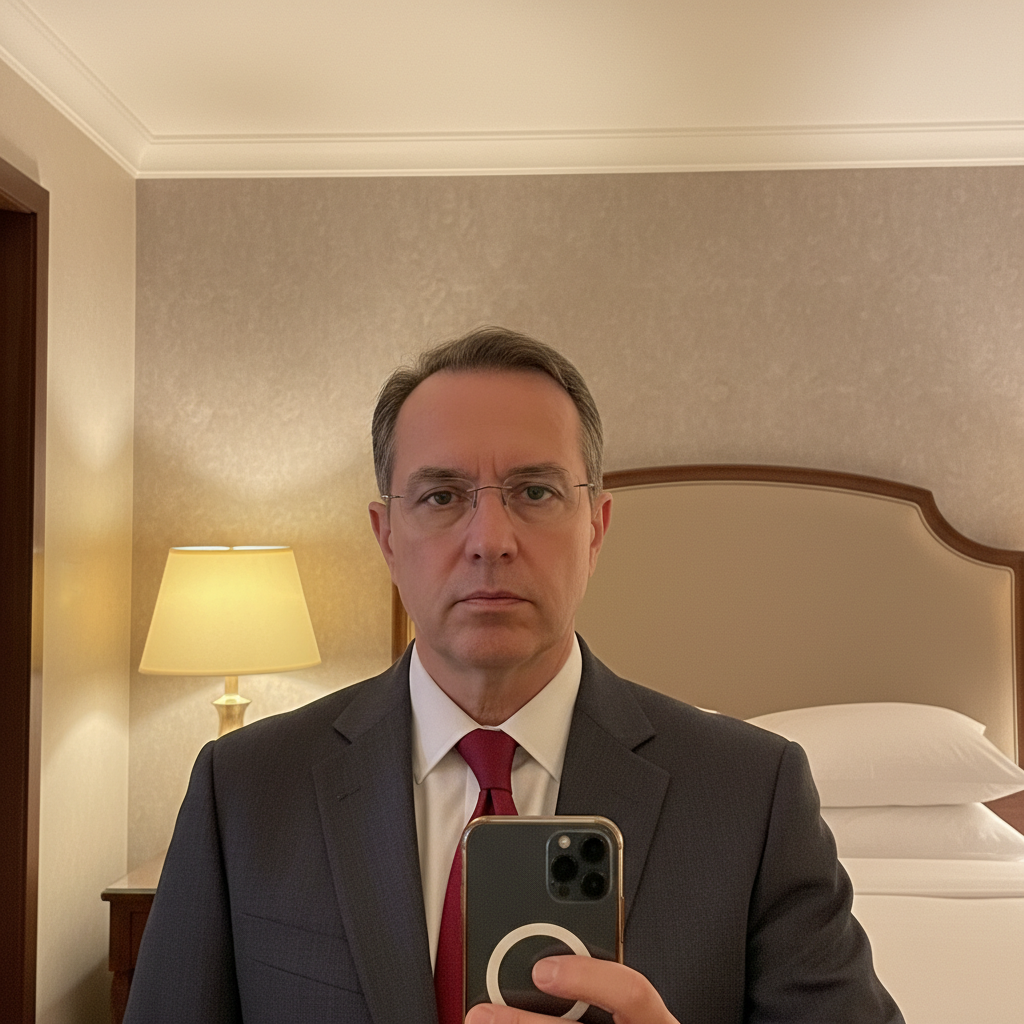
Hotel room selfie with bed and lamp visible
Before
->
Executive portrait with dramatic lighting and dark background
After

Hotel room selfie to executive portrait

Selfie taken in a hotel room with the bed and lamp visible. Transformed into a dramatic executive-style headshot.

Prompt: generate corporate executive headshot with dark charcoal background, dramatic professional lighting, confident appearance
Advertisement

If something looks off

AI changed the wrong area or something I didn't want changed

Why: The AI couldn't determine exactly which area you meant from description alone. This happens with ambiguous requests.

Try: Tap a marker on the specific area you want to change, then regenerate with the same prompt

Tip: Markers tell the AI 'I mean THIS one specifically.' Use them when description alone is ambiguous.

Result doesn't look like me anymore

Why: The AI over-processed your features while trying to create a professional look. Too many enhancement requests can compound.

Try: generate professional headshot, keep my exact facial features unchanged, only improve background and lighting

Tip: Adding 'keep my exact features' or 'preserve my face exactly' prevents over-smoothing or reshaping.

Hair edges look choppy or have halos

Why: Fine hair strands are challenging to separate from backgrounds, especially with similar colors.

Try: Tap markers on hair edges, then: blend hair edges naturally with the new background

Tip: Photos with good contrast between hair and original background produce cleaner edges.

Lighting looks unnatural or doesn't match

Why: The AI placed studio lighting that conflicts with the lighting direction on your face from the original photo.

Try: adjust lighting to match the existing light on my face, keep it natural and consistent

Tip: Mention your original lighting direction: 'soft light from the left side' helps the AI match it.

Background looks fake or artificial

Why: Generic backgrounds without specific instructions can look like obvious green-screen effects.

Try: replace background with realistic professional studio backdrop, seamless gradient gray to white

Tip: Gradient backgrounds look more natural than perfectly solid colors.

Quick answers

Do I need to select or mark anything before generating my headshot?

No. Just describe what you want: 'generate a professional headshot with studio lighting.' The AI understands what makes a headshot look professional and applies the right enhancements automatically. Markers are only needed if you want to fix specific problem areas after the first result.

How do I generate an AI headshot for free?

Upload any photo of yourself to EditThisPic and type 'generate a professional headshot with studio lighting and clean background.' The AI transforms your casual photo into a polished business portrait in about 30 seconds. Free to try, no account needed, no watermarks on your result.

Is there a free AI headshot generator that doesn't require signup?

Yes. EditThisPic generates professional headshots from any photo without requiring an account or login. Just upload your photo, describe the headshot style you want, and download the result. No watermarks, no email required.

Will the AI headshot still look like me?

Yes. EditThisPic enhances your actual photo—it doesn't generate a synthetic face. Your facial features, bone structure, and distinguishing characteristics remain exactly the same. Only the background, lighting, and overall polish change. If results look too different, add 'keep my exact features' to your prompt.

What's the best photo to use for AI headshot generation?

Front-facing photos with your face clearly visible work best. Good lighting helps, but the AI can fix poor lighting. Avoid extreme angles, very blurry photos, or heavy filters. The background doesn't matter since it gets replaced anyway.

Ready to generate your professional headshot?

Free to try. No signup required.

Try it free