Free • No signup Preview Lip filler result · Free

AI Lip Filler Preview
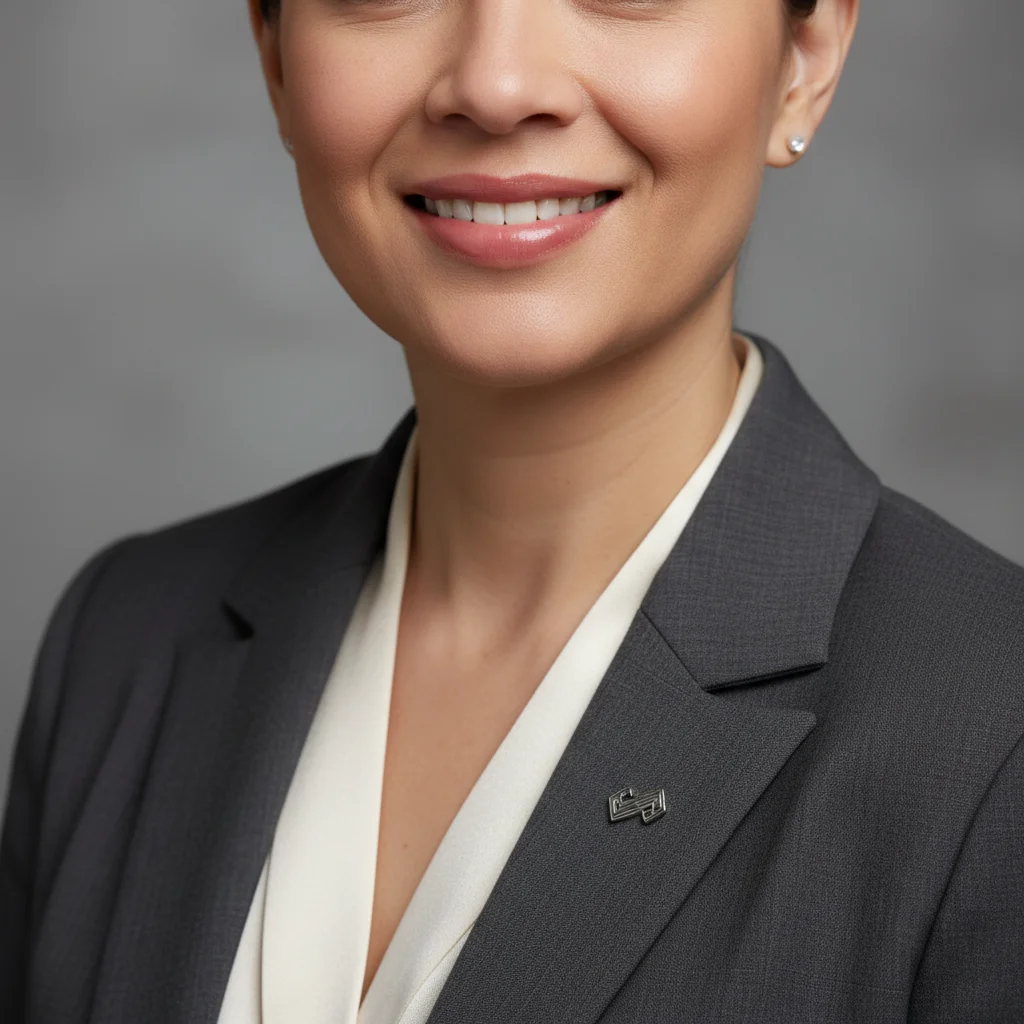
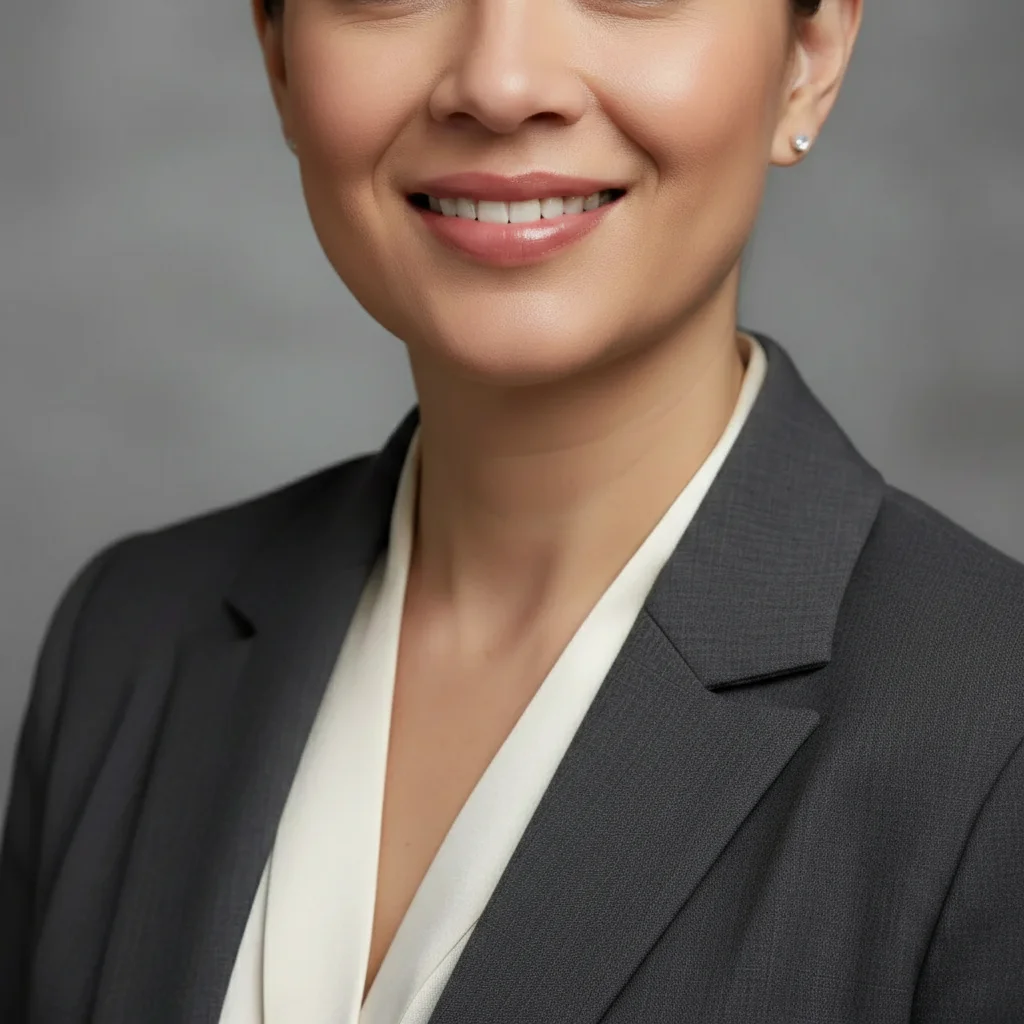
Before
Before
After
After

Free AI Lip Filler Preview

Drop your photo here

or click to browse

Release to upload

Free • No signup

Advertisement

Cost
Free No signup required
Time
Instant results in 15-30 seconds
Works on
Any device - browser, phone, tablet, desktop
Powered by
AI-powered photo editing

How it works

  1. Upload your photo

    Choose a clear front-facing photo with good lighting where your lips are clearly visible. Natural expression or slight smile works best. Make sure your lips are well-lit and in focus.

    Expect: Simple enhancement: 12-18 seconds. Specific shaping: 20-30 seconds and may need refinements to get the exact fullness and shape you want.
  2. Describe the lip enhancement you want

    Just describe how you want your lips enhanced - like 'add fullness to my upper lip' or 'make both lips fuller with a natural look.' The AI finds your lips automatically and applies realistic enhancement. No need to mark them first.

    Tip: Specify which lip (upper, lower, or both) and the level of enhancement (subtle, moderate, dramatic). Mention if you want to maintain your natural lip shape or create a specific look like a defined cupid's bow.

    Copy one of these to get started:

    preview Add subtle fullness to both my lips for a natural look
    preview Make my upper lip fuller to balance with my lower lip
    preview Add moderate volume to both lips and enhance the cupid's bow
    preview Make my lips fuller with a soft, pillowy look
    3 more prompts
    preview Add fullness to create a plump pout while keeping my natural lip shape
    preview Enhance my lips with dramatic volume and a defined border
    preview Add subtle volume to my lower lip only and sharpen the edges
  3. Review the result

    Check if the fullness level and shape look natural and proportional to your face. Good lip filler results should enhance your features, not overpower them. Try different descriptions if you want to see variations.

  4. Download Your Preview

    Save the high-resolution preview image with no watermark. Use it to visualize your goals or show it during your consultation with a cosmetic injector.

Try it free

Free AI Lip Filler Preview

Drop your photo here

or click to browse

Release to upload

Free • No signup

See it in action

Before
Before
->
After
After

Natural Lip Enhancement

Add subtle fullness to both my lips for a natural look

Prompt:
Before
Before
->
After
After

Upper Lip Balance

Make my upper lip fuller to balance with my lower lip

Prompt:
Before
Before
->
After
After

Dramatic Lip Enhancement

Add fullness to create a plump pout while keeping my natural lip shape

Prompt:
Advertisement

If something looks off

AI changed the wrong area or something I didn't want changed

Why: The AI couldn't determine exactly which area you meant from description alone.

Try: Tap a marker on the specific area you want to change, then regenerate with the same prompt

Tip: Markers tell the AI 'I mean THIS one specifically.' Use them when description alone is ambiguous.

Quick answers

Do I need to mark my lips before describing what I want?

No! Just describe the enhancement you want. The AI identifies your lips automatically. Only use markers if the AI picks the wrong area, which is extremely rare for lip edits.

How accurate is this compared to actual lip filler results?

This tool provides a realistic visualization based on AI, but actual filler results depend on your anatomy, the product used, injection technique, and swelling. Results shown here are what you'd see after swelling subsides (about 2 weeks). Use these previews as a starting point for consultations, not guaranteed outcomes.

Can I preview different amounts of filler?

Yes! Try different descriptions like 'subtle fullness' (0.5mL equivalent), 'moderate volume' (1mL), or 'dramatic enhancement' (1.5-2mL). Generate multiple versions to compare different fullness levels.

Will this show how my lips would look right after injection?

This shows the settled result after swelling goes down. Immediately after actual filler, lips are swollen and fuller than the final result. This preview skips that phase and shows what you'd see after 2 weeks.

Can I preview other lip changes besides volume?

Yes! You can preview lip reshaping, cupid's bow definition, border sharpening, and more. Try prompts like 'define the cupid's bow' or 'sharpen the lip borders' in addition to volume requests.

Ready to preview your lip filler results?

Free to try. No signup required.

Try it free