Free • No signup Flatten Tummy · Free

AI Tummy Flattener

Describe how you want your stomach to look and AI flattens it naturally. No marking needed.
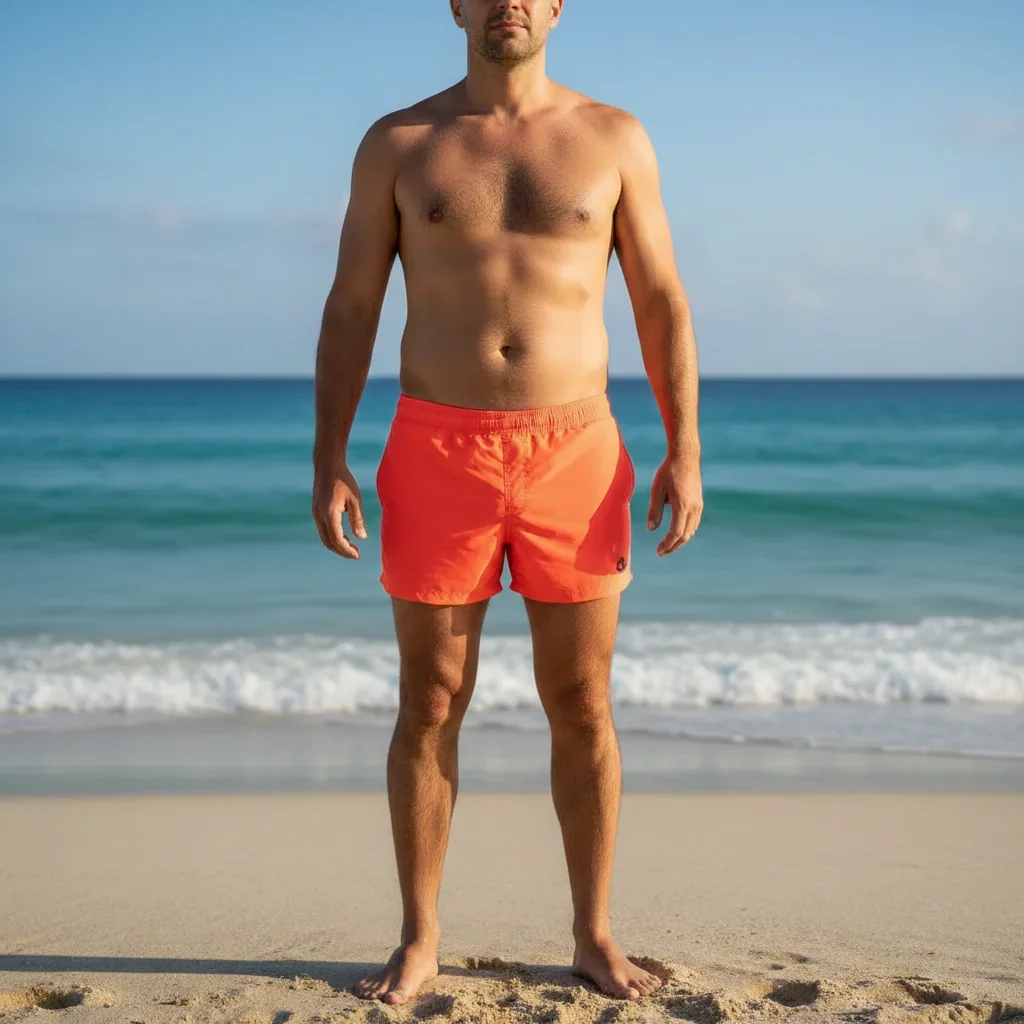
Man in orange swim trunks with natural stomach
Before
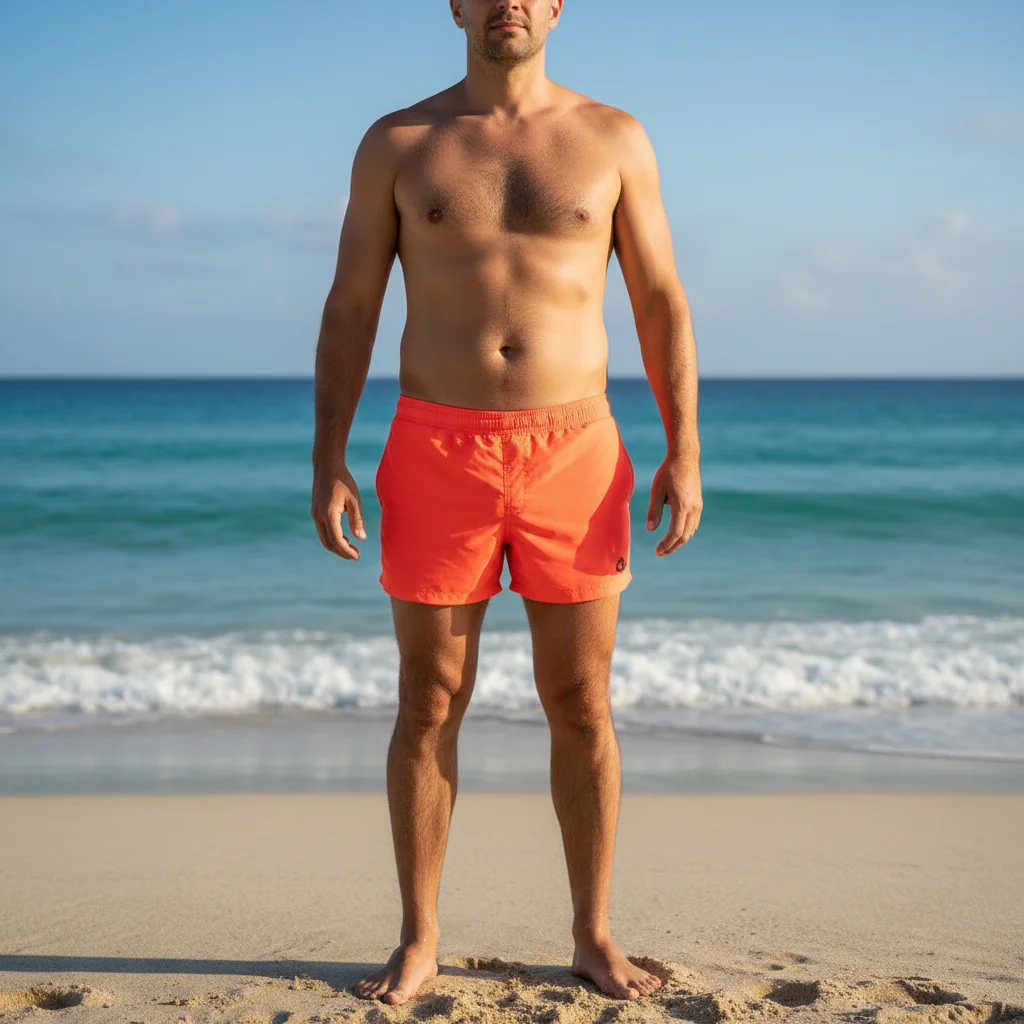
Same man with flatter, smoother midsection
After

AI Tummy Flattener

Drop your photo here

or click to browse

Release to upload

Free • No signup

Advertisement
Popular use cases:
  • beach vacation photos
  • fitness progress pictures
  • swimsuit photos
  • dating profile pictures
  • before and after weight loss
  • athletic photos
  • social media selfies
  • gym mirror selfies

Cost
Free No signup required
Time
Instant results in 15-30 seconds
Works on
Any device - browser, phone, tablet, desktop
Powered by
AI-powered photo editing
Scenario Prompt Time
Reduce bloating flatten the tummy to reduce bloating 30s
Toned athletic look flatten and tone the stomach 35s
With ab definition flatten with subtle muscle definition 40s

How it works

  1. Upload your photo

    Drop your image into EditThisPic. JPG, PNG, WebP up to 7MB. Beach photos, fitness shots, or any image where the stomach is visible. Full body or upper body photos both work well.

    Expect: Simple tummy flattening: 30-40 seconds. Major reshaping with muscle definition: 45-60 seconds and may need refinements.
  2. Describe the stomach change

    Type what you want: 'flatten the tummy to reduce bloating' or 'make the stomach toned and flat.' Be specific about the look you're after—flat, toned, athletic, etc. No marking needed—the AI understands what 'tummy', 'stomach', and 'midsection' mean.

    Tip: Use words like 'slightly flatter' for subtle changes or 'toned and athletic' for more definition. Be realistic for the most natural results.

    Copy one of these to get started:

    Reduce bloating appearance flatten the tummy to reduce any bloating and create a smoother midsection
    Athletic stomach definition flatten and tone the stomach to look athletic with visible muscle definition
    Swimsuit photo enhancement flatten the stomach area to look toned and beach-ready
    Post-meal photo fix reduce stomach bloating to show my actual fitness level
    3 more prompts
    Lower belly flattening flatten the lower stomach area while keeping upper abs natural
    Six-pack enhancement flatten the stomach and add subtle six-pack definition
    Natural core toning make the stomach flatter and more toned, like after a good workout
  3. Review the result

    Check that the stomach flattening looks natural and proportional. Look for smooth skin texture, realistic shadows, and proper body symmetry. Zoom in on the midsection to check details.

  4. Refine with markers if needed

    If specific areas like lower stomach or sides need more work, tap markers on those spots and regenerate. Most stomach flattening works perfectly on the first try.

    Tip: Markers are for precision refinement only. Try without them first—you usually won't need them.
Try it free

AI Tummy Flattener

Drop your photo here

or click to browse

Release to upload

Free • No signup

"I take fitness progress photos but sometimes I'm bloated from meals. This tool lets me show my actual progress without the bloat. Looks so natural, nobody can tell." @FitJourney_Mike

See it in action

Man in orange swim trunks with natural stomach
Before
->
Same man with flatter, smoother midsection
After

Beach photo bloat reduction

A beach vacation photo with subtle tummy flattening to reduce post-meal bloating.
Prompt: flatten the tummy to reduce any bloating and create a smoother midsection
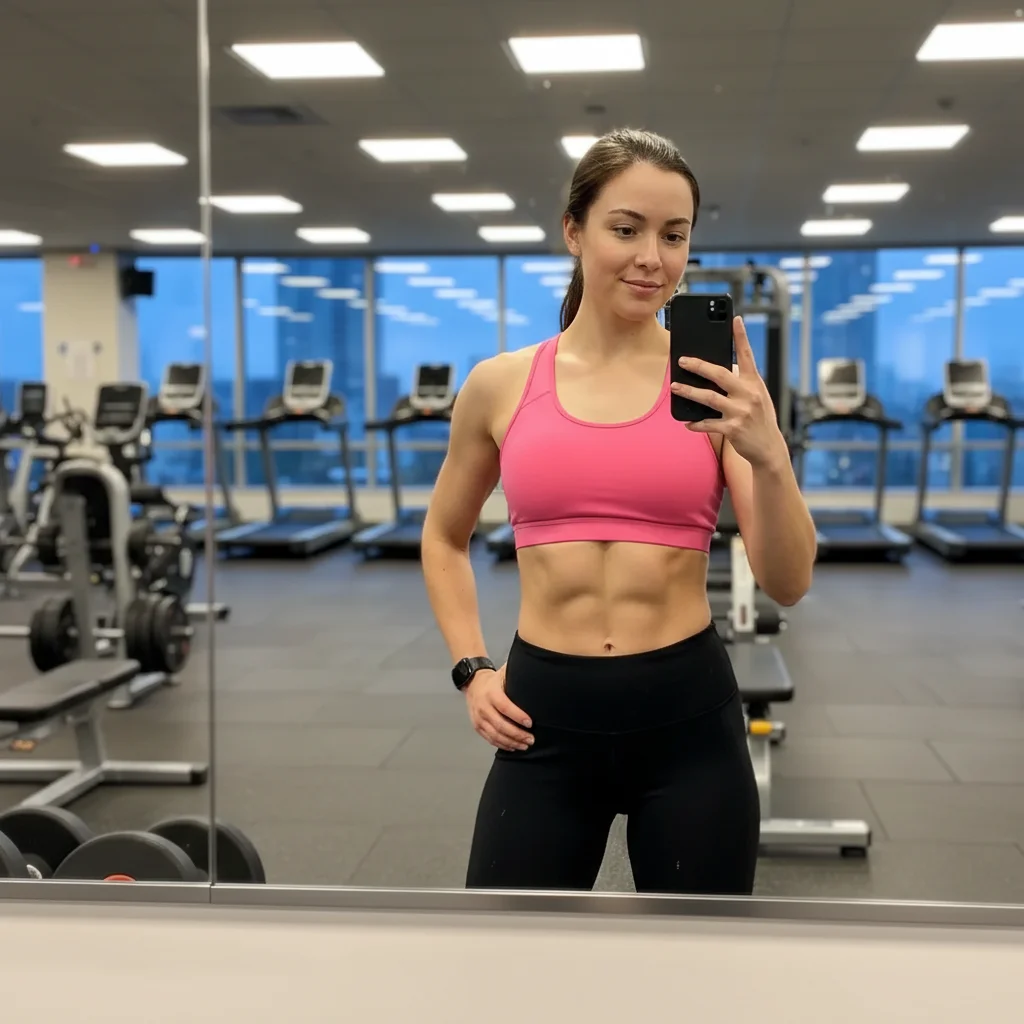
Woman in pink sports bra with natural athletic stomach
Before
->
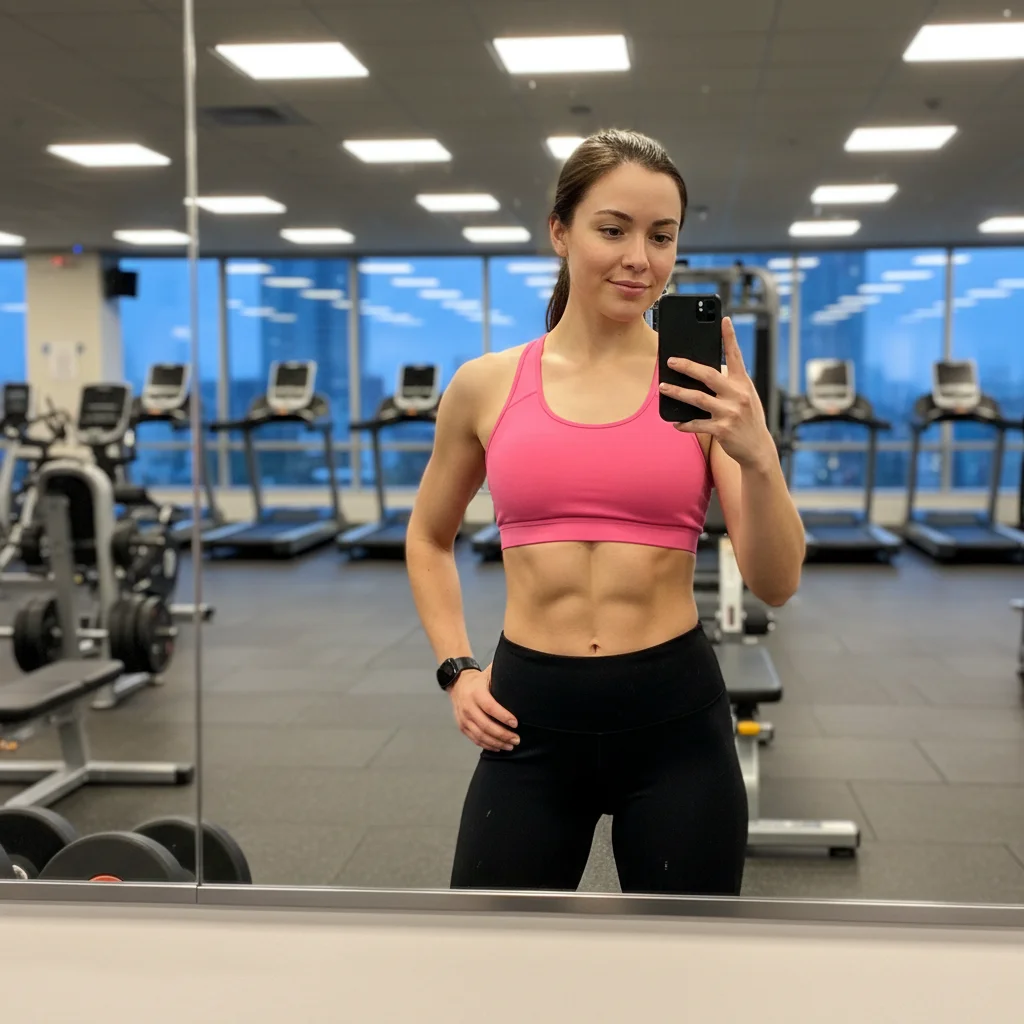
Same woman with toned, defined abs
After

Athletic fitness enhancement

A gym selfie transformed with stomach flattening and subtle ab definition for a more toned look.

Prompt: flatten and tone the stomach to look athletic with visible muscle definition
Woman in turquoise swimsuit with natural stomach
Before
->
Same woman with flatter, toned beach-ready stomach
After

Swimsuit confidence boost

A pool photo enhanced with natural tummy flattening for a beach-ready appearance.

Prompt: flatten the stomach area to look toned and beach-ready
Advertisement

If something looks off

AI changed the wrong area or adjusted chest instead of stomach

Why: The AI couldn't determine exactly which part of the midsection you meant from description alone. This happens with angled photos or when clothing covers parts of the torso.

Try: Tap a marker on the stomach area (between ribs and hips), then regenerate with the same prompt

Tip: Markers tell the AI 'I mean THIS exact area.' Use them when the photo angle is not front-facing.

Stomach looks unnatural or too flat

Why: The adjustment was too extreme, creating an unrealistic appearance that doesn't match the body type.

Try: Use a more moderate prompt: 'flatten the stomach slightly for a natural, toned look'

Tip: Start subtle. You can always run a second edit for more flattening if needed.

Skin texture looks smoothed out or fake

Why: The AI over-processed the area, removing natural skin texture along with the reshaping.

Try: flatten the stomach while keeping natural skin texture and details

Tip: Mentioning 'natural skin texture' tells the AI to preserve realistic skin during editing.

Abs or muscle definition looks painted on

Why: Requesting too much muscle definition on a body that doesn't have that fitness level creates artificial-looking results.

Try: Ask for subtle definition: 'flatten the stomach with slight toning, not six-pack abs'

Tip: Match the muscle definition to your actual fitness level for believable results.

Waistline or clothing got distorted

Why: The AI reshaped the stomach but didn't properly adjust how clothing sits on the body.

Try: flatten the stomach and adjust how the clothing fits naturally

Tip: This is more common with tight-fitting clothes. Loose clothing is more forgiving.

Lower belly still looks pronounced

Why: The prompt didn't specifically target the lower stomach, which is a common problem area.

Try: flatten the lower stomach area specifically while keeping upper abs natural

Tip: 'Lower stomach' or 'below the belly button' targets that area precisely.

Quick answers

Do I need to mark my stomach before describing what I want?

No! Just describe the change: 'flatten the tummy' or 'make the stomach look toned.' The AI knows where the stomach is on the body. Only use markers if the AI adjusts the wrong area on first try—like if you're sideways and it can't tell which part is the stomach.

Can I add six-pack abs to my photo?

You can request subtle ab definition, but dramatic six-pack abs only look natural if your body type supports it. For best results, ask for 'slightly toned' or 'subtle muscle definition' rather than competition-level abs. The AI creates more believable results when the request matches your fitness level.

Will this work on beach and swimsuit photos?

Yes! Beach photos are perfect for tummy flattening since the stomach is fully visible. The AI can flatten bloating, add toning, and adjust how swimwear fits. Works on both men and women in swimwear, athletic wear, or any clothing where the midsection shows.

How do I flatten just the lower belly without changing the upper abs?

Specify 'lower stomach' or 'below the belly button' in your prompt: 'flatten the lower stomach area while keeping upper abs natural.' The AI will target just that area. You can also tap a marker on the lower belly for extra precision.

What's the best free AI tummy flattener tool?

EditThisPic offers free AI tummy flattening with no signup required. Unlike apps that need you to outline your body, just describe how you want your stomach to look. It handles skin texture, lighting, and proportions automatically to create natural-looking results in seconds.

Ready to flatten your tummy in photos?

Free to try. No signup required.

Try it free