Free โ€ข No signup Fix Double chin angle ยท Free

Fix Double Chin from Bad Angle

Fix unflattering camera angles that create a false double chin.
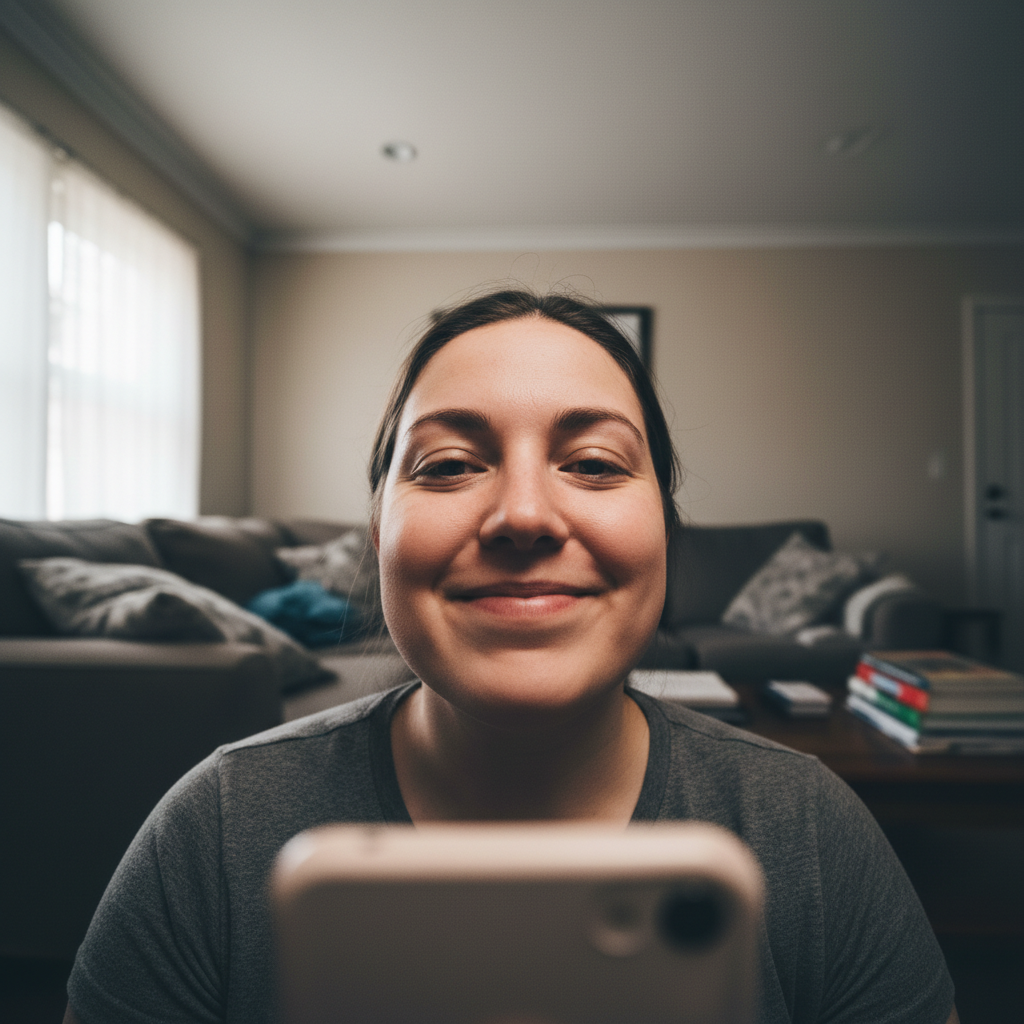
Low angle selfie with double chin effect
Before
โ†’
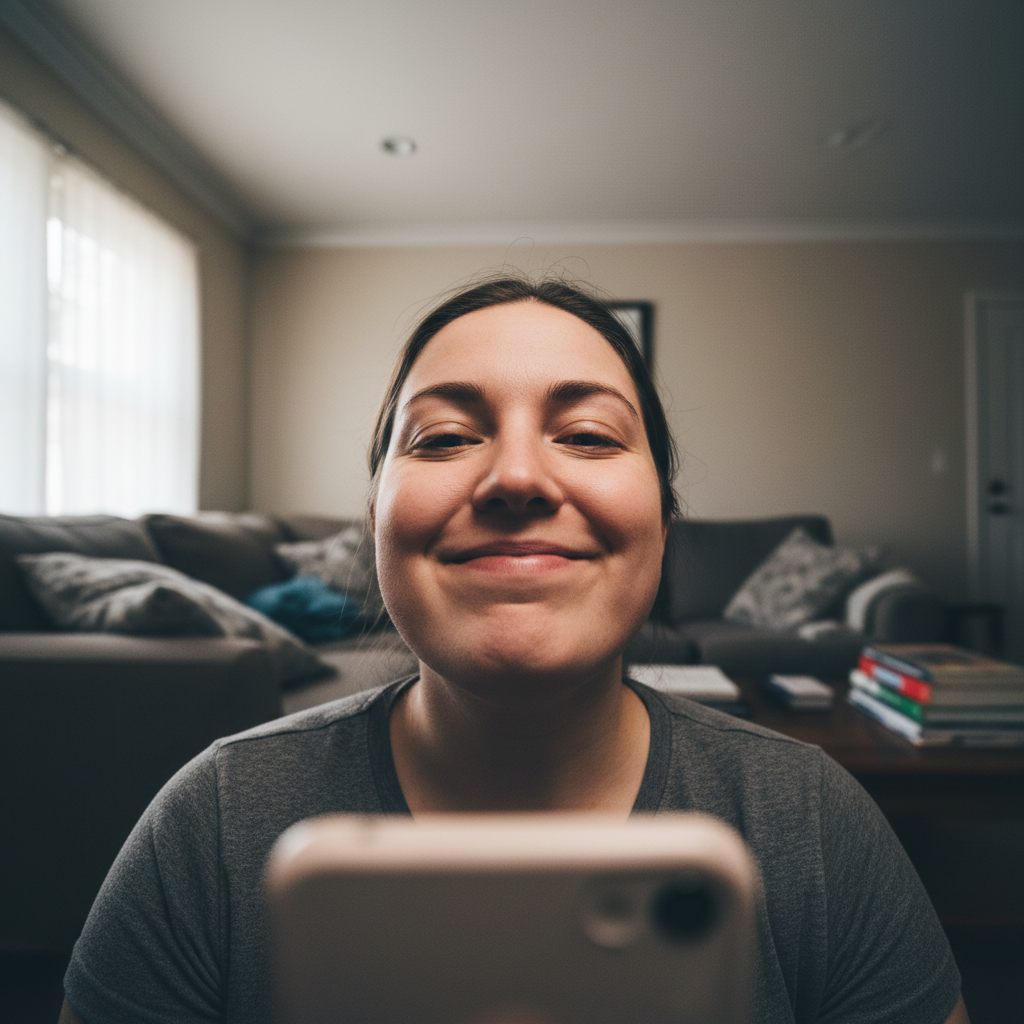
Selfie with natural flattering jawline
After

Fix Double Chin from Bad Angle Free (2026)

Drop your photo here

or click to browse

Release to upload

Free โ€ข No signup

Advertisement
Popular use cases:
  • selfie improvement
  • video call screenshots
  • webcam photos
  • low angle selfies
  • dating profile photos
  • LinkedIn headshots
  • zoom meeting photos

Cost
Free No signup required
Time
Instant results in 15-30 seconds
Works on
Any device - browser, phone, tablet, desktop
Powered by
AI-powered photo editing
Scenario Prompt Time
Low angle selfie smooth chin for eye-level look 30s
Webcam screenshot fix webcam angle on chin 30s
Shadow reduction reduce chin shadow naturally 25s
Subtle refinement slightly define jawline 25s

How it works

  1. Upload your photo

    Drop your image into EditThisPic. JPG, PNG, WebP up to 7MB. Works on selfies, webcam shots, and photos where the camera angle created an unflattering chin area.

    Expect: Mild angle issue: 25-35 seconds. Significant shadow or angle problem: may need 2-3 refinements for natural results.
  2. Describe what you want

    Type your instruction: 'smooth out the chin area for a more flattering look' or 'refine the jawline to reduce the shadow effect.' Use natural language - the AI understands you want subtle improvement, not dramatic change.

    Tip: Words like 'smooth,' 'refine,' and 'more flattering' give subtle results. Avoid 'remove' which can look too edited.

    Copy one of these to get started:

    General chin refinement smooth out the chin and jawline area for a more flattering natural look
    Shadow reduction reduce the shadow under my chin that makes it look doubled, keep natural skin
    Low angle selfie fix fix the unflattering angle effect on my chin, as if photo was taken at eye level
    Video call screenshot improve the chin area from this webcam angle, subtle and professional looking
    3 more prompts
    Subtle jawline definition slightly define the jawline while keeping everything else natural
    Preserve facial character refine chin area but keep my natural face shape and character
    Multiple issue fix smooth chin area and reduce the neck shadow, natural daytime lighting look
  3. Review the result

    Check that the edit looks natural. The goal is a subtle refinement that could have happened with better lighting or angle - not an obviously edited face. Zoom in on the jawline area to verify smooth blending.

  4. Refine with markers if needed

    If specific areas need more or less adjustment, tap markers on those spots. This gives you precise control over exactly which parts of the chin area get refined.

    Tip: Markers help if the AI over-corrected some areas. Tap and say 'blend this area more naturally.'
Try it free โ†“

Fix Double Chin from Bad Angle Free (2026)

Drop your photo here

or click to browse

Release to upload

Free โ€ข No signup

"That video call screenshot made my chin look huge. Fixed it in seconds and now I can actually use the photo. Looks totally natural." @zoom_photo_nightmare

See it in action

Low angle selfie with double chin effect
Before
->
Selfie with natural flattering jawline
After

Low selfie angle fixed for dating profile

Holding phone too low created an unflattering chin shadow. AI smoothed it for a natural look.

Prompt: smooth out the chin area from this low angle, make it look like photo was taken at eye level

Webcam screenshot with unflattering chin angle
Before
->
Professional-looking refined portrait
After

Zoom screenshot improved for LinkedIn

Webcam below monitor created the dreaded unflattering angle. AI refined it to look professional.

Prompt: fix the unflattering webcam angle on my chin, professional and natural looking
Photo with chin shadow from low angle
Before
->
Photo with natural chin appearance
After

Group photo angle corrected

Photographer shot from too low, creating chin shadows on everyone. Fixed individually for natural results.

Prompt: reduce the shadow under my chin, keep natural skin texture and lighting
Advertisement

If something looks off

Result looks obviously edited or artificial

Why: The AI over-corrected, making changes too dramatic to look natural.

Try: redo more subtly, just a slight refinement that looks completely natural

Tip: Use 'slight' or 'subtle' to prevent over-correction. Less is more for this edit.

Jawline looks too sharp or chiseled

Why: The AI added definition beyond what a better angle would naturally show.

Try: soften the jawline edit, keep my natural face shape

Tip: 'Natural face shape' reminds the AI this is angle correction, not face reshaping.

Skin texture looks smoothed or blurred in chin area

Why: The AI blurred texture while smoothing the contour.

Try: maintain skin texture and pores while refining the chin area

Tip: Explicit texture preservation keeps the edit from looking filtered.

AI changed wrong area or affected more than the chin

Why: The AI interpreted the prompt too broadly.

Try: Tap a marker specifically on the chin area, then say 'only refine this area'

Tip: Markers confine the edit exactly where you want it, protecting the rest of your face.

Edit doesn't match the lighting in the photo

Why: The AI changed the chin area but didn't match the existing light direction.

Try: blend the chin area to match the existing lighting and shadows in the photo

Tip: Mentioning 'existing lighting' helps the AI create cohesive results.

Quick answers

Do I need to mark the chin area before describing?

No! Just describe what you want: 'smooth out the chin area' or 'fix the angle effect.' The AI knows where the chin is. Only use markers if you want very precise control over exactly which parts get adjusted.

Will the result look obviously edited?

Not if you use natural language like 'smooth' or 'refine' instead of 'remove.' The AI aims for what a better camera angle would naturally show. Avoid dramatic terms like 'eliminate' or 'sculpt' which lead to over-editing.

Is there a free double chin fix tool without signup?

Yes, EditThisPic fixes unflattering angle effects for free with no account needed. Upload, describe the fix, download. No watermarks on your edited photo.

Can I fix multiple people's chins in a group photo?

Yes, but for best results, work on each person separately. Upload the photo, use a marker on one person, fix their chin, download, then repeat for the next person. This gives you control over each individual's result.

What's the difference between this and face slimming filters?

Face slimming filters reshape your entire face unrealistically. This tool specifically addresses the shadow and angle effect that creates a false double chin appearance - the result is what you'd look like if the photo was taken from a better angle.

Ready to fix that camera angle?

Free to try. No signup required.

Try it free โ†’