Free β€’ No signup Add Person sitting on couch Β· Free

Add Person Sitting on Couch Prank

Upload your living room photo. AI adds someone casually sitting on the couch. Text it to your roommate.

Empty living room with couch
Before
β†’
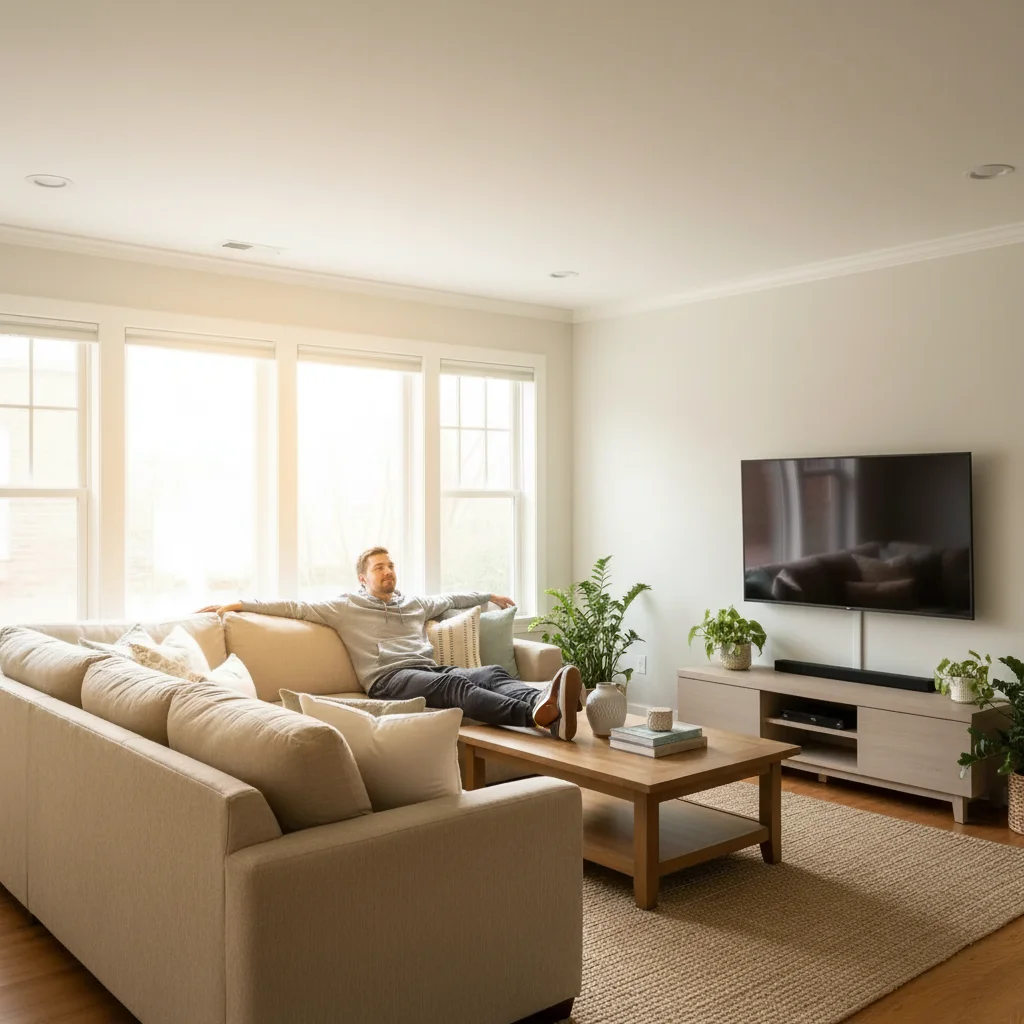
Living room with AI-added stranger sitting on couch
After

Add Person Sitting on Couch Prank

Upload photo to add person sitting on couch

Free β€’ Results in 30 seconds β€’ No signup

Release to upload

FreeNo signupNo watermark

1 free edit·then from $1.99

Popular use cases:
  • add person to couch prank
  • stranger on couch photo AI
  • couch prank photo generator
  • add someone sitting on sofa
  • AI person on couch prank

Cost
Free No signup required
Time
Instant results in 15-30 seconds
Works on
Any device - browser, phone, tablet, desktop
Powered by
AI-powered photo editing
Scenario Prompt Time
Casual sitting Person in hoodie leaning back on couch 30-45 sec
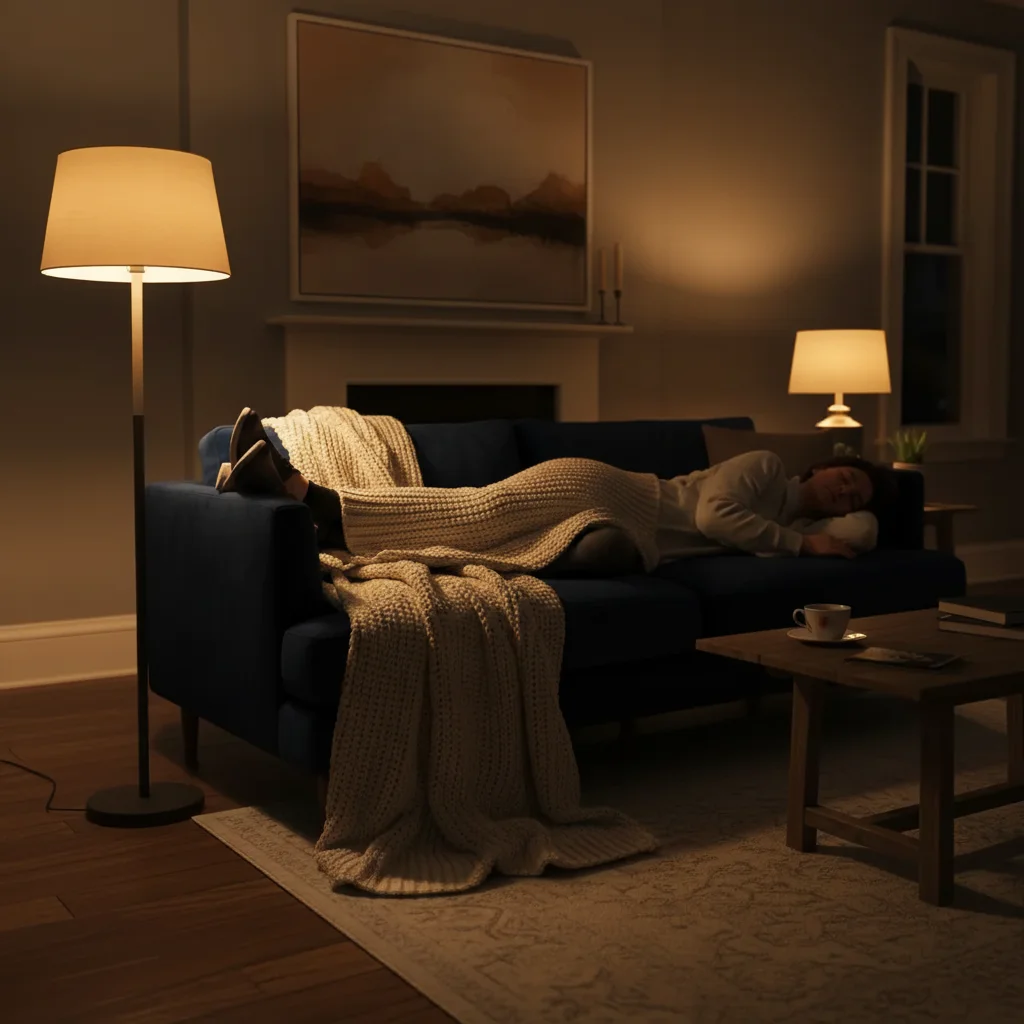
Sleeping on couch Person asleep on couch with shoes on 30-45 sec
Watching TV Stranger with remote watching TV on couch 30-45 sec

How it works

  1. Upload your living room photo

    Drop a photo of your living room into EditThisPic. JPG, PNG, WebP up to 7MB. Make sure the couch is clearly visible and well-lit for the most convincing result.

    Expect: Most edits complete in 20-45 seconds. The AI matches your room's lighting automatically.
  2. Describe who's on the couch

    Type something like 'Add a random man in a hoodie sitting on the couch watching TV' or 'Add a stranger leaning back on the sofa scrolling their phone.' Describe clothing and posture for realism.

    Tip: Add a specific activity β€” 'eating chips,' 'watching TV,' 'sleeping' β€” to make the prank more believable and funny. The AI generates the appropriate body language.

    Copy one of these to get started:

    Classic couch stranger Add a random man in a gray hoodie and joggers sitting on the couch, leaning back with his arms spread across the back like he owns the place
    Couch sleeper prank Add a person sleeping on the couch with their shoes still on, head tilted back, mouth slightly open
    Watching TV stranger Add a stranger sitting on the couch holding a TV remote, looking straight ahead as if watching television
    Eating on the couch Add a random person sitting on the couch eating from a bowl of cereal, feet up on the coffee table
    4 more prompts
    Woman on the couch (jealousy prank) Add an attractive woman sitting on one end of the couch, casually scrolling her phone, looking comfortable
    Old man prank Add an elderly man in a cardigan sitting on the couch reading a newspaper, looking completely at home
    Multiple strangers Add two people sitting on the couch β€” one person at each end, both looking at their phones, ignoring each other
    Pet owner prank Add a random person sitting on the couch petting a dog that isn't there β€” just the person reaching down to pet something
  3. Download and prank

    Check the lighting and position look natural. Download and text it with: 'Bro who is this person on our couch?' or 'I just got home and there's someone on the sofa??'

Try it free ↓

Add Person Sitting on Couch Prank

Upload photo to add person sitting on couch

Free β€’ Results in 30 seconds β€’ No signup

Release to upload

Free β€’ No signup

See it in action

Empty living room with couch
Before
->
Living room with AI-added stranger sitting on couch
After

Classic couch stranger prank

A living room with an AI-added stranger casually sitting on the couch.

Prompt: Add a random man in a gray hoodie and joggers sitting on the couch, leaning back with his arms spread across the back
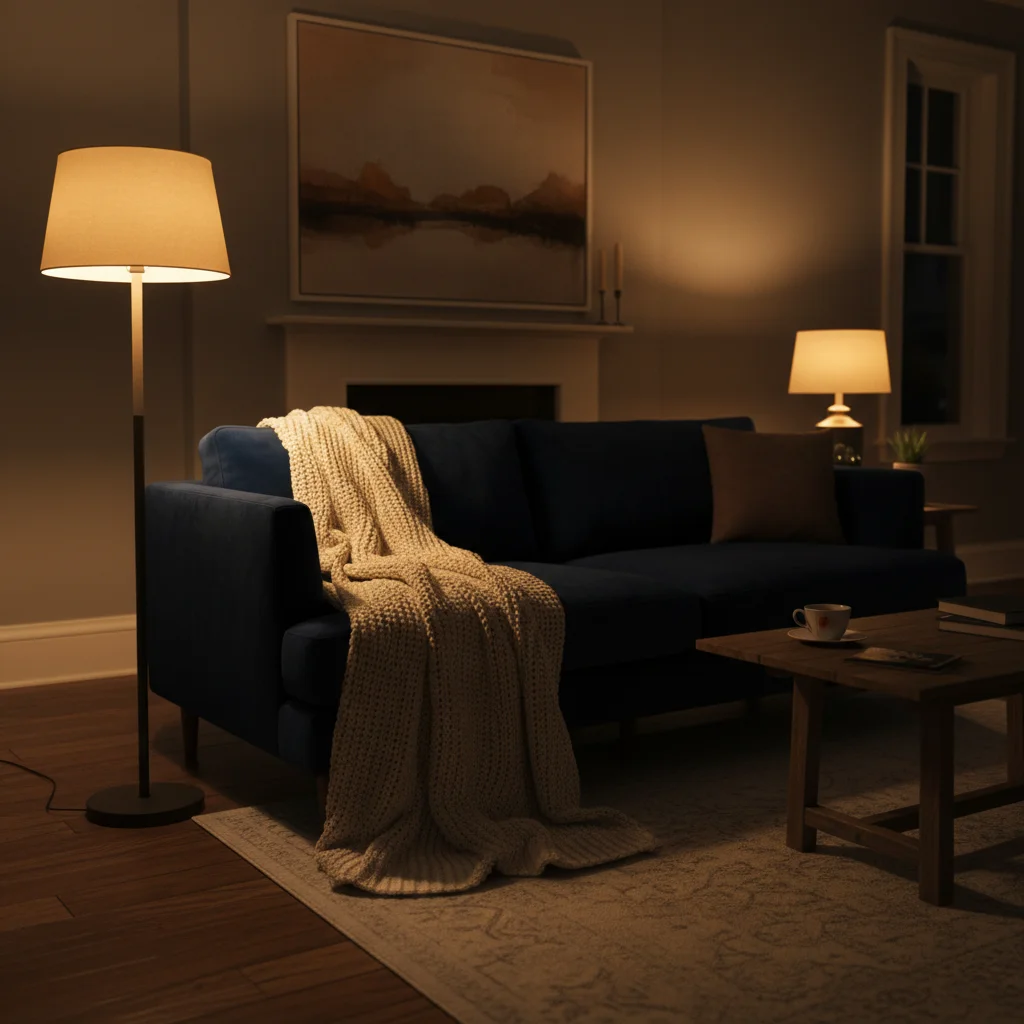
Empty couch at night
Before
->
Couch with AI-added sleeping stranger
After

Couch sleeper prank

An AI-added person sleeping on the couch β€” perfect 'who crashed here?' prank.

Prompt: Add a person sleeping on the couch with their shoes still on, head tilted back

If something looks off

Person looks like they're floating above the couch

Why: The AI didn't match the couch's depth and cushion level correctly.

Try: Add 'sitting deep into the couch cushions with natural body weight impression' to your prompt

Tip: Mentioning 'sinking into the cushions' helps the AI get the seated position right.

Lighting on the person doesn't match the room

Why: The AI-generated person has different lighting than the scene.

Try: Add 'same lighting as the room, with shadows matching the window direction' to your prompt

Tip: Rooms with soft, even natural light from one direction produce the most convincing results.

Person was placed somewhere other than the couch

Why: The AI chose a different spot based on the description.

Try: Tap a marker directly on the couch cushion, then regenerate with the same prompt

Tip: Markers on the exact spot guarantee placement β€” especially useful if the room has multiple seating options.

The person looks too stiff or posed

Why: The description didn't include enough about posture and body language.

Try: Add natural details: 'relaxed, slouching slightly, one arm on the armrest, legs crossed'

Tip: Describing a casual, relaxed pose makes the stranger look more natural than a stiff seated position.

Quick answers

Do I need to mark the couch?

No β€” just mention 'sitting on the couch' in your prompt and the AI places the person there automatically. Use a marker only if the AI picks the wrong seat.

Is this free?

Yes, EditThisPic gives you one free edit per week with no signup required. For a prank spree, credit packs start at $1.99 for 3 edits.

What makes the couch prank photo look realistic?

Be specific about clothing, posture, and what the person is doing. 'Man in hoodie leaning back with feet on the coffee table' is much more convincing than 'add a person to the couch.' The AI generates matching lighting and shadows automatically.

What room photos work best for this prank?

Well-lit living rooms with a clearly visible couch work best. Natural daylight or warm lamp lighting gives the most convincing results. Avoid very dark or extremely cluttered rooms.

Can I make the person look like someone specific?

EditThisPic generates a new person from your description β€” it doesn't copy real people. You can describe features (age, clothing, hair) but it won't replicate a specific real person's face.

Will there be a watermark?

No, EditThisPic never adds watermarks, even on free edits. Your prank photo downloads clean.

Does this work on my phone?

Yes, works fully in any mobile browser. Take a photo of your couch, upload, add the stranger, and text it β€” all in under a minute.

How much does EditThisPic cost?

You get 1 free edit per week β€” no account needed. After that, credit packs start at $1.99 for 3 edits. Monthly plans start at $4.99/mo for 15 edits with unused credits rolling over. All edits are full resolution with no watermark.

Ready to add a stranger to your couch?

Free to try. No signup required.

1 free edit included·Credit packs from $1.99