Pricing Generate Hair makeover before/after · Free

AI Hair Makeover Before & After

← Browse all creative effects

Last updated

Turn any client photo into a before/after hair transformation mockup — color, cut, or style changes — in 60 seconds. No booking, no consultation, no Photoshop.
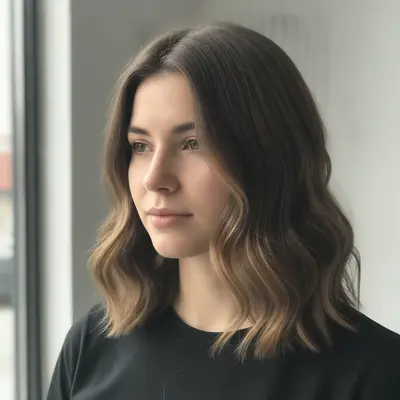
Woman with natural medium brown hair in mid-length straight style Same woman with balayage transformation showing warm honey and caramel highlights

Upload photo to generate hair makeover before/after

"change the hair color from dark brown to a warm golden blonde — full-head lightening, natural root shadow, glossy salon-finished look; keep the cut, length, and all face features unchanged"

Free to try · no sign-up · photos are never shared

Release to upload

<30stypical edit
1 freeedit weekly
Photo on your phone? Scan to open this editor there — free edit works on your phone too.

1 free edit every week·packs from $4.99

How it works

  1. Upload a portrait photo with visible hair

    Use a head-and-shoulders or three-quarter portrait where the hair is clearly visible. Front-facing or slight angle both work well. JPG, PNG, or WebP up to 7MB. Good lighting that shows the current hair color and texture gives the AI the best reference for the transformation.

    Expect: Simple color changes (all-over color, highlights): 30-45 seconds. Complex style or cut transformations (lob to pixie, straight to curly): 45-90 seconds and may benefit from one refinement pass.
  2. Describe the hair transformation

    Type the transformation you want to show: 'change the hair to balayage with warm honey and caramel tones, natural-looking placement, for salon marketing content' or 'cut and style the hair into a chin-length textured lob with soft beach waves.' Be specific about color (name the technique and tones), cut (length, layers, fringe), and finish (glossy, matte, natural, styled). No marking needed — the AI understands 'hair' as a zone.

    Tip: Use professional hair terminology in your prompts — balayage, ombre, babylights, lob, shag, undercut. These are in the AI's vocabulary and produce far more accurate results than descriptive language like 'light streaks' or 'shorter style.'

    Copy one of these to get started:

    Balayage color transformation change the hair color to balayage with warm honey and caramel tones, natural-looking placement starting mid-length and brightening toward the ends, glossy finish — salon marketing mockup, keep the face and background unchanged
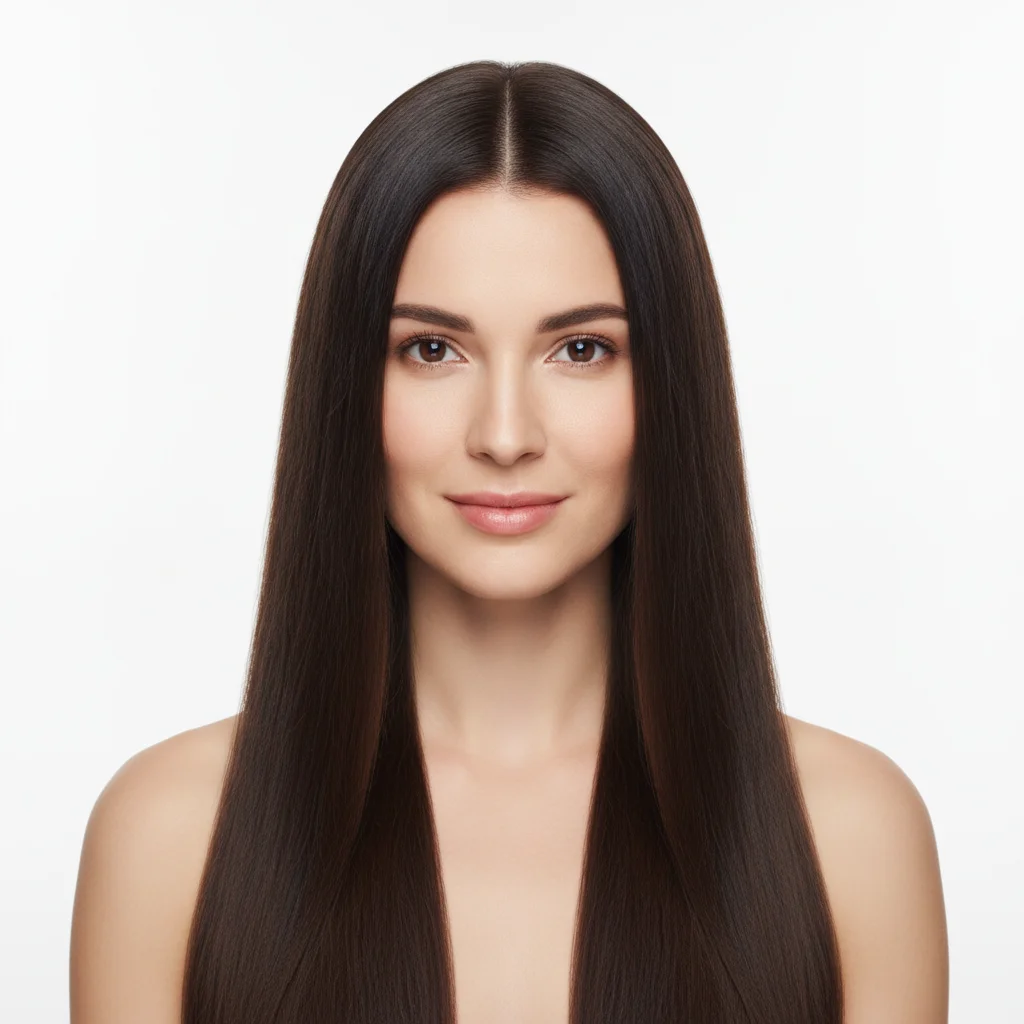
    Dramatic color change — brunette to blonde change the hair color from dark brown to a warm golden blonde — full-head lightening, natural root shadow, glossy salon-finished look; keep the cut, length, and all face features unchanged
    Cut transformation — lob to pixie cut the hair into a textured pixie cut with slightly longer top section and tapered sides; keep the existing hair color and the face unchanged — salon portfolio mockup
    Ombre color gradient add a deep ombre effect: dark natural root at the top transitioning to a light ash blonde at the ends, gradient starting at the ear level, seamless blend — for Instagram salon portfolio content; keep the cut and face unchanged
    4 more prompts
    Vivid fashion color — pastel or bold change the hair to a pastel lilac purple overall color with a subtle gradient toward silver at the ends — vivid color service visualization for a color specialist portfolio; keep the cut, length, and face unchanged
    Curly to straight transformation show a hair transformation from naturally curly hair to a sleek straight blowout style — smooth, glossy finish, same length; salon service visualization for a styling portfolio
    Adding a fringe or curtain bangs add curtain bangs to this hairstyle — parted in the center, soft and face-framing, length to the cheekbones; keep the rest of the cut and color identical — salon consultation mockup
    Silver/grey transformation change the hair to a natural grey-silver — salt-and-pepper effect with silver highlights throughout, natural root transition, no warm tones; keep the cut and face unchanged — salon client consultation mockup
  3. Review color accuracy and hair texture at full zoom

    Zoom to 100% on the hairline, ends, and any highlight placement. Check that the transformation looks like a realistic salon result — not flat or overly uniform. Verify that the face, skin tone, and background remain unchanged. If the highlight placement looks random rather than intentional, that's worth a refinement pass.

  4. Refine with markers for specific areas if needed

    If the highlights concentrated in the wrong area (all at the roots when you wanted ends-focused placement) or the fringe length is off, tap a marker on that area and regenerate: 'focus the highlights on the mid-length to ends section marked, keep the roots darker.' This is optional — most hair transformations work without markers.

    Tip: For color placement work (balayage, highlights, ombre), markers give you sectional control. Tap the areas where you want the color concentrated before regenerating.
  5. Download and use in your portfolio or social content

    The result is a high-resolution portrait showing the transformation. Use the 'before' (your original photo) and the 'after' (the AI-generated result) together in an Instagram carousel post, your salon's booking page, or a client consultation slide. Most colorists share the mockup with clients via DM as part of the pre-booking consultation process.

See it in action

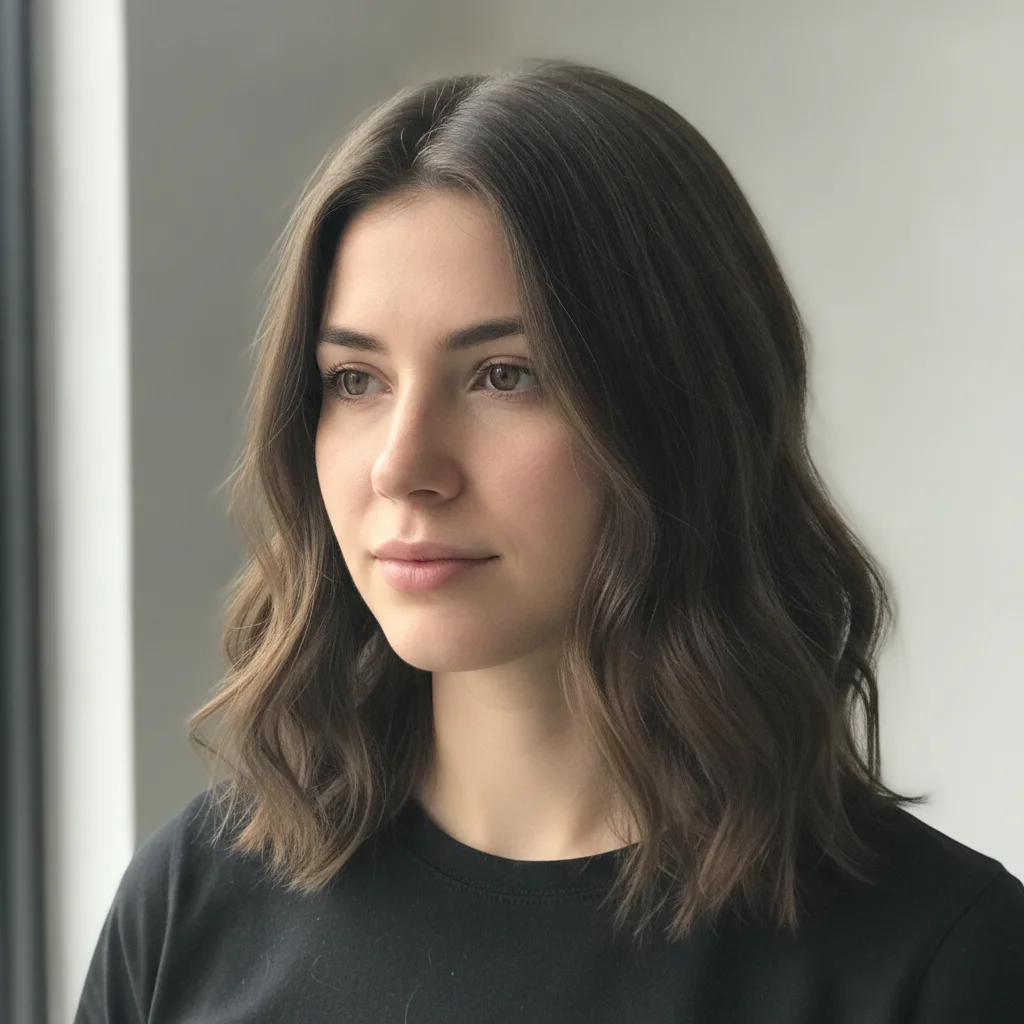
Woman with natural medium brown hair in mid-length straight style
Before
->
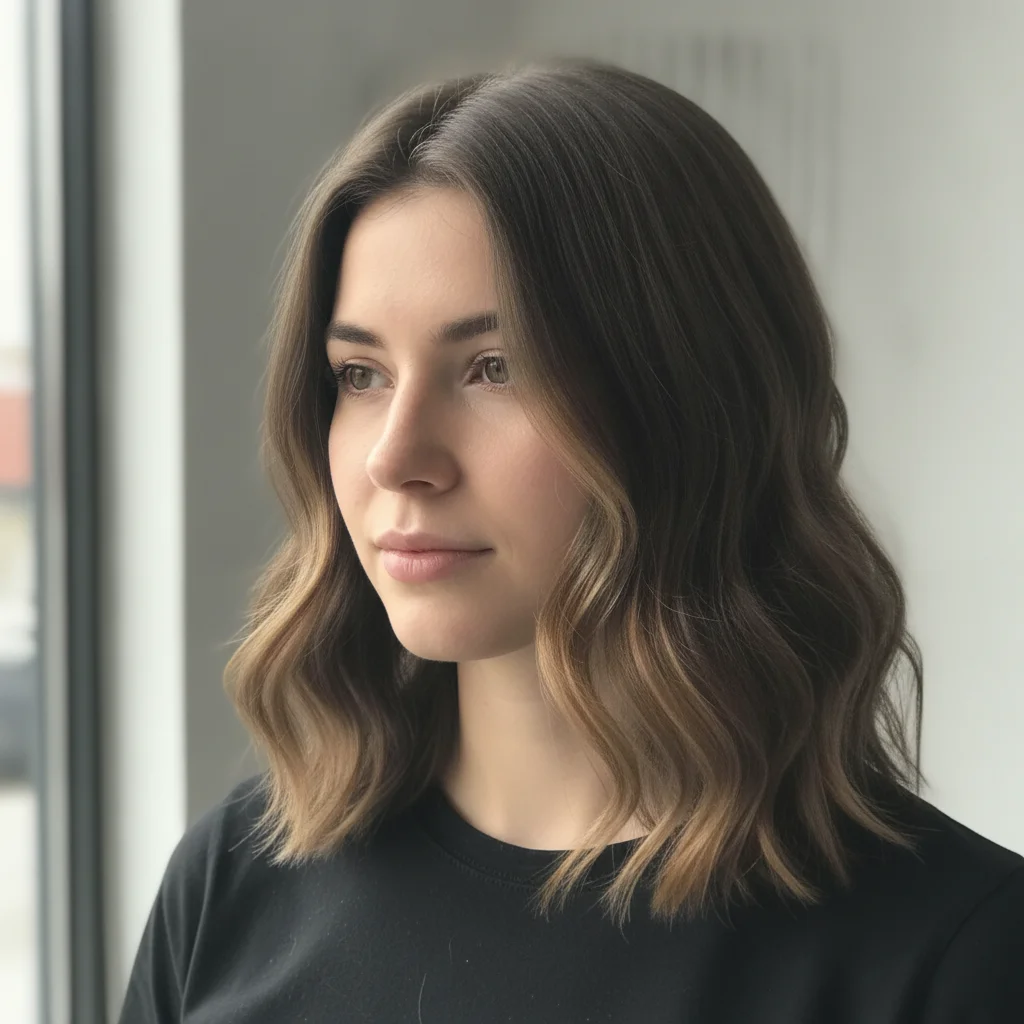
Same woman with balayage transformation showing warm honey and caramel highlights
After

Brunette to balayage — salon Instagram content

A colorist needed before/after content for a new balayage service launch. One prompt generated a realistic warm balayage mockup — used in her Instagram carousel with the original photo as the 'before.'

Prompt: change the hair color to balayage with warm honey and caramel tones, natural-looking placement starting mid-length and brightening toward the ends, glossy finish — salon marketing mockup, keep the face and background unchanged
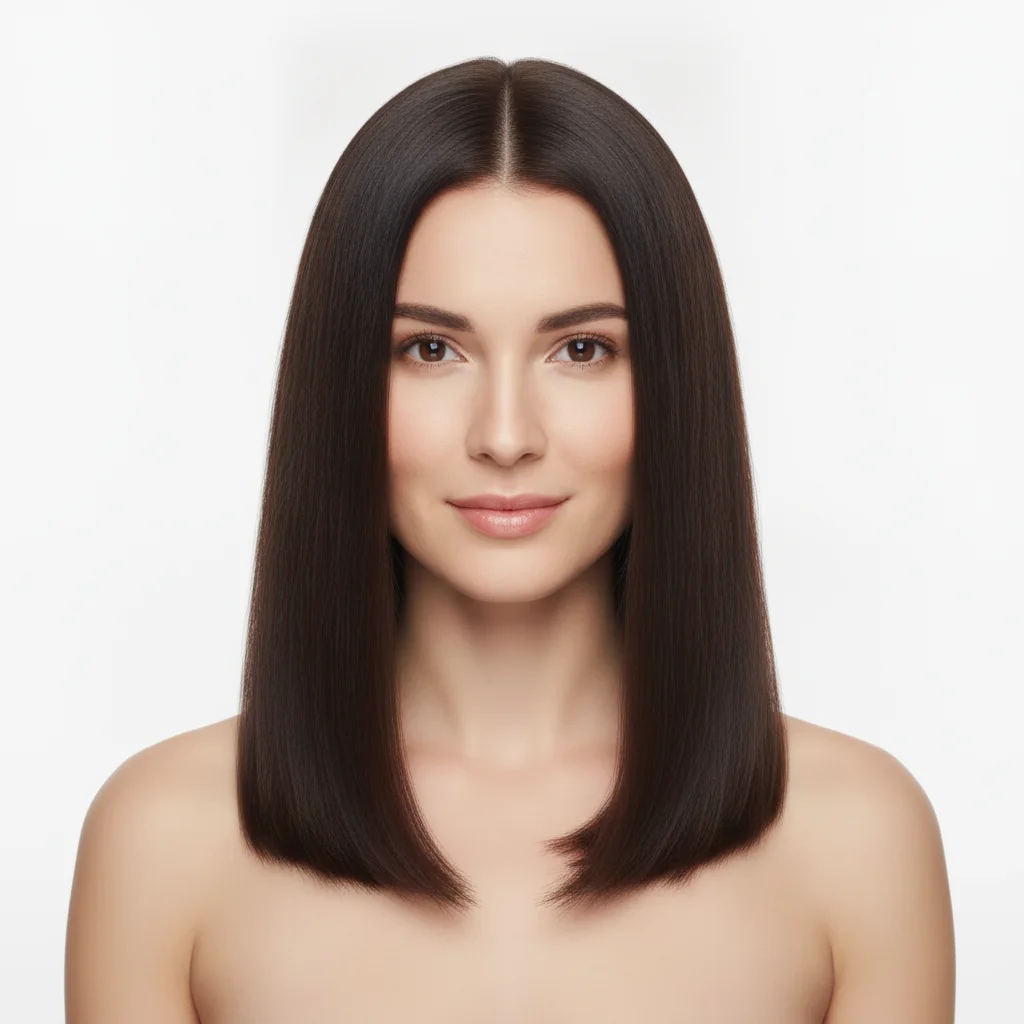
Woman with long straight dark brown hair reaching mid-back
Before
->
Same woman with textured lob cut just below the chin with face-framing layers
After

Long hair to textured lob — portfolio piece

A stylist building a portfolio needed to show cut transformations without waiting for clients to book. The AI generated a realistic lob transformation mockup from a single portrait.

Prompt: cut the hair into a textured lob sitting just below the chin with face-framing layers and a soft bend at the ends; keep the existing hair color and the face unchanged — salon portfolio mockup
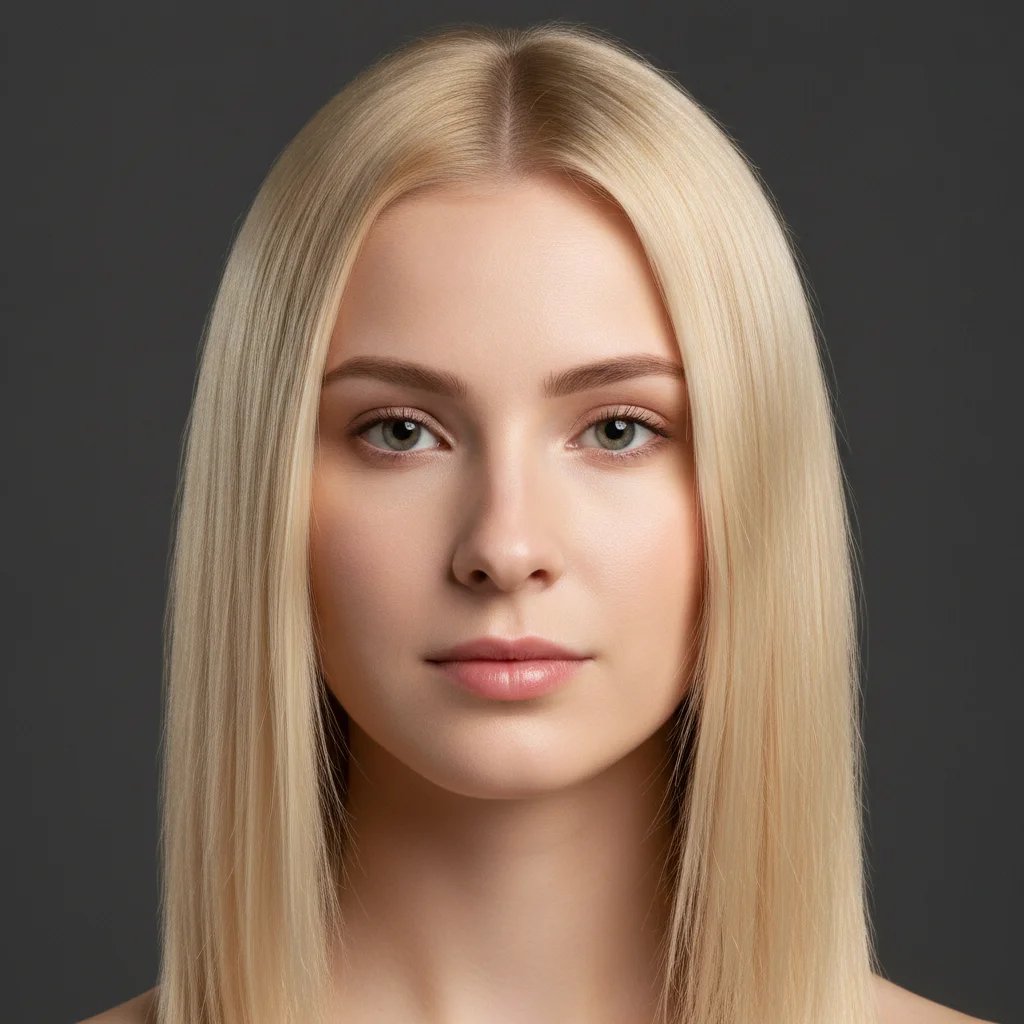
Woman with medium-length natural blonde hair against dark grey background
Before
->
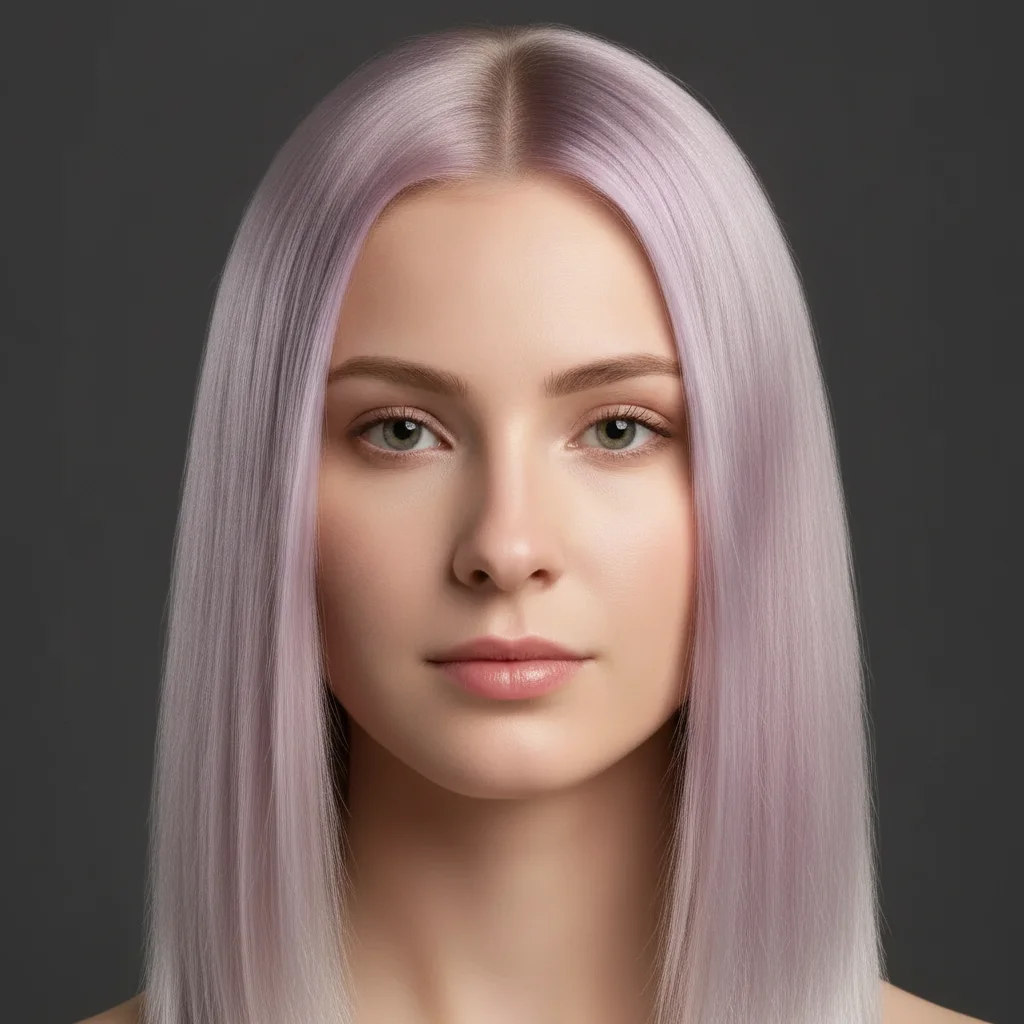
Same woman with pastel lilac purple color transformation with silver gradient at ends
After

Vivid color transformation — colour specialist marketing

A color specialist wanted social content showing her vivid color work. The AI generated a pastel purple transformation mockup — used on her booking page to show potential clients her color range.

Prompt: change the hair to a pastel lilac purple overall color with a subtle gradient toward silver at the ends — vivid color service visualization for a color specialist portfolio; keep the cut, length, and face unchanged

Quick answers

Do I need to mark the hair area before describing the transformation?

No. For most hair transformations — color changes, cut changes, style changes — just describe what you want: 'change the hair to balayage with warm honey tones.' The AI understands 'hair' as a zone. Use markers if the AI alters something adjacent to the hair that you wanted unchanged, like eyebrows, skin near the hairline, or the background.

How do I create a hair makeover before/after for my salon Instagram?

Upload a client portrait (with their permission) or a model photo to EditThisPic. Describe the transformation you want to show — color technique, cut style, or both. Download the result in 60 seconds. Use the original photo as the 'before' and the AI-generated result as the 'after' in an Instagram carousel or side-by-side post. Free, no account needed.

Is there a free AI hair color changer that doesn't need an account?

Yes. EditThisPic changes hair color, cut, and style in photos free with no account, no login. Upload a portrait, describe the transformation, and download in about 60 seconds. Works in any browser on desktop or mobile. The free edit is a preview — purchased downloads are clean, full quality.

How do I show clients a hair color preview before they book?

Ask the client to send a photo, upload it to EditThisPic, describe the color service they're considering (e.g., 'balayage with warm caramel tones, placement from mid-length to ends'), and send them the result before the appointment. This lets clients see a realistic mockup of the outcome and reduces 'I changed my mind' cancellations. Free, no signup — you can generate a preview in about 60 seconds.

What's the best AI tool for hair colorist portfolio content?

EditThisPic lets colorists and stylists generate before/after portfolio content from client photos without waiting for the final result to be photographed. Describe the service you offer and the AI generates the transformation. Free, no signup. For building a full portfolio across multiple color services and styles, buy a credit pack.

Can AI show me how I'd look with different hair color?

Yes. Upload a clear portrait photo of yourself, describe the color or style you're considering ('change to a warm auburn, face-framing highlights, glossy finish'), and see the result in 60 seconds. This is also useful before booking a major color service — see the approximate result before committing to a dramatic change.

How much does EditThisPic cost?

You get 1 free edit per week — no account needed. After that, one-time credit packs start at $4.99 for 10 edits, valid 12 months, no subscription. Power users who edit daily can pick Studio Membership, a monthly workspace at $49.99/mo for 300 edits. Purchased downloads are clean with no watermark.

Ready to create your hair transformation content?

Free to try. No signup required.

1 free edit included·Credit packs from $4.99