Pricing Fix Jpeg artifact · Free

AI JPEG Artifact Fixer

← Browse all creative effects

Last updated

Describe the artifact and EditThisPic removes it — no noise reduction tools needed.
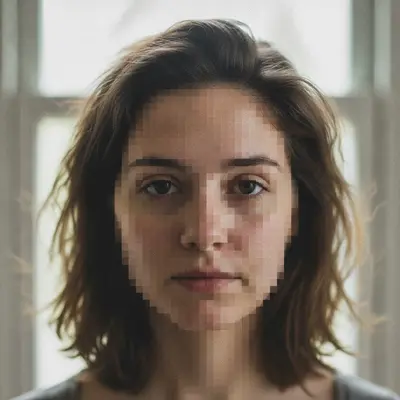
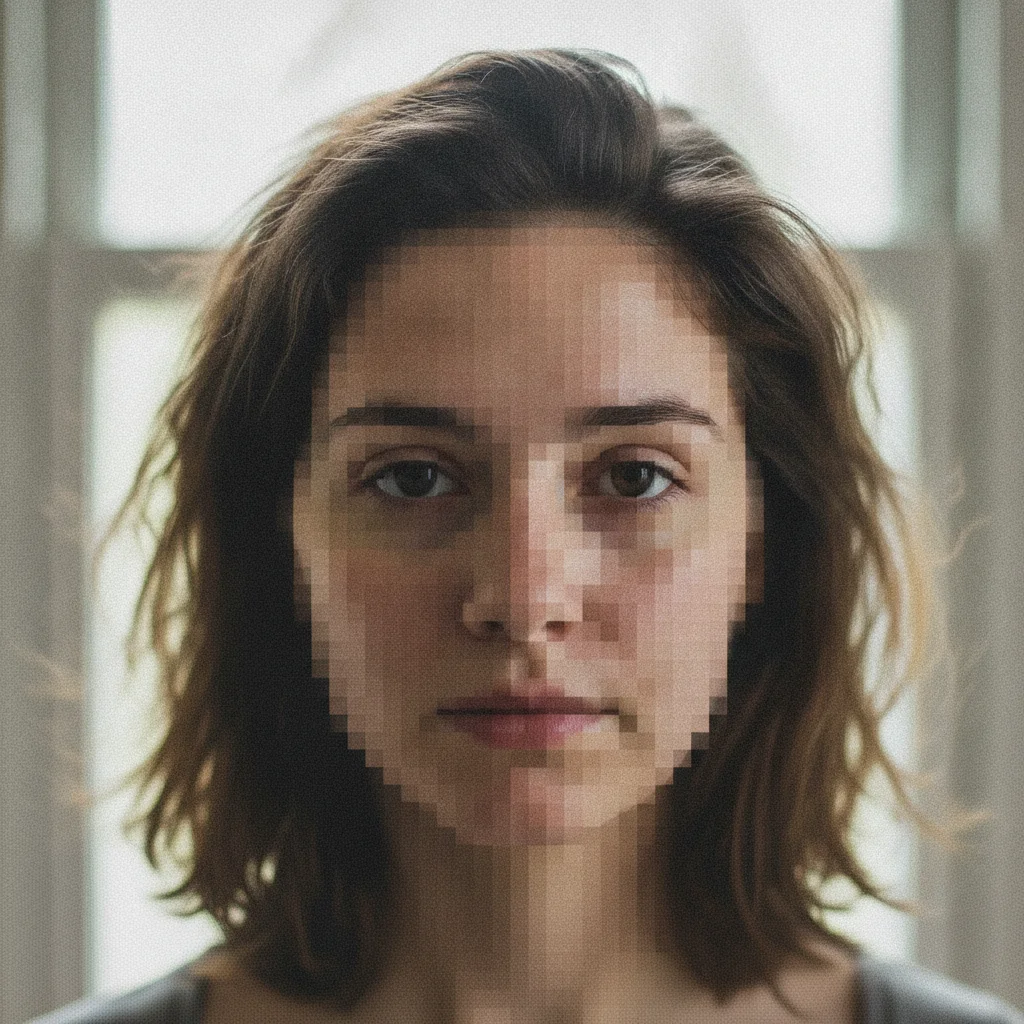
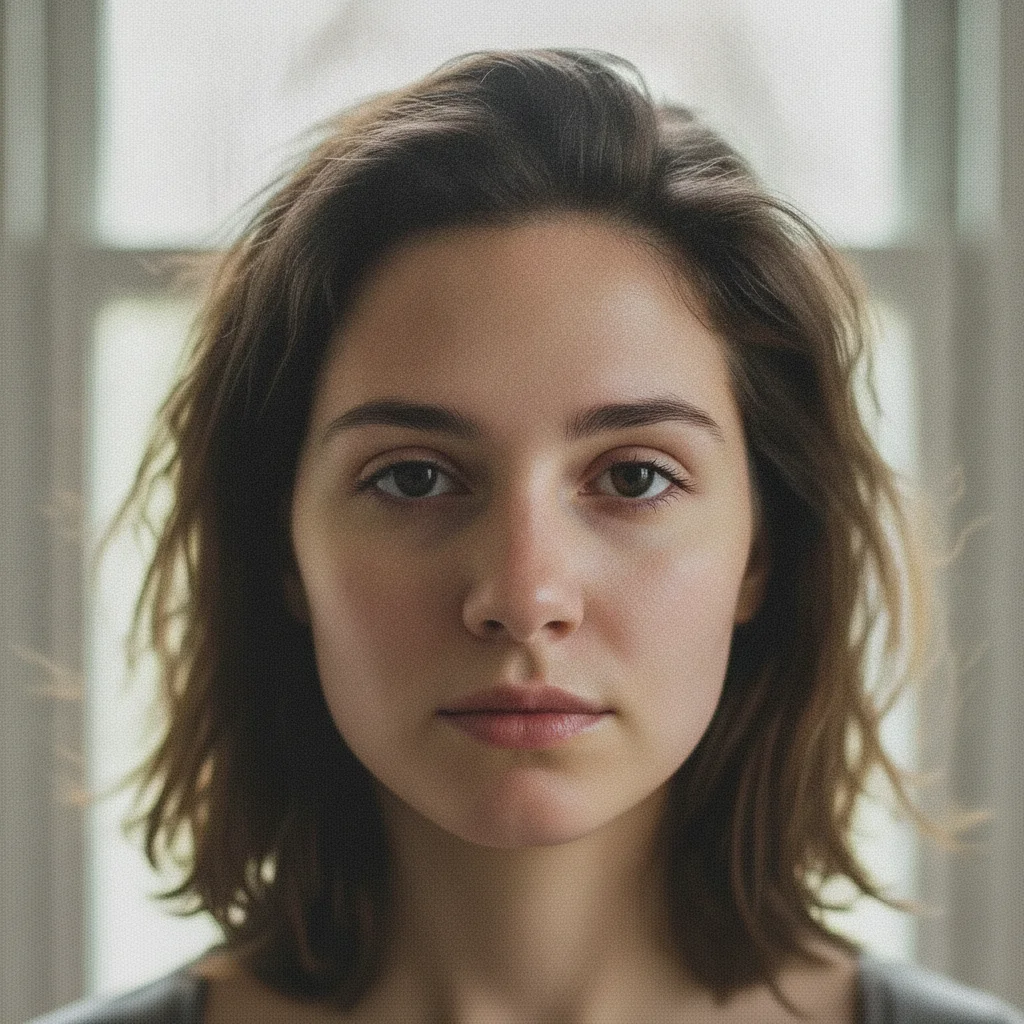
Portrait with heavy JPEG artifacts — mosaic blocking on skin and ringing around hair Same portrait with all JPEG artifacts removed, natural smooth skin restored

Upload photo to fix jpeg artifact

"remove the JPEG compression artifacts on this portrait — fix the mosaic blocking on the skin, remove the ringing halos around the face and hair, restore smooth natural skin texture"

Free to try · no sign-up · photos are never shared

Release to upload

<30stypical edit
1 freeedit weekly
Photo on your phone? Scan to open this editor there — free edit works on your phone too.

1 free edit every week·packs from $4.99

How it works

  1. Upload the JPEG with compression artifacts

    Drop your image into EditThisPic. JPG, PNG, or WebP up to 7MB. Works on over-compressed photos saved at low JPEG quality (below quality 60), files that were saved multiple times (each save adds more artifact noise), screenshots taken from compressed video, and old files that were compressed before archiving. The AI reads the pattern of the 8x8 pixel DCT blocks that JPEG compression creates.

    Expect: Mildly artifacted JPEGs (quality 50-70, some blocking visible) clean up in one pass in about 20 seconds. Severely compressed files (quality below 30, strong mosaic pattern) show significant improvement but very low quality originals have fundamental detail loss that can't be reversed — the AI fills in plausible detail based on context.
  2. Describe the artifact type you want removed

    Type what you see: 'remove the JPEG compression artifacts — fix the blocky noise, clean up the ringing halos around edges, and smooth the banding in the sky' or 'clean up the JPEG compression on this portrait — remove the mosaic blocking on the skin and fix the ringing around the hair.' JPEG produces three distinct artifact types: blocking (mosaic squares), ringing (dark halos around edges), and banding (tonal steps in smooth gradients). Naming what you see helps the AI target the right artifact type.

    Tip: The three JPEG artifact types need different fix approaches. Blocking = 'remove mosaic blocks and smooth naturally.' Ringing = 'remove edge halos and ringing around high-contrast edges.' Banding = 'smooth the tonal gradation in the sky, remove visible steps.' Name the type you see for best results.

    Copy one of these to get started:

    General JPEG artifact cleanup — most common remove the JPEG compression artifacts from this photo — fix the blocky noise, clean up the edge ringing, and smooth the banding, restore natural image quality throughout
    Portrait with blocking and ringing on skin remove the JPEG compression artifacts on this portrait — fix the mosaic blocking on the skin, remove the ringing halos around the face and hair, restore smooth natural skin texture
    Sky or gradient banding from JPEG compression remove the JPEG banding from the sky — smooth the visible tonal steps in the gradient so the sky transitions naturally from dark blue to lighter blue, no visible bands
    Over-compressed product photo clean up the JPEG compression artifacts on this product photo — remove the mosaic blocking, fix the edge ringing, restore clean sharp product edges and natural surface texture
    3 more prompts
    Repeatedly saved JPEG with severe artifacts fix the severe JPEG compression artifacts from multiple resaves — remove the heavy mosaic blocking, edge ghosting, and texture destruction, restore as much natural detail as possible
    JPEG artifacts on face in group photo remove the JPEG compression artifacts from the faces in this group photo — fix the mosaic blocking and ringing on skin tones, keep the background unchanged
    Old website photo with compression artifacts clean up the heavy JPEG compression artifacts on this old photo — remove all mosaic blocking, smooth the banding, fix the edge ghosting, restore a clean natural appearance
  3. Check skin, smooth gradients, and edge sharpness

    Zoom to 100% on three types of areas: (1) smooth areas like skin or sky — these reveal banding and blocking most clearly, (2) high-contrast edges like hair against background — these reveal ringing, (3) fine detail areas like fabric texture — these reveal whether the AI over-smoothed while removing artifacts. The goal is clean, natural texture without over-smoothing.

  4. Refine any over-smoothed areas with markers

    If artifact removal smoothed out fine texture too aggressively in one area — for example, skin looks plastic while the background looks correct — tap a marker on the over-smoothed area and add: 'restore natural skin texture here, the artifact removal over-smoothed this zone.' Targeted markers restore texture without re-introducing artifacts.

    Tip: Over-smoothing is the most common trade-off in artifact removal. The AI balances artifact reduction against texture preservation — a targeted texture restoration pass is usually enough to correct this.

See it in action

Portrait with heavy JPEG artifacts — mosaic blocking on skin and ringing around hair
Before
->
Same portrait with all JPEG artifacts removed, natural smooth skin restored
After

Over-compressed portrait — mosaic and ringing removed

Portrait saved at JPEG quality 25 for a web thumbnail then blown up for printing. Heavy mosaic blocking on skin and ringing halos around hair edges. All three artifact types cleaned up in one pass.

Prompt: remove the JPEG compression artifacts — fix the mosaic blocking on the skin, remove the ringing halos around hair edges, restore smooth natural skin texture
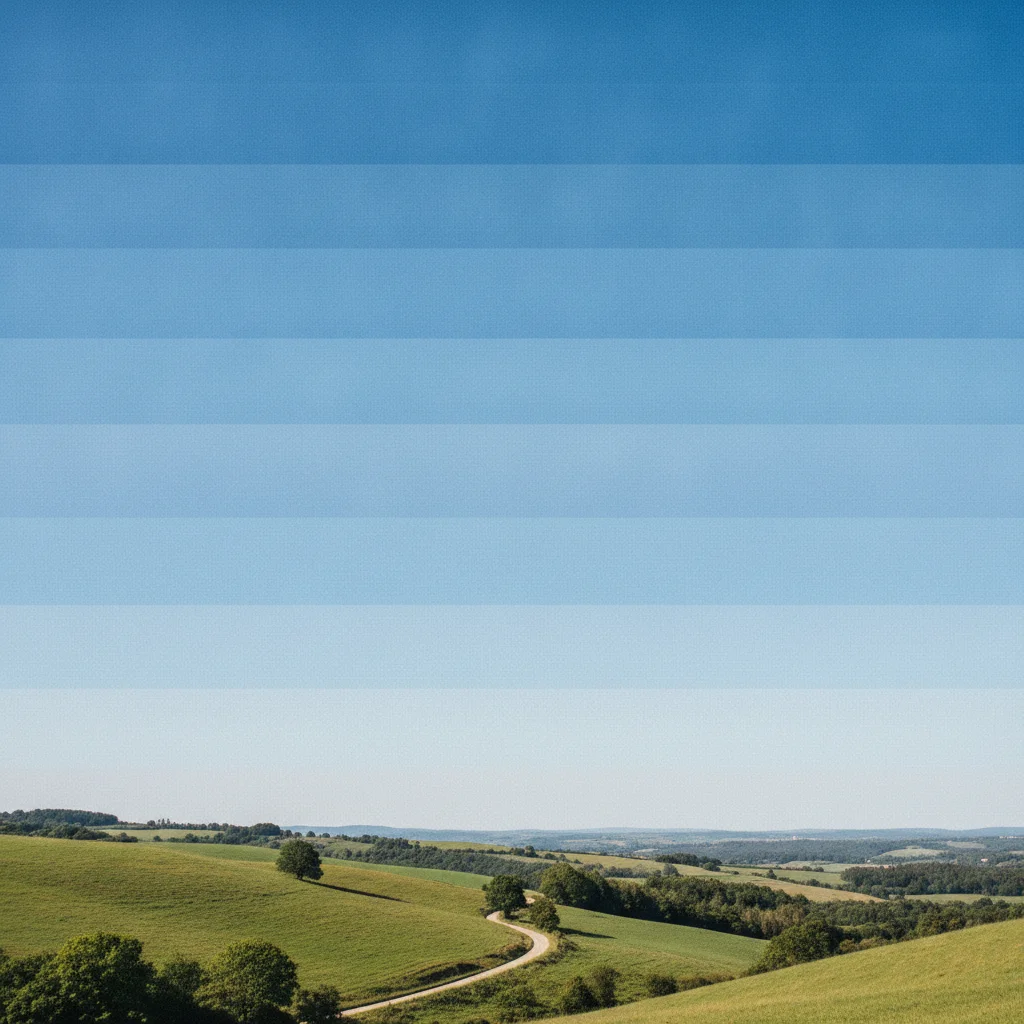
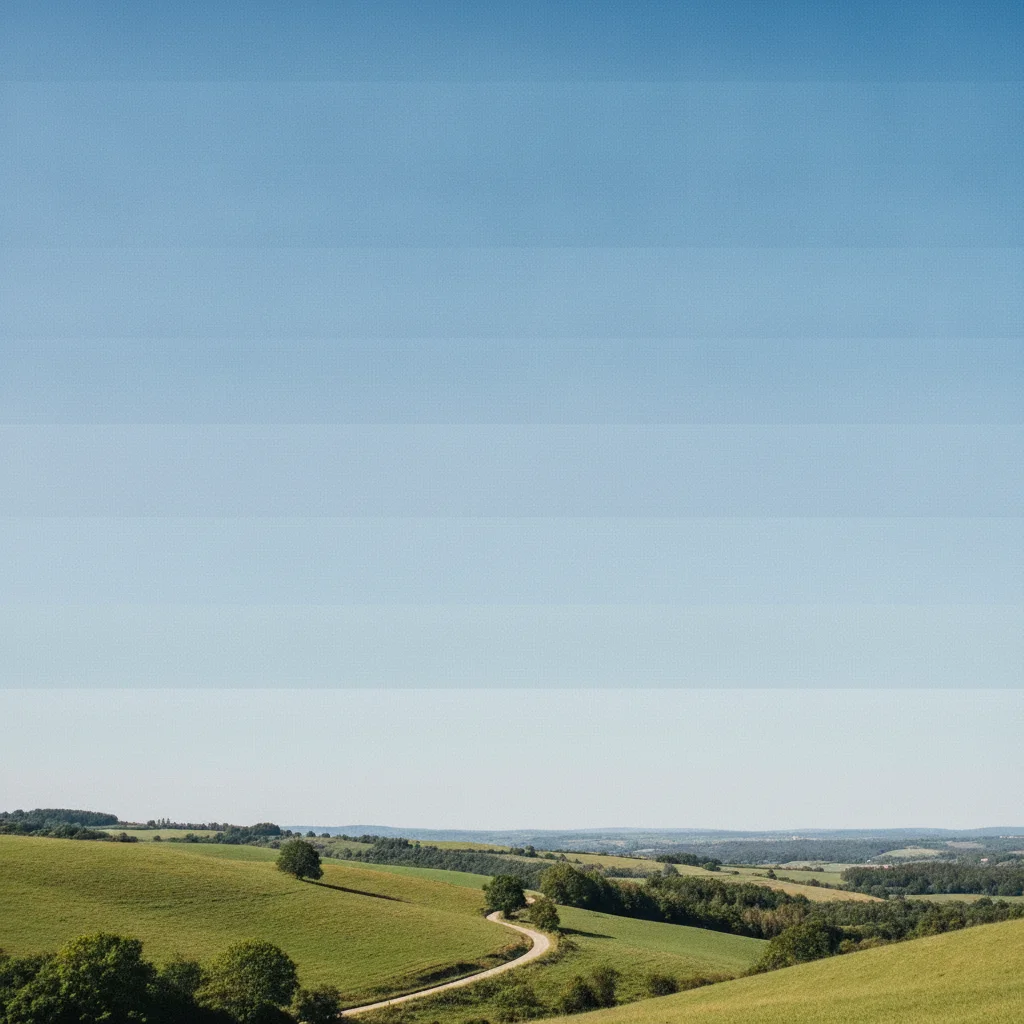
Landscape with visible JPEG banding in the sky — discrete tonal bands instead of smooth gradient
Before
->
Same landscape with smooth natural sky gradient after JPEG banding removal
After

Landscape with sky banding — gradient smoothed

Landscape photo with a clear sky. The JPEG compression quantized the smooth blue gradient into visible tonal bands. Banding removal restored a natural gradient from deep blue at top to pale blue near the horizon.

Prompt: remove the JPEG banding from the sky — smooth the tonal steps in the gradient so the sky transitions naturally from dark to light blue, no visible banding bands
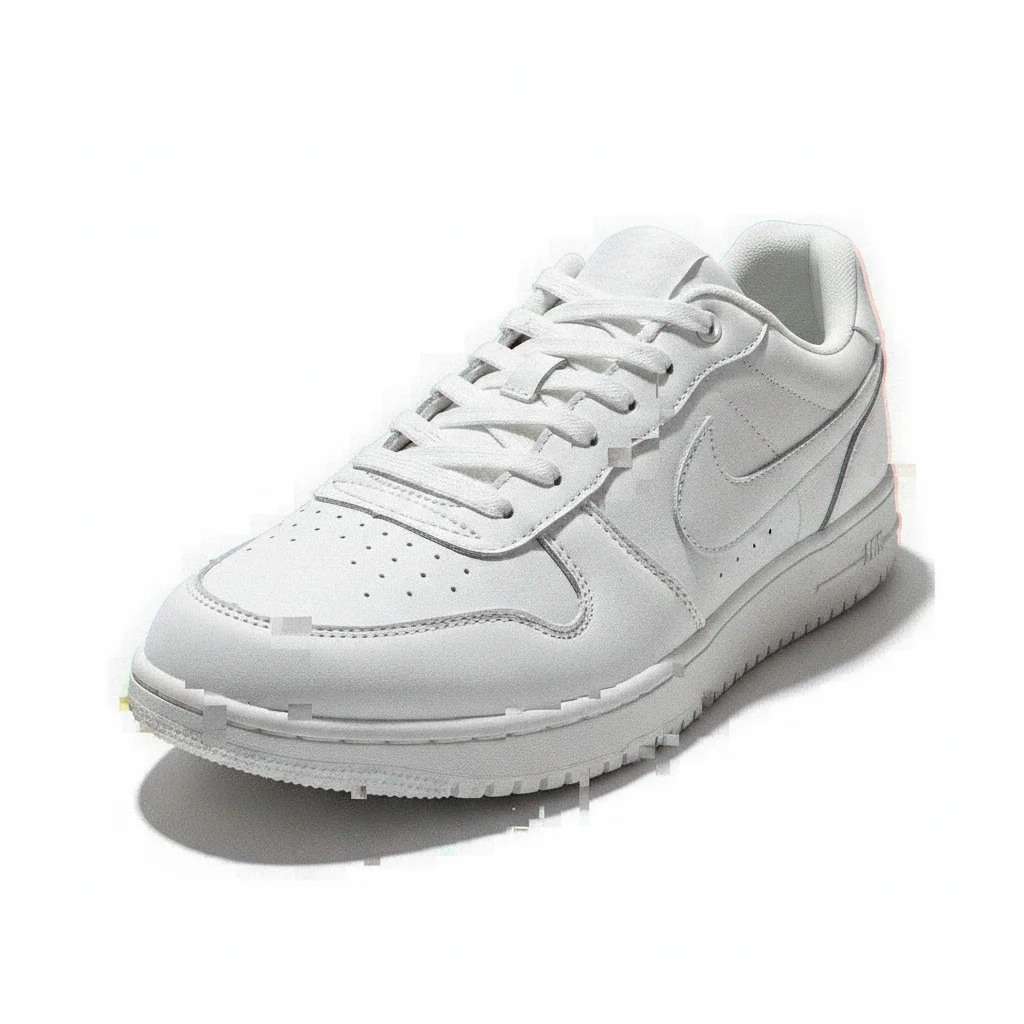
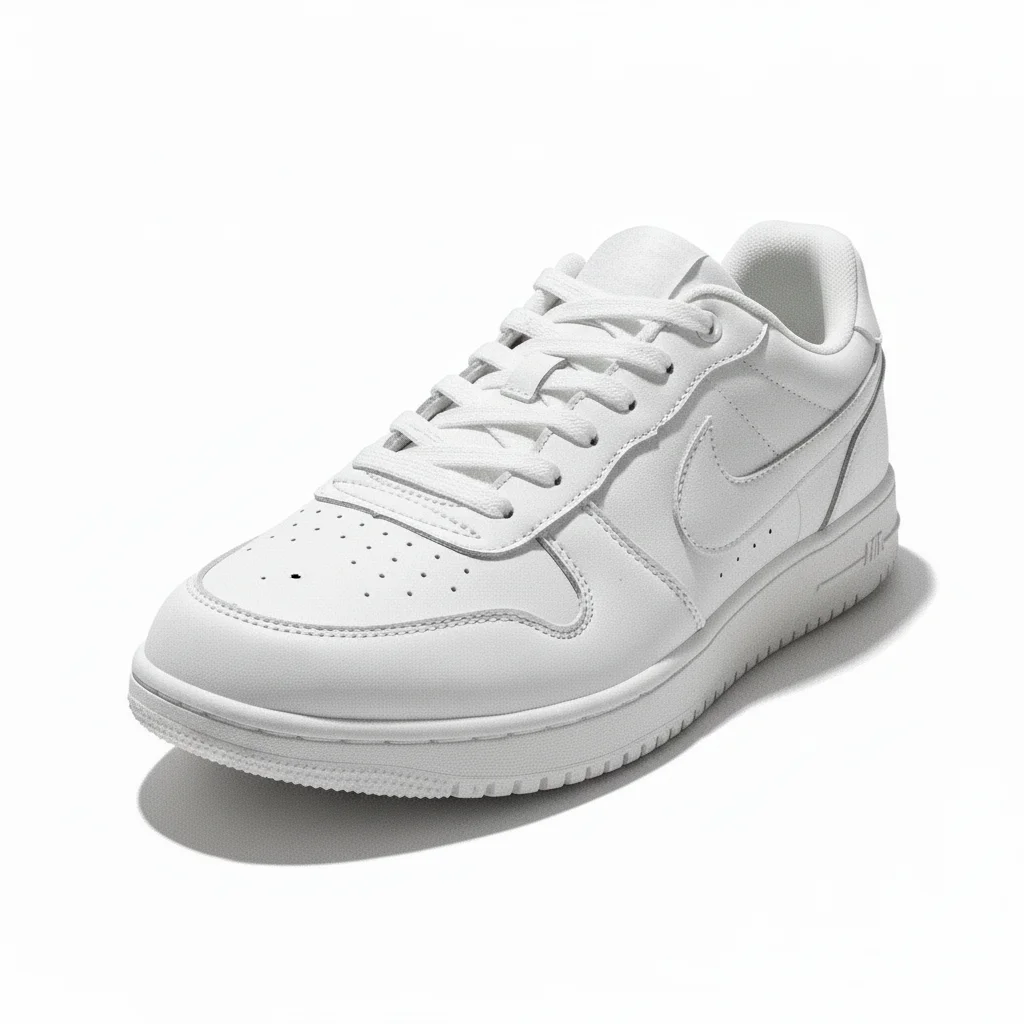
Product photo of white shoe with JPEG mosaic blocking and edge ringing artifacts
Before
->
Same product photo with clean crisp edges and natural surface texture after artifact removal
After

Product photo — edge ringing and blocking cleaned up

Product photo of a white shoe on white background, saved at very low JPEG quality for a marketplace listing. Edge ringing and blocking made the product look amateurish. Artifact removal restored clean crisp edges.

Prompt: clean up the JPEG compression artifacts on this product photo — remove the mosaic blocking and edge ringing, restore clean sharp product edges and natural surface texture

Quick answers

Do I need to mark the artifact areas before removing them?

No. For most JPEG artifact fixes, just describe what you see: 'remove the JPEG compression artifacts — fix the mosaic blocking, edge ringing, and banding.' The AI identifies the artifact patterns automatically. Only use markers if you want to remove artifacts in one area while leaving the rest untouched — for example, fixing the face without touching the background.

How do I fix JPEG artifacts in a photo for free online?

Upload your JPEG to EditThisPic, type 'remove the JPEG compression artifacts — fix the blocky noise, edge ringing, and banding' and click Generate. The AI cleans up the artifacts in about 30 seconds. Free, no account. Works in any browser. The free edit is a preview — purchased downloads are clean, full quality.

What causes JPEG compression artifacts in photos?

JPEG compression divides the image into 8x8 pixel blocks and applies frequency-domain compression to each block independently. At low quality settings, the quantization step is coarse enough to create visible artifacts: blocky mosaic patterns where blocks don't match each other, ringing halos around sharp edges caused by high-frequency cutoffs, and banding in smooth gradients where tonal values get quantized into discrete steps.

Is there a free tool to remove JPEG artifacts without Photoshop?

Yes. EditThisPic removes JPEG artifacts for free with no account. Unlike Photoshop's Reduce Noise filter (which has limited effect on strong JPEG blocking), EditThisPic's AI understands the structure of JPEG artifacts and reconstructs natural texture behind them. Works on desktop and mobile browsers. The free edit is a preview — purchased downloads are clean, full quality.

Can I fix JPEG artifacts without the original high-quality file?

Yes. EditThisPic works entirely on the compressed JPEG you upload — the original uncompressed file is not needed. The AI reconstructs plausible natural detail from the artifact-riddled image. Results are better when the original compression wasn't severe (quality 40+) and worse for very low quality files (below quality 20) where most detail is gone.

Why does my JPEG look worse when I save it again?

Each time you save a JPEG, the compression is applied again to an already-compressed image. The artifacts compound with each save cycle. This is called generation loss. A JPEG saved at quality 80, then re-opened and re-saved at quality 80, looks noticeably worse than a single quality 80 save. Always keep a copy in an uncompressed format (PNG or TIFF) for editing.

How do I fix banding in a JPEG sky or gradient?

Type: 'remove the JPEG banding from the sky — smooth the tonal steps in the gradient so the sky transitions naturally from dark to light, no visible banding.' The AI identifies the tonal step pattern from JPEG quantization and smooths the gradient. For severe banding, a second focused pass usually removes what the first pass left behind.

How much does EditThisPic cost?

You get 1 free edit per week — no account needed. After that, one-time credit packs start at $4.99 for 10 edits, valid 12 months, no subscription. Power users who edit daily can pick Studio Membership, a monthly workspace at $49.99/mo for 300 edits. Purchased downloads are clean with no watermark.

Ready to clean up the JPEG artifacts in your photo?

Free to try. No signup required.

1 free edit included·Credit packs from $4.99