Pricing Change Kitchen cabinet color · Free

AI Kitchen Cabinet Color Changer

← Browse all change & replace tools

Last updated

Upload your kitchen photo and describe the cabinet color — the AI changes it in 30 seconds. Free, no account needed.

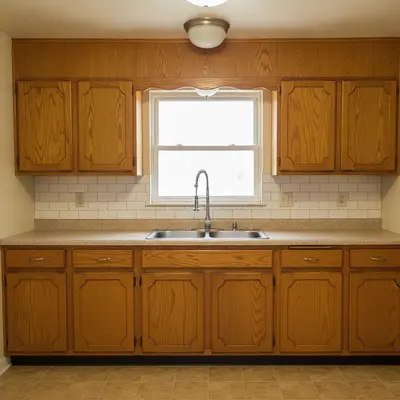
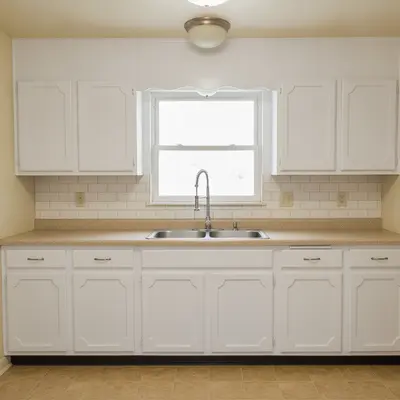
Kitchen with dated honey oak cabinets and white subway tile backsplash Same kitchen with cabinets changed to bright white satin, backsplash and hardware unchanged

Upload photo to change kitchen cabinet color

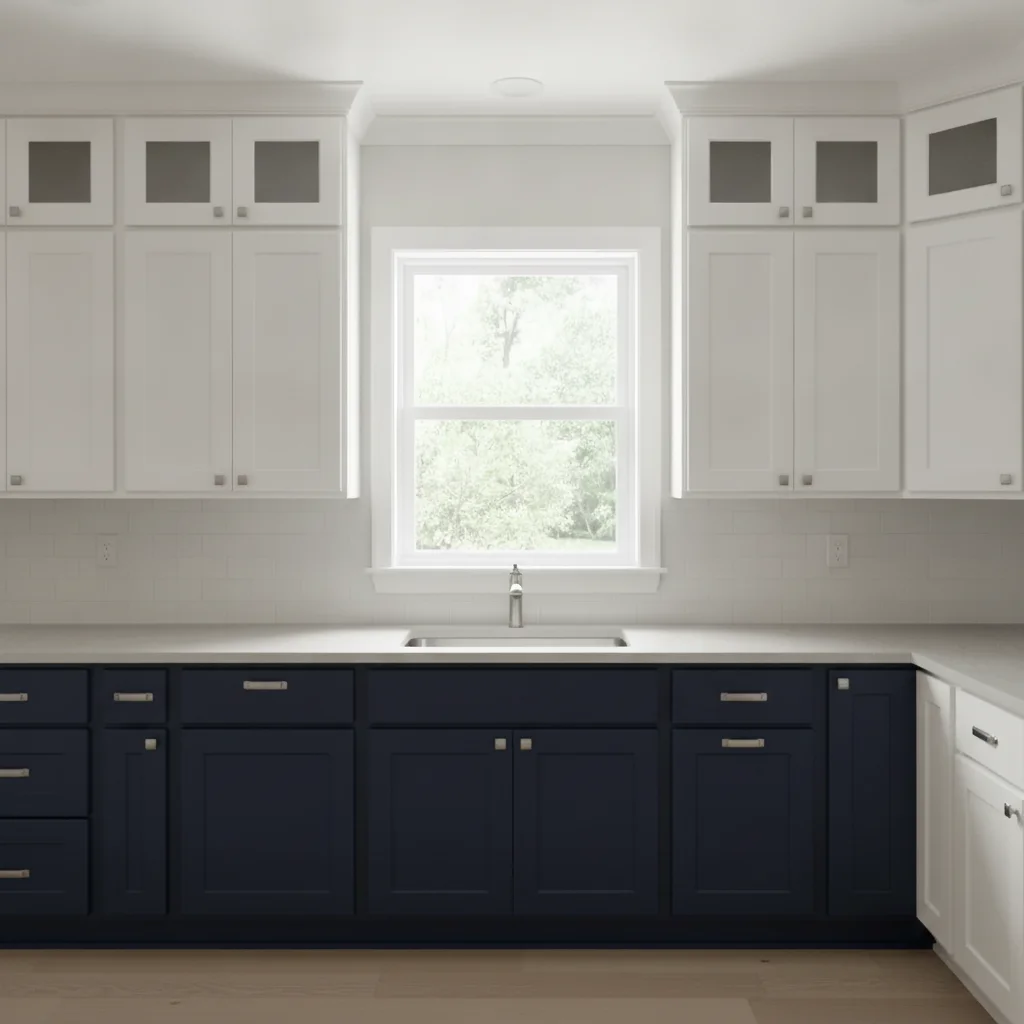
"change the lower kitchen cabinets to deep navy blue with a matte finish, keep the upper cabinets white, preserve all hardware and countertops"

Free to try · no sign-up · photos are never shared

Release to upload

<30stypical edit
1 freeedit weekly
Photo on your phone? Scan to open this editor there — free edit works on your phone too.

1 free edit every week·packs from $4.99

How it works

  1. Upload a clear photo of your kitchen

    Use a photo where the cabinet doors are clearly visible and not blocked by dishes or appliances. Natural or even artificial lighting that shows the cabinet surface works well. JPG, PNG, or WebP up to 7MB.

    Expect: Simple single-color changes to flat or shaker-style cabinets finish in about 30 seconds. Kitchens with complex molding or glass inserts may benefit from one refinement pass.
  2. Describe the new cabinet color and finish

    Type your instruction directly: 'change the kitchen cabinets to soft white with a satin finish' or 'paint the lower cabinets navy blue, keep upper cabinets white.' Naming the finish type (matte, satin, semi-gloss) produces a more realistic paint render. No marking required — the AI understands 'kitchen cabinets.'

    Tip: For two-tone kitchens, specify upper and lower separately: 'paint the upper cabinets warm white and the lower cabinets charcoal grey.' This is a widely searched renovation trend and the AI handles it well with explicit instructions.

    Copy one of these to get started:

    Classic white cabinets for listing photos paint all kitchen cabinets bright white with a satin finish, keep countertops, hardware, and backsplash completely unchanged
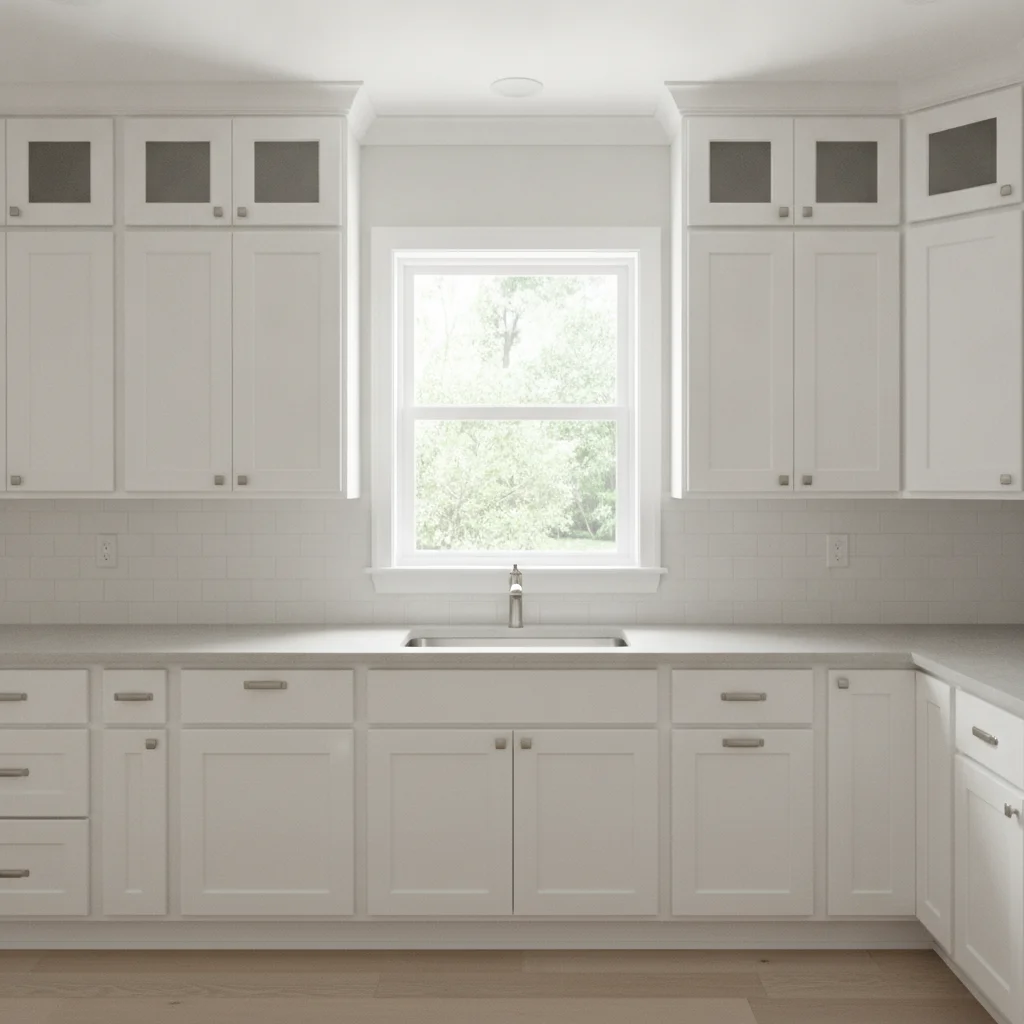
    Navy lower cabinets for two-tone kitchen change the lower kitchen cabinets to deep navy blue with a matte finish, keep the upper cabinets white, preserve all hardware and countertops
    Dark grey for modern kitchen renovation paint the kitchen cabinets charcoal dark grey with a semi-gloss finish, preserve the stainless steel appliances and stone countertops
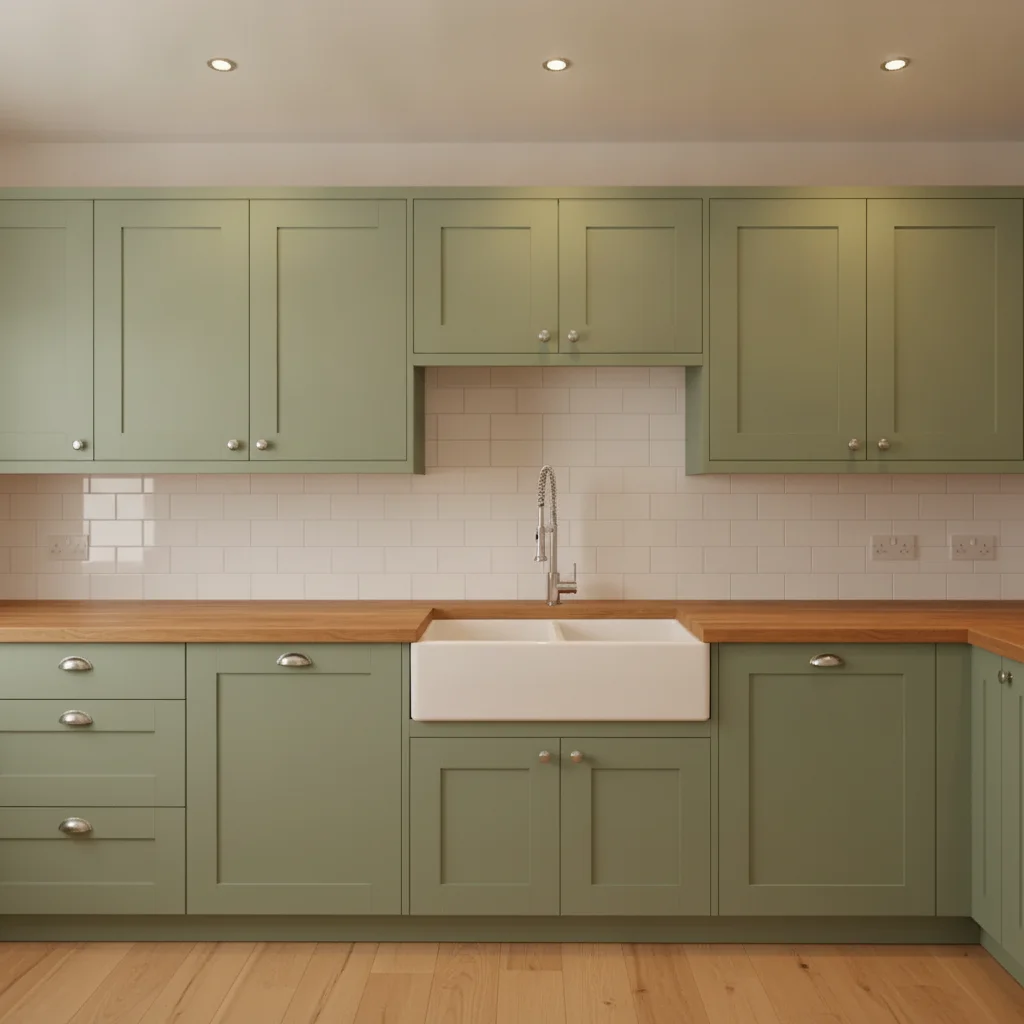
    Sage green for farmhouse kitchen design change all kitchen cabinets to warm sage green with a satin finish, preserve the white subway tile backsplash and butcher block countertops
    3 more prompts
    Black cabinets for dramatic contrast paint the kitchen cabinets flat matte black, keep the white countertops and all hardware exactly as shown, do not darken the walls
    Update dated oak cabinets for pre-listing change the honey oak wood cabinets to warm greige with a satin finish, preserve the granite countertop and all cabinet hardware
    Soft blue for coastal kitchen paint the kitchen cabinets soft powder blue with a semi-gloss finish, keep the marble countertops and white subway tile backsplash unchanged
  3. Check cabinet door edges, hardware, and countertop borders

    Zoom to 100% on the cabinet door edges and the border where cabinets meet the countertop. These transition zones are where the color change is most likely to look unnatural. Verify that hardware (knobs, pulls) remains unchanged.

  4. Refine specific doors with markers if needed

    If one cabinet section changed but another didn't, or if a countertop or wall color was affected, tap a marker on the specific cabinet area and regenerate with a focused prompt. Markers let you correct individual sections without redoing the whole kitchen.

    Tip: Markers are for edge cases — try without first. Most straightforward cabinet color changes work from description alone.

See it in action

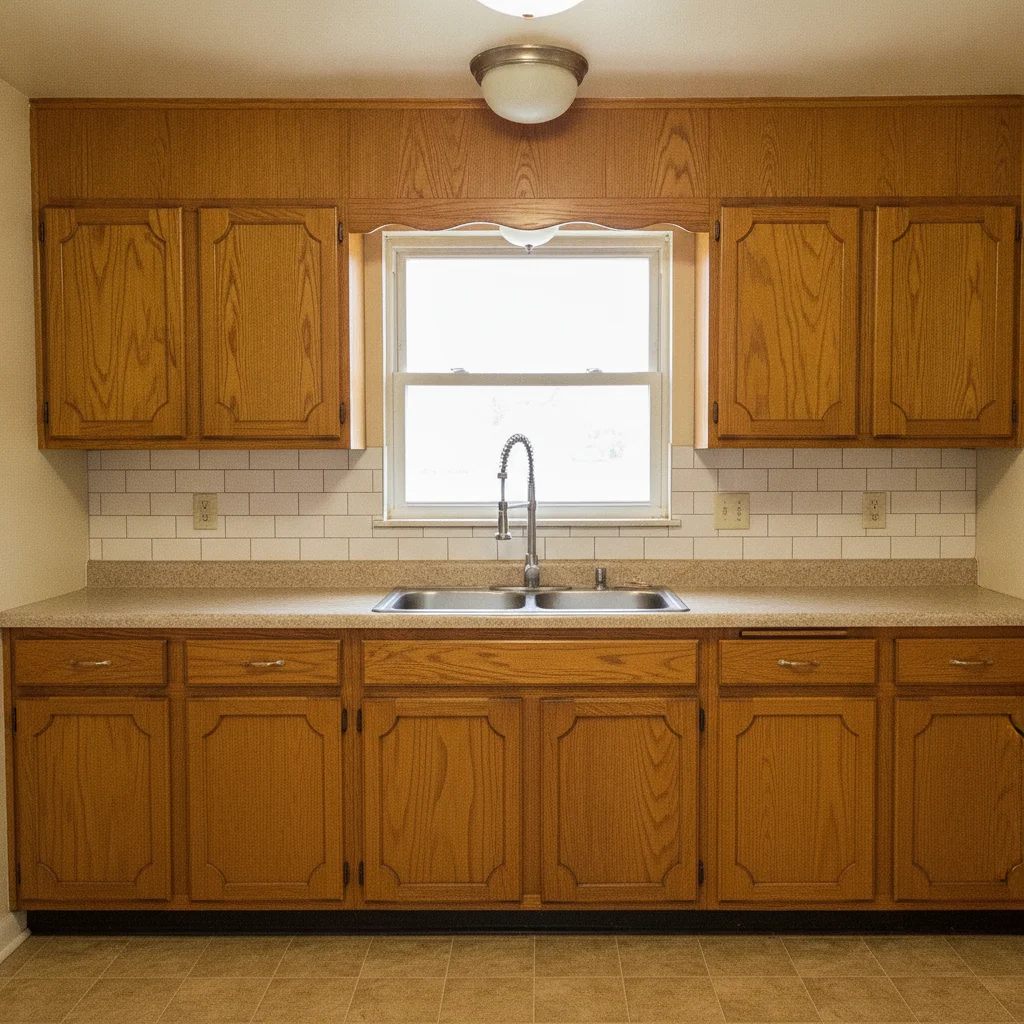
Kitchen with dated honey oak cabinets and white subway tile backsplash
Before
->
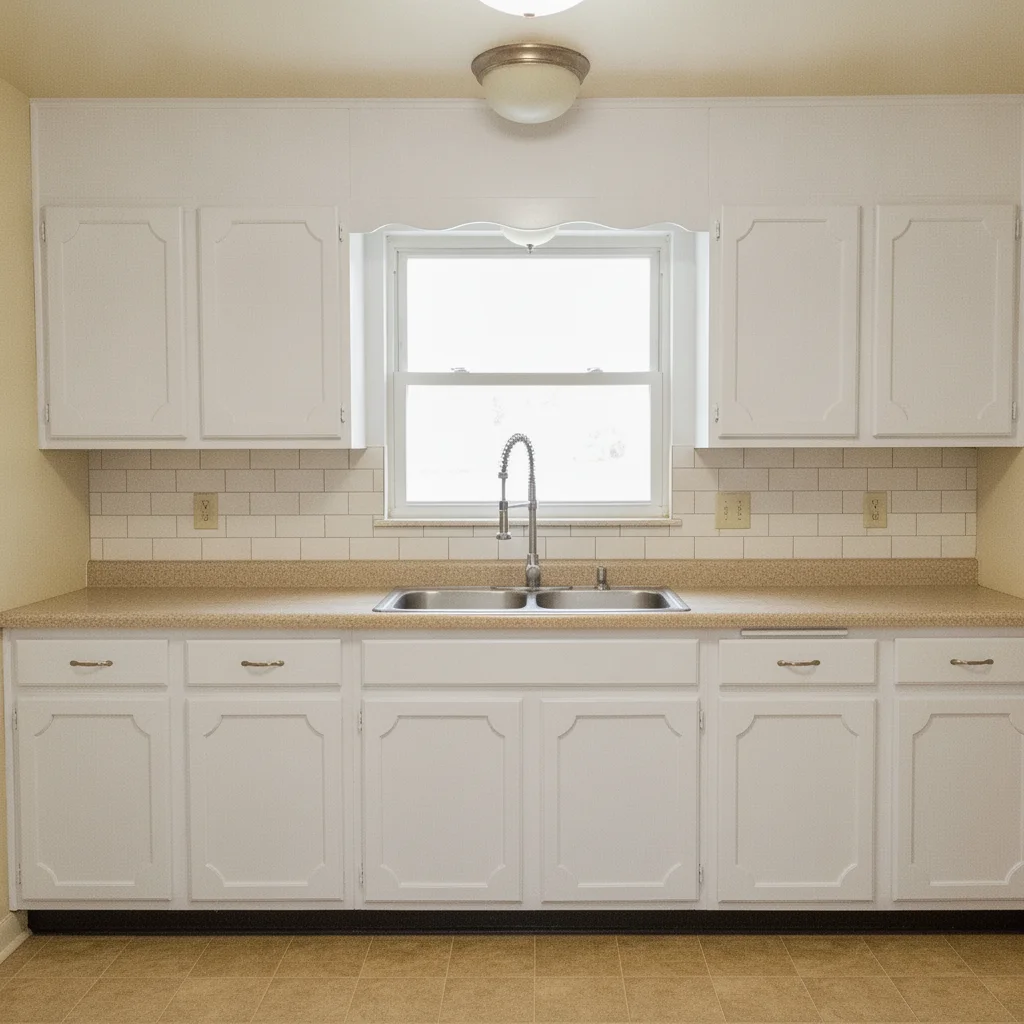
Same kitchen with cabinets changed to bright white satin, backsplash and hardware unchanged
After

Honey oak to white — pre-listing update

Dated honey oak cabinets are one of the most common pre-listing staging challenges. The AI changed all cabinet surfaces to a bright white satin finish while preserving the countertops, backsplash, and hardware.

Prompt: paint all kitchen cabinets bright white with a satin finish, keep countertops, hardware, and backsplash completely unchanged
Kitchen with all white shaker cabinets and grey quartz countertops
Before
->
Same kitchen with lower cabinets changed to deep navy blue, upper cabinets remain white
After

White to navy lower cabinets — two-tone kitchen design

An interior designer wanted to show a client how a two-tone navy-and-white kitchen would look before committing to the renovation. The AI handled the upper/lower split cleanly from a single prompt.

Prompt: change the lower kitchen cabinets to deep navy blue with a matte finish, keep the upper cabinets white, preserve all hardware and countertops
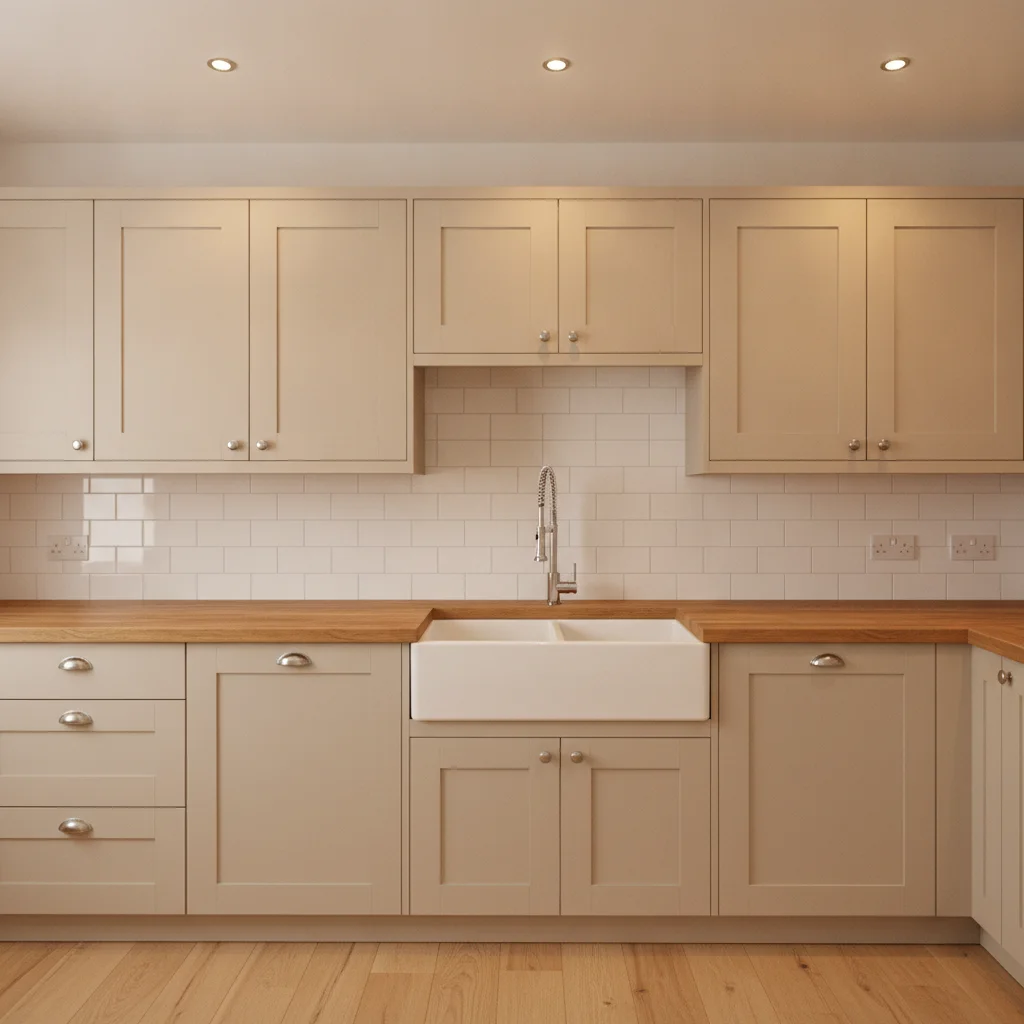
Kitchen with flat beige cabinets, white tile backsplash, and butcher block countertops
Before
->
Same kitchen with cabinets changed to warm sage green, backsplash and countertops preserved
After

Beige to sage green — farmhouse kitchen renovation planning

A homeowner planning a kitchen renovation wanted to see if sage green cabinets would work with their existing white subway tile and butcher block before buying paint. The prompt specified preservation of adjacent surfaces.

Prompt: change all kitchen cabinets to warm sage green with a satin finish, preserve the white subway tile backsplash and butcher block countertops

Quick answers

Do I need to mark the cabinets before changing their color?

No. Type your instruction — 'change the kitchen cabinets to navy blue with a matte finish' — and the AI identifies and recolors them without any marking. Markers are only helpful if the AI recolors the wrong surface (like a wall instead of a cabinet door). In that case, tap a marker on a cabinet door and regenerate.

Is there a free kitchen cabinet color visualizer with no login?

Yes. EditThisPic changes kitchen cabinet colors for free with no account. Upload your kitchen photo, describe the color and finish, and download the result in about 30 seconds. Works in any browser on desktop or mobile. The free edit is a preview — purchased downloads are clean, full quality.

How do I preview kitchen cabinet colors before painting?

Upload a photo of your kitchen to EditThisPic, then type the color you're considering — for example, 'paint the cabinets charcoal grey with a semi-gloss finish.' The AI recolors the cabinets in about 30 seconds. This is faster and cheaper than buying paint samples and testing them on the actual doors.

Can I preview a two-tone kitchen with upper and lower cabinets in different colors?

Yes. Include both colors in your prompt: 'paint the upper wall cabinets warm white and the lower base cabinets navy blue.' The AI handles the split when you explicitly name upper and lower. This is a common request for kitchen renovation planning and client design presentations.

What cabinet color increases home sale value the most?

White and off-white cabinets consistently appeal to the widest range of buyers and photograph well for MLS listings. Warm neutrals like greige and soft grey also perform well. Use EditThisPic to preview several options on your actual kitchen before committing to a pre-listing paint project.

Can realtors use this tool for listing photo preparation?

Yes. Realtors and sellers use EditThisPic to preview how a cabinet paint update would look in listing photos before spending money on the actual renovation. This helps decide whether painting the cabinets is worth it for the specific kitchen — and which color is most likely to appeal to buyers in that market.

How much does EditThisPic cost?

You get 1 free edit per week — no account needed. After that, one-time credit packs start at $4.99 for 10 edits, valid 12 months, no subscription. Power users who edit daily can pick Studio Membership, a monthly workspace at $49.99/mo for 300 edits. Purchased downloads are clean with no watermark.

Ready to preview your kitchen cabinet color?

Free to try. No signup required.

1 free edit included·Credit packs from $4.99