Fix an Old Photo with AI
Last updated
Restore faded, yellowed, or scratched old photos in under 30 seconds.
Drop your photo here
"Restore this old photo: remove yellow age fading, gently sharpen faces, restore natural color where possible, repair small scratches and dust, keep the vintage character intact, photographic quality, natural restoration not over-processed."
Release to upload
Built for families restoring old photos, genealogy researchers, archivists
EditThisPic gives families a way to restore old photos by snapping a phone picture instead of scanning. Yellowing, fading, scratches, and dust all repaired in under a minute, without losing the vintage character.
Tools for AI Old Photo Fixer
How to Fix an Old Photo with AI
-
Open EditThisPic
Go to editthispic.com on your phone or laptop. No app, no scanner needed.
-
Photograph your old photo
Lay the old photo flat under good light and snap a phone picture. Or upload an existing scan if you have one.
-
Type the prompt
Try: 'restore this old photo, remove yellow fading, repair scratches, gentle face sharpening, keep vintage character'.
-
Generate
EditThisPic returns a restored photo in about 25 seconds. Removed fading, sharper faces, natural color.
-
Download and share
Save the result for the family album, holiday card, slideshow, or print. Original old photo is preserved.
Copy-Paste Prompts for AI Old Photo Fixer
Real Examples
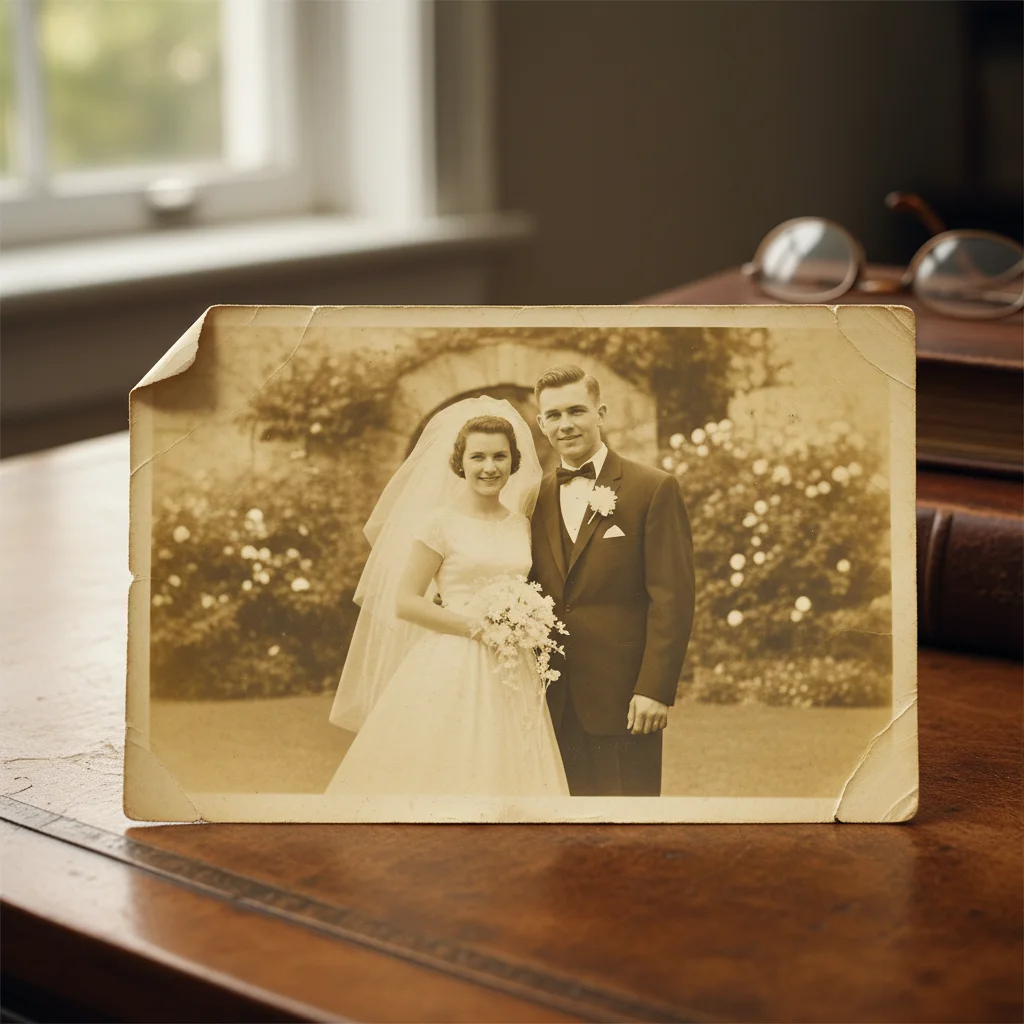
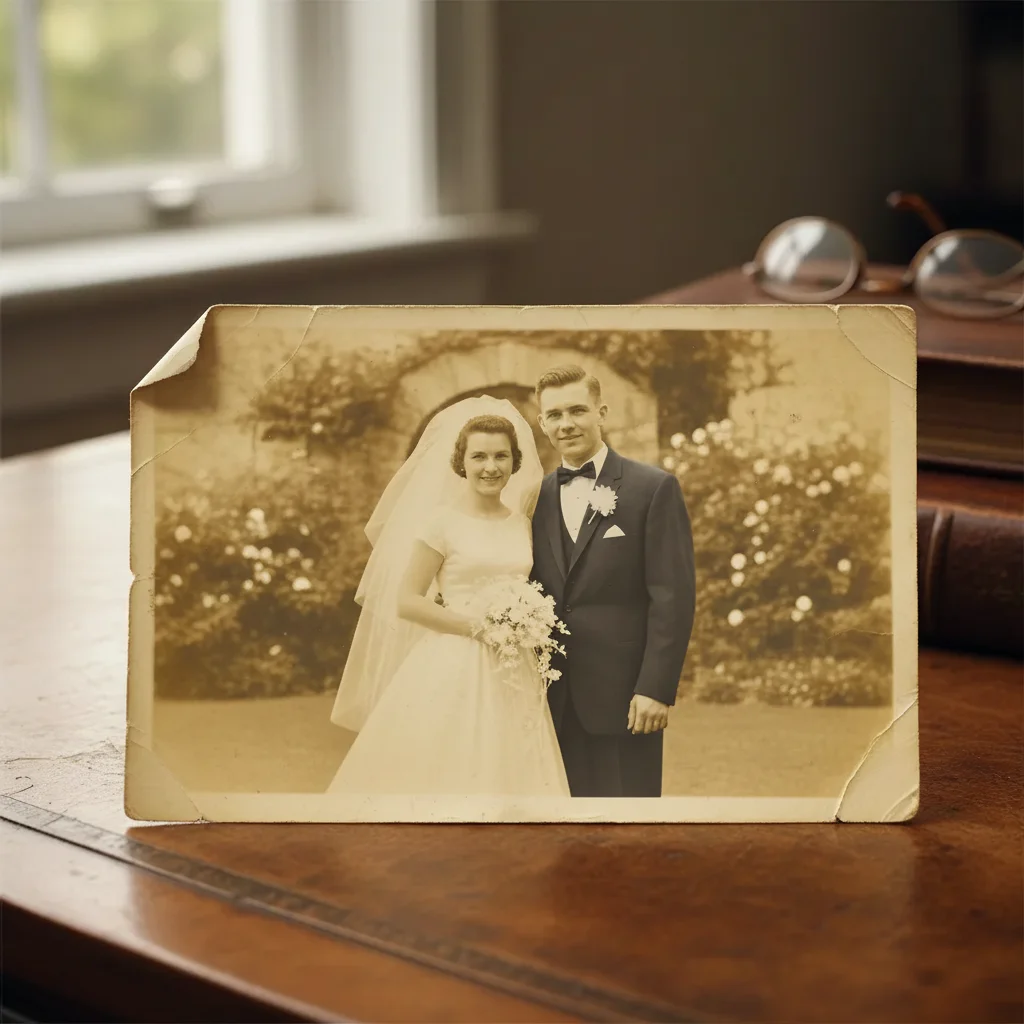
Grandparents wedding photo
A user uploaded their grandparents' 1965 wedding photo with severe yellowing. EditThisPic removed the age cast and sharpened the couple's faces while keeping the vintage feel.
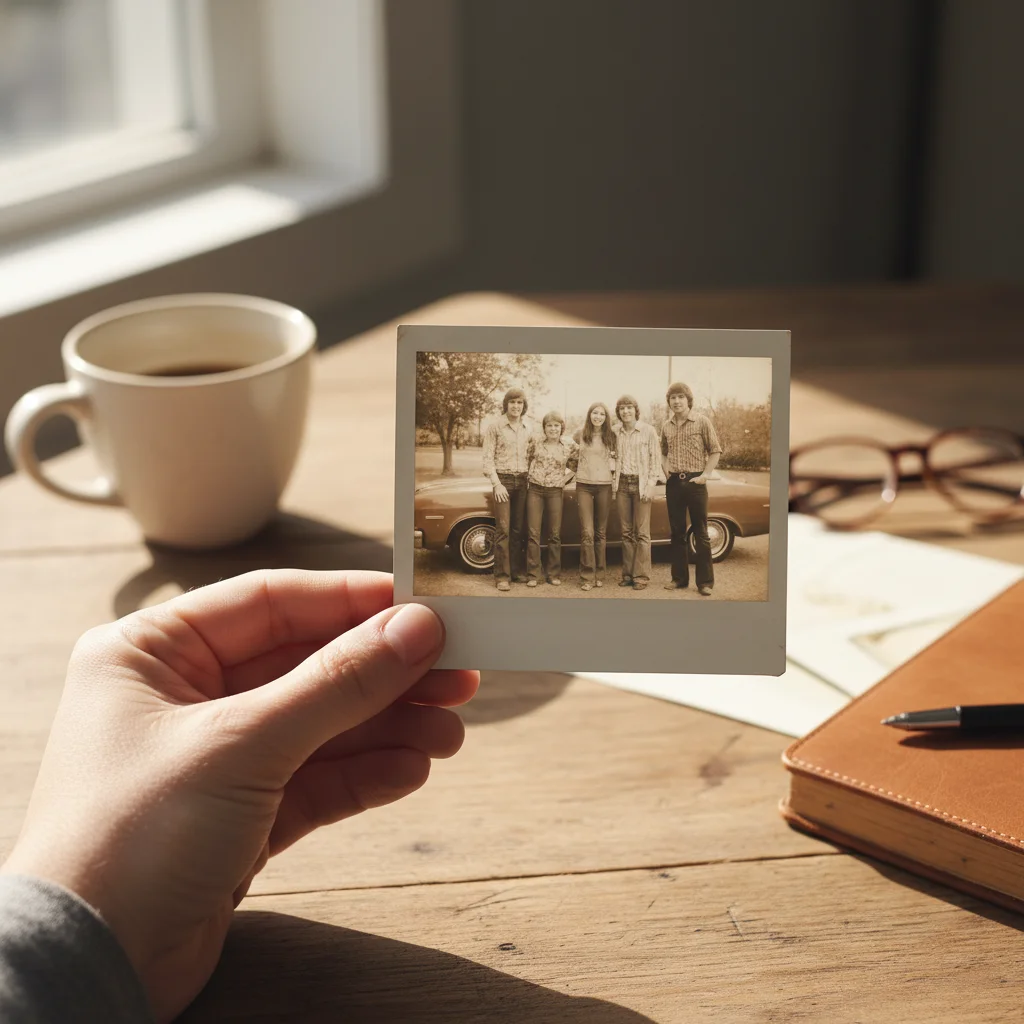
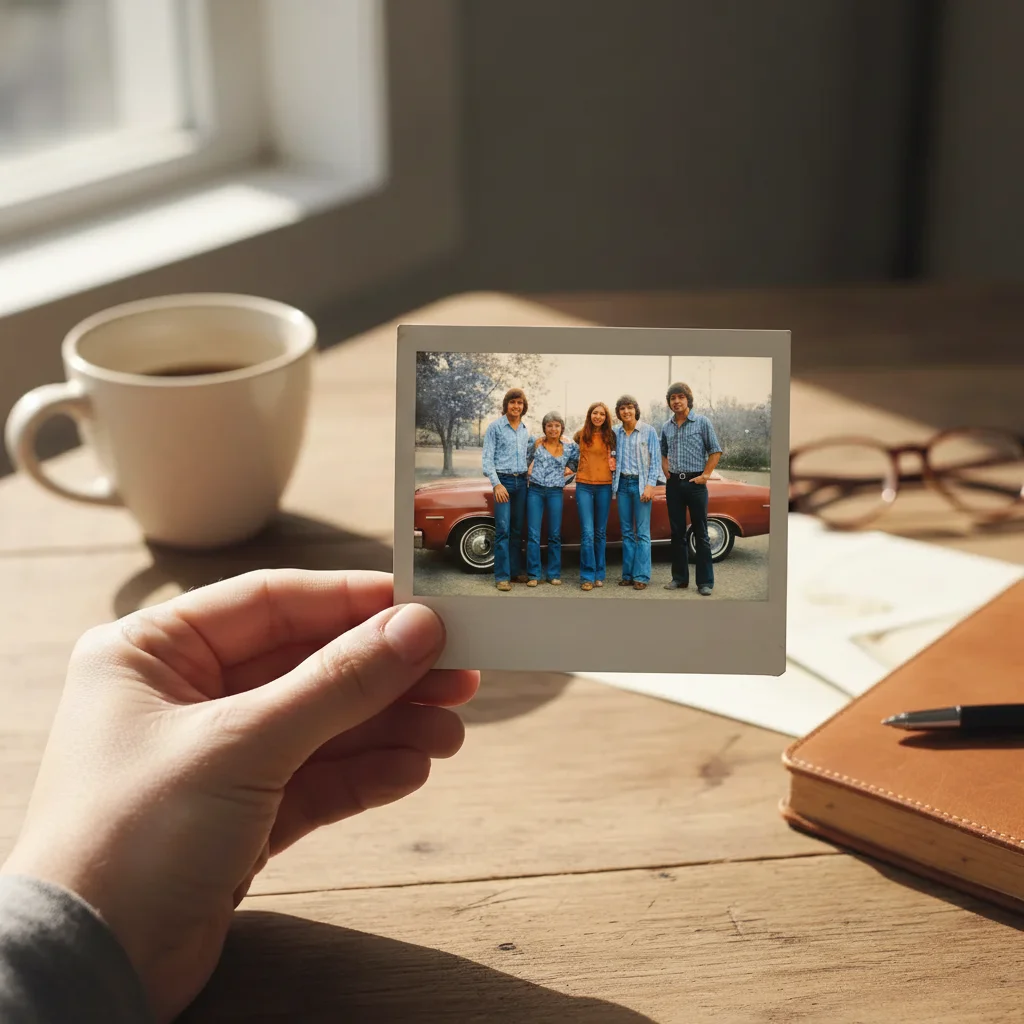
1970s family Polaroid
A user uploaded a faded Polaroid from the 70s. The fix restored the natural skin tones and removed the orange cast while keeping the soft Polaroid look.
Scratched childhood photo
A user uploaded a childhood photo with scratches and dust. The fix repaired the damage and gently sharpened the face without making it look modern.
When Things Go Wrong
Restored photo looks too modern
Faces look like different people
Color shifts unrealistically
Major tears not repaired
Frequently Asked Questions
How do I fix an old photo with AI?
Snap a phone picture of your old photo (or upload an existing scan), open EditThisPic, type a prompt like 'restore this old photo, remove yellow fading, repair scratches, gentle face sharpening', and download the result in about 25 seconds. Free, no signup, no scanner needed.
Can AI restore a faded color photo from the 70s or 80s?
Yes. Photos from the 70s and 80s often suffer from color fading, especially in cyan and yellow channels. EditThisPic restores natural color while preserving the period look. Add 'restore 1970s Polaroid' or '1980s photo restoration' to your prompt for era-appropriate handling.
Is the old photo fixer free?
Yes. EditThisPic is free to use. No signup, no watermark, no credit card needed for basic use. Restore as many family photos as you want.
Do I need a scanner to use this?
No. Lay the old photo flat under good even light and snap a phone picture. EditThisPic handles phone photos of old photos as well as it handles scanner outputs. The key is even lighting (no harsh shadows) and a flat surface.
Can AI remove yellow fading from old photos?
Yes. Yellow age fading is the most common old photo problem. EditThisPic removes the age cast and restores natural color. Add 'remove yellow age fading, restore natural color, keep vintage character' to your prompt.
Can AI repair scratches and tears on old photos?
Yes, mostly. Small scratches, dust spots, and minor tears repair cleanly. Severe tears, missing pieces, or extensive water damage may not fully recover. For damaged photos, add 'repair tears and creases, fill missing edges naturally' to your prompt.
Will the restoration change the people in the photo?
No - EditThisPic preserves original facial features by default. Add 'gentle face sharpening only, preserve original facial features, no AI face change' to reinforce this. The goal is restoration, not transformation.
Can I restore a black and white photo?
Yes. Black and white photos from the early 1900s or earlier can be restored to remove yellow tinting and repair damage. Add 'restore black and white photo: remove yellow age tint, restore deep blacks and bright whites, repair scratches, keep authentic vintage look'.
Will the restored photo print well?
Yes. EditThisPic outputs at high resolution suitable for printing up to 8x10 or larger. For family albums, holiday cards, or memorial displays, the result is print-ready.
Are my old family photos stored?
No. EditThisPic processes your image in your browser session and does not save or train on your photos. The image is deleted shortly after processing. Your family memories stay private.
Popular use cases
Ready to restore your family memories?
Free to try. No signup required. No watermarks.
Start EditingTrusted by 15,000+ users