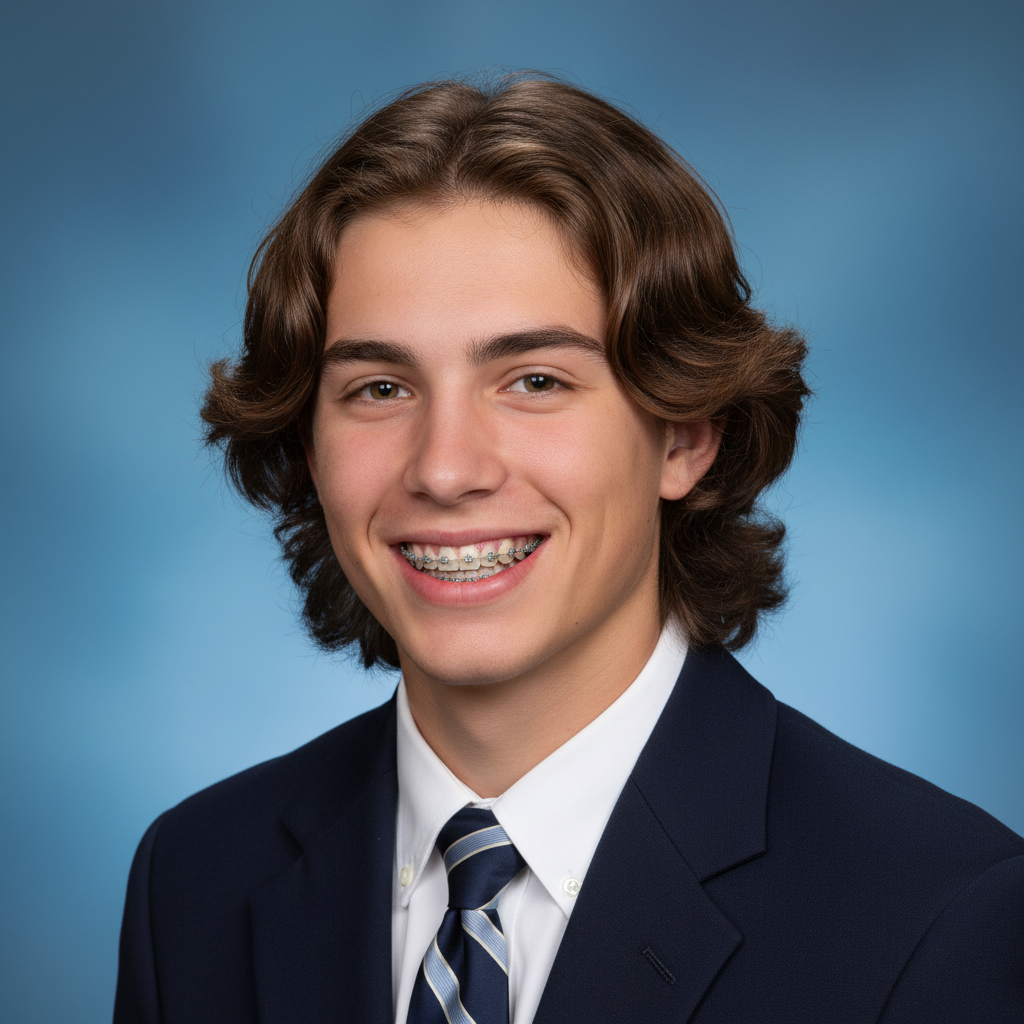
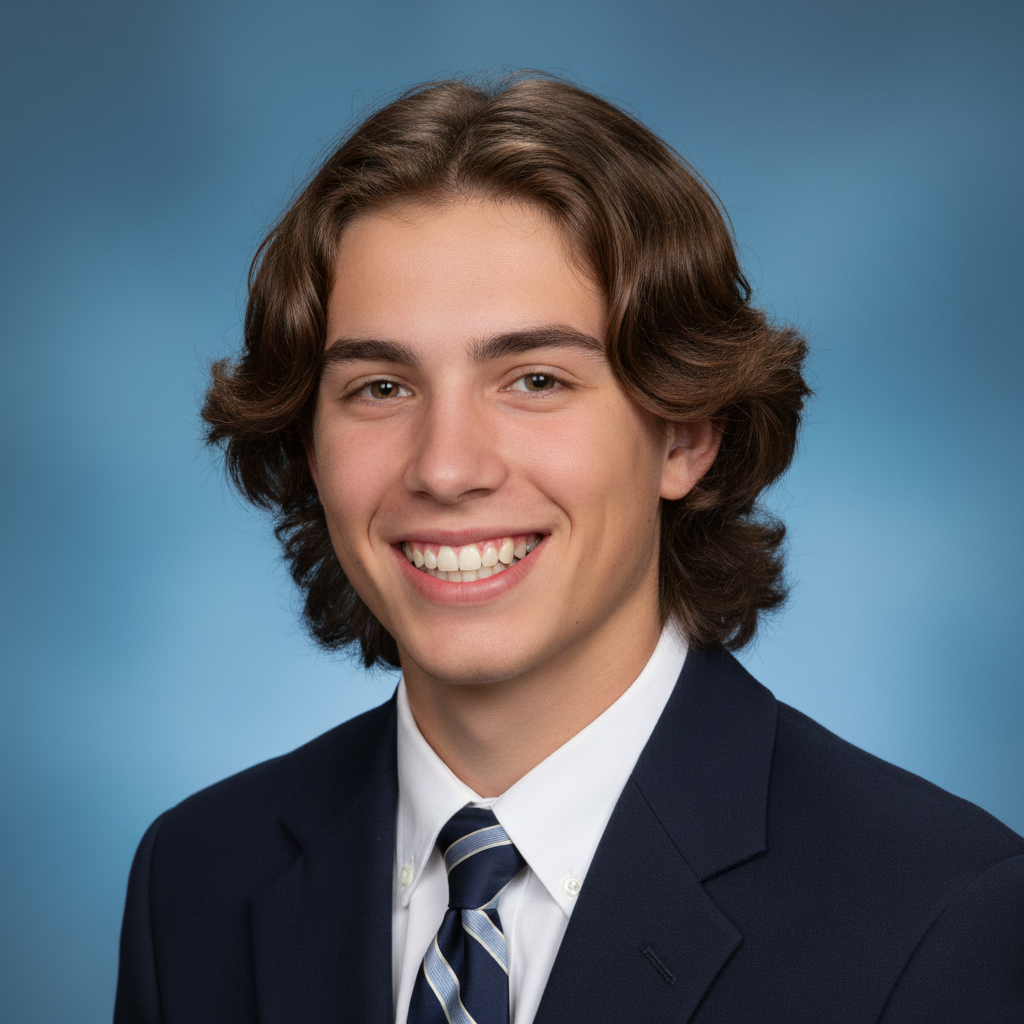
Free • No signup Generate Yearbook photos · Free

AI Yearbook Photo Generator

Transform any photo into a classic yearbook portrait. That nostalgic school photo look, instantly.


Young woman's selfie in bedroom with posters on wall
Before
Same woman with classic blue mottled yearbook portrait styling
After

AI Yearbook Photo Generator

Drop your photo here

or click to browse

Release to upload

Free • No signup

Advertisement
Popular use cases:
  • yearbook photos
  • school portraits
  • retro photo effects
  • 80s photo style
  • 90s nostalgia photos
  • senior portraits
  • class photo style
  • vintage school photos

Cost
Free No signup required
Time
Instant results in 15-30 seconds
Works on
Any device - browser, phone, tablet, desktop
Powered by
AI-powered photo editing
Scenario Prompt Time
Classic blue mottled transform into yearbook portrait with blue mottled background 30s
80s laser background make this an 80s yearbook photo with laser beam background 40s
Full retro transformation create a 90s yearbook portrait with gradient and retro color grading 45s

How it works

  1. Upload your photo

    Drop your image into EditThisPic. JPG, PNG, WebP up to 7MB. Clear headshots and selfies work best. The AI can work with any angle, but front-facing or slightly angled photos produce the most authentic yearbook look.

    Expect: Standard yearbook portrait: 30-40 seconds. Retro-styled transformations with specific era details: 45-60 seconds.
  2. Describe the yearbook style

    Type your instruction: 'transform into a classic yearbook photo with blue-grey mottled background and soft diffused studio lighting' or 'make this look like an 80s yearbook portrait with laser background.' Specify the era, background style, and any retro effects. No marking needed—the AI understands what 'yearbook photo' means.

    Tip: Mention a specific decade for the most authentic results: '80s yearbook' gets laser backgrounds, '90s yearbook' gets the mottled blue, and '2000s yearbook' gets the gradient look.

    Copy one of these to get started:

    Classic blue mottled yearbook transform into a classic yearbook portrait with blue-grey mottled studio background, soft diffused lighting, head slightly tilted, shoulders visible, traditional school photo composition
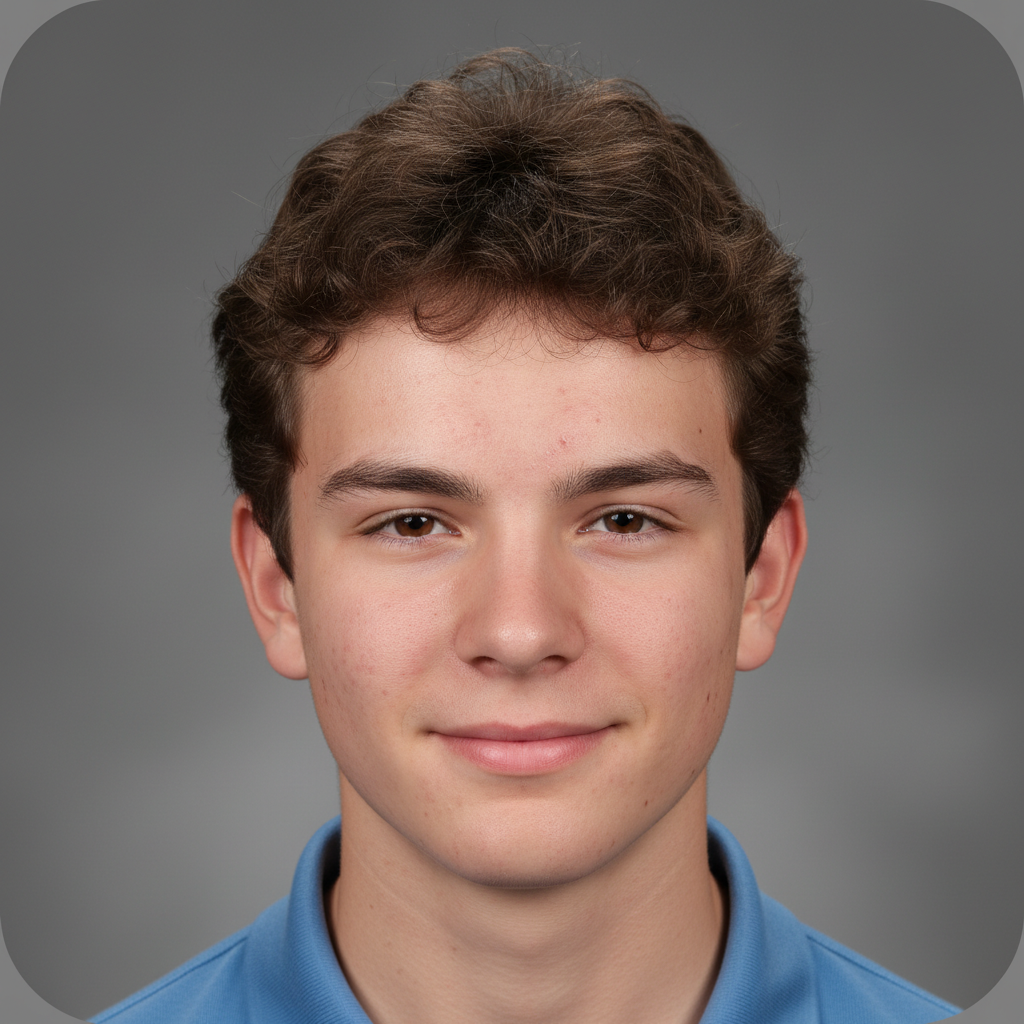
    80s laser background yearbook make this an 80s yearbook photo with colorful laser beam background in blue and pink, soft focus glow, retro warm color grading, classic head-and-shoulders framing
    90s gradient yearbook create a 90s yearbook portrait with teal-to-purple gradient background, slightly washed-out color palette, soft even lighting, classic school photo pose
    Modern school portrait transform into a modern school yearbook photo with clean solid grey background, professional studio lighting, natural colors, head and shoulders with slight smile
    3 more prompts
    Vintage sepia yearbook make this a vintage yearbook photo with sepia tone, soft vignette edges, warm muted colors, classic oval framing, and an aged photograph quality
    Funny retro yearbook transform into a hilariously retro yearbook photo with exaggerated 80s laser background, soft dreamy glow, dramatic head tilt, and that classic awkward school photo energy
    Senior portrait style create a high school senior portrait with dark draped fabric on shoulders, mottled grey-brown backdrop, warm studio lighting, head tilted slightly with a confident expression
  3. Review the portrait

    Check that the yearbook styling looks authentic. Verify the background matches the era you requested, the lighting has that characteristic soft diffused quality, and the overall composition feels like a real school portrait.

  4. Refine with markers if needed

    If edges between the subject and yearbook background need cleanup, or the styling needs adjustment in specific areas, tap markers on those spots and regenerate. Most yearbook transformations nail the look on the first try.

    Tip: Markers are for precision refinement only. Try without them first—you usually won't need them.
Try it free

AI Yearbook Photo Generator

Drop your photo here

or click to browse

Release to upload

Free • No signup

"Made yearbook-style photos for our entire friend group as a birthday surprise. Everyone was dying laughing at how perfectly it captured that awkward school photo energy. Best gift ever." @PartyPlanner_Kai

See it in action

Young woman's selfie in bedroom with posters on wall
Before
->
Same woman with classic blue mottled yearbook portrait styling
After

Modern selfie to classic blue yearbook portrait

A modern smartphone selfie transformed into a classic yearbook portrait with the iconic blue mottled background.

Prompt: transform into a classic yearbook portrait with blue-grey mottled studio background, soft diffused lighting, head slightly tilted, shoulders visible, traditional school photo composition
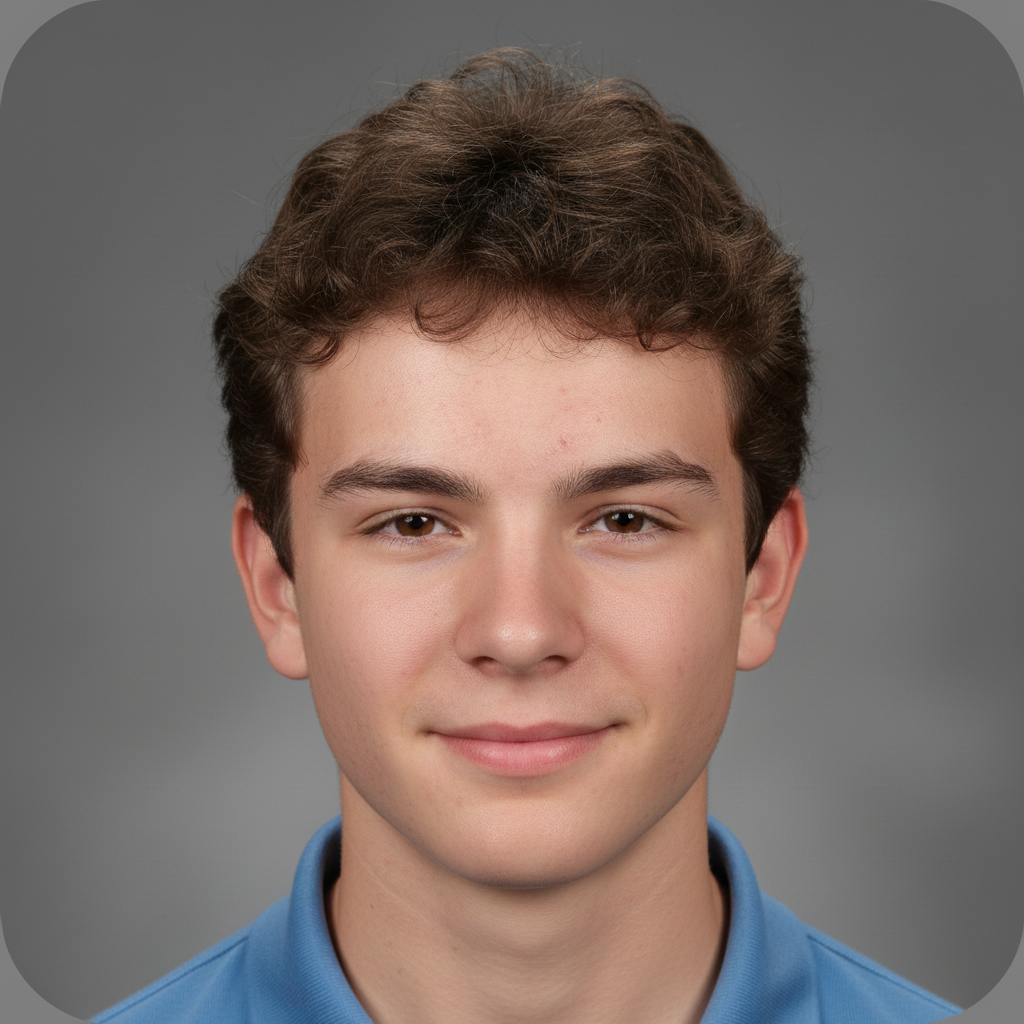
Young man at coffee shop patio in black t-shirt
Before
->
Same man with 80s laser beam yearbook portrait and retro glow
After

Outdoor photo to 80s laser yearbook

A casual outdoor photo transformed into the iconic 80s laser background yearbook portrait everyone remembers.

Prompt: make this an 80s yearbook photo with colorful laser beam background in blue and pink, soft focus glow, retro warm color grading, classic head-and-shoulders framing
Advertisement

If something looks off

AI changed the wrong area or something I didn't want changed

Why: The AI couldn't determine exactly which part to modify from description alone. This happens when both styling and background changes are requested simultaneously.

Try: Tap a marker on the specific area you want to change, then regenerate with the same prompt

Tip: Markers tell the AI 'I mean THIS area specifically.' Use them when description alone is ambiguous.

Yearbook background doesn't look authentic enough

Why: The AI generated a generic gradient instead of the specific mottled, textured background that real yearbook photos use.

Try: make the background a genuine yearbook studio backdrop with visible mottled texture, slight fabric grain, and uneven lighting typical of school photo day

Tip: 'Fabric grain' and 'mottled texture' are key details that make yearbook backgrounds look real rather than digitally generated.

Retro color grading looks too extreme or unnatural

Why: The AI over-applied the vintage filter, making the photo look more like an Instagram filter than a real yearbook photo.

Try: apply subtle retro yearbook color grading - slightly warm tones, mildly reduced contrast, but keep it looking like a real photograph, not an exaggerated filter

Tip: Real vintage photos have subtle imperfections. 'Keep it looking like a real photograph' prevents over-processing.

Person doesn't blend naturally with the yearbook background

Why: The lighting direction on the person's face doesn't match the typical flat, diffused lighting of yearbook studio setups.

Try: adjust the lighting on the person to match yearbook studio lighting - soft, diffused, even from front, with minimal shadows under chin and nose

Tip: Yearbook photographers use large diffused front lights. Mention 'diffused front lighting' for the most authentic blend.

The era-specific details are wrong or mixed

Why: The AI combined elements from different decades instead of sticking to one era's specific yearbook aesthetic.

Try: make this specifically a [decade] yearbook photo - only use background styles, color grading, and composition from that exact era, nothing from other decades

Tip: Be extremely specific about the decade. '1987 yearbook' is more precise than '80s yearbook' and produces more accurate results.

Quick answers

Do I need to mark the background before creating a yearbook photo?

No! Just describe the yearbook style: 'transform into a classic yearbook portrait with blue mottled background' or 'make this an 80s yearbook photo.' The AI understands these styles and handles the transformation. Only use markers if you need to fix specific edges after the first attempt.

How do I make a yearbook-style photo from a selfie for free?

Upload your selfie to EditThisPic and type 'transform into a yearbook portrait with [era] styling and [background type].' The AI adds the classic yearbook background, adjusts lighting to match studio conditions, and frames the portrait properly. Download the result and share. Free to try, no account needed.

Is there a free AI yearbook photo generator that doesn't require login?

Yes, EditThisPic creates yearbook-style photos with no account or signup required. Upload any photo, specify the decade and background style, and get an authentic yearbook portrait in seconds. No watermarks. Works with any selfie or portrait photo.

What's the best free tool for creating retro school portrait photos?

EditThisPic generates authentic yearbook-style photos from any era—80s laser backgrounds, 90s gradients, classic blue mottled, or modern clean styles. Unlike yearbook photo apps with fixed templates, describe exactly the look you want and the AI creates it. Free to use, no account needed.

Ready to create your yearbook photo?

Free to try. No signup required.

Try it free