Free β€’ No signup Generate Couple photos Β· Free

AI Couple Photo Generator

Upload two separate photos and the AI combines them into a natural couple portrait - sunset beaches, Paris nights, any scene you imagine.

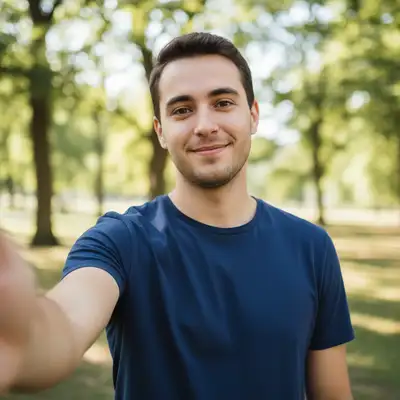
Solo portrait of a young man in a park
Photo 1
+
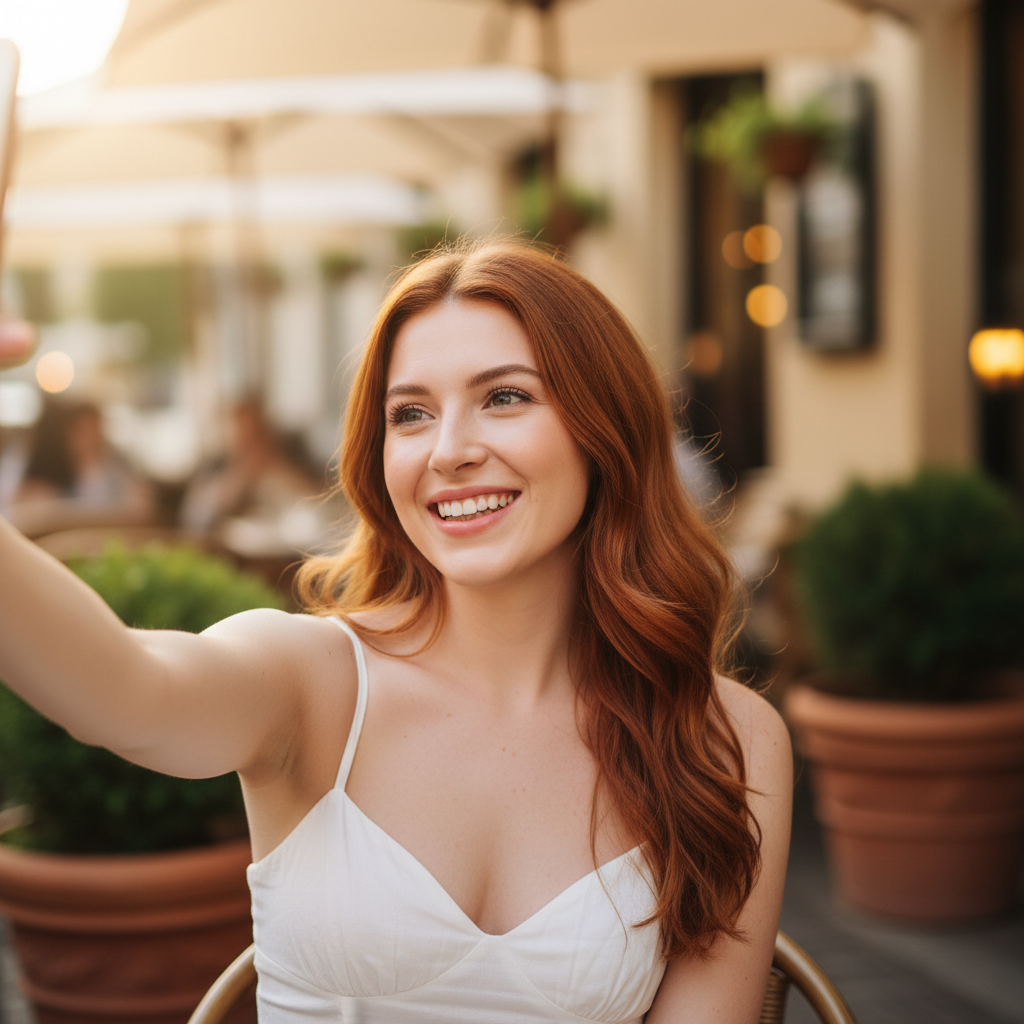
Solo portrait of a young woman at a cafe
Photo 2
β†’
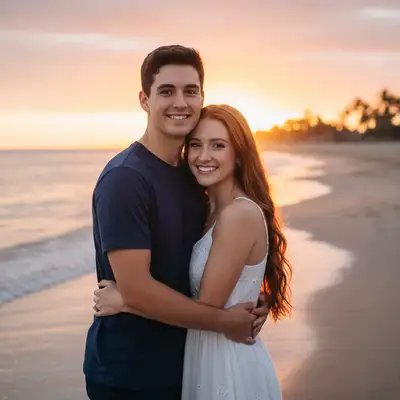
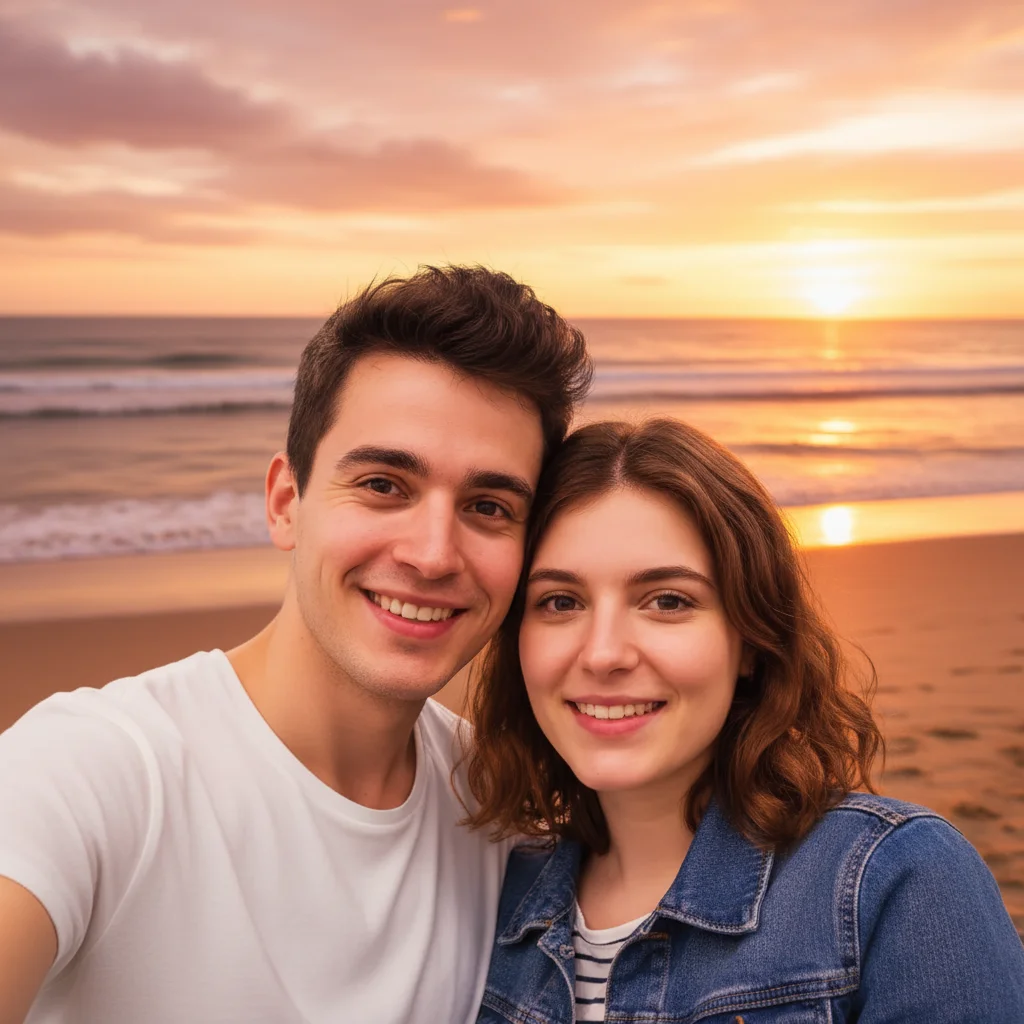
Both people combined into a romantic couple photo on a sunset beach
Result

Create Couple Photo from Two Pictures

Upload photo to create couple portrait

Natural couple portrait β€’ Free to try

Release to upload

FreeNo signupNo watermark
Popular use cases:
  • couple photo generator
  • romantic photo maker
  • couple portrait creator
  • anniversary photo
  • Valentine's Day photo
  • wedding photo backdrop
  • romantic scene generator
  • couple picture editor

Cost
Free No signup required
Time
Instant results in 15-30 seconds
Works on
Any device - browser, phone, tablet, desktop
Powered by
AI-powered photo editing
Scenario Prompt Time
Beach couple combine these two people on a sunset beach 30s
Romantic dinner put them together at a candlelit dinner 40s
Fantasy scene merge into a couple in an enchanted garden 45s

How it works

  1. Upload the first person's photo

    Drop one person's photo into EditThisPic β€” this becomes the main image. JPG, PNG, WebP up to 7MB. A clear portrait with good lighting works best.

    Expect: The AI uses this as the primary photo. Pick the higher-quality image of the two.
  2. Add the second person as a reference

    Click '+ Add reference image' below the editor and upload the second person's photo. This tells the AI who to combine with the first person.

    Tip: Both photos don't need to match in lighting or angle β€” the AI handles that. But clearer faces give better results.

    Copy one of these to get started:

    Sunset beach couple combine these two people into a romantic couple photo on a sunset beach with golden hour lighting, arms around each other, waves in the background
    Romantic dinner date put these two people together at a candlelit dinner in an elegant restaurant, sitting across from each other, wine glasses on the table, soft warm lighting
    Paris night portrait combine both people into a couple standing in front of the Eiffel Tower at night, twinkling city lights, dreamy blurred background, holding hands
    Enchanted garden fantasy merge these two people into a fantasy couple portrait in an enchanted garden with magical glowing flowers, fairy lights, and soft ethereal atmosphere
    6 more prompts
    Autumn couple photo combine these two people walking together through an autumn scene with golden leaves falling around them, warm sunlight filtering through trees, laughing together
    Classic black and white combine both people into a classic black and white couple portrait with dramatic studio lighting and soft focus, looking at each other
    Winter snow scene put these two people together in a snowy winter scene, wearing cozy scarves, softly falling snowflakes, warm glowing street lamps, hugging each other
    Tropical vacation couple combine these two people into a couple relaxing on a tropical beach with turquoise water, palm trees, and matching sunglasses, smiling at the camera
    Rooftop city skyline merge both people into a couple on a rooftop terrace at sunset with a city skyline behind them, dressed elegantly, holding champagne glasses
    Casual coffee shop date combine these two people sitting together at a cozy coffee shop with warm interior lighting, lattes on the table, laughing naturally
  3. Describe how to combine them

    Type your prompt: 'combine these two people into a romantic couple photo on a sunset beach' or 'put them together at a candlelit dinner.' Be specific about the setting and mood you want.

    Tip: Include atmosphere details like 'golden hour lighting', 'arms around each other', or 'laughing together' for more natural, romantic results.

    Copy one of these to get started:

    Sunset beach couple combine these two people into a romantic couple photo on a sunset beach with golden hour lighting, arms around each other, waves in the background
    Romantic dinner date put these two people together at a candlelit dinner in an elegant restaurant, sitting across from each other, wine glasses on the table, soft warm lighting
    Paris night portrait combine both people into a couple standing in front of the Eiffel Tower at night, twinkling city lights, dreamy blurred background, holding hands
    Enchanted garden fantasy merge these two people into a fantasy couple portrait in an enchanted garden with magical glowing flowers, fairy lights, and soft ethereal atmosphere
    6 more prompts
    Autumn couple photo combine these two people walking together through an autumn scene with golden leaves falling around them, warm sunlight filtering through trees, laughing together
    Classic black and white combine both people into a classic black and white couple portrait with dramatic studio lighting and soft focus, looking at each other
    Winter snow scene put these two people together in a snowy winter scene, wearing cozy scarves, softly falling snowflakes, warm glowing street lamps, hugging each other
    Tropical vacation couple combine these two people into a couple relaxing on a tropical beach with turquoise water, palm trees, and matching sunglasses, smiling at the camera
    Rooftop city skyline merge both people into a couple on a rooftop terrace at sunset with a city skyline behind them, dressed elegantly, holding champagne glasses
    Casual coffee shop date combine these two people sitting together at a cozy coffee shop with warm interior lighting, lattes on the table, laughing naturally
  4. Review and refine

    Check that both faces look accurate and the couple looks natural together. If anything needs adjustment, tap markers on those areas and regenerate with the same prompt.

    Tip: If one face looks off, try swapping which photo is the main image vs. the reference.
Try it free ↓

Create Couple Photo from Two Pictures

Upload photo to create couple portrait

Natural couple portrait β€’ Free to try

Release to upload

Free β€’ No signup

See it in action

Solo portrait of a young man in a park
Main Photo
Solo portrait of a young woman at a cafe
Reference
Both people combined into a romantic couple photo on a sunset beach
Result

Two separate photos combined into couple portrait

Uploaded a solo photo of him and a solo photo of her as reference. The AI combined them into a romantic couple portrait on a sunset beach.

Prompt: combine these two people into a romantic couple photo on a sunset beach with golden hour lighting, arms around each other
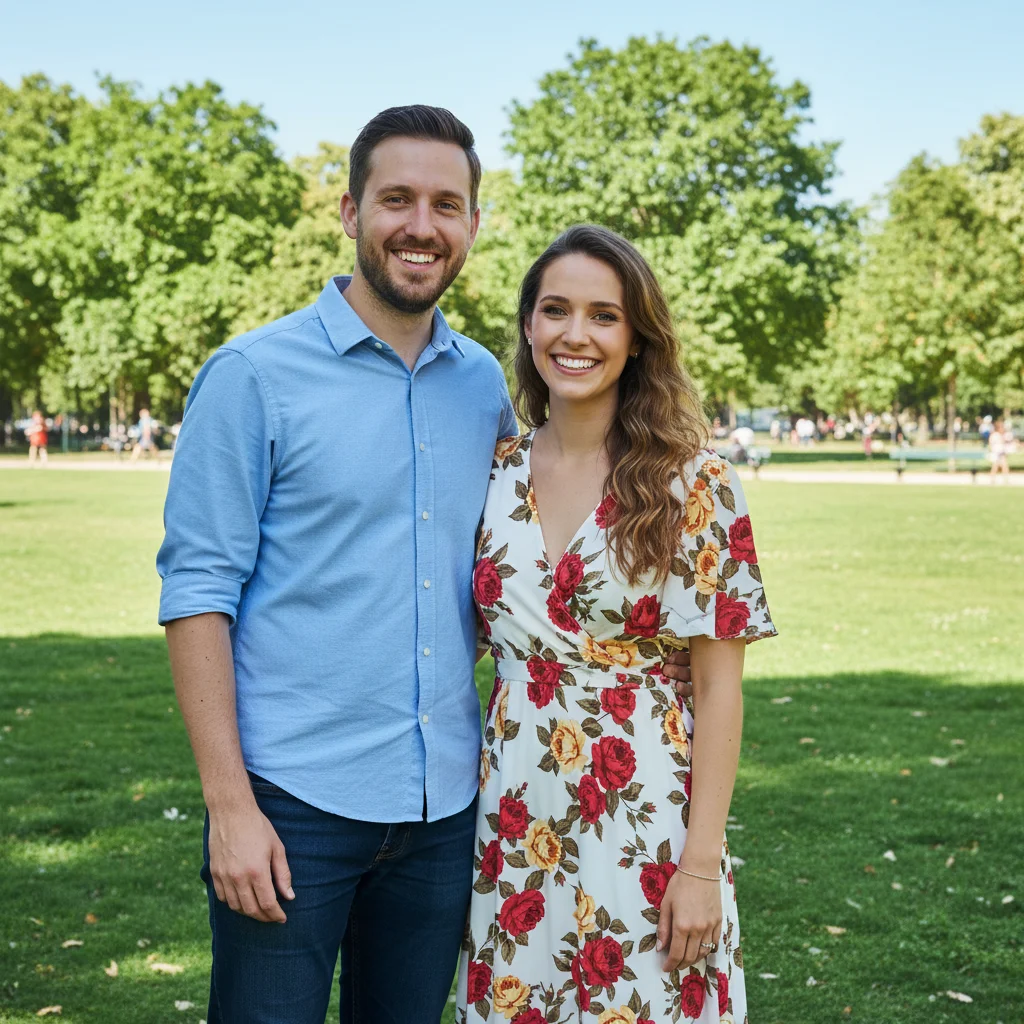
Couple standing together in a park during daytime
Before
->
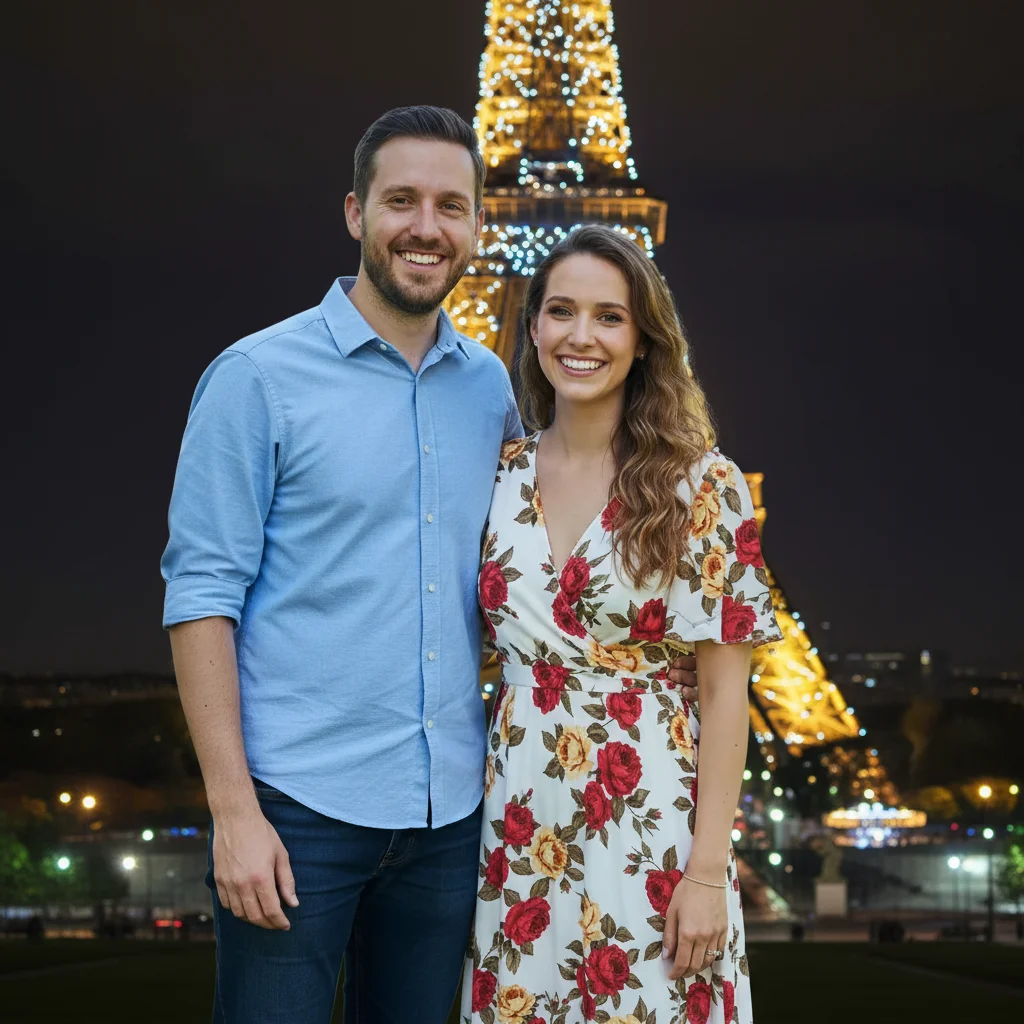
Same couple in front of Eiffel Tower at night with twinkling lights
After

Regular photo to Paris night scene

A couple's daytime photo transformed into a magical nighttime scene in front of the Eiffel Tower.

Prompt: place this couple in front of the Eiffel Tower at night with twinkling lights and a dreamy blurred background

Detailed Guides by Scenario

πŸ“·

Long-Distance Relationships

Combine separate photos of you and your partner into shared scenes β€” the AI merges two portraits into one image. Results are AI-generated composites, not photorealistic, but they capture the idea of being together.

Common Scenarios

  • Merging your selfie and your partner's selfie into a scene of you both on a beach or at a cafe
  • Creating a 'wish you were here' image by placing your partner into your vacation photo
  • Making a countdown photo series for an upcoming reunion β€” each one in a different dream location

Best Practices

  • Use clear, well-lit portraits of each person β€” the AI blends faces better when it has sharp detail to work with
  • Specify a completely new scene rather than trying to merge two existing backgrounds, which gives cleaner results
  • Set expectations: the AI composite will look stylized, not like a real photograph of you two together
πŸ“·

Wedding & Engagement

Transform existing couple photos with new backdrops, lighting, and settings. Upload a photo of the two of you and change the scene to a romantic location, different season, or dramatic lighting.

Common Scenarios

  • Changing the background of an engagement photo to a vineyard, mountain overlook, or city skyline at sunset
  • Transforming a casual couple photo into a formal portrait with studio lighting and elegant backdrop

Best Practices

  • Start with a real photo of the couple together β€” background swaps on existing couple photos look much better than AI-merging two separate people
  • Ask for specific lighting like 'golden hour' or 'soft studio lighting' to set the right mood
  • For save-the-dates or invitations, request a style like 'soft watercolor' or 'film photography' to add artistic flair
πŸ“·

Social Media & Gifts

Create artistic couple portraits for profile pictures, anniversary gifts, or prints. Turn a regular couple photo into an illustrated, stylized, or fantasy version β€” or combine two solo photos into a creative gift.

Common Scenarios

  • Turning a couple selfie into a stylized illustration or artistic portrait for matching profile pictures
  • Creating an anniversary gift by placing a couple photo into a fantasy or dream-like setting
  • Making a Valentine's Day or birthday card image with a romantic AI-generated scene

Best Practices

  • For profile pictures, request a square crop and vibrant style that reads well at small sizes
  • For printed gifts, use a high-resolution source photo so the AI output stays sharp at print size
  • Try artistic styles like 'watercolor painting', 'Studio Ghibli anime', or 'vintage film' for unique results

If something looks off

The two people don't look natural together

Why: The photos had very different angles, lighting, or scales, making it hard for the AI to blend them seamlessly.

Try: Try swapping which photo is the main image vs. the reference. Use: combine these two people naturally with matched lighting and proportions

Tip: Use the better-lit, more centered photo as the main image. The AI adapts the reference person to match the main photo's style.

One or both faces look distorted

Why: The AI modified facial features while generating the new scene, especially when the style change was dramatic.

Try: keep both faces exactly as they are, only change the background and scene to [your description]

Tip: 'Keep both faces exactly as they are' explicitly protects facial features from modification.

Lighting on the two people doesn't match

Why: The original photos were taken in different lighting conditions, and the AI didn't fully harmonize them.

Try: combine these two people into a couple portrait with matching lighting, same color temperature, and consistent shadows

Tip: Mentioning 'matching lighting' and 'same color temperature' explicitly tells the AI to harmonize both people.

The result looks like a bad Photoshop composite

Why: The two source photos had very different scales, perspectives, or backgrounds that made blending difficult.

Try: combine both people naturally into a couple portrait with correct proportions, matching perspective, and realistic depth of field

Tip: Adding a specific scene (like 'on a beach' or 'in a park') gives the AI a fresh background to place both people into, which usually looks more natural than trying to merge two existing backgrounds.

Only one person appears in the result

Why: The reference image wasn't uploaded, or the prompt didn't mention combining two people.

Try: Make sure the second person's photo is uploaded via '+ Add reference image', then use: combine both people into a couple portrait

Tip: The key phrase is 'combine both people' or 'put these two people together' β€” this tells the AI to use the reference person.

Quick answers

How do I create a couple photo from two separate pictures?

Upload one person's photo to EditThisPic as the main image, then click '+ Add reference image' to upload the second person. Type a prompt like 'combine both people into a romantic couple portrait on a sunset beach.' The AI merges both people into one natural-looking scene in about 30 seconds. Free to try, no account needed.

Is there a free AI couple photo generator that doesn't require signup?

Yes. EditThisPic generates couple photos for free with no account needed. Upload two separate portraits, describe the scene you want, and download the result with no watermark. Works in any browser on desktop or mobile, no app download required.

What is the best free AI tool for creating romantic couple photos?

EditThisPic is one of the best free AI couple photo generators available. Upload two separate portraits, describe any setting from sunset beaches to Paris nights, and the AI merges them together with matched lighting and natural posing in 30 seconds. No signup, no watermark.

How does the AI couple photo generator work?

Upload one person's photo as the main image, then add the second person's photo as a reference image. Describe the scene: 'combine into a couple on a sunset beach' or 'put them together at a romantic dinner.' The AI extracts both people and composites them into one natural-looking couple portrait.

Do both photos need to be the same quality or lighting?

No. The AI adjusts lighting, color temperature, and scale to blend both people naturally into the new scene. Clearer faces with good lighting produce more accurate results, but the photos do not need to match. Avoid heavily filtered or very dark photos if possible.

Can I combine photos of friends or family instead of a romantic couple?

Yes. The tool works with any two people. Use prompts like 'put these two friends together at a party' or 'combine these siblings into a family portrait.' The AI does not assume a romantic context unless your prompt describes one.

Can I generate couple photos on my phone?

Yes. EditThisPic works in any mobile browser on iPhone, Android, or tablet. No app download needed. Upload both photos, describe the scene, and download the result directly on your phone.

Will the AI-generated couple photo look completely photorealistic?

Results are high quality but are AI composites, not real photographs. They look great for social media, gifts, and sentimental keepsakes. For the best realism, both source photos should be high resolution with clear faces and good lighting.

How do I make a couple photo without Photoshop?

Use EditThisPic instead of Photoshop. Upload two separate portraits, describe the scene you want, and the AI handles all the compositing β€” matching lighting, scaling, blending edges β€” automatically in 30 seconds. No design skills, layers, or masks needed. Free, no login required.

Are my uploaded photos stored or shared?

No. EditThisPic processes your photos in real time and does not store them on any server. Your images are sent to the AI for generation and the result is returned directly to your browser. Nothing is saved or used for training.

Can I create a couple photo for a long-distance relationship?

Yes. Upload your selfie as the main image and your partner's photo as the reference image. Describe a scene like 'combine us into a couple walking on a beach at sunset.' The AI creates a composite portrait placing both of you in the same scene. Popular for long-distance couples, social media, and personalized gifts.

How realistic do AI couple photos look?

Results are high-quality AI composites that look great for social media, gifts, and sentimental keepsakes. They look most realistic when both source photos have clear faces, good lighting, and similar angles. The AI matches color temperature and lighting direction automatically, but very different source photo styles may look slightly stylized rather than photorealistic.

Create your dream couple photo now

Upload two separate photos and combine them into one couple portrait. Free, no signup.