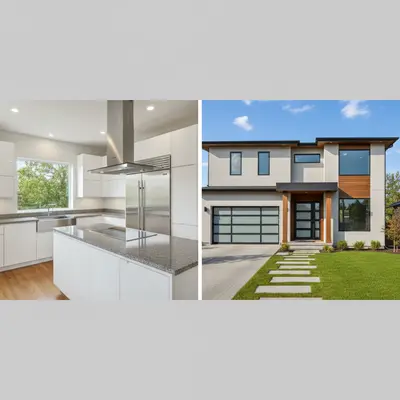
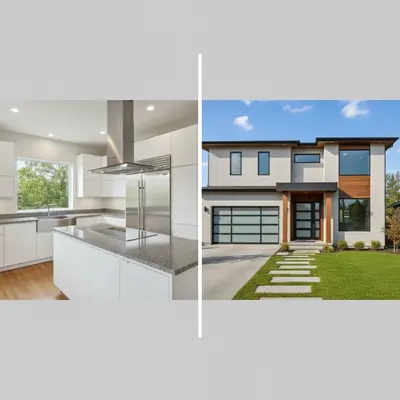
Do I need to arrange or position photos before describing how to combine them?
No! Just upload your photos and describe the layout you want: 'combine these side by side' or 'blend these into a collage.' The AI handles all positioning, sizing, and alignment automatically.
How do I combine photos from different sources into one image?
Upload all your photos using the main upload and '+ Add reference image' features. Then describe how you want them combined: 'use the landscape as background and overlay the portrait in the center' or 'arrange these in a grid layout.' The AI handles photos from any source or camera.
Is there a free photo combiner that doesn't require login?
Yes, EditThisPic combines photos for free with no account needed. Upload multiple images, describe your layout, and preview the combined result free — purchased downloads are clean, full quality. Perfect for quick collages, comparisons, or creative compositions without commitment.
Can AI combine photos with different sizes and orientations?
Yes! The AI automatically handles different photo sizes, portrait/landscape orientations, and varying resolutions. It adjusts sizing and positioning to create balanced compositions regardless of the original photo dimensions.
What's the best free tool for merging multiple photos?
EditThisPic offers free AI-powered photo combining with no signup required. Unlike manual tools that need precise positioning, just describe your layout and the AI handles everything. It works for side-by-side comparisons, creative collages, and professional composite images in seconds.
How do I combine photos into a collage with AI for free?
Upload your photos to EditThisPic and describe the collage style: 'blend these into a creative collage with overlapping edges' or 'arrange these in a grid layout.' The AI creates artistic combinations in 30-45 seconds. Free, no account required — the free edit is a preview; purchased downloads are clean, full quality.
Can I combine photos for social media posts?
Yes. Upload your photos and describe the layout: 'combine these for Instagram post' or 'create before and after comparison.' The AI automatically optimizes sizing and layout for social sharing while maintaining high quality.
Does the photo combiner work with any image format?
Yes. JPG, PNG, and WebP formats all work, up to 7MB per photo. The AI handles different formats seamlessly and outputs high-quality combined images ready for printing or digital use.
What is the best free AI tool to combine multiple photos?
EditThisPic is one of the best free AI photo combiners available. Upload any photos, describe how you want them combined, and get professional results in 30 seconds. Free preview, no signup, and no design skills needed. It handles everything from simple side-by-side layouts to complex artistic compositions.
How do I merge photos without losing quality?
Use EditThisPic's AI combiner which maintains high resolution throughout the process. Upload high-quality source photos and describe your layout. The AI preserves detail while creating smooth blends and professional compositions.
Can I combine photos on my phone?
Yes. EditThisPic works in any mobile browser on iPhone or Android with no app download needed. Upload multiple photos, describe your combination, and download the result. The full photo combining experience works on mobile, including reference image uploads.
Is AI photo combining safe for my images?
Yes. EditThisPic processes your photos only for the combination you request. Images are not stored permanently or used for training. The tool is designed for legitimate uses like collages, comparisons, and creative compositions. Your original photos are never modified.
How much does EditThisPic cost?
You get 1 free edit per week — no account needed. After that, one-time credit packs start at $4.99 for 10 edits, valid 12 months, no subscription. Power users who edit daily can pick Studio Membership, a monthly workspace at $49.99/mo for 300 edits. Purchased downloads are clean with no watermark.