Pricing Edit Gallery artwork photos · Free

AI Photo Editor for Art Galleries

← Browse all creative effects

Last updated

Professional artwork documentation without a professional photographer — clean, accurate art gallery photos in seconds.
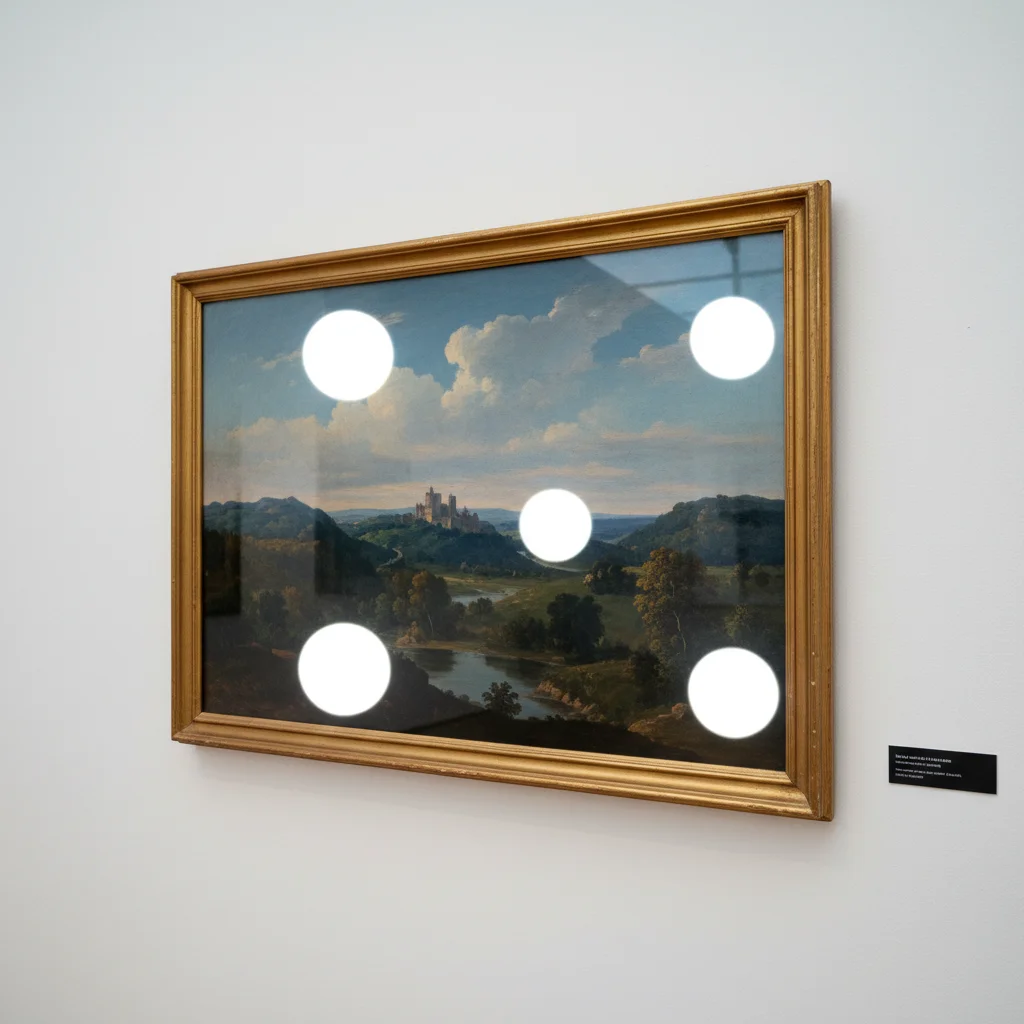
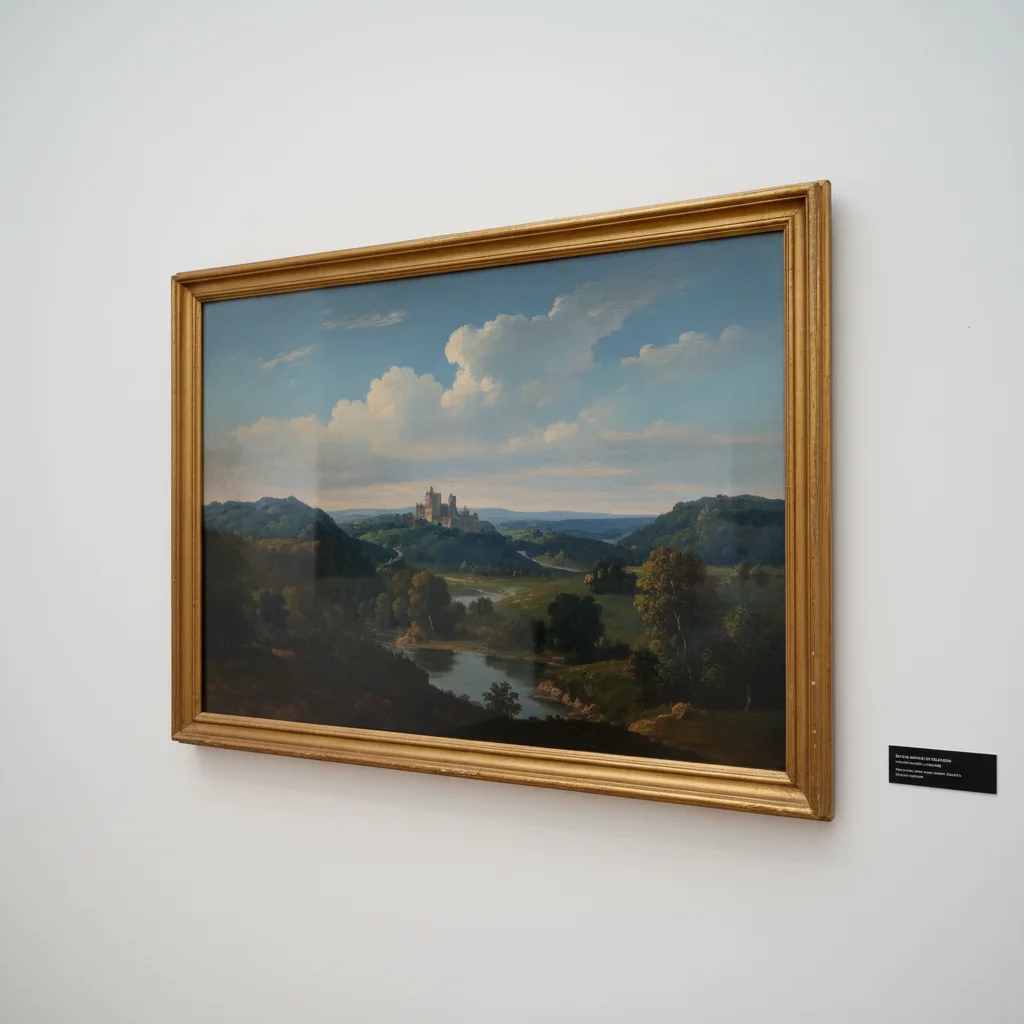
Framed painting with large glare spots from gallery spotlights Same painting with glare removed showing full artwork clearly

Upload photo to edit gallery artwork photos

"correct the warm orange cast from gallery spotlights so the artwork's true colors are accurately represented"

Free to try · no sign-up · photos are never shared

Release to upload

<30stypical edit
1 freeedit weekly
Photo on your phone? Scan to open this editor there — free edit works on your phone too.

1 free edit every week·packs from $4.99

How it works

  1. Upload the artwork photo

    Drop your artwork photo into EditThisPic. JPG, PNG, or WebP up to 7MB. Gallery installation shots, framed work with glass reflections, flat-lay documentation, and artist studio photos all work. The more specific the issue, the more targeted the fix.

    Expect: Simple color correction: 15-20 seconds. Glare removal or complex installation cleanup: 25-40 seconds.
  2. Describe the problem to fix

    Type the specific issue: 'remove the glare reflection on the glass frame,' 'correct the warm orange cast from gallery spotlights so the artwork colors are accurate,' or 'remove the gallery label from the wall beside the artwork.' Be specific about what type of artwork it is for better results. No marking needed.

    Tip: For color documentation of artwork — especially for insurance, archives, or exhibition loans — mention 'accurate color representation' in your prompt so the AI prioritizes fidelity over enhancement.

    Copy one of these to get started:

    Remove glass glare from framed artwork remove the glare and reflections on the glass covering this framed artwork
    Correct warm spotlight color cast correct the warm orange cast from gallery spotlights so the artwork's true colors are accurately represented
    Remove gallery signage or labels from photo remove the gallery wall label and exhibition signage from beside the artwork
    Clean up installation photo background remove the distracting gallery visitors and equipment from the background of this installation photo
    2 more prompts
    Straighten and correct perspective on hung artwork correct the perspective distortion so the artwork appears square and straight as if photographed directly front-on
    White wall isolation for portfolio remove everything except the artwork and replace the background with a clean white gallery wall
  3. Verify color accuracy against the original

    This is the critical step for art documentation. Compare the edited photo to the actual artwork in neutral daylight. Gallery and studio lighting affects color perception. If colors have shifted, describe the correction needed more specifically and regenerate.

See it in action

Framed painting with large glare spots from gallery spotlights
Before
->
Same painting with glare removed showing full artwork clearly
After

Framed painting: glare removal

A painting behind glass photographed with gallery spotlights causing large reflections across the artwork surface. Glare removal reveals the full painting.
Prompt: remove the glare and light reflections on the glass frame covering the painting
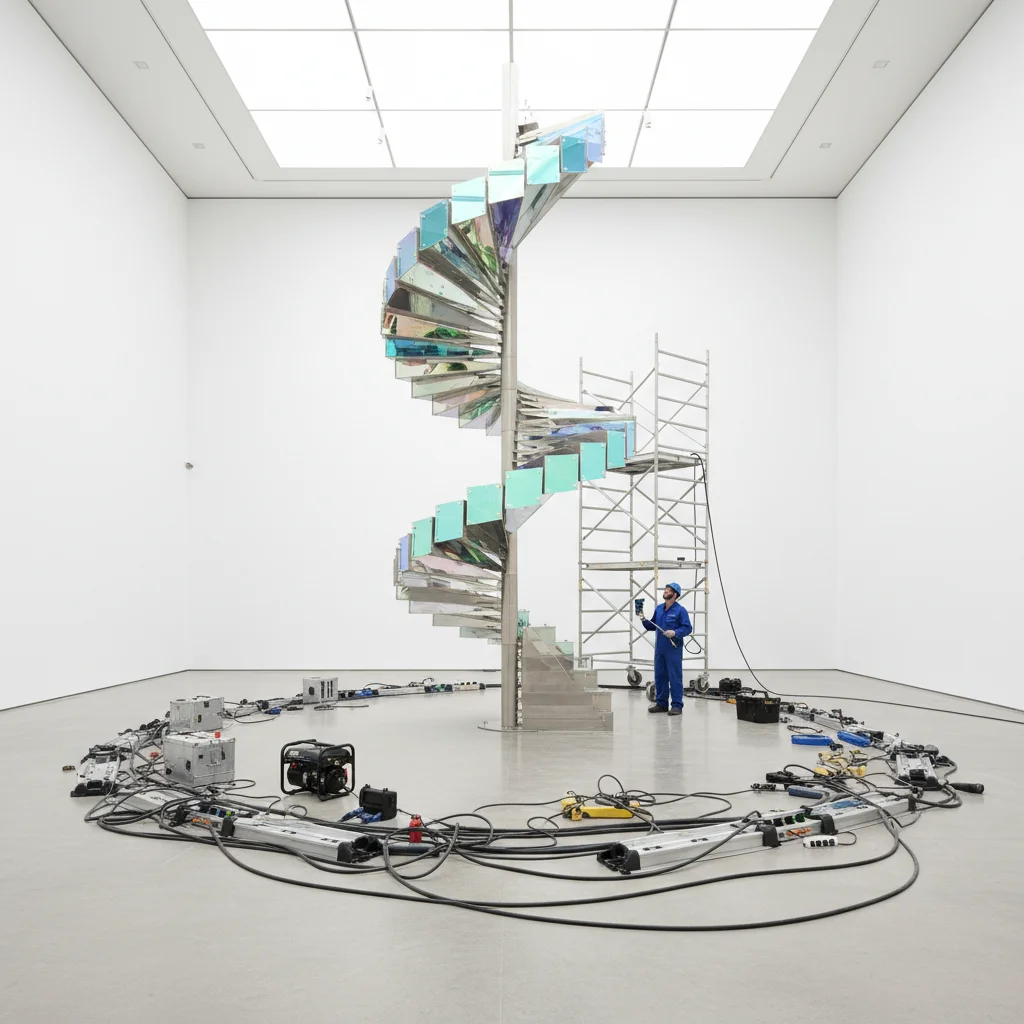
Installation artwork with cables and equipment visible in background
Before
->
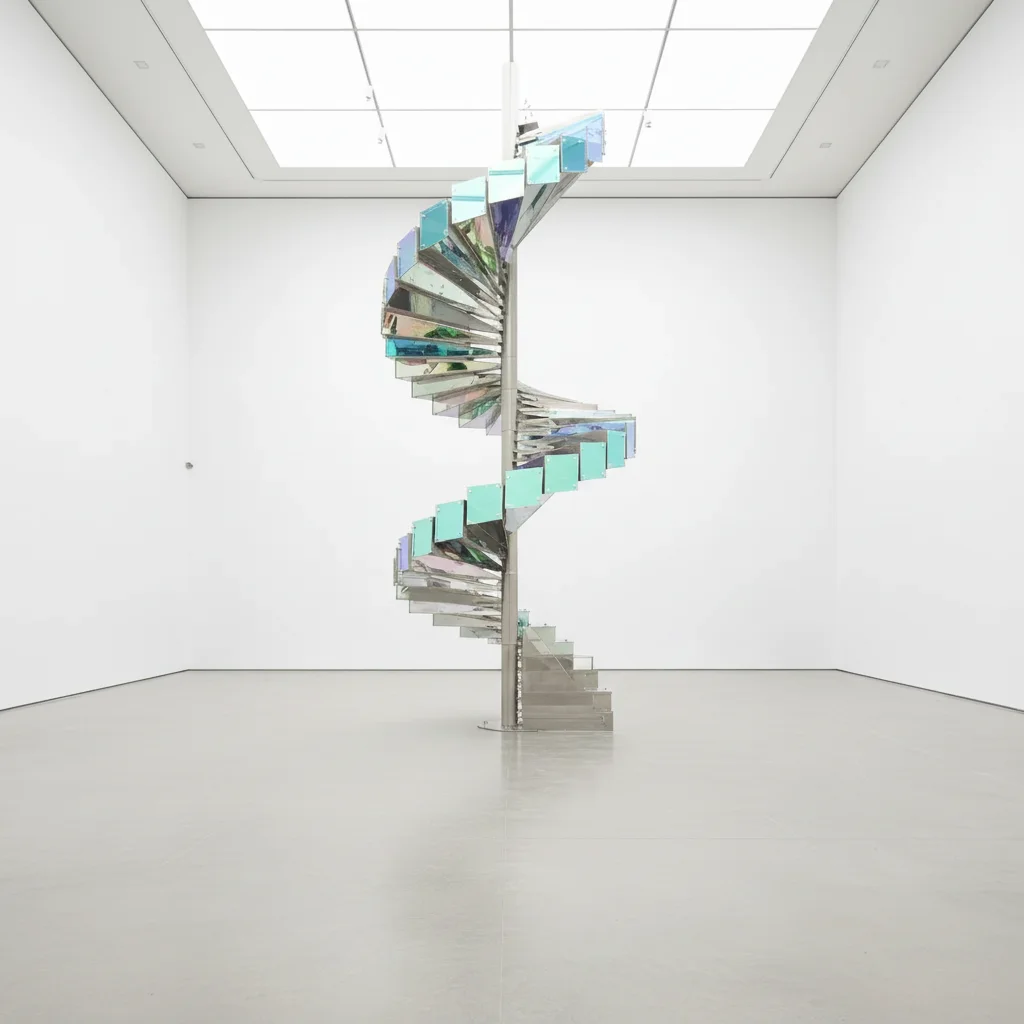
Clean installation documentation with background cleared
After

Installation photo: background cleanup

An installation artwork photo taken during setup — cables, equipment, and gallery staff visible in the background. Background cleanup creates a clean documentation photo.

Prompt: remove the equipment, cables, and people from the background of this installation photo

Quick answers

Do I need to mark areas before editing gallery photos?

No. Just describe what you want: 'remove the glass glare,' 'correct the warm color cast,' or 'clean up the installation background.' The AI handles it.

How do I fix gallery lighting color cast for free?

Upload your artwork photo to EditThisPic, type 'correct the warm orange cast from gallery spotlights so the artwork colors are accurate,' and the result is ready in 15-30 seconds. No signup, no watermarks. Works from any phone or computer.

Is AI-edited artwork documentation suitable for archives or insurance?

For formal archival or insurance documentation, AI-processed photos should be supplementary, not the sole record. AI reconstruction under strong glare or in complex lighting conditions may not achieve the color accuracy required for legal or archival purposes. For critical documentation, professional photography with controlled lighting remains the gold standard.

Can this help with artist portfolio photos?

Yes — for portfolio use, EditThisPic's background cleanup, glare removal, and color correction are well-suited. The standard for portfolio photos is presentational accuracy rather than archival precision. Remove distracting elements, fix common lighting issues, and create clean white-wall presentation shots.

How do I photograph artwork without glare in the first place?

Photograph artwork at a slight angle to the light source rather than straight-on, use diffused natural light (overcast day or north-facing window), and avoid flash. If glass is the issue, a circular polarizing filter on your camera lens eliminates reflections at the capture stage — more reliable than AI removal after the fact.

How much does EditThisPic cost?

You get 1 free edit per week — no account needed. After that, one-time credit packs start at $4.99 for 10 edits, valid 12 months, no subscription. Power users who edit daily can pick Studio Membership, a monthly workspace at $49.99/mo for 300 edits. Purchased downloads are clean with no watermark.

Ready to improve your gallery photos?

Free to try. No signup required.

1 free edit included·Credit packs from $4.99