Free • No signup Stage Living room · Free

AI Virtual Living Room Staging

Stage an empty living room with sofas, tables, and decor using AI — no staging company needed.
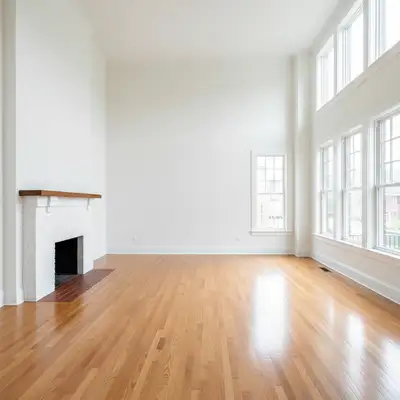
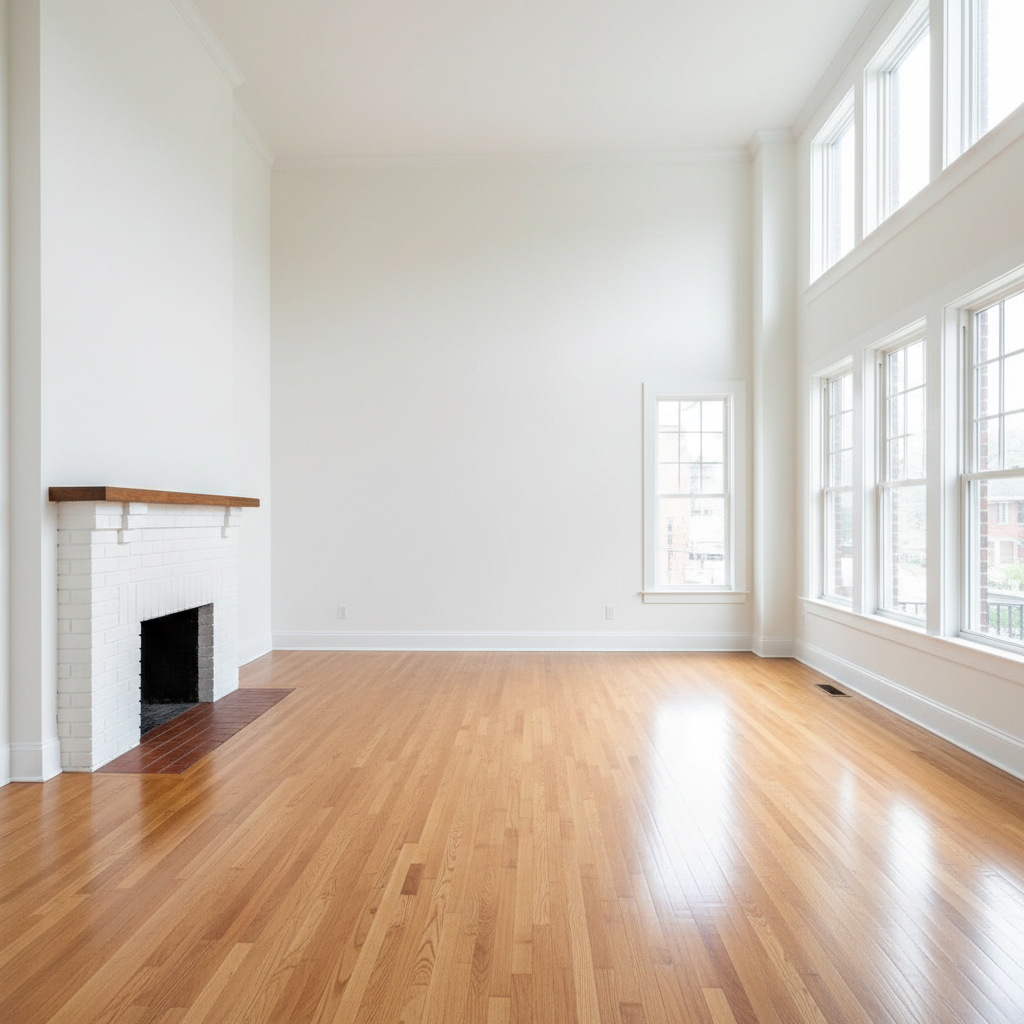
Empty living room with hardwood floors and large windows
Before
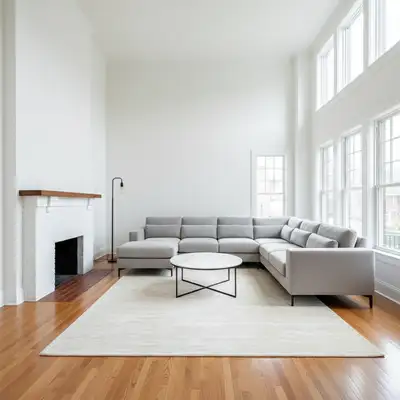
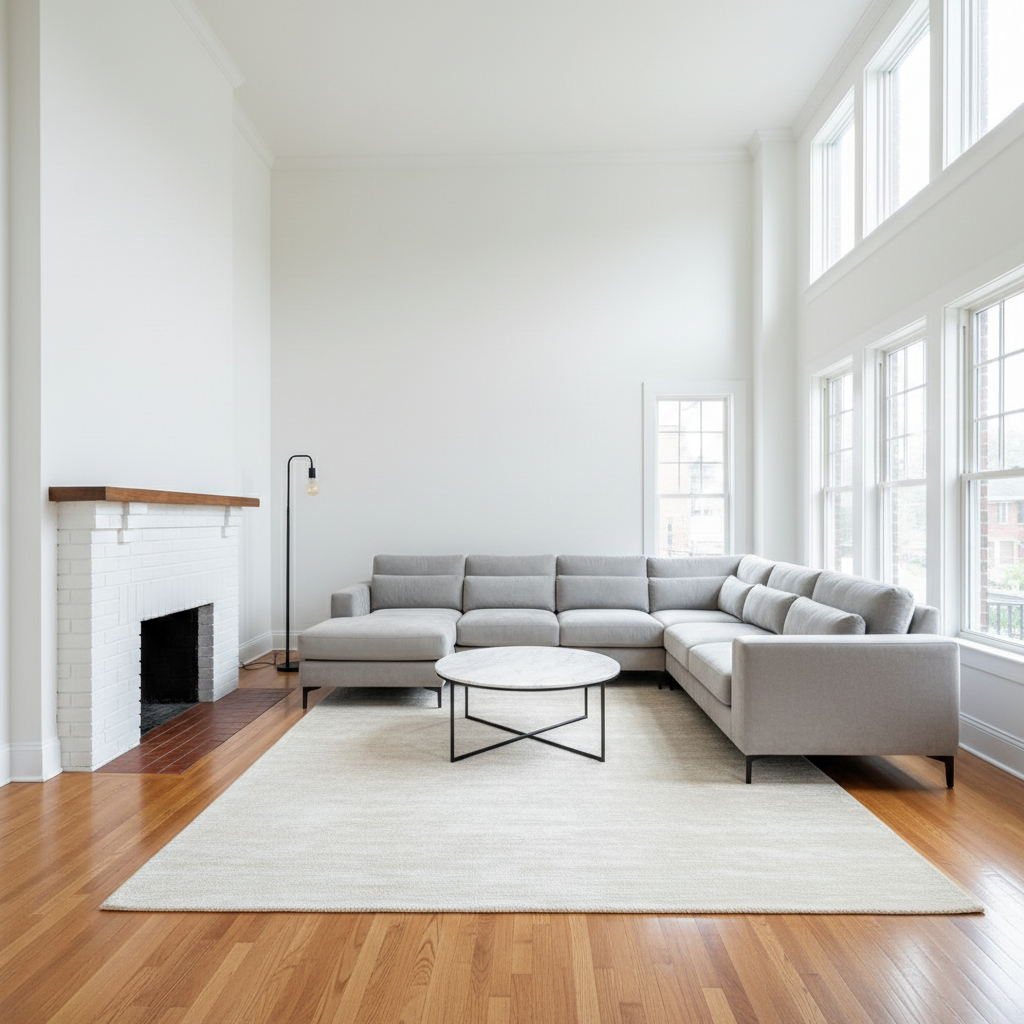
Same living room staged with modern sectional, coffee table, and accent chairs
After

Free AI Virtual Living Room Staging

Drop your photo here

or click to browse

Release to upload

Free • No signup

Popular use cases:
  • real estate staging
  • living room staging
  • virtual staging
  • MLS photos
  • property marketing
  • interior design visualization
  • home selling
  • empty room staging
  • rental property photos
  • living room design ideas

Cost
Free No signup required
Time
Instant results in 15-30 seconds
Works on
Any device - browser, phone, tablet, desktop
Powered by
AI-powered photo editing
Scenario Prompt Time
Modern neutral gray sectional, glass coffee table, accent chairs, area rug 25s
Cozy family deep fabric sofa, loveseat, wooden coffee table, throw blankets 30s
Luxury formal velvet sofa, marble table, designer lamp, abstract art 30s

How it works

  1. Upload your living room photo

    Drop your empty living room photo into EditThisPic. Wide-angle shots from the room's entrance work best, capturing the full floor plan, windows, and focal points like fireplaces. JPG, PNG, WebP up to 7MB.

    Expect: Simple living room staging: 25-35 seconds. Large open-concept spaces with multiple seating areas: may need 2-3 passes.
  2. Describe your furniture arrangement

    Type what you want: 'modern gray L-shaped sectional facing the fireplace with a glass coffee table, two cream accent chairs, and a large area rug.' Be specific about sofa style, color, arrangement, and accent pieces. No marking needed — the AI understands living room layouts and places furniture naturally around focal points.

    Tip: Mention the focal point (fireplace, TV wall, large window) so furniture faces the right direction in the final result.

    Copy one of these to get started:

    Modern sectional staging stage this living room with a modern gray L-shaped sectional sofa facing the window, a round glass coffee table, two cream accent armchairs, and a large off-white area rug
    Cozy family room stage this living room with a deep comfortable fabric sofa in navy blue, matching loveseat, wooden coffee table, floor lamp, throw blanket, and family-friendly storage baskets
    Open-concept living area stage this open-concept living room with a modern sofa and chairs creating a defined seating area, a console table behind the sofa to separate from the dining area, and coordinated decor throughout
    Luxury formal living room stage this living room with a tufted velvet sofa in emerald green, two gold-accented side tables, a marble coffee table, large abstract art on the wall, and a designer floor lamp
    3 more prompts
    Mid-century modern stage this living room with a mid-century modern sofa in mustard yellow, walnut coffee table with tapered legs, Eames-style lounge chair, and a geometric area rug
    Minimalist Scandinavian stage this living room with a simple light gray linen sofa, natural oak coffee table, single accent chair in white, sheepskin throw, and two potted plants
    Traditional with fireplace stage this living room with two matching sofas facing each other across a traditional coffee table, the fireplace as the focal point, built-in bookshelves styled with books and decor, and a large Persian rug
  3. Review the staged living room

    Check that furniture is proportional to the room, seating faces the focal point, and the rug anchors the conversation area. Verify that lighting looks natural and shadows fall correctly based on window positions.

  4. Refine with markers if needed

    If furniture placement needs adjusting or you want to add accent pieces to specific spots, tap a marker on that area and describe the change. Most living room staging works without markers on the first try.

    Tip: Stage in layers: main seating first, then add accent furniture, rugs, and decor in follow-up prompts for more control.
Try it free

Free AI Virtual Living Room Staging

Drop your photo here

or click to browse

Release to upload

Free • No signup

"Listed a vacant condo and staged every room in 20 minutes. The living room staging alone made the listing look completely different." @RealtorJen_NYC

See it in action

Empty living room with hardwood floors and large windows
Before
->
Same living room staged with modern sectional, coffee table, and accent chairs
After

Empty living room staged for listing

A vacant living room transformed with modern furniture to help buyers visualize the space for an MLS listing.

Prompt: stage this living room with a modern charcoal gray sectional sofa, a walnut coffee table, two cream accent chairs, a large off-white rug, and a floor lamp in the corner
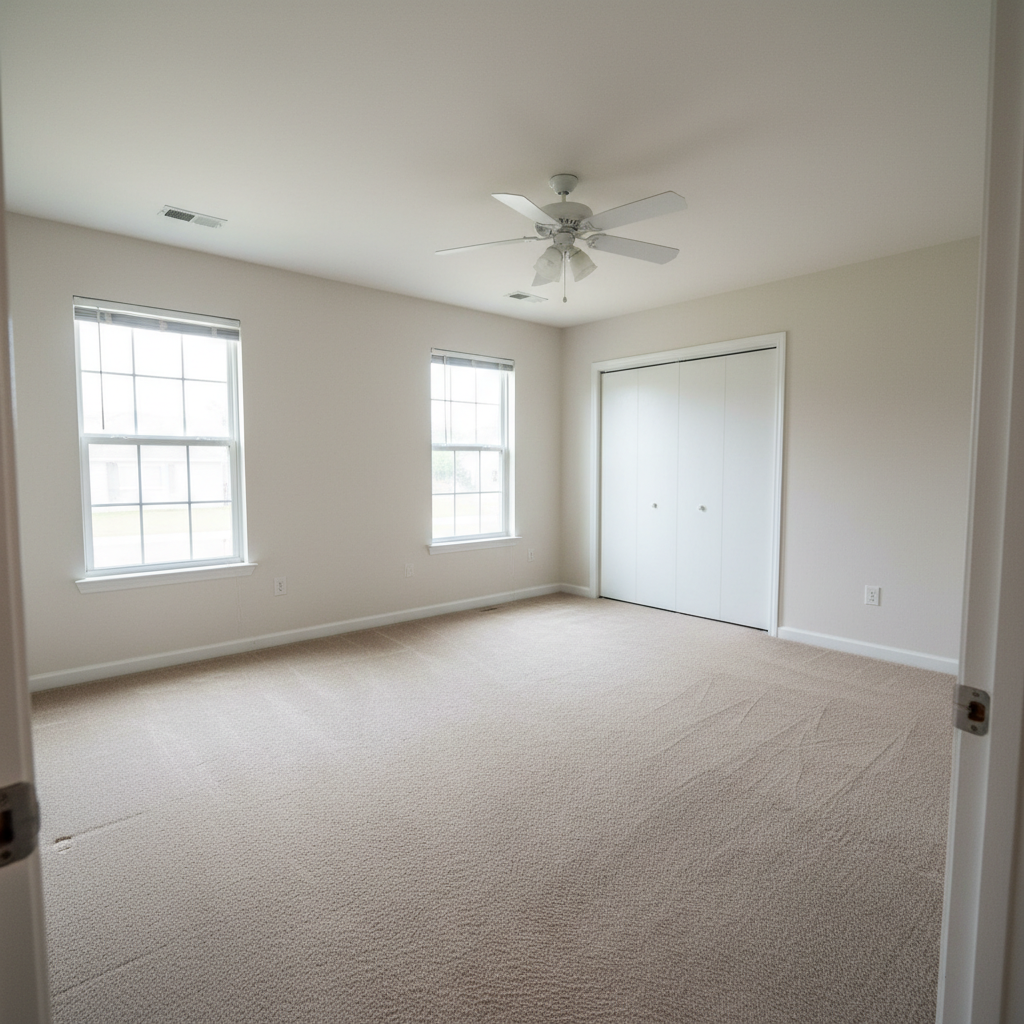
Small empty apartment living room with carpet and one window
Before
->
Same small living room staged with loveseat, coffee table, and floating shelf
After

Small apartment living room staged

A compact apartment living room staged with appropriately scaled furniture to maximize the feeling of space.

Prompt: stage this small living room with an apartment-sized loveseat in light blue, a slim round coffee table, a wall-mounted floating shelf with decor, and a small area rug
Large empty living room with stone fireplace and built-in shelves
Before
->
Same living room staged with velvet sofas, marble table, styled shelves, and Persian rug
After

Luxury living room with fireplace staging

A spacious living room with fireplace staged with high-end furniture for a luxury property listing.

Prompt: stage this living room with a velvet emerald green sofa and matching loveseat facing each other, marble coffee table centered between them, the fireplace as focal point, built-in shelves styled with books and art, and a large Persian-style rug

Detailed Guides by Scenario

📷

Real Estate Listing Photography

Stage empty or vacant living rooms for MLS listings, Zillow, Realtor.com, and property marketing materials.

Common Scenarios

  • Staging vacant property living rooms to help buyers visualize gathering and entertaining
  • Creating aspirational lifestyle shots for luxury property listings
  • Staging multiple units in the same development with different styles to showcase versatility

Best Practices

  • Shoot from the room entrance to capture the full layout — this is the angle buyers see first
  • Stage with neutral styles that appeal to the widest audience — avoid overly personal choices
  • Include a rug to anchor the seating area and make the space feel warm and defined
📷

Interior Design Visualization

Preview living room furniture arrangements and design concepts before committing to purchases or renovations.

Common Scenarios

  • Visualizing how different sofa styles and colors work in your actual space before buying
  • Comparing modern vs. traditional layouts to find the right direction for a client
  • Testing furniture arrangements to optimize flow and conversation zones

Best Practices

  • Specify exact materials and colors for realistic previews that match real products
  • Generate 2-3 style variations and present them side by side for comparison
  • Mention existing elements you want to keep — 'keep the fireplace mantel, add new furniture around it'
📷

Social Media & Portfolio Content

Create impressive living room transformation content for social media, design portfolios, and client presentations.

Common Scenarios

  • Building a staging portfolio with dramatic before-and-after living room transformations
  • Creating Instagram-worthy room reveals showcasing different design aesthetics
  • Producing client presentation decks with multiple living room staging options

Best Practices

  • Save before and after versions side by side — transformation content performs well on social media
  • Consistent styling across your portfolio builds recognition and trust with potential clients
  • Use the same room with different styles to show range in your design capabilities

If something looks off

AI changed the wrong area or something I didn't want changed

Why: The AI couldn't determine exactly which area you meant from description alone. This happens with ambiguous requests.

Try: Tap a marker on the specific area you want to change, then regenerate with the same prompt

Tip: Markers tell the AI 'I mean THIS one specifically.' Use them when description alone is ambiguous.

Furniture looks too big or too small for the room

Why: The AI misjudged room dimensions from the photo angle, creating scale mismatches.

Try: stage with apartment-sized furniture proportional to this room, leaving clear walking paths

Tip: Include size hints like 'apartment-sized loveseat' or 'oversized sectional for large room' for better scale.

Sofa faces the wrong direction

Why: Without a clear focal point reference, the AI placed the sofa facing an arbitrary wall.

Try: stage with the sectional sofa facing the fireplace with its back to the entrance

Tip: Always mention the focal point: 'facing the window,' 'facing the fireplace,' or 'facing the TV wall.'

Style doesn't match throughout the room

Why: Without a unified style direction, the AI mixed different furniture aesthetics.

Try: stage with cohesive mid-century modern furniture throughout, matching wood tones and upholstery colors

Tip: Name one specific style in every prompt: 'mid-century modern,' 'Scandinavian minimalist,' 'coastal farmhouse.'

Furniture appears to float above the floor

Why: The AI didn't properly ground the furniture with shadows and floor contact points.

Try: stage with furniture grounded naturally on the floor with realistic shadows

Tip: Well-lit photos with visible floor texture help the AI anchor furniture properly.

Room looks overcrowded with too many pieces

Why: The AI prioritized filling every available space rather than creating a balanced layout.

Try: stage with minimal furniture — sofa, one coffee table, and one accent chair only, leaving open floor space

Tip: Real estate staging uses 60-70% of available space. Less furniture makes rooms look larger in photos.

Quick answers

Do I need to mark where furniture should go?

No! Just describe the furniture and arrangement: 'add a sectional facing the fireplace with a coffee table.' The AI understands living room layouts and places furniture naturally around focal points. Only use markers if you want to force specific placement or adjust something after the first result.

Can I stage a living room that already has some furniture?

Yes. Describe what you want to add or change: 'add accent chairs flanking the existing sofa' or 'replace the old couch with a modern sectional.' The AI recognizes existing furniture and works around it or replaces it based on your instructions.

How do I stage an empty living room for a real estate listing?

Upload the empty room photo and describe a complete furniture arrangement: 'modern gray sectional, glass coffee table, two accent chairs, large area rug, and floor lamp.' Use neutral, widely appealing styles. White and gray palettes test best with buyers. Always disclose virtual staging per local regulations.

What living room styles appeal to the most buyers?

Modern neutral (gray sofa, white accents) appeals to the widest audience. Farmhouse works for suburban homes, mid-century modern for urban properties. Match the style to the home's architecture — a minimalist arrangement in a Victorian home would feel disconnected.

Is there a free AI living room staging tool that doesn't require signup?

Yes. EditThisPic stages living rooms with AI for free, no account needed. Upload your photo, describe what you want, and download the result. One free edit per week, unlimited with plans starting at $3.99/month.

Can I stage a living room on my phone?

Yes. EditThisPic works in any mobile browser — iPhone, Android, tablet. No app download needed. Photograph the room and stage it on the spot during a showing.

Can I stage multiple rooms in the same property with consistent style?

Yes. Copy your successful prompt style and use it on other rooms, adjusting furniture types as needed. For example, use 'modern neutral with gray and white' across the living room, bedroom, and dining room for a cohesive listing.

What photo formats does the AI living room stager support?

JPG, PNG, WebP, and HEIC. Upload any common photo format and EditThisPic handles the rest.

Ready to stage your living room?

Free to try. No signup required.

Try it free