AI Photo Editor for Australian Passport Photos
Last updated
Fix rejected passport photos instantly. Skip the $20 retake at Australia Post.
Drop your photo here
"change background to plain white for Australian passport photo requirements, remove any shadows on background"
Release to upload
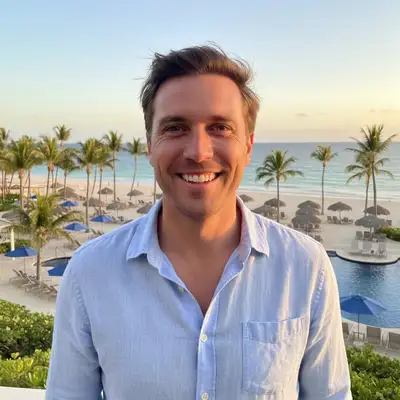
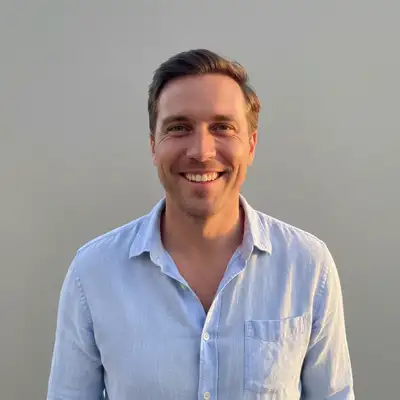
Built for Australian Passport Applicants
Australian passport photos have strict requirements: exactly 35x45mm, plain white or light grey background, head height 32-36mm from chin to crown, neutral expression with mouth closed, no glasses. One tiny mistake means rejection and starting over. EditThisPic fixes the most common rejection reasons - wrong background color, face shadows, glasses - in seconds. Get it right the first time.
Tools for Australian Passport Photos
Remove Shadow
Second most common rejection - face shadows not allowed
Remove Glasses
Glasses not allowed in Australian passport photos since 2018
Fix Color
Correct yellow indoor lighting that makes white backgrounds look cream
How to AI Photo Editor for Australian Passport Photos
-
Take or upload your photo
Take a photo against any light-colored wall, or upload an existing photo. Face the camera directly, neutral expression with mouth closed, shoulders visible. Don't worry about the background color yet - we'll fix it. Remove glasses before taking the photo - they're not allowed in Australian passport photos.
White background change: 20-25 seconds. Shadow removal: 25-30 seconds. Multiple fixes: may need 2 attempts.Photos taken outdoors in even shade have the best lighting - no harsh shadows to remove later. -
Describe what needs fixing
Type your fix: 'change background to plain white for Australian passport requirements' or 'remove shadow from left side of face for passport photo.' Be specific about what's wrong. Combine fixes: 'change background to plain white and remove all face shadows for Australian passport photo.'
Include 'for Australian passport' in your prompt - it helps the AI understand the strict DFAT standards needed. -
Verify DFAT requirements
Check: background is plain white or light grey (no patterns), no shadows on face or background, head centered and level, head height 32-36mm from chin to crown (about 70-80% of frame height), neutral expression with mouth closed, both eyes open and visible, no glasses, recent photo (taken within 6 months).
Zoom in to check edges - even slight background shadows can cause rejection. -
Print at correct size and submit
Download your fixed photo. Print at exactly 35mm x 45mm on photo paper. Australia Post, Officeworks, or most photo shops can print from your phone. You'll need 2 photos for your passport application. Submit online via the Australian Passport Office website or at an Australia Post outlet.
Order 4 prints - passport application needs 2, and you'll want backups in case one gets damaged.
Copy-Paste Prompts for Australian Passport Photos
change background to plain white for Australian passport photo requirements, remove any shadows on background
DFAT requires plain white or light grey, not off-white, cream, or patterned. This prompt ensures compliance.
remove all shadows from face and neck for passport photo, keep natural skin tones and features
Shadows from uneven lighting are a top rejection reason. This removes them while preserving natural appearance.
change background to plain white and remove all shadows from face for Australian passport requirements
Combine both common fixes in one prompt to save time
remove glasses for passport photo, keep eyes natural and open, maintain natural eye color
Australia banned glasses in passport photos in 2018. No exceptions. Remove them digitally.
Show 4 more prompts
correct the yellow indoor lighting to neutral, change background to plain white, remove face shadows
Indoor photos often have color casts that make white backgrounds look cream. This fixes all three issues.
remove the shadow on the wall behind my head, make entire background uniformly plain white
Wall shadows are a subtle but common rejection reason. DFAT wants completely uniform background.
straighten and center my head in the frame, ensure background is plain white
Head must be centered and level. This fixes crooked photos from DIY attempts.
close mouth to neutral expression for Australian passport photo, keep face natural
Australian passports require mouth closed. This subtly adjusts for compliance.
| Edit Type | Prompt | Time | |
|---|---|---|---|
| Wrong background colour | change background to plain white for Australian passport |
20s | Try This → |
| Face shadow | remove all shadows from face for passport photo |
25s | Try This → |
| Wearing glasses | remove glasses, keep eyes natural |
30s | Try This → |
| Yellow lighting | correct yellow lighting, plain white background |
25s | Try This → |
Real Examples


Cream wall to passport white
Took photo at home against cream wall. DFAT requires plain white or light grey, not cream or tan. One prompt fixed it.


Removed face shadow from DIY photo
DIY photo at home had window light creating shadow on left side of face. DFAT rejects any face shadows. Fixed in 25 seconds.
remove all shadows from face and neck for passport photo, keep natural skin tones
When Things Go Wrong
Background is white but not plain enough
Why: The AI corrected the background but there's still a slight colour cast or pattern that DFAT will reject.
make background PLAIN white, completely uniform with no colour cast, patterns, or tint
Use 'plain white' in your prompt to emphasise you need completely uniform background, not off-white.
Face looks washed out after shadow removal
Why: Aggressive shadow removal can flatten natural face contours and make skin look unnatural.
remove shadows from face but maintain natural skin tones and subtle facial contours, don't over-brighten
Add 'keep natural skin tones' to preserve realistic appearance while removing obvious shadows.
Eyes look unnatural after glasses removal
Why: The AI had to reconstruct the eye area that was behind the lenses.
remove glasses and ensure eyes look natural, open, with correct eye colour and natural highlights
Specify 'natural eye colour' and 'keep eyes looking realistic' to guide the reconstruction.
Head size doesn't look right (32-36mm requirement)
Why: DFAT requires head height from chin to crown to be 32-36mm. EditThisPic can't resize but can help with composition.
EditThisPic fixes background and lighting issues. For head size, you may need to retake from a different distance or crop the photo to correct proportions.
Take photos from about 1.5 metres away to get proper head size in frame.
DFAT will still reject this photo
Why: There are requirements beyond background and shadows: head size (32-36mm chin to crown), neutral expression with mouth closed, both eyes open, photo taken within 6 months, no head coverings (except religious/medical).
EditThisPic fixes technical issues (background, shadows, glasses) but can't fix head size, expression, or age of photo. Those require retaking.
Check all requirements at passports.gov.au before submitting. AI can't fix everything.
Frequently Asked Questions
Does the output meet the official AI Photo Editor for Australian Passport Photos size and background requirements?
Yes. The result is delivered on a plain off-white/light-grey background at the correct aspect ratio. Re-run with 'pure white background, head centered, neutral expression' if the first crop is off. Each pass takes 20-45 seconds. Free first edit per week, no signup.
What are the official Australian passport photo requirements?
Size: 35mm x 45mm. Background: Plain white or light grey (no patterns). Head size: 32-36mm from chin to crown. Expression: Neutral with mouth closed, both eyes open. Taken: Within last 6 months. Not allowed: Glasses (banned since 2018, no exceptions), head coverings (except religious/medical with written request), heavy makeup, digital alterations to facial features. Face must be directly facing camera with no shadows on face or background.
Will DFAT accept a photo edited with AI?
Yes, as long as the final photo meets all official requirements. DFAT cares about technical compliance (plain white background, no shadows, correct size, shows your current appearance), not how you achieved it. EditThisPic fixes technical rejections like wrong background colour or shadows - these are allowed corrections. Don't alter your actual facial features.
Why are glasses banned in Australian passport photos?
Since 1 July 2018, glasses are not permitted in Australian passport photos, even prescription glasses or sunglasses. This is because glasses can cause glare and shadows that interfere with facial recognition technology used at airports. There are no exceptions - even if you always wear glasses, you must remove them for your passport photo.
Can I print this at home or do I need a photo shop?
You can print at home if you have a photo-quality printer and proper photo paper. Ensure exact 35mm x 45mm sizing. Most people find it easier to take the edited photo to Officeworks, Australia Post, or a pharmacy like Chemist Warehouse that offers photo printing. Online services like Snapfish Australia also work. Order at least 4 prints - you need 2 for the application and want backups.
How recent does my passport photo need to be?
Photos must be taken within 6 months of your application date and show your current appearance. EditThisPic can't make an old photo 'new' - if your appearance has significantly changed (haircut, facial hair, weight, ageing), you need to retake the photo. But if you took a photo last week and it just has the wrong background or shadows, that's perfect for fixing.
What if I'm applying for a child's passport?
Same requirements apply but infants and young children have slightly relaxed expression rules - babies don't need perfectly neutral expressions. Background must still be plain white or light grey with no shadows. For babies: support their head with a hand covered by white cloth, or photograph from above on a white sheet. Use EditThisPic to ensure the background is uniformly white and remove any cloth shadows or wrinkles.
Is EditThisPic's AI photo editor for australian passport photos really free?
Yes — you get 1 free edit per week, no account needed. Plans start at $4.99/month for 15 edits.
Popular use cases
Ready to fix your Australian passport photo?
Free to try. No signup required. No watermarks.
Fix My Passport PhotoTrusted by 15,000+ users