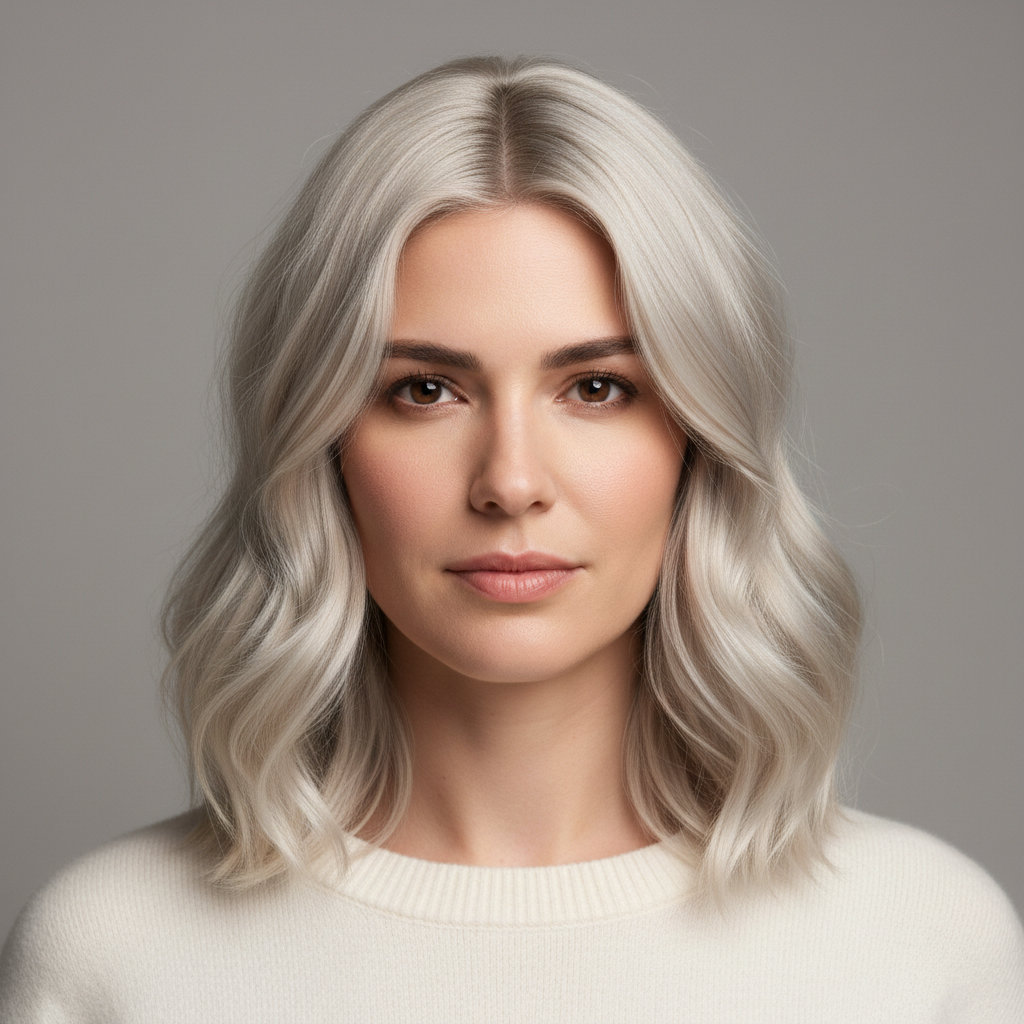
Free β€’ No signup Add Mullet hairstyle Β· Free

Give Someone a Mullet

Upload any portrait and the AI will give them a full mullet β€” short and tidy up front, wild and flowing in the back. Send it with a straight face: "My barber really hooked me up."

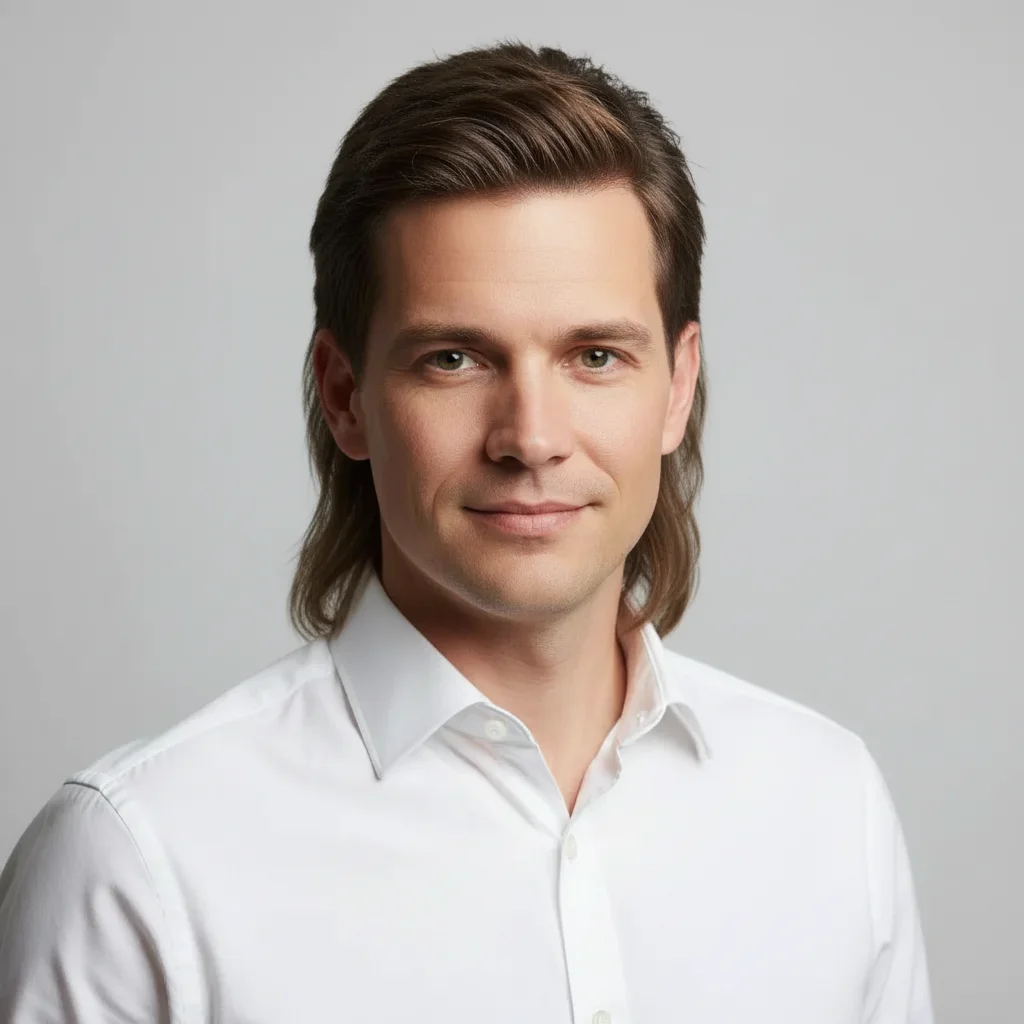
Man with short neat brown hair in a corporate headshot
Before
β†’
Same man now with a full classic mullet β€” short on top, long and feathered in the back
After

Give Someone a Mullet Prank

Upload photo to add mullet hairstyle

Free β€’ Results in 30 seconds β€’ No signup

Release to upload

FreeNo signupNo watermark

1 free edit·then from $1.99

Popular use cases:
  • mullet prank photo
  • funny hair prank
  • fake haircut photo
  • AI hair editor
  • 80s hair prank
  • photo prank for group chat
  • april fools hair edit
  • business in front party in back photo

Cost
Free No signup required
Time
Instant results in 15-30 seconds
Works on
Any device - browser, phone, tablet, desktop
Powered by
AI-powered photo editing
Scenario Prompt Time
Classic 80s mullet short neat on top, long feathered in back, same hair color 15s
Curly party-in-back short flat on top, loose ringlet curls flowing down to mid-back 30s
Bleached tips short dark on top and sides, dark-to-blonde ombre long in back 30s
Business casual mullet side-parted and professional up front, long straight curtain in back 15s

How it works

  1. Upload your photo

    Pick a clear portrait or head-and-shoulders photo where the person's existing hair is visible. A well-lit photo with good head clearance above the frame gives the AI more room to grow the mullet.

    Expect: Upload takes a second. Any standard portrait format (JPEG, PNG, HEIC) works fine.
  2. Describe the mullet

    Type what kind of mullet you want. The more specific, the better β€” mention the length in back, whether it's wavy or straight, and any extra flavor (feathered sides, a little curl at the tip). You can use the example prompts below as a starting point.

    Tip: Describe both halves separately: "short and combed on top and sides, long loose waves reaching the shoulders in the back." The AI handles the transition naturally when you give it both anchors.

    Copy one of these to get started:

    Classic 80s Mullet Give this person a classic 1980s mullet β€” hair neatly combed and short on top and sides, long and slightly feathered past the shoulders in the back, natural brown color matching their existing hair
    Curly Party-in-the-Back Mullet Add a mullet with tight curls in the back β€” short and flat on top, then loose ringlet curls flowing down to mid-back, like they let the back grow out for two extra years
    Professional Up Front Mullet Give this person a business-casual mullet β€” hair neat and side-parted on top and sides like they're about to give a presentation, but long straight hair falling to the collar in the back like they have a secret
    Bleached Tip Mullet Give this person a mullet with the back section bleached blonde at the tips β€” short dark hair up top and on the sides, long dark-to-blonde ombre flowing down in the back
    3 more prompts
    Rat Tail Bonus Edition Add a mullet to this person but leave a thin rat tail braid hanging down the center of the back below the main mullet, like they asked their barber for extra character
    Wavy Long-Back Mullet Give this person long wavy mullet hair β€” kept very short and clean on top and the sides, then flowing into thick natural waves going all the way down to the shoulder blades in the back
    Mullet for Office Prank Give this person a neat corporate mullet β€” cleanly trimmed short on top and sides with a sharp taper, but a thick long curtain of straight hair down the back of the neck reaching the collar of their shirt
  3. Send it

    Download the edited photo and send it to your target with a nonchalant caption β€” "finally got a trim" or "my barber went a little rogue." Works best sent before they've had their morning coffee.

Try it free ↓

Give Someone a Mullet Prank

Upload photo to add mullet hairstyle

Free β€’ Results in 30 seconds β€’ No signup

Release to upload

Free β€’ No signup

See it in action

Man with short neat brown hair in a corporate headshot
Before
->
Same man now with a full classic mullet β€” short on top, long and feathered in the back
After

The Office Photo Upgrade

A standard corporate headshot gets transformed with a full classic mullet β€” short on top, long and flowing in the back. Sent to the group chat as a "new LinkedIn headshot."

Prompt: Give this person a classic 1980s mullet β€” hair neatly combed and short on top and sides, long and slightly feathered past the shoulders in the back, natural brown color matching their existing hair
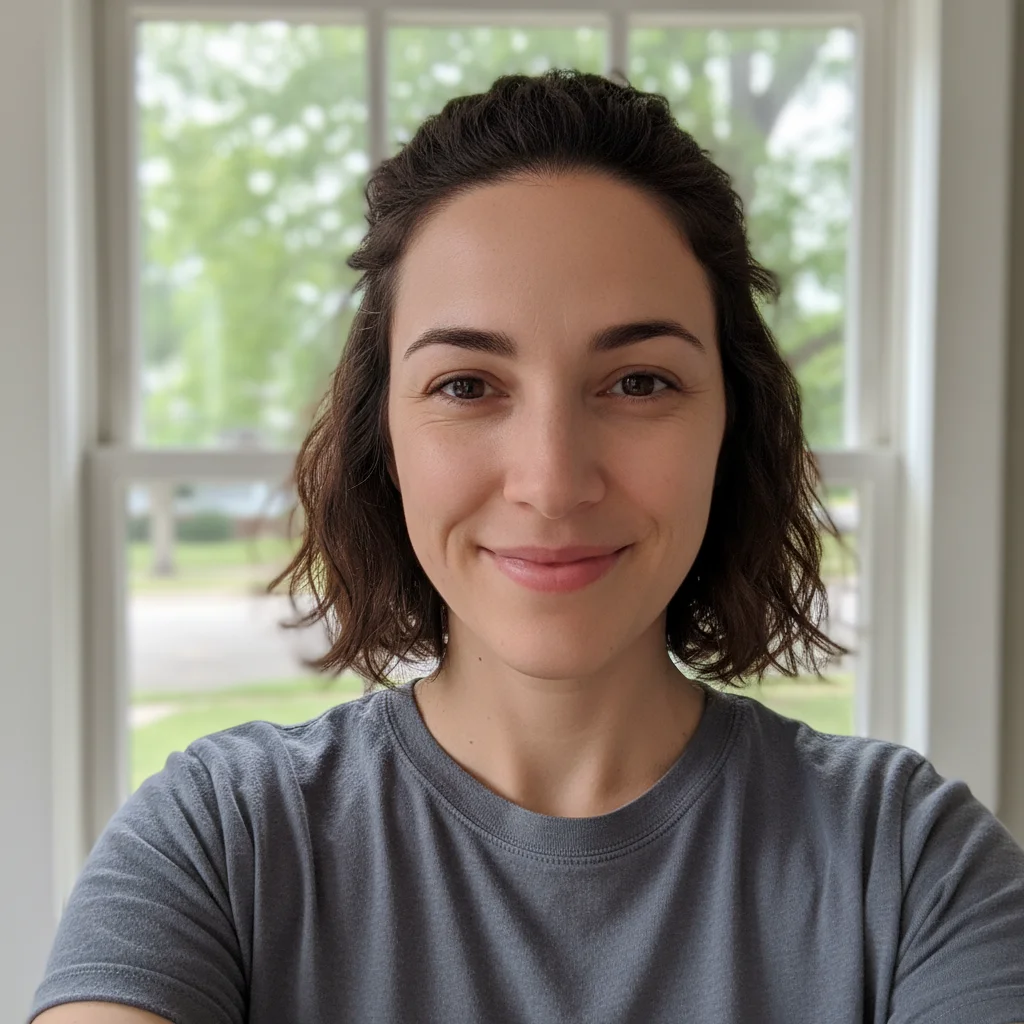
Woman with short dark hair in a casual selfie
Before
->
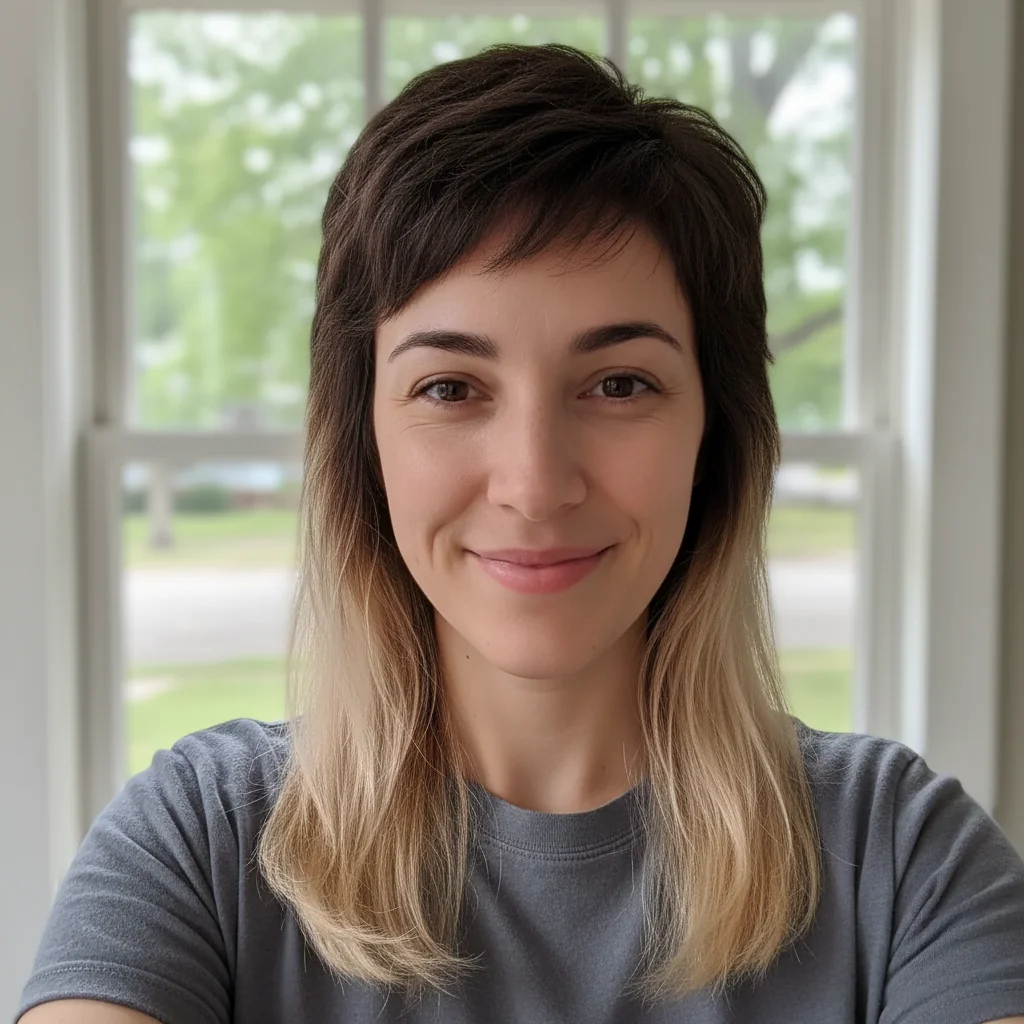
Same woman now sporting a dark-to-blonde ombre mullet flowing past the shoulders
After

The "My Barber Went Wild" Send

A casual selfie gets a bleached-tip mullet added. Sent to a sibling with the caption "barber said trust me" β€” reaction was instant.

Prompt: Give this person a mullet with the back section bleached blonde at the tips β€” short dark hair up top and on the sides, long dark-to-blonde ombre flowing down in the back
Man with short salt-and-pepper hair at a company event
Before
->
Same man now with thick wavy mullet reaching the shoulder blades
After

Group Chat Chaos: The Team Photo

One person in a team photo gets singled out for a wavy long mullet and the edited version gets posted as the "official company photo."

Prompt: Give this person long wavy mullet hair β€” kept very short and clean on top and the sides, then flowing into thick natural waves going all the way down to the shoulder blades in the back

If something looks off

The mullet looks like extra hair was glued on rather than grown naturally

Why: The AI sometimes treats the back hair as a separate element if the transition from short to long isn't described clearly enough.

Try: Give this person a mullet where the hair transitions naturally β€” short and tapered on the sides and top, then gradually lengthens into a full flowing section in the back, all one continuous hairstyle

Tip: Use the word "gradual" or "transition" in your prompt to signal that you want a seamless look rather than a distinct piece added.

The mullet is too subtle β€” it looks more like a slightly long haircut than an actual mullet

Why: The AI may default to a conservative interpretation if you don't specify length contrast clearly.

Try: Make the contrast more extreme β€” very short and neat on top and sides, but dramatically long in the back, reaching the shoulders or beyond

Tip: Explicitly describe the length in the back ("to the shoulders," "mid-back," "past the collar") so the AI knows how far to go.

The hair color in the mullet doesn't match the rest of the photo

Why: For photos where the original hair color is hard to read (dark lighting, shadows), the AI may guess at the color.

Try: Give this person a mullet β€” keep the exact same hair color as their existing hair throughout, no color change

Tip: Adding "same color as their existing hair" to any prompt usually solves color mismatch issues on the first retry.

The back of the head area looks blurry or unnatural

Why: The original photo may not have shown any of the back/neck area, so the AI had to generate it from scratch with less context.

Try: Add long natural flowing mullet hair to the back of this person's head, matching the lighting and texture of the rest of the photo

Tip: Photos where you can see part of the neck or ear give the AI better anchoring points for where the back hair should start.

The edit changes the person's face or front of their hair

Why: A broad prompt can cause the AI to interpret it as modifying the whole head rather than just adding to the back.

Try: Keep the front and top of the hair exactly as it is β€” only add long flowing hair to the back of the head to create a mullet effect

Tip: Starting the prompt with "keep the front exactly as is" signals that the front is off-limits and focuses the edit on the back.

Quick answers

Do I need to mark any areas before describing what I want?

No. Just type your prompt describing the mullet and the AI figures out where the hair should go. EditThisPic analyzes the portrait automatically β€” it finds the head, identifies the existing hair, and knows where the back of the head is. You only need to use markers if you want to restrict an edit to one very specific part of a complex image, which isn't necessary for a standard portrait mullet.

Is this free?

Yes. EditThisPic gives you 1 free edit per week with no account required. If you want to run a bunch of variations β€” trying different mullet lengths, testing on multiple photos β€” paid packs start at $1.99 for 3 edits.

Will the mullet look realistic enough to actually fool someone?

For a quick group chat send, yes β€” especially if the photo is a clear, well-lit portrait. The AI places the hair naturally and matches lighting. It won't pass as a professional photo edit under close inspection, but for a "wait, did he actually get a mullet?" reaction on a phone screen, it lands well. The key is a good source photo with decent lighting.

What kind of photo works best?

A clear head-and-shoulders portrait with decent lighting. The person's existing hair should be visible so the AI can match color and texture. Avoid photos where the top of the head is cut off β€” the AI needs to see where the hair starts to know where to transition to the long back section. Passport-style and casual selfies both work well.

Can I use a photo from someone's social media?

Technically yes, but be thoughtful about it. EditThisPic processes any image you upload β€” it doesn't check where the photo came from. For a private prank among friends, this is generally fine. Publicly posting an edited photo of someone without their knowledge is a different matter and depends on your local laws and platform rules.

Does EditThisPic store my photos?

Photos are processed and then discarded β€” EditThisPic doesn't permanently store your uploaded images on its servers. If you want to save your result, download it immediately after the edit completes.

How is this different from apps like BaldBooth or Menace?

Apps like BaldBooth and Menace use fixed filter overlays β€” you get one look applied the same way to every photo regardless of angle, lighting, or hair type. EditThisPic uses AI that reads your description and adapts to the actual photo. That means you can specify long wavy, short classic, bleached tips, or rat-tail bonus editions β€” and it adjusts to the person's actual hair, head angle, and lighting rather than slapping on a generic template.

Can I try a few different mullet styles on the same photo?

Yes. After the first edit completes you can run the same photo again with a different prompt. Each attempt uses one edit credit. If you want to compare styles β€” say classic vs. curly vs. bleached tips β€” a pack of 3 edits covers one photo with three full variations.

How much does EditThisPic cost?

You get 1 free edit per week β€” no account needed. After that, credit packs start at $1.99 for 3 edits. Monthly plans start at $4.99/mo for 15 edits with unused credits rolling over. All edits are full resolution with no watermark.

Ready to give someone the mullet they deserve?

Free to try. No signup required.

1 free edit included·Credit packs from $1.99