Free • No signup Open Editor

Remove Crowd from Photo

Clear entire crowds from your photos with one prompt. No need to remove people one by one.

Type 'remove all the people and show the empty landmark' or 'clear the crowd and extend the background.' EditThisPic's AI identifies groups of people and removes them together in 20-45 seconds, reconstructing the architecture, landscape, or venue behind them. Works on tourist attractions, concert venues, and busy street scenes. Free to try, no account needed.

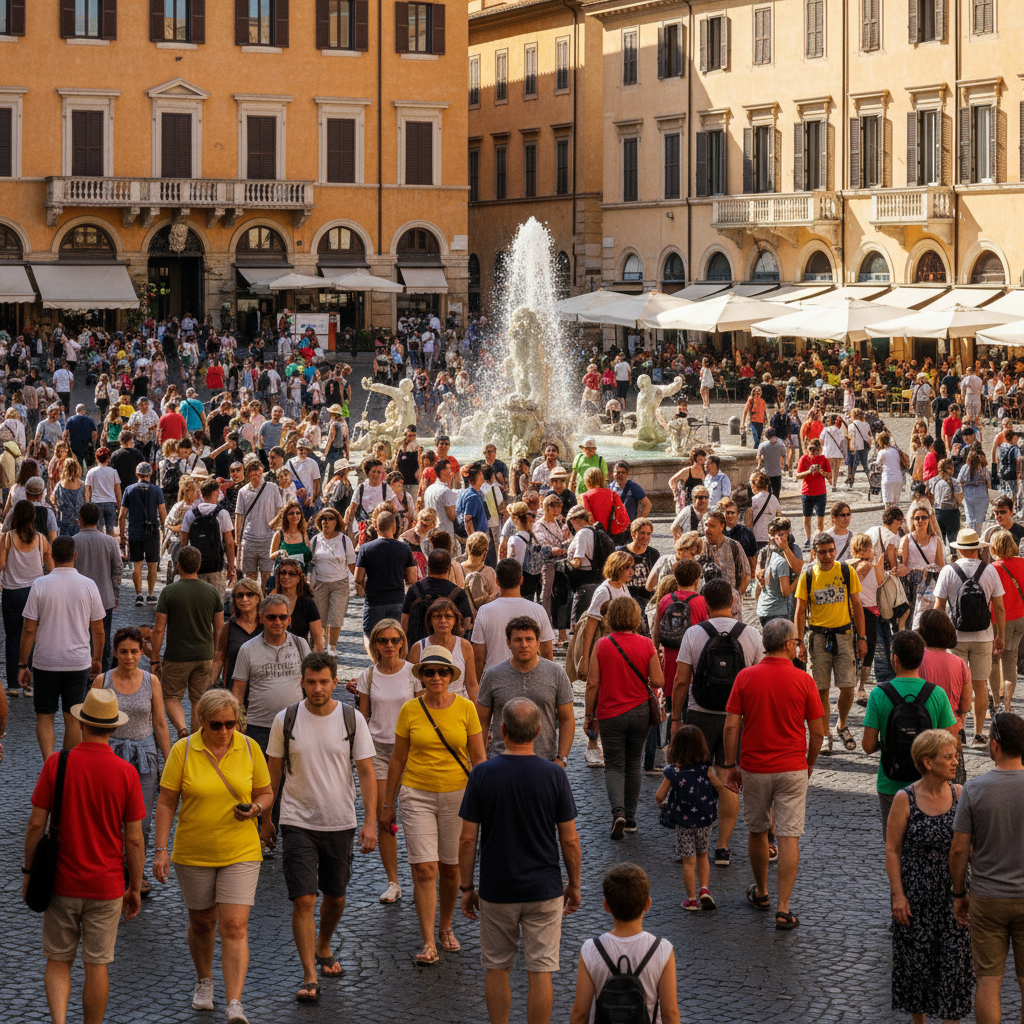
European plaza packed with tourists around a baroque fountain
Before
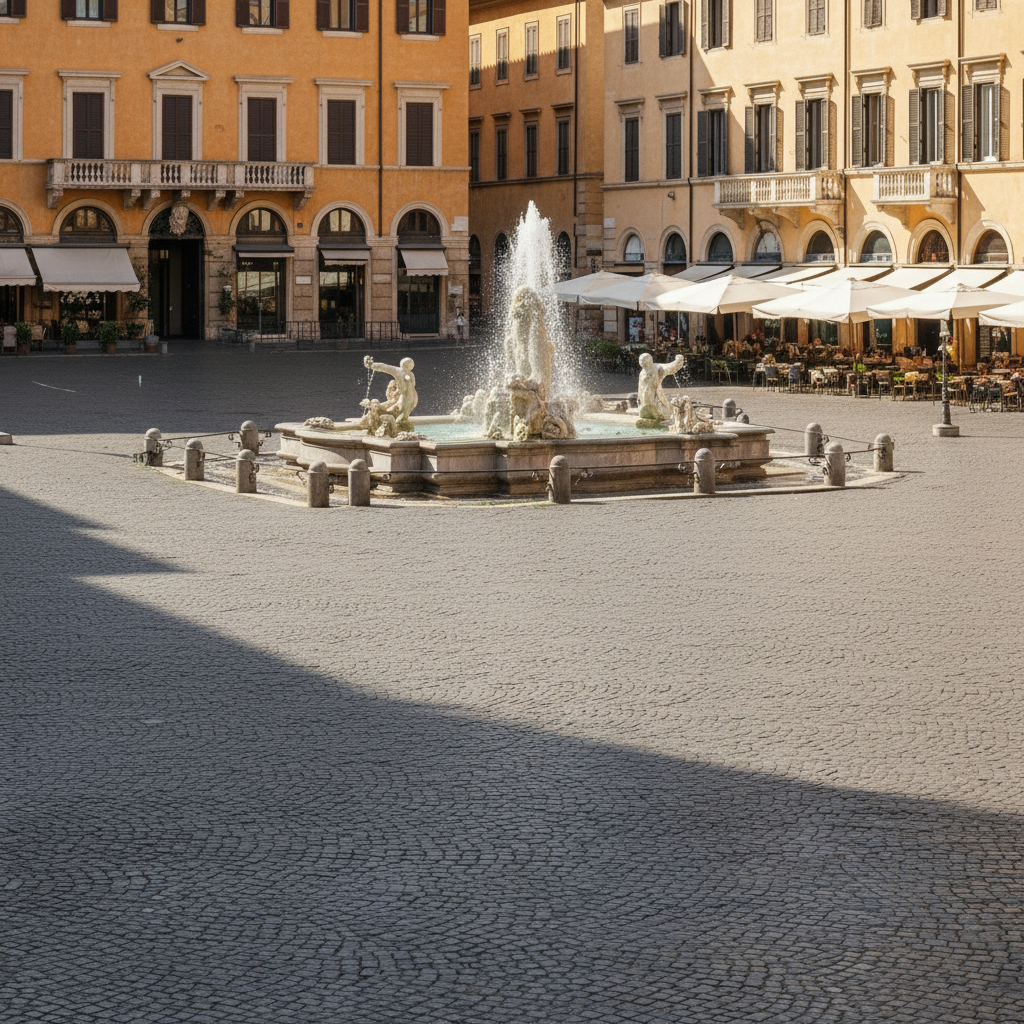
Empty European plaza showing the fountain and cobblestones clearly
After

How it works

1

Upload your photo

Drop your crowded image into EditThisPic. Works with JPG, PNG, WebP up to 7MB. Higher resolution images give the AI more context to reconstruct backgrounds accurately after removing crowds.

⏱ Simple backgrounds: 20-30 seconds. Complex architectural details or large crowds: may need 2-3 refinements for perfect results.
2

Describe the crowd removal

Type your instruction: 'remove all the people and show the empty plaza' or 'clear the crowd and reveal the architecture behind them.' Be specific about what should replace the crowd - the AI needs to know whether to show cobblestones, grass, marble floors, or landmark details. No marking needed - the AI understands what 'crowd' and 'people' mean.

💡 Name the landmark or setting: 'show the empty Colosseum floor' works better than 'show the ground' because it helps the AI match the style.

Copy one of these to get started:

Tourist landmark (general) remove all the people and tourists, show the empty landmark with clear architecture
Plaza or public square clear the entire crowd and show the empty cobblestone plaza with the buildings around it
Beach with many people remove everyone from the beach and show pristine empty sand and ocean
Event venue or concert remove the crowd and show the empty venue floor with the stage in the background
4 more prompts
Museum or gallery remove all visitors and show the empty gallery with artwork on the walls
Street scene clear all pedestrians from the street and show the empty sidewalks and storefronts
Religious or historic site remove the tour group and show the empty temple interior with its original details
Sports stadium or arena remove all spectators from the stands and show the empty seats
3

Generate and review

The AI processes your image, detecting all people and reconstructing what's behind them. Check the full image at zoom - look for partial figures at edges, remaining shadows, and whether architectural details like columns, steps, or patterns continue naturally through formerly crowded areas.

4

Refine leftover details

Large crowds sometimes leave traces - a shoulder at the edge, overlapping shadows, or a reconstructed pattern that doesn't quite match. Tap markers on these spots and describe the fix: 'remove the remaining people on the left' or 'fix the mismatched tile pattern.' Most crowd removals need one refinement pass.

💡 Shadows from crowds are tricky. If you see ghost shadows, explicitly say 'remove the shadows on the ground where the crowd was.'
Try it free
"Got a completely empty shot of the Trevi Fountain from a photo with 50+ tourists. Would have been impossible to wait for that moment." @travel_sarah

See it in action

European plaza packed with tourists around a baroque fountain
Before
Empty European plaza showing the fountain and cobblestones clearly
After

Crowded tourist plaza cleared completely

Famous European plaza packed with tourists during peak season. One prompt removed everyone and revealed the beautiful empty square.

Prompt: remove all the people and tourists, show the empty cobblestone plaza with the fountain and buildings
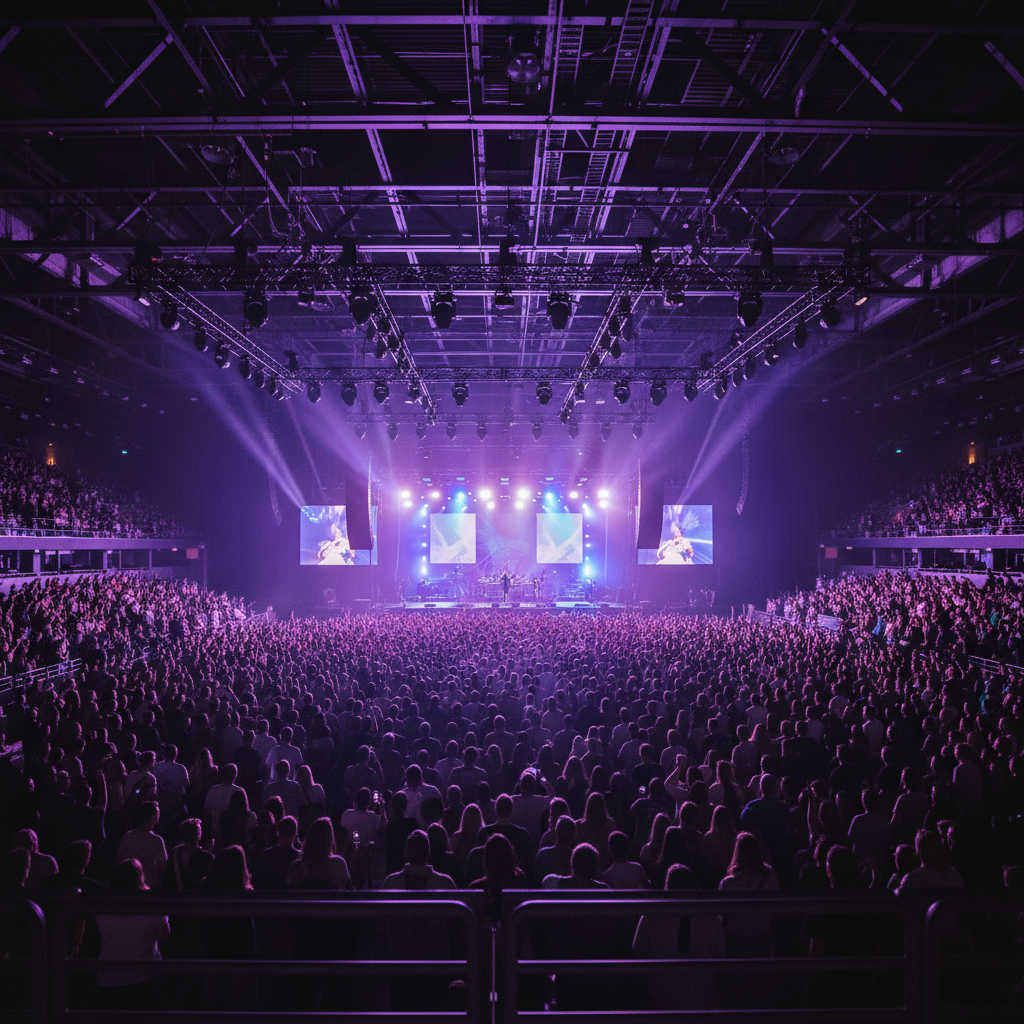
Concert venue packed with audience watching the stage
Before
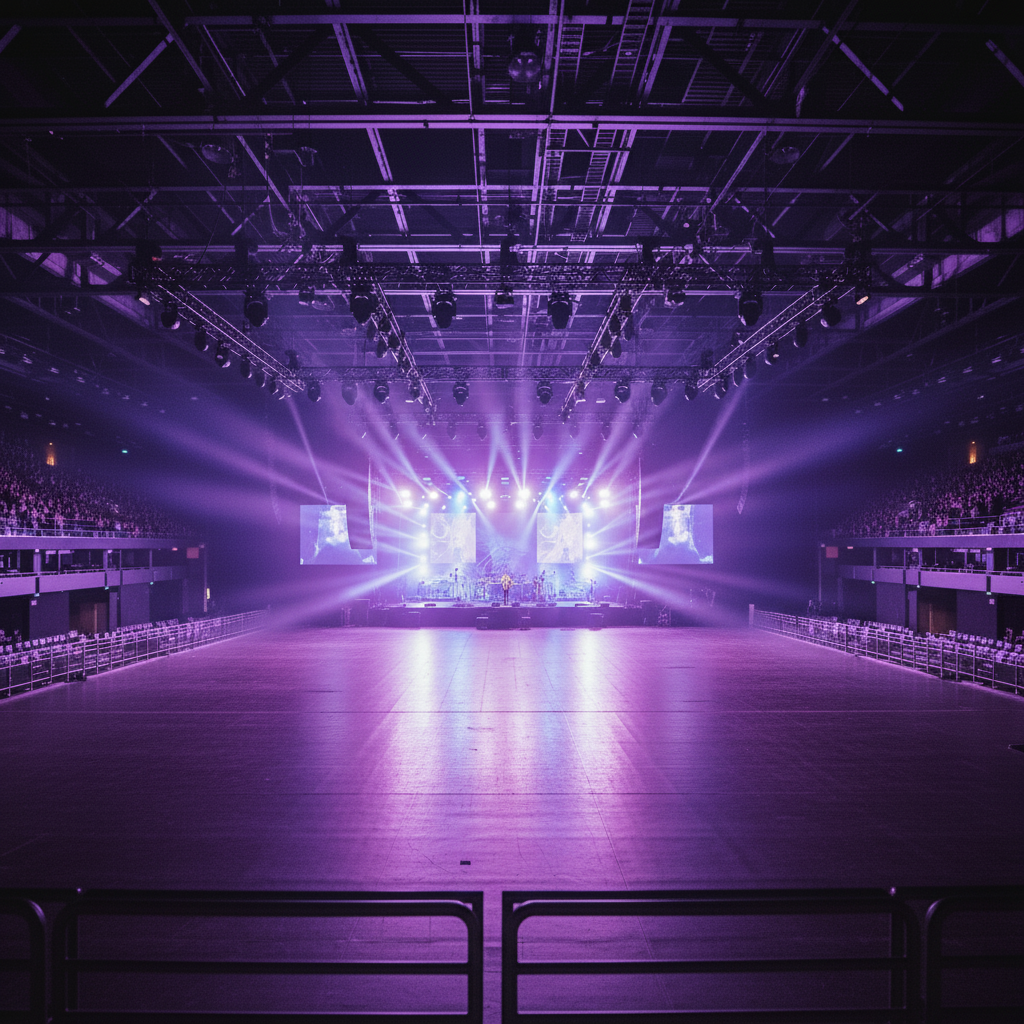
Empty concert venue floor with stage lighting visible
After

Concert venue emptied of audience

Wanted a clean shot of the venue architecture but it was packed. AI removed the entire crowd.

Prompt: remove all the concert attendees and show the empty venue floor with the stage lighting visible
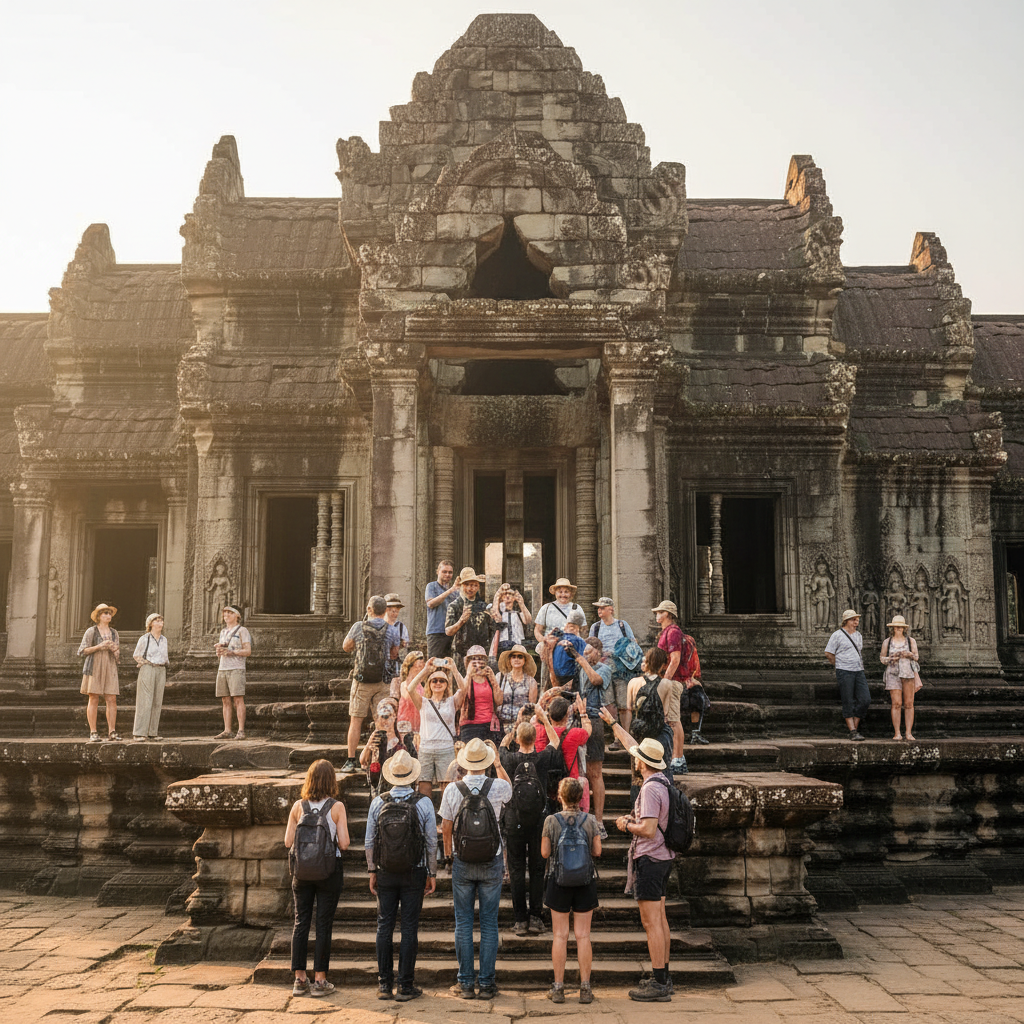
Ancient temple entrance crowded with tour groups
Before
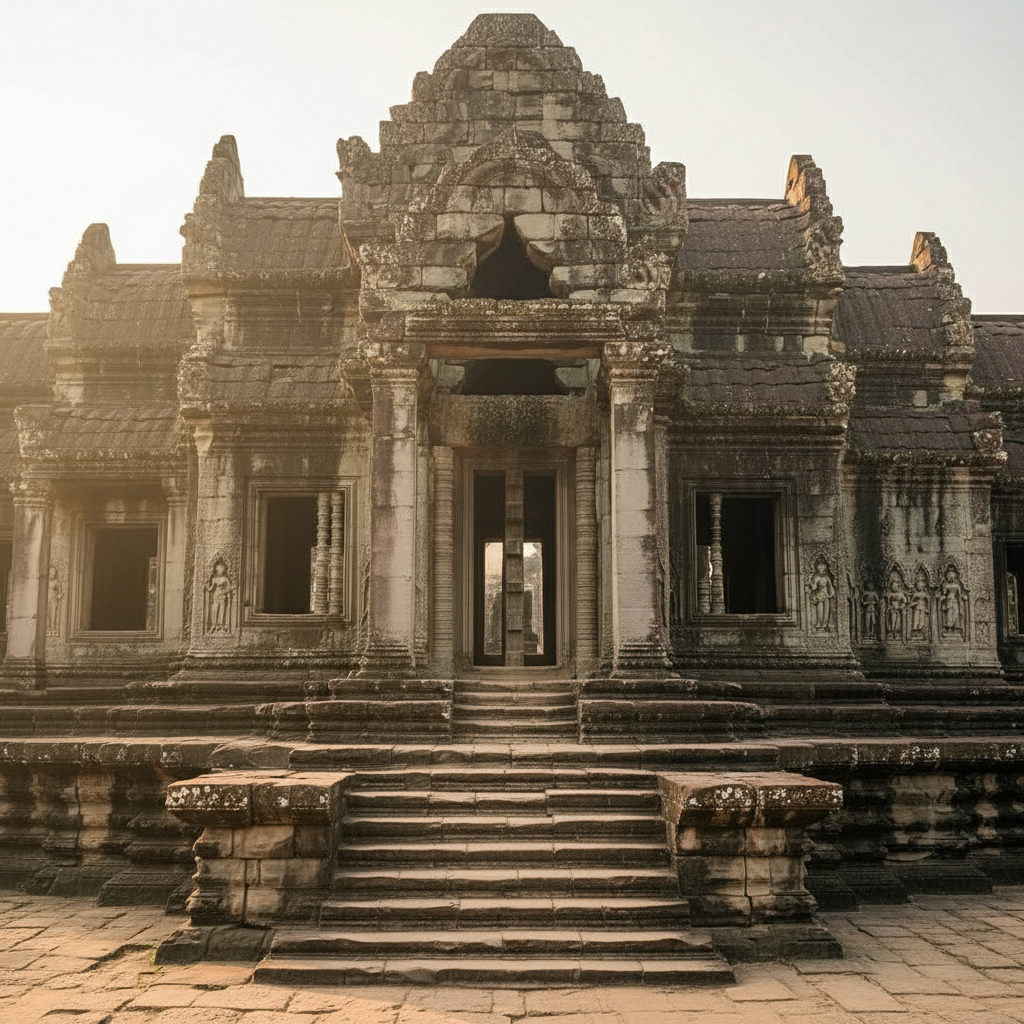
Empty temple entrance showing stone columns and steps
After

Popular landmark cleared of tour groups

Ancient temple entrance swarming with tour groups. Now looks like a private visit.

Prompt: remove all the tourists and tour groups, show the empty temple entrance with the stone columns

If something looks off

Some people at the edges weren't removed

Why: People partially cut off by the frame are harder for AI to identify as 'part of the crowd.' The AI may interpret them as intentional subjects.

Try: remove the remaining people on the left/right edge and extend the background

💡 Tap a marker on partial figures at edges - this explicitly tells the AI 'yes, remove this too.'

Background looks blurry or smeared where the crowd was

Why: The crowd covered so much area that AI didn't have enough surrounding context to reconstruct detailed textures.

Try: sharpen and add detail to the ground/wall where the crowd was removed, match the texture of visible areas

💡 Name the material: 'marble floor' or 'stone tiles' gives AI a target texture to generate.

Architectural details look wrong or warped

Why: Complex patterns like columns, arches, or repeating elements are hard to reconstruct when mostly covered by crowds.

Try: fix the distorted columns/arches and make them match the architectural style visible elsewhere

💡 For famous landmarks, mention the name: 'restore the Parthenon column style' leverages AI's training data.

Ghost shadows remain on the ground

Why: The AI removed bodies but shadows are separate elements that may not be caught in 'remove people' instructions.

Try: remove all the shadows on the ground where people were standing and show clean surface

💡 Always check the ground after crowd removal - shadows are the most common leftover.

AI changed the wrong area or something I didn't want changed

Why: The AI couldn't determine exactly which area you meant from description alone. This happens with ambiguous requests.

Try: Tap a marker on the specific area you want to change, then regenerate with the same prompt

💡 Markers tell the AI 'I mean THIS one specifically.' Use them when description alone is ambiguous.

One specific person wasn't removed

Why: That person may be isolated from the main crowd, or wearing colors that blend with the background.

Try: remove the person in [color] near the [location] and fill with background

💡 For stragglers the AI missed, tap a marker directly on them for guaranteed removal.

Repeating patterns look wrong (tiles, seats, bricks)

Why: AI reconstructed the pattern but got the alignment or scale slightly off.

Try: fix the tile/seat pattern to align properly with the surrounding visible pattern

💡 Zoom in and tap markers on the specific misaligned section for precision fixes.

Quick answers

Do I need to mark every person in the crowd?

No! Just describe: 'remove all the people' or 'clear the crowd.' The AI understands these collective terms and removes everyone together. You only need markers for edge cases - like if one specific person on the edge wasn't caught, tap them and say 'remove this person too.'

How many people can it remove at once?

Tested successfully on images with 100+ people. The limit is practical, not technical - very dense crowds where you can't see any background make reconstruction harder because the AI has less context to work with. If you can see ground, walls, or sky between people, results will be excellent.

What if I want to keep some people and remove others?

Describe who to keep: 'remove everyone except the couple in the center' or 'remove all the tourists but keep the street performer.' For complex situations, remove in stages - first remove the obvious crowd, then use markers on any remaining people you want gone.

Does this work on famous landmarks?

Especially well! The AI has seen millions of images of famous sites, so it knows what the Eiffel Tower, Colosseum, Taj Mahal, etc. should look like empty. Mentioning the landmark name in your prompt often improves reconstruction accuracy.

Why does it take longer than removing one person?

The AI is reconstructing much more background area. Removing one person might be 5% of the image; removing a crowd could be 60% or more. More reconstruction means more processing time. Complex scenes with architectural details take 30-45 seconds.

Can I remove crowds from video frames?

You can process individual frames exported from video. For best results, pick frames where people aren't motion-blurred. Currently EditThisPic works on still images only, but you can process multiple frames and reassemble if needed.

Ready to clear the crowds from your photos?

Free to try. No signup required.

Try it free